


mibeal's stats
- Review count194
- Helpfulness votes125
- First reviewJuly 19, 2016
- Last reviewJune 11, 2026
- Featured reviews0
- Average rating4.6
Reviews comments
- Review comment count0
- Helpfulness votes0
- First review commentNone
- Last review commentNone
- Featured review comments0
Questions
- Question count0
- Helpfulness votes0
- First questionNone
- Last questionNone
- Featured questions0
- Answer count7
- Helpfulness votes12
- First answerDecember 4, 2017
- Last answerMay 4, 2020
- Featured answers0
- Best answers1
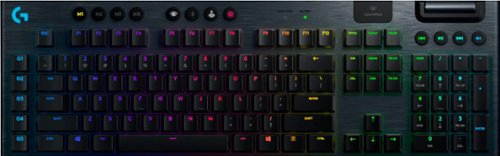
G915 is a new class of wireless mechanical gaming keyboard with 3 selections of low-profile GL switches and pro-grade 1 ms LIGHTSPEED wireless. Capable of delivering 30 hours of non-stop gaming on a full charge. Fully customizable per-key, LIGHTSYNC RGB technology also reacts to in-game action, audio and screen color as you choose. With a sleek, impossibly thin yet durable and sturdy design, G915 brings gamers to a higher dimension of play. Programmable G-keys let you create and execute complex actions simply and intuitively and the volume wheel and media keys give you fast, easy control over video, audio, and streaming.
Customer Rating

4
Good RGB Clicky style keyboard
on August 19, 2019
Posted by: mibeal
from Olean, NY
I am coming from a G910 keyboard also made by logitech. The keys on the 915 are much louder which doesn't bother me but it should be noted. It comes with a wireless usb received and a micro usb cable for charging or just straight up using it in wired mode. You get around 30 hrs of wireless battery life on it depending on RGB and sleep settings.
The RGB software is pretty straight forward and unless this is your first rodeo will be pretty easy to navigate. I had trouble running the keyboard wirelessly and getting it to connect. You have the option of the lightspeed wireless or bluetooth. I ended up just leaving it in wired because the thought of frantically having try to get the cord plugged in mid gaming session sounds awful. Unless you are really needing the portability of a wireless rgb keyboard I'm not sure who they are marketing this too. Rgb is a battery drain so I understand now why the best ones do not offer a wireless option, I would find it annoying have to charge it every couple of days.
Battery is a lithium not AA's you would need to replace so definitely rechargeable. Keyboard is a slim type of keyboard where as the 910 took up a lot more space but also had a palm rest, wish this did as well. You get 5 g keys you can record macros on, 910 has 10. The scroll wheel on the keyboard is nice for adjusting volume quickly and easily but nothing earth shattering here its been around for awhile.
I like the keyboard but I don't recommend you run out to buy this at the MSRP unless RGB wireless is what you have been searching for. It doesn't feel all that innovavtive past the wireless RGB aspect. If you are like me and are just going to plug it in anyways might as well look for a discounted 910 and get some more comfort with it.
Mobile Submission: False
No, I would not recommend this to a friend.
Share this review:


-1point
0of 1voted this as helpful.

Stay active while listening to the crisp sound of these JLab EpicAir wireless sports earbuds. The rechargeable LiIon battery provides hours of listening time, while the ear hook design offers a secure fit. These JLab EpicAir wireless sports earbuds are sweat-resistant and water-resistant and have different-sized eartips, which can be swapped out for comfort.
Customer Rating

3
Average Wireless option for working out
on August 6, 2019
Posted by: mibeal
from Olean, NY
I own a lot of different earbuds and the best thing I can say about these is they are average. The sound is average and did not blow me away compared to some other brands such as Sony, Jabra etc. The ear loops are super annoying to put on and off quickly. I like the idea they are going for with stability but wow are these things annoying. They don't detach either before you start thinking that.
A big pro of these is the charging case. It's huge and recharges them quickly but what's really cool is it actually has its own usb port so you could charge your watch or phone on the go from the earbud charging case.
The phone app to customize the earbuds is nothing fancy and what you would expect as far as adjusting the eq etc. I found the touch panel controls to only work about half the time. I do like you can adjust the volume on the earbuds themselves but I found trying to remember the different combos of buttons on each ear piece cumbersome. Even if you remember the right number of presses on which side it didn't always seem to work.
To restate my first line I think these earbuds are simply average and I would not recommend them unless stability with the earhooks or charging your phone from the case is the end goal.
Mobile Submission: False
No, I would not recommend this to a friend.
Share this review:


0points
0of 0voted this as helpful.
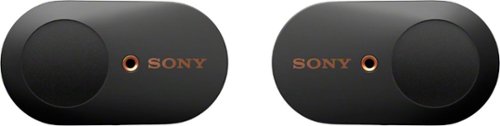
Get peace and quiet anywhere with these Sony truly wireless noise-cancelling earbuds. An advanced HD noise-cancelling processor blocks distracting background noise so you can focus in noisy environments, and Bluetooth connectivity ensures easy use with smartphones and other devices. These Sony truly wireless noise-cancelling earbuds include a convenient charging case that offers up to 24 hours of use per charge.
Customer Rating
4
Great for Noise Cancelling
on July 25, 2019
Posted by: mibeal
from Olean, NY
Sony's new earbuds are great at one thing and that's noise cancelling. When its active it really does block out a lot of noise from your music. The companion app you can download lets you adjust it from ambient sound or noise cancelling on the fly. The app also lets you mess with the eq and some other stuff as well I would consider it a necessity to use the earbuds properly.
The earbuds themselves come with a nice charging case with magnet's for easy insertion. The case doubles as a charger for the earbuds and can give you 90 minutes of listening in just 15 minutes. Also comes with ear tips for different size ears and a short usb-a to usb-c cable to charge the case. I tried all the different ear tip sizes and one of my major complaints is nothing really feels secure in my ear. I feel if I were to try and go for a run they would simply fall out. I have a pair of Jabra's that have an ear hook in them that feels much more stable.
The sound quality is really superb nice base. I wish you could adjust the volume on the earbuds themselves but you cant. The buttons on the earbuds are touch sensitive which is fine. They also come with google assistant which is not overly helpful to me but maybe it is to you.
I tried these paired to my pc and the sound was very flat, its very clear these were intended to be used with phones. I think for the price of these earbuds I was not blown away by performance. The noise cancelling really is something but at a high price point I think I need more out of my earbuds to call them great.
I have a lot of different earbuds and honestly I don't think these will be my main go to pair. They are good and maybe they will fit your ear's better than mine but I cant be running and walking and feeling like they are on the edge of falling out.
Mobile Submission: False
No, I would not recommend this to a friend.
Share this review:


0points
3of 6voted this as helpful.
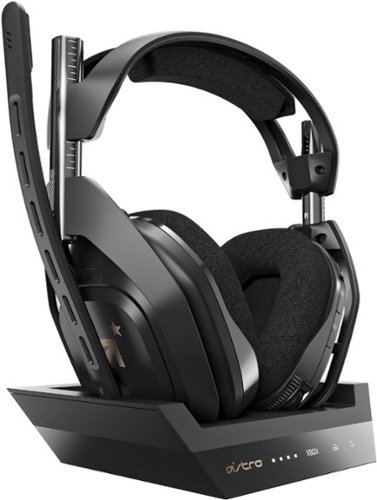
Experience legendary performance and sound of ASTRO Audio V2, with the convenience and freedom that comes without wires. The A50 Wireless + Base Station for Xbox One/PC delivers premium acoustics, ergonomics, comfort and durability that gamers demand. The all-new Base Station provides clear, low-latency voice communication, while making headset pairing and charging simple. The ASTRO Command Center software allows Pros and Live streamers to tune every input and output parameter of the A50 precisely for their specific setup. Experience absolute audio immersion with the A50 Wireless + Base Station.
Customer Rating

5
Amazing headset for Gaming True Wireless
on June 27, 2019
Posted by: mibeal
from Olean, NY
This is my first pair of Astro's and they did not disappoint. Packaging is fairly standard you will get the base, headset, tos link audio cable, micro usb to usb-a cable. To hook it up to Xbox micro usb to usb on xbox, and plug in the tos link audio cable from base to xbox and you are ready to go.
The headset comes pre paired to the base. I love the magnetic charging for the headset no charging ports to worry about breaking.
The sound is truly amazing, even comes with a free 2 year subscription to dolby atmos. The headset buttons all felt easy to get to with the headset on. Flip up to mute mic, although the noise detection seemed a bit high on the mic. Sitting in front of a fan caused it to go off constantly. You can change the eq setting to 3 presets from the headset as well was switch the dolby atmos on and off. Power button toggle switch.
Connection to PC can be done by simply plugging the usb cable into a pc or laptop and making the usual audio device changes.
Although this particular unit is made for xbox or pc through testing i discovered you can also hook it up to PS4 but no mic functionality. You can get stereo sound only but its still something considering they make you buy a seperate base for PS4. The base itself has a toggle switch for xbox or pc as well.
The mic sounds clear and loud, my only real complaint here is how noise it picks up. The headset itself is comfy and cushions well. I didn't find my ears getting too hot after long sessions.
I strongly recommend these while the price tag is hefty you will not find a better pair of wireless headphones for xbox and pc or ps4 if thats your thing. The PS4 variant also works with PC. If you decide to pony up the extra for both a Xbox and PS4 base you can actually use the same headset on both bases.
Get this and you won't regret it.
Mobile Submission: False
I would recommend this to a friend!
Share this review:


0points
0of 0voted this as helpful.
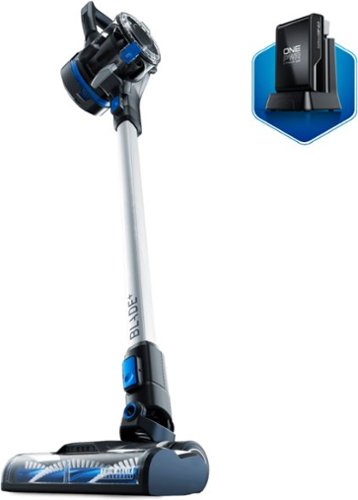
Clean up messes in record time with this Hoover ONEPWR Blade+ cordless vacuum kit. Built-in headlights help you spot debris, and the Multi-Surface brush roll easily lifts dirt off most surfaces. Featuring DustVault technology, this Hoover ONEPWR Blade+ removes up to 99 percent of dust and debris without losing suction.
Customer Rating
3
Good attempt at cordless vac but falls short
on June 26, 2019
Posted by: mibeal
from Olean, NY
I was very excited to try another cordless vac as they are my preferred tool to clean my floors but this falls short. Boxing and assembly are fairly basic completely tool less. I did find the instructions less than optimal as far as mounting the wall holder and the accessory holder.
The battery did not have much of a charge upon delivery charged up within a couple hours. Once I charged the battery I gave it a go.
The vac has headlights to show you the dirt you are missing otherwise which is handy but I found the actual sucking of debris to be less than desire able. I mainly use this to clean up after my cats who leave bits of food and litter around and this seems to have a real problem picking them up. Instead the cordless vac just likes to push them around unless I pick up the vac and put it over top of the debris. If you just want this to clean dirt and dust off a carpet or hard wood floor it does do that efficiently.
I also have area rugs, this vac did not do a good job with them sucking to the rug so hard it would lift off the ground. I also have a Dyson V10 cordless vac that handles the area rugs just fine so it's definitely an issue with the Hoover.
The battery life seemed very short, not a full 30 minutes on full power before it needed another couple hours to charge. The charger is fairly basic with power adapter for placement about anywhere and there is a wall mount with mounting hardware for the vacuum itself. Also comes with a corner attachment and brush attachment. I did like the swivel action of the brush head it moved around corners nicely. The dirt canister removes easily and empties with the push of a button but it's size is rather small compared to other stick vacuum's. Also includes a washable rinse able filter in the top of the canister.
Overall I was disappointed with this product to suit my needs of picking up things other than dirt/dust and the battery life leaves much to be desired. If I can't get through my downstairs on a single charge its going to make me much less inclined to want to use this product.
In the future I would like to see a stick vacuum that is adjustable to raise up from the floor to gather things like food chunks and not just push them around.
This product is on the lower end of the cost spectrum for it's class but I feel this is one you get what you pay for.
Mobile Submission: False
No, I would not recommend this to a friend.
Share this review:


0points
0of 0voted this as helpful.
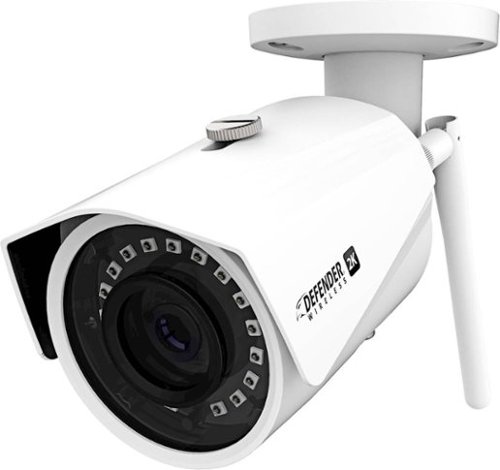
Watch over areas remotely with this Defender 2K Wireless IP security camera. The IP67-certified metal housing offers protection against inclement weather conditions, while the integrated app lets you watch footage live from a smartphone. This Defender 2K Wireless IP security camera uses 128-bit encryption to help secure the video feed.
Customer Rating
4
Good choice for indoor or outdoor security camera
on June 25, 2019
Posted by: mibeal
from Olean, NY
My review will be based on the camera being indoors.
I have this setup in a room in my house to keep an eye on animals while away from home. Installation was fairly simple and what you would expect from a wifi camera. You will need to download the app from your Ios/android app store. Enter the serial number or scan the QR code of the camera, select a wifi network and boom your up and running.
Mounting the camera was very simple and pain free.
The picture is outstanding from what I am used to with other brand cameras. The wifi antenna is detachable which I found mounting to be easier with it off.
It's worth noting it is a 2.4ghz wifi camera only 5ghz is no go here. The app is actually fairly basic and rather limited on what you can do with it.
The only reason I removed a star is because there is no desktop version of the app for monitoring from a PC. Not everyone wants to waste time constantly loading an app on their phone. I managed to make it work on my PC by loading an android emulator and loading the software that way but shouldn't have to go through that much trouble.
The camera itself has sensitive motion detection and I get 100's of alerts a day I'm considering turning that off since I use it for pet monitoring its a little un necessary. If you are going to mount this outside for intruders I can see why that would be very handy.
Overall I am quite happy with it I just wish they would make a desktop version of their app to leave the feed up when I am home to keep an eye on things.
I would recommend this camera for outside or indoor use, if you are going outside not to worry it's rated to be installed in the elements with a water proof plug.
Mobile Submission: False
I would recommend this to a friend!
Share this review:


+1point
1of 1voted this as helpful.
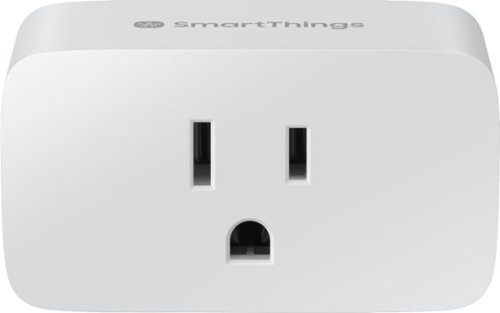
Control your small appliances from a smartphone by plugging it into this Samsung SmartThings Wi-Fi smart plug. Compatibility with Alexa and Google Assistant enables seamless voice control. This Samsung SmartThings Wi-Fi smart plug lets you trigger lights to automatically turn on and off, and it extends the range of your devices when plugged into a wall outlet.
Customer Rating
5
Great for adding smart functionality
on June 22, 2019
Posted by: mibeal
from Olean, NY
Smart plug, you plug in a device you want the ability to turn on and off via your phone into it. For me this is an obscurely placed light that when I'm in bed I don't have to get out of bed to turn off anymore. I found the pairing process to be quite simple inside in the smart things app.
Note you must leave the device in the on position and then turn it on and off via the app, if you manually turn it off the app will cease to control it.
I was up and running within minutes of adding the plug/device to my smart things hub and able to turn the light on and off with the single push of a button on my app. No issues accessing the device outside my home network either. I have the smart things camera and light bulb I found this the simplest of the three to setup.
Overall I have no negatives to this plug other than you need the smart things hub to sync it up but that seems like a fairly obvious thing to not need to point out. Want a simple way to add some smart functionality to your house grab a hub and this and welcome to the future.
Mobile Submission: False
I would recommend this to a friend!
Share this review:


0points
0of 0voted this as helpful.
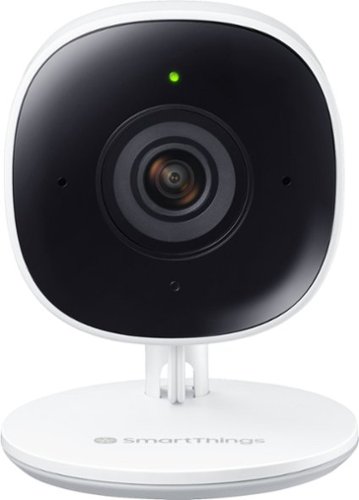
Know what's going on when you're away from home. The Full HD camera delivers a clear, detailed view, allowing you to monitor your home 24 hours a day from the convenience of your smartphone, tablet, Samsung TV or fridge. The SmartThings camera intuitively distinguishes between a person and an object, alerting you immediately if necessary while minimizing false triggers.
Posted by: mibeal
from Olean, NY
This is a very good indoor security camera. 1080p resolution and 5g or 2.4 ghz band usable. Mounting was simple two screws included to mount the back plate and then the camera slides on. I found the cord length to be more than enough to reach my outlet to the point I have most of it zip tied.
Pairing the camera to the smart things app was quite simple and done by scanning the QR code on the bottom of the camera when asked.
Picture is clear and the app includes lots of options to customize how you want to use the camera. Some of these include range of motion detection, SD, HD or FHD resolution etc. The camera does not move it is stationary. I have not used it to record video I just use to watch areas around my house (namely keeping an eye on pets).
The one thing I dislike about the camera is the only way to view the camera is through the mobile app. Their is no desktop version of the app for a PC or Mac. So if you want it to just remotely check on things occassionally its good for that but if you want something to leave up on a monitor 24/7 this isn't it.
Overall I'm satisified with the product it does what I expected it to with ease, the only reason I removed a star is because the software is limited to mobile device only. For the tech savvy you can run an android emulator on your pc and have it up on a desktop monitor that way but such an invasive measure to take when they could have just made a simple desktop app.
Mobile Submission: False
I would recommend this to a friend!
Share this review:


+1point
1of 1voted this as helpful.
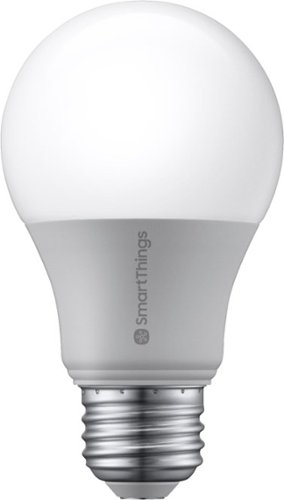
Light up any room with the SmartThings smart bulb that's easy to control from your smartphone or tablet. Turn on the living room lamps as you're heading home, dim the lights from movie night, or schedule them to turn off before bed. It's a smarter way to light your house while saving money on energy costs.
Customer Rating
4
Good entry into the SmartThings life
on June 22, 2019
Posted by: mibeal
from Olean, NY
This is my first step into the world of smart devices around my home. I'll preface this review with the understanding you already have and know how to work your smart things hub.
Bulb is well just a bulb screw into a standard socket. I found the pairing process to be a little annoying. The app asks you to scan a QR code which can only be found on the bulb but by the time you reach this process in the installation you are supposed to have already screwed the light bulb in to start the pairing process.
There is a non code way to pair by doing a manual search of the area for devices in pairing mode. After a few tries I was able to get it connected. With the app on the phone you can very easily turn the bulb on and off with a single click in the app. Note you must leave the actual light in the on position at all times and turn the bulb on and off via the app. If someone turns the light to the off position manually it will not work.
I find the light to be sufficient nothing to write home about but it does what you expect it lights.
Overall quite happy with the smarthings smart bulb but I removed one star for the troublesome pairing process, I think they should have left the QR code in the instructions or on the box putting in on the bulb when you have already screwed in the bulb was a dumb decision.
Mobile Submission: False
I would recommend this to a friend!
Share this review:


0points
0of 0voted this as helpful.
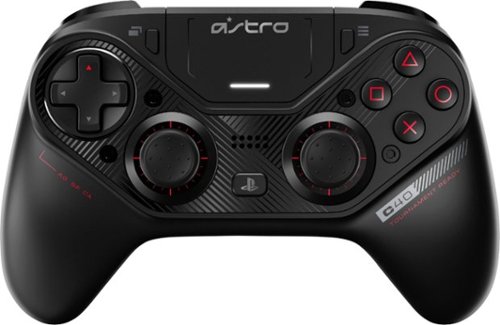
Take control of your gaming experience with this Logitech Astro USB controller. The highly durable construction is great for extended sessions, and the fully customizable layout lets you remap each button to mimic any console configuration. This Logitech Astro USB controller has extra-sensitive triggers that respond seamlessly without having to depress them fully.
Customer Rating
3
Solid controller but for the price maybe not
on June 7, 2019
Posted by: mibeal
from Olean, NY
First off I am a Gen 2 Xbox Elite controller owner as well so I will offer comparisons. The Astro is a touch smaller than the elite controller but not by much, much bigger than a standard PS4 controller. Connection is easy over a proprietary USB cable or included wireless dongle to PC or PS4.
I don't like they have a proprietary USB cable connector if it breaks you can't just swap in another one laying around without modification.
Small Sync button on the back and power button on the front. From what I can tell the controller does not seem to shut itself off after inactivity so you have to make sure you turn it off.
Xbox Elite controller comes with 4 removable paddles on the back, this has two paddle buttons which are not removable. Also like the Xbox controller if you are on PC you cant just map them to any key on the keyboard, you can only emulate another controller button. Hate that I need special software to do what should be a basic function on a $200.00 controller.
Comes with three sets of thumb sticks, tool to make modifications. You can swap the dpad and thumb stick locations if that's your thing.
If you use a claw grip this is easier to hold onto than the xbox elite as its a touch smaller. Battery life is pretty good what you would expect from it.
I mainly used this on my PC but keep in mind to use it on the PS4 you must use the included USB dongle on the PS4 same as PC.
Controller has the standard DS4 touch pad that feels similiar to the PS4 one.
PC has software you can download from their site to make custom profiles, adjust thumbstick curves, reassign buttons etc, same as the xbox equivalent software. You can also update the firmware of the dongle and controller this way.
Overall I'm a little disappointed with this controller for the price point of $199.99. If you want to up your game on PS4, however, your options are limited. If you want something extra on PC I think the xbox one elite controller is the better way to go, however, only time will tell if the Astro holds up longer or not.
Mobile Submission: False
No, I would not recommend this to a friend.
Share this review:


0points
0of 0voted this as helpful.
mibeal's Review Comments
mibeal has not submitted comments on any reviews.
mibeal's Questions
mibeal has not submitted any questions.
mibeal's Answers
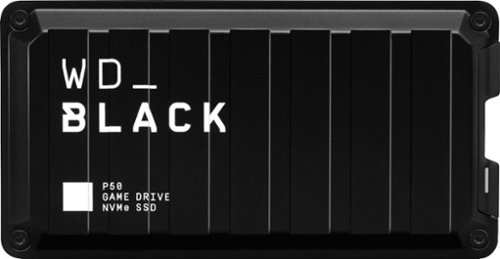
The WD_Black P50 Game Drive SSD provides the tools you need to drive your game. With read speeds of up to 2000MB/s and up to 1TB of storage, you~ll spend less time waiting to get back in the game and more time actually playing. Designed from the ground up with the gamer in mind, the WD_Black P50 Game Drive SSD is future-ready with a SuperSpeed USB 20Gb/s interface to provide full compatibility to your PC or console.
Overview says console but does it really work with a ps4 pro
Yes it would work fine with a ps4 pro, its a usb drive it would be limited by the usb 3 port on your ps4 pro but you would gain some loading time over the drive that ships with the ps4 pro.
6 years, 1 month ago
by
mibeal
Get peace and quiet anywhere with these Sony truly wireless noise-cancelling earbuds. An advanced HD noise-cancelling processor blocks distracting background noise so you can focus in noisy environments, and Bluetooth connectivity ensures easy use with smartphones and other devices. These Sony truly wireless noise-cancelling earbuds include a convenient charging case that offers up to 24 hours of use per charge.
How comfortable are they? Do they feel like they're going to fall out with rigorous exercise (running) or do they have a secure fit a majority of the time?
They do not feel secure to me and I tried several of the ear tip sizes. One of the major complaints in my review was that when walking/running they don't feel secure.
6 years, 10 months ago
by
mibeal
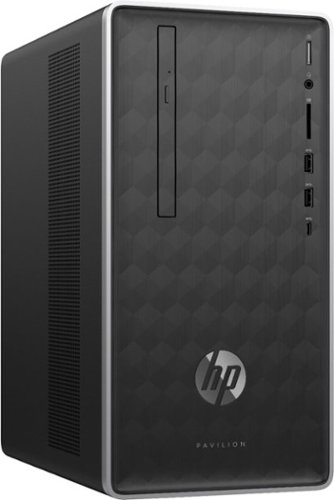
Enjoy hours of reliability and speed with this HP Pavilion desktop. Its AMD Ryzen 5 processor and 12GB of RAM let you accomplish multiple tasks at the same time, and its 1TB hard drive provides plenty of space for file storage. This HP Pavilion desktop comes with a wired keyboard and mouse for interacting with Windows 10 Home.
how long has this been on the market I cant find any reviews any where I bought it because it sounds good on the inside and the last HP Pavillion I bought in 2011 is still running mostly good but I am preparing for needing a new 1
New to the market maybe a month or so. Short version of my review is if you just want to use this for checking email typing up documents and browsing web you will be ok. Don't expect any kind of gaming or 4k movie watching on this. Even just using it as a workstation feels somewhat slow with the 1tb mechanical drive. Add a SSD and it will be a speedy machine for you.
7 years, 10 months ago
by
mibeal
Enjoy hours of reliability and speed with this HP Pavilion desktop. Its AMD Ryzen 5 processor and 12GB of RAM let you accomplish multiple tasks at the same time, and its 1TB hard drive provides plenty of space for file storage. This HP Pavilion desktop comes with a wired keyboard and mouse for interacting with Windows 10 Home.
Will I be able to add a GTX 1050 graphics card to this build without replacing the power supply?
No you def will not it only comes with a 180w power supply most of those cards require 400w minimum.
7 years, 10 months ago
by
mibeal
Enjoy hours of reliability and speed with this HP Pavilion desktop. Its AMD Ryzen 5 processor and 12GB of RAM let you accomplish multiple tasks at the same time, and its 1TB hard drive provides plenty of space for file storage. This HP Pavilion desktop comes with a wired keyboard and mouse for interacting with Windows 10 Home.
Graphics card? Dedicated or integrated? Does it have it's own Vram? Or shares the 12GB system ram?
Integrated graphics not usable on anything but the likes of esport/minecraft games. 1gb vram.
7 years, 10 months ago
by
mibeal
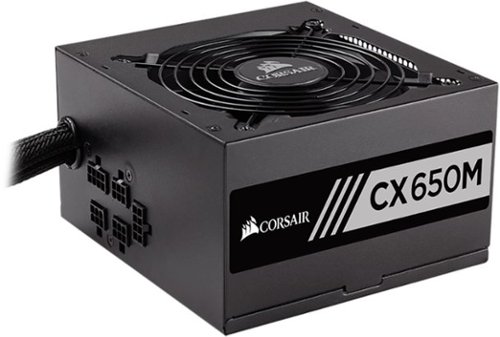
Power your custom-built computer with this CORSAIR power supply. It's built for efficient operation, so it saves energy and doesn~t produce much heat, and it operates quietly at slow and medium speeds for a better work environment. The modular cable system of this CORSAIR power supply provides easy, clutter-free installation in compatible ATX desktop cases.
Is the upgrade from a corsair cx600 to a cx650 plug and play with no changes to connections?
Never re use the ac power plug between power supplies you can and will fry your psu mobo/cpu and maybe more. Only ever use the cable included with each psu.
8 years, 2 months ago
by
mibeal
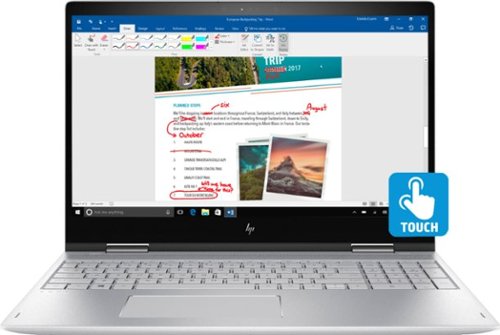
Simplify tasks with this 15.6-inch HP ENVY convertible laptop. Its Full HD touch screen lets you navigate the intuitive Windows 10 interface, and its Intel Core i7 processor and 16GB of RAM ensure demanding programs run smoothly. This HP ENVY convertible laptop has a 1TB hard drive for storing photos, videos and documents.Learn more.
Is this loptop is good for gaming?
I would not get this laptop for gaming in my opinion.
8 years, 6 months ago
by
mibeal