
Share Selva's profile


Selva
Selva's stats
- Review count3
- Helpfulness votes0
- First reviewAugust 28, 2016
- Last reviewJune 1, 2018
- Featured reviews0
- Average rating4.7
Reviews comments
- Review comment count0
- Helpfulness votes0
- First review commentNone
- Last review commentNone
- Featured review comments0
Questions
- Question count0
- Helpfulness votes0
- First questionNone
- Last questionNone
- Featured questions0
- Answer count1
- Helpfulness votes0
- First answerJune 1, 2018
- Last answerJune 1, 2018
- Featured answers0
- Best answers0
Selva's Reviews
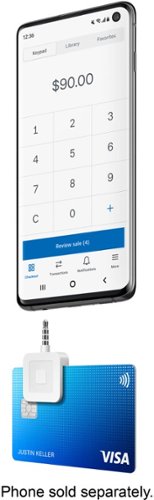
Do business anywhere and take credit card payments on your Apple or Android mobile device with the Square Reader for magstripe. It~s quick and easy to get started: Download a free Square Point of Sale app, plug Square Reader for magstripe into your device~s USB-C connection, and you~re ready to swipe cards anywhere. Your Square app takes care of payments, tipping, inventory, reports, and more. Accept all major credit and debit cards and pay one simple rate with no hidden fees and no long-term contracts required. Fast transfers come standard ~ get money in your bank account as soon as the next business day, or instantly for a small fee. Add on complementary hardware or software to accept more payment types, like EMV chip cards, Apple Pay, Google Pay, and other NFC payments. Either enable Tap to Pay on iPhone or Tap to Pay on Android and take tap payments, or try Square Reader for contactless and chip to accept tap and chip cards.
Customer Rating

5
needed a magstripe
on June 1, 2018
Posted by: Selva
from Park City
Verified Purchase:Yes
I had a million of these but obviously when I needed one I couldn’t find it, luckily Best Buy stocks them!
My Best Buy number: 2587906744
My Best Buy number: 2587906744
Mobile Submission: True
I would recommend this to a friend!
Share this review:


0points
0of 0voted this as helpful.
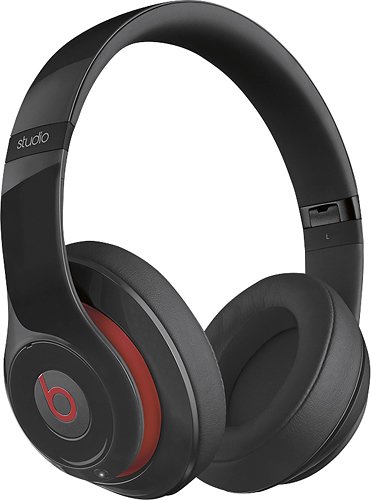
Rock out with these Beats Beats Studio 900-00059-01 headphones that feature adaptive noise cancelling to filter out ambient sound. Leatherette ear cushions and a flexible design ensure a comfortable fit.
Customer Rating

4
Best headphones that I've owned to date
on August 28, 2016
Posted by: Selva
Verified Purchase:Yes
Amazing sound, I have owned other brands of headphones (Bose, Skullcandy, etc.) and these have the best sound quality so far. A little disappointed that I'll probably have to upgrade to the bluetooth version soon since the next generation iPhone is expected not to have a headphone jack.
My Best Buy number: 2587906744
My Best Buy number: 2587906744
I would recommend this to a friend!
Share this review:


0points
0of 0voted this as helpful.

The new Multi-Touch subsystem in the new iPad 9.7" and iPad Pro gives Apple Pencil striking capabilities alongside pixel perfect precision. Using incredibly sensitive pressure and tilt sensors, Apple Pencil instantly recognizes when you are pressing harder or shifting its angle. So you can vary line weight, create subtle shading, and produce a wide range of artistic effects ~ just like with a conventional pencil.
Customer Rating
5
Best Ipad Improvement
on August 28, 2016
Posted by: Selva
Verified Purchase:Yes
The Apple Pencil was the best improvement for the Ipad Pro.
My Best Buy number: 2587906744
My Best Buy number: 2587906744
I would recommend this to a friend!
Share this review:


0points
0of 0voted this as helpful.
Selva's Review Comments
Selva has not submitted comments on any reviews.
Selva's Questions
Selva has not submitted any questions.
Selva's Answers
Do business anywhere and take credit card payments on your Apple or Android mobile device with the Square Reader for magstripe. It~s quick and easy to get started: Download a free Square Point of Sale app, plug Square Reader for magstripe into your device~s USB-C connection, and you~re ready to swipe cards anywhere. Your Square app takes care of payments, tipping, inventory, reports, and more. Accept all major credit and debit cards and pay one simple rate with no hidden fees and no long-term contracts required. Fast transfers come standard ~ get money in your bank account as soon as the next business day, or instantly for a small fee. Add on complementary hardware or software to accept more payment types, like EMV chip cards, Apple Pay, Google Pay, and other NFC payments. Either enable Tap to Pay on iPhone or Tap to Pay on Android and take tap payments, or try Square Reader for contactless and chip to accept tap and chip cards.