
Share Chameleon75's profile


Chameleon75
Chameleon75's stats
- Review count21
- Helpfulness votes1
- First reviewDecember 27, 2013
- Last reviewApril 15, 2017
- Featured reviews0
- Average rating5
Reviews comments
- Review comment count0
- Helpfulness votes0
- First review commentNone
- Last review commentNone
- Featured review comments0
Questions
- Question count0
- Helpfulness votes0
- First questionNone
- Last questionNone
- Featured questions0
Answers
- Answer count0
- Helpfulness votes0
- First answerNone
- Last answerNone
- Featured answers0
- Best answers0
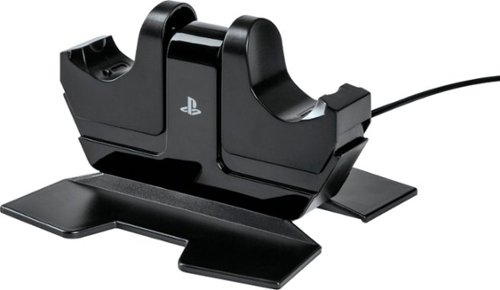
Charge and display your DUALSHOCK 4 wireless controllers with the officially licensed Charging Station for PlayStation 4. Charging is an ease - Simply place the DUALSHOCK 4 on either side of the station, and click down to see the LED base light up to indicate charging level. When fully charged, click down to release contact and simply leave the controller on the station. Feel confident your controllers are always ready to game as it charges on display alongside of your PS4 console
Customer Rating

5
So much better then charging with PS3
on December 27, 2013
Posted by: Chameleon75
from Orlando, Fl.
Verified Purchase:Yes
Love how fast and easy it is to charge multiple controllers. Such a wonderful upgrade from how it was with the PS3.
My Best Buy number: 1042427268
My Best Buy number: 1042427268
What's great about it: Easy to use
I would recommend this to a friend!
Share this review:


0points
0of 0voted this as helpful.
Chameleon75's Review Comments
Chameleon75 has not submitted comments on any reviews.
Chameleon75's Questions
Chameleon75 has not submitted any questions.
Chameleon75's Answers
Chameleon75 has not submitted any answers.