
Share roger's profile


roger
roger's stats
- Review count31
- Helpfulness votes0
- First reviewNovember 6, 2018
- Last reviewMay 9, 2025
- Featured reviews0
- Average rating5
Reviews comments
- Review comment count0
- Helpfulness votes0
- First review commentNone
- Last review commentNone
- Featured review comments0
Questions
- Question count0
- Helpfulness votes0
- First questionNone
- Last questionNone
- Featured questions0
- Answer count2
- Helpfulness votes0
- First answerNovember 6, 2018
- Last answerJune 16, 2020
- Featured answers0
- Best answers0
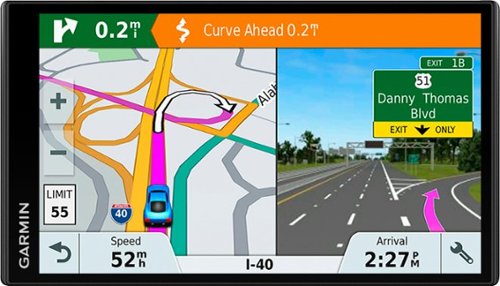
Take a journey with this Garmin DriveSmart 61 GPS. It has a 6.95-inch edge-to-edge display that displays even more info, and it clearly shows how fast you're driving and what time you're likely to get to your destination. Powerful traffic updates ensure you can avoid congestion with this Garmin DriveSmart 61 GPS.
Customer Rating

5
Everything I expected
on November 6, 2018
Posted by: roger
from Fargo, ND
Verified Purchase:Yes
An upgrade from an older 4" Garmin, the display is excellent, the screen is sensitive with the now-expected pinch-to-zoom. The larger display is great for my tired old eyes, and being able to use all my custom POIs is great. I have Android auto in my car and have used Google Maps and Waze, but still wanted a newer Garmin to handle the majority of nav functions without always using data from my phone.
Mobile Submission: False
I would recommend this to a friend!
Share this review:


0points
0of 0voted this as helpful.
roger's Review Comments
roger has not submitted comments on any reviews.
roger's Questions
roger has not submitted any questions.
roger's Answers
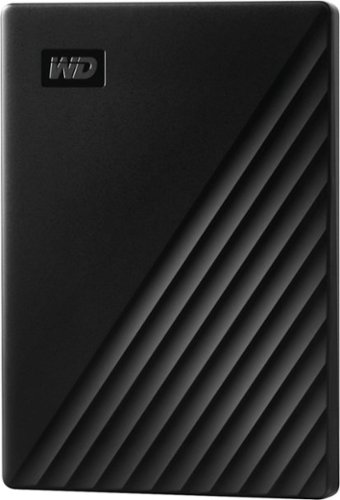
Store, share and transport files with the lightweight Western Digital My Passport Portable Hard Drive. The SuperSpeed USB port lets you transfer large files in seconds and 256-bit AES hardware encryption helps keep your files secure. The My Passport provides enough space to store thousands of files and documents. Auto backup capability allows you to select the time and frequency of file transfers.
Now that Windows is not fully supporting Windows 7 - Can you back up to this without using the windows back up option?
Take a journey with this Garmin DriveSmart 61 GPS. It has a 6.95-inch edge-to-edge display that displays even more info, and it clearly shows how fast you're driving and what time you're likely to get to your destination. Powerful traffic updates ensure you can avoid congestion with this Garmin DriveSmart 61 GPS.
I recently purchased the GPS and the traffic receiver cable The part number for this cable is 010-01009-02. -MH, however with the cable hooked up, the menu for traffic only shows the cell phone/smart link app as the method for traffic reception, noother
The cable that I purchased (it works with my DriveSmart 61 LMT-S is the GTM 60™ HD Digital Traffic Receiver, PART NUMBER: 010-01031-00. While Garmin shows your cable as compatible, from what I understand is that the GTM 60 is a HD digital traffic receiver which "should" fall back on the older analog traffic signal while your GTM 36 is the older analog traffic receiver. Perhaps your in an area that's analog only (?)
7 years, 7 months ago
by
roger