
Share Robert116's profile


Robert116
Robert116's stats
- Review count59
- Helpfulness votes25
- First reviewSeptember 29, 2018
- Last reviewJune 6, 2026
- Featured reviews0
- Average rating4.4
Reviews comments
- Review comment count0
- Helpfulness votes0
- First review commentNone
- Last review commentNone
- Featured review comments0
Questions
- Question count0
- Helpfulness votes0
- First questionNone
- Last questionNone
- Featured questions0
- Answer count103
- Helpfulness votes46
- First answerSeptember 29, 2018
- Last answerFebruary 28, 2026
- Featured answers0
- Best answers4
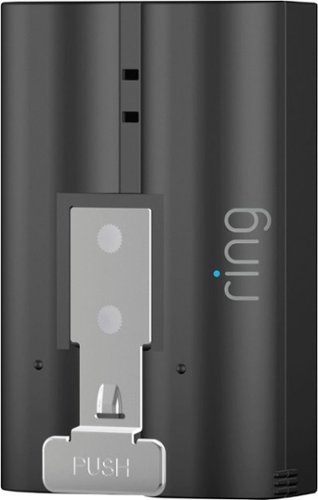
The Quick-Release Battery Pack allows you to have backup power for select battery powered Ring Doorbells and Cameras. To charge your battery pack, simply connect it to a micro-USB cord and plug it into a power outlet. If the battery pack in compatible Ring Video Doorbell or Securtiy Cam runs out of power, you can remove your batteries by pressing the quick-release tab on the battery pack. Then, simply slide your second battery pack into your device, and you~re good to go.
Customer Rating

5
Good accessory
on February 2, 2019
Posted by: Robert116
from Las Vegas, NV, USA
Verified Purchase:Yes
Great to have a spare battery for the devices. The charge time is around 6-10 hours and if you don't have another battery your device is down for that long. When the battery that is in the device gets low I can just swap it out with the spare and it's running again for six months. Charge the other one and it's ready to go when needed.
Mobile Submission: False
I would recommend this to a friend!
Share this review:


0points
0of 0voted this as helpful.
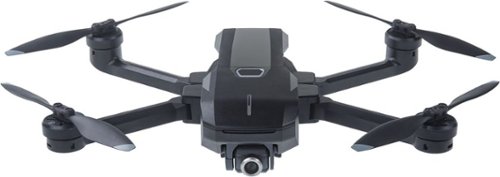
Be part of your 4K landscape films with this compact, foldable Yuneec Mantis Q drone. Face detection, gesture recognition and voice control capabilities let you enjoy hands-free shooting, and infrared and sonar sensors enable safe indoor flight. This Yuneec Mantis Q drone automatically follows your direction or circles an assigned point of interest via its intelligent flight modes.Fly Responsibly:Before takeoff, update all software and firmware, and read the instructions thoroughly.See the FAA website for registration requirements and information about flying a drone safely: https://www.faa.gov/uas/getting_started/. Additional state or local requirements may apply. Check your local jurisdiction. The following websites may help you make informed decisions about flying your drone: www.knowbeforeyoufly.org and www.modelaircraft.org.
Customer Rating

2
Just mediocre
on January 17, 2019
Posted by: Robert116
from Las Vegas, NV, USA
Verified Purchase:Yes
I purchased this drone to replace an older model Yuneec Q500 but this was nothing like the previous one and had awful video compared tot he Q500. The camera is not gimbal mounted and most video taken tilts in the direction you're flying the aircraft before leveling out. It has electronic stabilization which doesn't keep up with the maneuverability of the aircraft. I ended up returning the drone after a few day and was happy to pay the restock fee just to be rid of it! For just a little bit more I was able to get one from another company that had full gimbal control of the camera and it was excellent. The Mantis Q may be good for someone just fooling around but if you want to take serious video this isn't the drone for you.
Mobile Submission: False
No, I would not recommend this to a friend.
Share this review:


+3points
8of 13voted this as helpful.
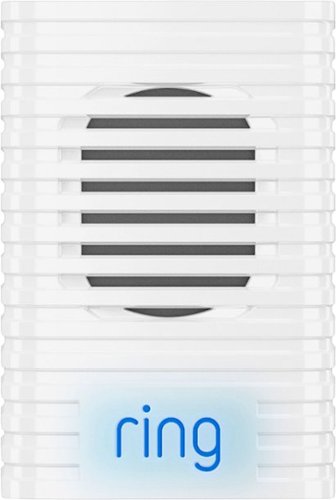
Ring Chime: With this indoor speaker, you can connect to your Ring Smart Video Doorbell using your home wireless network to receive audible alerts when you have a visitor.
Customer Rating

4
Good system, small and easy to use
on January 17, 2019
Posted by: Robert116
from Las Vegas, NV, USA
Verified Purchase:Yes
I received a Ring doorbell and needed a way to mount something in the house that was stand alone and didn't need wiring. This plugs into a wall outlet anywhere within range of your wireless network in your house and fit what was needed. It does however occasionally drop off the network for no reason that I can figure out. The wireless router is only about 20 feet away from the device and the Ring doorbell is 20 feet past that. The doorbell stays connected well and is further than the chime. I'm not even sure if it actually does disconnect, the phone app reports it as disconnected all the time and I haven't been able to test it when it says it's disconnected. Other than that little glitch it seems to work very well and can be moved wherever it's needed if you want to do that.
Mobile Submission: False
I would recommend this to a friend!
Share this review:


+1point
1of 1voted this as helpful.
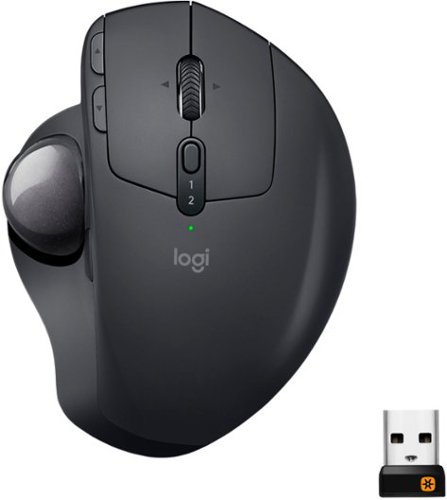
A new standard of comfort and precision. Logitech's most advanced trackball for trackball enthusiasts and consumers searching for alternatives to mice and touchpads. Delivers 20% less muscular strain compared to a regular mouse. MX ERGO PLUS features a unique adjustable hinge and extra 10~ wedge for customized comfort and the latest tracking, scrolling and power management technology. Logitech FLOW enables effortless multi-computer control.
Customer Rating
5
It's a replacement for the one I had
on January 17, 2019
Posted by: Robert116
from Las Vegas, NV, USA
Verified Purchase:Yes
This trackball replaced my old MS Optimouse that they no longer make. I have always liked a trackball better than a mouse just for the fact that in a small space I don't have to move it all over the mouse pad to make it work. It is stationary and just my thumb has to be lifted to get the pointer repositioned anywhere on the screen. It is very convenient when you have limited space on your desk.
Mobile Submission: False
I would recommend this to a friend!
Share this review:


0points
0of 0voted this as helpful.
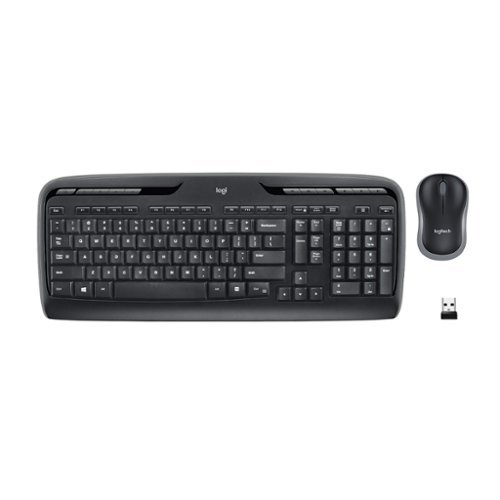
Logitech Wireless Combo MK320. The combo that puts entertainment and portability at your fingertips. With 11 hot keys, you~ll enjoy instant access to the things you do most. Low-profile, whisper-quiet keyboard helps make typing and surfing easy. And the mouse stores the tiny Logitech receiver, so you can take your mouse wherever you go.
Customer Rating
5
Good accessory
on January 17, 2019
Posted by: Robert116
from Las Vegas, NV, USA
Verified Purchase:Yes
On my desk I don't have much room and it is so convenient to be able to move the keyboard around at will. It seems to be holding up just as well as any other and I have had no issues with connectivity. The battery life with a couple of AAA batteries is very good. I've used it for quite some time on the set of batteries that came installed int he device. The mouse I did not use due to personal preference because I wanted a trackball device. The mouse however did go to my job and the two of the staff that use it have had no issues with that as well.
Mobile Submission: False
I would recommend this to a friend!
Share this review:


0points
0of 0voted this as helpful.

Customer Rating
4
Good accessory
on November 30, 2018
Posted by: Robert116
from Las Vegas, NV, USA
Verified Purchase:Yes
I've gotten many of these coupons from Best Buy over the years and when I can use them they're great. I was using Shutterfly long before receiving the coupons and it is a good company to make photo trip books or special photo albums. Wish that I could keep the coupon until I needed it but alas it expires, or does it. This last one doesn't have an expiration date so policy might have changed. The product is great we'll see if I can use the coupon sometime in the future.
Mobile Submission: False
I would recommend this to a friend!
Share this review:


-2points
0of 2voted this as helpful.
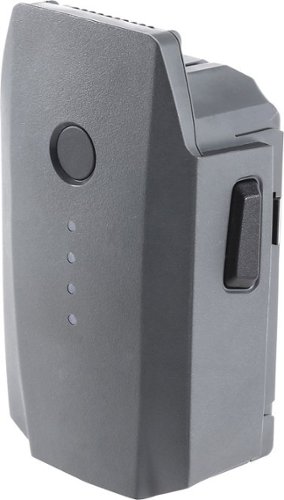
Provide reliable backup power to your Mavic drone with this DJI Intelligent Flight battery. It's packed with 3830 mAh/11.4V of power, and it's rechargeable with the Mavic battery charger or charging hub. The built-in sensors and LED indicators let you know the power status of this DJI Intelligent Flight battery.
Customer Rating
5
Good quality
on November 30, 2018
Posted by: Robert116
from Las Vegas, NV, USA
Verified Purchase:Yes
These batteries seem to be very good so far. they seem more intelligent than the previous aircraft's batteries and thus they may last longer. I have heard that these don't do past 6-8 months before getting bulgy and bad. Only time will tell but the two I have seem fine at this time. They also seem to last the specified time in the aircraft which is great. With the two I have I can get almost an hour of flight time which is usually sufficient to get some great footage from a spectacular viewpoint!
Mobile Submission: False
I would recommend this to a friend!
Share this review:


0points
0of 0voted this as helpful.
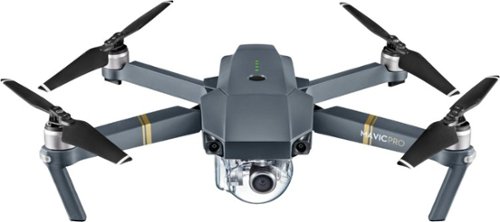
Capture aerial views smoothly in Ultra HD with this DJI Mavic Pro camera drone. Its FlightAutonomy technology uses ultrasonic range finders and vision sensors to proactively detect and avoid obstacles for safer, obstruction-free flight. This compact and foldable DJI Mavic Pro camera drone has a 7km transmission range thanks to its FCC-compliant remote controller.Fly Responsibly:Before takeoff, update all software and firmware, and read the instructions thoroughly.See the FAA website for registration requirements and information about flying a drone safely: https://www.faa.gov/uas/getting_started/. Additional state or local requirements may apply. Check your local jurisdiction. The following websites may help you make informed decisions about flying your drone: www.knowbeforeyoufly.org and www.modelaircraft.org.
Customer Rating
5
It's a replacement for the one I had
on November 30, 2018
Posted by: Robert116
from Las Vegas, NV, USA
Verified Purchase:Yes
This is much better than my previous one. The technology has gotten so much better than a few years ago. The Mavic is easy to fly and has great capture of video and still images. The only thing this doesn't have is a dedicated controller that has a monitor built in. That was always convenient when using the previous one I had. I kind of over came that issue by using a capable older phone I had laying around. It stays with the aircraft and the remote in a neat little case and is always ready to go when needed.
Mobile Submission: False
I would recommend this to a friend!
Share this review:


0points
0of 0voted this as helpful.
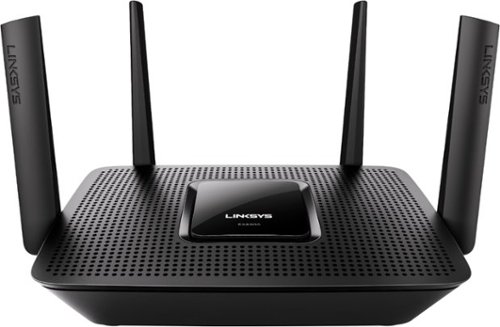
Satisfy bandwidth-hungry gaming and streaming demands with this Linksys Max-Stream Wi-Fi router. Its next-generation multiuser MIMO technology works four times faster than conventional routers, letting multiple users enjoy low-latency VR gaming and glitch-free 4K simulcasting. This tri-band Linksys Max-Stream Wi-Fi router provides wired network sharing with its four Gigabit Ethernet ports and a USB 3.0 connector.
Customer Rating
4
It's a replacement for another one I had
on September 29, 2018
Posted by: Robert116
from Las Vegas, NV, USA
Verified Purchase:Yes
With more power and a combination of more channels it takes the load off some of my devices and makes them run faster overall since each devise is competing against each other. Good Upgrade!
Mobile Submission: False
I would recommend this to a friend!
Share this review:


0points
0of 0voted this as helpful.
Robert116's Review Comments
Robert116 has not submitted comments on any reviews.
Robert116's Questions
Robert116 has not submitted any questions.
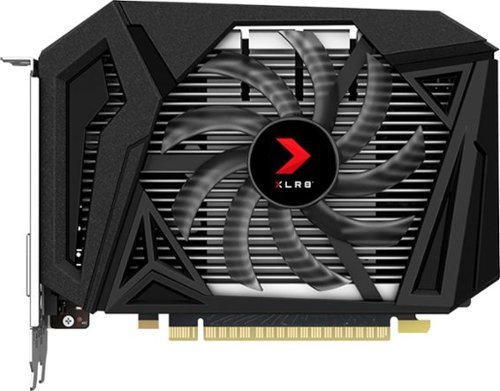
Customize your gaming rig with this PNY GeForce GTX 1650 SUPER graphics card. The 4GB of GDDR6 memory and 1280 CUDA processing cores let you play modern games smoothly, while the DisplayPort, HDMI and DVI-D ports offer flexible connectivity to UHD monitors. This PNY GeForce GTX 1650 SUPER graphics card has NVIDIA Ansel technology for capturing quality in-game screenshots, and the NVIDIA Turing architecture delivers ultra-realistic visuals.
Customize your gaming rig with this PNY GeForce GTX 1650 SUPER graphics card. The 4GB of GDDR6 memory and 1280 CUDA processing cores let you play modern games smoothly, while the DisplayPort, HDMI and DVI-D ports offer flexible connectivity to UHD monitors. This PNY GeForce GTX 1650 SUPER graphics card has NVIDIA Ansel technology for capturing quality in-game screenshots, and the NVIDIA Turing architecture delivers ultra-realistic visuals.
Will this work with a HP Pavillion 590-p0086? It has a 310 w power supply. Will it fit in the bay?
Not familiar with that model of HP computer so I looked it up and the specs I saw would have to make me say yes it would work. However, 310Watts is kind of pushing it to the limit. It may work depending on many other factors and components in the case that are drawing power. You'll need a six pin connector for the card itself and the specs for the card say it will be pulling 100watts on it's own. It looks like a very small tower and the motherboard pictured appears to have only one PCIe-x16 slot that is mounted very close to what appears to be USB ports that are on board. You would have to check with HP to get the tech manual that machine to see if it can accommodate a double width video card without hitting the ports. Hope this help a little, without seeing it I'm not sure how accurate this information is for you.
5 years, 8 months ago
by
Robert116
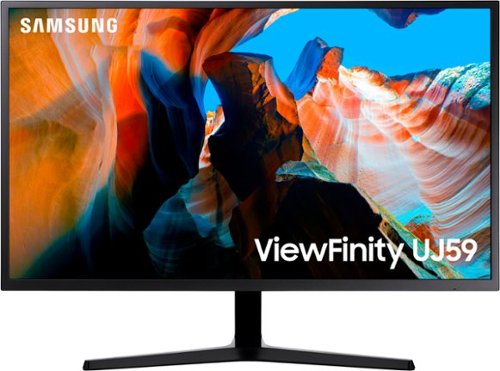
Enjoy enhanced viewing with this 32-inch Samsung monitor. The widescreen display lets you browse multiple windows and applications comfortably, and the upscaling technology boosts the clarity of lower resolutions to match UHD-level picture quality. This Samsung monitor uses AMD FreeSync technology to maintain a consistent refresh rate for smooth visual performance.Supporting a billion shades of color, the UJ59 delivers incredibly vivid and realistic images. Its greater accuracy means colors appear more natural and true to life, making the UJ59 ideal for photo, video and graphics applications.
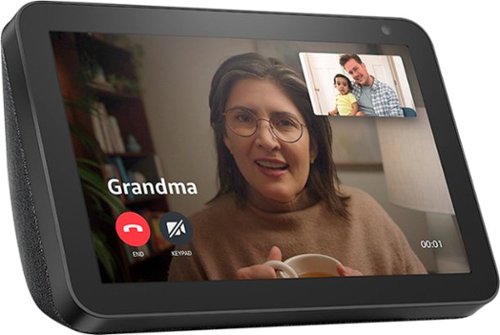
Echo Show 8 connects to Alexa to give you rich stereo sound with vivid visuals on an 8" HD screen. Set alarms and timers, display your favorite photos, check weather and traffic as you head out, or catch up on news highlights and movie trailers. Connect with your favorite people by making hands-free video calls to the Alexa app or another Echo with a screen, use Announcements to send voice messages to every room with a supported Echo device, or use Drop In as a two-way intercom between rooms.
Can you set two alarm times for M-F only?
You can set as many alarms as you would like. I don't believe there is a limit but there are times I have 6-8 alarms set for different thing and it works fine. I do however set them in the app after the first one (you have to use the device for one) then you have a bit more control and can see better what you are setting. You can do them all on the device I just find it easier in the app.
6 years, 3 months ago
by
Robert116
Echo Show 8 connects to Alexa to give you rich stereo sound with vivid visuals on an 8" HD screen. Set alarms and timers, display your favorite photos, check weather and traffic as you head out, or catch up on news highlights and movie trailers. Connect with your favorite people by making hands-free video calls to the Alexa app or another Echo with a screen, use Announcements to send voice messages to every room with a supported Echo device, or use Drop In as a two-way intercom between rooms.
Echo Show 8 connects to Alexa to give you rich stereo sound with vivid visuals on an 8" HD screen. Set alarms and timers, display your favorite photos, check weather and traffic as you head out, or catch up on news highlights and movie trailers. Connect with your favorite people by making hands-free video calls to the Alexa app or another Echo with a screen, use Announcements to send voice messages to every room with a supported Echo device, or use Drop In as a two-way intercom between rooms.
Can a second voice recognition be added, and if so how can this be done.
Echo Show 8 connects to Alexa to give you rich stereo sound with vivid visuals on an 8" HD screen. Set alarms and timers, display your favorite photos, check weather and traffic as you head out, or catch up on news highlights and movie trailers. Connect with your favorite people by making hands-free video calls to the Alexa app or another Echo with a screen, use Announcements to send voice messages to every room with a supported Echo device, or use Drop In as a two-way intercom between rooms.
Can this be used like a digital photo frame?
You can display photos from your Amazon photos but there are drawbacks. There is always other things on the screen no matter how you have the setting adjusted. It is not a true digital picture frame.
6 years, 3 months ago
by
Robert116
Echo Show 8 connects to Alexa to give you rich stereo sound with vivid visuals on an 8" HD screen. Set alarms and timers, display your favorite photos, check weather and traffic as you head out, or catch up on news highlights and movie trailers. Connect with your favorite people by making hands-free video calls to the Alexa app or another Echo with a screen, use Announcements to send voice messages to every room with a supported Echo device, or use Drop In as a two-way intercom between rooms.
Will I be able to control my thermostats with this? Echo 8 show
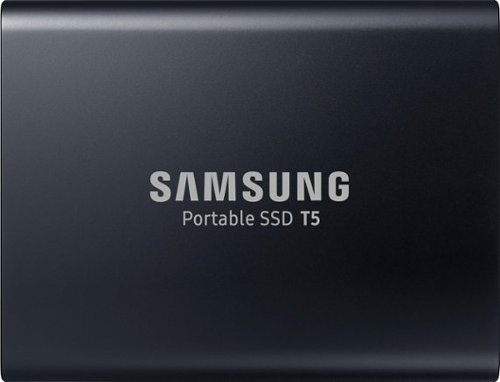
Store files securely on this 1TB Samsung portable SSD. It transfers data at speeds of up to 540MB/s for increased work productivity, and it connects to Android smart phones with a downloadable app, so you can backup pictures and music. This Samsung portable SSD is smaller than a standard business card for easy transport.
My husband has a desktop Dell. How much data will this external hard drive hold? Also, will it connect to his Dell? We have a lot of pictures saved on the Dell and would like to unload them. We are not that computer savvy? Thanks.
I use this for my entire catalog of photos in Lightroom and there is only about half the drive space taken up. Not sure how many photos you're talking about and being a non static number for the size, as every photo is different, then it it hard to say if 1TB will store all your photos. I can tell you I have 230,000 and most are taken in a RAW format by the camera and those are the ones I have on this drive that is now half full. You can also connect this to your Dell desktop without worry. I myself have a Dell and I use it regularly with this drive. You plug it into your USB port on the computer and you should see it in your file manager very shortly after that. (takes a few moment s to read and or set itself up). Hope everything works out for you and you get the storage space you need.
6 years, 6 months ago
by
Robert116
Store files securely on this 1TB Samsung portable SSD. It transfers data at speeds of up to 540MB/s for increased work productivity, and it connects to Android smart phones with a downloadable app, so you can backup pictures and music. This Samsung portable SSD is smaller than a standard business card for easy transport.
Does this work with the included Type C to C cable on the 2019 iMAC's Thunderbolt port? There also is a Type A to C cable included, but want to know if C2C works?
Since I don't have the iMac I can't be sure but it should connect. However the two are not always compatible and there are differences. The only way to know for sure is to either ask Samsung or Apple if this combination will work. The ports looks similar but the technology can be very different depending on how it's implemented. Hope you get this figured out good luck!
6 years, 6 months ago
by
Robert116