


RBrylawski's stats
- Review count54
- Helpfulness votes867
- First reviewSeptember 28, 2018
- Last reviewDecember 26, 2025
- Featured reviews0
- Average rating4.9
- Review comment count11
- Helpfulness votes25
- First review commentNovember 9, 2018
- Last review commentDecember 11, 2019
- Featured review comments0
Questions
- Question count0
- Helpfulness votes0
- First questionNone
- Last questionNone
- Featured questions0
- Answer count14
- Helpfulness votes7
- First answerDecember 29, 2018
- Last answerFebruary 18, 2024
- Featured answers0
- Best answers1

Enhance drying time with this dryer vent kit that features custom fitted ends and clamps for quick and easy installation.
Customer Rating

5
Good Quality Dryer Vent
on September 24, 2020
Posted by: RBrylawski
Verified Purchase:Yes
Dryer vents may not be exciting, but they are important. We bought new appliances and this dryer vent is nicely made and should stand the test of time.
Length of ownership: 56
Mobile Submission: false
I would recommend this to a friend!
Quality

5
Value
5
Ease of Use
5
Share this review:


0points
0of 0voted this as helpful.
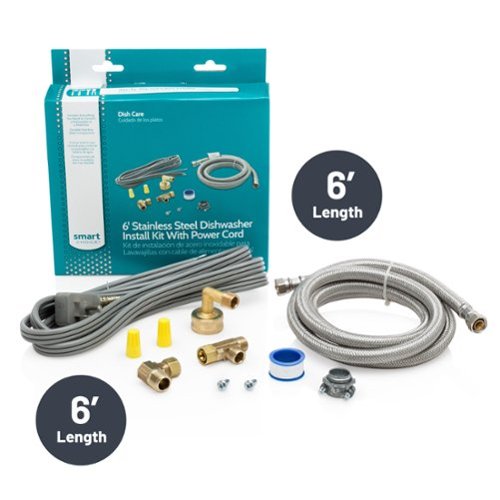
6' Deluxe Dishwasher Install Kit
Customer Rating
5
Great Dishwasher Install Kit
on September 12, 2020
Posted by: RBrylawski
Verified Purchase:Yes
So you bought a new dishwasher. You may even have an old vinyl dishwasher kit. When you realize how much water flows at high pressure through the dishwasher to your drain, why take a chance on an inferior or cheap part, which could break and flood your kitchen.
This is a high quality kit and its stainless steel, so should last a long time. Don't cheap out on important parts you don't see. Get something well made and long lasting.
Your insurance company will thank me for this simple recommendation!
Length of ownership: 44
Mobile Submission: false
I would recommend this to a friend!
Quality
5
Value
5
Ease of Use
5
Share this review:


0points
0of 0voted this as helpful.
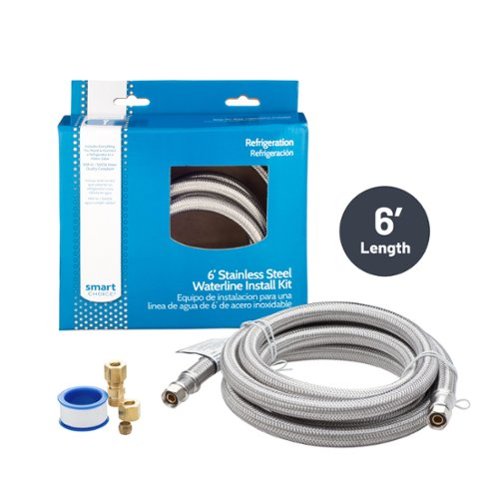
Connect your refrigerator to the waterline with this stainless-steel kit for a quick and reliable setup.
Customer Rating
5
A necessary Part For Your Refrigerator
on September 12, 2020
Posted by: RBrylawski
Verified Purchase:Yes
OK, so waterline kits for a new refrigerator aren't exactly exciting or even seen once installed. But this is a high quality stainless steel waterline kit and it should stand the test of time. If you spend a lot of money on your refrigerator, don't cheap out on a vinyl waterline kit, which can degrade over time and worse, could flood your kitchen.
Length of ownership: 44
Mobile Submission: false
I would recommend this to a friend!
Quality
5
Value
5
Ease of Use
5
Share this review:


0points
0of 0voted this as helpful.

We'll deliver, install and make sure your new dishwasher is working. If required by the manufacturer, we'll secure the unit to cabinet sides or countertop. Additional charges may apply if not up to local codes or requirements.
Customer Rating
5
Geek Squad Installers Were Fantastic
on September 12, 2020
Posted by: RBrylawski
Verified Purchase:Yes
We had a refrigerator, range, microwave, dishwasher, clothes washer and dryer installed by Geek Squad.
They did a superb job on all appliances. They came in the deliver window promised and were extremely careful with our new home and our new appliances.
Length of ownership: 44
Mobile Submission: false
I would recommend this to a friend!
Quality
5
Value
5
Ease of Use
5
Share this review:


0points
0of 0voted this as helpful.
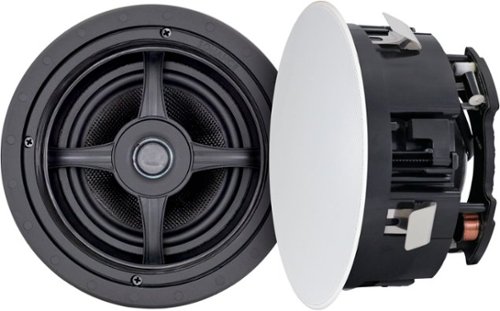
Upgrade your entertainment experience with the Sonance MAG6R 6-1/2" In-Ceiling Speakers, a premium flush-mount solution for home theater systems, media rooms, and whole home audio. Engineered for seamless installation and sonic excellence, this pair of in ceiling speakers delivers dynamic, wide-dispersion sound that enhances everything from movie nights to background music. Each speaker features a 6.5" glass fiber woofer and a 1" ferrofluid-cooled silk dome tweeter, both pivoting independently to optimize directionality. Whether you're using them in a Dolby Atmos surround sound system, TV audio setup, or home audio ceiling speakers configuration, MAG6R provides crisp highs, smooth mids, and impressive low-end clarity. The micro-trim magnetic grille offers a clean, flush mount ceiling speaker aesthetic and can be painted to match your d~cor. Installation is quick and secure thanks to Sonance~s Roto-Lock mounting system, making them an ideal fit for both new construction and retrofit applications. With 8-ohm nominal impedance, 45Hz~20kHz frequency response, and 125W peak power handling, these 6 inch in ceiling speakers are built for performance and versatility. Whether you're building a custom home theater in ceiling speaker array or expanding a surround sound system, MAG6R delivers reference-quality sound that blends beautifully into any ceiling. Offered exclusively at Best Buy, MAG6R brings Sonance~s legendary performance to your favorite living spaces.
Customer Rating
5
Simply Awesome In-Ceiling Speakers
on September 12, 2020
Posted by: RBrylawski
Verified Purchase:Yes
We sold our home and bought a new home. The people who bought our home wanted our very expensive ceiling mounted Mirage speakers.
I didn't want to spend that much money again and I wanted the speakers to be more concealed. Sonance, to the rescue. Best Buy says these speakers are $600 speakers on sale for $149. There's an old saying......."if something appears to be too good to be true, it likely is too good to be true." This statement does NOT apply to these Sonance speakers. They are simply better than the price, by a LONG SHOT.
They sound unbelievable for $149. They may be the best surround sound speaker I've owned. For so little money, these are simply a no-brainer purchase. They are crisp without being overly bright and the sound stage is amazing. We're hearing things in regular broadcast we've never heard before!
I love how flush they are to the ceiling (see the attached photo) and the speaker grill cover attaches magnetically.
We had to get our contractor to crawl through the attic to wire these to our primary entertainment system, but even with that added expense, these speakers are the speaker-bargain of the year.
We had to get our contractor to crawl through the attic to wire these to our primary entertainment system, but even with that added expense, these speakers are the speaker-bargain of the year.
Run, don't walk to your Best Buy store or order them online and get these amazing puppies for yourself.
Length of ownership: 44
Mobile Submission: false
I would recommend this to a friend!
Quality
5
Value
5
Ease of Use
5

Share this review:


+3points
3of 3voted this as helpful.
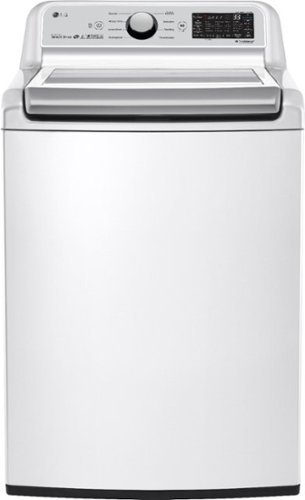
Wash more in less time with 5.0 cu. ft. of mega capacity and TurboWash3D technology that cuts down on wash times. Save time and energy without sacrificing performance with the WT7300 series that brings the best of both worlds to your laundry room.
Customer Rating
5
Exceptional Washer from LG
on September 11, 2020
Posted by: RBrylawski
Verified Purchase:Yes
We just moved into our brand new home and after much research, we chose LG for our washing and drying needs. This LG 5.0 Cu. Ft. 8 Cycle Top Loading Washer is truly great.
We had a washer in our previous from the main LG competitor built in the same country, which was a big time major disappointment. It too was top loading, but clothes got stained and it was recalled for it's unique ability to literally blow up when cleaning towels/bed linens. LG's reputation for excellence in washers/dryers is real.
This washer features TurboWash3D™ technology that cuts down on wash times, save precious time and energy. In addition with LG SmartThinQ™ technology you can download their free app to your Android or iOS device and manage your washer/dryer as well as get alerts telling you your closes are clean. SmarThinQ is also Google Assistant or Amazon Alexa compatible letting you use voice commands to start a wash cycle from anywhere. COOL.
The bottom line is this washer is quiet, efficient, cleans your clothes really well, is technologically advanced with Wifi/App or Amazon/Google assistant control and it looks terrific to boot.
Length of ownership: 43
Mobile Submission: false
I would recommend this to a friend!
Quality
5
Value
5
Ease of Use
5

Share this review:


+9points
28of 47voted this as helpful.
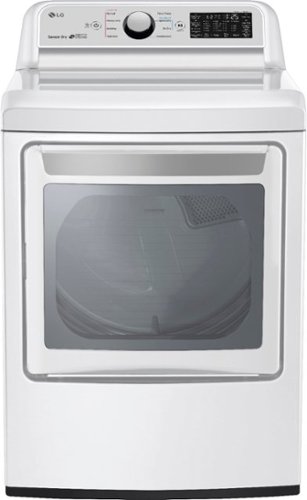
Make every part of laundry day easier starting with the ThinQ technology that allows you to manage your laundry remotely and with the flexible LG EasyLoad door that opens two ways for easy loading and unloading. The additional feature such as the LG Sensor Dry system measures the number of moisture levels throughout the cycle and automatically adjusts the drying time. All the more reason to take advantage of the 7.3 cu. ft. extra-large capacity that handles really large loads. So go ahead - reclaim your laundry day.
Customer Rating
5
Looks Great. Dries Great
on September 11, 2020
Posted by: RBrylawski
Verified Purchase:Yes
We just moved into brand new home and after much research, we chose LG Washer and Dryer. This 7.3 Cu. Ft. 9 cycle electric dryer is beautifully finished and dries very efficiently. Actually coming from a major competitor (made in the same country) dryer, this is much more efficient and does a much better job than their biggest competitor.
It's High Efficiency Sensor drying and it's great. LG uses SmartThinQ™ technology that allows you to manage your laundry remotely and with the flexible LG EasyLoad™ door that opens two ways for easy loading and unloading.
All in all, the LG Electric Dryer is a great laundry appliance!
Length of ownership: 43
Mobile Submission: false
I would recommend this to a friend!
Quality
5
Value
5
Ease of Use
5

Share this review:


+1point
1of 1voted this as helpful.
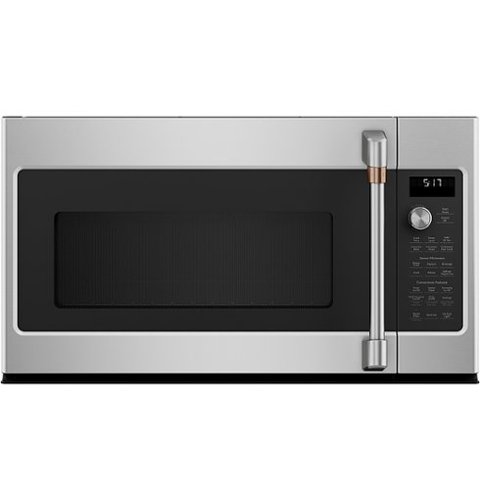
Cook your next meal with this Caf~ over-the-range microwave oven. The convection setting circulates air around food for even heat distribution, and the sensor cooking controls adjust time and power for perfectly cooked food. This Caf~ over-the-range microwave oven features a fast-cook setting, creating an oven-quality meal cooked in a few minutes.
Customer Rating
5
Attractive and Great Microwave
on September 11, 2020
Posted by: RBrylawski
Verified Purchase:Yes
We recently moved into a brand new home and chose the Cafe line of Appliances. This 1.7 Cu. Ft Convention Microwave compliments the other Cafe appliances and is excellent.
It has a unique control panel. You don't enter the time to cook via a control panel keypad. You tap cook time and turn the round knob, which adds 15 seconds per click of the know. Then you push the knob in once and press start. It's different than we've had in other microwaves, but once you get used to it, works quite well.
It's very spacious inside and in addition to normal microwave functions, it's a convection oven as well. This will really come in handy during the holidays when oven space is at a premium and you need to cook casserole dishes.
The interior is dark and won't show dirt as easily as lighter interior microwaves. You have all the preset options you need and you can dial in the the food you're planning to cook and the microwave determines the correct time and power automatically.
Little things make a big difference too. The vent fan on most microwaves we've owned are obnoxiously loud. Not on this Cafe appliance. It vents really well and you can actually talk and be heard when it's on. The under-microwave lights are two levels and provide good light to the range burners below.
All in all, this is a great compliment to the Cafe appliances in our kitchen. Note that this appliance must be in high demand and came a few weeks after the other appliances came. If you're buying Cafe appliances, you may have to wait a bit longer for the microwave, but to us, it was well worth the wait.
Length of ownership: 43
Mobile Submission: false
I would recommend this to a friend!
Quality
5
Value
5
Ease of Use
5

Share this review:


+3points
5of 7voted this as helpful.

Nothing about your personal style is standard. So why should your appliances be? Cafe redefines the kitchen space with the Customizable Professional Collection, which gives you the ability to pair matte white, matte black or stainless appliance finishes with your choice of six distinct handle and knob options. Cafe curated hardware offerings include brushed bronze, brushed black, brushed copper, and brushed stainless, alongside the latest bold additions, brushed brass and flat black. Get the look that truly reflects your personality with Cafe's unique finishes and exceptional styling.
Customer Rating
5
Super Quiet and Cleans Your Dished Well
on September 11, 2020
Posted by: RBrylawski
Verified Purchase:Yes
We just moved into our brand new home and we chose the Cafe line of appliances. This 24" Control Tall Tub Built-In Dishwasher is a terrific dishwasher. It's beautiful and does exactly what you need a dishwasher to do and that's clean your dishes. It does it so quietly while doing its thing. Our kitchen and family room are one large open space. The dishwasher is literally less than 20 feet from where we spend time watching TV and while it's on, you simply cannot hear it running. You literally have to put your ear up to it to make sure it's on.
It holds a lot of pots, pans, dishes and glassware and everything comes out sparkling clean.
I have only two minor nits. One, is the touch controls are very sensitive and it's easy to accidentally turn on the controls. And Cafe should have used a stainless finish which is less susceptible to finger prints.
Otherwise, this a terrific dishwasher and is a great addition to the other Cafe appliances in our new home.
Length of ownership: 43
Mobile Submission: false
I would recommend this to a friend!
Quality
5
Value
5
Ease of Use
5

Share this review:


+4points
5of 6voted this as helpful.

Nothing about your personal style is standard. So why should your appliances be? Cafe redefines the kitchen space with the Customizable Professional Collection, which gives you the ability to pair matte white, matte black or stainless appliance finishes with your choice of six distinct handle and knob options. Cafe curated hardware offerings include brushed bronze, brushed black, brushed copper, and brushed stainless, alongside the latest bold additions, brushed brass and flat black. Get the look that truly reflects your personality with Cafe's unique finishes and exceptional styling.
Customer Rating
5
Fantastic Oven from Cafe
on September 11, 2020
Posted by: RBrylawski
Verified Purchase:Yes
We bought all new appliances for our brand new built home and chose the Cafe line. This 5.7 Cu. Ft. slide in range is terrific and beautiful. From the lighted rings around each burner knob to the intelligently designed slide out over tray, it simply is a high quality range and in the short time we've had it, has cooked some great meals.
The burners heat up really fast and if you remove a pan from the stove, immediately turn off and then back on when the pan is placed back on the burner. You have multiple size options and the rapid heat burner comes up to high temperature very quickly.
The oven offers two ways to clean it. The first is to place a cup of water on the bottom and use the steam cycle to clean up light spills. There's a more traditional electric clean cycle if you have more baked on messes.
The oven grates are black, and won't look dirty like most shiny stainless grates and with Wifi app control, you can control the oven from anywhere you have a Wifi connection.
The ONLY thing I would change is Cafe chose a beautiful Stainless finish, but it's a finger print magnet and I would have like to see a finish which didn't show finger prints as easily. That's a small nit for such a great range.
This is a great compliment to our kitchen and I'm sure we'll prepare many great meals in great style.
Length of ownership: 43
Mobile Submission: false
I would recommend this to a friend!
Quality
5
Value
5
Ease of Use
5

Share this review:


+5points
5of 5voted this as helpful.
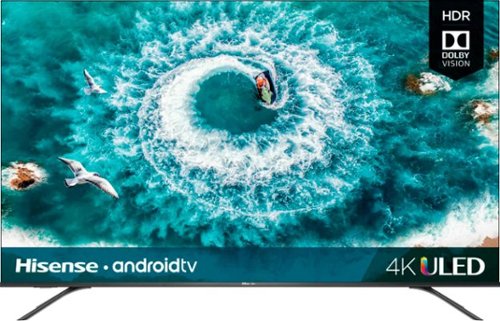
Control your Ultra HD and HDR viewing experience with this 55-inch Hisense ULED smart TV. It comes with Google Assistant built in, so you can search programs by voice, and its Android TV operating system provides access to various streaming apps. This Hisense ULED smart TV has a true 120Hz native panel with a motion rate of 240Hz for smooth display of fast-action scenes.
Overall 4 out of 5
4 out of 5A Lot of TV For Not A Lot of $$$$
By RBrylawski
from Tampa, FL
This is a mixed bag review. On the one hand this Hisense 55H9 PLUS is miles ahead of the 55" 4K Ultra TV I purchased just two years ago, in terms of picture quality. But there are things I'm not fond of and there are things I am fond of.
First the good things. Out of the box, the picture is truly stunning. The look of the screen is high end and I love the barely there bezel around the TV. It's hard to imagine for this kind of money, this much TV can be easily purchased. I paid a LOT more money and didn't get High Dynamic Range, just two years ago. But that's often the case as the higher end options find their way into the more affordable units fairly quickly.
The TV offers what they call Local Dimming, to provide better contrast for whiter whites and darker blacks. It really does provide rich deep colors and I find the contrast stunning. Especially for a TV at this price.
You get 4 HDMI inputs and they're High-Speed, to boot. But if you have an older generation DVD player that still uses Component Video outputs, you'll need to buy a Component Video to HDMI conversion cable.
Set up was a breeze. It connected to my 5ghz Wifi router instantly. I use a Yamaha Receiver and Bowers and Wilkins Speakers with a Subwoofer as opposed to the internal speakers, but I did give the internal Harmon Kardon audio system a go and it was remarkably good for built in speakers. If you don't want to run this through a sound system or add a sound bar for surround sound, you'd be just fine. Actually, more than just fine. In settings, I could not find a way to turn off the internal speakers permanently. But then there's a mute button on the remote and when I muted the TV, it let me listen through my sound system alone, which is what I wanted.
You have the complement of Google Assistant as well as Android TV with voice control with this TV. That's great if you're a Google/Android user. But fear not, even if you aren't this TV is more than worth the price of admission as a 4K Ultra HDR TV on its own. And you get Netflix, Amazon, YouTube and Pandora, just to name a few already installed apps waiting for you. But you can add apps if you need more.
The motion rate for this TV is 240. Again, that's very fast for a TV at this price point and should make game day or video games in general work well. There are motion controls, which to be honest didn't really do much, so I found the best picture was without them. Which is great. Who wants to fiddle with settings like that anyway?
All in all, the good things are actually VERY good.
Now the not so good. The remote isn't particularly good. Not that it doesn't work, it's just so basic and feels pretty cheap. In contrast to the TV, which feels anything but cheap.
Next and for me and this was a BIG deal. I am using this in my Master Bedroom, and it replaced a first generation 40" Samsung 720P HD (very early HD) TV. I already had a nice TV stand to hold all my electronics and the TV. But the legs on this TV, while metal and seem to be high quality are placed so far out to the very edges of the TV that you MUST have a surface (unless you are mounting this on a wall) no less than 49 inches wide. My other 55" 4K Ultra TV has a stand in the center of the TV, making it far far easier to place on a surface. I had to buy a new piece of furniture to put this on and while it was 49" wide, it tapers in making it impossible for both legs to sit on the new stand. I wound up having to get another piece of glass to sit on the new stands top glass piece just so the TV wouldn't fall over. Why oh Why Hisense, would you make this otherwise great TV so bloody difficult to place on a TV stand?
This TV is able to connect to Bluetooth devices. I was really excited about that as there are times I want to watch TV and listen through headphones. Yes, the TV does have a 3.5mm headphone jack in the back of the TV, but I switched over to Bluetooth headphones long ago. So I figured it would be a snap to pair some Bluetooth headphones. Well, it was easy to pair them. But I've tried two different brands and neither worked well. The sound kept breaking up and that was close to the TV. My viewing position is about 15 feet from the TV. Bluetooth headphones, even ones not costing an arm and a leg, typically have a usable range of around 30 feet. 15 feet from the TV, no Bluetooth headphone I've paired works at all. This is a major disappointment to me, to be honest.
The other thing and this is actually a small nit, is where the power cord plugs into the TV. It plugs in at the very far outer edge on the back of the TV. So what, you might wonder? Well, it means the power chord basically dangles down the right side of the TV (if you're facing the TV). There's just no reason they couldn't have put the power cord in a more discreet location. Again, it's a nit, but it's almost as if someone said, hey put it here and no one bothered to look at one actually plugged in after putting it there. The HDMI connection ports are on the other hand placed conveniently, where the cables are out of view.
So there you have the good and the not as good. Overall, I still have a difficult time believing one can get this much TV for so little money. 10 years ago, this puppy would have sold for multiple thousands of dollars, yet you can get all this goodness for not even close to a $1000. I would recommend this to anyone looking for a great TV, one that is easy to set up and one that won't break the bank. They did a really good job with this, but the nits I highlight are ones I hope they'll think about for future products.

RBrylawski
Tampa, FL, USA
Prime Video is Not on this TV
November 9, 2018
My review has one error. This TV does NOT come pre-loaded with Prime Video, which is a glaring omission if you are Prime customer. I have read about a workaround, but even Apple lets you load other services on their products and Hisense should have loaded Prime Video, even on a Google/Android TV.
+1point
1of 1voted this comment as helpful.
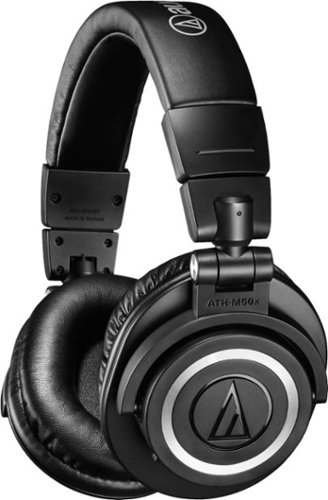
Listen to your favorite songs anywhere with these Bluetooth Audio Technica headphones. They fold inward, letting you conveniently store them when not in-use, and the fitted ear cups prevent outside noise from interfering with sound quality. These Audio Technica headphones run for up to 40 hours on a single charge and have 45mm large-aperture drivers for clear, powerful sound.
Overall5 out of 5
5 out of 5Remarkably Good and Very Comfortable.
By RBrylawski
from Tampa, FL
I really really like these Audio Technica -ATH M50XBT Over-the-Ear headphones. I've really put them through some major listening sessions over the last couple days and I'm happy to say, they are terrific. I have Bluetooth headphones costing even more than these and I'd say in some ways these are much better. They are monitor headphones and as such, they have a very flat, natural sound. Monitor headphones and speakers should present sound the way the sound was recorded, without altering anything. These certainly do just that. Unlike some other big name headphones, these don't over emphasize bass or treble. If you like classical music, these are for you. The canons in the 1812 Overture didn't break up, nor overpower the rest of the music. And a flute concerto was never shrill, but did demonstrate the brilliance of the performance. I also put them to the test with many other genre's and they never disappointed. Vocals sound very natural.
These are large headphones and good news for larger eared people, with 45mm drivers, they'll fit fine. And if you have a larger than average head size, these puppies have a lot of adjustment built in. To me, the design looks retro, as in 1980's retro. But I'm not into headphones for how they look. Nope, I only care if they sound good and are comfortable to wear. These are very comfortable on my head and the sound as I've said is really outstanding.
These headphones are 5.0 Bluetooth, and you can pair them with up to 8 different devices. I paired them with my laptop, my iPhone and my iPad. As you switch from one device to the next, you'll need to disconnect from the current device to connect with the next device. One thing I particularly like is battery life. You can get up to 40 hours on a single charge. I've been listening for a lot of time and via the Audio Technica app (Audio Technica Connect) I'm still at 90%. Speaking of the app. It's sparse to say the least. You can switch between three Codec, such as AptX, should one provide a better Bluetooth connection. Otherwise, the app really doesn't do much. Especially if you compare the app to say the Parott Zik 3.0, which offers infinite adjustment of the sound stage and equalization. But then if you alter the soundstage on a headphone, they really aren't monitor anymore, so Audio Technica didn't provide that ability, I'm sure on purpose.
Everything else you might need is included. You can listen wired, which sounds great either way. The controls for the headphones are on the left ear. Left handed people will love that. For me, a right handed fellow, I find using the controls, which are small for on/off, volume up/down and power, more challenging to get the hang of. And you can answer a call by tapping the left earpiece for voice controls.
Audio Technica has been in the high-end Stereo business since 1962. For those who remember record players, Audio Technica was THE brand to own in phono-cartridges, many costing way more than these headphones cost. My point is, unlike some companies out there, this company has decades of experiencing making equipment engineered to provide the best sound possible. These headphones at their price point are yet another example of what Audio Technica can do. And that's a really good thing.
RBrylawski
Tampa, FL, USA
Two more points I meant to make
December 2, 2018
The quick user guide which comes with the headphones leaves a lot to be desired. As has become the norm these days, you can go out to Audio Technica's website and download a proper user guide.
And I think a pair of headphones costing this much should come with a case for the headphones when not in use. These comes with a nice vinyl bag, and I know other manufacturers do the same, but Audio Technica could have and should have included a decent carry case.
+1point
1of 1voted this comment as helpful.
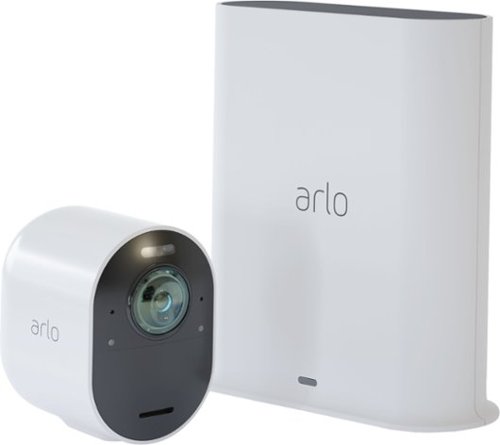
Safeguard your home with this Arlo security camera system. Its 4K resolution provides maximum clarity so you don't miss a single detail, and a siren is integrated so you can fend off intruders either remotely or while at home. This Arlo security camera system is weather-resistant, so it's functional rain or shine.
Overall5 out of 5
5 out of 5High Quality And Simple To Install/Setup
By RBrylawski
from Tampa, FL
I’m not handy. Really, I’m not. I’ve wanted a state-of-the-art security camera system for the longest time. But being completely born and graced with two thumbs, any system I might buy couldn’t require much drilling, much wiring or anything overly complex. Sure, I could hire a company to install a camera system, but that just adds another layer of cost and I didn’t want to have to spend even more money. Enter the Arlo 4K Ultra UHD Wire-Free Security Camera System. Let me assure you, even if you’re two thumbed like me or maybe even three thumbed, YOU CAN DO THIS! I say this with total confidence because I did do this.
So, let me spell this out for you. The Arlo comes packaged perfectly in a box with everything you need. You get the Arlo Utra UHD Camera, a charging cable for your wireless camera (including a USB charging brick), the base unit to connect to your home router via the included Ethernet cable, and the magnetic wall mount with the hardware to install it.
To install the rechargeable battery, push the button on the bottom side of the camera, which releases the camera from the camera housing. Install the battery by pushing it in and it will click into place. Plug the charging cable into the USB charging brick, then just tap the magnetic end into the underside of the camera housing to charge. It will blink blue a few times, then to check the battery status going forward, you check is using the Arlo App on your smart phone or tablet.
Next, download the Arlo App to your smart phone or tablet and plug the Ethernet cable into the base station and your Wifi Router. Create an account in the Arlo app, then the app takes you through the simple steps of connecting and setting everything up, including updating the firmware on the base station. You will be guided next to connect the camera and also update the firmware on the camera. In a matter of mere minutes, you’re all set up. Easy-Peasy, even for the two-thumbed among us!
Included with your purchase is Arlo’s one year of Smart Premier Service and rolling 30-day cloud recording for up to 10 cameras. Should you want Continuous Recording, you can buy an annual plan at additional charge.
Now all you have to do is decide where to install the magnetic wall mount. For me, the most complicated part of installing the camera is having a stucco house, so I had to use a masonry bit on my drill.
So how does it all work. Really Really GREAT. The Arlo camera is 180 degree – Panoramic view. It has a spotlight and dual microphones and a speaker built in as well. If someone shouldn’t be there, you can tell them they’re on camera and tell them to leave. You can also set up the app to use e911 at the touch of a button on your phone. Night vision with the Arlo is great. And it’s in color, not just black and white like many other camera systems. If that’s not impressive enough, the camera is 12x Zoom to boot!
The video quality is uniformly EXCELLENT. Set up couldn’t be easier. It looks great and works even better. All in all, this has to be about the easiest to install wireless security camera system you can get.
RBrylawski
Tampa, FL, USA
If You Have Any Issues With Wifi - Solution
June 10, 2019
I'm still very happy with my Arlo Security Camera. In my review, I noted I live in Florida and most homes in Florida are block and Stucco. This did cause an issue with Wifi range. Since the Arlo Base Station needs to be hard wired via Ethernet to your home router, if it is much of a distance from the camera, especially placed outside on a Block/Stucco house, Wifi kept cutting in and out. Arlo says the camera can be placed 300 feet from the Base Station. That's not realistic if you live in a concrete home.
So a quick visit to my local Best Buy Store provided a simple and not particularly expensive solution. I needed to move the Base Station closer to the outside wall where the camera is positioned. I bought a Linksys Wifi Extender. It was such a simple and cost effective solution. Just plug the Linksys in, go through the simple setup instructions to connect to your Wifi router. It even tells you if you've placed the extender in a good location for connectivity. Then unplug the Base Station and Ethernet cable from the router, move it to the Extender, connecting it via Ethernet and boom, Wifi was strong and I've had no dropout issues since.
The salesperson at Best Buy did recommend giving the Linksys its own unique name as you'll want the Extender to be used exclusively for the Arlo, but that too was simple and I simply named it Arlo Base Station. The reason you want to do that is to not connect anything else through the Extender, reducing it's Wifi signal.
I do think Arlo should have provided more information with the system on ways to overcome experiencing limited Wifi connectivity, but this worked and didn't cost much.
+1point
1of 1voted this comment as helpful.
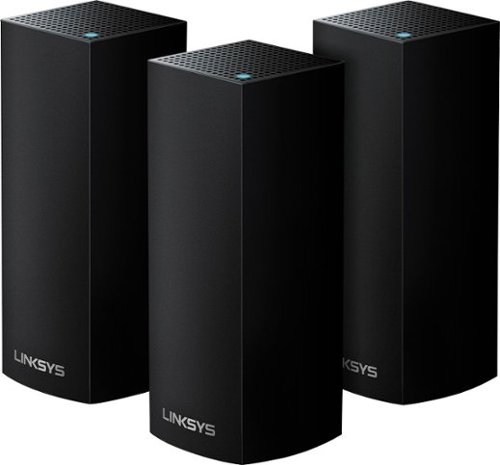
Create a reliable wireless network at home with this Linksys Wi-Fi system. It offers up to 6,000 sq. ft. of coverage, so it's suitable for a large home, and its Tri-Band technology delivers faster speeds for multiple devices by balancing loads effectively. This Linksys Wi-Fi system works with Amazon Alexa to control the unit with simple voice commands.
Overall5 out of 5
5 out of 5If You Want Reliable Fast Internet? Get This NOW!
By RBrylawski
Over time, the number of Wifi enabled devices one owns grows too large for the standard-issue, crappy Internet Services Provider (ISP) Modem/Router. At least mine did, even with a Wifi repeater, reception in my two story home was barely acceptable. And we pay for 100 mbps internet service. After the router went down recently for the 3rd time, we had to yet again get the ISP to replace it, getting even worse Wifi reception. It was clear it simply wouldn’t ever come close to meeting our needs.
Enter Linksys Velop total house Tri-Band Mesh Network. I did my homework. The top names in whole-house Mesh networks are Eero, Google Wifi, Netgear Orbi and Linksys. When PC Magazine and several other reviewers found them all good, but heaped praise upon praise on the Linksys Velop, I was pretty much pre-sold. After a visit to my Best Buy store however, it became clear. Two knowledgeable salespeople both gave the Linksys their top recommendation.
Many reviews suggest it’s easy to set one up yourself. I’m moderately tech-savvy, but I just didn’t want any frustration, so I chose to let Best Buy install the system. Included in the installation was hooking all 22 Wifi enabled devices, such 3 Alexa, multiple laptops, iPhones/iPads, Arlo Wifi Security Camera, Printers, Ring Doorbell, multiple 4K TV’s, etc. The installer did an outstanding job and it took him a couple hours to get everything installed and connected. The last step was the most difficult as it required asking our ISP to bridge the new Router, turning off internet from their Modem/Router. They messed up the process, making nothing work. Thankfully, our Geek Squad installer was able to tell Spectrum what they needed to do and got us back up running. I’m telling you, unless you’re great with electronics, pay a pro to get you going properly. Then sit back and enjoy the blazing fast internet speeds you’ve been paying for, but probably weren’t getting with the crappy Modem/Router from your ISP.
A few things to know about the Linksys Velop. It is what they call self-healing. This means the Velop optimizes the internet to all the stations (we got the three-station system) to ensure fast Wifi anywhere in our home. Our three-station system is supposed to be able to cover a 6,000 square foot home. Our home is only 2200 square feet. But I am glad we got the three-station system. Internet from any spot in our modern concrete Florida home is fantastic.
The Linksys Velop is a dynamic tri-band system. It features MU-MIMO technology (multiuser multiple input, multiple output technology). The other higher end brands don’t offer this, like Google Wifi for example. MU-MIMO gives each device its own dedicated full-speed Wifi connection. Multiple devices can connect at the same time without slowing down the network. Testing this in every room in my house, it does its job admirably.
Setting up the Linksys via the free app on my iPhone couldn’t have been simpler. Once the base router communicates with the App, you name the router and create a password you want to use as your Wifi password. So nice to not have to refer to a written note with the odd letter/number, upper/lower case password the ISP Router comes with. And the app shows every connected device, which of the three stations it’s connected to and for the most part posted the right name for each device. Our laptops were named by their internal names, but it’s very simple to just tap on any device and rename it for easier recognition.
Note: The App itself doesn’t offer the option to run a speed test. But you can go out to Linksys.com and sign into your account online and run a speed test there. And was I ever pleased with the result. I pay for 100 mbps service and I’m actually getting closer to 120mbs service. Nothing has ever downloaded or opened as fast as it does now.
The Linksys Velop is attractive. Our electronics are black, so we chose the Velop in black. Turns out if you want the Velop in white it costs $20 more. Just for white. I happily saved $20 and the black base stations better match the electronics in our home. I am simply stunned with how terrific this system is. It’s attractive, and should provide years of stable internet service to the many devices we have connected to it.
RBrylawski
Tampa, FL, USA
Update - If You Have an Issue - The Solution
September 6, 2019
My fondness for this Linksys Tri-Band Mesh Network only grows every day! But, I did experience an issue after it was initially installed and I wanted to let you know about it and the solution in case you have a similar setup.
My ISP uses Arris Router/Modem's. The way it's supposed to be set up is once the Linksys is connected to all your Wifi connected devices, the ISP should BRIDGE the Modem/Router so the ISP's router isn't also broadcasting Wifi throughout your home. The speed will go up dramatically once the ISP Modem/Router is bridged. But the Arris for whatever reason kept rebooting on it's own (not a scheduled reboot), at odd times almost every day. When that happened and the Modem/Router came back online, the Linksys didn't reconnect unless I unplugged the Ethernet Cable and plugged it right back in.
I was tempted to call Linksys about this, but since the Modem/Router provided by my ISP (Spectrum) was the device rebooting, I called Spectrum. They advised that I shouldn't have a Modem/Router since I don't need it and they sent a technician to replace the Modem/Router with a dedicated Modem. What's great about this is once all your devices are connected to the Linksys, even if you change your Modem, it's totally plug and play, meaning you don't have to reconnect any device to the Linksys!
It's been a full week now and the Modem has not rebooted once. ISP's typically reboot or push and update to a router between the hours of midnight and 6:00 AM. I have also tested the reconnect to the Linksys by rebooting the router manually and the Linksys immediately reconnected when the modem came back up as it should.
So, if you choose a Mesh Network for your home and you have an ISP provided Modem/Router, I would recommend to avoid the issue we had, that you have your ISP replace the Modem/Router with a dedicated Modem only.
+3points
5of 7voted this comment as helpful.
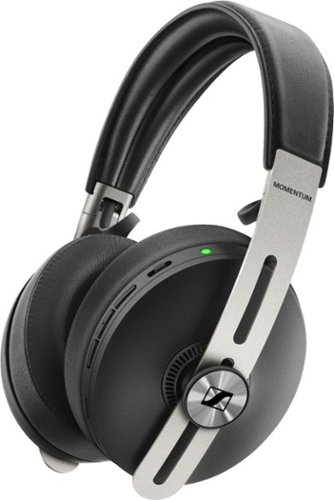
Enjoy the powerful, crisp sound of these Sennheiser MOMENTUM wireless over-the-ear headphones. The sheep leather headband and ear pads conform to the shape of your head, adding comfort for all-day use, and Bluetooth connectivity lets you stream music from various devices easily. These Sennheiser MOMENTUM wireless over-the-ear headphones have active noise cancellation that lets you block or listen in on external sounds.
Overall5 out of 5
5 out of 5Simply The Best Sounding Bluetooth Headphones EVER
By RBrylawski
from Tampa, FL
After 3 full days using the Sennheiser Momentum 3 Bluetooth Headphones heavily, they are remarkably sublime. This is a long review and I apologize in advance. If you’re going to spend $400 for state-of-the-art Bluetooth headphones, I hope this helps you. This review covers; Design/Build Quality, Features/Comfort, Bluetooth/Codec, Smart Control App, Battery Life, Noise Cancellation and most importantly SOUND.
I’ve owned several high-end Bluetooth headphones. I much prefer over-the-ear design. I find them more comfortable, better sounding and way more immersive. For the last three years I’ve been using a pair of high-end Bluetooth headphones with noise cancellation. I thought they were really, good. That was until I got the Sennheiser Momentum 3 Headphones.
The headphones come nicely packaged and included in the box is a USB Cable with USB-C connectors and USB adapter for USB-C to USB-A if you don’t have USB-C capabilities. You get a proprietary analog audio cable with 3.5 mm jack which is about 1.5 meters long. Also included is a soft carry case and a quick start guide.
The first thing they suggest you do when you get them is to charge them fully. Then you download the Sennheiser Smart Control app for iOS or Android. The first time you open the headphones to turn them on they automatically go into pairing mode. If you have a device which supports NFC (Near Field Communication), the connection is automatic. If your device doesn’t support NFC, you simply go into Bluetooth settings on the device to pair them.
DESIGN/BUILD QUALITY
These headphones are retro-modern if there is such a word to describe them. The ear cups and headband are beautifully wrapped in supple and soft sheepskin leather (no fake PU leather on these puppies – no sir) attached to matte black metal. They are nicely padded and generously sized to fit just about any size ear. My ears don’t touch the inside of the ear cup, which is a first for any headphone I’ve ever owned. Adjusting the headphones to your head is accomplished by a simple, but elegant stainless-steel band you simply slide up and down. Many competitors to Sennheiser use a lot of plastics in their build. Many don’t offer leather either. The sum of all the parts of leather and steel in these Momentum’s looks and feels very high-quality, which should last for many years.
COMFORT/FEATURES:
These headphones are super comfortable. Wearing them for hours is great. They don’t put pressure on your ears or your head. The sheepskin ear cups are simply sublime in my opinion. Unlike fake leather, which can feel hot very quickly, these never felt even warm.
There is no power button on the headphones. To turn them on, you unfold them, and they instantly turn on. To turn them off, you fold them, and they instantly turn off. And when they turn on, there are voice prompts to let you know their status, such as “Power On,” “Power Off” or “Device Connected.” When you take the headphones off, they pause instantly. When you put them back on, play resumes.
All the controls are buttons on the right ear cup. My previous Bluetooth headphones were touch control. I’m so grateful these are not. If you’ve ever had touch-controlled headphones, it may seem cool at first. But just touching the controller on them often brings unwanted actions, like moving to the next song when you didn’t want to or pausing the music. Having real physical controls makes so much more sense and the layout simple, intuitive and very easy to use. You get a button to control ANC (Active Noise Cancellation) which includes three levels – Max Mode, Anti-Wind Mode, which lets in enough of the outside world when you may need it, and Anti Pressure Mode, which reduces pressure on ear and was actually my favorite mode. You can turn ANC completely off if you prefer. The other buttons are volume up/down, multi-function for music and calls and voice assistance buttons. There are separate microphones for ANC and for phone calls. Phone calls I made with the headphones were uniformly excellent. Callers were completely unaware I was using headphones – Nice!
BLUETOOTH/CODEC
The Momentum 3 headphones are Bluetooth 5.0. Bluetooth 5.0 is the newest Bluetooth standard and is very Low Energy (LE), meaning it won’t run your connected device battery down if your device is 5.0. The newest generation devices are 5.0, but if you don’t have a 5.0 device, no worries, your headphones will work just fine, as these are backward compatible.
In terms of connectivity, these headphones can be paired with up to 8 devices. Remarkably, they will pair automatically with the last two devices they were paired with at the same time. WOW! You can move seamlessly from, say your iPhone to your iPad, without having to unpair and pair again. If you connect to a 9th device, the least used device will be unpaired. Still, having the ability to pair with eight devices, two of which are simultaneous is astounding!
The Momentum’s come with the following Codecs: aptX, aptX LL, AAC, SBC. What difference does this make? These are the most advanced compression's for lossless audio streaming. aptX is not available on iPhone but is available on other makes. Apple uses AAC (Advanced Audio Coding) and is the successor to MP3. Whether your device is aptX or AAC, it will simply sound better.
SMART CONTROL APP:
SMART CONTROL APP:
Go out to the App Store or Google Play Store and download The Smart Control App. It’s perhaps a too simple, but quite easy to use app. Once you’re in the app, you can control the equalizer (EQ) and Noise Cancellation. Adjusting EQ is too simplistic. You slide your finger around, which is easy, but doesn’t permit adjusting bass, mid and high frequencies separately. But since I personally found no adjustment was necessary at all, the app isn’t something I’ll use much, if at all. You can also turn on Transparent Hearing, which turns on the microphone if someone needs to get your attention.
These headphones also come with Tile App compatibility. Since I’m already using Tile, I can track the headphones if I misplace them. If you’re not a Tile user, you will need to download the Tile App and set up an account, which is free.
BATTERY LIFE:
Momentum claims the battery lasts 17 hours. That is not industry leading, but it’s not bad either. Competition in the same class offer better battery life of anywhere from 20 to 30 hours. The pair of headphones I’m replacing offered only six hours, so 17 hours is a big step up for me. But if your battery dies, you can plug the Momentum in with the supplied 3.5 mm cable. It takes about three hours to fully charge the battery.
NOISE CANCELLATION:
There are other headphones in this class which offer more noise cancellation. If your primary reason to buy headphones is to be completely isolated from the outside world, then these may not be the headphones for you. I buy headphones to listen to music. Noise cancellation for me is not the determining factor. To that end, the three options you get with Momentum 3 are more than enough for me and then some. Max offers the most isolation from outside sounds. Anti-Wind is best if you’re outside and need to be aware of your surroundings. And Anti Pressure for me was prefect.
SOUND:
This is what it’s all about. And that’s the magic of Sennheiser sound. Sennheiser is a German company, founded in 1945. They are ALL about sound and introduced the world’s first open headphones in 1968, forever changing the world of headphones. To me, sound trumps ALL when it comes to headphones. Design, build quality, features, etc., aside (which are all excellent), this is where the Momentum's shine brightest.
OMG - These puppies have bass. Deep bass. Full bass. Punchy bass. Well controlled bass. While these headphones are great for any musical genre, I’m mostly a classical music lover. When the organ In Camille Saint-Saens Organ Symphony is played, it is simply awe inducing. The same with the Canons in Tchaikovsky’s 1812 Overture. It can rattle your head, but in a great way.
Vocals and instruments, such as guitar or piano are so natural sounding. Few headphones recreate the human voice naturally. I expected Sennheiser to get the human voice and instruments right and they did. To change it up, I listened to some songs from artists like Libera or Enya and everything was balanced and natural sounding. Another fun group, Caravan Palace, uses synthesizers and instruments and with the Momentum's, I heard things I’d never heard with other headphones.
Many headphones over emphasize treble. which can easily become harsh sounding and fatiguing. The best reference monitor speakers may sound flat in comparison initially but sound more natural and can be listened to for many more hours. This is the case with these Momentum’s which makes for being able to listen for hours without listener fatigue.
Is there anything I would change? Just a few things. It would have been more class leading if Sennheiser had put a bigger battery in for more than 17 hours of play. The included soft sided case won’t provide much protection, so I purchased a hard-shell case for more protection. The Smart Control App isn’t really all that smart. And finally, while you can see the battery percentage in the Smart Control app, I would have preferred to see battery percentage in the Battery Widget on my iPhone/iPad. The quick start guide isn’t very good, to be honest. Bu you can go out to Sennheiser.com and download the full user guide, which is much better. To be honest, if these are the only thing’s I can be critical of it’s pretty minor.
So, there you have it. For $399, these are the best headphones I’ve ever listened to. I like how they look. I like how they’re built. I like how they feel on my head. And I LOVE how they sound. It just doesn’t get better than this and I can't recommend them enough!
RBrylawski
Tampa, FL, USA
My Comment About The Battery Widget on iPhone
October 30, 2019
In my original review, I commented I wished the battery widget on my iPhone/iPad showed the battery percentage of the Momentum 3. I just realized it in fact does. I just hadn't expanded the view.
+7points
7of 7voted this comment as helpful.
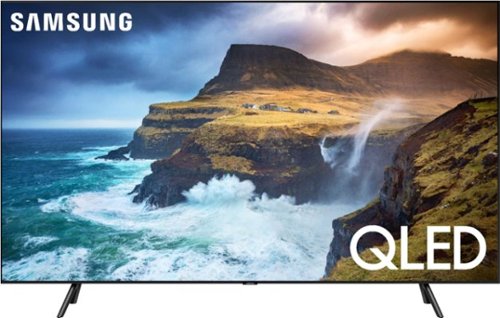
An unbelievably brilliant picture made possible by millions of colors, producing images you have to see to believe. Picture quality and color volume have been elevated to incredible levels.
Overall5 out of 5
5 out of 5Utterly Stunning TV - Samsung Rocks!
By RBrylawski
We’ve owned Samsung TVs for years and have never been let down. We just replaced our nearly 5 year old 55” 4K (not HDR) 6 series, which served us well. But times, my how they have changed. First we wanted Apple TV and we didn’t want to buy a $200 Apple TV adapter from Apple. 2018 and 2019 Samsung TVs come with Apple TV and AirPlay II built in. Add in Quantum Dot technology with HDR and the screen resolution on the newest TV’s is simply so much better than anything we’ve ever had.
We didn’t want OLED. It’s true that OLED probably has the best blacks you can get, but OLED isn’t refined enough yet IMHO. OLED won’t get as bright as a high-quality LCD. OLED also can suffer from burn-in if a static image is left on the screen too long. Sorry, but I’m not spending this much money to get a static image burned into the screen. Samsung Quantum Dot technology rivals OLED and in many ways surpasses it. It’s LCD technology on Steroids and it’s amazingly great.
Enter the Samsung QN65Q70RAF. We wanted to move up to 65” and we thought we were going to buy the 65” 60RAF, but after seeing the difference between the 60R and 70R with Direct Array Backlighting (48 areas), the difference was significant enough to justify the 70R. We also looked seriously at the 65” 80RAF, but other than slightly better off axis viewing (not important to our viewing needs), we could not justify the added cost for what to us seemed a limited value over the 70R. At some point the value of diminishing returns kicks in and the 70RAF was all the TV and more for our needs.
The TV is really well built. The bezels are super slim and are framed in real brushed black aluminum. The 60RAF bezels are plastic, so the 70RAF is a step up in construction. The screen employs a layer to minimize reflections from lights. The 80RAF has an even better layer than the 70RAF, but honestly, in most living rooms, the differences would be minimal. In years past Samsung included a One Box with their Q Series TV’s. The One Box let you connect one cable to back of the TV and plug in your electronics, such as receiver, DVD, Cable box, etc., to the box. The 70RAF does not include the One Box, instead you plug devices into the back of the TV. You get 4 HMDI’s, cable and optical connections, which is likely more than most anyone could need anyway.
Full disclosure, we did not set the TV up ourselves, though I’m sure we could have. We chose to pay Geek Squad to deliver and set it up as well as have them reprogram our Harmony Home Hub to take full advantage of all the features this stunning TV offers. They were terrific and took a great deal of time ensuring everything was set up for the best resolution possible and ease of use.
The TV comes really well boxed. I’d seen enough unboxing reviews to know Samsung took great care to ensure the TV comes out of the box in perfect condition. The metal feet (the 60 RAF has plastic feet), just slide and click firmly into place and look terrific with a slide off groove on the back foot for cable management. You can only really get one cable in each foot, but our TV is in a huge entertainment center and the feet weren’t needed to hide cables anyway.
While Geek Squad did the setup, I watched carefully and it is really well thought out. There are multiple video viewing modes, and we chose Standard Mode as the best for the lighting conditions in our room. This TV get’s BRIGHT. REALLY BRIGHT. Signing into Apple TV, Amazon Prime, YouTube, etc, was so simple. We did listen to the built-in speakers for a moment, which with 40 watts and 2.1 sound is OK. But it’s really recommended to use a sound bar or better speakers to enjoy true surround sound. Ours is running through a 7.1 Channel Surround receiver system with multiple dedicated speakers.
The 70RAF offers as I mentioned above, full array multi-zone dimming. This in combination with HDR provides amazing blacks, which can’t be accomplished with edge lit screens (the 60RAF is not multi-zone dimming). An LCD TV which is edge lit lights along the edges of the screen (usually the side edges), whereas multi-zone backlit TV’s such as the 70RAF have an array of LEDs directly behind the screen with 48 zones, which permits much better definition of dark and light. The difference is positively stunning!
All the TV’s in Samsung’s Quantum Dot line are powered by an advanced Quantum Processor 4K Chip, which instantly upscales content to as close to 4K as possible without any unwanted effects. We’ve watched several movies weren’t filmed in 4K, but the resolution was fantastic. Throw something in 4K to this puppy and it’s beyond awe-inducing. You can see detail like you’ve never seen before and we’re coming from a TV which was 4K. This Samsung TV offers the following HDR formats: HDR 10, HLG and HDR10+. Samsung does not offer Dolby Vision, but I’m not sure I would be able to tell the difference.
How about color on this TV? Simply amazing is all I can say. The 70RAF has what Samsung says is Quantum HDR 8X. It fine-tunes color and black to bring out the most realistic and vivid picture details and it does its job fantastically. With Intelligent Mode, the sound (if you use the built-in speakers) and picture adjust to match the conditions of the room.
Integration with devices such as Alexa or Google Home is simple. We use Alexa and now I can just say Hey Alexa, turn the TV on or off. The remote provided by Samsung is simple enough and includes dedicated buttons for Netflix, Amazon or Hulu. It also has the Bixby voice assistant, but he doesn’t seem to understand me all that well. We use a Harmony Home Hub anyway, it does everything I could need from a single unified remote.
The interface for changing apps on Samsung TV’s is powered by their Tizen Smart TV Operating System. From my perch, it’s the very best there is. It’s simple to use and very intuitive. If you want to download apps, you need a Samsung Account, which you can easily create using the Smart Things App when you set up the TV.
One interesting, but I’m not sure how important it is feature, is Ambient Mode. You can use the TV screen when the TV is off to display a photo, or news, weather, time, artistic images or you can even take a photo of the surrounding area, which can be on the screen when it’s off. If you mount your TV on a wall, I can see the value in this. If your TV is in a large entertainment center like ours is, Ambient Mode may not be all that important to you. Still, it’s great it’s there and you have the option. I don’t think any other TV manufacturer offers such a feature.
While we’re not gamers, I would be remiss if I didn’t mention that the 70RAF is rated as one of the absolute best T’'s for gaming. It’s the first TV with FreeSync, which reduces lag time and tearing to give you amazing gaming speed and greater visibility in the dark.
Well there you have it. To say we’re simply blown away by how far TV’s have come in the last 4+ years is an understatement. We took advantage of Black Friday pricing, which makes this 65” Samsung 70RAF an even more impressive purchase. There is literally not one thing I would change about this TV and that’s mighty high praise. If you’re looking to upgrade your home TV, I suggest you get in our car and go over to your Best Buy Store right now and get this amazing Samsung TV. You’ll really be happy you did. So will your family and friends!
Ps: Photos taken with iPhone 11 Pro Max. All are of a 4K broadcast directly viewing the TV and off axis. Here’s the only area where the 80RAF surpasses the 70RAF. It’s still much better than the TV we replaced as off axis viewing on this TV is solidly good.
RBrylawski
Tampa, FL, USA
To your question
December 6, 2019
Thanks for the kind words about my review. The exact model we purchased is: QN65Q70RAFXZA
0points
0of 0voted this comment as helpful.
An unbelievably brilliant picture made possible by millions of colors, producing images you have to see to believe. Picture quality and color volume have been elevated to incredible levels.
Overall5 out of 5
5 out of 5Utterly Stunning TV - Samsung Rocks!
By RBrylawski
We’ve owned Samsung TVs for years and have never been let down. We just replaced our nearly 5 year old 55” 4K (not HDR) 6 series, which served us well. But times, my how they have changed. First we wanted Apple TV and we didn’t want to buy a $200 Apple TV adapter from Apple. 2018 and 2019 Samsung TVs come with Apple TV and AirPlay II built in. Add in Quantum Dot technology with HDR and the screen resolution on the newest TV’s is simply so much better than anything we’ve ever had.
We didn’t want OLED. It’s true that OLED probably has the best blacks you can get, but OLED isn’t refined enough yet IMHO. OLED won’t get as bright as a high-quality LCD. OLED also can suffer from burn-in if a static image is left on the screen too long. Sorry, but I’m not spending this much money to get a static image burned into the screen. Samsung Quantum Dot technology rivals OLED and in many ways surpasses it. It’s LCD technology on Steroids and it’s amazingly great.
Enter the Samsung QN65Q70RAF. We wanted to move up to 65” and we thought we were going to buy the 65” 60RAF, but after seeing the difference between the 60R and 70R with Direct Array Backlighting (48 areas), the difference was significant enough to justify the 70R. We also looked seriously at the 65” 80RAF, but other than slightly better off axis viewing (not important to our viewing needs), we could not justify the added cost for what to us seemed a limited value over the 70R. At some point the value of diminishing returns kicks in and the 70RAF was all the TV and more for our needs.
The TV is really well built. The bezels are super slim and are framed in real brushed black aluminum. The 60RAF bezels are plastic, so the 70RAF is a step up in construction. The screen employs a layer to minimize reflections from lights. The 80RAF has an even better layer than the 70RAF, but honestly, in most living rooms, the differences would be minimal. In years past Samsung included a One Box with their Q Series TV’s. The One Box let you connect one cable to back of the TV and plug in your electronics, such as receiver, DVD, Cable box, etc., to the box. The 70RAF does not include the One Box, instead you plug devices into the back of the TV. You get 4 HMDI’s, cable and optical connections, which is likely more than most anyone could need anyway.
Full disclosure, we did not set the TV up ourselves, though I’m sure we could have. We chose to pay Geek Squad to deliver and set it up as well as have them reprogram our Harmony Home Hub to take full advantage of all the features this stunning TV offers. They were terrific and took a great deal of time ensuring everything was set up for the best resolution possible and ease of use.
The TV comes really well boxed. I’d seen enough unboxing reviews to know Samsung took great care to ensure the TV comes out of the box in perfect condition. The metal feet (the 60 RAF has plastic feet), just slide and click firmly into place and look terrific with a slide off groove on the back foot for cable management. You can only really get one cable in each foot, but our TV is in a huge entertainment center and the feet weren’t needed to hide cables anyway.
While Geek Squad did the setup, I watched carefully and it is really well thought out. There are multiple video viewing modes, and we chose Standard Mode as the best for the lighting conditions in our room. This TV get’s BRIGHT. REALLY BRIGHT. Signing into Apple TV, Amazon Prime, YouTube, etc, was so simple. We did listen to the built-in speakers for a moment, which with 40 watts and 2.1 sound is OK. But it’s really recommended to use a sound bar or better speakers to enjoy true surround sound. Ours is running through a 7.1 Channel Surround receiver system with multiple dedicated speakers.
The 70RAF offers as I mentioned above, full array multi-zone dimming. This in combination with HDR provides amazing blacks, which can’t be accomplished with edge lit screens (the 60RAF is not multi-zone dimming). An LCD TV which is edge lit lights along the edges of the screen (usually the side edges), whereas multi-zone backlit TV’s such as the 70RAF have an array of LEDs directly behind the screen with 48 zones, which permits much better definition of dark and light. The difference is positively stunning!
All the TV’s in Samsung’s Quantum Dot line are powered by an advanced Quantum Processor 4K Chip, which instantly upscales content to as close to 4K as possible without any unwanted effects. We’ve watched several movies weren’t filmed in 4K, but the resolution was fantastic. Throw something in 4K to this puppy and it’s beyond awe-inducing. You can see detail like you’ve never seen before and we’re coming from a TV which was 4K. This Samsung TV offers the following HDR formats: HDR 10, HLG and HDR10+. Samsung does not offer Dolby Vision, but I’m not sure I would be able to tell the difference.
How about color on this TV? Simply amazing is all I can say. The 70RAF has what Samsung says is Quantum HDR 8X. It fine-tunes color and black to bring out the most realistic and vivid picture details and it does its job fantastically. With Intelligent Mode, the sound (if you use the built-in speakers) and picture adjust to match the conditions of the room.
Integration with devices such as Alexa or Google Home is simple. We use Alexa and now I can just say Hey Alexa, turn the TV on or off. The remote provided by Samsung is simple enough and includes dedicated buttons for Netflix, Amazon or Hulu. It also has the Bixby voice assistant, but he doesn’t seem to understand me all that well. We use a Harmony Home Hub anyway, it does everything I could need from a single unified remote.
The interface for changing apps on Samsung TV’s is powered by their Tizen Smart TV Operating System. From my perch, it’s the very best there is. It’s simple to use and very intuitive. If you want to download apps, you need a Samsung Account, which you can easily create using the Smart Things App when you set up the TV.
One interesting, but I’m not sure how important it is feature, is Ambient Mode. You can use the TV screen when the TV is off to display a photo, or news, weather, time, artistic images or you can even take a photo of the surrounding area, which can be on the screen when it’s off. If you mount your TV on a wall, I can see the value in this. If your TV is in a large entertainment center like ours is, Ambient Mode may not be all that important to you. Still, it’s great it’s there and you have the option. I don’t think any other TV manufacturer offers such a feature.
While we’re not gamers, I would be remiss if I didn’t mention that the 70RAF is rated as one of the absolute best T’'s for gaming. It’s the first TV with FreeSync, which reduces lag time and tearing to give you amazing gaming speed and greater visibility in the dark.
Well there you have it. To say we’re simply blown away by how far TV’s have come in the last 4+ years is an understatement. We took advantage of Black Friday pricing, which makes this 65” Samsung 70RAF an even more impressive purchase. There is literally not one thing I would change about this TV and that’s mighty high praise. If you’re looking to upgrade your home TV, I suggest you get in our car and go over to your Best Buy Store right now and get this amazing Samsung TV. You’ll really be happy you did. So will your family and friends!
Ps: Photos taken with iPhone 11 Pro Max. All are of a 4K broadcast directly viewing the TV and off axis. Here’s the only area where the 80RAF surpasses the 70RAF. It’s still much better than the TV we replaced as off axis viewing on this TV is solidly good.
RBrylawski
Tampa, FL, USA
The Model You Have
December 6, 2019
Doing some research, if you have the QN65Q7DRAF, I believe that is the predecessor to the Q70RAF, and may be the 2018 version. Which, many reviewers have commented they liked better than the 2019 model.
0points
0of 0voted this comment as helpful.
An unbelievably brilliant picture made possible by millions of colors, producing images you have to see to believe. Picture quality and color volume have been elevated to incredible levels.
Overall5 out of 5
5 out of 5Utterly Stunning TV - Samsung Rocks!
By RBrylawski
We’ve owned Samsung TVs for years and have never been let down. We just replaced our nearly 5 year old 55” 4K (not HDR) 6 series, which served us well. But times, my how they have changed. First we wanted Apple TV and we didn’t want to buy a $200 Apple TV adapter from Apple. 2018 and 2019 Samsung TVs come with Apple TV and AirPlay II built in. Add in Quantum Dot technology with HDR and the screen resolution on the newest TV’s is simply so much better than anything we’ve ever had.
We didn’t want OLED. It’s true that OLED probably has the best blacks you can get, but OLED isn’t refined enough yet IMHO. OLED won’t get as bright as a high-quality LCD. OLED also can suffer from burn-in if a static image is left on the screen too long. Sorry, but I’m not spending this much money to get a static image burned into the screen. Samsung Quantum Dot technology rivals OLED and in many ways surpasses it. It’s LCD technology on Steroids and it’s amazingly great.
Enter the Samsung QN65Q70RAF. We wanted to move up to 65” and we thought we were going to buy the 65” 60RAF, but after seeing the difference between the 60R and 70R with Direct Array Backlighting (48 areas), the difference was significant enough to justify the 70R. We also looked seriously at the 65” 80RAF, but other than slightly better off axis viewing (not important to our viewing needs), we could not justify the added cost for what to us seemed a limited value over the 70R. At some point the value of diminishing returns kicks in and the 70RAF was all the TV and more for our needs.
The TV is really well built. The bezels are super slim and are framed in real brushed black aluminum. The 60RAF bezels are plastic, so the 70RAF is a step up in construction. The screen employs a layer to minimize reflections from lights. The 80RAF has an even better layer than the 70RAF, but honestly, in most living rooms, the differences would be minimal. In years past Samsung included a One Box with their Q Series TV’s. The One Box let you connect one cable to back of the TV and plug in your electronics, such as receiver, DVD, Cable box, etc., to the box. The 70RAF does not include the One Box, instead you plug devices into the back of the TV. You get 4 HMDI’s, cable and optical connections, which is likely more than most anyone could need anyway.
Full disclosure, we did not set the TV up ourselves, though I’m sure we could have. We chose to pay Geek Squad to deliver and set it up as well as have them reprogram our Harmony Home Hub to take full advantage of all the features this stunning TV offers. They were terrific and took a great deal of time ensuring everything was set up for the best resolution possible and ease of use.
The TV comes really well boxed. I’d seen enough unboxing reviews to know Samsung took great care to ensure the TV comes out of the box in perfect condition. The metal feet (the 60 RAF has plastic feet), just slide and click firmly into place and look terrific with a slide off groove on the back foot for cable management. You can only really get one cable in each foot, but our TV is in a huge entertainment center and the feet weren’t needed to hide cables anyway.
While Geek Squad did the setup, I watched carefully and it is really well thought out. There are multiple video viewing modes, and we chose Standard Mode as the best for the lighting conditions in our room. This TV get’s BRIGHT. REALLY BRIGHT. Signing into Apple TV, Amazon Prime, YouTube, etc, was so simple. We did listen to the built-in speakers for a moment, which with 40 watts and 2.1 sound is OK. But it’s really recommended to use a sound bar or better speakers to enjoy true surround sound. Ours is running through a 7.1 Channel Surround receiver system with multiple dedicated speakers.
The 70RAF offers as I mentioned above, full array multi-zone dimming. This in combination with HDR provides amazing blacks, which can’t be accomplished with edge lit screens (the 60RAF is not multi-zone dimming). An LCD TV which is edge lit lights along the edges of the screen (usually the side edges), whereas multi-zone backlit TV’s such as the 70RAF have an array of LEDs directly behind the screen with 48 zones, which permits much better definition of dark and light. The difference is positively stunning!
All the TV’s in Samsung’s Quantum Dot line are powered by an advanced Quantum Processor 4K Chip, which instantly upscales content to as close to 4K as possible without any unwanted effects. We’ve watched several movies weren’t filmed in 4K, but the resolution was fantastic. Throw something in 4K to this puppy and it’s beyond awe-inducing. You can see detail like you’ve never seen before and we’re coming from a TV which was 4K. This Samsung TV offers the following HDR formats: HDR 10, HLG and HDR10+. Samsung does not offer Dolby Vision, but I’m not sure I would be able to tell the difference.
How about color on this TV? Simply amazing is all I can say. The 70RAF has what Samsung says is Quantum HDR 8X. It fine-tunes color and black to bring out the most realistic and vivid picture details and it does its job fantastically. With Intelligent Mode, the sound (if you use the built-in speakers) and picture adjust to match the conditions of the room.
Integration with devices such as Alexa or Google Home is simple. We use Alexa and now I can just say Hey Alexa, turn the TV on or off. The remote provided by Samsung is simple enough and includes dedicated buttons for Netflix, Amazon or Hulu. It also has the Bixby voice assistant, but he doesn’t seem to understand me all that well. We use a Harmony Home Hub anyway, it does everything I could need from a single unified remote.
The interface for changing apps on Samsung TV’s is powered by their Tizen Smart TV Operating System. From my perch, it’s the very best there is. It’s simple to use and very intuitive. If you want to download apps, you need a Samsung Account, which you can easily create using the Smart Things App when you set up the TV.
One interesting, but I’m not sure how important it is feature, is Ambient Mode. You can use the TV screen when the TV is off to display a photo, or news, weather, time, artistic images or you can even take a photo of the surrounding area, which can be on the screen when it’s off. If you mount your TV on a wall, I can see the value in this. If your TV is in a large entertainment center like ours is, Ambient Mode may not be all that important to you. Still, it’s great it’s there and you have the option. I don’t think any other TV manufacturer offers such a feature.
While we’re not gamers, I would be remiss if I didn’t mention that the 70RAF is rated as one of the absolute best T’'s for gaming. It’s the first TV with FreeSync, which reduces lag time and tearing to give you amazing gaming speed and greater visibility in the dark.
Well there you have it. To say we’re simply blown away by how far TV’s have come in the last 4+ years is an understatement. We took advantage of Black Friday pricing, which makes this 65” Samsung 70RAF an even more impressive purchase. There is literally not one thing I would change about this TV and that’s mighty high praise. If you’re looking to upgrade your home TV, I suggest you get in our car and go over to your Best Buy Store right now and get this amazing Samsung TV. You’ll really be happy you did. So will your family and friends!
Ps: Photos taken with iPhone 11 Pro Max. All are of a 4K broadcast directly viewing the TV and off axis. Here’s the only area where the 80RAF surpasses the 70RAF. It’s still much better than the TV we replaced as off axis viewing on this TV is solidly good.
RBrylawski
Tampa, FL, USA
Forget my last comment
December 6, 2019
I believe the 2018 model was the Q7FN. So I don't honestly know what the Q7D is. They do sell these puppies with different models in different regions.
0points
0of 0voted this comment as helpful.
An unbelievably brilliant picture made possible by millions of colors, producing images you have to see to believe. Picture quality and color volume have been elevated to incredible levels.
Overall5 out of 5
5 out of 5Utterly Stunning TV - Samsung Rocks!
By RBrylawski
We’ve owned Samsung TVs for years and have never been let down. We just replaced our nearly 5 year old 55” 4K (not HDR) 6 series, which served us well. But times, my how they have changed. First we wanted Apple TV and we didn’t want to buy a $200 Apple TV adapter from Apple. 2018 and 2019 Samsung TVs come with Apple TV and AirPlay II built in. Add in Quantum Dot technology with HDR and the screen resolution on the newest TV’s is simply so much better than anything we’ve ever had.
We didn’t want OLED. It’s true that OLED probably has the best blacks you can get, but OLED isn’t refined enough yet IMHO. OLED won’t get as bright as a high-quality LCD. OLED also can suffer from burn-in if a static image is left on the screen too long. Sorry, but I’m not spending this much money to get a static image burned into the screen. Samsung Quantum Dot technology rivals OLED and in many ways surpasses it. It’s LCD technology on Steroids and it’s amazingly great.
Enter the Samsung QN65Q70RAF. We wanted to move up to 65” and we thought we were going to buy the 65” 60RAF, but after seeing the difference between the 60R and 70R with Direct Array Backlighting (48 areas), the difference was significant enough to justify the 70R. We also looked seriously at the 65” 80RAF, but other than slightly better off axis viewing (not important to our viewing needs), we could not justify the added cost for what to us seemed a limited value over the 70R. At some point the value of diminishing returns kicks in and the 70RAF was all the TV and more for our needs.
The TV is really well built. The bezels are super slim and are framed in real brushed black aluminum. The 60RAF bezels are plastic, so the 70RAF is a step up in construction. The screen employs a layer to minimize reflections from lights. The 80RAF has an even better layer than the 70RAF, but honestly, in most living rooms, the differences would be minimal. In years past Samsung included a One Box with their Q Series TV’s. The One Box let you connect one cable to back of the TV and plug in your electronics, such as receiver, DVD, Cable box, etc., to the box. The 70RAF does not include the One Box, instead you plug devices into the back of the TV. You get 4 HMDI’s, cable and optical connections, which is likely more than most anyone could need anyway.
Full disclosure, we did not set the TV up ourselves, though I’m sure we could have. We chose to pay Geek Squad to deliver and set it up as well as have them reprogram our Harmony Home Hub to take full advantage of all the features this stunning TV offers. They were terrific and took a great deal of time ensuring everything was set up for the best resolution possible and ease of use.
The TV comes really well boxed. I’d seen enough unboxing reviews to know Samsung took great care to ensure the TV comes out of the box in perfect condition. The metal feet (the 60 RAF has plastic feet), just slide and click firmly into place and look terrific with a slide off groove on the back foot for cable management. You can only really get one cable in each foot, but our TV is in a huge entertainment center and the feet weren’t needed to hide cables anyway.
While Geek Squad did the setup, I watched carefully and it is really well thought out. There are multiple video viewing modes, and we chose Standard Mode as the best for the lighting conditions in our room. This TV get’s BRIGHT. REALLY BRIGHT. Signing into Apple TV, Amazon Prime, YouTube, etc, was so simple. We did listen to the built-in speakers for a moment, which with 40 watts and 2.1 sound is OK. But it’s really recommended to use a sound bar or better speakers to enjoy true surround sound. Ours is running through a 7.1 Channel Surround receiver system with multiple dedicated speakers.
The 70RAF offers as I mentioned above, full array multi-zone dimming. This in combination with HDR provides amazing blacks, which can’t be accomplished with edge lit screens (the 60RAF is not multi-zone dimming). An LCD TV which is edge lit lights along the edges of the screen (usually the side edges), whereas multi-zone backlit TV’s such as the 70RAF have an array of LEDs directly behind the screen with 48 zones, which permits much better definition of dark and light. The difference is positively stunning!
All the TV’s in Samsung’s Quantum Dot line are powered by an advanced Quantum Processor 4K Chip, which instantly upscales content to as close to 4K as possible without any unwanted effects. We’ve watched several movies weren’t filmed in 4K, but the resolution was fantastic. Throw something in 4K to this puppy and it’s beyond awe-inducing. You can see detail like you’ve never seen before and we’re coming from a TV which was 4K. This Samsung TV offers the following HDR formats: HDR 10, HLG and HDR10+. Samsung does not offer Dolby Vision, but I’m not sure I would be able to tell the difference.
How about color on this TV? Simply amazing is all I can say. The 70RAF has what Samsung says is Quantum HDR 8X. It fine-tunes color and black to bring out the most realistic and vivid picture details and it does its job fantastically. With Intelligent Mode, the sound (if you use the built-in speakers) and picture adjust to match the conditions of the room.
Integration with devices such as Alexa or Google Home is simple. We use Alexa and now I can just say Hey Alexa, turn the TV on or off. The remote provided by Samsung is simple enough and includes dedicated buttons for Netflix, Amazon or Hulu. It also has the Bixby voice assistant, but he doesn’t seem to understand me all that well. We use a Harmony Home Hub anyway, it does everything I could need from a single unified remote.
The interface for changing apps on Samsung TV’s is powered by their Tizen Smart TV Operating System. From my perch, it’s the very best there is. It’s simple to use and very intuitive. If you want to download apps, you need a Samsung Account, which you can easily create using the Smart Things App when you set up the TV.
One interesting, but I’m not sure how important it is feature, is Ambient Mode. You can use the TV screen when the TV is off to display a photo, or news, weather, time, artistic images or you can even take a photo of the surrounding area, which can be on the screen when it’s off. If you mount your TV on a wall, I can see the value in this. If your TV is in a large entertainment center like ours is, Ambient Mode may not be all that important to you. Still, it’s great it’s there and you have the option. I don’t think any other TV manufacturer offers such a feature.
While we’re not gamers, I would be remiss if I didn’t mention that the 70RAF is rated as one of the absolute best T’'s for gaming. It’s the first TV with FreeSync, which reduces lag time and tearing to give you amazing gaming speed and greater visibility in the dark.
Well there you have it. To say we’re simply blown away by how far TV’s have come in the last 4+ years is an understatement. We took advantage of Black Friday pricing, which makes this 65” Samsung 70RAF an even more impressive purchase. There is literally not one thing I would change about this TV and that’s mighty high praise. If you’re looking to upgrade your home TV, I suggest you get in our car and go over to your Best Buy Store right now and get this amazing Samsung TV. You’ll really be happy you did. So will your family and friends!
Ps: Photos taken with iPhone 11 Pro Max. All are of a 4K broadcast directly viewing the TV and off axis. Here’s the only area where the 80RAF surpasses the 70RAF. It’s still much better than the TV we replaced as off axis viewing on this TV is solidly good.
RBrylawski
Tampa, FL, USA
The entertainment center
December 8, 2019
We bought it several year ago from Scan Design, in Tampa, FL
0points
0of 0voted this comment as helpful.
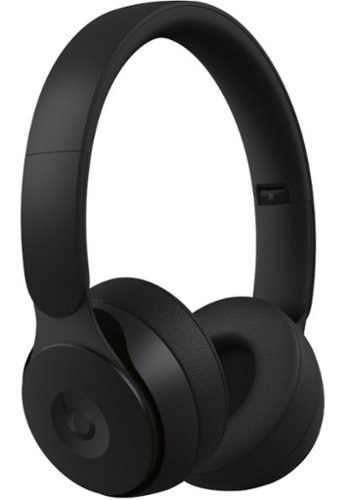
Get inspired with Solo Pro noise cancelling wireless headphones. To deliver sound how you want it, Solo Pro features two listening modes: Active Noise Cancelling (ANC) and Transparency. Beats' Pure ANC gives you the space to create with fully immersive sound, while Transparency helps you stay aware of your surroundings. Every detail of Solo Pro has been carefully considered, right down to the intuitive way the headphones turn on and off via folding. The ergonomic design delivers exceptional comfort for extended wear and sleek style. And with up to 22 hours of battery life, you can keep the music going no matter where your day takes you. Solo Pro offers Class 1 Bluetooth for extended range and fewer dropouts.
Overall4 out of 5
4 out of 5Beats - You've Made A Believer Of Me!
By RBrylawski
from Tampa, FL
I can’t believe I own a set of Beats headphones. More importantly, I can’t believe I’m loving them. Let me explain why. Until now, I was never impressed with Beats. To me, Beats headphones were more about making a statement with the “b” on each ear cup for people who don’t really care about great sound. That was until I listened to the new Beats Solo Pro. I’ve had mine now for a few days and have spent many hours listening to all genres of music. I can honestly say the Solo Pro is really really good!
These are most definitely not the Beats which were. These Beats go in a totally new direction and I’m honestly stunned at how much I’m enjoying them. Gone is the boomy, mushy rattle your head bass with little regard to mid and upper frequencies. Gone is glossy, cheap plastics. When Apple bought Beats a few years ago, Apple has been infusing Beats with higher and higher levels of quality, especially in terms of sound. And these Solo Pro are without question the best Beats headphones I’ve heard.
In typical Apple fashion, these come packaged superbly. Once you remove the outside plastic wrap on the box, you flip one side of the box down to fold all sides of the box flat in Apple-esque style to reveal the carrying case, with the headphones inside. There’s a hidden slide out tray with the Lightning to USB cable and a caribiner you can attach for extra’s if you need to carry additional accessories or attach them to your backpack.
My daily drivers have been a much more expensive pair of high-end Bluetooth, Active Noise Cancelling (ANC), over-the ear headphones. Are the Solo Pro the equal of them? No, but they also cost less. and they sound really good. Beats has done a terrific job with the look and feel of the Solo Pro. They come in multiple colors from light to vivid blue, black, ivory, gray and like the pair I have, red. The design is modern and sleek looking. Beats is using high-quality plastics, which are matte finished and seemingly impervious to fingerprints. Behind the plastics are aluminum, which is anodized to compliment the color of the headphones and everything moves and slides with a feeling of long-lasting goodness. There is no power button on these puppies. To turn them on you unfold them on and you fold them back to turn them off. The ear cups are not leather but are certainly soft and didn’t make my ears sweat like some cheap pleather I’ve worn before. Underneath is memory foam which is soft and adjusts to the contours of your ears well.
My daily drivers have been a much more expensive pair of high-end Bluetooth, Active Noise Cancelling (ANC), over-the ear headphones. Are the Solo Pro the equal of them? No, but they also cost less. and they sound really good. Beats has done a terrific job with the look and feel of the Solo Pro. They come in multiple colors from light to vivid blue, black, ivory, gray and like the pair I have, red. The design is modern and sleek looking. Beats is using high-quality plastics, which are matte finished and seemingly impervious to fingerprints. Behind the plastics are aluminum, which is anodized to compliment the color of the headphones and everything moves and slides with a feeling of long-lasting goodness. There is no power button on these puppies. To turn them on you unfold them on and you fold them back to turn them off. The ear cups are not leather but are certainly soft and didn’t make my ears sweat like some cheap pleather I’ve worn before. Underneath is memory foam which is soft and adjusts to the contours of your ears well.
For iPhone/iPad user like me, you’ll love how simple it is pair these headphones. Apple uses the H1 Chip in their new headphones. Once you unfold them to power them on, they instantly pop up on your iPhone screen (without having to go into Settings/Bluetooth) and you simply tap to connect. Going even further, if you have multiple iDevices, the headphones will now be paired with every device you have which uses the same Apple ID. With six devices under the same Apple ID, it’s a blessing to be honest. You can pair them to any device which accepts Bluetooth headphones. So, Android you’re not left out. Apple says they are Class 1 Bluetooth. Their range is beyond amazing. Many BT devices have a range of around 30 – 40 feet at most. Not these puppies. You can go way further from your paired device than I’ve gone with any BT headphone I’ve ever owned. I didn’t lose connection until I got at least 100 feet from my iPhone. There are no latency issues with videos either.
On the Apple side, there is no App for the Solo Pro. There is a Beats App available for Android for pairing and firmware updates. There are no EQ settings. You either like how they sound, or you don’t. Or you can download an EQ app, if you feel you need one. In my opinion good headphones shouldn’t need equalization to sound good. I don’t adjust EQ on my other headphones, even though I can. These are truly tap and play headphones!
Controls on the Solo Pro are physical, not touch. From personal experience with touch controls, the concept is better than reality. An unintended swipe can pause or change your music when you didn't want to. The Solo Pro controls are simple and intuitive. Press the center of the right ear cup once to pause your music. Tap it again to play. A double press skips to the next track or a triple press goes back to the previous track. Hold the top of the button to increase volume and hold the bottom to lower volume. Press and hold the center button to bring up the virtual assistant or if you're an Apple user simply say "Hey Siri." The only other control is on the left ear cup, where you can turn ANC and Transparency Mode on or off.
Active Noise Cancelling (ANC) in the Solo Pro is adaptive, meaning the headphones monitor outside sounds to apply the right amount of noise cancellation without negatively impacting your music. While noise cancelling is great in noisy environments, there are times you need to hear some of what’s going on around you. So the Solo Pro also includes Transparency Mode. With Transparency Mode, you’ve got noise cancellation, but you can also hear outside sounds. This is one area the Solo Pro outshines all my other headphones. Outside sounds don’t sound digital or altered. Some people place a huge amount of importance on ANC. I don’t buy headphones for ANC. I buy headphones for their sound quality and ANC is just a nice addition. To that end the ANC and Transparency Mode on the Solo Pro is all I could ever need and then some.
Let's talk comfort. No matter how good headphones sound, if they're not comfortable you won't enjoy them. I’ve read reviews where people said they are uncomfortable. One person complained they couldn't run with them. To think these would make good running headphones makes no sense to me. For running, choose a good pair of earbuds which lock in place, not an over the ear headphone which can bounce when you run. I found if you don't extend the ear cup arms far enough from their shortest length, they can be a little tight. But if you adjust them to extend lower on your ear, the comfort level increases significantly. It did for me and I wear glasses, which hasn't been an issue at all. Maybe Apple will offer these in an over the ear version at some point. Anyone considering these will just need to try them on at their Best Buy store to see how they feel on their head.
A final note about comfort: There is no "L" "R" markings on the ear cups. That doesn't mean it doesn't matter which way you wear them. It matters a lot. The right ear cup has the lightning charging port and physical controls for pause/play/volume/answer/track selection. Trust me, if you put them on backwards, they're most definitely not comfortable. It made me wonder if some people who thought they were uncomfortable, wore them backwards?
Sound trumps all when it comes to headphones. These aren’t the Beats of just a few years ago and was for me, the single biggest surprise. I commented earlier that bass doesn’t overwhelm and it doesn’t. But bass isn’t lacking either. If you play music with heavy bass, it’s powerful, with great oomph. It just doesn’t cover up what the rest of the music is doing and that’s why I think they’ve improved significantly. Symphonic music is full, with a great sound stage. Piano music resonates perfectly. Vocals sound smooth and natural. And the highest frequencies, such as cymbals, triangle or harpsichord are brilliant, without sounding shrill or harsh. Remarkably, turning on ANC didn’t diminish the sound stage, which often happens with headphones using noise cancelling circuitry. Call quality with the Solo Pro was terrific. I’ve made/answered several calls with them. I could hear them clearly and they could hear me clearly.
Battery life on the Solo Pro is great! You can get up to 22 hours of play on a single charge with ANC or Transparency on. If you don’t use ANC or Transparency, you can get up to 40 hours on a single charge. That’s FORTY HOURS!! And if you need to recharge on the go, you can plug in for 10 minutes (Fast Fuel) to get 3 hours of play time. It wasn’t long ago getting up to 6 hours was considered great for wireless headphones.
With all the praise, is there anything to criticize? Here are the few cons I can think of, which really don’t amount to anything significant:
1. The carrying case provided, while nice and soft is well, soft. I don’t like soft cases. I purchased a hard case to provide more protection during transport.
2. The Solo Pro doesn’t offer a wired connection. I you want or need one, you can buy an Apple lightning to 3.5 mm headphone plug for $35.
3. It’s disappointing to see Apple chose lighting to USB to charge these. It’s time (IMHO) for Apple to retire the Lighting connector. With Pro in their name, I would have expected USB C.
4. These don’t pause if you take them off your ears (you need to remember to tap the right ear cup once to pause them), which I find odd, given much less expensive headphones pause if removed.
5. For those who want to adjust EQ, you can’t since there’s no app provided. If you think you need one, there are options in both App Stores.
2. The Solo Pro doesn’t offer a wired connection. I you want or need one, you can buy an Apple lightning to 3.5 mm headphone plug for $35.
3. It’s disappointing to see Apple chose lighting to USB to charge these. It’s time (IMHO) for Apple to retire the Lighting connector. With Pro in their name, I would have expected USB C.
4. These don’t pause if you take them off your ears (you need to remember to tap the right ear cup once to pause them), which I find odd, given much less expensive headphones pause if removed.
5. For those who want to adjust EQ, you can’t since there’s no app provided. If you think you need one, there are options in both App Stores.
If this all I can come up with, it’s honestly trivial and in no way should stop you from giving serious consideration to the Solo Pro.
All in all, the new Beats Solo Pro, bring Beats forward many steps from the Beats from just a few years ago. They’re well-made, with premium feeling materials. They sound terrific, in fact far better than I expected. They’re for the most part comfortable and for $300 are a really great value. Beats, you made a believer of me and that’s not easy to do. Or maybe with quality and sound like this, it was.
Note: I took one star off for comfort and for not pausing when taken off your head. Otherwise, these are 5 star headphones.
RBrylawski
Tampa, FL, USA
Correction to my review
December 11, 2019
I commented there is no L/R on the earcups, which is true. But I just happened to notice that on the inside of the arms, where the aluminum folding arm is, there is actually a L on the left folding arm and a R on the right folding arm. It would have been easier to see if there was a big L/R on the inside of the earcups like other headphones have, but I did want to correct my review on this minor point.
+9points
10of 11voted this comment as helpful.
RBrylawski's Questions
RBrylawski has not submitted any questions.
An unbelievably brilliant picture made possible by millions of colors, producing images you have to see to believe. Picture quality and color volume have been elevated to incredible levels.
Does this TV have voice remote?
An unbelievably brilliant picture made possible by millions of colors, producing images you have to see to believe. Picture quality and color volume have been elevated to incredible levels.
Costco has this TV listed as having a 5 year warranty. If you read the linked user manual on the costco site it does indeed say 5 years. Does this TV have a 5 year warranty or is that something just through costco?
Costco doesn't actually sell this model. They sell the 2018 Q7FN for the same price Best Buy sells the Q70RAF.
6 years, 8 months ago
by
RBrylawski
Create a reliable wireless network at home with this Linksys Wi-Fi system. It offers up to 6,000 sq. ft. of coverage, so it's suitable for a large home, and its Tri-Band technology delivers faster speeds for multiple devices by balancing loads effectively. This Linksys Wi-Fi system works with Amazon Alexa to control the unit with simple voice commands.
Is the router included?
Yes, it includes either two or three stations, all are routers, but one connects to the network via Ethernet, while the other stations connect wirelessly.
6 years, 11 months ago
by
RBrylawski
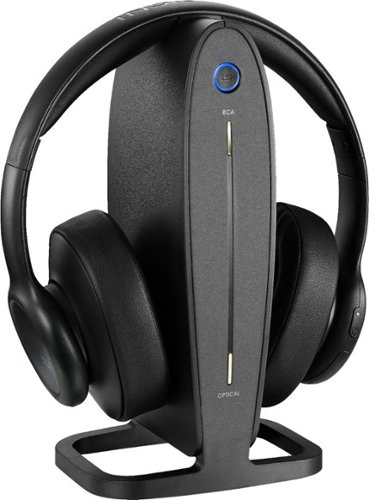
Listen to your TV or music wirelessly without disturbing others.