


RBrylawski's stats
- Review count54
- Helpfulness votes867
- First reviewSeptember 28, 2018
- Last reviewDecember 26, 2025
- Featured reviews0
- Average rating4.9
- Review comment count11
- Helpfulness votes0
- First review commentSeptember 12, 2020
- Last review commentSeptember 12, 2020
- Featured review comments0
Questions
- Question count0
- Helpfulness votes0
- First questionNone
- Last questionNone
- Featured questions0
- Answer count14
- Helpfulness votes7
- First answerDecember 29, 2018
- Last answerFebruary 18, 2024
- Featured answers0
- Best answers1
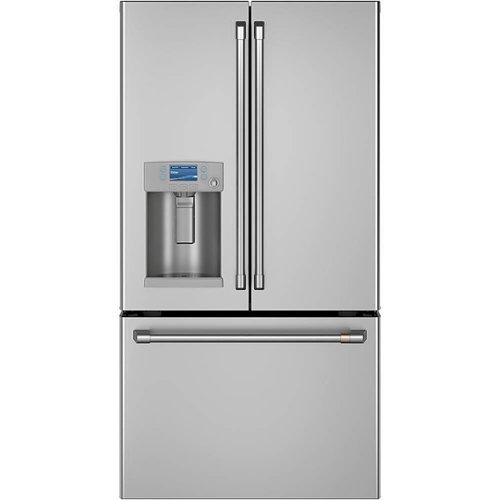
Nothing about your personal style is standard. So why should your appliances be? Cafe redefines the kitchen space with the Customizable Professional Collection, which gives you the ability to pair matte white, matte black or stainless appliance finishes with your choice of six distinct handle and knob options. Cafe curated hardware offerings include brushed bronze, brushed black, brushed copper, and brushed stainless, alongside the latest bold additions, brushed brass and flat black. Get the look that truly reflects your personality with Cafe's unique finishes and exceptional styling.
Customer Rating

5
Love This Cafe 22.2 Cu. Refrigerator
on September 11, 2020
Posted by: RBrylawski
Verified Purchase:Yes
We just bought a new home and had to choose all new appliances. After reading lot's of reviews, we chose the Cafe line of appliances and this 22.2 Cu Ft. French Door Refrigerator is simply FANTASTIC. From the fantastic looks to how everything operates is far better than any Fridge we've owned.
On the looks side, it's beautiful. Everything reeks of quality. I love how the ice-maker doesn't take up as much space as many other ice-makers do. You can get more food inside thanks to it's intelligent design. You see how much water you're dispensing to the exact ounce and it's terrific you can get hot water on demand too.
If I were change anything, I'd wish Cafe used a finish that was more resistant to finger prints and the compartment one would use for eggs, doesn't accommodate a typical store egg carton. But I found a great solution in a plastic egg carton which works perfectly.
All in all, we couldn't be happier with this terrific refrigerator from Cafe!
Length of ownership: 6
Mobile Submission: false
I would recommend this to a friend!
Quality

5
Value
5
Ease of Use
5

Share this review:


+2points
2of 2voted this as helpful.
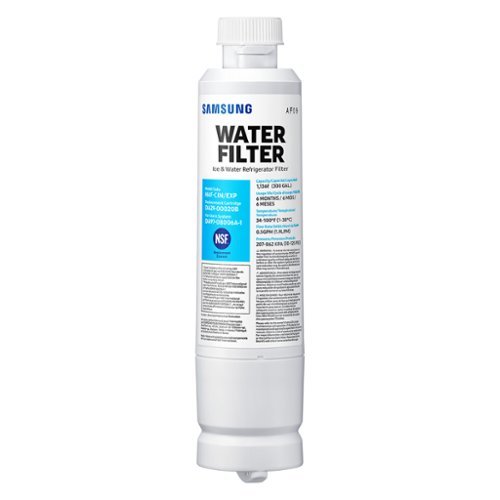
Give your family safe, fresh-testing water with Samsung genuine filters. Samsung water filters remove over 99% of numerous harmful contaminants, including lead. Each filter lasts for 6 months or 300 gallons.
Customer Rating
5
The Right Filter For Your Samsung Refrigerator
on June 26, 2020
Posted by: RBrylawski
Verified Purchase:Yes
I know water filters aren't exactly exciting, but they are important to providing you and your family clean water. There are always less expensive options you can buy, but I'm not one for taking a chance on using anything other than genuine replacement filters for my refrigerator.
It can't be easier to replace the filter. Simply unscrew the filter you have, remove it, then insert and tighten the new filter. It is recommended you flow a few quarts of water through after you've replaced the filter to get any air out from the replacement process. Then you're good to go till your notified it's time for a new replacement.
Length of ownership: 27
Mobile Submission: false
I would recommend this to a friend!
Quality
5
Value
5
Ease of Use
5
Share this review:


+1point
1of 1voted this as helpful.
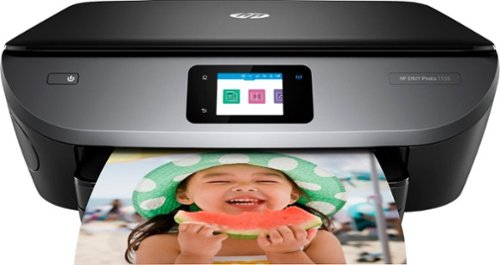
Upgrade your home office equipment with this HP Envy all-in-one printer. Its dual-band Wi-Fi support lets you print sharp, borderless photos directly from your mobile device, and the 2.7-inch color touch screen lets you configure options for printing, scanning and copying. This HP Envy all-in-one printer increases productivity as it delivers 14 ppm of black and white documents.
Customer Rating
5
This HP Printer Does It All
on June 12, 2020
Posted by: RBrylawski
Verified Purchase:Yes
I really like this printer. It's well made, simple to set up and easily controlled via the HP Smart app. You can even control your printer from Amazon Alexa or Google Assistant or use AirPrint or Google Assistant capable, to easily print from your mobile device. And with the HP Smart App, you can print from literally any place you have access to Wifi. Flexibility is the name of game here.
In terms of capability, you can print up to 14 pages per minute (ppm) in black and up to 9 ppm in color with up to 4800 x 1200 dpi color resolution. HP makes getting printer cartridges beyond easy, by letting you sign up for Instant Ink, a reasonably priced monthly payment plan, which monitors the ink levels automatically for and when you need new cartridges, they simply ship them to you. I did the math and found the monthly cost is less than buying printer cartridges in-store.
The paper tray stores up to 125 sheets of paper and it has a separate tray for photo paper. On the side of the printer is a door which swings open where you'll find a built-in memory card slot and USB 2.0 port to simply plug in a memory card, USB drive camera or other device to print directly from. Photo printing is terrific.
The printer is duplex capable, so you can direct your printouts to print on both sides of a single page of paper. You also have a simple to use Flatbed scanner with up to 1200 x 1200 dpi optical resolution and for clear copies, you get up to 600 x 600 dpi in color and 300 x 300 dpi in black.
Setup of the printer couldn't be easier. Download the HP Smart App to your mobile device and also get it from the Microsoft Store for your computer. Create an account sing in and then the app finds the printer and connects it to your home network automatically. On your computer, the HP Smart App will download all the printer drivers for you and add an icon on your desktop to manage the printer functions. It takes literally minutes and is so simple all the around.
You can control the printer via the front panel 2.65" CGD (color graphics display) touch screen, to print, store files and access business apps directly from the printer.
We've had the printer now for a few weeks and it's been spot on reliable. If there was one thing I would change it would be to have automated the slide out tray which your prints rest on (so they don't fall on the floor). Since I print from home, office and just about anywhere, the little tray needs to be out all the time, or you'll come home and find your printed pages on the floor. Since the location of the printer in my home is deep enough, it's not an issue, but the much older printer we had which this HP Printer replaced had a tray which popped out automatically when you printed something. If this is the only thing I can find to complain about, I'd say it's very minor as overall, the printer is excellent and should stand the test of time.
All in all, this is a great printer, with terrific and easy to use controls and as you would expect from HP, the print quality is excellent. Add in the Instant Ink program and this couldn't be simpler to keep going.
Length of ownership: 29
Mobile Submission: false
I would recommend this to a friend!
Quality
5
Value
5
Ease of Use
5


Share this review:


+1point
40of 79voted this as helpful.
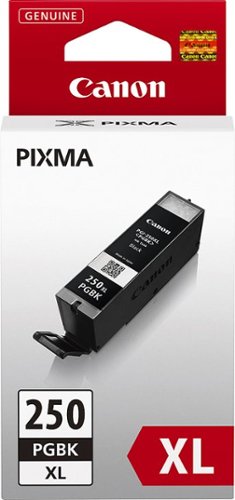
This Canon PGI-250XL 6432B001 ink cartridge creates rich black text and images for long-lasting documents. The high yield easily handles your office or small business printing needs.
Customer Rating
5
Original Canon Cartridges Just Work
on March 20, 2020
Posted by: RBrylawski
Verified Purchase:Yes
I know one can buy less expensive printer cartridges, but we've found the ones from Canon last longer and print better. I just won't mess with something when the original's work so well.
Length of ownership: 48
Mobile Submission: false
I would recommend this to a friend!
Ease of Use
5
Quality
5
Value

4

Share this review:


0points
0of 0voted this as helpful.
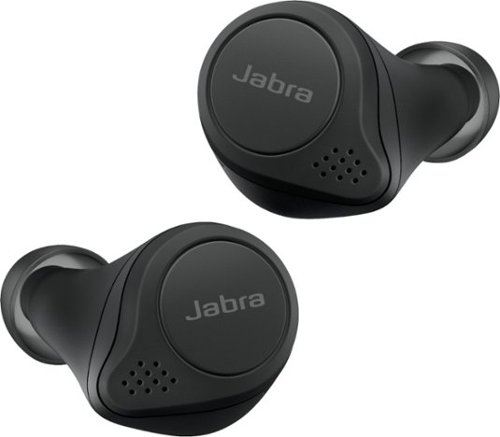
Filter out the world with Jabra Elite 75t Active Noise Cancellation (ANC) true wireless earbuds. These earbuds are engineered for a secure fit and have an IP55-rating with a 2-year extended warranty against dust and water damage. Up to 24 hours of battery time (ANC on) with the pocket-friendly charging case, and fast charge feature provides up to an hour of battery in 15 minutes. 4-built-in microphones for clear calls and HearThrough mode can be enabled to so there's no need to remove earbuds in order to hear your surroundings. Use the Jabra Sound+ app to activate ANC the first time you use it and enable toggling between ANC and HearThrough via your earbud button.
Customer Rating
5
Jabra Elite 75t Earbuds Are Amazing
on November 23, 2019
Posted by: RBrylawski
Verified Purchase:Yes
I’ve been all-in on Bluetooth headphones for a few years now. I love not being tethered by wires and having the ability to walk around without having to be inches from my iPhone or iPad. I prefer over-the-ear headphones and have a very high-end pair as my daily drivers. But when I travel or go for walks outdoors, it’s good to have a high quality pair of earbuds. I’ve owned multiple pairs of earbuds over the last few years, from no name brands from China, which for the most part haven’t been very satisfying to better quality names such as Jaybird which have been better. Full disclosure: I was supposed to be sent a pair of these for review purposes. That didn’t happen as Jabra can’t seem to keep them in stock, so I went out and bought them anyway. Now I know why they can’t keep them in stock.
A family member commandeered my Jaybirds, so I’ve spent the last several weeks researching the newest entries in totally wireless earbuds from the likes of B&O, Momentum, Apple, Beats and even Master and Dynamic. From my research including countless articles and YouTube videos, I decided the Jabra Elite 75t would be a great option for me.
So are they? Yes, yes they are. I really wasn’t sure what to expect. Some reviewers said they’re bass heavy. Some said mid-range and treble is lacking. Most said to get good sound, you needed to adjust EQ in the Jabra Sound+ App. To be honest, in my experience they sound much better than I expected (which were high to begin with) and they sound terrific without any adjustment in the app.
Jabra was founded in 1983 and they are global brand specializing in audio and video equipment. They are well known for making high quality earphones for communications. My office, for example uses Jabra monaural headsets for hands-free calling. I use a Jabra mono Bluetooth headphone for my Apple Watch. This is certainly one area these Bluetooth headphones excel in. They use 4 microphone noise reducing technology which I tried out in a noisy environment (Starbucks) and I could hear the caller well and they could hear me well too. You can hear your caller in both earbuds, which is nice. Most other earbuds only let the caller be heard in one earbud. And you can open the microphone so you can hear yourself on a call. This makes a huge difference so you don’t sound so loud when you’re talking to someone. People around you will surely appreciate this a lot!
These come extremely well packaged. I like a good presentation when I buy something of quality, and the packaging doesn't disappoint. When you slide out the inner box, the charging case is at the top, the earbuds in the middle and the accessories (USB C charging cable, small and large silicone ear gels – they come pre-installed with the medium ear gels and a warranty leaflet. Jabra recommends you download the Jabra Sound+ App, put the earbuds in the charging case and make sure they are updated. The first update takes about 15 minutes, but you surely want your earbuds to have the very latest firmware, right? I then let them charge up, which took mere minutes as the charging case and earbuds were just about fully charged out of the box.
Pairing them the first time is a breeze. Once you open the lid on the charging case, the app walks you through pairing them, choosing which voice assistant you want, from Siri to Android to Google Assistant to Alexa and language. You also register them for warranty with Jabra, directly in the app. You can pair these up to 8 devices. Something Jabra offers which few others offer is the ability to have them paired to two devices at the same time. This means you can for example listen to music on your iPad, but immediately answer a call from your iPhone, without having to change from one device to the other. This is a great feature for sure.
The charging case is one of the stars of this show. It’s super small and will easily fit in your pocket without making you look goofy. Once fully charged, the Jabra’s offer up to 7,5 hours of play time. It wasn’t long ago, you’d be lucky to get 3 hours from wireless earbuds. Even Apple’s newest Airpod Pro’s only offer up to 4.5 of continuous play before needed to be recharged. The Jabra case also holds up to 28 hours of charge so you can recharge the earbuds multiple times before it needs to be recharged. The Jabra’s attach magnetically in the charging case as does the case lid. It’s clear Jabra put a lot of thought and engineering in the case. It’s smaller than the previous 65t case, charges via USB C, holds an amazing amount of battery power and just looks and feels super high quality.
The earbuds themselves are marvels of engineering. They’re much smaller than any earbuds I’ve seen or worn. It’s important to note that the ear gels are key to getting the best performance and comfort out of the Jabra’s. Jabra suggests you try all three pairs of ear gels in order to get the best fit. They come out of the box with the medium size attached. I started with them. The sound was disappointing. So it was time to try the other ear gels. If you choose the right size ear gel for your ear, not only will you hear how fantastic these can sound, but you simply WON’T hear anything around you. I should mention, these earbuds don’t have noise cancelling circuitry. I’m not disappointed by that as I’ve found that when noise cancelling circuits are engaged, the sound stage can be significantly altered. The Elite 75t use passive noise cancellation and it works beyond fantastically. It’s amazing how well this works. Someone was literally shouting at me trying to get my attention, and I could only see their mouth moving. And as mentioned, if you use the right ear gel for your inner ear, these puppies sound simply amazing. Bass is deep, vocals natural and highs just right without being shrill or harsh.
From a technology perspective, the Jabra’s are Bluetooth 5.0, which is very low energy and provides the ability to wander quite a distance from your mobile device, without any dropping whatsoever. They offer SBC (low-complexity subband codec) and AAC (Advanced Audio Coding), both of which have much higher quality and compression than the older MP3 format. There is no APT X, but then if you’re an iPhone user, Apple doesn’t use APT X anyway. I doubt you could hear the difference anyway. They come with an IPX 55 water resistance rating. While not completely waterproof, they can easily survive a grueling gym workout or a walk, in light rain. You can’t shower or swim with them, but would you even if you could? I certainly wouldn’t take a chance on ruining something I paid close to $200 for.
In terms of function, Jabra didn’t really leave anything out here. Many earbuds don’t offer volume control on the buds, but the Elite 75t does. Even Apple’s Airpod Pro doesn’t offer a way to adjust the volume on the buds themselves. Jabra doesn’t use touch sensitive controls, opting for physical buttons instead. YAY! They are very light touch, which is important as harder to push buttons means you end up pushing the earbuds deeper into your ear canal. There is quite a list of single, double and triple pushes on either earbud to get the functions you need from answering a call, putting a call on hold and answering another call, ending a call, changing music tracks, pausing music and more.
The Jabra Sound+ App is simple to use and offers a lot of functionally. Coming from a very high-end over-the-ear Bluetooth headphone, which also has an app, I think the Jabra offers a lot more in terms of adjustment to your exact listening preference. There are easy to select presets, such as Bass Boost, Treble Boost, Smooth etc. Or you can adjust Bass, Mid-Range and Treble individually to your specific listening tastes. There’s also Hear-Through control, which lets you listen to music, but bring in some of the outside world if you want and it’s adjustable to let in a little or a lot. Once adjusted in the Sound+ App, you can turn it on or off using the left earbud button. You also get some white noise options, such as sound waves. You can also read the full user guide in the app (which is not included in the box), but I downloaded it to my computer so I could read it on my laptop screen. Or you can simply remove one of the earbuds to pause the music. If left out of ear for more than 60 seconds you will need to push the right earbud button to resume play.
Well there you have it. Sorry for the length of this, but there are so many True Wireless Earbuds out there that my hope is you find this helpful if you’re considering the Elite 75t. They’re super small, super lightweight, super comfortable, sound simply amazing with music or phone calls, has a great charging case with amazing battery life and comes with a two-year warranty, which I doubt I’ll ever need to use anyway. All in all, these are the best Bluetooth Earbuds I've owned and I can see myself enjoying many pleasurable hours with the Jabra Elite 75t.
Mobile Submission: false
I would recommend this to a friend!
Quality
5
Value
5
Ease of Use
5


Share this review:


+197points
251of 305voted this as helpful.
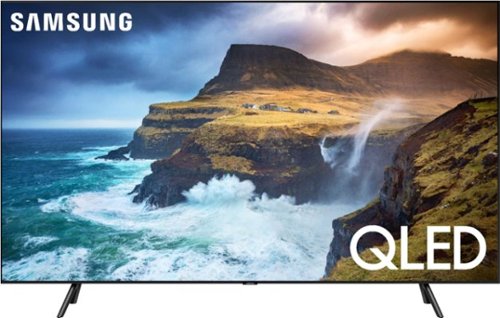
An unbelievably brilliant picture made possible by millions of colors, producing images you have to see to believe. Picture quality and color volume have been elevated to incredible levels.
Customer Rating
5
Utterly Stunning TV - Samsung Rocks!
on November 10, 2019
Posted by: RBrylawski
Verified Purchase:Yes
We’ve owned Samsung TVs for years and have never been let down. We just replaced our nearly 5 year old 55” 4K (not HDR) 6 series, which served us well. But times, my how they have changed. First we wanted Apple TV and we didn’t want to buy a $200 Apple TV adapter from Apple. 2018 and 2019 Samsung TVs come with Apple TV and AirPlay II built in. Add in Quantum Dot technology with HDR and the screen resolution on the newest TV’s is simply so much better than anything we’ve ever had.
We didn’t want OLED. It’s true that OLED probably has the best blacks you can get, but OLED isn’t refined enough yet IMHO. OLED won’t get as bright as a high-quality LCD. OLED also can suffer from burn-in if a static image is left on the screen too long. Sorry, but I’m not spending this much money to get a static image burned into the screen. Samsung Quantum Dot technology rivals OLED and in many ways surpasses it. It’s LCD technology on Steroids and it’s amazingly great.
Enter the Samsung QN65Q70RAF. We wanted to move up to 65” and we thought we were going to buy the 65” 60RAF, but after seeing the difference between the 60R and 70R with Direct Array Backlighting (48 areas), the difference was significant enough to justify the 70R. We also looked seriously at the 65” 80RAF, but other than slightly better off axis viewing (not important to our viewing needs), we could not justify the added cost for what to us seemed a limited value over the 70R. At some point the value of diminishing returns kicks in and the 70RAF was all the TV and more for our needs.
The TV is really well built. The bezels are super slim and are framed in real brushed black aluminum. The 60RAF bezels are plastic, so the 70RAF is a step up in construction. The screen employs a layer to minimize reflections from lights. The 80RAF has an even better layer than the 70RAF, but honestly, in most living rooms, the differences would be minimal. In years past Samsung included a One Box with their Q Series TV’s. The One Box let you connect one cable to back of the TV and plug in your electronics, such as receiver, DVD, Cable box, etc., to the box. The 70RAF does not include the One Box, instead you plug devices into the back of the TV. You get 4 HMDI’s, cable and optical connections, which is likely more than most anyone could need anyway.
Full disclosure, we did not set the TV up ourselves, though I’m sure we could have. We chose to pay Geek Squad to deliver and set it up as well as have them reprogram our Harmony Home Hub to take full advantage of all the features this stunning TV offers. They were terrific and took a great deal of time ensuring everything was set up for the best resolution possible and ease of use.
The TV comes really well boxed. I’d seen enough unboxing reviews to know Samsung took great care to ensure the TV comes out of the box in perfect condition. The metal feet (the 60 RAF has plastic feet), just slide and click firmly into place and look terrific with a slide off groove on the back foot for cable management. You can only really get one cable in each foot, but our TV is in a huge entertainment center and the feet weren’t needed to hide cables anyway.
While Geek Squad did the setup, I watched carefully and it is really well thought out. There are multiple video viewing modes, and we chose Standard Mode as the best for the lighting conditions in our room. This TV get’s BRIGHT. REALLY BRIGHT. Signing into Apple TV, Amazon Prime, YouTube, etc, was so simple. We did listen to the built-in speakers for a moment, which with 40 watts and 2.1 sound is OK. But it’s really recommended to use a sound bar or better speakers to enjoy true surround sound. Ours is running through a 7.1 Channel Surround receiver system with multiple dedicated speakers.
The 70RAF offers as I mentioned above, full array multi-zone dimming. This in combination with HDR provides amazing blacks, which can’t be accomplished with edge lit screens (the 60RAF is not multi-zone dimming). An LCD TV which is edge lit lights along the edges of the screen (usually the side edges), whereas multi-zone backlit TV’s such as the 70RAF have an array of LEDs directly behind the screen with 48 zones, which permits much better definition of dark and light. The difference is positively stunning!
All the TV’s in Samsung’s Quantum Dot line are powered by an advanced Quantum Processor 4K Chip, which instantly upscales content to as close to 4K as possible without any unwanted effects. We’ve watched several movies weren’t filmed in 4K, but the resolution was fantastic. Throw something in 4K to this puppy and it’s beyond awe-inducing. You can see detail like you’ve never seen before and we’re coming from a TV which was 4K. This Samsung TV offers the following HDR formats: HDR 10, HLG and HDR10+. Samsung does not offer Dolby Vision, but I’m not sure I would be able to tell the difference.
How about color on this TV? Simply amazing is all I can say. The 70RAF has what Samsung says is Quantum HDR 8X. It fine-tunes color and black to bring out the most realistic and vivid picture details and it does its job fantastically. With Intelligent Mode, the sound (if you use the built-in speakers) and picture adjust to match the conditions of the room.
Integration with devices such as Alexa or Google Home is simple. We use Alexa and now I can just say Hey Alexa, turn the TV on or off. The remote provided by Samsung is simple enough and includes dedicated buttons for Netflix, Amazon or Hulu. It also has the Bixby voice assistant, but he doesn’t seem to understand me all that well. We use a Harmony Home Hub anyway, it does everything I could need from a single unified remote.
The interface for changing apps on Samsung TV’s is powered by their Tizen Smart TV Operating System. From my perch, it’s the very best there is. It’s simple to use and very intuitive. If you want to download apps, you need a Samsung Account, which you can easily create using the Smart Things App when you set up the TV.
One interesting, but I’m not sure how important it is feature, is Ambient Mode. You can use the TV screen when the TV is off to display a photo, or news, weather, time, artistic images or you can even take a photo of the surrounding area, which can be on the screen when it’s off. If you mount your TV on a wall, I can see the value in this. If your TV is in a large entertainment center like ours is, Ambient Mode may not be all that important to you. Still, it’s great it’s there and you have the option. I don’t think any other TV manufacturer offers such a feature.
While we’re not gamers, I would be remiss if I didn’t mention that the 70RAF is rated as one of the absolute best T’'s for gaming. It’s the first TV with FreeSync, which reduces lag time and tearing to give you amazing gaming speed and greater visibility in the dark.
Well there you have it. To say we’re simply blown away by how far TV’s have come in the last 4+ years is an understatement. We took advantage of Black Friday pricing, which makes this 65” Samsung 70RAF an even more impressive purchase. There is literally not one thing I would change about this TV and that’s mighty high praise. If you’re looking to upgrade your home TV, I suggest you get in our car and go over to your Best Buy Store right now and get this amazing Samsung TV. You’ll really be happy you did. So will your family and friends!
Ps: Photos taken with iPhone 11 Pro Max. All are of a 4K broadcast directly viewing the TV and off axis. Here’s the only area where the 80RAF surpasses the 70RAF. It’s still much better than the TV we replaced as off axis viewing on this TV is solidly good.
Length of ownership: 4
Mobile Submission: false
I would recommend this to a friend!
Quality
5
Value
5
Ease of Use
5


Share this review:


+130points
165of 200voted this as helpful.
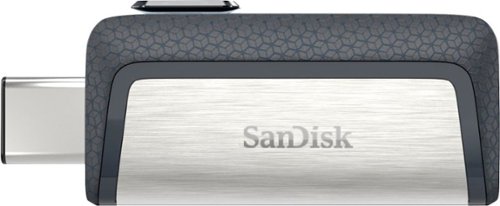
Transfer data between your smartphone and computer with this 128GB SanDisk Ultra dual USB drive. The massive 128GB storage and high transfer rate let you take on almost any file. This SanDisk Ultra dual USB drive features a full-size and a microUSB connector, making it easy to use on computers and Android devices.
Customer Rating
5
Terrific Flash Drive
on October 25, 2019
Posted by: RBrylawski
Verified Purchase:Yes
For the money, this SandDisk Flash Drive is simply unbeatable. It's dual USB with USB C and USB A at the slide of switch. And it's very fast with a write speed of 150MB/sec for fast data transfer.
I bought this to use with my iPad Pro 11, as for the first time iPadOS 13 opens up the ability to move data back and forth from Flash Drives. This works wonderfully for what it was purchased for.
SanDisk is a name I can always trust for memory, from Flash Drives to Camera Memory Cards.
Length of ownership: 48
Mobile Submission: false
I would recommend this to a friend!
Ease of Use
5
Quality
5
Value
5
Share this review:


0points
0of 0voted this as helpful.
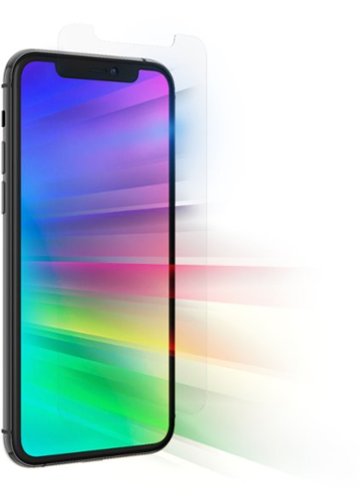
Glass Elite, our strongest glass screen protection, is combined with a Eyesafe~ technology that filters 40% of peak high-energy blue light (435-440nm), and contains antimicrobial properties that protect the screen protector by inhibiting the growth of odor-causing bacteria and guarding against degradation from microorganisms.* Compatible with Apple iPhone 11 and iPhone XR.
Customer Rating

2
Simply Wouldn't Adhere to iPhone 11 Pro Max Screen
on September 27, 2019
Posted by: RBrylawski
Let me say, I'm a fan of Zagg. But in this case, either didn't realize the iPhone 11 Pro Max screen, which is the same size as iPhone Xs Max screen is different, or there is a big problem with the screen protectors from Zagg for this phone.
Best Buy tried to install no less than 4 on my brand new, I'd never even touched the screen as it was fresh out of the box iPhone, but in all 4 protectors, the left side of the protector wouldn't hold.
The install guy suggested it had to be an issue with the screen on my iPhone. He was wrong. I had another brand installed on my new phone, which fits perfectly and stays put with the first install.
I hate to suggest something from a good company isn't a good buy, but in this case, I feel compelled to suggest that if you are looking at the Zagg for your iPhone 11 Pro Max, it might not work.
Now, in contrast, we had a Zagg installed on our other iPhone 11 (not pro) and it worked the first time and is up the high standards I would expect from Zagg. There's clearly an issue with them for the Pro 11 Max iPhone.
Mobile Submission: false
No, I would not recommend this to a friend.
Quality

3
Value

2
Ease of Use

1
Share this review:


+1point
1of 1voted this as helpful.
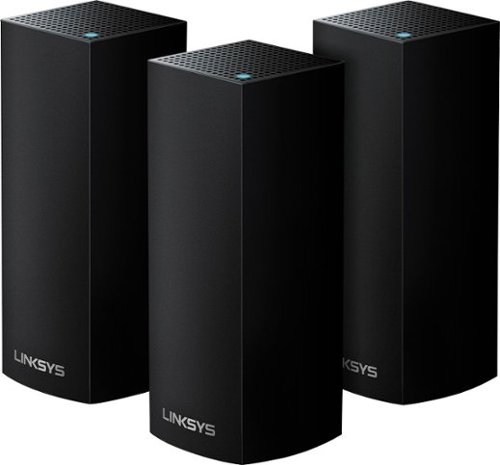
Create a reliable wireless network at home with this Linksys Wi-Fi system. It offers up to 6,000 sq. ft. of coverage, so it's suitable for a large home, and its Tri-Band technology delivers faster speeds for multiple devices by balancing loads effectively. This Linksys Wi-Fi system works with Amazon Alexa to control the unit with simple voice commands.
Customer Rating
5
If You Want Reliable Fast Internet? Get This NOW!
on August 24, 2019
Posted by: RBrylawski
Verified Purchase:Yes
Over time, the number of Wifi enabled devices one owns grows too large for the standard-issue, crappy Internet Services Provider (ISP) Modem/Router. At least mine did, even with a Wifi repeater, reception in my two story home was barely acceptable. And we pay for 100 mbps internet service. After the router went down recently for the 3rd time, we had to yet again get the ISP to replace it, getting even worse Wifi reception. It was clear it simply wouldn’t ever come close to meeting our needs.
Enter Linksys Velop total house Tri-Band Mesh Network. I did my homework. The top names in whole-house Mesh networks are Eero, Google Wifi, Netgear Orbi and Linksys. When PC Magazine and several other reviewers found them all good, but heaped praise upon praise on the Linksys Velop, I was pretty much pre-sold. After a visit to my Best Buy store however, it became clear. Two knowledgeable salespeople both gave the Linksys their top recommendation.
Many reviews suggest it’s easy to set one up yourself. I’m moderately tech-savvy, but I just didn’t want any frustration, so I chose to let Best Buy install the system. Included in the installation was hooking all 22 Wifi enabled devices, such 3 Alexa, multiple laptops, iPhones/iPads, Arlo Wifi Security Camera, Printers, Ring Doorbell, multiple 4K TV’s, etc. The installer did an outstanding job and it took him a couple hours to get everything installed and connected. The last step was the most difficult as it required asking our ISP to bridge the new Router, turning off internet from their Modem/Router. They messed up the process, making nothing work. Thankfully, our Geek Squad installer was able to tell Spectrum what they needed to do and got us back up running. I’m telling you, unless you’re great with electronics, pay a pro to get you going properly. Then sit back and enjoy the blazing fast internet speeds you’ve been paying for, but probably weren’t getting with the crappy Modem/Router from your ISP.
A few things to know about the Linksys Velop. It is what they call self-healing. This means the Velop optimizes the internet to all the stations (we got the three-station system) to ensure fast Wifi anywhere in our home. Our three-station system is supposed to be able to cover a 6,000 square foot home. Our home is only 2200 square feet. But I am glad we got the three-station system. Internet from any spot in our modern concrete Florida home is fantastic.
The Linksys Velop is a dynamic tri-band system. It features MU-MIMO technology (multiuser multiple input, multiple output technology). The other higher end brands don’t offer this, like Google Wifi for example. MU-MIMO gives each device its own dedicated full-speed Wifi connection. Multiple devices can connect at the same time without slowing down the network. Testing this in every room in my house, it does its job admirably.
Setting up the Linksys via the free app on my iPhone couldn’t have been simpler. Once the base router communicates with the App, you name the router and create a password you want to use as your Wifi password. So nice to not have to refer to a written note with the odd letter/number, upper/lower case password the ISP Router comes with. And the app shows every connected device, which of the three stations it’s connected to and for the most part posted the right name for each device. Our laptops were named by their internal names, but it’s very simple to just tap on any device and rename it for easier recognition.
Note: The App itself doesn’t offer the option to run a speed test. But you can go out to Linksys.com and sign into your account online and run a speed test there. And was I ever pleased with the result. I pay for 100 mbps service and I’m actually getting closer to 120mbs service. Nothing has ever downloaded or opened as fast as it does now.
The Linksys Velop is attractive. Our electronics are black, so we chose the Velop in black. Turns out if you want the Velop in white it costs $20 more. Just for white. I happily saved $20 and the black base stations better match the electronics in our home. I am simply stunned with how terrific this system is. It’s attractive, and should provide years of stable internet service to the many devices we have connected to it.
Length of ownership: 7
Mobile Submission: false
I would recommend this to a friend!
Ease of Use
5
Quality
5
Value
5


Share this review:


+41points
61of 81voted this as helpful.
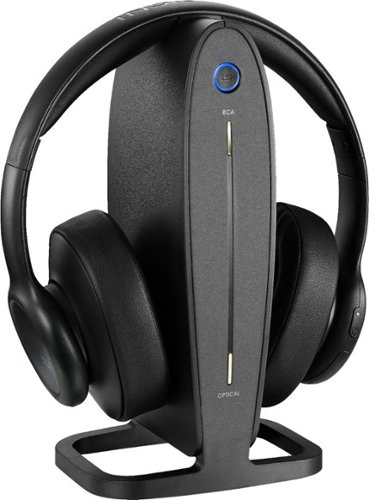
Listen to your TV or music wirelessly without disturbing others.
Customer Rating
5
Love These for TV Watching
on January 4, 2019
Posted by: RBrylawski
from Tampa, FL, USA
Verified Purchase:Yes
I've already done a review of these, so I'll keep this short. I liked them so much for watching TV when no one else wants to listen that I bought these as a holiday gift for my brother, who had the same need.
They have great range, are super easy to connect with your TV, are simple to operate and sound great.
If you want to watch TV in bed and your significant other won't let you, this is a must have. It really is!
Mobile Submission: False
I would recommend this to a friend!
Share this review:


-1point
0of 1voted this as helpful.
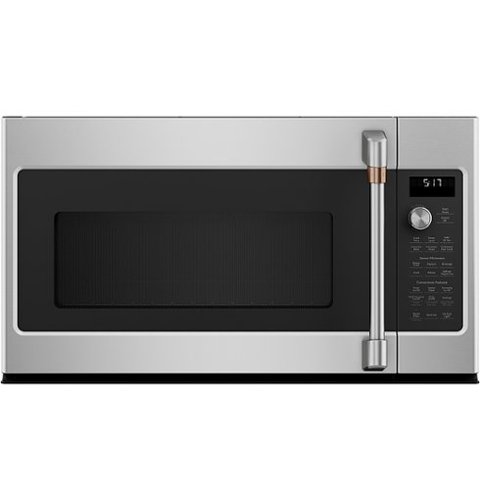
Cook your next meal with this Caf~ over-the-range microwave oven. The convection setting circulates air around food for even heat distribution, and the sensor cooking controls adjust time and power for perfectly cooked food. This Caf~ over-the-range microwave oven features a fast-cook setting, creating an oven-quality meal cooked in a few minutes.
Overall5 out of 5
5 out of 5Attractive and Great Microwave
By RBrylawski
We recently moved into a brand new home and chose the Cafe line of Appliances. This 1.7 Cu. Ft Convention Microwave compliments the other Cafe appliances and is excellent.
It has a unique control panel. You don't enter the time to cook via a control panel keypad. You tap cook time and turn the round knob, which adds 15 seconds per click of the know. Then you push the knob in once and press start. It's different than we've had in other microwaves, but once you get used to it, works quite well.
It's very spacious inside and in addition to normal microwave functions, it's a convection oven as well. This will really come in handy during the holidays when oven space is at a premium and you need to cook casserole dishes.
The interior is dark and won't show dirt as easily as lighter interior microwaves. You have all the preset options you need and you can dial in the the food you're planning to cook and the microwave determines the correct time and power automatically.
Little things make a big difference too. The vent fan on most microwaves we've owned are obnoxiously loud. Not on this Cafe appliance. It vents really well and you can actually talk and be heard when it's on. The under-microwave lights are two levels and provide good light to the range burners below.
All in all, this is a great compliment to the Cafe appliances in our kitchen. Note that this appliance must be in high demand and came a few weeks after the other appliances came. If you're buying Cafe appliances, you may have to wait a bit longer for the microwave, but to us, it was well worth the wait.

RBrylawski
Tampa, FL, USA
Wrong Picture
September 12, 2020
I was reviewing all of my new appliances and somehow attached the wrong picture of our Cafe dishwasher instead of the microwave. I don't see how I can update my review to show the microwave.
0points
0of 0voted this comment as helpful.
RBrylawski's Questions
RBrylawski has not submitted any questions.
An unbelievably brilliant picture made possible by millions of colors, producing images you have to see to believe. Picture quality and color volume have been elevated to incredible levels.
Does this TV have voice remote?
An unbelievably brilliant picture made possible by millions of colors, producing images you have to see to believe. Picture quality and color volume have been elevated to incredible levels.
Costco has this TV listed as having a 5 year warranty. If you read the linked user manual on the costco site it does indeed say 5 years. Does this TV have a 5 year warranty or is that something just through costco?
Costco doesn't actually sell this model. They sell the 2018 Q7FN for the same price Best Buy sells the Q70RAF.
6 years, 8 months ago
by
RBrylawski
Create a reliable wireless network at home with this Linksys Wi-Fi system. It offers up to 6,000 sq. ft. of coverage, so it's suitable for a large home, and its Tri-Band technology delivers faster speeds for multiple devices by balancing loads effectively. This Linksys Wi-Fi system works with Amazon Alexa to control the unit with simple voice commands.
Is the router included?
Yes, it includes either two or three stations, all are routers, but one connects to the network via Ethernet, while the other stations connect wirelessly.
6 years, 11 months ago
by
RBrylawski
Listen to your TV or music wirelessly without disturbing others.