
Share wolfdream69's profile


wolfdream69
wolfdream69's stats
- Review count64
- Helpfulness votes7
- First reviewSeptember 28, 2018
- Last reviewMay 16, 2024
- Featured reviews0
- Average rating4.9
Reviews comments
- Review comment count0
- Helpfulness votes0
- First review commentNone
- Last review commentNone
- Featured review comments0
Questions
- Question count0
- Helpfulness votes0
- First questionNone
- Last questionNone
- Featured questions0
- Answer count1
- Helpfulness votes0
- First answerAugust 3, 2019
- Last answerAugust 3, 2019
- Featured answers0
- Best answers0
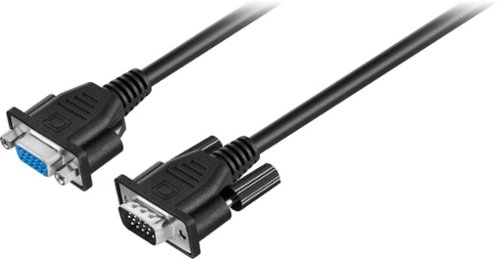
Extend the length of your VGA or Super VGA monitor cable with this 10' Insignia cable that works with most monitors less than 17" and features DB15 male-to-female gold connectors for optimal signal strength.
Customer Rating

3
Disappointed
on November 29, 2018
Posted by: wolfdream69
from Garner, NC
Verified Purchase:Yes
I got a good computer and nice monitor. This product did not work at all.
Mobile Submission: False
No, I would not recommend this to a friend.
Share this review:


0points
0of 0voted this as helpful.
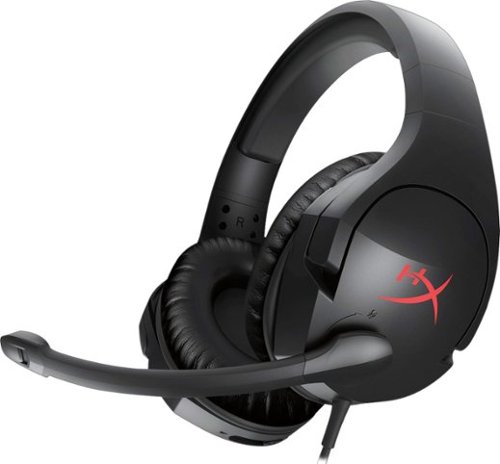
HyperX Cloud Stinger is the ideal headset for gamers looking for lightweight comfort, superior sound quality and added convenience. At just 275 grams, it~s comfortable on your neck and its ear cups rotate in a 90-degree angle for a better fit. Its 50mm directional drivers position sound directly into the ear for audio precision and gaming-grade sound quality. For ultimate comfort in prolonged gaming sessions, it features high-quality HyperX signature memory foam. Its adjustable steel slider, intuitive volume control on headset ear cup and swivel-to-mute noise-cancellation microphone make it easy to use and multi-platform compatibility lets you enjoy the same comfort and enhanced audio experience on PCs or consoles.
Customer Rating

5
Best Value
on November 29, 2018
Posted by: wolfdream69
from Garner, NC
Verified Purchase:Yes
This is a great value for the money, better price than expected for such amazing sound quality,
Mobile Submission: False
I would recommend this to a friend!
Share this review:


0points
0of 0voted this as helpful.
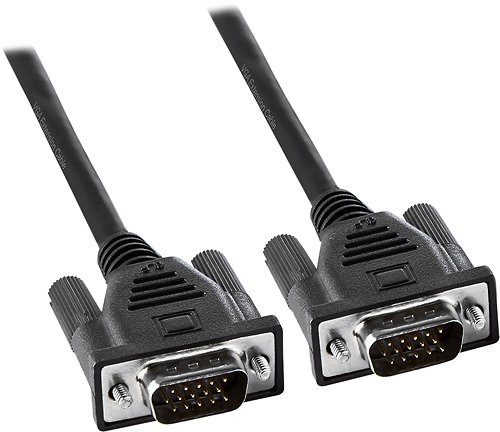
This Insignia~ NS-PV06501 6~ VGA Monitor Cable features HDDB15 male-to-male connectors that make it easy to connect your existing monitor to your PC. The 6' length provides flexible placement options.
Customer Rating
5
Fantastic!
on October 20, 2018
Posted by: wolfdream69
from Garner, NC
Verified Purchase:Yes
Works perfectly. Convenient and easy to use, go to Best Buy and they have everything for your needs!
Mobile Submission: False
I would recommend this to a friend!
Share this review:


0points
0of 0voted this as helpful.
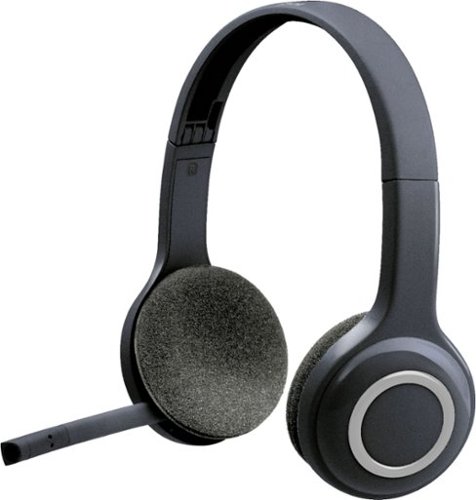
Cut loose from your PC and roam freely as you talk. Lightweight and long-range wireless headset lets you listen and chat up to 33 ft from your computer. Laser-tuned speaker drivers and noise-cancelling microphone delivers clear calls and stereo sound. Power on and off, adjust the volume or mute your calls with simple on-ear controls located on the right ear cup. Works with Windows, Mac and favorite calling applications. Adjustable headband and foam ear cups feel comfortable even after long hours of use.
Customer Rating
5
Love It!
on September 28, 2018
Posted by: wolfdream69
from Garner, NC
Verified Purchase:Yes
I got this to use for meetings. The sound quality was great and I am very happy with my purchase.
Mobile Submission: False
I would recommend this to a friend!
Share this review:


0points
0of 0voted this as helpful.
wolfdream69's Review Comments
wolfdream69 has not submitted comments on any reviews.
wolfdream69's Questions
wolfdream69 has not submitted any questions.
wolfdream69's Answers
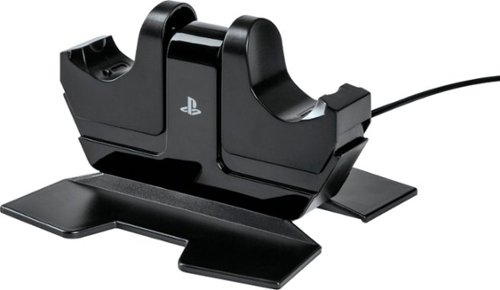
Charge and display your DUALSHOCK 4 wireless controllers with the officially licensed Charging Station for PlayStation 4. Charging is an ease - Simply place the DUALSHOCK 4 on either side of the station, and click down to see the LED base light up to indicate charging level. When fully charged, click down to release contact and simply leave the controller on the station. Feel confident your controllers are always ready to game as it charges on display alongside of your PS4 console