
Share Indycinephile's profile


Indycinephile
Indycinephile's stats
- Review count1
- Helpfulness votes0
- First reviewDecember 28, 2018
- Last reviewDecember 28, 2018
- Featured reviews0
- Average rating5
Reviews comments
- Review comment count0
- Helpfulness votes0
- First review commentNone
- Last review commentNone
- Featured review comments0
Questions
- Question count0
- Helpfulness votes0
- First questionNone
- Last questionNone
- Featured questions0
- Answer count1
- Helpfulness votes2
- First answerJanuary 5, 2021
- Last answerJanuary 5, 2021
- Featured answers0
- Best answers0
Indycinephile's Reviews
![2001: A Space Odyssey [SteelBook] [Includes Digital Copy] [4K Ultra HD Blu-ray/Blu-ray] [1968]](https://pisces.bbystatic.com/prescaled/500/500/image2/BestBuy_US/images/products/304b2327-370a-41e7-956a-951dd4939472.png)
Customer Rating

5
2001 4K Finally
on December 28, 2018
Posted by: Indycinephile
from Indianapolis, IN
Verified Purchase:Yes
One of my favorite sci-fi movies of all time. Kubrick at his best. The 4K restoration will dazzle you. Thanks for finally release this awesome classic. Release date was pushed back many, many times. But it was worth the wait.
Mobile Submission: True
I would recommend this to a friend!
Share this review:


0points
0of 0voted this as helpful.
Indycinephile's Review Comments
Indycinephile has not submitted comments on any reviews.
Indycinephile's Questions
Indycinephile has not submitted any questions.
Indycinephile's Answers
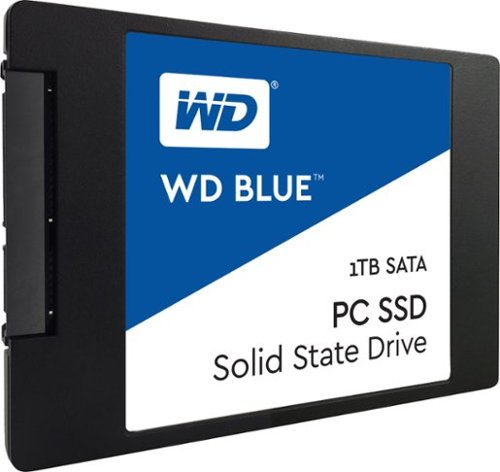
Handle storage demands with this Western Digital SATA solid-state drive. Its 560MB/s read speed and 530MB/s write speed are suitable for intensive applications, and its 2.5-inch form factor fits most desktops and laptops. The solid-state drive has no moving parts, making the drive resistant to shock to protect your data. Includes the WD SSD Dashboard to keep track of the drive's status.