
Share ReadyPlayerBum's profile


ReadyPlayerBum
ReadyPlayerBum's stats
- Review count24
- Helpfulness votes65
- First reviewDecember 22, 2018
- Last reviewJanuary 29, 2025
- Featured reviews0
- Average rating4.6
- Review comment count1
- Helpfulness votes5
- First review commentApril 12, 2022
- Last review commentApril 12, 2022
- Featured review comments0
- Question count11
- Helpfulness votes1
- First questionNovember 6, 2019
- Last questionMarch 9, 2023
- Featured questions0
- Answer count15
- Helpfulness votes25
- First answerDecember 22, 2018
- Last answerMarch 11, 2025
- Featured answers0
- Best answers2

Use the Apple Gift Card to get products, accessories, apps, games, music, movies, TV shows, and more. Spend it on in-app content, books, subscriptions like iCloud+ storage to secure files from all your Apple devices. This gift card does it all. And then some.
Customer Rating

1
Card did not work and best buy would not refund m
on January 29, 2025
Posted by: ReadyPlayerBum
Verified Purchase:Yes
Card did not work and best buy would not refund my money
Length of ownership: 13
Mobile Submission: False
No, I would not recommend this to a friend.
Share this review:


0points
0of 0voted this as helpful.
![Blue Beetle [SteelBook] [4k Ultra HD Blu-ray/Blu-ray] [Only @ Best Buy] [2023]](https://pisces.bbystatic.com/prescaled/500/500/image2/BestBuy_US/images/products/304b2327-370a-41e7-956a-951dd4939472.png)
Customer Rating

5
You need Blue Beetle Steelbook if you collect DC!
on November 9, 2023
Posted by: ReadyPlayerBum
Verified Purchase:Yes
Summary:
Like: I like that all of the movie special features are both on the Blu Ray disc and also the 4K HD disk as well.
Like: I like that all of the movie special features are both on the Blu Ray disc and also the 4K HD disk as well.
Like: Artwork on the outside left and right sides and on the Blu Ray disc and Artwork on the 4K disc
Dislike: there are no Deleted scenes, really?! The Director even mentioned that they exist, sigh!
BLU RAY / HD EXTRAS
1.Blue Beetle Generations
(a) Origin [ 7 minutes 28 seconds]
(b) Production Begins [ 16 minutes 12 seconds]
(c) In Full Flight [9 minutes 3 seconds]
(d) A Hero’s World [13 minutes 24 seconds]
(a) Origin [ 7 minutes 28 seconds]
(b) Production Begins [ 16 minutes 12 seconds]
(c) In Full Flight [9 minutes 3 seconds]
(d) A Hero’s World [13 minutes 24 seconds]
2. Scarab Vision
(a) Episode 1: Initiation [6 minutes 35 seconds]
(b) Episode 2: Mastery [6 minutes 50 seconds]
(b) Episode 2: Mastery [6 minutes 50 seconds]
3. Blue Beetle’s Nana Knows Best [4 minutes 21 seconds]
Length of ownership: 13
Mobile Submission: False
I would recommend this to a friend!


Share this review:


+1point
1of 1voted this as helpful.
Customer Rating
5
Guardians of Gal 3 is a Marvel SteelBook winner!
on August 1, 2023
Posted by: ReadyPlayerBum
Verified Purchase:Yes
Another great Steelbook for the Marvel Collectors. Nice unique artwork for outside covers with two variations. One variation has Guardians sitting around a roundtable. Steelbook as usual contains an insert for Movies Anywhere™ code to redeem. This has the Digital Version, which is 4K nice to watch streaming on Laptop or iPad or Phone.
For some reason Digital Copy on MoviesAnywhere does not include Dolby Atmos or Dolby Vision, which is weird, because literally all the other Marvel SteelBooks do include this extra. Not sure if it is a conscious decision to drop these from MoviesAnywhere redemptions but considering the price of SteelBooks, it’s a bit of a bummer to say the least. Nevertheless you still get the Physical 4K disc which does have both Dolby Atmos & Dolby Vision, if that kind of thing is your tempo!
For some reason Digital Copy on MoviesAnywhere does not include Dolby Atmos or Dolby Vision, which is weird, because literally all the other Marvel SteelBooks do include this extra. Not sure if it is a conscious decision to drop these from MoviesAnywhere redemptions but considering the price of SteelBooks, it’s a bit of a bummer to say the least. Nevertheless you still get the Physical 4K disc which does have both Dolby Atmos & Dolby Vision, if that kind of thing is your tempo!
Summary:
Like: The Artwork on the outside of SteelBook
Like: They included 8 Deleted Scenes!
Like: Alternate ending is included for once!
Like: The Artwork on the outside of SteelBook
Like: They included 8 Deleted Scenes!
Like: Alternate ending is included for once!
Dislike: Extras are only on the Blu Ray and not in 4K HD, but this is always the case for all SteelBooks!
Dislike: Digital Copy on MoviesAnywhere does not include Dolby Atmos or Dolby Vision.
Dislike: Digital Copy on MoviesAnywhere does not include Dolby Atmos or Dolby Vision.
Bluray Movie + Bonus Extras
-The Imperfect, Perfect family.(behind the scenes documentary about all 3 movies) [11 minutes 8 seconds]
-Creating Rocket Raccoon (documentary about all 3 movies) [11 minutes 8 seconds]
- Audio commentary for Movie by Director James Gunn
-Deleted Scenes
i) A bit much [Adam Warlock & Sovereign High Priestess Ayesha] (45 seconds)
ii) A lending hand [Peter Quill helps kid who fell off bike] (23 seconds)
iii) Drax's analogies and metaphors [Drax drops knowledge] (1 minute 45 seconds)
iv) The Perfect Society [The High Evolutionary dumps on Earth] (1 minute 14 seconds)
v) The search for 89P13 [depends on how much you like bacon] (27 seconds)
vi) Annoyed Peter [Pete Davidson as Phlektik] (44 seconds)
vii) A Burning Escape [Starlord escapes ship] (1 minute 19 seconds)
viii) Knowhere after the battle [Alternate Ending!!!] (1 minute 16 seconds)
-Creating Rocket Raccoon (documentary about all 3 movies) [11 minutes 8 seconds]
- Audio commentary for Movie by Director James Gunn
-Deleted Scenes
i) A bit much [Adam Warlock & Sovereign High Priestess Ayesha] (45 seconds)
ii) A lending hand [Peter Quill helps kid who fell off bike] (23 seconds)
iii) Drax's analogies and metaphors [Drax drops knowledge] (1 minute 45 seconds)
iv) The Perfect Society [The High Evolutionary dumps on Earth] (1 minute 14 seconds)
v) The search for 89P13 [depends on how much you like bacon] (27 seconds)
vi) Annoyed Peter [Pete Davidson as Phlektik] (44 seconds)
vii) A Burning Escape [Starlord escapes ship] (1 minute 19 seconds)
viii) Knowhere after the battle [Alternate Ending!!!] (1 minute 16 seconds)
Length of ownership: 4
Mobile Submission: False
I would recommend this to a friend!


Share this review:


0points
0of 0voted this as helpful.
Customer Rating
5
A SteelBook that you can keep [Wakanda] Forever!
on July 27, 2023
Posted by: ReadyPlayerBum
Verified Purchase:Yes
Most unique artworks on a Marvel Steelbook. One of the few Steelbooks where outside art of the SteelBook is so unique, also has unique high-quality artwork for the inside covers too. Steelbook contains the 4K Ultra HD disc as well as Blu-Ray disc with Extras and as per usual contains an insert for Movies Anywhere™ code to redeem. This has the Digital Version, which is 4K, Dolby Atmos, Dolby Vision, nice to watch streaming on Laptop or iPad or Phone.
Inside the SteelBook:
(a) 4K Ultra HD version of movie
(b) Blu-Ray Version of movie + extras
(c) Movies Anywhere Insert with code to redeem digital version.
(a) 4K Ultra HD version of movie
(b) Blu-Ray Version of movie + extras
(c) Movies Anywhere Insert with code to redeem digital version.
Summary:
Like: Nice Blu Ray menus for all of the extras.
Artwork on the outside Steelbook.
Like: Artwork on the Blu Ray disc
Like: 4 Deleted scenes are included on the Blu Ray disc.
Like: Nice Blu Ray menus for all of the extras.
Artwork on the outside Steelbook.
Like: Artwork on the Blu Ray disc
Like: 4 Deleted scenes are included on the Blu Ray disc.
Dislike: I think the Shuri cover came out after this edition, I might have like the Suri and Wakanda cover more than this one, don’t believe there was a choice at least anyway!
Dislike: Extras are only on the Blu Ray and not in 4K HD but this is always the case for all SteelBooks!
Dislike: Extras are only on the Blu Ray and not in 4K HD but this is always the case for all SteelBooks!
Note: There are Two Versions of the Steelbook the Shuri Wakanda cover and the Talokan cover.
Blu-Ray Disc Bonus Features:
Gag Reel
Take a look at some of the lighthearted moments on the set of Black Panther: Wakanda Forever.
Audio Commentary
Listen to Ryan Coogler, Joe Robert Cole, and Autumn Durald Arkapaw discuss the film.
Featurettes
Envisioning Two Worlds – Uncover the making of Black Panther: Wakanda Forever through the lens and leadership of co-writer/director Ryan Coogler, production designer Hannah Beachler, and costume designer Ruth Carter.
Gag Reel
Take a look at some of the lighthearted moments on the set of Black Panther: Wakanda Forever.
Audio Commentary
Listen to Ryan Coogler, Joe Robert Cole, and Autumn Durald Arkapaw discuss the film.
Featurettes
Envisioning Two Worlds – Uncover the making of Black Panther: Wakanda Forever through the lens and leadership of co-writer/director Ryan Coogler, production designer Hannah Beachler, and costume designer Ruth Carter.
Passing the Mantle – Follow the evolution of the Black Panther through the films. In tracing Shuri, Ramonda, and Riri’s journeys through the film, this featurette explores what legacy ultimately means in Wakanda and how it will resonate with MCU viewers for years to come.
Deleted Scenes
1. Outside The Scope [2 minutes 47 seconds] – Okoye has a shocking standoff with Ayo and the Dora Milaje. Aneka makes a challenging decision.
2. The Upstairs Toilet [3 minutes 54 seconds] – Ross infiltrates the NSA in disguise in an attempt to uncover information.
3. Daughter of the Border [1 Minute 39 seconds] – After a conversation with her Uncle, Okoye is faced with a daunting choice.
4. Anytime, Anywhere [1 minute 33 seconds] – In Haiti, Shuri and Okoye share a bittersweet moment.
Length of ownership: 167
Mobile Submission: False
I would recommend this to a friend!


Share this review:


+2points
2of 2voted this as helpful.
Customer Rating
5
Quantumania is a Sweet Steelbook for collectors!
on July 27, 2023
Posted by: ReadyPlayerBum
Verified Purchase:Yes
Another great Steelbook for the Marvel Collectors. I prefer the art on the outside of the SteelBook, I actually do not care for the inside artwork at all because they are literally just photograph stills opposed to unique art, just my personal preference. Steelbook as usual contains an insert for Movies Anywhere™ code to redeem. This has the Digital Version, which is 4K, Dolby Atmos, Dolby Vision, nice to watch streaming on Laptop or iPad or Phone.
Summary:
Like: Artwork on the outside left and right sides.
Like: Artwork on the Blu Ray disc
Like: Artwork on the 4K disc
Like: Artwork on the outside left and right sides.
Like: Artwork on the Blu Ray disc
Like: Artwork on the 4K disc
Dislike: Artwork on the inside left (photo)
Dislike: Artwork on the side right (photo)
Dislike: Only 2 Deleted scenes, really?! We need more scenes!
Dislike: Extras are only on the Blu Ray and not in 4K HD but this is always the case for all SteelBooks!
Dislike: Artwork on the side right (photo)
Dislike: Only 2 Deleted scenes, really?! We need more scenes!
Dislike: Extras are only on the Blu Ray and not in 4K HD but this is always the case for all SteelBooks!
BLU RAY EXTRAS
=================
1) All in the family (documentary) [ 7 minutes 28 seconds]
2) Formidable foes
3) Gag reel
4) Deleted Scenes
(i) Drink the Ooze
(ii) I have holes
5) Audio commentary for Movie
=================
1) All in the family (documentary) [ 7 minutes 28 seconds]
2) Formidable foes
3) Gag reel
4) Deleted Scenes
(i) Drink the Ooze
(ii) I have holes
5) Audio commentary for Movie
Length of ownership: 75
Mobile Submission: False
I would recommend this to a friend!


Share this review:


+1point
1of 1voted this as helpful.
Customer Rating
5
Decent Dr. Strange MM Steelbook for the collectors
on July 26, 2023
Posted by: ReadyPlayerBum
Verified Purchase:Yes
Another solid Steelbook for the Marvel Collectors. I prefer the art on the outside of the steelbook, I actually do not care for the inside artwork at all, just my personal preference. Steelbook as usual contains an insert for Movies Anywhere™ code to redeem. This has the Digital Version, which is 4K, Dolby Atmos, Dolby Vision, nice to watch streaming on Laptop or iPad or Phone.
Summary:
Like: Artwork on the outside left and right sides.
Like: Artwork on the Blu Ray disc
Like: Artwork on the 4K disc
Dislike: Artwork on the inside left (Scarlet Witch statue)
Dislike: Artwork on the side right (Dr. Strange statue)
Dislike: Cover Artwork for original Dr. Strange Steelbook, much nicer than this sequel Steelbook edition in my opinion!
Summary:
Like: Artwork on the outside left and right sides.
Like: Artwork on the Blu Ray disc
Like: Artwork on the 4K disc
Dislike: Artwork on the inside left (Scarlet Witch statue)
Dislike: Artwork on the side right (Dr. Strange statue)
Dislike: Cover Artwork for original Dr. Strange Steelbook, much nicer than this sequel Steelbook edition in my opinion!
Length of ownership: 369
Mobile Submission: False
I would recommend this to a friend!


Share this review:


+2points
2of 2voted this as helpful.
![Bullet Train (Steelbook) - 4K Blu-Ray [4K Ultra HD Blu-ray]](https://pisces.bbystatic.com/prescaled/500/500/image2/BestBuy_US/images/products/80872128-9248-4296-863f-9b2156508f5c.jpg)
Coming off of therapy, the assassin code-named InchLadybugInch (Brad Pitt) felt sure his string of bad luck was behind him-and that his new gig retrieving a briefcase from a Tokyo-to-Kyoto high-speed train would be a piece of cake. He'd be wrong on both counts, as a half-dozen other contract killers were after the same prize... and their seemingly unconnected agendas would prove anything but. Audacious actioner co-stars Aaron Taylor-Johnson, Brian Tyree Henry, Joey King, Michael Shannon. 126 min. Widescreen; Soundtrack English.
Customer Rating

4
Pretty solid Steelbook
on January 2, 2023
Posted by: ReadyPlayerBum
Verified Purchase:Yes
Pretty solid Steelbook although I thought that it definitely should not be priced at $43 since there are other SteelBooks which come with more extras for quite a bit less. I think that $35 would have been a fair price for this package. I did not open the 9 collectible cards, they seem decent but just not interested in them! I will say that the artwork for the boxes are great though. I liked the movie, I particularly enjoyed the Thomas the Tank engine banter! Also interesting to see a change of scenery like Japan and their famous Bullet Train!
Length of ownership: 82
Mobile Submission: False
I would recommend this to a friend!


Share this review:


0points
0of 0voted this as helpful.

Use the Apple Gift Card to get products, accessories, apps, games, music, movies, TV shows, and more. Spend it on in-app content, books, subscriptions like iCloud+ storage to secure files from all your Apple devices. This gift card does it all. And then some.
Customer Rating
5
Apple Gift Card easiest way 2 load credit account
on January 2, 2023
Posted by: ReadyPlayerBum
Verified Purchase:Yes
Apple Gift card is the quickest and easiest way of loading your apple account with credit for recurring monthly subscriptions like Apple TV+ or buying Apps, Movies and music albums. The card patterns are always super cool too.
Length of ownership: 51
Mobile Submission: False
I would recommend this to a friend!
Share this review:


0points
0of 0voted this as helpful.
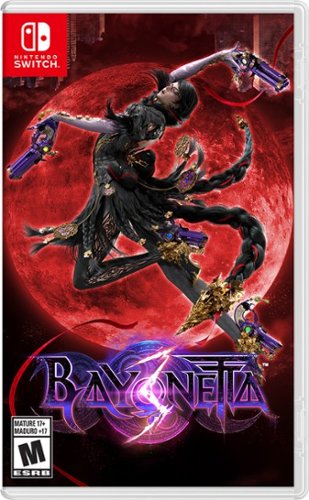
The witch is back and more powerful than ever! Bayonetta struts through multiple locations in an all-new, over-the-top climax action game. Sporting a wicked new ensemble and somehow familiar pigtails, the titular Umbra Witch must face a mysterious evil using her signature guns and time-slowing Witch Time ability. This time, invading manmade bioweapons called Homunculi find themselves in Bayonetta~s crosshairs. Tap into Bayonetta~s naughtier side with Demon Masquerade, a new ability that channels the demon linked to her weapon allowing for some exciting action options, not to mention some hair-raising combos. She can also summon her demonic darlings like Gomorrah, Malphas, and Phantasmaraneae during battle, unleashing their demonic powers in the heat of combat and in new, larger-than life battles where you directly control the action. Fight your way through the streets of Tokyo, the mountains of China, and many other locales! Along the way you~ll meet a virtual coven of Bayonettas, each more fabulous than the last. You~ll also slash and slay as Viola, a feisty witch in training who fights with a sword and a capricious companion, the demon Cheshire. Find out what fate awaits Bayonetta, and if this arcane alliance can really save reality! Nintendo SEGA Published by Nintendo. Nintendo Switch is a trademark of Nintendo. Nintendo.
Customer Rating
4
Bayonetta 3 witch bum kickery & demon spells!
on January 2, 2023
Posted by: ReadyPlayerBum
Verified Purchase:Yes
Bayonetta 3, I never played the first two games, but there was a lot of hype about this one so I figured I would check it out. The action sequences are a little like early Final Fantasy games where you can summon a demon to kick everyones buns and she also has her special guns and time-slowing ability. I typically don't like this genre of game but I made an exception to check this out. It's a little to heavy on the anime style for my liking but still great action sequences.
Length of ownership: 49
Mobile Submission: False
I would recommend this to a friend!

Share this review:


0points
0of 0voted this as helpful.
Customer Rating
5
Tenet is great but it has a very complicated plot!
on January 31, 2021
Posted by: ReadyPlayerBum
Verified Purchase:Yes
The biggest complaint about Tenet is the complexity of the plot and how hard it is to understand! There is a remedy though, you either need to watch it at least twice or you need to watch one of the explainer videos on you tube to fully appreciate exactly what is going on through the movie and the timeline of the different characters.
A CIA agent which is known only as Protagonist must travel through time and bend the laws of nature to prevent World War III. Armed with only one word, Tenet, and fighting for the survival of the entire world, a Protagonist journeys through a twilight world of international espionage on a mission that will unfold in something beyond real time with the help of his wingman Neil (aka new Batman!), they must go after the baddie called Sator (aka Kenneth Branagh) for having a terrible Russian accent, just kidding but you’ll have to watch it. Just make sure that you have 2 hours and 30 minutes free because it’s not the type of movie that you can stop and start easily.
From a visual standpoint it is pretty awesome and different to Inception. There are so many mind-blowing sequences that combine special effects, direction cinematography. I think this is one of those movies where the more times you watch it, the more you will understand about the timeline. I watch the 4K version as it looks best if your tv supports it.
What's in the box? 3 Discs - One 4K Disc feature film, One Blu-ray Disc feature film, One Blu-ray special features and also one insert for the digital copy of the movie which can be redeemed for a movie download on the various app platforms.
The box is the Metallic SteelBook cover with special artwork.
The box is the Metallic SteelBook cover with special artwork.
Length of ownership: 31
Mobile Submission: false
I would recommend this to a friend!


Share this review:


+2points
2of 2voted this as helpful.
ReadyPlayerBum's Review Comments
Overall1 out of 5
1 out of 5Sold out in stores??!!
By WDInstall
How is this sold out in stores before the release date?

ReadyPlayerBum
New york
I also have this same question
April 12, 2022
It was in the status "coming soon" then it changed to "sold out" and yet some managed to order x3 copies if this too.
+3points
5of 7voted this comment as helpful.
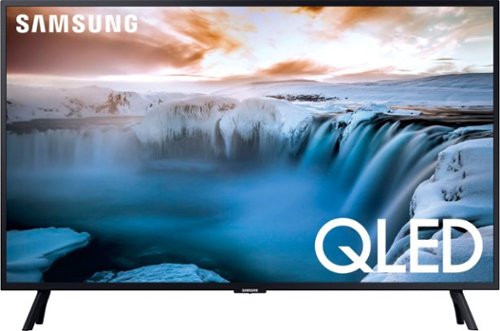
Improve your viewing experience with this Samsung 32-inch 4K smart TV. Native 4K resolution and advanced HDR technology provide a cinematic viewing experience with sharp details and realistic colors. This Samsung 32-inch 4K smart TV has a variety of smart features that make it easy to access and play content from popular streaming services.
Does this QLED TV come with standard Samsung Web Applications installed like Netflix, Amazon Prime Video , YouTube , HBO Go and Fandango movies etc. etc. ?
6 years, 7 months ago
by
ReadyPlayerBum

MSI GS65 Laptop: Play your favorite games on this MSI Stealth gaming laptop. An Intel core i7 processor and 32GB of DDR4 RAM deliver seamless performance, while the 512GB solid-state drive provides adequate storage space. This MSI Stealth gaming laptop features a 15.6-inch Full HD display for immersive viewing and two Dynaudio speakers for quality sound.
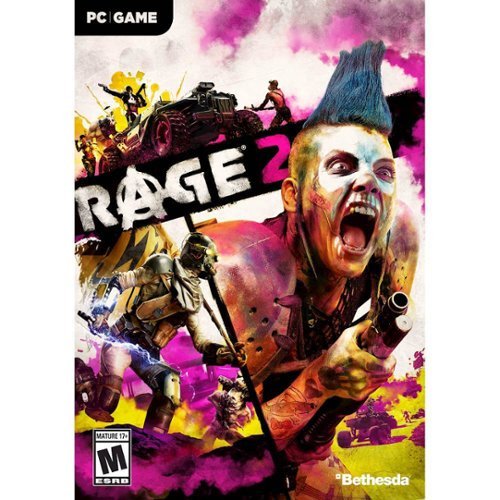
Dive headfirst into a dystopian world devoid of society, law, and order. RAGE 2 brings together two studio powerhouses~Avalanche Studios, masters of open world insanity, and id Software, creators of the first-person shooter ~to deliver a carnival of carnage where you can go anywhere, shoot anything, and explode everything.An asteroid has annihilated 80% of the earth~s population, and humanity~s numbers are dwindling. Ruthless and bloodthirsty gangs roam the open roads and the tyrannical Authority seek to rule with an iron fist. As Walker, the last Ranger of the wasteland and a threat to their power, you have been robbed of your home and left for dead. Now you~ll have to rage for justice and freedom. With ludicrous vehicle combat, super-powered first-person mayhem, and an open world full of emergent madness, you will tear across an unforgiving wasteland battling sadistic gangs to find the tools and tech needed to crush the oppressive rule of The Authority once and for all.
Is this a physical boxed PC copy? Or just a code?
They do send a physical box case however it does not contain a DVD-ROM, you have to redeem a Steam code / Bethesda game app and download the huge file online.

6 years, 10 months ago
by
ReadyPlayerBum
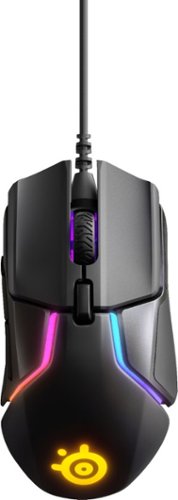
The Rival 600 introduces gamers to an advanced dual-sensor system, TrueMove3+. The TrueMove3 optical sensor delivers true 1-to-1 tracking, while a dedicated optical depth sensor achieves very low and accurate lift off distance detection. Plus, custom center-of-gravity tuning with 256 weight configurations makes the Rival 600 a must-have for competitive gaming.
What's wrong with my mouse? When i plug it in Windows recognizes it, the mouse lights up, but my cursor won't move on my screen
The November 14th firmware (3.13.1) update accidentally caused major issues for some Rival 600 users. SteelSeries immediately pulled the update and identified the problem.
Here's how to fix it if you were one of the unlucky few:
How to recover:
Unplug any SteelSeries devices from your computer.
Hold left click + right click + CPI button and plug in your Rival 600 while holding them down.
The SteelSeries logo on the Rival 600 should start blinking blue. If not, unplug the mouse and try step 2 again.
Run the _UPDATE_APPLICATION.bat file to recover the mouse.
https://support.steelseries.com/hc/en-us/articles/360019826691-Our-bad-with-the-whole-Rival-600-not-working-Rival-600-fix-
Here's how to fix it if you were one of the unlucky few:
How to recover:
Unplug any SteelSeries devices from your computer.
Hold left click + right click + CPI button and plug in your Rival 600 while holding them down.
The SteelSeries logo on the Rival 600 should start blinking blue. If not, unplug the mouse and try step 2 again.
Run the _UPDATE_APPLICATION.bat file to recover the mouse.
https://support.steelseries.com/hc/en-us/articles/360019826691-Our-bad-with-the-whole-Rival-600-not-working-Rival-600-fix-
7 years, 5 months ago
by
ReadyPlayerBum
The Rival 600 introduces gamers to an advanced dual-sensor system, TrueMove3+. The TrueMove3 optical sensor delivers true 1-to-1 tracking, while a dedicated optical depth sensor achieves very low and accurate lift off distance detection. Plus, custom center-of-gravity tuning with 256 weight configurations makes the Rival 600 a must-have for competitive gaming.
I saw this in the official steelseries page and saw that their mouse comes with a mousepad and what seems to be a place to hang your house. Does this come with those or just the mouse.
The Rival 600 introduces gamers to an advanced dual-sensor system, TrueMove3+. The TrueMove3 optical sensor delivers true 1-to-1 tracking, while a dedicated optical depth sensor achieves very low and accurate lift off distance detection. Plus, custom center-of-gravity tuning with 256 weight configurations makes the Rival 600 a must-have for competitive gaming.