
Share GamerGuy's profile


GamerGuy
GamerGuy's stats
- Review count10
- Helpfulness votes9
- First reviewAugust 13, 2018
- Last reviewJune 12, 2026
- Featured reviews0
- Average rating4.6
- Review comment count1
- Helpfulness votes0
- First review commentMarch 13, 2020
- Last review commentMarch 13, 2020
- Featured review comments0
Questions
- Question count0
- Helpfulness votes0
- First questionNone
- Last questionNone
- Featured questions0
- Answer count2
- Helpfulness votes2
- First answerAugust 13, 2018
- Last answerMarch 9, 2020
- Featured answers0
- Best answers1
GamerGuy's Reviews

Sports, action, shooters, you name it. The familiar layout of this gamepad brings console-style control to your PC games. Bring the gaming console experience to your PC with this game controller that features broad game support for wide-ranging use and a floating D-pad for simple operation. The 6' cord allows you to sit back and relax while playing your favorite games.
Customer Rating

5
Inexpensive gaming pad does the job!
on June 12, 2026
Posted by: GamerGuy
Verified Purchase:Yes
I had been using the Logitech F310 gaming pad on my computer for a decade. I guess the constant wrapping of the cord around the unit (storing when not in use) finally stressed the cable wiring enough to break so as to cause intermittent USB disconnect/reconnects. I use it pretty much exclusively for retro type gaming on the PC, and the full range of controls (buttons, joypads, d-pad, shoulder buttons) are very handy. When I looked online and saw that they still sold these, I didn't hesitate to buy a replacement (I could have gone wireless, but that's one more thing to keep charged and it cost more). I'm not using this for competitive e-sports or online FPS, so nanosecond response isn't necessary. It's a reliable gaming pad for a decent price.
Length of ownership: 31
I would recommend this to a friend!

Share this review:


0points
0of 0voted this as helpful.
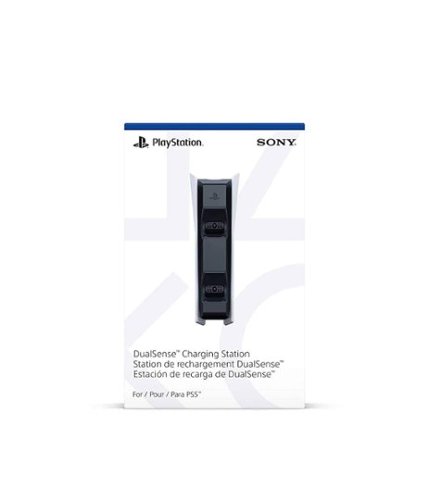
Sony - PlayStation 5 DualSense Charging Station - White
Customer Rating

4
PS5 dualsense charger
on January 18, 2022
Posted by: GamerGuy
Verified Purchase:Yes
Straightforward charger that holds two PS5 controllers. I wish the fit was a little snug (to make lining up the controller and charging contacts easier), but functionally it works well.
Length of ownership: 41
Mobile Submission: False
I would recommend this to a friend!
Quality

4
Value

5
Ease of Use
4
Share this review:


0points
0of 0voted this as helpful.

The perfect gift for anyone who loves to play - including you. Give the gift of fun with the Nintendo eShop Card.
Customer Rating
5
Cash-to-Card conversion made simple!
on January 18, 2022
Posted by: GamerGuy
Verified Purchase:Yes
Best Buy magically converts $20 USA currency into a thin plastic rectangle that can be used when traveling to the land of Nintendo's eShop! 1:1 exchange rate, no conversion fees whatsoever!!
Length of ownership: 41
Mobile Submission: False
I would recommend this to a friend!
Share this review:


0points
0of 0voted this as helpful.
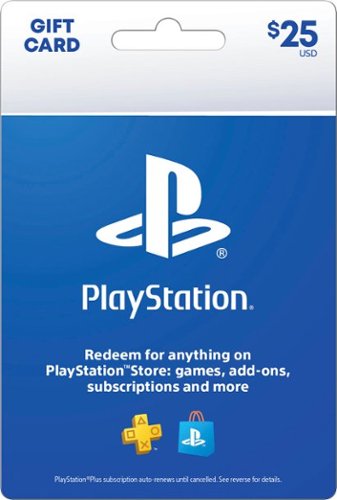
Easily add funds to your account for PlayStation Network (PSN) to use towards anything from PlayStation Store~s (PS Store) huge library of content, including: PlayStation Plus (PS Plus) subscription* with online multiplayer access, games every month, exclusive discounts and more. Games, Virtual currency and add-ons, and more.
Customer Rating
5
Gift card works!
on January 18, 2022
Posted by: GamerGuy
Verified Purchase:Yes
Picked up as a Christmas gift for my PS5-owning son. You get exactly what you pay for!!
Length of ownership: 41
Mobile Submission: False
I would recommend this to a friend!
Share this review:


0points
0of 0voted this as helpful.
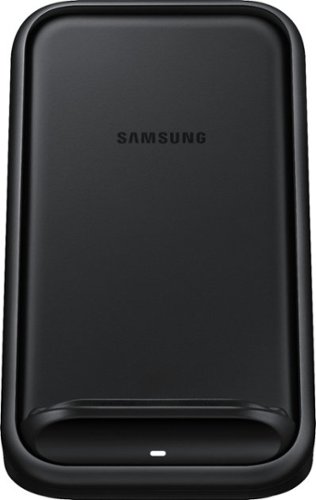
Charge your Qi-enabled smartphone with this Samsung wireless charger. The built-in fan helps prevent the device from overheating, and Fast Charge 2.0 technology delivers up to 15W of output for rapid power. This Samsung wireless charger allows charging in portrait or landscape orientations, letting you use the smartphone hands-free while chatting or watching movies.
Customer Rating
5
Wireless fast charger is fantastic
on May 26, 2021
Posted by: GamerGuy
Verified Purchase:Yes
I recently upgraded my Galaxy S6 to the Galaxy S21 Ultra. I had a wireless charger for my old Galaxy, but it was pretty fickle -- I'd place phone on round charge pad, but it wouldn't register at first, I'd lift it up and set it back down, and eventually the pad would register the phone and start slow charging. This was a common occurrence, so I was hesitant at getting the updated wireless charger.
However, my worries evaporated after using the latest from Samsung. It fast charges effortlessly each and every time I place the phone. The included 25w AC Adapter will also super fast charge if I plug it directly into the phone -- I rarely have to do this since the battery lasts so long and fast charging on this unit is usually sufficient.
Length of ownership: 31
Mobile Submission: false
I would recommend this to a friend!
Quality
5
Value
4
Ease of Use
5
Share this review:


0points
0of 0voted this as helpful.
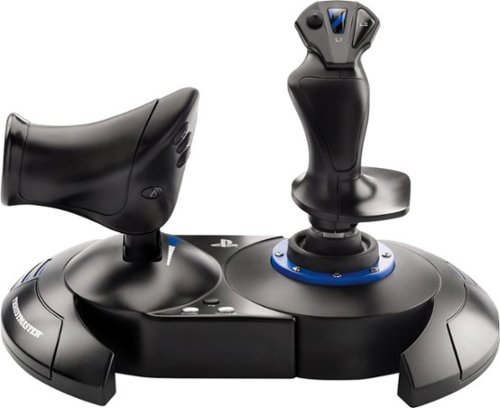
Feel like a real pilot with this Thrustmaster T.Flight Hotas 4 joystick for the PlayStation 4, Playstation 5, and PC. The detachable full-size throttle lets you recreate your game~s cockpit setup, and it has a dual rudder system for versatile control options. Adjust the resistance of this PC-compatible Thrustmaster T.Flight Hotas 4 joystick to suit your preference.
Customer Rating
5
Thrustmaster T.Flight HOTAS 4 for the win!
on April 11, 2021
Posted by: GamerGuy
Verified Purchase:Yes
Do you play flight sims on your PS4/5? Then you need to get the best priced and featured hands-on throttle and stick (HOTAS) around! I purchased Star Wars: Squadrons when it came out 10/2020. Trying to fly missions using the standard PS4 controller was ridiculously hard and basically made me quit the game. Unfortunately this stick is sold out 99% of the time - I contacted Thrustmaster who said the lack of supply was pandemic-related. I was lucky on one of my daily checks to finally ordered it online. It's a great stick for $80 and I have been enjoying Squadrons much more. It's got all of the standard Playstation buttons mapped to different buttons on the flight stick and throttle, but their locations quickly become second nature and you'll easily evade missiles/enemies as you strafe capital ships or chase down an enemy pilot. It's a great controller!
Length of ownership: 9
Mobile Submission: false
I would recommend this to a friend!
Ease of Use
5
Quality
5
Value
5
Share this review:


0points
0of 0voted this as helpful.
Use the Blizzard Balance to buy Blizzard Games, items, and services digitally or gift it to a friend.
Customer Rating
5
$20 Blizzard Gift Card
on April 11, 2021
Posted by: GamerGuy
Verified Purchase:Yes
Hearty plastic, easy-to-scrape-off silver junk, legible redemption code, and getting EXACTLY what you paid for make this a 5-star product. If you're looking for a reliable, TANGIBLE method to add $20 to your Blizzard wallet, you can't wrong with the Blizzard Balance Card. Although it's easier just to buy this online, I drove to the store so I wouldn't miss out on all the benefits of visiting a brick&mortar in person: browsing the latest phone tech offerings, wandering over to the game area hoping beyond all reason to see a lonely PS5 on the shelf waiting to be adopted, heading across the parking lot to the Krispy Kreme to inspect the new Oreo donuts, etc. Any way you look at it, this $20 card would be a steal for anything less (literally), so get yours today!
Length of ownership: 22
Mobile Submission: false
I would recommend this to a friend!
Share this review:


0points
0of 0voted this as helpful.
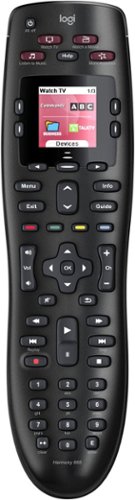
Throw away your extra remotes in favor of the Logitech Harmony 665 remote control. This functional remote works with a range of devices, from basic cable to Apple TV, and can combine up to 10 remotes in one versatile unit. This Logitech Harmony 665 remote control offers one-button setup for easy incorporation with your entertainment system.
Customer Rating
4
Logitech 665 is a decent universal remote
on March 13, 2020
Posted by: GamerGuy
Verified Purchase:Yes
Although I'm a self-professed techie, for years I've suffered with many different remotes (DVR, Amplifier, TV, etc) to switch between devices. I recently assisted my aunt (who had an older version 650) and thought to myself - gee, this would make my life easier. And it does!
Setup is easy: download the software (PC or Mac required), create an account on the Logitech website, connect the remote to your computer via the enclosed USB cable and then start entering your different devices into the remote. The software guides you along the way and it's oh-so-easy. You can configure the hot-key buttons along the top to do certain things quickly. The screen offers more activities that you can program/access.
There are only 2 minor annoyances:
1) Once you've configured the remote, you save its settings directly to your Logitech account. As of Mar 2020, there's no way to save the remote's settings to a backup file on your computer. So you have to log into your Logitech account to modify the remotes settings. In my aunt's case, this was an inconvenience since she changed ISP's, forgot her old login information, so we had to create a new account (we couldn't click "I forgot my password" because they want to send the password link to the old ISP email address which doesn't exist anymore) and call Logitech customer support to transfer the remote's saved settings to the new account. They were extremely helpful, btw.
2) Another slight downside is that this unit doesn't speak to my PS4 Pro -- so all I can configure the remote single-button activity to do is turn on my amp, switch it to the PS4 input, and turn on the TV. I know, all I have to do is hit the PS4 button on the game controller to turn it on/wake it up, but that one extra step would've been nice.
All-in-all, a very nice unit for a reasonable price. I didn't see a need to get one of their fancier hub-centric remotes.
Length of ownership: 24
Mobile Submission: false
I would recommend this to a friend!
Ease of Use
5
Quality
4
Value
5
Share this review:


0points
0of 0voted this as helpful.
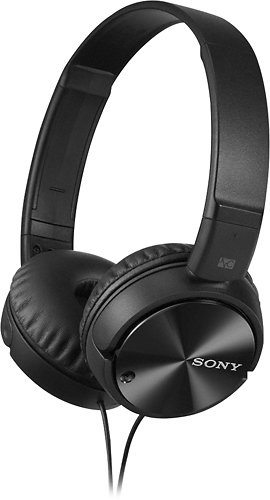
With a Noise Cancelling design, these Sony MDRZX110NC/B over-the-ear headphones prevent unwanted outside noises from interfering with your listening experience. The Supra-Aural technology and 30mm drivers provide dynamic, clear tones.
Customer Rating

3
Low Cost Active Noise-Canceling Headphones
on August 13, 2018
Posted by: GamerGuy
Verified Purchase:Yes
Whenever I air travel, the constant ambient air travel sound (cabin air, outside engine noise) makes it difficult for me to hear dialogue (especially soft/quiet talking) on whatever device I'm using to watch shows. Went to Best Buy to try out the Active Noise Cancellation headphones. This particular Sony model is the least expensive, and as such, nowhere near as good as the top end Bose. Still, for around $50, I did notice that it cut out a certain level/frequency/whatever of noise once turned on which made it MUCH easier to discern what folks were saying on the movies/shows I watched on the 5hr flight. These would have worked better if the headphones actually covered the entire ear - why Sony didn't utilize this simple passive noise abatement is beyond me. They sit on the ear which required an occasional adjustment to make sure they covered the ear canal. The unit is powered by a single AAA battery that sits inside the right earphone - battery life is rated at 80hrs (Sony gives you two with the headphones). If I decide to do much more frequent flying, I might invest in the Bose -- they were incredible at the store. For occasional flights, these low cost headphones work decently.
Mobile Submission: False
I would recommend this to a friend!
Share this review:


+8points
9of 10voted this as helpful.
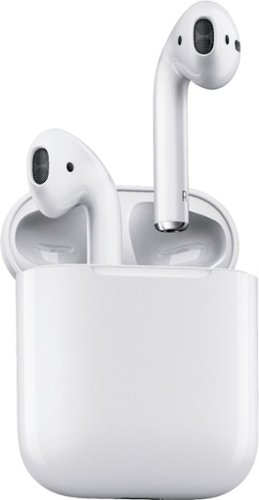
Introducing wireless AirPods. Just take them out and they're ready to use with all your Apple devices~. Put them in your ears and they connect instantly. Speak into them and your voice sounds clear. Simplicity and technology, together like never before. The result is completely magical.
Customer Rating
5
Airpods
on August 13, 2018
Posted by: GamerGuy
Verified Purchase:Yes
Wife bought these - she listens to white noise when she sleeps and regular (wired) earphones can pull out when she turns over in bed. Standard ear buds fall out of her ears; for some reason the Airpods stay in place much better. Of course, Apple products are pricey, but in this case they were the only wireless ones that would stay in her ears so the cost was secondary to functionality. They work perfectly - great sound, stay in place, easy to pair with phone.
Mobile Submission: False
I would recommend this to a friend!
Share this review:


0points
0of 0voted this as helpful.
GamerGuy's Review Comments
Throw away your extra remotes in favor of the Logitech Harmony 665 remote control. This functional remote works with a range of devices, from basic cable to Apple TV, and can combine up to 10 remotes in one versatile unit. This Logitech Harmony 665 remote control offers one-button setup for easy incorporation with your entertainment system.
Overall5 out of 5
5 out of 5Awesome remote and works with most devices
By AppleGadgetGuy
This is a great remote and can be used to control pretty much all components that you would have in your household.
It is IR so you might need an IR extender to get it to respond to all of your devices if they are tucked away in a cabinet. The IR beam is wide so you do not have to point it directly at your devices.
The programming software is very easy to use and there is a lot of good information (tips and tricks) on the Harmony support site.
You may have to change the program 3-4 times before you get what you want. The first time I programmed the remote I found that I wanted to add more as I used the remote.
It works great as a replacement DIRECTV. I added a couple of different skip buttons (2.5 minutes and 1 minute) to get past commercials so I did not have to push the 30 second button a bunch of times.

GamerGuy
DirectTV skipping
March 13, 2020
Hey, I loved your idea about setting up some buttons to jump ahead on DirecTV. What buttons did you map the 2.5min and 1 min. skip to, and what sequence of commands did you assign to accomplish the task (I'm sitting at the computer having just read your review, a bit lazy, and don't know the regular DirecTV remote commands to do that). I'm currently doing the tried and true "hit the arrow right once, twice, three times to FF through commercials and then a quick left" to jump back.
0points
0of 0voted this comment as helpful.
GamerGuy's Questions
GamerGuy has not submitted any questions.
GamerGuy's Answers
Throw away your extra remotes in favor of the Logitech Harmony 665 remote control. This functional remote works with a range of devices, from basic cable to Apple TV, and can combine up to 10 remotes in one versatile unit. This Logitech Harmony 665 remote control offers one-button setup for easy incorporation with your entertainment system.
Do you need a computer to program this remote? I only have an iPad.
Yes, you need either a Windows or Mac computer; you download the software from the Logitech website, install it, and plug the remote into your computer via the included USB cable. You'll use the software to enter all of your devices (e.g., TV, DVR/Cable model, Blu-Ray, etc) and create the remote's configuration.. Then this configuration is downloaded to the remote via the USB cable. The configuration is also saved under your Logitech account on their site; nothing is saved to your computer. For future remote configuration (adding/removing devices, configuring the hot-key buttons,etc), you'll need to run the software, plug in your remote and log into your Logitech account to retrieve the settings to modify.
6 years, 3 months ago
by
GamerGuy
With a Noise Cancelling design, these Sony MDRZX110NC/B over-the-ear headphones prevent unwanted outside noises from interfering with your listening experience. The Supra-Aural technology and 30mm drivers provide dynamic, clear tones.