
Share Jedwin's profile


Jedwin
Jedwin's stats
- Review count5
- Helpfulness votes0
- First reviewDecember 1, 2018
- Last reviewMay 24, 2019
- Featured reviews0
- Average rating5
Reviews comments
- Review comment count0
- Helpfulness votes0
- First review commentNone
- Last review commentNone
- Featured review comments0
Questions
- Question count0
- Helpfulness votes0
- First questionNone
- Last questionNone
- Featured questions0
- Answer count2
- Helpfulness votes3
- First answerJanuary 25, 2019
- Last answerAugust 6, 2020
- Featured answers0
- Best answers0
Jedwin's Reviews
![The Upside [Includes Digital Copy] [Blu-ray/DVD] [2019]](https://pisces.bbystatic.com/prescaled/500/500/image2/BestBuy_US/images/products/304b2327-370a-41e7-956a-951dd4939472.png)
Customer Rating

5
Awesome movie.
on May 24, 2019
Posted by: Jedwin
from Fl
Verified Purchase:Yes
Great story of what can happen when you give someone with a different perspective and past a chance. Also neat to see how living with and helping someone with a disability can change the way able bodied people approach life afterword.
Mobile Submission: True
I would recommend this to a friend!
Share this review:


0points
0of 0voted this as helpful.
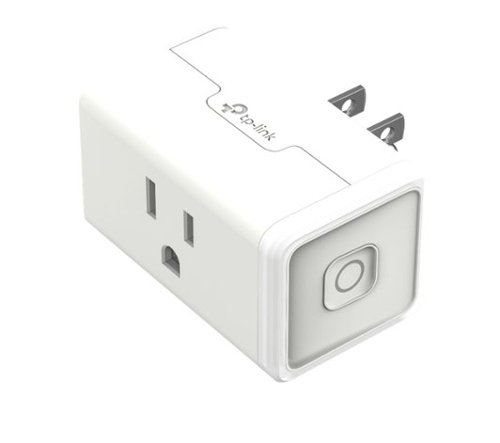
Operate electrical appliances remotely with this TP-Link mini smart Wi-Fi plug. It lets you switch lights and other electronics on and off, check their current status and schedule their operation from your mobile device via the Kasa app. This TP-Link mini smart Wi-Fi plug supports voice control when paired with your Amazon Alexa or Google Assistant.
Customer Rating
5
Once paired it's great.
on January 25, 2019
Posted by: Jedwin
from Fl
Verified Purchase:Yes
It is highly functional with Alexa once you get it paired. No hub required which is great but Droid users will have to download the app to get it paired. It's a bit of a process. Other than that it is very good and reliable.
Mobile Submission: True
I would recommend this to a friend!
Share this review:


0points
0of 0voted this as helpful.
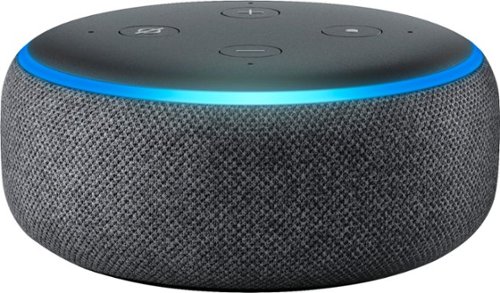
Echo Dot is a voice-controlled Smart Speaker with Alexa, perfect for any room. Just ask for music, news, information, and more. You can also call almost anyone and control compatible smart home devices with your voice.
Customer Rating
5
Great value.
on January 25, 2019
Posted by: Jedwin
from Fl
Verified Purchase:Yes
If you sign into your music streaming services it will automatically choose from them to play what you ask it to. Can be separate groups for separate rooms or areas of your home if you have several or they can all play the same thing simultaneously through the whole house. Not as full a range of sound as the full sized echo but for it's price point it's Awesome!
Mobile Submission: True
I would recommend this to a friend!
Share this review:


0points
0of 0voted this as helpful.
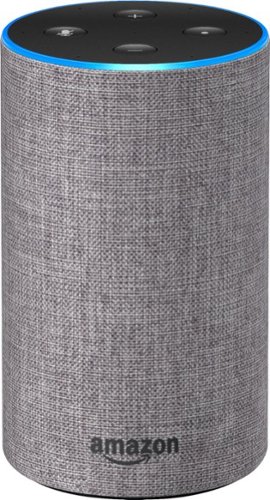
What is Echo Amazon Echo is a hands-free speaker you control with your voice. Echo connects to the Alexa Voice Service to play music, ask questions, make calls, send and receive messages, provide information, news, sports scores, weather, and more-instantly. All you have to do is ask.Echo is also an expertly tuned speaker that can fill any room with immersive sound. It has seven microphones and beamforming technology so it can hear you from across the room-even while music is playing. When you want to use Echo, just say the wake word "Alexa" and Echo responds instantly.
Customer Rating
5
Very good product for the price
on January 25, 2019
Posted by: Jedwin
from Fl
Verified Purchase:Yes
If you sign into your music streaming services it will automatically choose from them to play what you ask it to. Can be separate groups for separate rooms or areas of your home if you have several or they can all play the same thing simultaneously through the whole house. Awesome!
Mobile Submission: True
I would recommend this to a friend!
Share this review:


0points
0of 0voted this as helpful.
![Gladiator - 4K Blu-Ray [4K Ultra HD Blu-ray]](https://pisces.bbystatic.com/prescaled/500/500/image2/BestBuy_US/images/products/c566bad4-8419-4e25-b1f5-4f95b0bbcd32.jpg)
Winner of Best Picture and Best Actor Academy Awards, director Ridley Scott's stirring spectacle stars Russell Crowe as heroic Roman general Maximus. Chosen to succeed ailing emperor Marcus Aurelius (Richard Harris), Maximus is marked for death by the scheming imperial son (Joaquin Phoenix). After being sold into slavery, Maximus emerges as the empire's greatest gladiator and seeks vengeance in a showdown at the Colosseum. With Oliver Reed, Connie Nielsen, Djimon Hounsou. 155 min. Widescreen; Soundtrack English. Three-disc set.
Customer Rating
5
Awesome Movie, Even better in 4k
on December 1, 2018
Posted by: Jedwin
from Fl
Verified Purchase:Yes
One of my favorite movies, was afraid the 4k version was not going to have the extended cut of the movie that the anniversary Blu Ray has but it does. It's just awesome all around.
Mobile Submission: True
I would recommend this to a friend!
Share this review:


0points
0of 0voted this as helpful.
Jedwin's Review Comments
Jedwin has not submitted comments on any reviews.
Jedwin's Questions
Jedwin has not submitted any questions.
Jedwin's Answers

Pioneer's AVH-2550NEX CD/DVD receiver is smartphone-capable for both Apple CarPlay and Android Auto. Thanks to Siri Eyes Free, Google VR voice control, and a brilliant 6.8" display, accessing your favorite media is a breeze. This receiver includes features like WebLink to maximize your phone's capabilities. It also includes an HD Radio tuner, SiriusXM-Ready, and Bluetooth, making it a receiver that covers all your needs.
Does this unit support multiple phones? For example, we have one car. If we are both in the car, is there the ability to have both phones connected and both have the potential to send/receive calls?
Echo Dot is a voice-controlled Smart Speaker with Alexa, perfect for any room. Just ask for music, news, information, and more. You can also call almost anyone and control compatible smart home devices with your voice.
How can I get my Echo Dot (2nd floor) to play same music as my Echo (main floor)?
Go to devices in the Alexa app. Tap the plus sign in the top right. Select Add multi room music speakers next it will have you select a group from a list or create your own group name. I called my group that plays them all "everywhere " after you name the group a list of your echos will come up. Tap next to each one you want to put in the group or in this case all of them. Next it will take about 2 minutes to group them. When grouping complete your good to go. When you tell Alexa to play whatever just use your selected group name at the end of the command and it will play that group.
7 years, 4 months ago
by
Jedwin