
Share YourMainDude's profile


YourMainDude
YourMainDude's stats
- Review count76
- Helpfulness votes84
- First reviewSeptember 2, 2018
- Last reviewOctober 29, 2025
- Featured reviews0
- Average rating4.3
- Review comment count44
- Helpfulness votes37
- First review commentDecember 19, 2018
- Last review commentOctober 30, 2025
- Featured review comments0
Questions
- Question count0
- Helpfulness votes0
- First questionNone
- Last questionNone
- Featured questions0
- Answer count13
- Helpfulness votes5
- First answerDecember 20, 2018
- Last answerMarch 24, 2024
- Featured answers0
- Best answers0
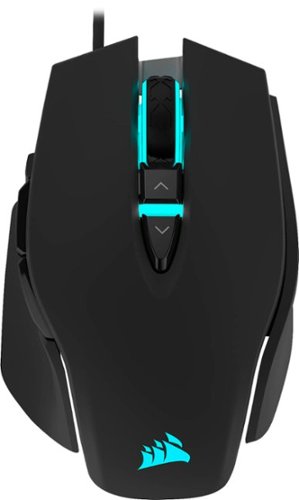
Step up your game with the precision of this CORSAIR M65 RGB gaming mouse. Featuring a lightweight aluminum frame, this mouse offers smooth, balanced performance and boasts weight-tuning zones for custom weight distribution. This CORSAIR M65 RGB gaming mouse has an 18,000 DPI sensor that offers impressive precision on almost any surface.
Posted by: YourMainDude
Verified Purchase:Yes
Love this mouse. The Ultra is a great follow-on too. No sticky, soft-touch coating to go bad. The glide, the buttons, the scroll wheel and even the cable are all top shelf IMHO. A great mouse @ MSRP ... a total steal at a sales price as low as 39.99.
Corsair has officially dethroned Logi for me. Corsair software isn't buggy and it just makes sense ... and their build quality is second to none.
Length of ownership: 1
Mobile Submission: False
I would recommend this to a friend!
Ease of Use

5
Quality
5
Value
5
Share this review:


0points
0of 0voted this as helpful.
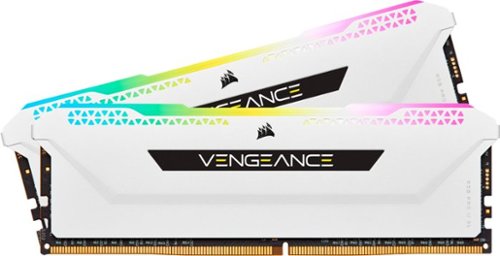
CORSAIR VENGEANCE RGB PRO SL DDR4 memory lights up your PC while delivering peak performance in a compact form factor just 44mm tall for wide compatibility with CPU coolers. Every module boasts ten bright, individually controlled RGB LEDs for brilliant illumination. Take control with CORSAIR iCUE software and completely customize every module~s lighting to match your system, create your own custom lighting profiles, and synchronize lighting across all your CORSAIR products. A custom PCB provides superb signal quality for superb performance and stability on the latest Intel and AMD DDR4 motherboards, while tightly screened memory chips unlock superior overclocking ability. For mesmerizing, completely customizable RGB lighting and the best in DDR4 performance, equip your PC with VENGEANCE RGB PRO SL.
Customer Rating

5
Corsair Quality
on June 30, 2022
Posted by: YourMainDude
Verified Purchase:Yes
Excellent Ram for the price. The RGB feature is fully customizable and well controlled via the iCue software. I had issues with Team Group modules that didn't illuminate and T-Group blamed the motherboard but that wasn't actually true. So I opted for the Corsair Vengeance and everything is working great. Even @ C18 these are not much slower in real-world performance vs. C14 dimms and the iCue software doesn't throw Windows Event errors like other products. My Cinebench 23 scores are still way above 15k and everything runs smoothly - be it gaming or productivity.
My mobo is the Gigabyte X570 Aorus Xtreme and this 16x2 kit is just what I needed. Since I 'go dark' on the mobo's RGB zones, iCue gives me all the control I need and will come in handy using their keyboard & mice products.
Highly satisfied and highly recommended when on sale!
Length of ownership: 11
Mobile Submission: False
I would recommend this to a friend!
Ease of Use
5
Quality
5
Value
5
Share this review:


0points
0of 0voted this as helpful.
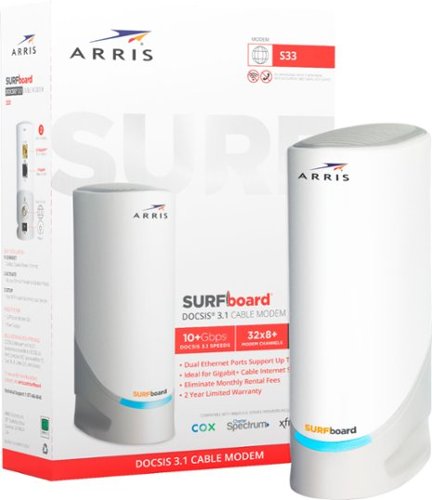
The ARRIS SURFboard S33 is a DOCSIS 3.1 Cable Modem that delivers the fastest speeds and the latest technology. With a 2.5 Gigabit and a 1 Gigabit Ethernet port, the S33 enables a multi-gig experience for things like online gaming, 4K video streaming and more. It~s best for cable internet speed plans up to 2.5 Gbps and setup is simple with an easy-to-use app. It's compatible with any Wi-Fi router and saves you money on monthly rental fees. Upgrade your home network with an SURFboard S33 DOCSIS 3.1 Cable Modem.
Customer Rating

1
Buyers Beware
on May 14, 2022
Posted by: YourMainDude
Verified Purchase:Yes
Can't knock the speed on this thing; detected no measurable loses compared to my aging Netgear modem. In other words... I get all the speed I am paying for.
But the problem with this modem (and I suspect many others now...) is that if you have Comcast/Xfinity, they will provision this modem and download their boot module into it, which then locks you out of the 'Web Manager' internal status web page of the device. I thought something was fishy when I couldn't log into through my router arrangement @ 192.168.100.1 - so it prompted me to connect my laptop directly to it (as Arris recommends anyway). What I got was a login page that wouldn't allow access because the user name or password had been altered - meaning - the defaults were modified. It's important to be able to see the internal logs and the signal/bonding stats from time to time to see if your ISP is having outside infrastructure problems. With Comcast shutting things down, they are basically altering the device you paid for with no notification. Not cool. Not cool at all.
The other problem that prompted me to score this device low is the mobile app Arris prompts you to use to set up and configure your device. Don't waste your time with that on this particular device. It offers nothing of value beyond the information you already have access to on the bottom product label or the quick start card. It's these types of not-even mediocre attempts to promote 'mobile app' benefits that are pretty much deceitful - and that would otherwise prompt me to give this modem 0 stars if the BB review section allowed it. Coupled with the no-go Web Manager lock-out ... I can't recommend this product whatsoever.
Giving this modem 'average' scores on performance and connection quality only because I've used it for such a short period of time. If you sort the reviews by lowest score first, you will see that the S33 also has medium to long term reliability issues that the typical social media agents of Arris will reply to in recognizably unsupported ways. Take those for what they are worth!
Mobile Submission: False
No, I would not recommend this to a friend.
Connection Quality

3
Performance
3
Setup

1
Share this review:


+11points
12of 13voted this as helpful.
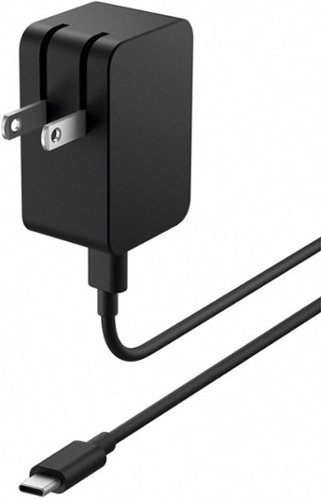
Effortlessly charge your Surface Duo 2* with this versatile USB-C~ power supply, now with longer USB-C~ cord for easier connectivity, plus Fast Charging.
Customer Rating
5
Must Have
on May 6, 2022
Posted by: YourMainDude
Verified Purchase:Yes
Microsoft quality albeit at an OEM price. Must have for Surface Duo 2 owners.
Length of ownership: 167
Mobile Submission: False
I would recommend this to a friend!
Quality
5
Value
3
Ease of Use
5
Share this review:


0points
0of 0voted this as helpful.
![John Wick: Chapters 1-3 [Includes Digital Copy] [4K Ultra HD Blu-ray]](https://pisces.bbystatic.com/prescaled/500/500/image2/BestBuy_US/images/products/553d4483-9198-4965-bd0b-e291835965cf.jpg)
Keanu Reeves suits up as legendary assassin John Wick in this action-packed triple feature. Included here are John Wick (2014), John Wick: Chapter 2 (2017), and John Wick: Chapter Three - Parabellum (2019).
Customer Rating
5
John Wick FTW
on May 6, 2022
Posted by: YourMainDude
Verified Purchase:Yes
Excellent series. Outstanding visual and audio presentation. 4K is the only way to go with John Wick!
Length of ownership: 298
Mobile Submission: False
I would recommend this to a friend!
Share this review:


0points
0of 0voted this as helpful.

The Back-UPS Pro family offers guaranteed power protection for high performance computer systems, routers/modems, external storage devices, game consoles and other electronics in your home or business. These UPSs supply electronics with abundant battery backup during outages and stabilize unsafe voltage levels. They also provide power protection from damaging surges and spikes, and allow the use of management software so you get the most out of your UPS. Premium features of this family may include Automatic Voltage Regulation (AVR), an LCD display, Smart Outlets, energy saving functions that reduce electricity use, network manageability, Watchdog, or configurable outlets. Together with the rest of the Back-UPS Pro's standard features, they are the perfect choice to protect your data and keep your system available.
Customer Rating
5
Always APC
on May 6, 2022
Posted by: YourMainDude
Verified Purchase:Yes
Top quality. Have never experienced and issues with APC backup UPS power products. The batteries are easy to replace after 5 or 6 years and it's a cost effective way to avoid recycling old units. The display is clear, bright and informative. I only wish this new generation of UPS's had the older feature of 'switched' outlets.
Length of ownership: 195
Mobile Submission: False
I would recommend this to a friend!
Quality
5
Value
5
Ease of Use
5
Share this review:


0points
0of 0voted this as helpful.
![James Bond: The Daniel Craig 5-Film Collection [4K Ultra HD Blu-ray/Blu-ray]](https://pisces.bbystatic.com/prescaled/500/500/image2/BestBuy_US/images/products/80242f88-0229-4988-86d8-8ab993950404.jpg)
Customer Rating
5
Great visual quality and sound
on May 6, 2022
Posted by: YourMainDude
Verified Purchase:Yes
Great visual quality and sound. Buy it on sale and save a bundle. Highly recommended.
Length of ownership: 14
Mobile Submission: False
I would recommend this to a friend!
Share this review:


0points
0of 0voted this as helpful.

The R1280T powered bookshelf speakers have a modern look with quality audio sound. If you~re looking for affordable and versatile bookshelf, computer or home theater set of speakers with uncompromising sound, the R1280T speakers are your go-to 2.0 speaker system. With a 4-inch bass driver and a calibrated, flared bass reflex port, this bookshelf speaker system delivers robust, rich bass notes and well-balanced audio for an immersive listening experience. Volume dials on the side allow you to control the bass and treble. The dual RCA input and included cables let you connect to various external devices such as laptops, tablets, smartphones, or record players. These Edifier powered bookshelf speakers come with a compact-sized remote control for easy operation. The faithful sound production and performance of the R1280T are any audiophiles dream. Many Edifier customers are use the R1280T for connecting turntables for the best audio experience.
Customer Rating
1
Not Energy Start Compliant
on May 6, 2022
Posted by: YourMainDude
Verified Purchase:Yes
Computer speakers are usually 'green' in that they go into a sleep or standby level of power use without intervention. These speakers sound great once the have been through a 50 hour break-in period ... but the remote control doesn't have a power off function and the speakers don't go green.
If you want them off, you need to reach around and click the switch (not always convenient depending on your placement...) or by using a power strip. Not acceptable considering the price.
Length of ownership: 45
Mobile Submission: False
No, I would not recommend this to a friend.
Quality

4
Value
3
Ease of Use
1
Share this review:


-14points
8of 30voted this as helpful.
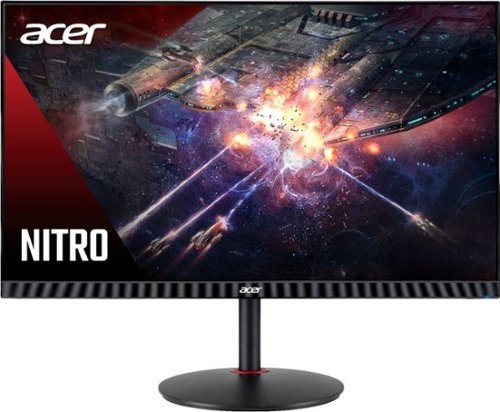
In competitive gaming, every frame matters. Introducing Acer's XV271 gaming monitor - the Full HD (1920 x 1080) resolution monitor that can keep up with your game play. This AMD FreeSync Premium monitor takes gameplay to the next level of smooth, the game~s frame rate is determined by your graphics card, not the fixed refresh rate of the monitor, giving you a serious competitive edge. Plus, users can enjoy comfortable viewing experience while gaming via flicker-less, low dimming and ComfyView display. The design saves space on your desk and lets you place multiple monitors side by side to build a seamless big-screen display.
Customer Rating

3
Stuck pixels
on May 6, 2022
Posted by: YourMainDude
Verified Purchase:Yes
Good color rendition, brightness and contrast. The slim bezel design is also very appealing and the unit is light weight without feeling cheap. My unit has a chain of stuck pixels which was surprising, because Acer QC is usually top-shelf.
For those wondering, if you use DP and connect to relatively modern GPU, this monitor will default to 280 HZ straight out of the box. And 280 HZ vs 240 HZ is indistinguishable without invoking 'over drive'.
Very minimum light bleed, almost zero IPS glow and looked fantastic even before using a Spyder X Pro. There is also an app called 'Acer_Display_Widget' that works really well if you're prone to wanting to switch display mode quickly without going into button presses on the rear of the monitor. This can be handy if you want to switch from gaming to content creation or to whatever else...
Wanted to love it but it's a return and I'm not interested in playing the panel lottery this time around. Stuck pixels!
Length of ownership: 1
Mobile Submission: False
I would recommend this to a friend!
Ease of Use
5
Quality
3
Value
4
Share this review:


0points
0of 0voted this as helpful.
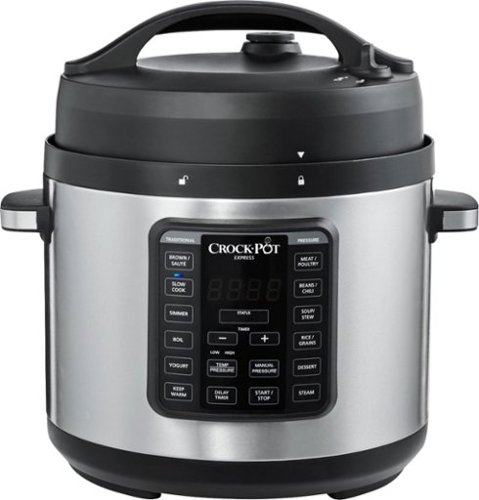
Pressure cook, slow cook, sear, saut~, boil, simmer, and steam with the Crock-Pot Express Easy Release. The Easy Release Multi-Cooker lets you pressure cook foods up to 70% faster than a conventional oven but also lets you drop in your favorite ingredients for a delectable slow-cooked meal. It features 3 innovative functions that will take your cooking to the next level. Manual Pressure lets you customize recipes by setting any cook time plus high or low pressure. Simmer Function cooks gently and slowly and helps thicken sauces, and Boil allows you to create more one-pot dishes, such as pasta, poached eggs, and more. When used as a pressure cooker, it features a front steam release dial to keep your hand safe and away from the hot steam being released. The nonstick cooking pot removes for easy cleanup and 6-quart capacity can serve over 7 people, perfect for family meals or large gatherings. The Crock-Pot Express also includes a recipe book, steaming rack, and spoon.
Customer Rating
5
This is the One
on October 11, 2021
Posted by: YourMainDude
Verified Purchase:Yes
We love it. Easy to use, easy to clean and multi-functional. Probably gets the most use out of ALL of the kitchen appliances we own. Has never let us down... but that's what you get when you purchase Crock-Pot brand. It's big, so check the dimensions vs. your counter space arrangement. But the large capacity of this thing makes a world of difference.
Recommended!
Length of ownership: 156
Mobile Submission: false
I would recommend this to a friend!
Quality
5
Ease of Use
5
Value
5
Share this review:


0points
0of 0voted this as helpful.
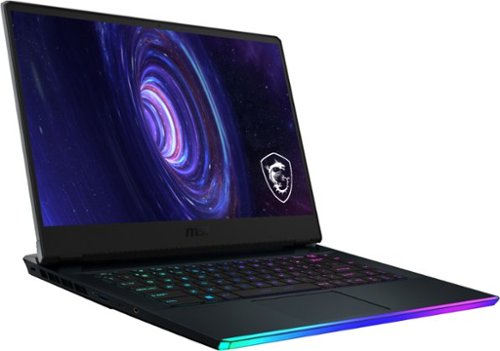
Game like a pro with this MSI Raider gaming laptop. The Intel Core i7 processor and 32GB of RAM run graphic-intensive games smoothly, while the 1TB SSD offers rapid start-ups and ample storage space. This MSI Raider gaming laptop has an NVIDIA GeForce RTX 3070 graphics card, which produces detailed images on the 15.6-inch Full HD screen for advanced gameplay.
Overall5 out of 5
5 out of 5So you want to game...
By Adamelitemember
If you are wanting to do some hardcore gaming this is an amazing option.
1st let me say this has the desktop 3070, not a max q version or 85watt model.
Has 1tb hd, 32gb ram. For the money this is the best laptop out on the market. Try it and see for yourself

YourMainDude
The South
Questions
April 7, 2021
How was the back light bleed and the battery for non-gaming?
+1point
1of 1voted this comment as helpful.
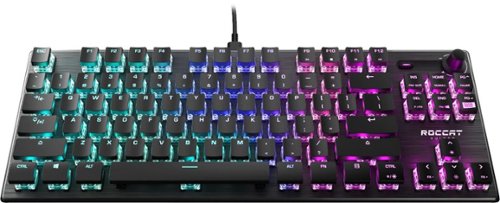
The ROCCAT Vulcan TKL is a tenkeyless variant of the award-winning Vulcan family. This smaller form factor means gamers have room for a larger pad and can use a bigger range of a mouse movements, ultimately giving them greater accuracy. The linear Titan Switch Mechanical delivers the industry~s best in speed and responsiveness. The switch adds to a comprehensive feature set that gamers know and love. The low-profile design is engineered for comfort and to reduce fatigue. Impressive durability and build quality thanks to its reinforcing black anodized aluminum top plate, switches rated to 100 million keystrokes, dedicated mixer-style audio controls and per-key AIMO RGB lighting.
Overall 4 out of 5
4 out of 5Works great - fair priced.
By LucidCEO
Works great, but all of these keyboards are overpriced. A person can get 99% of the same value from unknown brands on Amazon, but I wanted to try ROCCAT as a brand since I needed a travel keyboard. Left it behind as a gift to someone else because I have Razer products that I forgot to pack. Yes, they are a bit overpriced as well. Don't judge me.
YourMainDude
The South
Huh?
November 18, 2022
Your review doesn't make sense
0points
0of 0voted this comment as helpful.

Take the next step in truly wireless noise canceling performance and exceptional sound quality. The new Integrated Processor V1 delivers unmatched performance while using even less power. Adding in drastically enhanced call quality, IPX4 water resistance and up to 24 hours of battery life with wireless charging.
Overall4 out of 5
4 out of 5Expensive but worth it.
By MiTom
Software is terrific compared the the B&W IP7 though I don't really like the ambient sound mode. It kinda loud but noise cancelation is excellent. If you work in noise environments, I suggest using ambient sound off. To be honest working in a super noisy environment, i would no recommend buying a high end headphone. Noise cancelation can be deafening when using an air gun. Sound is super but still 2nd to B&W. Would have kept the B&W for the superb sound quality but the software was terrible. Would definitely recommend this. A bit pricey but worth it. Sony went with the foam instead of rubber is a plus for comforth but one side is little bit ripped so durability on the foam was the reason for 4*.
YourMainDude
The South
Sony social media responded like a robot.
November 20, 2022
Instead of addressing the frailty of the earpieces ... they go into robotic marketing speak.
+1point
1of 1voted this comment as helpful.
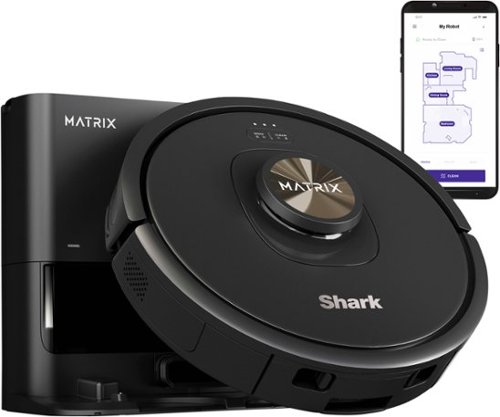
The Shark Matrix Self-Emptying Robot Vacuum features incredible suction power, Matrix Clean and Precision Home Mapping. It has Incredible Shark suction power and a self-cleaning brushroll, pulling trapped debris, dust, and pet hair from carpets and hardwood floors. With Matrix Clean, the robot cleans using a precision grid taking multiple passes over dirt and debris, leaving no spots missed. The robot empties itself into a bagless base after each clean and holds up to 30 days of dirt and debris. No additional purchase necessary for dirt/dust bags. Now with extended runtime technology, the robot cleans 2x faster (*vs. Shark AI Ultra RV2500, due to more initial runtime in recharge/resume mode). With Precision Home Mapping, the robot uses its 360 LIDAR vision to scan your home and build a detailed map, enabling fully autonomous movement. This also allows your robotic vacuum to detect and avoid objects in its path day or night (*objects 4.5 inches or greater in its path). It creates a precise home map in the SharkClean app so you can select specific areas to clean on-demand, initiate Matrix Clean, and set cleaning schedules from anywhere. Together, Shark cleaning power with Matrix Clean and Precision Home Mapping give you the confidence your robot will complete the cleaning mission every time.
Overall3 out of 5
3 out of 5Matrix 'Spot' Clean is super handy... but
By YourMainDude
The Shark Matrix Self-Emptying Robot Vacuum RV2320S is cool device with very useful features and a handy app. There are problems with this design but I will focus on the Positive aspects first.
Setting up the Shark Matrix was quick & easy. Once unboxed, simply install the mobile app and follow the guided steps. I'm usually not a fan of how the 'app teams' of many companies approach product setup and/or design their overall app layouts but the Shark app is certainly above average and good.
Once set up, I positioned the robot & dock in a massive master bedroom. Having dogs = extra dirt, dust and dander under the bed - so I was eager to test this system out in a room that needs constant cleaning. I purposefully kept the room somewhat cluttered to see how the Shark behaved with some typical obstacles and I can confidently state that this generation of robot vacuum didn't become stuck or jammed anywhere in the room vs. what we came to expect compared to the leading brand, several years old. But before I get ahead of myself here... The RV2320S took approx. 10 to 12 minute to map the room and I was pleased to see that not only did the mobile app have a decently scaled representation of the perimeter, it also 'Matrix' mapped the king size bed in the room - which is the area needing frequent cleaning attention. The app does represent the bed center to the graphic, which is WAY off but the general shape of the room looks accurate. That's the first area the Shark team needs to dial in better.
I proceeded to have the robot vacuum just do a "Matrix Spot Clean" underneath the bed 3 times in a row and I watched from above to see if that specific perimeter was adhered to. The RV2320S tracked that entire bed 'foot print' with solid precision and without getting stuck - three manual cycles in a row.
I proceeded to let the RV2320S clean the entire room and again, with various tight spaces, obstacles like a duffle bag and a few boxes, it never struggled in a particular area and/or get stuck. So, hats off to the Shark design team for making this appliance reliable.
However, this where the experience started to deteriorate. Upon completing 3 cycles of the entire room being vacuumed, I receive both a mobile app notification and an audible alert from the unit itself saying an error occurred and that I needed to clean the dust bin. Upon checking the base station, the main dust collection cartridge was empty but the dust bin on the robot itself had a handful of hair, dust and fuzz just sitting there. Not stuck or jammed up - just present. So it appears to me that the auto emptying function of the RV2320S needs some tweaking. Opening the dust trap on the actual robot is simple enough and I was able to empty it quickly. So there you have it. Automation that still requires human intervention - new out-of-the box.
There are other issues that prevent me from assigning more stars to this product which I will outline in the Pros & Cons section, but let me summarize my overall opinion of the Shark Matrix Self-Emptying Robot Vacuum first - covering the nits as I experienced firsthand:
The setup was easy and automated. The unit docked is diminutive in foot print & height. Mapping rooms is set-and-forget and the "Matrix" Ai in this thing is truly something of value. That feature alone will serve us well in keeping the pet area under our king-sized bed clean! The app is intuitive and pleasing to the eyes but it does lack some feature controls - and I'm not sure why. There should be night mode or 'dark mode' the user can select to disable all the lighting. Not having this really prevents a customer from placing this system wherever they want. The lights are freaking bright!
The robot itself is smooth sounding but the docking station's vacuum system to empty the onboard dust bin is crushingly loud. So again, customers will have to careful where they place this. And for some unknown reason, late in the night the robot undocked - pulled away from the docking station and then redocked - without any schedule set up to do so. So be aware of rogue robot behaviors. It seems to me that the default operational behavior of this appliance should "Go Dark" at some evening hour and stay that way until the morning - based on relative Time Zone detection tied to the app.
In terms of cleaning, the robot unit itself does a great job picking up all kinds of debris. It's thorough and appears to stay longer on areas that are determined to be more dirtier. It is not prone to getting stuck and doesn't waste a lot of 'juice' wandering around - so the "precision" in the branding appears to be accurate as does the "Matrix" part (for certain areas). We own Dyson's for cleaning the majority of our home's hardwood floors by hand and value in an appliance of this type for particular room focus. The Matrix mapping of the bed is top shelf Ai ingenuity. The dock-based evacuation function seems random and for us - that's Ok - because we can empty the robot's bin directly in the waste can when needed. So, a STRONG three stars is warranted on this review.
Pros:
Accurate mapping of the actual perimeter of rooms
Matrix Ai mapping of things like beds inside the room that work well with the Matrix 'spot' cleaning on demand function
Smooth sounding robot in operation
Precise movement with no wandering and prevention from getting stuck
Transitions from hardwood to area rugs of different textures - no sweat
Generally speaking, a good overall mobile app design
It does clean well!
Accurate mapping of the actual perimeter of rooms
Matrix Ai mapping of things like beds inside the room that work well with the Matrix 'spot' cleaning on demand function
Smooth sounding robot in operation
Precise movement with no wandering and prevention from getting stuck
Transitions from hardwood to area rugs of different textures - no sweat
Generally speaking, a good overall mobile app design
It does clean well!
Cons:
Unit can have issues transferring the contents of the onboard dust bin to the base station compartment
Base station vacuum unit is extremely loud
The onboard lights for both the robot and base station are too bright and there appears to not be a night or assignable "dark" or night mode
Our unit went rogue on us just last night - almost like it wasn't really positively docked on it's last completion. Not sure what that was to be honest - but it was startling.
Unit can have issues transferring the contents of the onboard dust bin to the base station compartment
Base station vacuum unit is extremely loud
The onboard lights for both the robot and base station are too bright and there appears to not be a night or assignable "dark" or night mode
Our unit went rogue on us just last night - almost like it wasn't really positively docked on it's last completion. Not sure what that was to be honest - but it was startling.
I can only recommend the Shark Matrix Self-Emptying Robot Vacuum for specific use cases, like ours.
For whole house automation, I think it pays to wait and see if Shark works out the kinks on this one.
For whole house automation, I think it pays to wait and see if Shark works out the kinks on this one.
YourMainDude
The South
Follow-up
July 18, 2023
Today an attempt to do a Matrix "Spot Clean" sent the robot wandering the house. The software control of this system isn't Ready!
+1point
1of 1voted this comment as helpful.
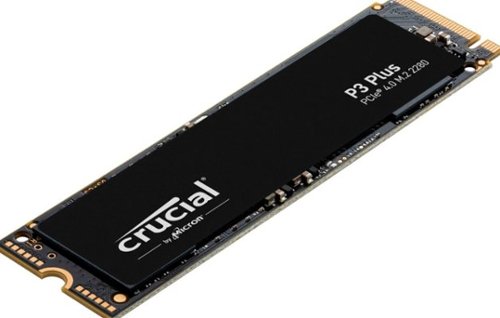
Valuable Gen4 performance is here. Introducing the Crucial P3 Plus Gen4 NVMe SSD, delivering impressive speed with sequential reads/writes up to 5000/4200MB/s1 while providing data protection for optimal security. Engineered by Micron with the latest Gen4 NVMe technology, the Crucial P3 Plus comes in generous capacities2 and offers flexible backward compatibility for most Gen3 systems.
Overall4 out of 5
4 out of 5QLC, slower, but great for archive and video.
By TankII
For my needs it is good. QLC +2400BPS transfer makes this a low-end performer. I just needed some storage for video file editing. Read speeds are decent, so once files are on the drive, they can be read to memory quickly. The bad, which is why it is 4 stars: Beware of large file transfers, as the buffer fills up quickly, and slows down to almost nothing.
YourMainDude
The South
How Large?
August 31, 2024
How large is the threshold you notice it coming to a crawl?
0points
0of 0voted this comment as helpful.

Create, control, and champion your playstyle with the new Razer Basilisk V3~the quintessential ergonomic gaming mouse for customized performance. With 10+1 programmable buttons, a dual-mode tilt scroll wheel, and a heavy dose of Razer Chroma RGB, it's time to light up the competition your way.
Overall 2 out of 5
2 out of 5Just buy a deathadder
By Trick
Works, but only in certain conditions. This mouse NEEDS a hard surface to work properly it will not work on glass or light wood EVEN with a RAZER mousepad (I'm not the only one with this issue, have tried multiple mousepads, and there is not a logical fix). Razer settings can fix this issue temporarily, but the tracking issue always seems to bite you in the worst of times and makes you want to yeet it. It looks cool and feels nice but it just isn't worth it. Do yourself a favor and buy a deathadder.
YourMainDude
The South
Works fine on Razer glass
October 27, 2024
Works fine on Razer glass
0points
0of 0voted this comment as helpful.
Create, control, and champion your playstyle with the new Razer Basilisk V3~the quintessential ergonomic gaming mouse for customized performance. With 10+1 programmable buttons, a dual-mode tilt scroll wheel, and a heavy dose of Razer Chroma RGB, it's time to light up the competition your way.
Overall5 out of 5
5 out of 5A great G502 alternative.
By Bowler116
I had a G502 for years that finally developed the dreaded (known) double-clicking issue. Got one of these and haven't looked back since--I honestly like it better. The RGB is awesome and the rubberized scrollwheel is a pleasure to use after the 502's slippery metal one.
Ergonomics are great, very comfortable. Cable is light and non-intrusive. Good value as well as I've frequently seen it on sale.
YourMainDude
The South
Better than the G502
October 27, 2024
Better than the G502 IMHO - especially when you consider the cost of ownership
0points
0of 0voted this comment as helpful.

Stay cool when things heat up with the Razer Laptop Cooling Pad ~ a smart stand that dynamically controls fan speeds based on your laptop~s temperature. Featuring an airtight pressure chamber, customizable fan curves, and a 3-port USB A hub for maximum connectivity, give your laptop the boost it needs for better performance.
Overall3 out of 5
3 out of 5Feature rich cooling pad but NOT for some laptops
By Brett
I was really excited to come across this cooling pad - I have a gaming laptop that I use frequently on a desk and, as with many gaming laptops, it generates a large amount of heat. I usually use a cooling pad with it that has static fans which are rarely right for the scenario - either too loud for low power usage or too slow for high power. This Razer with actual fan controls promised to fix all that and optimize the fan settings for the usage situation. And it does...but a critical design issue ultimately makes it unusable for what I wanted....and might impact you too. Read on to find out more!
Unbox was quite impressive - the stand is quite sleek and well-designed with a LARGE blower style fan that can move a lot of air and really nice RGB lighting. The fan is set up with a foam strip where it contacts the laptop to help seal the linkage and improve airflow / cooling - two foam strip size options are included along with a plate without foam depending on your laptop design. Unlike my old laptop cooling pad, this one isn't entirely USB powered, requiring an external power adapter (which was surprising, but isn't terrible). It does still have a USB (type A) cable for the fan and lighting control - and turns that into a 3 port type A hub, so that's convenient for things like keyboards and mice. the piece that holds the laptop up has 3 different settings for different sized laptops.
There's a lot of plastic in the construction but it's still quite nicely built and should prove to be quite durable in use. It had no trouble holding up a heavy laptop and it kept the laptop very well balanced and supported in use.
Now, all that said, I got everything set up the way I wanted it and went to turn on my laptop (on the new pad) and nothing happened. The laptop, a year or so old Acer Predator Helios 16 with a Core i9 13900HX and a mobile RTX 4080, that had worked fine a bit earlier wouldn't turn on. I unplugged the laptop from everything and tried again...no luck. I picked the laptop up to look it over (it looked fine) and then it turned on. Ok, so maybe just a fluke. I put the laptop back on the cooling stand and the screen goes black! Pick it up...and the screen comes right back on. This happens regardless of if the cooling pad is plugged in, not plugged in, on/off, etc.
After some testing, I believe that the strong magnets in the cooling pad that hold the "foam strip" that seals to the laptop bottom are impacting the laptop in some way that turns off the display / prevents the laptop from turning on if off. I can set the laptop on the foam strip itself (on the floor or a table) just fine. And I can set the laptop HALF on the pad without issue - but as soon as I line the laptop up with the magnets (which is how the stand is designed to work), the screen blanks out. I've included pictures of this phenomenon. This same laptop works fine on other cooling pads so it's probably not the laptop - and the cooling pad works fine with another laptop I tried, so I think it's the combination of the laptop design and the cooling pad that don't like each other.
To that end, I can't fully recommend this cooling pad, sad as it is for me to say. I do love the design and the theory, but since it stops my laptop from working, I can't use it. (And I'd be VERY hesitant to put a laptop with a spinning / magnetic HDD on it too.) So IF it works for you, it's great. But buyer beware.
YourMainDude
The South
Incompatible with Lenovo Legions as well...
January 31, 2025
It is the stronger motor magnets inside that fan hub. I experienced the exact same behavior on my 2024 Lenovo Legion 7i with Core 14700 processor & RTX 4060. Screen blanks out; RGB keyboard backlighting goes dark; integrated finger print reader/power button functionality goes bonkers. The engineers who designed this cooling platform didn't provide the proper shielding in the motor assembly and the compliance testing that was required didn't catch the design flaw.
0points
0of 0voted this comment as helpful.
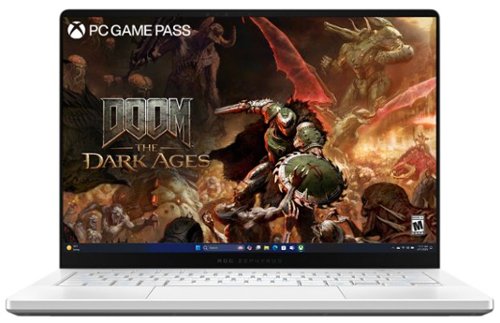
The ROG Zephyrus G14 has been redesigned with an all-new premium aluminum chassis for increased durability and elegance. At 0.63 inches thin and weighing in at just 3.46lbs, this gaming powerhouse combines portability with cutting-edge technology. Featuring the AMD Ryzen AI 9 HX 370 processor and NVIDIA RTX 5070 Ti laptop GPU, the Zephyrus G14 achieves unparalleled gaming performance. The Zephyrus G14 features an OLED ROG Nebula Display. Enjoy rapid 0.2ms response times, vivid 3K resolution, and a smooth 120Hz refresh rate. Elevate your audio experience with new upgraded woofers, offering a 252% volume increase, 100Hz bass frequency, and Dolby Atmos support. For intense gaming sessions, the ROG Intelligent Cooling integrates liquid metal and aerodynamic 2nd Gen Arc Flow Fans to sustain peak performance.
Overall3 out of 5
3 out of 5Compact Powerhouse/Desktop Replacement with Issues
By YourMainDude
The ASUS - ROG Zephyrus G14 14" 3K OLED 120Hz Gaming Laptop is clearly a compact, powerhouse that can be YOUR desktop replacement - when paired up with external peripherals & a gaming monitor.
Setup and Initial Impressions:
Initializing Windows 11 was as typical as it can be, from a Microsoft standpoint. I did experience a couple of incidents during portions of the unattended setup that resulted in the unit getting stuck in some kind of Modern Standby state (be it Sleep or something else...) where I was forced to do the proverbial 'hold down' the power button to force a hard reset. Having owned several different Asus/ROG models, this was a first.
Initializing Windows 11 was as typical as it can be, from a Microsoft standpoint. I did experience a couple of incidents during portions of the unattended setup that resulted in the unit getting stuck in some kind of Modern Standby state (be it Sleep or something else...) where I was forced to do the proverbial 'hold down' the power button to force a hard reset. Having owned several different Asus/ROG models, this was a first.
Once personalized & fully updated (software, drivers and BIOS), the unit did seem to stabilize and operated in full-Ryzen speedy form, but that was 5 days into my review period. Compared to my 4-year-old ROG Advantage Edition, this 2025 ROG Zephyrus G14 feels quick & responsive no matter what I threw at it or used it for.
The OLED display is vivid & consistent, corner-to-corner. The weight of the unit screams quality as does the smooth action of the flip-up, screen hinges. I'm not a huge fan of the flat, chicklet key caps commonly found on 14-inch laptops, but these are good, surprisingly satisfying and easy to type on. The RGB backlighting of the keys works but nothing to write home about. That's admittedly a matter of personal taste - but I've seen better.
There are no ports on the rear of this laptop but that's Ok. On something this compact, I've fine with it. The USB-4 and multiple USB 3 ports are plentiful and ALL meet their specified capabilities. I used a Sandisk Pro external SSD Pro and ATTO transfers speeds were top shelf. I would have preferred a full-sized SD card slot vs. the micro slot, but space in a 14-inch platform does naturally present constraints!
The proprietary power port is great and much better than a barrel connection. The only real big complaint I have about this particular platform, in terms of design points, is the location of the Status LEDs located on the bottom edge of the display. What was Asus engineers thinking? What good is having a power state, AC power connection and storage indicators all in a position you cannot see from the front? Oops!
The track pad is spacious, glass treated and something I really like. One of the best I've touched!
The Platinum White aesthetic has nuanced contrasts to it, which I've grown to like. This machine doesn't scream Gamer vibe and would be fine for work environments.
The Platinum White aesthetic has nuanced contrasts to it, which I've grown to like. This machine doesn't scream Gamer vibe and would be fine for work environments.
Gaming Experience:
Although one can game "AAA" titles on this 14-inch display and they do render very nicely I might add, the real power of the ASUS - ROG Zephyrus G14 is the marriage between the Ryzen 9 Ai processor & the 5070 Ti GPU. This gets back to using this little beast as a desktop replacement rig. It can do it!
The memory is up to the task, and you can add a 2nd internal SSD. Not much to dislike here. Sure, some will complain about soldered Dimms but IMHO, 32 GBs of high-speed memory is more than adequate for most consumers, and I didn't find it holding me back in any noticeable way.
Although one can game "AAA" titles on this 14-inch display and they do render very nicely I might add, the real power of the ASUS - ROG Zephyrus G14 is the marriage between the Ryzen 9 Ai processor & the 5070 Ti GPU. This gets back to using this little beast as a desktop replacement rig. It can do it!
The memory is up to the task, and you can add a 2nd internal SSD. Not much to dislike here. Sure, some will complain about soldered Dimms but IMHO, 32 GBs of high-speed memory is more than adequate for most consumers, and I didn't find it holding me back in any noticeable way.
The stuff I'm not so happy or enthusiastic about:
I'll mention the goofy position of the status LEDs again for completeness, but more importantly - this 2025 Zephyrus G14 suffers from the same old thing that plagues all Asus laptops - - their software immaturity. ROG Live, Asus Software Manager and A-Crate all generated multiple errors in the Windows Reliability History logs + those early incidents of "looked dead" situations that forced me to force Hard Resets with the power button. I've done nothing out of the ordinary, other than initializing my Microsoft accounts and updating all the typical Windows Store apps, Asus Apps and applying all Windows Updates, like anyone would do. I've installed no additional software that could bugger-up things or cause conflicts - and yet - here we go again Asus. Error Event & Reliability History logs are KEY areas of the entire Experience and that aspect of this laptop needs a bunch of fine tuning. The logs are peppered with "stop working" incidents.
I'll mention the goofy position of the status LEDs again for completeness, but more importantly - this 2025 Zephyrus G14 suffers from the same old thing that plagues all Asus laptops - - their software immaturity. ROG Live, Asus Software Manager and A-Crate all generated multiple errors in the Windows Reliability History logs + those early incidents of "looked dead" situations that forced me to force Hard Resets with the power button. I've done nothing out of the ordinary, other than initializing my Microsoft accounts and updating all the typical Windows Store apps, Asus Apps and applying all Windows Updates, like anyone would do. I've installed no additional software that could bugger-up things or cause conflicts - and yet - here we go again Asus. Error Event & Reliability History logs are KEY areas of the entire Experience and that aspect of this laptop needs a bunch of fine tuning. The logs are peppered with "stop working" incidents.
Moving on, I do wish to focus on the hard & fast specs of this machine that were important for me to test out. This includes Cinebench, ATTO speeds and WiFi connectivity. All of which were measured in Performance mode:
Cinebench -
This Zephyrus keeps a close pace with my 5950 X570 desktop and is the primary reason I can recommend this laptop as a desktop replacement candidate. 2300+ multi-core, 2000+ single core scores... consistently. No big swings or variance. Pretty rock solid in fact.
This Zephyrus keeps a close pace with my 5950 X570 desktop and is the primary reason I can recommend this laptop as a desktop replacement candidate. 2300+ multi-core, 2000+ single core scores... consistently. No big swings or variance. Pretty rock solid in fact.
ATTO -
USB-4 speeds reached max speed transfer speeds for both reading & writing, on my Sandisk Pro external - pretty much in line with the performance I get on Thunderbolt ports; both for Mac and PC (Alienware M18). Thumbs up! USB 3 ports also achieve their specified maximums with the same external device. Nice job Asus!
USB-4 speeds reached max speed transfer speeds for both reading & writing, on my Sandisk Pro external - pretty much in line with the performance I get on Thunderbolt ports; both for Mac and PC (Alienware M18). Thumbs up! USB 3 ports also achieve their specified maximums with the same external device. Nice job Asus!
WiFi 7 -
This is an area needing some immediate polish & fine tuning as I routinely experience throughput throttling for both download & upload - on the power brick. Not so good Asus! It's all over the place with this laptop, even when just 6 feet away from my Router. I could only hit the rated ISP speeds like once or twice out of 10 tests; most results came in at around 50 to 60 % of the speeds I pay for.
This is an area needing some immediate polish & fine tuning as I routinely experience throughput throttling for both download & upload - on the power brick. Not so good Asus! It's all over the place with this laptop, even when just 6 feet away from my Router. I could only hit the rated ISP speeds like once or twice out of 10 tests; most results came in at around 50 to 60 % of the speeds I pay for.
Overall, I like how compact & powerful the ASUS - ROG Zephyrus G14 14" 3K OLED 120Hz Gaming Laptop presents itself and generally performs. It just needs more work. (updates & such)
This is a machine I can look forward to traveling with...
This is a machine I can look forward to traveling with...
Pros:
Compact, stylish, solid and dense.
Nice aesthetic overall
Undeniable OLED display goodness
Electrical ports all meet their specifications
The fans seem pretty tame to me, so I don't understand the complaints coming from others
The ventilation arrangement also seems very good, and the keyboard area stays comfortable
Excellent track pad!
Capable keyboard even though I prefer what Lenovo does TBH and the backlighting is meh
Fast little Ryzen/Nvidia machine and to me, the 5070 Ti is the sweet spot
Ai features are powerful and there for those that rely upon them
Compact, stylish, solid and dense.
Nice aesthetic overall
Undeniable OLED display goodness
Electrical ports all meet their specifications
The fans seem pretty tame to me, so I don't understand the complaints coming from others
The ventilation arrangement also seems very good, and the keyboard area stays comfortable
Excellent track pad!
Capable keyboard even though I prefer what Lenovo does TBH and the backlighting is meh
Fast little Ryzen/Nvidia machine and to me, the 5070 Ti is the sweet spot
Ai features are powerful and there for those that rely upon them
Cons:
Hard resetting required during setup and early use - even after updating everything
(It's worth noting that Ai didn't assist in this regard, which is kind of funny)
Software and error logs, par for the course with Asus & ROG. Not a good look!
Pretty much useless positioning of the status LEDs
Inconsistent WiFi 7 performance with some hard throttling for no good reason
The top-cover LED light strip is about as useful as the Status LEDs. Bling is whatever though...
I was surprised to find the ProArt Control Panel missing from this machine if for no other reason that the OLED Care functionality is missing from what is provided and that it came with Nvidia Studio drivers on it - making the case that this could be both a gaming rig & a content creation platform
(Asus Vivo machines come with that bit of important software)
Micro SD slot
Hard resetting required during setup and early use - even after updating everything
(It's worth noting that Ai didn't assist in this regard, which is kind of funny)
Software and error logs, par for the course with Asus & ROG. Not a good look!
Pretty much useless positioning of the status LEDs
Inconsistent WiFi 7 performance with some hard throttling for no good reason
The top-cover LED light strip is about as useful as the Status LEDs. Bling is whatever though...
I was surprised to find the ProArt Control Panel missing from this machine if for no other reason that the OLED Care functionality is missing from what is provided and that it came with Nvidia Studio drivers on it - making the case that this could be both a gaming rig & a content creation platform
(Asus Vivo machines come with that bit of important software)
Micro SD slot
Considering the price point and what you get in return, I can still recommend this laptop for many use cases, as long as one knows what they are getting into. The combination of this Ryzen 9 and 5070 Ti is something to behold! Come on Asus, finish the job on this one and make it shine!
I'd give it 3.5 Stars if allowed ; )
YourMainDude
The South
Follow-Up
May 25, 2025
After several weeks of ownership, this laptop still suffers from some kind of condition where it requires a Power Button, Hard Reset to revive it.
+3points
3of 3voted this comment as helpful.
The ROG Zephyrus G14 has been redesigned with an all-new premium aluminum chassis for increased durability and elegance. At 0.63 inches thin and weighing in at just 3.46lbs, this gaming powerhouse combines portability with cutting-edge technology. Featuring the AMD Ryzen AI 9 HX 370 processor and NVIDIA RTX 5070 Ti laptop GPU, the Zephyrus G14 achieves unparalleled gaming performance. The Zephyrus G14 features an OLED ROG Nebula Display. Enjoy rapid 0.2ms response times, vivid 3K resolution, and a smooth 120Hz refresh rate. Elevate your audio experience with new upgraded woofers, offering a 252% volume increase, 100Hz bass frequency, and Dolby Atmos support. For intense gaming sessions, the ROG Intelligent Cooling integrates liquid metal and aerodynamic 2nd Gen Arc Flow Fans to sustain peak performance.
Overall3 out of 5
3 out of 5Compact Powerhouse/Desktop Replacement with Issues
By YourMainDude
The ASUS - ROG Zephyrus G14 14" 3K OLED 120Hz Gaming Laptop is clearly a compact, powerhouse that can be YOUR desktop replacement - when paired up with external peripherals & a gaming monitor.
Setup and Initial Impressions:
Initializing Windows 11 was as typical as it can be, from a Microsoft standpoint. I did experience a couple of incidents during portions of the unattended setup that resulted in the unit getting stuck in some kind of Modern Standby state (be it Sleep or something else...) where I was forced to do the proverbial 'hold down' the power button to force a hard reset. Having owned several different Asus/ROG models, this was a first.
Initializing Windows 11 was as typical as it can be, from a Microsoft standpoint. I did experience a couple of incidents during portions of the unattended setup that resulted in the unit getting stuck in some kind of Modern Standby state (be it Sleep or something else...) where I was forced to do the proverbial 'hold down' the power button to force a hard reset. Having owned several different Asus/ROG models, this was a first.
Once personalized & fully updated (software, drivers and BIOS), the unit did seem to stabilize and operated in full-Ryzen speedy form, but that was 5 days into my review period. Compared to my 4-year-old ROG Advantage Edition, this 2025 ROG Zephyrus G14 feels quick & responsive no matter what I threw at it or used it for.
The OLED display is vivid & consistent, corner-to-corner. The weight of the unit screams quality as does the smooth action of the flip-up, screen hinges. I'm not a huge fan of the flat, chicklet key caps commonly found on 14-inch laptops, but these are good, surprisingly satisfying and easy to type on. The RGB backlighting of the keys works but nothing to write home about. That's admittedly a matter of personal taste - but I've seen better.
There are no ports on the rear of this laptop but that's Ok. On something this compact, I've fine with it. The USB-4 and multiple USB 3 ports are plentiful and ALL meet their specified capabilities. I used a Sandisk Pro external SSD Pro and ATTO transfers speeds were top shelf. I would have preferred a full-sized SD card slot vs. the micro slot, but space in a 14-inch platform does naturally present constraints!
The proprietary power port is great and much better than a barrel connection. The only real big complaint I have about this particular platform, in terms of design points, is the location of the Status LEDs located on the bottom edge of the display. What was Asus engineers thinking? What good is having a power state, AC power connection and storage indicators all in a position you cannot see from the front? Oops!
The track pad is spacious, glass treated and something I really like. One of the best I've touched!
The Platinum White aesthetic has nuanced contrasts to it, which I've grown to like. This machine doesn't scream Gamer vibe and would be fine for work environments.
The Platinum White aesthetic has nuanced contrasts to it, which I've grown to like. This machine doesn't scream Gamer vibe and would be fine for work environments.
Gaming Experience:
Although one can game "AAA" titles on this 14-inch display and they do render very nicely I might add, the real power of the ASUS - ROG Zephyrus G14 is the marriage between the Ryzen 9 Ai processor & the 5070 Ti GPU. This gets back to using this little beast as a desktop replacement rig. It can do it!
The memory is up to the task, and you can add a 2nd internal SSD. Not much to dislike here. Sure, some will complain about soldered Dimms but IMHO, 32 GBs of high-speed memory is more than adequate for most consumers, and I didn't find it holding me back in any noticeable way.
Although one can game "AAA" titles on this 14-inch display and they do render very nicely I might add, the real power of the ASUS - ROG Zephyrus G14 is the marriage between the Ryzen 9 Ai processor & the 5070 Ti GPU. This gets back to using this little beast as a desktop replacement rig. It can do it!
The memory is up to the task, and you can add a 2nd internal SSD. Not much to dislike here. Sure, some will complain about soldered Dimms but IMHO, 32 GBs of high-speed memory is more than adequate for most consumers, and I didn't find it holding me back in any noticeable way.
The stuff I'm not so happy or enthusiastic about:
I'll mention the goofy position of the status LEDs again for completeness, but more importantly - this 2025 Zephyrus G14 suffers from the same old thing that plagues all Asus laptops - - their software immaturity. ROG Live, Asus Software Manager and A-Crate all generated multiple errors in the Windows Reliability History logs + those early incidents of "looked dead" situations that forced me to force Hard Resets with the power button. I've done nothing out of the ordinary, other than initializing my Microsoft accounts and updating all the typical Windows Store apps, Asus Apps and applying all Windows Updates, like anyone would do. I've installed no additional software that could bugger-up things or cause conflicts - and yet - here we go again Asus. Error Event & Reliability History logs are KEY areas of the entire Experience and that aspect of this laptop needs a bunch of fine tuning. The logs are peppered with "stop working" incidents.
I'll mention the goofy position of the status LEDs again for completeness, but more importantly - this 2025 Zephyrus G14 suffers from the same old thing that plagues all Asus laptops - - their software immaturity. ROG Live, Asus Software Manager and A-Crate all generated multiple errors in the Windows Reliability History logs + those early incidents of "looked dead" situations that forced me to force Hard Resets with the power button. I've done nothing out of the ordinary, other than initializing my Microsoft accounts and updating all the typical Windows Store apps, Asus Apps and applying all Windows Updates, like anyone would do. I've installed no additional software that could bugger-up things or cause conflicts - and yet - here we go again Asus. Error Event & Reliability History logs are KEY areas of the entire Experience and that aspect of this laptop needs a bunch of fine tuning. The logs are peppered with "stop working" incidents.
Moving on, I do wish to focus on the hard & fast specs of this machine that were important for me to test out. This includes Cinebench, ATTO speeds and WiFi connectivity. All of which were measured in Performance mode:
Cinebench -
This Zephyrus keeps a close pace with my 5950 X570 desktop and is the primary reason I can recommend this laptop as a desktop replacement candidate. 2300+ multi-core, 2000+ single core scores... consistently. No big swings or variance. Pretty rock solid in fact.
This Zephyrus keeps a close pace with my 5950 X570 desktop and is the primary reason I can recommend this laptop as a desktop replacement candidate. 2300+ multi-core, 2000+ single core scores... consistently. No big swings or variance. Pretty rock solid in fact.
ATTO -
USB-4 speeds reached max speed transfer speeds for both reading & writing, on my Sandisk Pro external - pretty much in line with the performance I get on Thunderbolt ports; both for Mac and PC (Alienware M18). Thumbs up! USB 3 ports also achieve their specified maximums with the same external device. Nice job Asus!
USB-4 speeds reached max speed transfer speeds for both reading & writing, on my Sandisk Pro external - pretty much in line with the performance I get on Thunderbolt ports; both for Mac and PC (Alienware M18). Thumbs up! USB 3 ports also achieve their specified maximums with the same external device. Nice job Asus!
WiFi 7 -
This is an area needing some immediate polish & fine tuning as I routinely experience throughput throttling for both download & upload - on the power brick. Not so good Asus! It's all over the place with this laptop, even when just 6 feet away from my Router. I could only hit the rated ISP speeds like once or twice out of 10 tests; most results came in at around 50 to 60 % of the speeds I pay for.
This is an area needing some immediate polish & fine tuning as I routinely experience throughput throttling for both download & upload - on the power brick. Not so good Asus! It's all over the place with this laptop, even when just 6 feet away from my Router. I could only hit the rated ISP speeds like once or twice out of 10 tests; most results came in at around 50 to 60 % of the speeds I pay for.
Overall, I like how compact & powerful the ASUS - ROG Zephyrus G14 14" 3K OLED 120Hz Gaming Laptop presents itself and generally performs. It just needs more work. (updates & such)
This is a machine I can look forward to traveling with...
This is a machine I can look forward to traveling with...
Pros:
Compact, stylish, solid and dense.
Nice aesthetic overall
Undeniable OLED display goodness
Electrical ports all meet their specifications
The fans seem pretty tame to me, so I don't understand the complaints coming from others
The ventilation arrangement also seems very good, and the keyboard area stays comfortable
Excellent track pad!
Capable keyboard even though I prefer what Lenovo does TBH and the backlighting is meh
Fast little Ryzen/Nvidia machine and to me, the 5070 Ti is the sweet spot
Ai features are powerful and there for those that rely upon them
Compact, stylish, solid and dense.
Nice aesthetic overall
Undeniable OLED display goodness
Electrical ports all meet their specifications
The fans seem pretty tame to me, so I don't understand the complaints coming from others
The ventilation arrangement also seems very good, and the keyboard area stays comfortable
Excellent track pad!
Capable keyboard even though I prefer what Lenovo does TBH and the backlighting is meh
Fast little Ryzen/Nvidia machine and to me, the 5070 Ti is the sweet spot
Ai features are powerful and there for those that rely upon them
Cons:
Hard resetting required during setup and early use - even after updating everything
(It's worth noting that Ai didn't assist in this regard, which is kind of funny)
Software and error logs, par for the course with Asus & ROG. Not a good look!
Pretty much useless positioning of the status LEDs
Inconsistent WiFi 7 performance with some hard throttling for no good reason
The top-cover LED light strip is about as useful as the Status LEDs. Bling is whatever though...
I was surprised to find the ProArt Control Panel missing from this machine if for no other reason that the OLED Care functionality is missing from what is provided and that it came with Nvidia Studio drivers on it - making the case that this could be both a gaming rig & a content creation platform
(Asus Vivo machines come with that bit of important software)
Micro SD slot
Hard resetting required during setup and early use - even after updating everything
(It's worth noting that Ai didn't assist in this regard, which is kind of funny)
Software and error logs, par for the course with Asus & ROG. Not a good look!
Pretty much useless positioning of the status LEDs
Inconsistent WiFi 7 performance with some hard throttling for no good reason
The top-cover LED light strip is about as useful as the Status LEDs. Bling is whatever though...
I was surprised to find the ProArt Control Panel missing from this machine if for no other reason that the OLED Care functionality is missing from what is provided and that it came with Nvidia Studio drivers on it - making the case that this could be both a gaming rig & a content creation platform
(Asus Vivo machines come with that bit of important software)
Micro SD slot
Considering the price point and what you get in return, I can still recommend this laptop for many use cases, as long as one knows what they are getting into. The combination of this Ryzen 9 and 5070 Ti is something to behold! Come on Asus, finish the job on this one and make it shine!
I'd give it 3.5 Stars if allowed ; )
YourMainDude
The South
Further Update:
May 28, 2025
This G14 only has a single SSD slot. The Cinebench multi-core score is 23000+. I'm noticing PWM flicker coming from the panel for no apparent reason & only randomly..
If someone needed a 2nd SSD, one could remove the under-performing, MediaTek WiFi 7 module and instead, install a 2230 NVME SSD for much needed extra storage and simply use a more capable WiFi 6e or 7 USB dongle. Alternatively, the G16 does in fact have two dedicated SSD slots.. but obviously costs more.
If someone needed a 2nd SSD, one could remove the under-performing, MediaTek WiFi 7 module and instead, install a 2230 NVME SSD for much needed extra storage and simply use a more capable WiFi 6e or 7 USB dongle. Alternatively, the G16 does in fact have two dedicated SSD slots.. but obviously costs more.
+3points
3of 3voted this comment as helpful.
YourMainDude's Questions
YourMainDude has not submitted any questions.

Heighten your gaming experience with this VR-ready NVIDIA GeForce RTX Founders Edition graphics card. The NVIDIA Turing architecture incorporates real-time ray tracing and AI features for enhanced realism, and the 8GB of memory supports peak resolutions and frame rates. Dual-axial 13-blade fans and a vapor chamber keep this NVIDIA GeForce RTX Founders Edition graphics card cool and quiet.
Will this PCI Express 3.1 x16 card work in PCI Express 3.0x16 slot? Limitations?
3.1 specs are presented to make this card - what they call - future proof. That said, saturating a PCI 3.0 link isn't even a thing yet - 3.1 is simply a marketing push. Believe it or not, this card performs just as well at 3.0 x 8 as it does if allowed to link at 3.0 x 16.
7 years, 4 months ago
by
YourMainDude
Heighten your gaming experience with this VR-ready NVIDIA GeForce RTX Founders Edition graphics card. The NVIDIA Turing architecture incorporates real-time ray tracing and AI features for enhanced realism, and the 8GB of memory supports peak resolutions and frame rates. Dual-axial 13-blade fans and a vapor chamber keep this NVIDIA GeForce RTX Founders Edition graphics card cool and quiet.
The image for this card shows a DVI-D connector. The specifications only lists HDMI and DisplayPort. I need DVI-D and have found adapters to not work or provide sub par resolutions. Which is accurate? Pic or Specs?

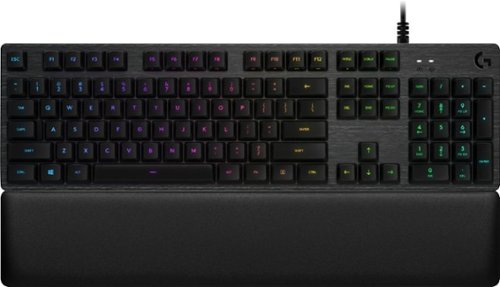
Get in the game and keep up with all the action on this Logitech gaming keyboard. The slim design fits easily with gaming setups, while LED backlit RGB mechanical keys are programmable to meet specific gaming styles. Multi-key rollover turns every shot or battle maneuver into a single motion. The cylindrical key shape of this Logitech gaming keyboard provides an easy touch and effortless interaction.