
Share YourMainDude's profile


YourMainDude
YourMainDude's stats
- Review count76
- Helpfulness votes84
- First reviewSeptember 2, 2018
- Last reviewOctober 29, 2025
- Featured reviews0
- Average rating4.3
- Review comment count44
- Helpfulness votes37
- First review commentDecember 19, 2018
- Last review commentOctober 30, 2025
- Featured review comments0
Questions
- Question count0
- Helpfulness votes0
- First questionNone
- Last questionNone
- Featured questions0
- Answer count13
- Helpfulness votes5
- First answerDecember 20, 2018
- Last answerMarch 24, 2024
- Featured answers0
- Best answers0
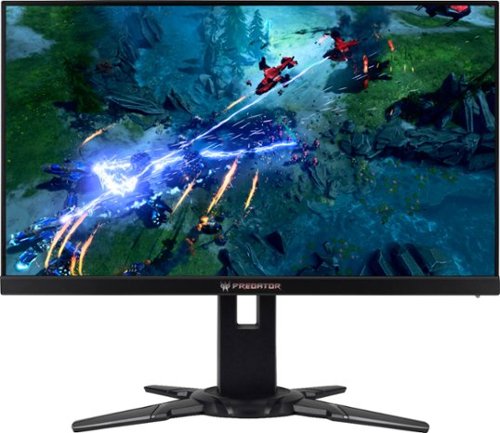
Get a better view of the enemy in dark spaces with this 27-inch Acer Predator XB2 gaming monitor. Full HD and NVIDIA G-SYNC and ULMB technology decrease blur and ghosting to make images clearer. The lightning-fast 240Hz refresh rate and 1ms response time of this Acer Predator XB2 gaming monitor mean your shot reaches the target faster.
Customer Rating

5
Not Perfect ... but ...
on October 31, 2018
Posted by: YourMainDude
from The South
This gaming monitor is not perfect by any stretch of the imagination but it comes darn close to being great and the compromises are minimal. Acer claims it approaches IPS color profile performance and I found this to be true ... even before putting my calibration colorimeter on it. Yes these TN panels can have limited off-angle viewing and various degrees of light bleed on completely blacked-out screens but I've compared a bunch of these so-called gaming monitors and this one is pretty close to the level of perfection I expect for my hard earned money. I am also cost conscious and prefer my monitors to draw 30 watts or less for the performance I am looking for. This gaming monitor meets that metric!
Important note: Make sure to adjust your Windows 10 display properties right away to reflect a minimum of 144 Hz operation or you will be unhappy with the clarity of video, text and edges of the displayed view. I forgot to do this straight away and almost returned this monitor. If you do forget to make this critical adjustment you will find that gaming performance looks fantastic but the more day-to-day stuff like watching YouTube or doing email will be perplexingly sub-par. So make the display properties change to 144 Hz (or higher if you want... because 200 Hz and 240 Hz do look marginally better at the cost of higher power consumption) and be amazed at how good this TN based monitor can look.
Sure there is a small amount of yellowing at the far extremes of the panel (off-axis color shift) but it's minimal and the newer Win 10 dark themes help to mitigate the appearance. Your tolerance to this may vary but personally I've seen many other gaming monitors in the 2K and 4K vein that have much worse screen uniformity across color, lighting and clarity. And monitors of that caliber are markedly more expensive.
I highly recommend giving this monitor a try. CoD MW Remastered looks truly amazing, as does Quake Champions - two titles I play regularly. I would also recommend that any potential buyers use one of many YouTube 'earthscape' videos shot from the international space station to check out their settings. If you have it right, the clarity is mind blowing... and this isn't even a 2K panel much less 4K.
Mobile Submission: False
I would recommend this to a friend!
Share this review:


0points
0of 0voted this as helpful.

Write your own epic odyssey and become a legendary Spartan hero. Forge your destiny in a world on the brink of tearing itself apart. Influence how history unfolds in an ever-changing world shaped by your choices.
Customer Rating
5
A Must Have ...
on October 31, 2018
Posted by: YourMainDude
from The South
Verified Purchase:Yes
A must have for any Assassin's Creed die-hard fan.
Mobile Submission: False
I would recommend this to a friend!
Share this review:


0points
0of 0voted this as helpful.

Burn DVDs and CDs with this Dell USB DVD/RW drive. Plug it into your computer's USB port to play and burn discs or to load new software onto the hard drive. This slim Dell USB DVD/RW drive fits into a tote bag, and it draws power directly from the computer's USB port for hassle-free operation.
Customer Rating

4
Works
on October 31, 2018
Posted by: YourMainDude
from The South
Verified Purchase:Yes
Works as intended. Just another external DVD drive.
Mobile Submission: False
I would recommend this to a friend!
Share this review:


0points
0of 0voted this as helpful.
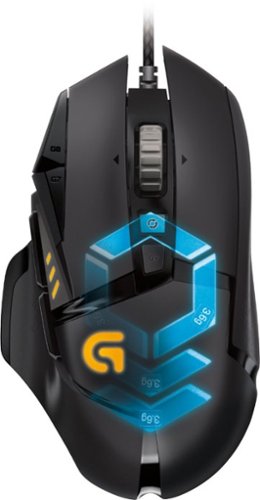
Logitech G502 Proteus Spectrum Optical Gaming Mouse: With 11 programmable buttons, tunable weight, DPI switching and customizable lighting, this mouse offers the ultimate in personalization. High-definition optical technology adds a reliable weapon to your gaming arsenal.
Customer Rating
5
Exceeded My Expectations
on October 31, 2018
Posted by: YourMainDude
from The South
Verified Purchase:Yes
Good grip, comprehensive control via the revamped 'Hub' control center, flexible weight distribution and precise response which is a must for gaming. DPI is slow on a system cold-start, which is pretty weird compared to something like the wireless 903, but I put my rig to sleep 90% of the time ... so it's tolerable. Don't pay full price... wait for a sale.
Mobile Submission: False
I would recommend this to a friend!
Share this review:


0points
0of 0voted this as helpful.

For families and small businesses who want classic Office apps and email installed on one Windows 10 PC or Mac for use at home or work. Classic 2019 versions of Office apps including Word, Excel, PowerPoint, and Outlook. Plus, OneNote for Windows 10.
Customer Rating
5
Solid
on October 31, 2018
Posted by: YourMainDude
from The South
Verified Purchase:Yes
No huge improvements over the 2016 versions but certainly solid in it's approach and a few more visual tweaks to make usage good. I also purchased Publisher directly from Microsoft to completed the suite.
Mobile Submission: False
I would recommend this to a friend!
Share this review:


0points
0of 0voted this as helpful.
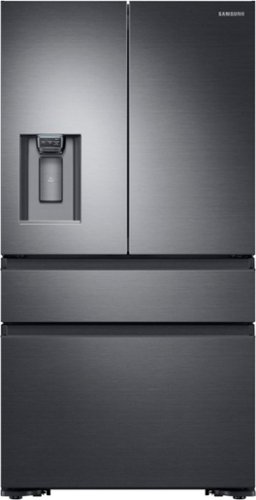
Sleek, built-in look, 22.6 cu. ft. large capacity refrigerator with FlexZone helps keep family's food organized.
Posted by: YourMainDude
from The South
We purchased the black stainless version of the fridge back in January. Although this model had been out since 2016, availability was scarce from all the major brick & mortars. Ours was delivered with a dent to the side surface of one of the drawers. Getting the replacment was a logistical nightmare as Samsung availability was as I stated, scarce and replacement parts were even harder to come by. A new fridge was finally delivered as this was the procedure to get the drawer panel replaced. Strange. And the replacement unit also arrived with a smallish dent at the bottom of the bottom drawer. Perhaps there is a production line QA issue.
In attempting to locate the drawer and seal on our own to help out - directly from Samsung - we learned how terrible Samsung USA & Samsung Parts dot com - their US based distribution contact - operated in supporting the more esoteric models like this one. These folks sent out the wrong seal and were a complete hassle to deal with. It took months to get the panel and the seal/gasket assembly in from Korea/California. And although it was easy to ascertain the required part numbers from drawings available online, Samsung Parts dot com were oblivious to what was being ordered and what was really sent.
In any event, apart from the support nightmare, we are VERY pleased with the functional design and performance of this counter depth fridge. It's quiet, it's super energy efficient and it is laid out perfectly for our needs. The color tone is a great match to our other GE Profile appliances and the surface cleans up nicely with ease. The filter cartridge system is better than many other systems and does a nice job of freshening up the dispensed water & ice. Some may complain about the volume of ice produced but we find that it is plenty for us and the system produces ice quickly. The in-drawer controls are excellent and the dispenser controls in the door are great. No drips from the spout and good performance between cubed & crushed ice. If you're looking for a counter depth refrigerator with clean lines and no protruding handles - check this model out. Just be aware that if service and/or parts are required, there may be issues with obtaining critical parts. Even with that said, we highly recommend this product...
we just hope it lasts and that the support mechanisms are improved by Samsung in the event it needs future service.
Mobile Submission: False
I would recommend this to a friend!
Share this review:


+14points
14of 14voted this as helpful.
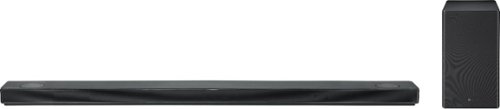
LG - 5.1.2-Channel Hi-Res Audio Sound Bar with Wireless Subwoofer and Dolby Atmos Technology - Black
Go beyond surround sound to the dynamic audio of Dolby Atmos with this LG sound bar. It produces conventional 5.1-channel sound and works with Atmos 3D audio sources and high-resolution audio for a more realistic experience. This LG sound bar works with Google Assistant and Chromecast for voice-command capability of your entertainment selections.
Overall 2 out of 5
2 out of 5eh okay
By Janet
from San Jose Ca
didnt like the fact the volume would go UP&Down constantly. when we would turn the tv off and turn back on a couple of hours later the volume would be at 65 when it was left at 20

YourMainDude
The South
Truth
December 19, 2018
So there you have it. The LG social media agent posts a link to Refrigerator support. That pretty much sums it up folks. LG is broken ... just like this sound bar.
+1point
1of 1voted this comment as helpful.
LG - 5.1.2-Channel Hi-Res Audio Sound Bar with Wireless Subwoofer and Dolby Atmos Technology - Black
Go beyond surround sound to the dynamic audio of Dolby Atmos with this LG sound bar. It produces conventional 5.1-channel sound and works with Atmos 3D audio sources and high-resolution audio for a more realistic experience. This LG sound bar works with Google Assistant and Chromecast for voice-command capability of your entertainment selections.
Overall 1 out of 5
1 out of 5P.I.T.A.
By BlackEye
from Tacoma, WA
I purchased this soundbar with the OLED C8 television and it was a pain from day one. First sound bar had display issues and would show stars all over the screen flashing on and off. Purchased new cables and even a new apple tv thinking it couldn't be the soundbar. It was indeed the soundbar. So exchanged it. The second soundbar would not recognize my gaming system. I would have to manually change the input and then sound would only play from the TV not the soundbar. The picture passed through great, but it was a huge hassle just to get to the input.
The sound was good in atmos, but the voice levels were too quiet in every mode except movie mode. Adjusting the channel levels were of no use.
For the price, and the fact that it was new LG product to new LG product, this should have been seamless.
Switched to the SONY 7.1.2 soundbar and it has been great.
I DO NOT RECOMMEND THIS FOR ANYONE.
YourMainDude
The South
For the record ...
February 17, 2019
To anyone still considering this now near end-of-life model, you can not - I repeat - you can not adjust the processing modes during Atmos playback... so this reviewer is wrong. Assuming your player is truly passing the Atmos bitstream data, this bar will display Atmos at which time you will not be able to scroll through the Bass Blast, Standard, Movie or Music modes. It's clearly stated in the user manual as well. Atmos mode in this bar defaults to Standard (Meridian) mode. Period.
+1point
1of 1voted this comment as helpful.
LG - 5.1.2-Channel Hi-Res Audio Sound Bar with Wireless Subwoofer and Dolby Atmos Technology - Black
Go beyond surround sound to the dynamic audio of Dolby Atmos with this LG sound bar. It produces conventional 5.1-channel sound and works with Atmos 3D audio sources and high-resolution audio for a more realistic experience. This LG sound bar works with Google Assistant and Chromecast for voice-command capability of your entertainment selections.
Overall5 out of 5
5 out of 5POST FIRMWARE UPDATE - Awesome soundbar, FINALLY!!
By MarcRod
from Queens, NY
I am coming back to update my a previous post. My original unit was not connecting correctly to the LG app and never acknowledged the widely discussed firmware update. I exchanged my unit at Best Buy for one that was more recent, a June 2018 build. Though it still did not have the latest firmware installed, it did allow me to connect properly via the app and download it after a few tries. Still very frustrating to use the app, but it did ultimately work. The soundbar sounds MUCH better now so I don't feel as ripped off for buying. You can still hear some center channel weakness on certain movies, but as a whole I'm VERY satisfied, especially with the separate rear speakers which IMO are a must. Shame on LG for making this update so difficult for users to install. The LG Customer Service isn't even aware of it!!!! Buyers, you need to make sure your software version reads MAIN: 18061178... That is the latest version... If it doesn't say that, you wont be able to adjust Center Channel settings via the remote. Believe me, it's been a painful month to get this so I know your pain!!! Good luck all!! The soundbar hits the ball out of the park once the firmware update is installed.
YourMainDude
The South
@EWARAGO
February 17, 2019
@EWARAGO, the answer to you question is No. They added a center channel control that doesn't actually control the Dialog objects in Atmos encoded movies. It simply boost the center channel... literally. What that does is boost dialog that fall into that front/center Atmos region and if the dialog is object mapped further back or away from center ... the center channel boost does absolutely nothing.
0points
0of 0voted this comment as helpful.

Upgrade home audio systems with this LG high-res audio sound bar. Meridian technology widens the sound field and enhances audio quality, while an up-firing speaker with Dolby Atmos technology delivers rich, immersive sound. Google Assistant integration lets this LG high-res audio sound bar recognize voice commands to control smart home devices.
Overall5 out of 5
5 out of 5Loud
By Mrdave
from Celebration, fl
Make sure your room can accommodate this. It is very loud and the sound will vibrate the pictures off of your neighbors walls and they will complain. Great product
YourMainDude
The South
Pretty thin review ...
May 12, 2019
Pretty thin review ...with little ThinQing involved.
The DPS is in this model is still broken, just like the 2018 SK10 TOTL model.
-5points
0of 5voted this comment as helpful.

Now you can game faster and more accurately, with G502 LIGHTSPEED featuring superfast 1 ms wireless connectivity. A next-gen HERO sensor delivers 25k DPI class-leading performance and energy efficiency~get up to 60 hours of uninterrupted gaming. 11 programmable buttons help you optimize gameplay with custom keybinds and macros. Primary buttons feature metal spring tensioning for fast and crisp actuation. Six adjustable weights let you find the right mouse feel. LIGHTSYNC RGB gives you ~16.8 million colors to create an exciting and immersive gaming environment. The hyper-fast scroll wheel lets you speed through long menus and documents.
Overall 3 out of 5
3 out of 5A+ on the hardware, Big F- on the software
By MadSquabbles
If it wasn't required to switch to G Hub for the Lightspeed G502 it would have been a perfect upgrade. But since it's forced it goes from a near perfect execution to a pretty interface that takes more clicks and less intuitive than the "ugly" interface of the LGS.
Having a cordless version of what is one of the most popular mice for gamers is something a lot of people have been waiting for. All the goodness of the the G502 Hero but wireless with no lag! Who could ask for more...and to put it bluntly, WHO ASKED FOR MORE???? Logitech ruined a perfect piece of software package to throw a buggy "prettier" version for the newer product models. Since this program is essential to the mouse you're forced to deal with it.
First problem: Long time user of Logitech mice so I have a large collection of macros, 5 profiles, multiple custom key combos, etc. G Hub asks if you want to import your settings from the old LGS and, of course, I clicked yes... it didn't import anything as far as I could tell. Maybe it pulled a few custom key combos like Ctrl+Tab and Ctrl+Shift+Tab for switching tabs in browsers since I saw them in the Key Assignments (not sure if they're in there by default). But nothing else was imported. Even the Default setting wasn't the same as my default in LGS. No macros, no profies, NOTHING was imported.
In the older LGS you made profiles - I had about 5 for various games and programs - the assign applications/games to each of the profiles. In G Hub you add programs then make individual profiles assigned to the apps/games. So what was previously 5 profiles with dozens of apps assigned is now a long vertical list of apps/programs with profiles assigned to each. There is no way I see to make a profile link across multiple apps/games. Suppose you change what key assignments you want and plan to do it across multiple games. It's not as easy as just editing the profile assigned those groups of games. You have to go to the first game, make changes, drag that profile to the next game, click the profile to make it the default, go back to the profile page (you can't make the profile the default profile with out going the customization page first -automatically does it when you click it to set it as defualt-, then go back to the profile assignment pages). Repeat for every app/game. This used to take one step. Edit the profile, all games assigned the profile are now updated. Each app has its own set of profiles. Any change will not affect the other profiles. In order to easily assign profiles by dragging and dropping you make a clutter of profiles. I have a "Default" (that I can't set o MY PERSONAL DEFAULT PREFERENCES across all profiles to make specific tweaks easier) plus My profile. You'll see the clutter when you edit profiles and see a long dropdown of apps and profiles in the profile editor page.
Macros are also not shared between Apps and App Profiles. If you have a macro you want to use in multiple games, you make it in one then drag that macro to the other App, then add it to the profile assignment. Again, another multi-step process that only used to take one. I use my G502 for work and play and some programs (like Adobe CC) have pretty common settings across apps, so having to go through multiple steps to achieve what I used to do it one is a pain, especially since I can't see my old settings and I have to keep going back and forth making changes as I remember them.
And talk about buggy! I have an app called "No Longer Installed" that I can't get rid of. Heck I have an app that is installed that I can't get rid of. A game I play had and update and they renamed their EXE so I removed the old app and added the new one. G Hub goes wacky and becomes unresponsive when trying to delete apps from the list. I have to force quit and relauch... I even rebooted to see if it'll fix it but no-go. So I have to deal with the fact that until an update comes around I'm gonna have ghost apps taking up space in my profile bar, which would be so bad if the add new app wasn't the last entry in the profile page. Since now I have dozens of apps in the list I have to scroll to the end of the list to get to the Add App button.
Another negative is there is no option to back up your profiles locally. I learned a long time ago to back up my profiles in LGS and G Hub doesn't have the option. There's an option to save to the cloud as long as you create an account, but I don't care about sharing with others. The first time had to spend hours of recreating macros, preferences, etc was the last time I thought I'd have to do it since I could save my profiles locally. G Hub doesn't have that option and since it can't successfully import old settings YOU MAY SPEND HOURS setting your system back up. I did (am still doing). And since you have G Hub installed you can't open LGS to look at old macros and setting to copy them. You're going all from memory.
Good thing is that after you spend hours of setting everything up you won't have to worry about having to do it again and (hopefully) they'll address some of these issues in the future.
I would have written more about the mouse itself if it weren't for the poor experience on the software. Pretty much, if you love the G502 series you'll love the wireless version, but you gotta deal with a big downgrade in the software. I'm really considering boxing up the Lightspeed because of this, but I've got a feeling we're all going to forced on G Hub eventually. Seeing as they're making Apps the primary list instead of profiles I'd probably not be wrong in assuming it's being done so they can collect data on your game list/habits to resell. Instead of seeing active profiles, now they're getting "analytics" on active games/apps.
As much as I love and wanted the LightSpeed G502 it's sad to see how badly they butchered the software. I REAALLLLYY wanted to give this a 5 star review because to mess up the g502 series mouse they'd have to try hard with the goal of messing something up... and they found a way. If you're willing to spend time doing everything over again and no having access to locally back up your settings then go for it. If you're looking for a smooth transition from your old set up to the new, you can forget it. Write down your settings, macros, profiles, etc before you install G Hub or you'll be doing everything from memory like I have been. If LGS was an option this would have been a perfect experience.
If you don't customize your mouse much with macros, profiles, custom keys, and such then upgrading may not be as big a deal as it was for me.
This is one of the toughest reviews for me. I absolutely love the new hardware, but why, WHY mess with the software??? Maybe the changes are aimed at different gamers. I could see multiple profiles per game could being useful, but in my case no-so-much. Eventually I'll get used to the new way of doing things and I'll whine less. But coming from years of using LGS to this mess is a transition I wasn't looking forward to, especially since my gaming time last night was wasted recreating settings instead of gaming.
Here to hoping the software experience improves... even so, it's hard not to recommend a wireless version of the greatest gaming mouse ever made.
YourMainDude
The South
G Hub is trash ...
May 19, 2019
G Hub has a lot of issues and Logi has issues specific to this new hardware as well. I agree, LGS is far superior.
+2points
2of 2voted this comment as helpful.
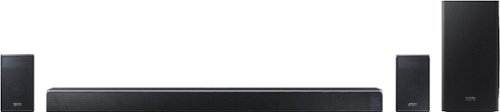
Elevate your home entertainment experience with this Samsung 7.1.4-channel soundbar system. Wi-Fi functionality enables remote control via a virtual assistant, and the wireless subwoofer and rear speakers combine to deliver an immersive audio experience. This 510W Samsung 7.1.4-channel soundbar system features Bluetooth connectivity for wireless media streaming from compatible devices.
Overall5 out of 5
5 out of 5The Soundbar for Those Who Demand the Very Best
By JimC
from Chicago, IL
The Samsung Harman/Kardon HW-Q90R is an outstanding, speaker-packed sound bar which delivers an amazing 7.1.4 sound experience worth every penny of its premium price point. Its combination of features, sound quality, aesthetics and power is simply unmatched by any other sound bar system.
All great TVs, no matter the brand, are really just a beautiful visual delivery system. The speakers in even very expensive TVs are just not comparable to the display. The solution is to add a supplemental sound bar to your TV to replace those pitiful little speakers built in to it, extending the audio range of the speakers and delivering deep bass.
The many sound bars available tend to fall into three categories – budget units (a couple of hundred dollars), mid-range systems (four to eight hundred dollars) and ultra-deluxe equipment (well over a thousand dollars.) A good rule of thumb is to spend at least half of what you spent on the TV and ideally, two-thirds or more of the cost of the TV.
The next issue is what kind of system to buy (2.0, 2.1, 3.1, 5.1 or 7.1). Those numbers indicate how many channels of stereo are created. 2.0 is traditional (left/right) stereo, 2.1 adds a separate sub-woofer, 3.1 adds a center channel, 5.1 includes side left/right speakers for better surround sound effects. Finally, 7.1 adds two speakers on the left and right but positioned behind where the listener sits. All of these systems are designed to utilize speakers at the same height as the listeners’ ears.
But in 2012 Dolby Laboratories introduced a new surround sound technology which added a third dimension to the sound experience through the use of “object-based audio.” Sound is projected with “height” speakers to a point above the listener which greatly adds to the impact and realism of big budget blockbuster movies. Rain falling or aircraft soaring through the sky feel as though they are really overhead, rather than simply coming from the screen. Dolby Atmos implements this technology through a 7.1.4 speaker arrangement. The “4” refers to the number of speakers which create sound from the top of the room (two front (left/right) height speakers plus two rear (left/right) height speakers.) Another version of this type of fully-immersive sound creation is DTS-X which uses a somewhat different approach but the same speaker arrangement. Dolby Atmos and DTS-X have become the new standards for premium movie sound.
Sorry for the long lecture, but to really appreciate the Samsung/Harman Kardon system you need to understand all of the above.
Consider this fine combination of features:
• Samsung Harman/Kardon HW-Q90R Soundbar
• 7.1.4 speaker system with four individual speaker enclosure components
• Main Sound Bar
o 13 speaker drivers: Front Left (3), Center (3), Front Right (3), Side Right, Side Left, Front Height Left, Front Height Right
o 10 18 watt amplifiers, 3 10 watt amplifiers: 210 watts of total amplification power
o 48.3” wide x 3.3” tall x 5.4” deep
o Weight: 19.4 pounds
• Sub-Woofer Speaker
o 8” driver with rear bass port
o Wireless connection
o 160 watt amplifier
o 8.1” wide x 15.9” tall x 15.9” deep
o Weight: 21.6 pounds
• Rear Surround Speakers (Left and Right)
o Rear Left and Rear Height Left, Rear Right and Rear Height Right
o Wireless connection
o 4 35 watt amplifiers: 140 watts of total amplification power
o 4.7” wide x 8.3” tall x 5.7” deep (each)
o Weight: 4.6 pounds (each)
• 510 watts of total combined amplification power
• Frequency response range: 34 Hz to 17k Hz
• Supports Dolby Atmos, Dolby Digital, Dolby Digital Plus, Dolby TrueHD, DTS-X, DTS Digital Sound, DTS-HD Master Audio
• Inputs: Optical Digital, ARC HDMI, HDMI (2), WiFi, BlueTooth
• Output effects: Standard, Surround, Game Pro, Adaptive Sound
• Digital display on main sound bar
• Optimized for integrated use with Samsung QLED televisions
• Compatible with Amazon Alexa
• Wireless LAN 802.11AC
• Samsung Harman/Kardon HW-Q90R Soundbar
• 7.1.4 speaker system with four individual speaker enclosure components
• Main Sound Bar
o 13 speaker drivers: Front Left (3), Center (3), Front Right (3), Side Right, Side Left, Front Height Left, Front Height Right
o 10 18 watt amplifiers, 3 10 watt amplifiers: 210 watts of total amplification power
o 48.3” wide x 3.3” tall x 5.4” deep
o Weight: 19.4 pounds
• Sub-Woofer Speaker
o 8” driver with rear bass port
o Wireless connection
o 160 watt amplifier
o 8.1” wide x 15.9” tall x 15.9” deep
o Weight: 21.6 pounds
• Rear Surround Speakers (Left and Right)
o Rear Left and Rear Height Left, Rear Right and Rear Height Right
o Wireless connection
o 4 35 watt amplifiers: 140 watts of total amplification power
o 4.7” wide x 8.3” tall x 5.7” deep (each)
o Weight: 4.6 pounds (each)
• 510 watts of total combined amplification power
• Frequency response range: 34 Hz to 17k Hz
• Supports Dolby Atmos, Dolby Digital, Dolby Digital Plus, Dolby TrueHD, DTS-X, DTS Digital Sound, DTS-HD Master Audio
• Inputs: Optical Digital, ARC HDMI, HDMI (2), WiFi, BlueTooth
• Output effects: Standard, Surround, Game Pro, Adaptive Sound
• Digital display on main sound bar
• Optimized for integrated use with Samsung QLED televisions
• Compatible with Amazon Alexa
• Wireless LAN 802.11AC
Included in the box are the massive 8” wireless sub-woofer, the primary sound bar itself, two wireless rear surround sound speakers, two sets of four power cords (both U.S. and European versions), a sophisticated remote control, an HDMI cable, a pair of wall brackets for the main sound bar and a set-up book.
The four speaker units are all beautifully finished in an iridescent black called “carbon silver.” They have metallic mesh covering all speaker surfaces with elegant beveled corners and a polished upper edge. The mass and detailing of these units subtly underline both the quality of the engineering and the substantial investment you have made in the system.
Set-up is remarkably easy. Just plug in the power supply to the main sound bar, the sub-woofer and the two surround speakers. Next, attach an HDMI cable from the ARC output of the sound bar to the ARC HDMI input on the television. If you have other devices attached to the TV (such as a Blu-Ray player, game system, cable box, etc.) you can leave those HDMI cables as is. Or, you can route those HDMI cables through the sound bar. However, in either case the sound bar will take over the audio function from the TV as long as it is attached to the ARC port.
The main sound bar is quite wide, nearly matching the width of my 65” TV, and packed with 13 individual speaker drivers. There are nine speakers facing you, two mid-range woofers and one tweeter each for the left, center and right channels. On each end are a side left and side right full-range speaker. On the top at each side are the two front height speakers which project upward at a slight angle toward the listener. There are 13 amplifiers, totaling 210 watts, to drive all of these speakers. (See the illustration of these speakers which I posted.) The compact height of the sound bar (3.3”) is a real plus for those who have their TVs standing on a video table rather than wall-mounted. It should not block the screen of any such TV.
The sub-woofer has a side-firing 8 inch driver supplemented by a rear bass port. It is powered by a 160 watt amplifier. The two surround speakers each have a rear speaker on the side and an angled rear height speaker on the top. Each surround speaker has a pair of 35 watt amplifiers. Both the sub-woofer and the surround speakers have a blue LED on the back to indicate that they are connected to the sound bar.
The four sound modes map the input to the speakers in different ways. “Standard” is a simple reproduction of the original format, “Surround” creates 7.1.4 sound output from any input, “Gaming” emphasizes the sound effects present in most video games. “Adaptive” keeps spoken dialog intelligible by adjusting the center channel level independently. No more wondering what that character just said as the explosions were going off! After trying all of the sound modes I decided I liked the Surround mode best and left it on that setting.
OK, so enough about the impressive technical details, how does it sound? One word: INCREDIBLE!!! Press the “on” button on the slim remote, select a sound mode (standard, surround, gaming or adaptive) and you will be immersed in sound. The first thing you will notice is that deep rich bass which had been absent from your TV speakers. You can turn of the volume on the sub-woofer to floor-shaking levels if you wish! Next, the overall sound quality is superb, very clear, distortion-free with excellent midrange and highs. The remote can adjust the treble and bass level as well as the volume of each speaker individually.
To truly appreciate it, access YouTube videos which showcase Dolby Atmos and DTS-X. Sit in a chair, directly in front of the sound bar and with the surround speakers behind you. Feel the sound move from the front, over you, around you, behind you – a completely immersive experience! I have never been more impressed with an audio product. The system does an amazing job of reproducing the full range of both Dolby Atmos and DTS-X sound files. You will be so happy when you play your 4K UHD Blu-ray movies through this system. Your home will finally reproduce that movie theater sound which you really want. And since both Netflix and Amazon Prime have incorporated Dolby Atmos into their best series, those subscriptions will seem an even better bargain.
Several added features expand the role of the sound bar beyond its use with your TV. You can connect your phone or tablet via Bluetooth. It has Alexa compatibility (but you need to supply your own Alexa controller.) It has WiFi connectivity which requires the Samsung SmartThings app to achieve networking. Why not just a simple WPS button?
What don’t I like? The main sound bar’s scrolling digital display when you change a setting is just so-so. A full digital display on the remote would be far better, showing the settings of all speakers. There are no equalizer preset sound modes (e.g., movie, sports, music, etc.) just a simple bass/treble adjustment. There is no microphone for properly balancing the speakers. No support brackets or speaker stands are included for the two surround speakers. To function properly these should be held at a certain height. I did purchase stands (see photo) to hold the two speakers, but for a system which costs more than all but the biggest big-screen TVs it seems that Samsung could have thrown in a pair of custom stands (which would have cost no more than $40.) Samsung should realize that customers who are willing to invest in a truly premium system deserve and expect all of the bells and whistles.
But, the bottom line is that the incredible sound and amazing setup simplicity of the Samsung HW-Q90R makes it the absolute best choice for 7.1.4 audio systems. It is an excellent value for serious video fans who want to enrich their audio experience to theater quality. You will find that this investment truly produces excellent returns of auditory enjoyment!
YourMainDude
The South
FYI
June 27, 2019
Via the SmartThings app, you can switch from 'Tone' controls to a multi-band equalizer. The 4 sound modes presented + this EQ capability, is above-and-beyond that which is offered by many other systems... and this system doesn't need a "Music" mode or "Movie" mode to perform. "Standard" works great for most everything, but having STANDARD, SURROUND, GAME PRO, and ADAPTIVE SOUND as choices is more than enough IMHO. Other sound bar systems need a music mode to work properly - this one doesn't.
+4points
4of 4voted this comment as helpful.
Elevate your home entertainment experience with this Samsung 7.1.4-channel soundbar system. Wi-Fi functionality enables remote control via a virtual assistant, and the wireless subwoofer and rear speakers combine to deliver an immersive audio experience. This 510W Samsung 7.1.4-channel soundbar system features Bluetooth connectivity for wireless media streaming from compatible devices.
Overall3 out of 5
3 out of 5As close to perfection as you can get...
By YourMainDude
from The South
Preface –
For soundbar reviews that are Atmos branded, I primarily use the following source material to evaluate 7.1 channel control, general object-oriented sound positioning, dynamic fidelity and Atmos dialog performance:
Dolby Laboratories own September 2015, Blu-ray demonstration disc
Game of Thrones, season seven Blu-ray disc
Justice League 4k Blu-ray disc
For soundbar reviews that are Atmos branded, I primarily use the following source material to evaluate 7.1 channel control, general object-oriented sound positioning, dynamic fidelity and Atmos dialog performance:
Dolby Laboratories own September 2015, Blu-ray demonstration disc
Game of Thrones, season seven Blu-ray disc
Justice League 4k Blu-ray disc
Dialog presentation is a super critical area of soundbar performance and an often overlooked (untested?) area. It is my professional opinion that any soundbars that don’t deliver proper positioning & balance to the other facets of the soundscape are systems that aren’t truly worth their high dollar price tags. In the +1000-dollar category, it simply makes far more sense to stick with a true AV receiver system that employs all the dedicated speakers unless you can find a soundbar that is designed & tuned to perform the same vital functions. There are only a few companies that have come close to achieving this… with Samsung being one.
Presentation -
The Samsung Q90R soundbar comes well packaged with clear instructions – for basic setup – and it is keenly organized in the relatively smallish packaging considering the aggregate weight of all the components. The remote control, like so many of its competitors, is not backlit – but to be quite honest, I like the ergonomics Samsung has designed into their remote – so I can forgive the lack of any backlighting. The sub is substantial and solidly constructed, with a rectangular footprint that should make it easy to tuck behind furniture. The real value in this package is the inclusion of up-firing drivers in the rear surrounds. And these rear surrounds are the closest thing you can get to truly wireless surrounds – with no speaker wires between the sub and the satellites. All you have is the power cords to each individual speaker. I personally like this design aspect. Samsung wisely designed their matrix ‘status’ display to be verbose & informative AND enabling it to automatically turn completely OFF after several seconds. In other words, this soundbar goes blacked out, monolith mode once you’ve put down the remote.
The Samsung Q90R soundbar comes well packaged with clear instructions – for basic setup – and it is keenly organized in the relatively smallish packaging considering the aggregate weight of all the components. The remote control, like so many of its competitors, is not backlit – but to be quite honest, I like the ergonomics Samsung has designed into their remote – so I can forgive the lack of any backlighting. The sub is substantial and solidly constructed, with a rectangular footprint that should make it easy to tuck behind furniture. The real value in this package is the inclusion of up-firing drivers in the rear surrounds. And these rear surrounds are the closest thing you can get to truly wireless surrounds – with no speaker wires between the sub and the satellites. All you have is the power cords to each individual speaker. I personally like this design aspect. Samsung wisely designed their matrix ‘status’ display to be verbose & informative AND enabling it to automatically turn completely OFF after several seconds. In other words, this soundbar goes blacked out, monolith mode once you’ve put down the remote.
Initial Setup -
Setup was simple & straightforward but not issue free. For one, the SmartThings mobile app is OK but has pitfalls in the way it was designed. Once you’ve set up the system the 1st time, any attempt to connect to a different wireless network requires a full-on, hard resetting of the device. The option in the app to modify the wireless settings is grayed out. I ventured over to the Samsung SmartThings and AV forums and was met with an abundance of unhelpful chatter. Nowhere in the user manual or online is one able to find clear instructions on Wi-Fi login in procedures. I’m assigning an immediate single star demerit for this glaring oversight. Why have the option in the mobile app if it’s not going to be enabled? And why should a hard reset be required to simply change Wi-Fi login settings?
I attribute this situation to the flawed thinking of the Internet of Things and app developer’s disregard for ‘ease of use’ and a simplified user experience.
Pairing between the main soundbar, the subwoofer and the satellites is all automatic – straight out of the box. But problems with synchronization losses can & will ensue – and are widely reported on the internet forums and on the review pages of the Samsung product page.
More on that later…
Setup was simple & straightforward but not issue free. For one, the SmartThings mobile app is OK but has pitfalls in the way it was designed. Once you’ve set up the system the 1st time, any attempt to connect to a different wireless network requires a full-on, hard resetting of the device. The option in the app to modify the wireless settings is grayed out. I ventured over to the Samsung SmartThings and AV forums and was met with an abundance of unhelpful chatter. Nowhere in the user manual or online is one able to find clear instructions on Wi-Fi login in procedures. I’m assigning an immediate single star demerit for this glaring oversight. Why have the option in the mobile app if it’s not going to be enabled? And why should a hard reset be required to simply change Wi-Fi login settings?
I attribute this situation to the flawed thinking of the Internet of Things and app developer’s disregard for ‘ease of use’ and a simplified user experience.
Pairing between the main soundbar, the subwoofer and the satellites is all automatic – straight out of the box. But problems with synchronization losses can & will ensue – and are widely reported on the internet forums and on the review pages of the Samsung product page.
More on that later…
Performance -
Upon setting this system up with my Xbox One & my 4k Blu-ray player, I recognized that Samsung dedicated the resources to getting dialog decoding properly setup on this flagship model. Using my reference discs, I immediately went right into all the battle scenes in ‘Game of Thrones’ season 7. Dialog during these Atmos(pheric) soundscapes is a tough act for many competitors to manage. When Daenerys is riding bareback on the dragon and commands it to breath fire down on the vulnerable army of warriors, you should be able to clearly hear her utter those words. ‘Dracarys’ You should also be able to perceive distance and position between the screams, the shouts and the spurious dialog between actors… with consistent clarity, no matter the positioning. You’ll recognize a poor design straight away as you hear dramatic musical content, roaring car engines and loud explosions swamp over voices, making them incomprehensible. It’s a great test method – and GOT discs help reveal deficiencies with skill & precision. This sound bar handles dialog perfectly. Next up, I always defer to the engineers over at Dolby Laboratories. Their demo discs can offer an abundance of insight on just how well (…or not) an AV equipment manufacturer has followed the ‘rules’ in constructing their DSP hardware & software. You can start by using the channel tests available on their demo discs. I always grab a seat on the couch and run through the 7.1 and 9.1 speaker tests. Even though this system is NOT a 9.1 system, you should still be able to perceive the relative locations of the side- speakers in a phantom way. I was amazed just how well the Samsung Q90R positioned these phantom channels with balance & precision. Just try that test on many of the other competing products! The last bits of testing I do with the Dolby demo disc includes playing the various music samples, movie clips and Dolby animation shorts. On the Samsung Q90R, everything is presented with a near ‘theater like’ character. It honestly left me breathless the first day I ran through all these demos. Samsung should be commended for paying such close attention to the Dolby specifications. Finally, I always run through a series of super hero movies – including ‘Justice League’. At this point I still pay close attention to dialog presentation, but I also take note of sound movement, bass articulation (punch) and overall tonal balance. Again, this soundbar is truly amazing. Having owned & demo’d quite a few different soundbars over the past several years – and some are indeed good – none even come close to the staging, the impact and the dialog performance of the Q90R. I spent a good amount of time also using Rhapsody, Bluetooth direct streaming and watching downloaded music video content – and this sound bar does a really great job of punching out music, while at the same time providing great fidelity across ALL music genres and sources.
And it does this in Standard mode. This soundbar doesn’t have a ‘Music’ setting and I was a bit disappointed when I first read that in the manual, but from what I can see (…and hear) now – it really doesn’t need it.
Upon setting this system up with my Xbox One & my 4k Blu-ray player, I recognized that Samsung dedicated the resources to getting dialog decoding properly setup on this flagship model. Using my reference discs, I immediately went right into all the battle scenes in ‘Game of Thrones’ season 7. Dialog during these Atmos(pheric) soundscapes is a tough act for many competitors to manage. When Daenerys is riding bareback on the dragon and commands it to breath fire down on the vulnerable army of warriors, you should be able to clearly hear her utter those words. ‘Dracarys’ You should also be able to perceive distance and position between the screams, the shouts and the spurious dialog between actors… with consistent clarity, no matter the positioning. You’ll recognize a poor design straight away as you hear dramatic musical content, roaring car engines and loud explosions swamp over voices, making them incomprehensible. It’s a great test method – and GOT discs help reveal deficiencies with skill & precision. This sound bar handles dialog perfectly. Next up, I always defer to the engineers over at Dolby Laboratories. Their demo discs can offer an abundance of insight on just how well (…or not) an AV equipment manufacturer has followed the ‘rules’ in constructing their DSP hardware & software. You can start by using the channel tests available on their demo discs. I always grab a seat on the couch and run through the 7.1 and 9.1 speaker tests. Even though this system is NOT a 9.1 system, you should still be able to perceive the relative locations of the side- speakers in a phantom way. I was amazed just how well the Samsung Q90R positioned these phantom channels with balance & precision. Just try that test on many of the other competing products! The last bits of testing I do with the Dolby demo disc includes playing the various music samples, movie clips and Dolby animation shorts. On the Samsung Q90R, everything is presented with a near ‘theater like’ character. It honestly left me breathless the first day I ran through all these demos. Samsung should be commended for paying such close attention to the Dolby specifications. Finally, I always run through a series of super hero movies – including ‘Justice League’. At this point I still pay close attention to dialog presentation, but I also take note of sound movement, bass articulation (punch) and overall tonal balance. Again, this soundbar is truly amazing. Having owned & demo’d quite a few different soundbars over the past several years – and some are indeed good – none even come close to the staging, the impact and the dialog performance of the Q90R. I spent a good amount of time also using Rhapsody, Bluetooth direct streaming and watching downloaded music video content – and this sound bar does a really great job of punching out music, while at the same time providing great fidelity across ALL music genres and sources.
And it does this in Standard mode. This soundbar doesn’t have a ‘Music’ setting and I was a bit disappointed when I first read that in the manual, but from what I can see (…and hear) now – it really doesn’t need it.
I’ll now cover syncing issues and audio drops – as it is a commonly reported set of issues on the internet. With a little bit of digging, anyone can find Samsung’s explanation that this system uses 5 GHz wireless bands to link up the pieces. And because of this, Wi-Fi interference problems are pretty much unavoidable. On a few occasions, I noticed that the subwoofer & rear speakers wouldn’t turn off. The subwoofer power LED remained blue and the rear speakers flashed blue. I also experienced subwoofer & independent rear channel disconnects in the middle of movies and it turned into a completely frustrating experience. For the first week or so I had to resort to unplugging the subwoofer from the wall to get the system back up and running. But once I took a closer look at it, I repositioned my router & access points to the best of my ability and also stopped using Wi-Fi on my Blu-ray player, FireTV & Xbox One and my experience dramatically improved. This isn’t to say that Samsung doesn’t have linking issues – but having too many Wi-Fi connected devices in close proximity to the sound bar and/or in the line-of-sight paths on the sound bar mesh is an area where owners can somethings help things. So, before anyone throws in the towel, or rushes to return the gear out of frustration– take a closer look at your wireless environment and see if there are some adjustments you can make first. It’s worth the effort. As a side note, I noticed things that having a smart phone near one of the rear speakers with Wi-Fi being active or a family member using a laptop computer on the couch, in the middle of the sound bar’s wireless path, causes the sub & rear channels to drop. Everyone’s Wi-Fi environment is different. I don’t completely fault Samsung on these issues. There are too many variables involved. No demerit for this wireless performance – because sound bars are inherently prone to these issues. I also noticed that the firmware version on the product support page doesn’t remotely match the firmware version reported by the SmartThings app. Another demerit.
Summary -
This sound bar system is truly amazing. Atmos dialog is clear and properly placed. Overall sound staging is near ‘theater quality’ and the subwoofer/rear speaker sound-field contributions are THE best I’ve experienced. From movies, to music – starting with stereo sources and all the way up to 7.1.4 Dolby & DTS sound tracks – this system has one of the best – if not THE best – DSP designs currently available. Build quality of this system is apparent from the moment you unbox everything. The remote is one of the best designs out there – lack of backlighting notwithstanding. There are issues with wireless interoperability and firmware confusion, but those issues can be addressed, and they aren’t things that would prevent me from recommending this system.
This sound bar system is truly amazing. Atmos dialog is clear and properly placed. Overall sound staging is near ‘theater quality’ and the subwoofer/rear speaker sound-field contributions are THE best I’ve experienced. From movies, to music – starting with stereo sources and all the way up to 7.1.4 Dolby & DTS sound tracks – this system has one of the best – if not THE best – DSP designs currently available. Build quality of this system is apparent from the moment you unbox everything. The remote is one of the best designs out there – lack of backlighting notwithstanding. There are issues with wireless interoperability and firmware confusion, but those issues can be addressed, and they aren’t things that would prevent me from recommending this system.
Pros:
Stellar DSP performance – for all source material.
Switchable EQ; you can choose tone control or multiband equalizer (in the app)
Solid build quality.
An ergonomically superior remote; intuitive to use.
A status display that actually goes completely dark when not needed.
Plenty of power to fill even a very large Great Room.
Relatively easy to set up…
Stellar DSP performance – for all source material.
Switchable EQ; you can choose tone control or multiband equalizer (in the app)
Solid build quality.
An ergonomically superior remote; intuitive to use.
A status display that actually goes completely dark when not needed.
Plenty of power to fill even a very large Great Room.
Relatively easy to set up…
Cons:
… goofy SmartThings app.
Firmware versions are confusing and the update process unclear.
Subwoofer and rear speaker disconnection issues.
… goofy SmartThings app.
Firmware versions are confusing and the update process unclear.
Subwoofer and rear speaker disconnection issues.
YourMainDude
The South
To Samsung Brand Response
July 1, 2019
What are you referring to with "Ver 1008"? The SmartThings app doesn't show any version 1008 firmware update available. And the manual download doesn't work.
+3points
3of 3voted this comment as helpful.
Elevate your home entertainment experience with this Samsung 7.1.4-channel soundbar system. Wi-Fi functionality enables remote control via a virtual assistant, and the wireless subwoofer and rear speakers combine to deliver an immersive audio experience. This 510W Samsung 7.1.4-channel soundbar system features Bluetooth connectivity for wireless media streaming from compatible devices.
Overall3 out of 5
3 out of 5As close to perfection as you can get...
By YourMainDude
from The South
Preface –
For soundbar reviews that are Atmos branded, I primarily use the following source material to evaluate 7.1 channel control, general object-oriented sound positioning, dynamic fidelity and Atmos dialog performance:
Dolby Laboratories own September 2015, Blu-ray demonstration disc
Game of Thrones, season seven Blu-ray disc
Justice League 4k Blu-ray disc
For soundbar reviews that are Atmos branded, I primarily use the following source material to evaluate 7.1 channel control, general object-oriented sound positioning, dynamic fidelity and Atmos dialog performance:
Dolby Laboratories own September 2015, Blu-ray demonstration disc
Game of Thrones, season seven Blu-ray disc
Justice League 4k Blu-ray disc
Dialog presentation is a super critical area of soundbar performance and an often overlooked (untested?) area. It is my professional opinion that any soundbars that don’t deliver proper positioning & balance to the other facets of the soundscape are systems that aren’t truly worth their high dollar price tags. In the +1000-dollar category, it simply makes far more sense to stick with a true AV receiver system that employs all the dedicated speakers unless you can find a soundbar that is designed & tuned to perform the same vital functions. There are only a few companies that have come close to achieving this… with Samsung being one.
Presentation -
The Samsung Q90R soundbar comes well packaged with clear instructions – for basic setup – and it is keenly organized in the relatively smallish packaging considering the aggregate weight of all the components. The remote control, like so many of its competitors, is not backlit – but to be quite honest, I like the ergonomics Samsung has designed into their remote – so I can forgive the lack of any backlighting. The sub is substantial and solidly constructed, with a rectangular footprint that should make it easy to tuck behind furniture. The real value in this package is the inclusion of up-firing drivers in the rear surrounds. And these rear surrounds are the closest thing you can get to truly wireless surrounds – with no speaker wires between the sub and the satellites. All you have is the power cords to each individual speaker. I personally like this design aspect. Samsung wisely designed their matrix ‘status’ display to be verbose & informative AND enabling it to automatically turn completely OFF after several seconds. In other words, this soundbar goes blacked out, monolith mode once you’ve put down the remote.
The Samsung Q90R soundbar comes well packaged with clear instructions – for basic setup – and it is keenly organized in the relatively smallish packaging considering the aggregate weight of all the components. The remote control, like so many of its competitors, is not backlit – but to be quite honest, I like the ergonomics Samsung has designed into their remote – so I can forgive the lack of any backlighting. The sub is substantial and solidly constructed, with a rectangular footprint that should make it easy to tuck behind furniture. The real value in this package is the inclusion of up-firing drivers in the rear surrounds. And these rear surrounds are the closest thing you can get to truly wireless surrounds – with no speaker wires between the sub and the satellites. All you have is the power cords to each individual speaker. I personally like this design aspect. Samsung wisely designed their matrix ‘status’ display to be verbose & informative AND enabling it to automatically turn completely OFF after several seconds. In other words, this soundbar goes blacked out, monolith mode once you’ve put down the remote.
Initial Setup -
Setup was simple & straightforward but not issue free. For one, the SmartThings mobile app is OK but has pitfalls in the way it was designed. Once you’ve set up the system the 1st time, any attempt to connect to a different wireless network requires a full-on, hard resetting of the device. The option in the app to modify the wireless settings is grayed out. I ventured over to the Samsung SmartThings and AV forums and was met with an abundance of unhelpful chatter. Nowhere in the user manual or online is one able to find clear instructions on Wi-Fi login in procedures. I’m assigning an immediate single star demerit for this glaring oversight. Why have the option in the mobile app if it’s not going to be enabled? And why should a hard reset be required to simply change Wi-Fi login settings?
I attribute this situation to the flawed thinking of the Internet of Things and app developer’s disregard for ‘ease of use’ and a simplified user experience.
Pairing between the main soundbar, the subwoofer and the satellites is all automatic – straight out of the box. But problems with synchronization losses can & will ensue – and are widely reported on the internet forums and on the review pages of the Samsung product page.
More on that later…
Setup was simple & straightforward but not issue free. For one, the SmartThings mobile app is OK but has pitfalls in the way it was designed. Once you’ve set up the system the 1st time, any attempt to connect to a different wireless network requires a full-on, hard resetting of the device. The option in the app to modify the wireless settings is grayed out. I ventured over to the Samsung SmartThings and AV forums and was met with an abundance of unhelpful chatter. Nowhere in the user manual or online is one able to find clear instructions on Wi-Fi login in procedures. I’m assigning an immediate single star demerit for this glaring oversight. Why have the option in the mobile app if it’s not going to be enabled? And why should a hard reset be required to simply change Wi-Fi login settings?
I attribute this situation to the flawed thinking of the Internet of Things and app developer’s disregard for ‘ease of use’ and a simplified user experience.
Pairing between the main soundbar, the subwoofer and the satellites is all automatic – straight out of the box. But problems with synchronization losses can & will ensue – and are widely reported on the internet forums and on the review pages of the Samsung product page.
More on that later…
Performance -
Upon setting this system up with my Xbox One & my 4k Blu-ray player, I recognized that Samsung dedicated the resources to getting dialog decoding properly setup on this flagship model. Using my reference discs, I immediately went right into all the battle scenes in ‘Game of Thrones’ season 7. Dialog during these Atmos(pheric) soundscapes is a tough act for many competitors to manage. When Daenerys is riding bareback on the dragon and commands it to breath fire down on the vulnerable army of warriors, you should be able to clearly hear her utter those words. ‘Dracarys’ You should also be able to perceive distance and position between the screams, the shouts and the spurious dialog between actors… with consistent clarity, no matter the positioning. You’ll recognize a poor design straight away as you hear dramatic musical content, roaring car engines and loud explosions swamp over voices, making them incomprehensible. It’s a great test method – and GOT discs help reveal deficiencies with skill & precision. This sound bar handles dialog perfectly. Next up, I always defer to the engineers over at Dolby Laboratories. Their demo discs can offer an abundance of insight on just how well (…or not) an AV equipment manufacturer has followed the ‘rules’ in constructing their DSP hardware & software. You can start by using the channel tests available on their demo discs. I always grab a seat on the couch and run through the 7.1 and 9.1 speaker tests. Even though this system is NOT a 9.1 system, you should still be able to perceive the relative locations of the side- speakers in a phantom way. I was amazed just how well the Samsung Q90R positioned these phantom channels with balance & precision. Just try that test on many of the other competing products! The last bits of testing I do with the Dolby demo disc includes playing the various music samples, movie clips and Dolby animation shorts. On the Samsung Q90R, everything is presented with a near ‘theater like’ character. It honestly left me breathless the first day I ran through all these demos. Samsung should be commended for paying such close attention to the Dolby specifications. Finally, I always run through a series of super hero movies – including ‘Justice League’. At this point I still pay close attention to dialog presentation, but I also take note of sound movement, bass articulation (punch) and overall tonal balance. Again, this soundbar is truly amazing. Having owned & demo’d quite a few different soundbars over the past several years – and some are indeed good – none even come close to the staging, the impact and the dialog performance of the Q90R. I spent a good amount of time also using Rhapsody, Bluetooth direct streaming and watching downloaded music video content – and this sound bar does a really great job of punching out music, while at the same time providing great fidelity across ALL music genres and sources.
And it does this in Standard mode. This soundbar doesn’t have a ‘Music’ setting and I was a bit disappointed when I first read that in the manual, but from what I can see (…and hear) now – it really doesn’t need it.
Upon setting this system up with my Xbox One & my 4k Blu-ray player, I recognized that Samsung dedicated the resources to getting dialog decoding properly setup on this flagship model. Using my reference discs, I immediately went right into all the battle scenes in ‘Game of Thrones’ season 7. Dialog during these Atmos(pheric) soundscapes is a tough act for many competitors to manage. When Daenerys is riding bareback on the dragon and commands it to breath fire down on the vulnerable army of warriors, you should be able to clearly hear her utter those words. ‘Dracarys’ You should also be able to perceive distance and position between the screams, the shouts and the spurious dialog between actors… with consistent clarity, no matter the positioning. You’ll recognize a poor design straight away as you hear dramatic musical content, roaring car engines and loud explosions swamp over voices, making them incomprehensible. It’s a great test method – and GOT discs help reveal deficiencies with skill & precision. This sound bar handles dialog perfectly. Next up, I always defer to the engineers over at Dolby Laboratories. Their demo discs can offer an abundance of insight on just how well (…or not) an AV equipment manufacturer has followed the ‘rules’ in constructing their DSP hardware & software. You can start by using the channel tests available on their demo discs. I always grab a seat on the couch and run through the 7.1 and 9.1 speaker tests. Even though this system is NOT a 9.1 system, you should still be able to perceive the relative locations of the side- speakers in a phantom way. I was amazed just how well the Samsung Q90R positioned these phantom channels with balance & precision. Just try that test on many of the other competing products! The last bits of testing I do with the Dolby demo disc includes playing the various music samples, movie clips and Dolby animation shorts. On the Samsung Q90R, everything is presented with a near ‘theater like’ character. It honestly left me breathless the first day I ran through all these demos. Samsung should be commended for paying such close attention to the Dolby specifications. Finally, I always run through a series of super hero movies – including ‘Justice League’. At this point I still pay close attention to dialog presentation, but I also take note of sound movement, bass articulation (punch) and overall tonal balance. Again, this soundbar is truly amazing. Having owned & demo’d quite a few different soundbars over the past several years – and some are indeed good – none even come close to the staging, the impact and the dialog performance of the Q90R. I spent a good amount of time also using Rhapsody, Bluetooth direct streaming and watching downloaded music video content – and this sound bar does a really great job of punching out music, while at the same time providing great fidelity across ALL music genres and sources.
And it does this in Standard mode. This soundbar doesn’t have a ‘Music’ setting and I was a bit disappointed when I first read that in the manual, but from what I can see (…and hear) now – it really doesn’t need it.
I’ll now cover syncing issues and audio drops – as it is a commonly reported set of issues on the internet. With a little bit of digging, anyone can find Samsung’s explanation that this system uses 5 GHz wireless bands to link up the pieces. And because of this, Wi-Fi interference problems are pretty much unavoidable. On a few occasions, I noticed that the subwoofer & rear speakers wouldn’t turn off. The subwoofer power LED remained blue and the rear speakers flashed blue. I also experienced subwoofer & independent rear channel disconnects in the middle of movies and it turned into a completely frustrating experience. For the first week or so I had to resort to unplugging the subwoofer from the wall to get the system back up and running. But once I took a closer look at it, I repositioned my router & access points to the best of my ability and also stopped using Wi-Fi on my Blu-ray player, FireTV & Xbox One and my experience dramatically improved. This isn’t to say that Samsung doesn’t have linking issues – but having too many Wi-Fi connected devices in close proximity to the sound bar and/or in the line-of-sight paths on the sound bar mesh is an area where owners can somethings help things. So, before anyone throws in the towel, or rushes to return the gear out of frustration– take a closer look at your wireless environment and see if there are some adjustments you can make first. It’s worth the effort. As a side note, I noticed things that having a smart phone near one of the rear speakers with Wi-Fi being active or a family member using a laptop computer on the couch, in the middle of the sound bar’s wireless path, causes the sub & rear channels to drop. Everyone’s Wi-Fi environment is different. I don’t completely fault Samsung on these issues. There are too many variables involved. No demerit for this wireless performance – because sound bars are inherently prone to these issues. I also noticed that the firmware version on the product support page doesn’t remotely match the firmware version reported by the SmartThings app. Another demerit.
Summary -
This sound bar system is truly amazing. Atmos dialog is clear and properly placed. Overall sound staging is near ‘theater quality’ and the subwoofer/rear speaker sound-field contributions are THE best I’ve experienced. From movies, to music – starting with stereo sources and all the way up to 7.1.4 Dolby & DTS sound tracks – this system has one of the best – if not THE best – DSP designs currently available. Build quality of this system is apparent from the moment you unbox everything. The remote is one of the best designs out there – lack of backlighting notwithstanding. There are issues with wireless interoperability and firmware confusion, but those issues can be addressed, and they aren’t things that would prevent me from recommending this system.
This sound bar system is truly amazing. Atmos dialog is clear and properly placed. Overall sound staging is near ‘theater quality’ and the subwoofer/rear speaker sound-field contributions are THE best I’ve experienced. From movies, to music – starting with stereo sources and all the way up to 7.1.4 Dolby & DTS sound tracks – this system has one of the best – if not THE best – DSP designs currently available. Build quality of this system is apparent from the moment you unbox everything. The remote is one of the best designs out there – lack of backlighting notwithstanding. There are issues with wireless interoperability and firmware confusion, but those issues can be addressed, and they aren’t things that would prevent me from recommending this system.
Pros:
Stellar DSP performance – for all source material.
Switchable EQ; you can choose tone control or multiband equalizer (in the app)
Solid build quality.
An ergonomically superior remote; intuitive to use.
A status display that actually goes completely dark when not needed.
Plenty of power to fill even a very large Great Room.
Relatively easy to set up…
Stellar DSP performance – for all source material.
Switchable EQ; you can choose tone control or multiband equalizer (in the app)
Solid build quality.
An ergonomically superior remote; intuitive to use.
A status display that actually goes completely dark when not needed.
Plenty of power to fill even a very large Great Room.
Relatively easy to set up…
Cons:
… goofy SmartThings app.
Firmware versions are confusing and the update process unclear.
Subwoofer and rear speaker disconnection issues.
… goofy SmartThings app.
Firmware versions are confusing and the update process unclear.
Subwoofer and rear speaker disconnection issues.
YourMainDude
The South
@BrettA
July 6, 2019
Brett, I attempted to load 1008 via download and it didn't do anything. Samsung even tried walking me through it - with no luck. I now have an open ticket.
So did you actually see the version number as 1008 popping up on SmartThings?
So did you actually see the version number as 1008 popping up on SmartThings?
+2points
2of 2voted this comment as helpful.
Elevate your home entertainment experience with this Samsung 7.1.4-channel soundbar system. Wi-Fi functionality enables remote control via a virtual assistant, and the wireless subwoofer and rear speakers combine to deliver an immersive audio experience. This 510W Samsung 7.1.4-channel soundbar system features Bluetooth connectivity for wireless media streaming from compatible devices.
Overall4 out of 5
4 out of 5Buggy
By BrettA
This is an amazing sounding soundbar, but Samsung released or before it was ready. The Samsung support is so bad and unresponsive to do many complaints from people globally. But in the end they updated the firmware to fix the major problems in the US, but other parts of the world are still waiting. Even still there are issues with the firmware design, in my opinion, especially how it all requires the use of their SmartThings app, which is horrible piece of junk app.
YourMainDude
The South
Version 1008.0
July 6, 2019
Brett,
Did 1008.0 actually show up verbose on the SmartThings app - for you?
I attempted the flash drive method of 1008 (with Samsung AV tech support over my shoulder...) and it didn't take.
SmartThings reports a 622 version on my bar with no update available...
I attempted the flash drive method of 1008 (with Samsung AV tech support over my shoulder...) and it didn't take.
SmartThings reports a 622 version on my bar with no update available...
0points
0of 0voted this comment as helpful.
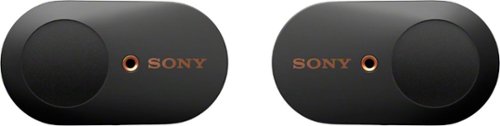
Get peace and quiet anywhere with these Sony truly wireless noise-cancelling earbuds. An advanced HD noise-cancelling processor blocks distracting background noise so you can focus in noisy environments, and Bluetooth connectivity ensures easy use with smartphones and other devices. These Sony truly wireless noise-cancelling earbuds include a convenient charging case that offers up to 24 hours of use per charge.
Overall5 out of 5
5 out of 5World class
By Capshroud
from Lawrence
Sony can absolutely build some beautiful and high tech products, and these in-ear headphones are just that. The build quality of the earphone and the charging case is superb. The appearance is sexy and modern, and along with that, the sound quality is the best I’ve heard from earbuds.
The packaging is very nice but not overdone. The instructions are minimalist for sure, but if you install the Sony Headphones app as instructed, it will lead you through the setup and pairing. I found the process easy and painless, and the pairing worked on the first attempt. The app also lets you shape and control the sound and reassign a couple of button functions. It also lets you set the amount of ambient sound passed through, turn ambient off, and turn noise canceling on. That selection can also be changed by the touchpads on the buds. However, the same button press is used to cycle these selections or to trigger Google Assistant, so you have to decide which function you want at your fingertip. The app is the only method to shape sound and equalization, but there are a number of presets, and they all can be modified. You can absolutely make these guys sound the way you want, and that sound is fabulous.
The buttons on the buds are capacitive touch and not physical buttons. That would make you think that these earphones are waterproof, but not so. If you’re working out and get very sweaty, these may not be for you. In my mind, they are aimed at daily work, commuting, relaxing and phone use. They even have the ability to detect the environmental noise level and adjust the amount of ambient sound passed through. If you use the foam earbud covers to seal them to your ears, the noise canceling is better then many over the ear headphones. BTW, they include two types of ear inserts in three sizes each.
The case will completely recharge the buds up to three times, so with a 6-8 hour per charge running time (noise-canceling cuts the run time) and three charges, you’re good for a long while. The case also has NFC, so you can quickly pair to any particular device with a touch.
Controlling ambient and noise-canceling are the areas were these Sony wireless in-ear headphones are absolutely the leader and probably in a class their own. I think the sound and music quality is equal to the best anyone offers in earbuds wired or not. These are first-class earphones.
YourMainDude
The South
Correction
July 22, 2019
Bose does the best noise cancellation. Period.
And they charge a fortune for it.
And they charge a fortune for it.
0points
0of 0voted this comment as helpful.
YourMainDude's Questions
YourMainDude has not submitted any questions.

Heighten your gaming experience with this VR-ready NVIDIA GeForce RTX Founders Edition graphics card. The NVIDIA Turing architecture incorporates real-time ray tracing and AI features for enhanced realism, and the 8GB of memory supports peak resolutions and frame rates. Dual-axial 13-blade fans and a vapor chamber keep this NVIDIA GeForce RTX Founders Edition graphics card cool and quiet.
Will this PCI Express 3.1 x16 card work in PCI Express 3.0x16 slot? Limitations?
3.1 specs are presented to make this card - what they call - future proof. That said, saturating a PCI 3.0 link isn't even a thing yet - 3.1 is simply a marketing push. Believe it or not, this card performs just as well at 3.0 x 8 as it does if allowed to link at 3.0 x 16.
7 years, 4 months ago
by
YourMainDude
Heighten your gaming experience with this VR-ready NVIDIA GeForce RTX Founders Edition graphics card. The NVIDIA Turing architecture incorporates real-time ray tracing and AI features for enhanced realism, and the 8GB of memory supports peak resolutions and frame rates. Dual-axial 13-blade fans and a vapor chamber keep this NVIDIA GeForce RTX Founders Edition graphics card cool and quiet.
The image for this card shows a DVI-D connector. The specifications only lists HDMI and DisplayPort. I need DVI-D and have found adapters to not work or provide sub par resolutions. Which is accurate? Pic or Specs?

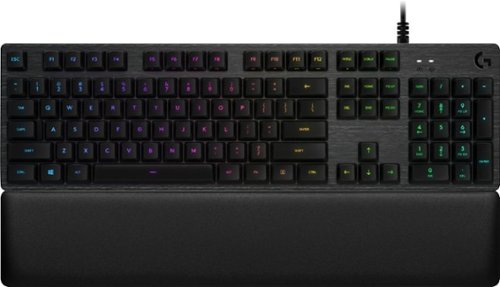
Get in the game and keep up with all the action on this Logitech gaming keyboard. The slim design fits easily with gaming setups, while LED backlit RGB mechanical keys are programmable to meet specific gaming styles. Multi-key rollover turns every shot or battle maneuver into a single motion. The cylindrical key shape of this Logitech gaming keyboard provides an easy touch and effortless interaction.