
Share YourMainDude's profile


YourMainDude
YourMainDude's stats
- Review count76
- Helpfulness votes84
- First reviewSeptember 2, 2018
- Last reviewOctober 29, 2025
- Featured reviews0
- Average rating4.3
- Review comment count44
- Helpfulness votes37
- First review commentDecember 19, 2018
- Last review commentOctober 30, 2025
- Featured review comments0
Questions
- Question count0
- Helpfulness votes0
- First questionNone
- Last questionNone
- Featured questions0
- Answer count13
- Helpfulness votes5
- First answerDecember 20, 2018
- Last answerMarch 24, 2024
- Featured answers0
- Best answers0
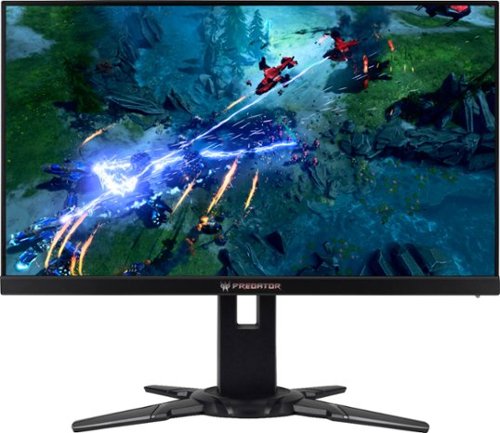
Get a better view of the enemy in dark spaces with this 27-inch Acer Predator XB2 gaming monitor. Full HD and NVIDIA G-SYNC and ULMB technology decrease blur and ghosting to make images clearer. The lightning-fast 240Hz refresh rate and 1ms response time of this Acer Predator XB2 gaming monitor mean your shot reaches the target faster.
Customer Rating

5
Not Perfect ... but ...
on October 31, 2018
Posted by: YourMainDude
from The South
This gaming monitor is not perfect by any stretch of the imagination but it comes darn close to being great and the compromises are minimal. Acer claims it approaches IPS color profile performance and I found this to be true ... even before putting my calibration colorimeter on it. Yes these TN panels can have limited off-angle viewing and various degrees of light bleed on completely blacked-out screens but I've compared a bunch of these so-called gaming monitors and this one is pretty close to the level of perfection I expect for my hard earned money. I am also cost conscious and prefer my monitors to draw 30 watts or less for the performance I am looking for. This gaming monitor meets that metric!
Important note: Make sure to adjust your Windows 10 display properties right away to reflect a minimum of 144 Hz operation or you will be unhappy with the clarity of video, text and edges of the displayed view. I forgot to do this straight away and almost returned this monitor. If you do forget to make this critical adjustment you will find that gaming performance looks fantastic but the more day-to-day stuff like watching YouTube or doing email will be perplexingly sub-par. So make the display properties change to 144 Hz (or higher if you want... because 200 Hz and 240 Hz do look marginally better at the cost of higher power consumption) and be amazed at how good this TN based monitor can look.
Sure there is a small amount of yellowing at the far extremes of the panel (off-axis color shift) but it's minimal and the newer Win 10 dark themes help to mitigate the appearance. Your tolerance to this may vary but personally I've seen many other gaming monitors in the 2K and 4K vein that have much worse screen uniformity across color, lighting and clarity. And monitors of that caliber are markedly more expensive.
I highly recommend giving this monitor a try. CoD MW Remastered looks truly amazing, as does Quake Champions - two titles I play regularly. I would also recommend that any potential buyers use one of many YouTube 'earthscape' videos shot from the international space station to check out their settings. If you have it right, the clarity is mind blowing... and this isn't even a 2K panel much less 4K.
Mobile Submission: False
I would recommend this to a friend!
Share this review:


0points
0of 0voted this as helpful.

Write your own epic odyssey and become a legendary Spartan hero. Forge your destiny in a world on the brink of tearing itself apart. Influence how history unfolds in an ever-changing world shaped by your choices.
Customer Rating
5
A Must Have ...
on October 31, 2018
Posted by: YourMainDude
from The South
Verified Purchase:Yes
A must have for any Assassin's Creed die-hard fan.
Mobile Submission: False
I would recommend this to a friend!
Share this review:


0points
0of 0voted this as helpful.
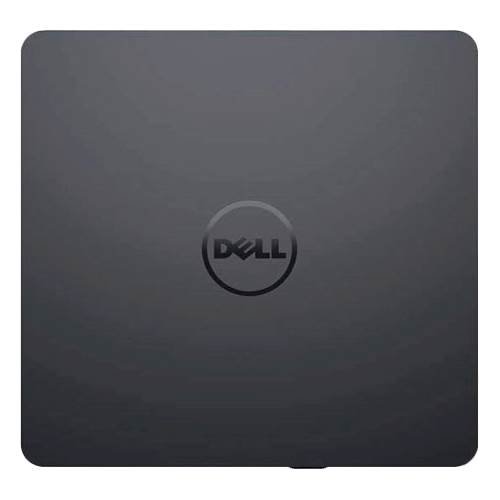
Burn DVDs and CDs with this Dell USB DVD/RW drive. Plug it into your computer's USB port to play and burn discs or to load new software onto the hard drive. This slim Dell USB DVD/RW drive fits into a tote bag, and it draws power directly from the computer's USB port for hassle-free operation.
Customer Rating

4
Works
on October 31, 2018
Posted by: YourMainDude
from The South
Verified Purchase:Yes
Works as intended. Just another external DVD drive.
Mobile Submission: False
I would recommend this to a friend!
Share this review:


0points
0of 0voted this as helpful.
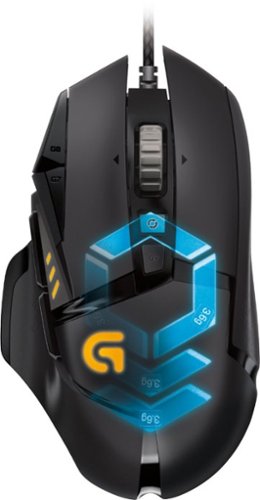
Logitech G502 Proteus Spectrum Optical Gaming Mouse: With 11 programmable buttons, tunable weight, DPI switching and customizable lighting, this mouse offers the ultimate in personalization. High-definition optical technology adds a reliable weapon to your gaming arsenal.
Customer Rating
5
Exceeded My Expectations
on October 31, 2018
Posted by: YourMainDude
from The South
Verified Purchase:Yes
Good grip, comprehensive control via the revamped 'Hub' control center, flexible weight distribution and precise response which is a must for gaming. DPI is slow on a system cold-start, which is pretty weird compared to something like the wireless 903, but I put my rig to sleep 90% of the time ... so it's tolerable. Don't pay full price... wait for a sale.
Mobile Submission: False
I would recommend this to a friend!
Share this review:


0points
0of 0voted this as helpful.
For families and small businesses who want classic Office apps and email installed on one Windows 10 PC or Mac for use at home or work. Classic 2019 versions of Office apps including Word, Excel, PowerPoint, and Outlook. Plus, OneNote for Windows 10.
Customer Rating
5
Solid
on October 31, 2018
Posted by: YourMainDude
from The South
Verified Purchase:Yes
No huge improvements over the 2016 versions but certainly solid in it's approach and a few more visual tweaks to make usage good. I also purchased Publisher directly from Microsoft to completed the suite.
Mobile Submission: False
I would recommend this to a friend!
Share this review:


0points
0of 0voted this as helpful.
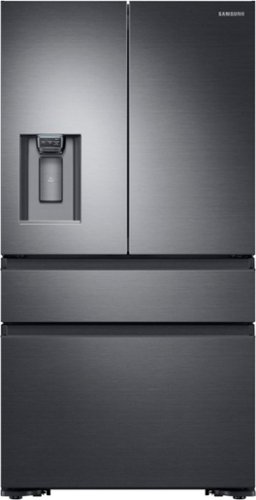
Sleek, built-in look, 22.6 cu. ft. large capacity refrigerator with FlexZone helps keep family's food organized.
Posted by: YourMainDude
from The South
We purchased the black stainless version of the fridge back in January. Although this model had been out since 2016, availability was scarce from all the major brick & mortars. Ours was delivered with a dent to the side surface of one of the drawers. Getting the replacment was a logistical nightmare as Samsung availability was as I stated, scarce and replacement parts were even harder to come by. A new fridge was finally delivered as this was the procedure to get the drawer panel replaced. Strange. And the replacement unit also arrived with a smallish dent at the bottom of the bottom drawer. Perhaps there is a production line QA issue.
In attempting to locate the drawer and seal on our own to help out - directly from Samsung - we learned how terrible Samsung USA & Samsung Parts dot com - their US based distribution contact - operated in supporting the more esoteric models like this one. These folks sent out the wrong seal and were a complete hassle to deal with. It took months to get the panel and the seal/gasket assembly in from Korea/California. And although it was easy to ascertain the required part numbers from drawings available online, Samsung Parts dot com were oblivious to what was being ordered and what was really sent.
In any event, apart from the support nightmare, we are VERY pleased with the functional design and performance of this counter depth fridge. It's quiet, it's super energy efficient and it is laid out perfectly for our needs. The color tone is a great match to our other GE Profile appliances and the surface cleans up nicely with ease. The filter cartridge system is better than many other systems and does a nice job of freshening up the dispensed water & ice. Some may complain about the volume of ice produced but we find that it is plenty for us and the system produces ice quickly. The in-drawer controls are excellent and the dispenser controls in the door are great. No drips from the spout and good performance between cubed & crushed ice. If you're looking for a counter depth refrigerator with clean lines and no protruding handles - check this model out. Just be aware that if service and/or parts are required, there may be issues with obtaining critical parts. Even with that said, we highly recommend this product...
we just hope it lasts and that the support mechanisms are improved by Samsung in the event it needs future service.
Mobile Submission: False
I would recommend this to a friend!
Share this review:


+14points
14of 14voted this as helpful.
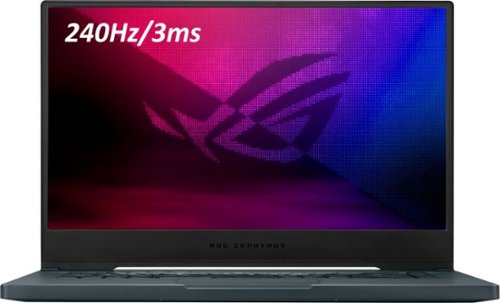
ASUS ROG Zephyrus M15 Gaming Laptop: Increase your productivity with this 15.6-inch Full HD ASUS Notebook laptop. Wi-Fi and Bluetooth technology ensure seamless pairing with compatible devices, while the Intel Core i7 processor and 16GB of RAM provide powerful performance. This ASUS Notebook laptop has a 1TB SSD for ample storage and rapid boots, and the NVIDIA GeForce RTX 2070 Max-Q graphics deliver crisp visuals.
Overall5 out of 5
5 out of 5Great Overall Computer
By FlyKen
I ordered this Computer when Bestbuy first offered it, the week of June 1, 2020. At the time I also owned what I would call the previous generation of this computer, the GU502GV-BI7N10, which BestBuy also sells, its in the same price range as this computer. I wanted to compare the two in Benchmark testing and upgrade options.
During the benchmark testing between this computer and the GU502GV, the CPU performance was noticeable better in this computer. This computer has the 10th gen I7 and the GU502GV has the 9th gen I7
When I did benchmark testing on the graphics card, the 2070 on this computer did slightly better then the 2060 found on the GU502GV.
This computer and the GU502GV have similar motherboard layouts. With the option to upgrade the ram and add a second SSD -
I put in a second SSD on this computer, the 1TB Samsung EVO.
This computer comes with a onboard 8GB ram module and a removable 8GB ram module. The GU502GV has an onboard 16GB module with an open slot for addition ram.
The information I was able to find for max ram for both computers is as follows.
This computer motherboard can have ram upgraded to 48GB, I am currently running 24GB
GU502GV can be upgraded to 32GB
Battery Life is similar. Both lasting around 4.5 to 5.5 hrs for normal use and 1.5 to 2 hrs with gaming.
Both have the option for USB C charging. This computer does come with thunderbolt unlike the GU502GV.
ASUS has four different modes of performance on both computers. Silent, Performance, Turbo, and Manual. When the computers enter into Turbo mode the fans can get pretty loud but that is expected due to the heat the CPU and GPU are putting out. This computer in my opinion does a better job with fan management then the GU502GV.
For the body difference they are almost identical besides the GU502GV having a metal lid, which is nice but leaves finger prints all over it.
Both computers are great performing machines but if you have the extra couple bucks for this computer versus the GU502GV. I would highly recommend this computer, since this is the one i decided to keep.
Game on!

YourMainDude
The South
Avoid
June 14, 2020
Armoury Crate ecosystem is complete garbage and Asus technical support is fail.
-3points
0of 3voted this comment as helpful.

Get a new take on security, with the latest indoor 1080p FHD Wi-Fi security camera. Small and lightweight in design, this camera gives users the flexibility of multiple placement options along with a simple set-up and installation process. See more and know more with an ultra-wide 135~ diagonal field of view and night vision capabilities. Pan and tilt to cover larger areas so you don~t miss out on the most important details. Be aware when you~re not there with person detection technology, which will notify you when a person is detected.
Overall4 out of 5
4 out of 5Impressive
By YourMainDude
from The South
The Lorex – Indoor, Pan – Tilt – Zoom is impressive.
Having fiddled around with a number of different security cameras, I was eager to try out what Lorex had to offer – not having any experience with their products. The Indoor, Pan – Tilt – Zoom Security Camera far exceeded my expectations.
From the moment I opened the packaging, I could tell this was a solid product. It feels well-constructed in the hands and doesn’t feel at all cheap.
Set up was quick and smooth. I immediately replaced the provided microSD card with a Sandisk 400 GB, Class 10 flash chip. The instructions gave the impression that the internal memory controller was limited to 256 GB but I can attest to the fact the camera recognized and formatted the full available capacity of my microSD … coming in just over 377 GB. Thumbs up!
This camera requires the use of a mobile app and I am always a bit apprehensive going into product demo’s where apps are the glue that makes everything Go. In this case I was shocked & quite impressed. The setup guides you through the entire process simply & with ease, automatically directing the customer to point their mobile device to the QR code located on the bottom of the unit. The camera was recognized quickly. Setting up the Lorex account and adding WiFi credentials was also quick & painless.
Once the camera was operational and I was swiping through the app I noticed how almost everything seems logical, organized and seemingly ‘in the right’ place. This app is much better than what I’ve experienced from other competing products… so kudos to the app designers at Lorex.
The wealth of settings, from an easily controlled privacy mode to the settings for People detection and motion tracking, to setting up scheduled recordings – all made sense to me straight away. You can enable audio recording as well as use this device for two-way communication. Wasn’t expecting that feature. Very cool. You can also do still photo grabs with ease. I really can’t think of any additional features I’d want in a single, standalone security camera at this price point.
The Lorex – Indoor, Pan – Tilt – Zoom Security camera has one of the best HD images I’ve seen on my Samsung S10. The on-the-fly zoom is responsive and only loses a lot of image quality on extreme zoom ins... but still good @ this price point.
I do have some complaints and concerns but hopefully future firmware updates will improve these ‘performance based’ aspects of the The Lorex – Indoor, Pan – Tilt – Zoom Security camera.
I did notice lag and slowness to the overall motion tracking experience. I would have thought the AI stuff built into this security camera would have been crisper & more reactive. More importantly, if you use the scroll wheel (think original iPod…) function built into the app, the pan & tilt is even slower to respond. I don’t see using these aspects of the camera once it is properly placed, but I am still left with the impression that these controls – over a localized home network – could be more responsive. In any event, these sluggishness aspects weren’t enough on their own merits to ding the review a Star. What did (does) make me penalize my review is that along the way, and for some unknown reason, the camera stopped detecting movement (motion) and/or recognizing people thereby, not triggering a detection notification and not tracking anything. I tried disabling and enabling motion tracking to no avail. It took a complete resetting of the device and adding it back into my Lorex (app) account to get it to work again. I only noticed this once in the 5-day time span I had to review this camera. Hopefully this was just a software/firmware glitch that will be improved upon in future software updates.
All-in-all I am very impressed with The Lorex – Indoor, Pan – Tilt – Zoom Security Camera and truly believe it will fulfill the needs of a vast number of customers. The non-cloud/local (expandable) storage platform is great. The app overall is well thought out and well designed as a result. The depth of customization is clearly superior to many other products in the price segment and the build quality is solid.
Pros:
Expandable, local only storage.
Well-engineered mobile app.
Outstanding HD and better than usual night vision clarity.
Well-engineered mobile app.
Outstanding HD and better than usual night vision clarity.
Cons:
The ethernet port is for ‘service only’ which I think is kind of a detriment.
The tracking and app control performance can be sluggish at times but I think that is an area that will be improved upon with future software updates.
More and more companies going the route of diminutive 'quick setup' guides in-the-box. The Lorex web served 'full manual' is kind of clunky but there if you need it.
The tracking and app control performance can be sluggish at times but I think that is an area that will be improved upon with future software updates.
More and more companies going the route of diminutive 'quick setup' guides in-the-box. The Lorex web served 'full manual' is kind of clunky but there if you need it.
YourMainDude
The South
A Quick Follow-up
August 14, 2020
For anyone interested in archival & playback efforts relating to the captured video content on the Lorex - Indoor Pan, Tilt and Zoom Wi-Fi Network Security Camera, Lorex does offer a free, stand-alone program (executable) tool that allows the customer to playback video files on a PC or Mac. The file format is .dav and the playback quality of the files from the microSD card using 'Lorex Player Lite' is quite good. The program is small in size, portable and doesn't need to be installed in the Windows environment.
Can't comment on it's usage in the Mac OS realm... perhaps others will chime in. It should be noted that Lorex was once part of FLIR - the infrared camera company. This very likely contributes to the high quality of the imaging system. They are now owned by Dahua.
Can't comment on it's usage in the Mac OS realm... perhaps others will chime in. It should be noted that Lorex was once part of FLIR - the infrared camera company. This very likely contributes to the high quality of the imaging system. They are now owned by Dahua.
+3points
3of 3voted this comment as helpful.
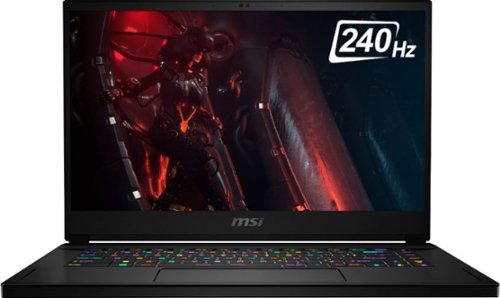
Edge ahead of the pack with this MSI Stealth gaming laptop. The NVIDIA GeForce RTX 2070 Max-Q graphics card delivers stutter-free, paired with 240hz refresh 3ms screen for fluid gameplay, while the Intel Core i7 processor and 16GB of RAM power through resource-intensive titles. Featuring a 1TB SSD, this MSI Stealth gaming laptop offers ample storage for your files and ultrafast startups.
Overall 1 out of 5
1 out of 5No Quality Control at MSI....Very Sad!
By Tommy
Have gone through 7 MSI laptops with Best Buy, all with hardware and software defects. Both MSI GS66 Stealths had horrible screen bleeding. So bad it wasn’t even worth playing games with dark scenes and movies with black letter box bars...how distracting! Besides the screen bleeding, I also had tons of software issues and bugs, as you can see from the pictures. Also, every single MSI laptop I bought had fingerprints, scratches, dust everywhere, and crazy bad chassis defects. Very sad considering the price of the GE66 Raider and GS66 Stealth.
The quality control at MSI seems to truly be non existent and I have yet to hear anything from them in regards to these issues. Not surprised unfortunately. One of the units was obviously used as it didn’t have any of the protective plastic on the back of the screen and ports like my fiend who bought the same unit. I was also unable to register the product on the MSI website cause it was used. I truly don’t get how there are all these amazing, stellar, positive reviews for these laptops? Very interesting considering what I went through.
I have 100% always purchased all my computers and tech from Best Buy. Unfortunately, I no longer have the peace of mind to do so anymore..... not when you’re spending over 2K. I will say this. Their customer service is amazing and still is. That is actually the one positive thing I experienced through all of this. Thank you Best Buy for having some of the BEST customer service out there. I don’t blame you at all, I blame MSI.
In a nutshell....go with ASUS. The company seems to have a lot better quality control and I have yet to experience any screen bleeding, OS errors / bugs like I did with all the MSI units. The units with ASUS also come brand new with no scratches, fingerprints, dust, etc.
YourMainDude
The South
Asus is just as bad...
October 31, 2020
It's all anecdotal
+1point
1of 1voted this comment as helpful.
Edge ahead of the pack with this MSI Stealth gaming laptop. The NVIDIA GeForce RTX 2070 Max-Q graphics card delivers stutter-free, paired with 240hz refresh 3ms screen for fluid gameplay, while the Intel Core i7 processor and 16GB of RAM power through resource-intensive titles. Featuring a 1TB SSD, this MSI Stealth gaming laptop offers ample storage for your files and ultrafast startups.
Overall4 out of 5
4 out of 5Try again msi
By baconator4lyfe
Had to knock off one star due to same issues as the previous models. The fans are super high-pitch. And they use the cheapest thermal compound possible. The cpu always runs hot. I mean.. it just idles at 55-60° Celsius. The gpu fans stay off until needed. But the cpu fan runs 24/7. You CAN manually adjust the fans to stay off until it gets warm but it never cools off anyway. I think its due to undervolting being locked. I tried with tutorials to be able to undervolt the cpu but I just simply couldn't. And the Dragon Center software is hot garbage.. So I returned it.
Anyways.. build quality is amazing. Screen was very nice. Battery life was god tier. You can expect about 8-10 hours on very light use (watching youtube). Track pad and keyboard were good. The steel series software was WAY more difficult than it needed to be.
Anyways.. build quality is amazing. Screen was very nice. Battery life was god tier. You can expect about 8-10 hours on very light use (watching youtube). Track pad and keyboard were good. The steel series software was WAY more difficult than it needed to be.
YourMainDude
The South
I Concur
November 6, 2020
I Concur, the CPU fan (not sure which one because there are actually two...) has a measurable pure tone (high pitch) that is fairly steady around the 1kHZ frequency - which is completely unacceptable in quiet, content creator settings. Neither "Silent" mode or ultimate battery mode kill the pitch. Look, people don't need explanation that high powered gaming laptops have loud fans under load - that whooshing sound it common across ALL high end laptops - but the fixed & constant pure tones is defect in design. I returned my GS66 because the Asus M15 has better fan designs that are pitchy.
+5points
5of 5voted this comment as helpful.
Edge ahead of the pack with this MSI Stealth gaming laptop. The NVIDIA GeForce RTX 2070 Max-Q graphics card delivers stutter-free, paired with 240hz refresh 3ms screen for fluid gameplay, while the Intel Core i7 processor and 16GB of RAM power through resource-intensive titles. Featuring a 1TB SSD, this MSI Stealth gaming laptop offers ample storage for your files and ultrafast startups.
Overall5 out of 5
5 out of 5Great laptop for students
By Anthony
I found this laptop while searching for a powerful laptop that could last me through the day while at college. So far I have been quite happy with my purchase.
The good
- great performance
- not bad temperatures for a notebook and excellent temperatures with coolerboost on
- fans can be very quiet when not under load (more on that later)
- sleek, easy to carry design
- comfortable keyboard
- nice screen
- battery can last a long time if settings are configured to extend it (dim the screen, battery saver, change fan profile, and lower refresh rate to 60hz)
- great performance
- not bad temperatures for a notebook and excellent temperatures with coolerboost on
- fans can be very quiet when not under load (more on that later)
- sleek, easy to carry design
- comfortable keyboard
- nice screen
- battery can last a long time if settings are configured to extend it (dim the screen, battery saver, change fan profile, and lower refresh rate to 60hz)
The bad
- mainly just the coil whine. Personally I believe it is because when it is not under load the fans are practically inaudible, so they do not drown out the sound. If you have any background noise, it is not really noticeable and when under load it is never audible. That said if you can hear it, it will drive you insane. I think the rest of the laptop holds up well enough to overlook this though.
- mainly just the coil whine. Personally I believe it is because when it is not under load the fans are practically inaudible, so they do not drown out the sound. If you have any background noise, it is not really noticeable and when under load it is never audible. That said if you can hear it, it will drive you insane. I think the rest of the laptop holds up well enough to overlook this though.
YourMainDude
The South
1kHz Prominent Pure Tone
December 4, 2020
It's not coil whine, it's commutation noise from one of the CPU fans. It's prominent and pretty much fixed around 1kHz. (most likely the smaller of the two CPU fans...)
0points
0of 0voted this comment as helpful.
Edge ahead of the pack with this MSI Stealth gaming laptop. The NVIDIA GeForce RTX 2070 Max-Q graphics card delivers stutter-free, paired with 240hz refresh 3ms screen for fluid gameplay, while the Intel Core i7 processor and 16GB of RAM power through resource-intensive titles. Featuring a 1TB SSD, this MSI Stealth gaming laptop offers ample storage for your files and ultrafast startups.
Overall1 out of 5
1 out of 5Fan sound dreadful
By JH11
The noise (fans I assume) was intolerable. I didn't even try to use the machine because it was so bad. The fans were whirring non stop with a tinny sound even with CPU usage at 4%. Unfortunately I can't upload video of laptop/sound here. Returning to the store.
YourMainDude
The South
1kHz Prominent Pure Tone
December 8, 2020
A 1kHz Prominent Pure Tone from one of the two CPU fans. In layman terms, that means an annoying high pitch.
0points
0of 0voted this comment as helpful.

Geek Squad~ Certified Refurbished products are thoroughly, painstakingly and lovingly tested, so you can be sure that your device will work right, right away. Learn more about Geek Squad~ Certified Refurbished products.Enjoy clear, detailed sound with these refurbished Mystic Black Samsung Galaxy Buds Live true wireless earbuds. The active noise-canceling feature reduces ambient sounds for enhanced audio clarity, while the rechargeable battery supports up to 8 hours of playback. These Samsung Galaxy Buds Live true wireless earbuds boast built-in microphones for hands-free calls.
Overall5 out of 5
5 out of 5Dependable
By Samsung
I have owned many of ear buds but the features these have out do them all. The way I lost my last pair was I fell asleep with them in and one fell out and the dog chewed it up. Lol not with these they stay put.
YourMainDude
The South
Funny Story
February 8, 2021
Made me laugh
0points
0of 0voted this comment as helpful.
Edge ahead of the pack with this MSI Stealth gaming laptop. The NVIDIA GeForce RTX 2070 Max-Q graphics card delivers stutter-free, paired with 240hz refresh 3ms screen for fluid gameplay, while the Intel Core i7 processor and 16GB of RAM power through resource-intensive titles. Featuring a 1TB SSD, this MSI Stealth gaming laptop offers ample storage for your files and ultrafast startups.
Overall1 out of 5
1 out of 5Too many issues
By Moon
Too many issues. Bloat ware, nvidia optimus, NOISE,
Hinge and closing detection, buggy software and etc.
Better stay off, save your time.
Hinge and closing detection, buggy software and etc.
Better stay off, save your time.
YourMainDude
The South
Noise Confirmed
February 21, 2021
1kHz discrete pure tone emanates from left-side fan. Silent mode or manual fan controls cannot compensate.
0points
0of 0voted this comment as helpful.
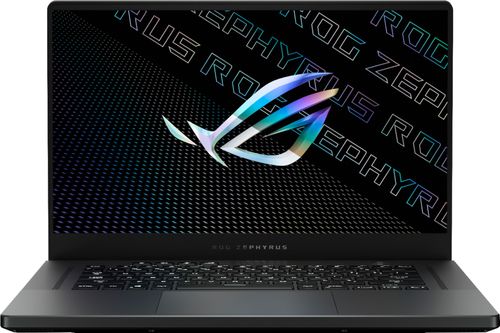
ASUS ROG Zephyrus Gaming Laptop. Enjoy everyday gaming with this ASUS notebook PC. The AMD Ryzen 9 processor and 16GB of RAM let you run graphics-heavy games smoothly, while the potent NVIDIA GeForce RTX 3070 graphics produce high-quality visuals on the fast 15.6-inch 165hz QHD display. This ASUS notebook PC has 1TD SSD that shortens load times and offers ample storage.
Overall4 out of 5
4 out of 5Great at gaming, but struggles at multitasking?
By NewbieEnthusiast
Pros:
This laptop is a beast coming from my MacBook Pro 2015 Retina 13”. It can run GTA V at 80+ and Apex at 120+ Both on Ultra Settings. It runs Osu at 440 FPS but I think that the display caps at 165 so it’s kind of overkill. I have ZERO complaints about it gaming. I don’t hear the fans because I’m wearing some good headphones and using the inline mic/3.5mm port.
This laptop is a beast coming from my MacBook Pro 2015 Retina 13”. It can run GTA V at 80+ and Apex at 120+ Both on Ultra Settings. It runs Osu at 440 FPS but I think that the display caps at 165 so it’s kind of overkill. I have ZERO complaints about it gaming. I don’t hear the fans because I’m wearing some good headphones and using the inline mic/3.5mm port.
Ehhhs:
I was concerned how the vents blow the hottest air right onto the display but if ASUS thought it wasn’t of concern I guess it’s ok. I also wouldn’t recommend anyone to touch the middle part just in front of the screen where the system monitoring lights are (between the two vents) but that’s easily avoidable.
I was concerned how the vents blow the hottest air right onto the display but if ASUS thought it wasn’t of concern I guess it’s ok. I also wouldn’t recommend anyone to touch the middle part just in front of the screen where the system monitoring lights are (between the two vents) but that’s easily avoidable.
Cons:
My only concern is a multitasking issue. I have updated all my drivers and updated the BIOS using the MyASUS app. When I am on a Zoom call, which is when I need it work the most reliably, if I have another application such as Chrome running with Zoom on the same desktop or a separate one, Zoom will hang and freeze, and I will lose connection to the Zoom call. This is a huge issue, something I hadn’t experienced before on even my 5 year old MacBook. I hope ASUS fixes this in a future update because until that time I have to stare blankly at people’s faces with no way to browse Reddit in the background at the risk of losing connection.
My only concern is a multitasking issue. I have updated all my drivers and updated the BIOS using the MyASUS app. When I am on a Zoom call, which is when I need it work the most reliably, if I have another application such as Chrome running with Zoom on the same desktop or a separate one, Zoom will hang and freeze, and I will lose connection to the Zoom call. This is a huge issue, something I hadn’t experienced before on even my 5 year old MacBook. I hope ASUS fixes this in a future update because until that time I have to stare blankly at people’s faces with no way to browse Reddit in the background at the risk of losing connection.
Just a super small issue: the RGB keyboard is great, the first one I’ve owned in my life, but why does the down arrow key/Page Down key have the light a different hue? Like the whole keyboard will be white backlit, but the down arrow is tinged different. Please see my pictures.
YourMainDude
The South
Suggestion
March 2, 2021
Try uninstalling Sonic Studio and another other Asus audio-bloat software and see if your multi-tasking performance greatly improves. If it does, use something like Boom3D instead. Yes, that will cost you a few bucks but it's totally worth it.
+2points
2of 2voted this comment as helpful.
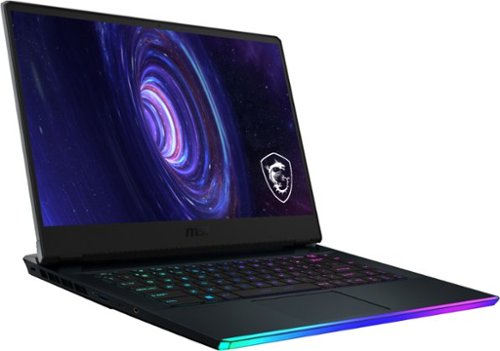
Game like a pro with this MSI Raider gaming laptop. The Intel Core i7 processor and 32GB of RAM run graphic-intensive games smoothly, while the 1TB SSD offers rapid start-ups and ample storage space. This MSI Raider gaming laptop has an NVIDIA GeForce RTX 3070 graphics card, which produces detailed images on the 15.6-inch Full HD screen for advanced gameplay.
Overall4 out of 5
4 out of 5Excellent higher-end gaming laptop
By paranoia2mb
Great gaming laptop! The GeForce RTX 3070 definitely gives it a push into the higher-end category for sure. No coil whine noises in any mode, the LED lightbar is actually very cool looking. 32GB of RAM standard definitely gives you plenty to do graphic design + video editing, so this is a great creator's laptop as well. Cooling solutions work really well so the laptop doesn't get too hot.
The only issue (and it's kind of my fault), is that I wanted to upgrade to add an additional NVME SSD. The back panel has a "factory" sticker on it that MSI says doesn't actually void the warranty, so it's kind of odd that it is even there. The back panel is insanely difficult to remove. Once I got it off after taking out all the screws and using some plastic prying tools, the SSD install was super easy--kudos to MSI.
Unfortunately, trying to get the plastic case back on did not go well. Just about all of the plastic tabs broke off trying to get this thing back on--not kidding, ALL of them, the ones that hook in by the lightbar. Who came up with this insane design?! I have NEVER encountered this kind of difficulty with the back panel of a laptop before.
I got all the little plastic chips out of the computer thankfully, but now the back case is a bit floppy because, well, there are no tabs holding it in on the lightbar side. I reached out to MSI Support and they're sending me a new back panel--FOR $87!!! What can I say? It's my fault I guess.. but it still stings.
If you don't want to upgrade anything on the laptop and don't intend on taking off the back panel to upgrade, you'll love this thing. If you want to add an NVME, you might be looking at an $87 do-over.
YourMainDude
The South
Good Info
April 4, 2021
Glad you shared your unfortunate experience with the bottom panel. You helped me to make the right decision.
-1point
0of 1voted this comment as helpful.
YourMainDude's Questions
YourMainDude has not submitted any questions.

Heighten your gaming experience with this VR-ready NVIDIA GeForce RTX Founders Edition graphics card. The NVIDIA Turing architecture incorporates real-time ray tracing and AI features for enhanced realism, and the 8GB of memory supports peak resolutions and frame rates. Dual-axial 13-blade fans and a vapor chamber keep this NVIDIA GeForce RTX Founders Edition graphics card cool and quiet.
Will this PCI Express 3.1 x16 card work in PCI Express 3.0x16 slot? Limitations?
3.1 specs are presented to make this card - what they call - future proof. That said, saturating a PCI 3.0 link isn't even a thing yet - 3.1 is simply a marketing push. Believe it or not, this card performs just as well at 3.0 x 8 as it does if allowed to link at 3.0 x 16.
7 years, 4 months ago
by
YourMainDude
Heighten your gaming experience with this VR-ready NVIDIA GeForce RTX Founders Edition graphics card. The NVIDIA Turing architecture incorporates real-time ray tracing and AI features for enhanced realism, and the 8GB of memory supports peak resolutions and frame rates. Dual-axial 13-blade fans and a vapor chamber keep this NVIDIA GeForce RTX Founders Edition graphics card cool and quiet.
The image for this card shows a DVI-D connector. The specifications only lists HDMI and DisplayPort. I need DVI-D and have found adapters to not work or provide sub par resolutions. Which is accurate? Pic or Specs?

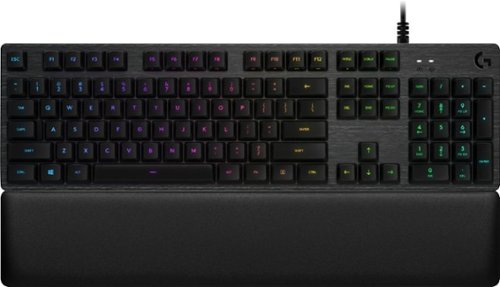
Get in the game and keep up with all the action on this Logitech gaming keyboard. The slim design fits easily with gaming setups, while LED backlit RGB mechanical keys are programmable to meet specific gaming styles. Multi-key rollover turns every shot or battle maneuver into a single motion. The cylindrical key shape of this Logitech gaming keyboard provides an easy touch and effortless interaction.