
Share Bryan's profile


Bryan
Bryan's stats
- Review count62
- Helpfulness votes3
- First reviewJuly 30, 2018
- Last reviewJanuary 2, 2026
- Featured reviews0
- Average rating4.4
Reviews comments
- Review comment count0
- Helpfulness votes0
- First review commentNone
- Last review commentNone
- Featured review comments0
Questions
- Question count0
- Helpfulness votes0
- First questionNone
- Last questionNone
- Featured questions0
Answers
- Answer count0
- Helpfulness votes0
- First answerNone
- Last answerNone
- Featured answers0
- Best answers0
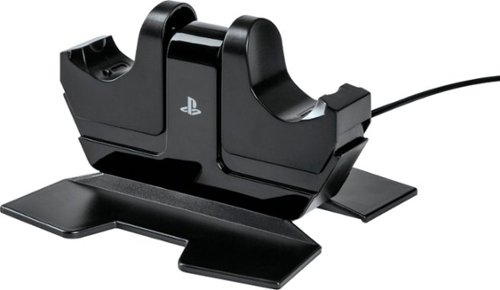
Charge and display your DUALSHOCK 4 wireless controllers with the officially licensed Charging Station for PlayStation 4. Charging is an ease - Simply place the DUALSHOCK 4 on either side of the station, and click down to see the LED base light up to indicate charging level. When fully charged, click down to release contact and simply leave the controller on the station. Feel confident your controllers are always ready to game as it charges on display alongside of your PS4 console
Customer Rating

4
works great, replacement
on July 30, 2018
Posted by: Bryan
Verified Purchase:Yes
This product works well. I had to replace one I already had because one of the chargers stopped working.
Mobile Submission: False
I would recommend this to a friend!
Share this review:


0points
0of 0voted this as helpful.
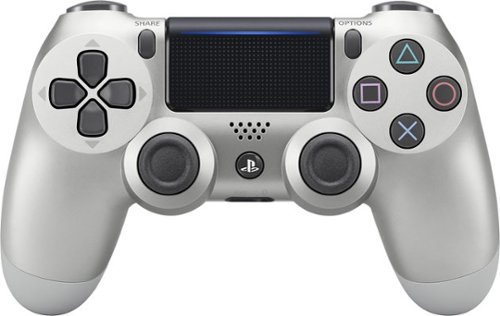
Game more effectively with this DualShock 4 wireless controller for the PlayStation 4. The analog sticks and ergonomic trigger buttons let you control your movements precisely, and DualShock technology provides realistic, rumbling feedback as you play. This DualShock 4 wireless controller has an internal speaker for immersed audio feedback and a light bar to let you play in dark rooms.
Customer Rating
4
cool color, sleek design
on July 30, 2018
Posted by: Bryan
Verified Purchase:Yes
color looks great, although the two tones are very obviously different from front to back.
Mobile Submission: False
I would recommend this to a friend!
Share this review:


0points
0of 0voted this as helpful.
Bryan's Review Comments
Bryan has not submitted comments on any reviews.
Bryan's Questions
Bryan has not submitted any questions.
Bryan's Answers
Bryan has not submitted any answers.