
Share Mark's profile


Mark
Mark's stats
- Review count22
- Helpfulness votes5
- First reviewDecember 8, 2020
- Last reviewJanuary 1, 2022
- Featured reviews0
- Average rating4.7
Reviews comments
- Review comment count0
- Helpfulness votes0
- First review commentNone
- Last review commentNone
- Featured review comments0
Questions
- Question count0
- Helpfulness votes0
- First questionNone
- Last questionNone
- Featured questions0
Answers
- Answer count0
- Helpfulness votes0
- First answerNone
- Last answerNone
- Featured answers0
- Best answers0
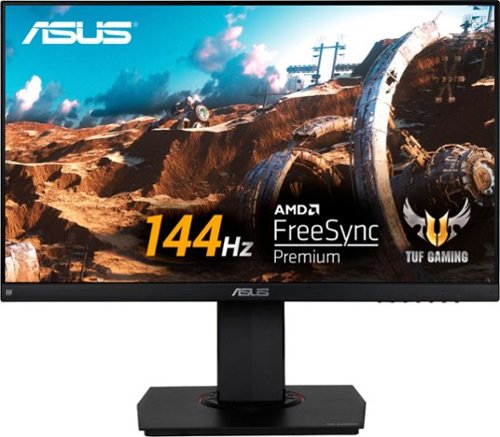
Play to your full potential with this 23.8-inch ASUS TUF gaming monitor. The 1ms response time prevents blurring and lagging for quality visuals, while the FreeSync technology eliminates stuttering and tearing for seamless gameplay. This ASUS TUF gaming monitor has an anti-glare display that reduces reflections, and it features flicker-free technology that reduces eye strain for comfortable viewing.
Customer Rating

5
Fantastic 1080p/144Hz monitor
on December 9, 2020
Posted by: Mark
Verified Purchase:Yes
Pros:
- 144 Hz/1080p/IPS/FreeSync at a reasonable price
- Excellent colors out of the box without much calibration
- Great viewing angles
- Solid, well-built stand that allows for height adjustment and portrait mode
- Built-in speakers should you need them
- Zero dead pixels on my monitor
- Excellent colors out of the box without much calibration
- Great viewing angles
- Solid, well-built stand that allows for height adjustment and portrait mode
- Built-in speakers should you need them
- Zero dead pixels on my monitor
Cons:
- Backlight bleed in the top-right corner, although it's never noticeable during games or everyday use
- Speakers aren't that great but I wasn't expecting them to be, so this is very minor IMO
- Speakers aren't that great but I wasn't expecting them to be, so this is very minor IMO
All in all a terrific monitor and one of the best upgrades I've made in the last five years. 144Hz is a game changer not just in games but also in every day use.
Length of ownership: 158
Mobile Submission: false
I would recommend this to a friend!
Ease of Use

5
Quality
5
Value
5
Share this review:


0points
0of 0voted this as helpful.
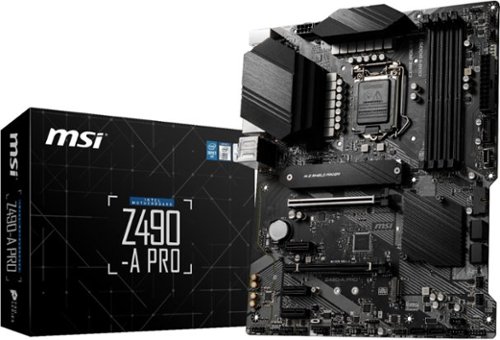
PRO series helps users work smarter by delivering an efficient and productive experience. Featuring stable functionality and high-quality assembly, PRO series motherboards provide not only optimized professional workflows but also less troubleshooting and longevity. THERMAL SOLUTION FOR MORE CORES AND HIGHER PERFORMANCE With more cores~ processors, thermal and power design is more important to make sure the temperature keeps lower. MSI extended PWM heatsink with 7W/mK thermal pad ensures even high-end processors to run in full speed with MSI motherboards. MSI PRO series motherboards support all the latest storage standards, which allows users to connect any ultra-fast storage device. Higher efficiency makes your work easier. Read and write your files over USB faster than ever. MSI PRO series motherboards offer a wide variety of options to connect and boost your USB devices, delivering 10Gbps transferring speed by both USB 3.2 Gen 2 Type-A and Type-C. Add your color if you want! Mystic Light Extension pin header provides an intuitive way to control additional RGB strips and other RGB peripherals added to a system, without needing a separate RGB controller. Unleash and sustain maximum performance with an aggressive VRM design built with a total of 12 Duet Rail Power System(DRPS). Combining 8 + 4-pin power connectors and exclusive Core Boost technology, PRO series motherboard is ready to sustain heavy daily work.
Customer Rating

4
Solid no-frills Z490 board
on December 8, 2020
Posted by: Mark
Verified Purchase:Yes
Pros:
- Good build quality
- Fairly large heatsinks on VRMs
- Two PCIe 3.0x4 M.2 slots
- Included heatspreader for top M.2 drive
- No RGB (although this may be a con for others)
- BIOS is easy to use; lots of overclocking options
- Front-side USB-C
- Fairly large heatsinks on VRMs
- Two PCIe 3.0x4 M.2 slots
- Included heatspreader for top M.2 drive
- No RGB (although this may be a con for others)
- BIOS is easy to use; lots of overclocking options
- Front-side USB-C
Cons:
- Lacking in rear USB (5 standard + 1 USB-C)
- Limited options for S3/S4/S5 sleep states in BIOS; As far as I can tell, there's no way to enable "Resume by USB Device" for just the S3 state and not the S5 state. So if you want your mouse or keyboard to be able to wake your PC from sleep mode, you also have to give them the power to turn on your PC from shut down (the USB ports retain limited power in S5). You can't have one without the other. This can be annoying if you don't want your PC accidentally turning on in the middle of the night after shutting it down.
- Limited options for S3/S4/S5 sleep states in BIOS; As far as I can tell, there's no way to enable "Resume by USB Device" for just the S3 state and not the S5 state. So if you want your mouse or keyboard to be able to wake your PC from sleep mode, you also have to give them the power to turn on your PC from shut down (the USB ports retain limited power in S5). You can't have one without the other. This can be annoying if you don't want your PC accidentally turning on in the middle of the night after shutting it down.
All in all a solid motherboard. Started up first try and have had zero stability issues thus far.
Length of ownership: 6
Mobile Submission: false
I would recommend this to a friend!
Quality
5
Value

4
Ease of Use
5
Share this review:


+5points
5of 5voted this as helpful.
Mark's Review Comments
Mark has not submitted comments on any reviews.
Mark's Questions
Mark has not submitted any questions.
Mark's Answers
Mark has not submitted any answers.