
Share DarkKnight's profile


DarkKnight
DarkKnight's stats
- Review count22
- Helpfulness votes1
- First reviewApril 5, 2019
- Last reviewSeptember 24, 2023
- Featured reviews0
- Average rating4
Reviews comments
- Review comment count0
- Helpfulness votes0
- First review commentNone
- Last review commentNone
- Featured review comments0
Questions
- Question count0
- Helpfulness votes0
- First questionNone
- Last questionNone
- Featured questions0
- Answer count1
- Helpfulness votes0
- First answerMarch 6, 2020
- Last answerMarch 6, 2020
- Featured answers0
- Best answers0
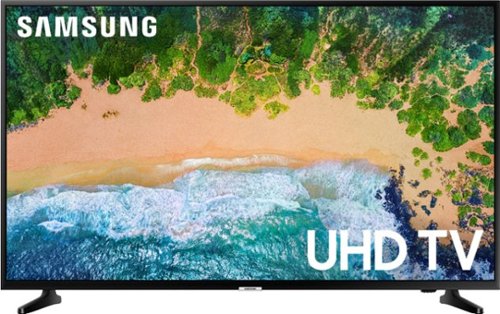
Be amazed by stunning lifelike scenes with this 55-inch Samsung smart 4K Ultra HD TV. It supports HDR content for a cinematic viewing experience, and its Ultra HD Engine feature optimizes non-4K images for enhanced visual quality. Connect high-definition media sources to this Samsung smart 4K Ultra HD TV via the two HDMI inputs.
Customer Rating

4
Good tv
on December 4, 2019
Posted by: DarkKnight
Verified Purchase:Yes
Good tv good price big enough good enough gaming! Thanks
Length of ownership: 3
Mobile Submission: true
I would recommend this to a friend!
Share this review:


0points
0of 0voted this as helpful.
![Aquaman [4K Ultra HD Blu-ray/Blu-ray] [2018]](https://pisces.bbystatic.com/prescaled/500/500/image2/BestBuy_US/images/products/8812e1bb-260e-4d33-9cd1-cabacd981ac7.jpg)
Customer Rating
4
Good Movie
on April 5, 2019
Posted by: DarkKnight
from Moreno Valley, California
Verified Purchase:Yes
Good movie, great product to get from Best Buy. I always go to Best Buy for movies.
Mobile Submission: True
I would recommend this to a friend!
Share this review:


0points
0of 0voted this as helpful.
DarkKnight's Review Comments
DarkKnight has not submitted comments on any reviews.
DarkKnight's Questions
DarkKnight has not submitted any questions.
DarkKnight's Answers
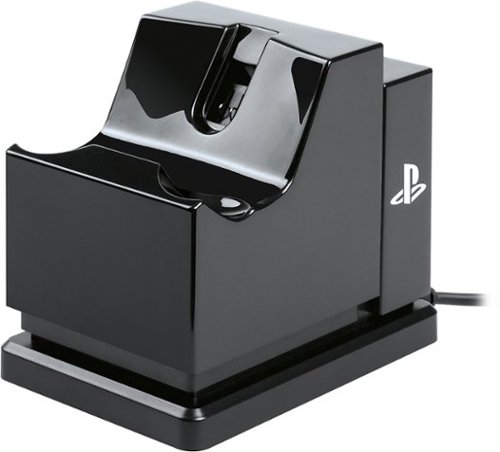
Charge and display your DUALSHOCK 4 wireless controller with the officially licensed Charging Stand. Charging is a snap - Simply connect the charging adapter to the micro USB port on the DUALSHOCK 4, set the controller on the stand and click down to see the LED base light up to indicate charging level. When fully charged, click to release contact and simply leave the controller on the stand. Be certain your controller is always ready to game as it stylishly charges on display alongside of your PS4 console.