
Share Rayviator's profile


Rayviator
Rayviator's stats
- Review count64
- Helpfulness votes213
- First reviewOctober 18, 2018
- Last reviewAugust 19, 2025
- Featured reviews0
- Average rating4.6
- Review comment count5
- Helpfulness votes3
- First review commentOctober 31, 2020
- Last review commentOctober 9, 2023
- Featured review comments0
Questions
- Question count0
- Helpfulness votes0
- First questionNone
- Last questionNone
- Featured questions0
- Answer count32
- Helpfulness votes15
- First answerOctober 20, 2018
- Last answerOctober 9, 2023
- Featured answers0
- Best answers4
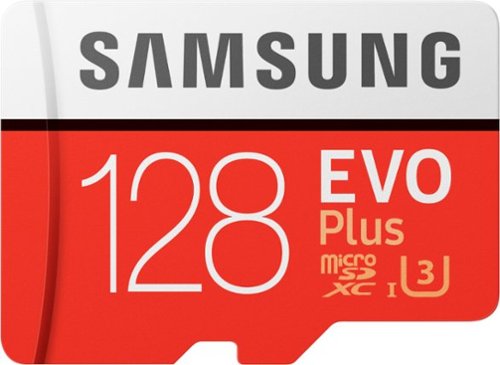
Expand your device~s storage capacity with this Samsung 128GB Evo Plus MicroSDXC memory card. This efficient storage device writes data at up to 90MB/S, making it ideal for HD cameras and other demanding gadgets. Use the adapter included with this Samsung 128GB Evo Plus MicroSDXC memory card to sync data via a regular SD card slot.
Customer Rating

5
Great at what they are used for
on October 17, 2020
Posted by: Rayviator
Verified Purchase:Yes
This is a very fast and reliable SD card which we use in our Amazon fire tablets. They go on sale often, so wait to buy them on a deal.
Length of ownership: 293
Mobile Submission: true
I would recommend this to a friend!
Quality

5
Value
5
Ease of Use
5
Share this review:


0points
0of 0voted this as helpful.
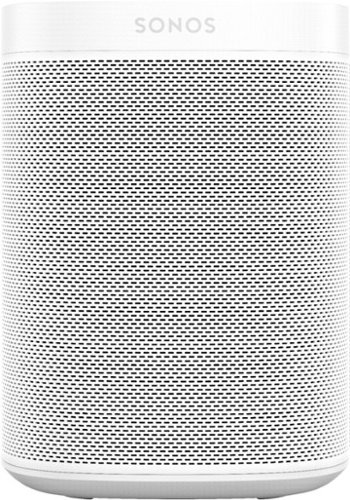
Get rich, room-filling sound with this Sonos One SL speaker, and control it with the Sonos app, Apple AirPlay 2, and more. Pair it with Sonos One or another One SL in the same room for stereo separation and more detailed sound.
Customer Rating
5
Great looks, great sound
on October 17, 2020
Posted by: Rayviator
Verified Purchase:Yes
The sound is great! We use these for rear surround sound in our Sonos setup and we love it for movie nights. They are great quality and look nice as well!
Length of ownership: 295
Mobile Submission: true
I would recommend this to a friend!
Quality
5
Value

3
Ease of Use
5
Share this review:


0points
0of 0voted this as helpful.
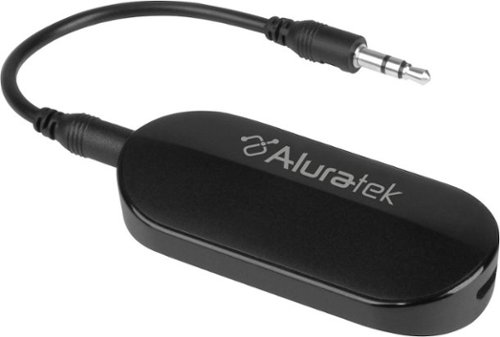
Stream audio up to 50 feet with this Aluratek Bluetooth 5 transmitter.This transmitter allows you to connect your AirPods, wireless headets and speakers to in-flight entertainment systems, PCs, TVs, MP3 players and a variety of other audio sources quick and simple that have a 3.5mm or RCA audio output. The rechargeable design saves you from having to replace the battery for added convenience.
Customer Rating

2
It works...... well sort of
on October 17, 2020
Posted by: Rayviator
Verified Purchase:Yes
After months of using this adapter to connect Bluetooth headphones to our car rear entertainment system, I found it connects just fine and the battery life is decent as well. The biggest problem with this is that when you charge the device and connect audio at the same time, the headphones will make a terrible dial-up type of sound in the background. When the adapter is not plugged in and charging, it works fine. I wish this was fixed and it would be a great device. We did try other headphones and we had the same problem. Skip this and buy something else if you need a Bluetooth adapter.
Length of ownership: 230
Mobile Submission: true
No, I would not recommend this to a friend.
Quality

2
Value
3
Ease of Use
5
Share this review:


0points
0of 0voted this as helpful.

Keep your favorite songs playing throughout the day with this Sony wireless headset. When connected via Bluetooth technology, the set offers up to 35 hours of music playback time and 30 hours of talk time. This Sony wireless headset provides a tight seal around the ears, letting you enjoy your favorite tunes and conversations without interruption.
Customer Rating
5
Good quality, great battery, decent sound!
on October 16, 2020
Posted by: Rayviator
Verified Purchase:Yes
Great headphones for the kids. Easy to use, great battery life and decent sound. Also, having USB-C is convenient!
Length of ownership: 221
Mobile Submission: true
I would recommend this to a friend!
Quality

4
Value
5
Ease of Use
5
Share this review:


0points
0of 0voted this as helpful.
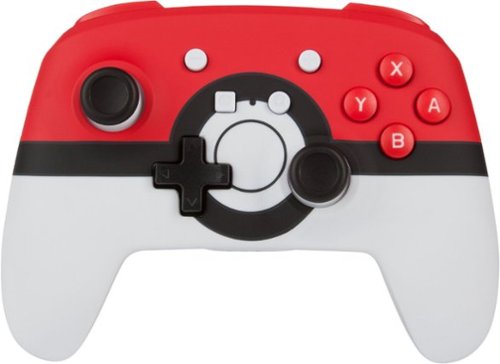
Officially licensed by Nintendo, this PowerA Enhanced Wireless Controller for Nintendo looks amazing and plays even better. Each controller features gorgeous designs and is engineered to ensure optimal in-game performance and reliability. Program two mappable Advanced Gaming Buttons on-the-fly, tilt your way through twists and turns with intuitive motion controls and enjoy hours of gaming with super-comfortable ergonomics. Game for up to 30 hours with new alkaline batteries* or add your own rechargeable batteries. Backed by the PowerA Two-Year Warranty.
Customer Rating

4
Just missing some rumble
on October 16, 2020
Posted by: Rayviator
Verified Purchase:Yes
We needed another controller that wasn’t too costly. This fit the Bill and we have enjoyed it. The only real issue we have is it doesn’t rumble like our Nintendo pro controller. Otherwise it’s a good alternative to the Nintendo branded controllers.
Length of ownership: 114
Mobile Submission: true
I would recommend this to a friend!
Quality
5
Value
5
Ease of Use
5
Share this review:


0points
0of 0voted this as helpful.

Display media from your Apple device on an HDTV or other HDMI-compatible screen using this Apple MD826ZM/A Lightning digital A/V adapter, which features video mirroring capability for enjoying content in up to 1080p resolution.
Customer Rating
5
Just what I needed!
on October 16, 2020
Posted by: Rayviator
Verified Purchase:Yes
I needed an adapter to play COD mobile using my iPad mini while hooked up to an external monitor. This Apple Adapter works flawlessly and lets me play my game on a bigger screen!
Length of ownership: 20
Mobile Submission: true
I would recommend this to a friend!
Ease of Use
5
Quality
5
Value
4
Share this review:


0points
0of 0voted this as helpful.

Save space on your desktop and reduce clutter all at once with this eco-friendly monitor stand. Constructed with pinewood and aluminum, it is designed to raise your monitor for a better viewing angle while also providing space underneath for a keyboard and mouse. The monitor stand comes equipped with a USB-C mini docking station with Power Delivery, providing extra connectivity for your computer. You can add up to 6 additional USB peripherals and a 4K HDMI monitor through a single USB-C port. You can also charge your computer at the same time when connected with a power source. The monitor stand is a great addition to any workstation. Whether you~re looking for more space, to raise your monitor or laptop or expand the connectivity of your USB-C-equipped device, this multi-function monitor stand will help you create the perfect workspace to maximize your productivity!
Customer Rating
4
Good product, decent quality
on October 16, 2020
Posted by: Rayviator
Verified Purchase:Yes
This is a sturdy monitor stand and provides great convenience with the attached ports. I am experiencing some buzzing though from the USB-C port when charging certain devices. I might have to make a warranty claim if the port fails. Overall though I like this product and I would recommend it if you are thinking about buying it.
Length of ownership: 43
Mobile Submission: true
I would recommend this to a friend!
Quality
4
Value
5
Ease of Use
5
Share this review:


0points
0of 0voted this as helpful.
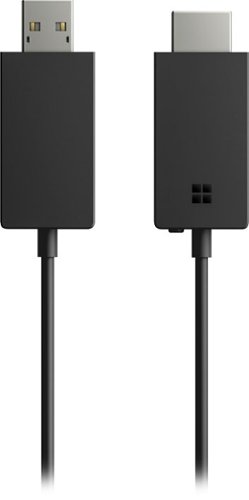
Mirror your mobile screen on a larger display with this Microsoft wireless display adapter. It lets you cast images and video from Windows or Android devices onto your television screen so everyone can enjoy the entertainment or browse pictures in comfort. This Microsoft wireless display adapter supports HDMI video playback.
Customer Rating

1
Not a reliable device
on October 16, 2020
Posted by: Rayviator
Verified Purchase:Yes
I had to return this item as it did not provide a reliable connection. I have a Win10 desktop and wanted to wirelessly connect to a monitor. The connection was slow and unstable, even after updating all the drivers and software. I would not recommend this product.
Length of ownership: 43
Mobile Submission: true
No, I would not recommend this to a friend.
Quality
4
Value
3
Ease of Use

1
Share this review:


+1point
1of 1voted this as helpful.

Active noise cancellation for immersive sound. Transparency mode for hearing and connecting with the world around you. A more customizable fit for all-day comfort. Sweat- and water-resistant.~ All in a super light, in-ear headphone that's easy to set up with all your Apple devices.~
Customer Rating
5
Great sound and easy to use
on October 16, 2020
Posted by: Rayviator
Verified Purchase:Yes
Great sound and easy to use! These replaced my Bose soundsport Bluetooth headphones and I’m very satisfied that I did. These AirPod Pro headphones can also be paired with none Apple devices via Bluetooth as well. They charge very fast and last between 4 and 5 hours for me on each full charge.
Length of ownership: 20
Mobile Submission: true
I would recommend this to a friend!
Quality
5
Value
5
Ease of Use
5
Share this review:


0points
0of 0voted this as helpful.
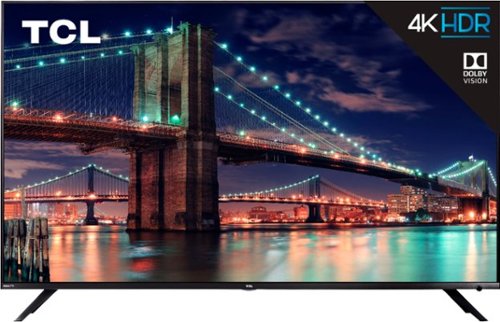
Treat yourself to endless entertainment with this 55-inch 4K TCL Ultra HD TV. Its Roku platform streams thousands of shows that can be accessed via its remote or your smartphone, and HDR technology provides impressive, lifelike pictures. This TCL Ultra HD TV has three HDMI inputs, dual-band Wi-Fi and an Ethernet port for plenty of connection options.
Customer Rating
5
The Bedroom TV
on December 18, 2018
Posted by: Rayviator
from Virginia
Verified Purchase:Yes
I was on a two week search for a great bedroom tv in the 50 to 55 inch range, that had all the latest picture and audio technologies, had an excellent picture quality and at a great price. I didn’t care about the “Smart” features of the TVs because I’m connecting my Apple TV 4K for all my streaming. I compared this to the Samsung NU8000 series, the Samsung Q6F, LG 8000 series, and the Hisense H9E Plus. For reference I have the Sony Z9D 65in as my living room TV so I know a good picture when I see one. Let me say the TCL 6 series is truly an Amazing TV overall. The low price is just an added bonus. I don’t care for the Roku system, but you do have to set it up in order to use this TV, there is no way of getting around it, I tried. I was able to set up my Apple TV 4K to thhis. I problem and with HDMI CEC, I’m able to control the power and volume functions with the Apple TV so I only have to use one remote. The speakers on this TV are decent for the bedroom, but could use some bass. The panel lottery is true about any TV brand honestly, and so far the one I got has been great. I used rtings.com as my baseline for picture settings. Watching HD content on this TV looks really good, the colors pop like they did in the store and the motion technology used is just fine, even though this is a 60hz native panel. At $499, this TV is a steal and is the perfect bedroom TV. Of course you could pay more for better TVs, but if you are smart and practical, this is the TV to buy. Get the 5 year best buy warranty at $99 for peace of mind.
Mobile Submission: True
I would recommend this to a friend!
Share this review:


+5points
5of 5voted this as helpful.
Rayviator's Review Comments
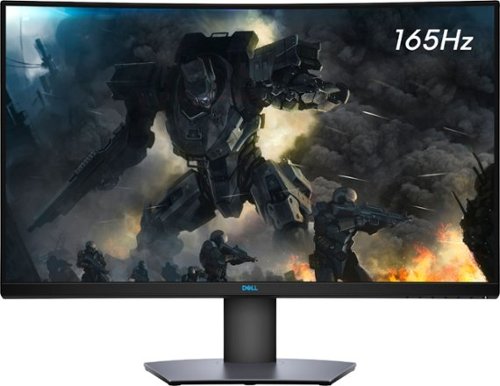
Enjoy stunning panoramic views during gameplay with this Dell 32-inch curved gaming monitor. A vibrant 2560 x 1440 resolution coupled with a contrast ratio of 3000:1 delivers precise colors for an immersive gaming experience. This Dell 32-inch curved gaming monitor has AMD FreeSync 2 to reduce screen tearing and splitting, and a 165Hz refresh rate keeps the action smooth.
Overall5 out of 5
5 out of 5Great specs for the price
By grizzlyone95
This monitor provides a lot of value for the price, especially on sale! It goes down to 350 or even 330 I saw once, and at that point it's a steal. You get 1440p, 165 hz, HDR, 32" of glorious Freesync goodness.
The colors are very good, much better than my previous TN panel. I do not notice the 4ms response time causing issues playing online, though I usually play single player anyway.
The only main issue I had with it, is this monitor is not actually compatible with G Sync. All the official reviews do say it's compatible with G Sync, but it technically is not. I was able to get it working, but only after tweaking some settings via Custom Resolution Utility. Basically you need to set the FPS limit for Freesync to around 75 - 165 instead of the default 48 - 165. And you also need to adjust this in the right spot depending on if you have DisplayPort connection or HDMI connection.
After I did this the monitor did work with G Sync without flickering or other bugs. So I am very happy with it now! HDR is amazing when games support it, like Doom Eternal. I say on sale you can't find a better monitor for gaming and productivity.

Rayviator
Try a Display Port 1.4 cable
October 31, 2020
Make sure your firmware is updated on your monitor and try getting a new DP 1.4 cable. The cable that comes in the box is only a 1.2 cable. Also, make sure your free sync is turned on from the monitor and G-sync is turned on. Also, your graphics card needs to be a 10 series or newer. The updated DP 1.4 cable has worked for many.
+1point
1of 1voted this comment as helpful.
Enjoy stunning panoramic views during gameplay with this Dell 32-inch curved gaming monitor. A vibrant 2560 x 1440 resolution coupled with a contrast ratio of 3000:1 delivers precise colors for an immersive gaming experience. This Dell 32-inch curved gaming monitor has AMD FreeSync 2 to reduce screen tearing and splitting, and a 165Hz refresh rate keeps the action smooth.
Overall 3 out of 5
3 out of 5Flickering Issue.
By AsadFlickeringVictim
Overall, it is pretty good and decent Monitor.
However, it has a wired issue- it will do randomly Flickering. it just randomly black-out and come back for 1~2s. (its just like Alt-Tab out) 1~2 times a day. I tried both with/without Freesync. Same issue.
However, it has a wired issue- it will do randomly Flickering. it just randomly black-out and come back for 1~2s. (its just like Alt-Tab out) 1~2 times a day. I tried both with/without Freesync. Same issue.
https://www.reddit.com/r/Monitors/comments/epk6dw/dell_s3220dgf_flickering/
This is the same topic reddit. After reading that, i am still not sure how to fix this issue.
I am using the DP port with in-box DP cable.
Rayviator
Get a DP v1.4 cable
November 27, 2020
You need to buy a DP v1.4 cable. As I mentioned in my review, the cable in the box is a v1.2. The new cable should stop the flickering.
0points
0of 0voted this comment as helpful.
Enjoy stunning panoramic views during gameplay with this Dell 32-inch curved gaming monitor. A vibrant 2560 x 1440 resolution coupled with a contrast ratio of 3000:1 delivers precise colors for an immersive gaming experience. This Dell 32-inch curved gaming monitor has AMD FreeSync 2 to reduce screen tearing and splitting, and a 165Hz refresh rate keeps the action smooth.
Overall5 out of 5
5 out of 5Great picture and build quality.
By Rayviator
This is an excellent monitor and especially at the Black Friday price. I was able to get G-Sync to work with my RTX 2070-Super no problem. Like others have stated you need to buy a v1.4 DisplayPort cable as the one that comes in the box is only a v1.2 which will cause flickering issues with G-sync turned on. Also, be sure to check the box and make sure you get the REV A03 or A04 model.
Rayviator
G-Sync "compatible" with the right cable/settings
February 3, 2021
To expand on my review, I know that G-Sync is "Officially" support by Dell, but it DOES work. Again, the Display Port cable that comes in the box is a v1.2 and will NOT work properly and WILL cause flickering when you try to enable G-Sync. I had to buy a verified Display Port v1.4 cable and only then did it work without flickering issues and continues to work no problem. I have been playing COD Cold War without any G-Sync issues what so ever. When I go into the NVIDIA Control Panel, under the "Display" menu, "Set up G-SYNC" becomes available. I then check the box that says, "Enable G-SYNC, G-SYNC Compatible". The button below it, I have it selected on "Enable for full screen mode". Hopefully this additional information helps.
0points
0of 0voted this comment as helpful.
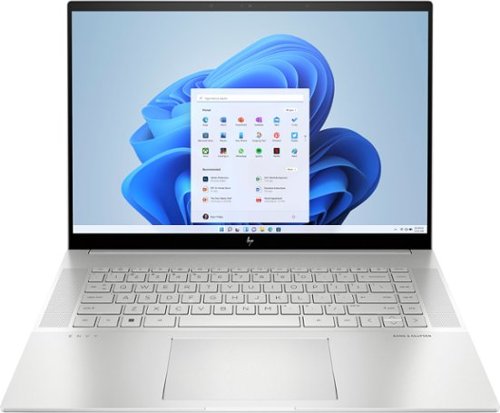
To stay up and creating on the run, you need power, mobility and seamless connectivity between all your creative tools. Power your ideas wherever they take you.
Overall5 out of 5
5 out of 5Excellent value when on sale
By Rayviator
I have put in weeks of research to find a laptop that could meet my needs as a video creative for 4k and 5k Drone videos and photos. I am coming from a 2018 i5 MacBook Pro with 16 GB Ram and 512 GB hard drive. I was dead set on getting either an M2 Max 14 inch MacBook Pro or M1 Max 16 Inch MacBook Pro which would have cost me about $2,600 from the Refurb Apple Store. I decided to see what 13th Gen Intel had to offer and research various benchmarks and YouTube reviews of different laptops with 13th Gen i9 processors.
Then I found this HP Envy 16 Inch on sale for $1,299. The benchmarks for the i9 13900H is on par if not better than the M1 Max and with the RTX 4060 GPU on this HP Envy 16, it exceeds the performance of the integrated M1 MAX GPU. This laptop has the power and performance for a lot less than it’s Apple competition. Where this falls short is the overall brightness which is 400 nits where the Apple is 500 nit average and up to 1000 nit peak. Also, the battery life is about 6 to 7 hours of watching content, productivity, email, surfing the web, etc. If you are gaming or doing power intensive tasks, the battery last about 2 to 3 hours. The MacBook Pro is going to be closer to 16 hours or more. You will have to determine if spending an extra $1,000 or more is worth a brighter screen and better battery life.
A couple things to mention that is not clear in the product description, YES you can easily upgrade this laptop. It is NOT based on the Evo platform where the RAM is soldered on. You can upgrade this RAM to 64 GB of DDR5, and you can add a second NVME Drive. The included drive is a MICRON 3400 with a Read of 6,600 MB/s and a Write of 5,000 MB/s. You can also swap out the Wi-Fi/Bluetooth adapter if you want. This has the Intel AX211 NGW. Another thing is, you CAN charge this laptop via USB-C and I was able to get 91 watts of charge consistently. You will probably get a message saying to use a higher watt power adapter for full performance though. So don’t expect to get full CPU/GPU power using USB-C charging.
I do want to highlight the following, Windows Hello works great and reminds me of how well Face ID works. Start up from power off to being logged in using Windows Hello takes about 15 seconds. When you restart from power on, it takes about 25 seconds to be logged back in. The speakers for me were TERRIBLE at first. Be sure to go to the HP website and download all of the latest drivers and update the BIOS to the latest version. That fixed the speaker problems for me which was low volume. Last thing I want to mention again is that if you want the FULL power this laptop has to offer, you will need to have it plugged in to outlet using the included 200W adapter. Apple products give you the full power plugged in or not. Hopefully this review gave you the insight you were looking for.
Rayviator
USB-C Charging Reply
June 24, 2023
I didn't do anything special to get USB-C charging to work. When powered on, USB-C charging is not enough, you will still see the battery drain. If you have the laptop off or in sleep mode, the battery will charge with no problem. I will say, I am using a 120-watt power brick so it's possible if your power brick is not 100-watt or more, it could struggle with USB-C charging.
-1point
1of 3voted this comment as helpful.
To stay up and creating on the run, you need power, mobility and seamless connectivity between all your creative tools. Power your ideas wherever they take you.
Overall5 out of 5
5 out of 5Excellent value when on sale
By Rayviator
I have put in weeks of research to find a laptop that could meet my needs as a video creative for 4k and 5k Drone videos and photos. I am coming from a 2018 i5 MacBook Pro with 16 GB Ram and 512 GB hard drive. I was dead set on getting either an M2 Max 14 inch MacBook Pro or M1 Max 16 Inch MacBook Pro which would have cost me about $2,600 from the Refurb Apple Store. I decided to see what 13th Gen Intel had to offer and research various benchmarks and YouTube reviews of different laptops with 13th Gen i9 processors.
Then I found this HP Envy 16 Inch on sale for $1,299. The benchmarks for the i9 13900H is on par if not better than the M1 Max and with the RTX 4060 GPU on this HP Envy 16, it exceeds the performance of the integrated M1 MAX GPU. This laptop has the power and performance for a lot less than it’s Apple competition. Where this falls short is the overall brightness which is 400 nits where the Apple is 500 nit average and up to 1000 nit peak. Also, the battery life is about 6 to 7 hours of watching content, productivity, email, surfing the web, etc. If you are gaming or doing power intensive tasks, the battery last about 2 to 3 hours. The MacBook Pro is going to be closer to 16 hours or more. You will have to determine if spending an extra $1,000 or more is worth a brighter screen and better battery life.
A couple things to mention that is not clear in the product description, YES you can easily upgrade this laptop. It is NOT based on the Evo platform where the RAM is soldered on. You can upgrade this RAM to 64 GB of DDR5, and you can add a second NVME Drive. The included drive is a MICRON 3400 with a Read of 6,600 MB/s and a Write of 5,000 MB/s. You can also swap out the Wi-Fi/Bluetooth adapter if you want. This has the Intel AX211 NGW. Another thing is, you CAN charge this laptop via USB-C and I was able to get 91 watts of charge consistently. You will probably get a message saying to use a higher watt power adapter for full performance though. So don’t expect to get full CPU/GPU power using USB-C charging.
I do want to highlight the following, Windows Hello works great and reminds me of how well Face ID works. Start up from power off to being logged in using Windows Hello takes about 15 seconds. When you restart from power on, it takes about 25 seconds to be logged back in. The speakers for me were TERRIBLE at first. Be sure to go to the HP website and download all of the latest drivers and update the BIOS to the latest version. That fixed the speaker problems for me which was low volume. Last thing I want to mention again is that if you want the FULL power this laptop has to offer, you will need to have it plugged in to outlet using the included 200W adapter. Apple products give you the full power plugged in or not. Hopefully this review gave you the insight you were looking for.
Rayviator
USB-C Charging follow-up
October 9, 2023
The only way to get USB-C charging to work is when the laptop is either turned off completely or when it is in sleep mode. It will not charge via USB-C when you are using the laptop. I am using a 65-watt charging brick with a thunderbolt cable to get this to work.
+1point
1of 1voted this comment as helpful.
Rayviator's Questions
Rayviator has not submitted any questions.

The EVO Lite+ is the gold standard for photography drones. It features some of the best lowlight performance in its size class, thanks to its 1-inch camera sensor and intelligent Moonlight Algorithm. With a 40-minute flight time and one-tap cinematic flight modes, the Lite+ can get you the best aerial photos and videos, whatever time of day. The Premium Bundle comes with extra batteries, propellers, and more to help you maximize your flight time and photography potential.
What is the largest smartphone or tablet size in inches that will fit inside the standard controller mount?
You can fit something similar to an iPhone 15 Pro Max or similar size. Otherwise, you will need an adapter to mount a small sized tablet around the 8 inch in size. You can easily find a tablet mount adapter online.
2 years, 8 months ago
by
Rayviator
The EVO Lite+ is the gold standard for photography drones. It features some of the best lowlight performance in its size class, thanks to its 1-inch camera sensor and intelligent Moonlight Algorithm. With a 40-minute flight time and one-tap cinematic flight modes, the Lite+ can get you the best aerial photos and videos, whatever time of day. The Premium Bundle comes with extra batteries, propellers, and more to help you maximize your flight time and photography potential.
How fast does this drone go
This drone is capable of speeds of up to 38 MPH. I have only been able to get up to 33 MPH in real world use.
2 years, 8 months ago
by
Rayviator
The EVO Lite+ is the gold standard for photography drones. It features some of the best lowlight performance in its size class, thanks to its 1-inch camera sensor and intelligent Moonlight Algorithm. With a 40-minute flight time and one-tap cinematic flight modes, the Lite+ can get you the best aerial photos and videos, whatever time of day. The Premium Bundle comes with extra batteries, propellers, and more to help you maximize your flight time and photography potential.
Does EVO Lite+ support Remote ID?
Yes this does, so you are future proofed with this one.
2 years, 8 months ago
by
Rayviator
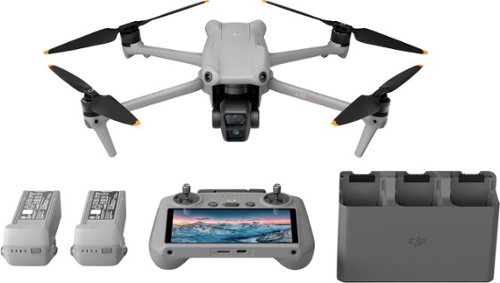
DJI Air 3 brings the next evolution of aerial and camera tech to the Air series with dual cameras, a 46-minute max flight time, omnidirectional obstacle sensing, O4 transmission, and many other intelligent features. With its advanced technology, compact and foldable design, and affordable price point, Air 3 is an unrivaled option for creators everywhere.
DJI Air 3 brings the next evolution of aerial and camera tech to the Air series with dual cameras, a 46-minute max flight time, omnidirectional obstacle sensing, O4 transmission, and many other intelligent features. With its advanced technology, compact and foldable design, and affordable price point, Air 3 is an unrivaled option for creators everywhere.
DJI Air 3 brings the next evolution of aerial and camera tech to the Air series with dual cameras, a 46-minute max flight time, omnidirectional obstacle sensing, O4 transmission, and many other intelligent features. With its advanced technology, compact and foldable design, and affordable price point, Air 3 is an unrivaled option for creators everywhere.
DJI Air 3 brings the next evolution of aerial and camera tech to the Air series with dual cameras, a 46-minute max flight time, omnidirectional obstacle sensing, O4 transmission, and many other intelligent features. With its advanced technology, compact and foldable design, and affordable price point, Air 3 is an unrivaled option for creators everywhere.
DJI Air 3 brings the next evolution of aerial and camera tech to the Air series with dual cameras, a 46-minute max flight time, omnidirectional obstacle sensing, O4 transmission, and many other intelligent features. With its advanced technology, compact and foldable design, and affordable price point, Air 3 is an unrivaled option for creators everywhere.
DJI Air 3 brings the next evolution of aerial and camera tech to the Air series with dual cameras, a 46-minute max flight time, omnidirectional obstacle sensing, O4 transmission, and many other intelligent features. With its advanced technology, compact and foldable design, and affordable price point, Air 3 is an unrivaled option for creators everywhere.
How do you save the pictures from the drone? Can you also take a video?
When you download the DJI Fly app on your phone or tablet, after you fly and take photos and video, you can connect directly to the drone using the app and download the files directly to your mobile device. You don't need to turn on the controller for this to work since it connects via wifi to your mobile device. You can also take the micro SD Card out and plug it into your device to see the photo and video, or plug your USB-C cable directly to your computer to download files that was as well.
2 years, 8 months ago
by
Rayviator
To stay up and creating on the run, you need power, mobility and seamless connectivity between all your creative tools. Power your ideas wherever they take you.

