
Share Rayviator's profile


Rayviator
Rayviator's stats
- Review count64
- Helpfulness votes213
- First reviewOctober 18, 2018
- Last reviewAugust 19, 2025
- Featured reviews0
- Average rating4.6
- Review comment count5
- Helpfulness votes3
- First review commentOctober 31, 2020
- Last review commentOctober 9, 2023
- Featured review comments0
Questions
- Question count0
- Helpfulness votes0
- First questionNone
- Last questionNone
- Featured questions0
- Answer count32
- Helpfulness votes15
- First answerOctober 20, 2018
- Last answerOctober 9, 2023
- Featured answers0
- Best answers4
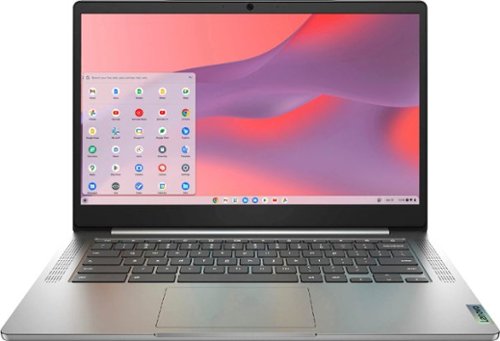
Fast, flexible, and fun, the Chromebook 3-14" brings everyone~s favorite Chromebook features, running on the lightning-fast Chrome OS that boots up in seconds, updates automatically, and is protected by built-in virus protection. Powered by a MediaTek processor and up to 10 hours of battery life, it~ll seamlessly run all of your favorite apps at the same time. Get Minecraft and 3 months of Realms Plus at no cost* with purchase of a new Chromebook. Terms Apply. *Offer valid for qualifying Chromebooks purchased on or after July 1st, 2023 through September 30th, 2023 while supplies last.
Customer Rating

4
Perfect laptop for basic computing
on November 15, 2021
Posted by: Rayviator
Verified Purchase:Yes
I bought this laptop for my mom who needed something to browse the web, watch videos, and play Google play store games. This thing meets all of her computer needs and she loves the touch screen feature. It was simple enough for her to setup. “Hey Google” voice assistant was a pleasant surprise as well. Only grip would be the poor webcam quality. It’s 720p quality, so the picture looked grainy over Google Duo calls. Otherwise this is a great value at the sale price of under $180.
Length of ownership: 6
Mobile Submission: True
I would recommend this to a friend!
Battery Life

5
Speed

4
Display
4
Share this review:


0points
0of 0voted this as helpful.
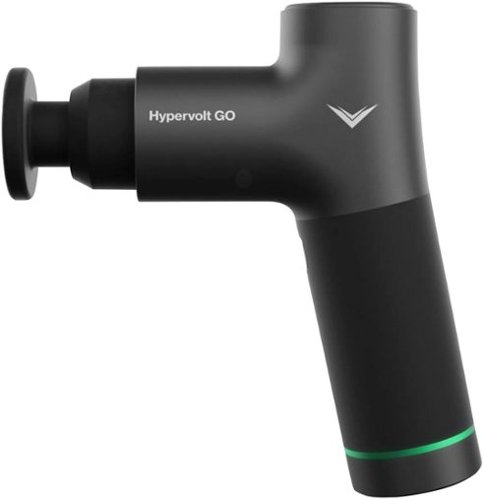
Our most affordable percussion massage device, the Hypervolt GO has all of the features you need.. With surprising power and whisper-quiet operation, the GO was designed with simplicity in mind. The GO is ready to provide relief wherever you roam.
Customer Rating

5
Just what the muscles ordered
on November 7, 2021
Posted by: Rayviator
Verified Purchase:Yes
I didn’t need a lot of power, just something to help what occasional sore muscles after a hard workout. For the regular everyday person, this machine is probably all you need to help massage those sore muscles.
Length of ownership: 76
Mobile Submission: True
I would recommend this to a friend!
Quality
5
Value

3
Ease of Use
5
Share this review:


0points
0of 0voted this as helpful.
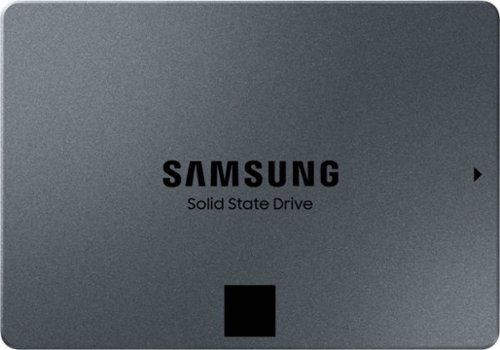
Samsung 870 QVO 2TB Internal 2.5~ SATA III Solid State Drive for Laptops and Desktops Single Unit version
Customer Rating
5
Great Storage
on November 7, 2021
Posted by: Rayviator
Verified Purchase:Yes
If you are a digital hoarder and need to find your junk fast, this storage solution is for you. It’s small, fast and reliable. I would definitely purchase again since it’s always on sale.
Length of ownership: 48
Mobile Submission: True
I would recommend this to a friend!
Ease of Use
5
Quality
5
Value
5
Share this review:


0points
0of 0voted this as helpful.
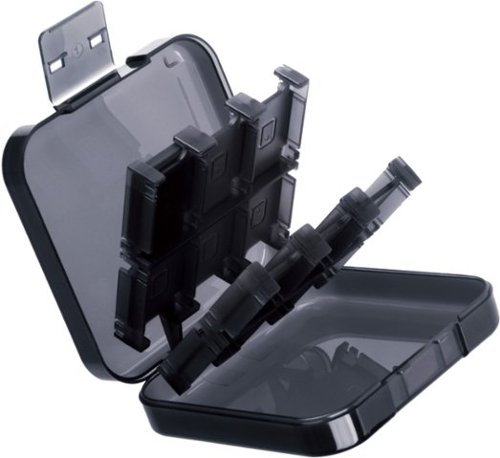
Protect and organize your Nintendo Switch, Switch OLED & Nintendo Switch Lite games with this compact case. The 24 gamecard capacity accommodates a large game collection and space for two microSD cards provides additional versatile storage. This protective game card case is simple to use and easily fits in a backpack, drawer or suitcase for seamless portability.
Customer Rating
5
Just what we needed
on November 7, 2021
Posted by: Rayviator
Verified Purchase:Yes
This piece of plastic is just what we needed to compactly store the family switch games. It’s sturdy enough and stores a bunch of games. I would definitely purchase again.
Length of ownership: 49
Mobile Submission: True
I would recommend this to a friend!
Quality
5
Value
5
Ease of Use
5
Share this review:


+11points
11of 11voted this as helpful.
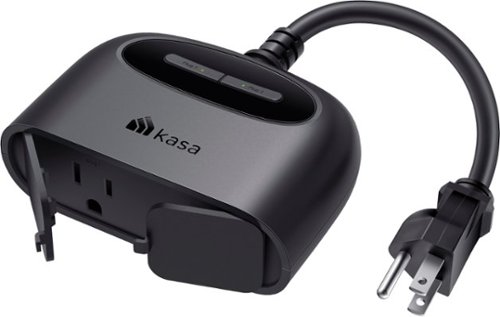
Connect your indoor and outdoor devices via Wi-Fi with this TP Link Kasa Smart outdoor plug. A range of up to 300 feet eliminates the need for a separate hub or extension cable. This TP Link Kasa Smart outdoor plug allows you to group all devices together for unified control using a smartphone application, while the all-weather covers protect the sockets when not in use.
Customer Rating
5
Smart outdoor outlets
on January 23, 2021
Posted by: Rayviator
Verified Purchase:Yes
These smart outdoor plugs made the holidays a breeze to turn on and off the lights. Setup was easy by just downloading the Casa app and pairing these with the google home app made it easy to control using google assistant commands. If you want to automate your outdoor lighting, these were reliable and easy to setup. Also, if you want to hard turn on/off the lights, there is a little button at the top that lights up so you know which plug you are turning on/off.
Likes: Smart functionality: Google assistant integration: rated for outdoor use
Dislikes: Pricing can be a bit expensive for what this does
Oh, by the way: There is also a rubber weather cover that can come on and off if you want to cover up the outlet portion of this smart plug
Length of ownership: 420
Mobile Submission: false
I would recommend this to a friend!
Quality
5
Value
4
Ease of Use
5
Share this review:


0points
0of 0voted this as helpful.
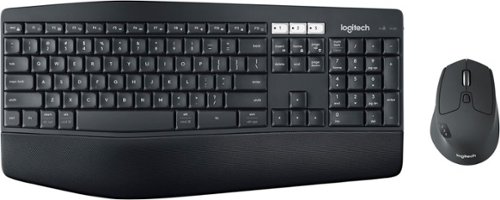
Experience next-level comfort and productivity with the MK850 Performance. Hyper-fast scrolling and a full-size keyboard help you get more done at your desk ~ and a cushioned palm rest, curved keyframe and contoured mouse let you power through in comfort. Type and switch seamlessly between your computer, tablet, and phone. And pair your mouse with up to 3 devices. The combo has been optimized for use with all your operating systems ~ including Windows, Mac, and Chrome OS.
Customer Rating
4
Decent keyboard
on January 23, 2021
Posted by: Rayviator
Verified Purchase:Yes
This keyboard has worked just fine over the years, the only downside is not having backlit keys. The mouse has worked without any issues, and the keys have never gotten stuck. Bluetooth pairing is easy and you have the option to pair with 3 different devices. The integrated palm rest is soft enough while typing. This keyboard does have three levels of height adjustment.
Likes: Good quality; Bluetooth pairing with multiple devices; soft keys; height adjustment
Dislikes: No backlit keys
Oh, by the way: There is a Logitect software you can download to make custom adjustments to the keys and mouse.
Length of ownership: 727
Mobile Submission: false
I would recommend this to a friend!
Ease of Use
5
Quality
4
Value
4

Share this review:


+11points
15of 19voted this as helpful.

Grab a Crayon and make your mark! Logitech Crayon is a pixel-precise digital pencil for all iPads (2018 releases and later) that helps unleash your creativity and productivity in hundreds of Apple Pencil supported apps. Crayon uses Apple Pencil technology including Scribble for a seamless writing experience that's as natural as pencil and paper. Need a thicker or thinner line? Just tilt. Logitech Crayon is built tough with 4 ft drop protection, a unique roll-proof shape, and up to 7.5 hours of active writing time. Palm rejection technology allows you to rest your hand right on the screen while you write.
Customer Rating
5
Great Apple Pencil Alternative
on January 23, 2021
Posted by: Rayviator
Verified Purchase:Yes
Great Apple Pen alternative. I didn't want to spend a bunch of money for my kids Apple tablet and this one has just about all the same features. The only thing this one doesn't do is recognize the tilt motion to adjust thickness and shading when drawing. My daughter likes to draw on her iPad and this works great for that.
Likes: Price: Easy of use: kid proof
Dislikes: Charing cap can be easy to lose; okay battery life
Oh, by the way: This does NOT magnetically attach to an iPad, so if you want that functionality, this doesn't do that
Length of ownership: 393
Mobile Submission: false
I would recommend this to a friend!
Quality
5
Value
5
Ease of Use
5
Share this review:


0points
0of 0voted this as helpful.
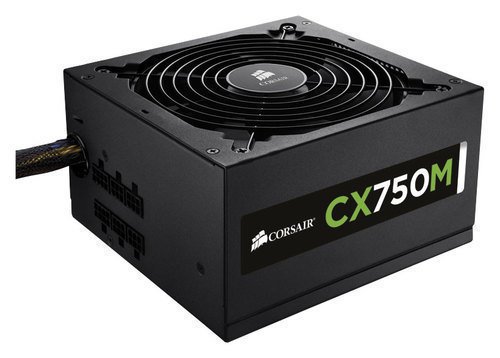
This Corsair CX Series Modular CX750M CP-9020061-NA power supply features over- and under-voltage, over-power and short-circuit protection to prevent damage to your components. The flexible modular cabling system accommodates your system configuration.
Customer Rating
5
Brings life to my PC
on January 23, 2021
Posted by: Rayviator
Verified Purchase:Yes
This power supply works great. The modularity is excellent and powers my PC just fine. I have had no issues what so ever and the included sata power cables were great!
Likes: Just works: variety of power cables: modular: build quality
Dislikes: None I can think of
Oh, by the way: If you are wanting a bang for your buck power supply, this one could be it!
Length of ownership: 86
Mobile Submission: false
I would recommend this to a friend!
Quality
5
Value
5
Ease of Use
5
Share this review:


0points
0of 0voted this as helpful.
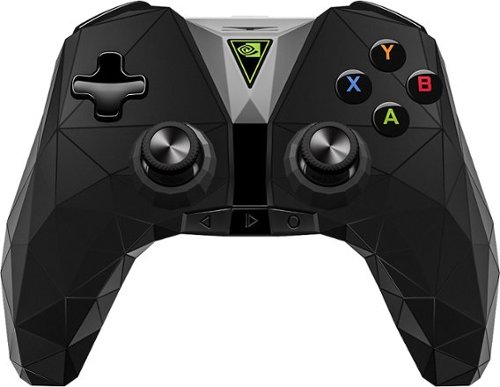
Enhance your gaming experience with this NVIDIA Shield wireless controller. The internal microphone lets you give voice commands easily, and it has both wired and wireless capabilities for versatile gaming options. This NVIDIA Shield wireless controller has a 3.5mm headphone jack to support stereo sound and chat, creating more lifelike audio.
Customer Rating

3
Works, but quality is lacking
on January 23, 2021
Posted by: Rayviator
Verified Purchase:Yes
Overall, this controller worked, but overtime the joysticks started to developed drifting issues and the buttons started to stick. I think other controllers have better quality than this. I would not recommend you buy this one unless you need Google voice control from your gaming remote which that is the major plus for this thing. The black slider in the middle of the controller, controls the volume up and down.
Likes: Built in voice control where you can say "Hey Google" without touching it.
Dislikes: Cheap quality, stick drift, sticky buttons
Oh by the way: Voice control will only work on the Nvidia shield
Length of ownership: 751
Mobile Submission: false
No, I would not recommend this to a friend.
Quality
3
Value
3
Ease of Use
5
Share this review:


0points
0of 0voted this as helpful.
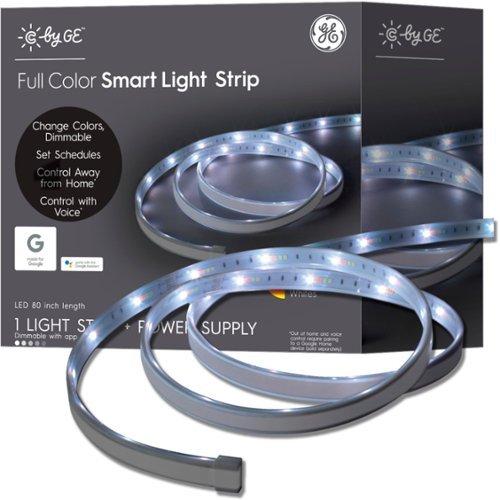
Create the perfect mood with this C by GE full-color smart LED light strip. Millions of color options offer vast customization choices, and the tunable white light option syncs with your body's sleep cycle. This C by GE full-color LED light strip features Bluetooth technology and an iOS and Android-compatible app for hands-free usage.
Customer Rating
5
Great accent lights
on January 23, 2021
Posted by: Rayviator
Verified Purchase:Yes
These accent LED lights were a breeze to setup, color options are decent when using the GE app (more on that later), can be cut down to size for where you plan to place it; can be extended if you don't cut it. This GE smart LED light strip works great and integrates well with Google assistance. What I found though is that when you pair this with the google ecosystem, the color options are not as extensive if you were to just control the light from the GE app instead. Once you pair it with the google assistance though, you lose the ability to change the colors from the GE app, and instead have to use the stock colors from the google app. That is the tradeoff for automation. These lights get plenty bright underneath our entertainment center which we use as accent lights.
Likes: Color options from the native GE app; plenty long for most applications out of the box; can be extended if you want to add on more LED light strips; gets plenty bright
Dislikes: Google assistant integration removes some of the color options; resetting this to factor settings is a pain (look for the video on plugging/unplugging the GE smart lightbulb, it's the same concept
Oh, by the way: This strip has a sticky 3M backing and it's been just fine with no issues.
Length of ownership: 420
Mobile Submission: false
I would recommend this to a friend!
Quality
5
Value
5
Ease of Use
4


Share this review:


0points
0of 0voted this as helpful.
Rayviator's Review Comments
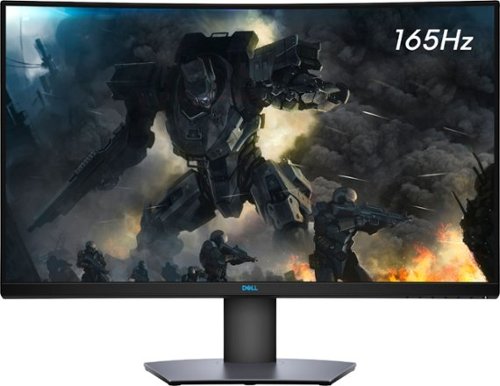
Enjoy stunning panoramic views during gameplay with this Dell 32-inch curved gaming monitor. A vibrant 2560 x 1440 resolution coupled with a contrast ratio of 3000:1 delivers precise colors for an immersive gaming experience. This Dell 32-inch curved gaming monitor has AMD FreeSync 2 to reduce screen tearing and splitting, and a 165Hz refresh rate keeps the action smooth.
Overall5 out of 5
5 out of 5Great specs for the price
By grizzlyone95
This monitor provides a lot of value for the price, especially on sale! It goes down to 350 or even 330 I saw once, and at that point it's a steal. You get 1440p, 165 hz, HDR, 32" of glorious Freesync goodness.
The colors are very good, much better than my previous TN panel. I do not notice the 4ms response time causing issues playing online, though I usually play single player anyway.
The only main issue I had with it, is this monitor is not actually compatible with G Sync. All the official reviews do say it's compatible with G Sync, but it technically is not. I was able to get it working, but only after tweaking some settings via Custom Resolution Utility. Basically you need to set the FPS limit for Freesync to around 75 - 165 instead of the default 48 - 165. And you also need to adjust this in the right spot depending on if you have DisplayPort connection or HDMI connection.
After I did this the monitor did work with G Sync without flickering or other bugs. So I am very happy with it now! HDR is amazing when games support it, like Doom Eternal. I say on sale you can't find a better monitor for gaming and productivity.

Rayviator
Try a Display Port 1.4 cable
October 31, 2020
Make sure your firmware is updated on your monitor and try getting a new DP 1.4 cable. The cable that comes in the box is only a 1.2 cable. Also, make sure your free sync is turned on from the monitor and G-sync is turned on. Also, your graphics card needs to be a 10 series or newer. The updated DP 1.4 cable has worked for many.
+1point
1of 1voted this comment as helpful.
Enjoy stunning panoramic views during gameplay with this Dell 32-inch curved gaming monitor. A vibrant 2560 x 1440 resolution coupled with a contrast ratio of 3000:1 delivers precise colors for an immersive gaming experience. This Dell 32-inch curved gaming monitor has AMD FreeSync 2 to reduce screen tearing and splitting, and a 165Hz refresh rate keeps the action smooth.
Overall3 out of 5
3 out of 5Flickering Issue.
By AsadFlickeringVictim
Overall, it is pretty good and decent Monitor.
However, it has a wired issue- it will do randomly Flickering. it just randomly black-out and come back for 1~2s. (its just like Alt-Tab out) 1~2 times a day. I tried both with/without Freesync. Same issue.
However, it has a wired issue- it will do randomly Flickering. it just randomly black-out and come back for 1~2s. (its just like Alt-Tab out) 1~2 times a day. I tried both with/without Freesync. Same issue.
https://www.reddit.com/r/Monitors/comments/epk6dw/dell_s3220dgf_flickering/
This is the same topic reddit. After reading that, i am still not sure how to fix this issue.
I am using the DP port with in-box DP cable.
Rayviator
Get a DP v1.4 cable
November 27, 2020
You need to buy a DP v1.4 cable. As I mentioned in my review, the cable in the box is a v1.2. The new cable should stop the flickering.
0points
0of 0voted this comment as helpful.
Enjoy stunning panoramic views during gameplay with this Dell 32-inch curved gaming monitor. A vibrant 2560 x 1440 resolution coupled with a contrast ratio of 3000:1 delivers precise colors for an immersive gaming experience. This Dell 32-inch curved gaming monitor has AMD FreeSync 2 to reduce screen tearing and splitting, and a 165Hz refresh rate keeps the action smooth.
Overall5 out of 5
5 out of 5Great picture and build quality.
By Rayviator
This is an excellent monitor and especially at the Black Friday price. I was able to get G-Sync to work with my RTX 2070-Super no problem. Like others have stated you need to buy a v1.4 DisplayPort cable as the one that comes in the box is only a v1.2 which will cause flickering issues with G-sync turned on. Also, be sure to check the box and make sure you get the REV A03 or A04 model.
Rayviator
G-Sync "compatible" with the right cable/settings
February 3, 2021
To expand on my review, I know that G-Sync is "Officially" support by Dell, but it DOES work. Again, the Display Port cable that comes in the box is a v1.2 and will NOT work properly and WILL cause flickering when you try to enable G-Sync. I had to buy a verified Display Port v1.4 cable and only then did it work without flickering issues and continues to work no problem. I have been playing COD Cold War without any G-Sync issues what so ever. When I go into the NVIDIA Control Panel, under the "Display" menu, "Set up G-SYNC" becomes available. I then check the box that says, "Enable G-SYNC, G-SYNC Compatible". The button below it, I have it selected on "Enable for full screen mode". Hopefully this additional information helps.
0points
0of 0voted this comment as helpful.
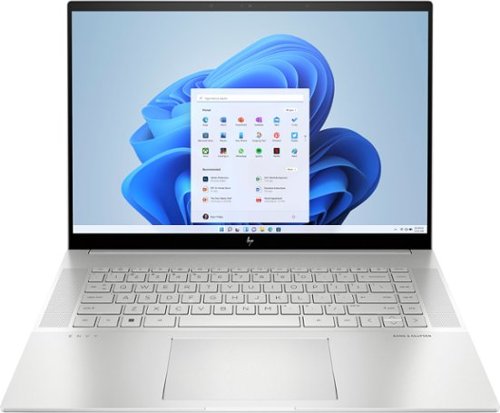
To stay up and creating on the run, you need power, mobility and seamless connectivity between all your creative tools. Power your ideas wherever they take you.
Overall5 out of 5
5 out of 5Excellent value when on sale
By Rayviator
I have put in weeks of research to find a laptop that could meet my needs as a video creative for 4k and 5k Drone videos and photos. I am coming from a 2018 i5 MacBook Pro with 16 GB Ram and 512 GB hard drive. I was dead set on getting either an M2 Max 14 inch MacBook Pro or M1 Max 16 Inch MacBook Pro which would have cost me about $2,600 from the Refurb Apple Store. I decided to see what 13th Gen Intel had to offer and research various benchmarks and YouTube reviews of different laptops with 13th Gen i9 processors.
Then I found this HP Envy 16 Inch on sale for $1,299. The benchmarks for the i9 13900H is on par if not better than the M1 Max and with the RTX 4060 GPU on this HP Envy 16, it exceeds the performance of the integrated M1 MAX GPU. This laptop has the power and performance for a lot less than it’s Apple competition. Where this falls short is the overall brightness which is 400 nits where the Apple is 500 nit average and up to 1000 nit peak. Also, the battery life is about 6 to 7 hours of watching content, productivity, email, surfing the web, etc. If you are gaming or doing power intensive tasks, the battery last about 2 to 3 hours. The MacBook Pro is going to be closer to 16 hours or more. You will have to determine if spending an extra $1,000 or more is worth a brighter screen and better battery life.
A couple things to mention that is not clear in the product description, YES you can easily upgrade this laptop. It is NOT based on the Evo platform where the RAM is soldered on. You can upgrade this RAM to 64 GB of DDR5, and you can add a second NVME Drive. The included drive is a MICRON 3400 with a Read of 6,600 MB/s and a Write of 5,000 MB/s. You can also swap out the Wi-Fi/Bluetooth adapter if you want. This has the Intel AX211 NGW. Another thing is, you CAN charge this laptop via USB-C and I was able to get 91 watts of charge consistently. You will probably get a message saying to use a higher watt power adapter for full performance though. So don’t expect to get full CPU/GPU power using USB-C charging.
I do want to highlight the following, Windows Hello works great and reminds me of how well Face ID works. Start up from power off to being logged in using Windows Hello takes about 15 seconds. When you restart from power on, it takes about 25 seconds to be logged back in. The speakers for me were TERRIBLE at first. Be sure to go to the HP website and download all of the latest drivers and update the BIOS to the latest version. That fixed the speaker problems for me which was low volume. Last thing I want to mention again is that if you want the FULL power this laptop has to offer, you will need to have it plugged in to outlet using the included 200W adapter. Apple products give you the full power plugged in or not. Hopefully this review gave you the insight you were looking for.
Rayviator
USB-C Charging Reply
June 24, 2023
I didn't do anything special to get USB-C charging to work. When powered on, USB-C charging is not enough, you will still see the battery drain. If you have the laptop off or in sleep mode, the battery will charge with no problem. I will say, I am using a 120-watt power brick so it's possible if your power brick is not 100-watt or more, it could struggle with USB-C charging.
-1point
1of 3voted this comment as helpful.
To stay up and creating on the run, you need power, mobility and seamless connectivity between all your creative tools. Power your ideas wherever they take you.
Overall5 out of 5
5 out of 5Excellent value when on sale
By Rayviator
I have put in weeks of research to find a laptop that could meet my needs as a video creative for 4k and 5k Drone videos and photos. I am coming from a 2018 i5 MacBook Pro with 16 GB Ram and 512 GB hard drive. I was dead set on getting either an M2 Max 14 inch MacBook Pro or M1 Max 16 Inch MacBook Pro which would have cost me about $2,600 from the Refurb Apple Store. I decided to see what 13th Gen Intel had to offer and research various benchmarks and YouTube reviews of different laptops with 13th Gen i9 processors.
Then I found this HP Envy 16 Inch on sale for $1,299. The benchmarks for the i9 13900H is on par if not better than the M1 Max and with the RTX 4060 GPU on this HP Envy 16, it exceeds the performance of the integrated M1 MAX GPU. This laptop has the power and performance for a lot less than it’s Apple competition. Where this falls short is the overall brightness which is 400 nits where the Apple is 500 nit average and up to 1000 nit peak. Also, the battery life is about 6 to 7 hours of watching content, productivity, email, surfing the web, etc. If you are gaming or doing power intensive tasks, the battery last about 2 to 3 hours. The MacBook Pro is going to be closer to 16 hours or more. You will have to determine if spending an extra $1,000 or more is worth a brighter screen and better battery life.
A couple things to mention that is not clear in the product description, YES you can easily upgrade this laptop. It is NOT based on the Evo platform where the RAM is soldered on. You can upgrade this RAM to 64 GB of DDR5, and you can add a second NVME Drive. The included drive is a MICRON 3400 with a Read of 6,600 MB/s and a Write of 5,000 MB/s. You can also swap out the Wi-Fi/Bluetooth adapter if you want. This has the Intel AX211 NGW. Another thing is, you CAN charge this laptop via USB-C and I was able to get 91 watts of charge consistently. You will probably get a message saying to use a higher watt power adapter for full performance though. So don’t expect to get full CPU/GPU power using USB-C charging.
I do want to highlight the following, Windows Hello works great and reminds me of how well Face ID works. Start up from power off to being logged in using Windows Hello takes about 15 seconds. When you restart from power on, it takes about 25 seconds to be logged back in. The speakers for me were TERRIBLE at first. Be sure to go to the HP website and download all of the latest drivers and update the BIOS to the latest version. That fixed the speaker problems for me which was low volume. Last thing I want to mention again is that if you want the FULL power this laptop has to offer, you will need to have it plugged in to outlet using the included 200W adapter. Apple products give you the full power plugged in or not. Hopefully this review gave you the insight you were looking for.
Rayviator
USB-C Charging follow-up
October 9, 2023
The only way to get USB-C charging to work is when the laptop is either turned off completely or when it is in sleep mode. It will not charge via USB-C when you are using the laptop. I am using a 65-watt charging brick with a thunderbolt cable to get this to work.
+1point
1of 1voted this comment as helpful.
Rayviator's Questions
Rayviator has not submitted any questions.
To stay up and creating on the run, you need power, mobility and seamless connectivity between all your creative tools. Power your ideas wherever they take you.
To stay up and creating on the run, you need power, mobility and seamless connectivity between all your creative tools. Power your ideas wherever they take you.
Do the HDMI 2.1 ports support HDMI Cable Power by using the HDMI 2.1a cable? In other words, can the HDMI 2.1 ports provide power like the Thunderbolt 4 ports if using the HDMI 2.1a cables?
To stay up and creating on the run, you need power, mobility and seamless connectivity between all your creative tools. Power your ideas wherever they take you.
Is there any way to disable the rtx 4060 and only run on the igpu without entering the bios.
Hello, you can choose on certain apps which GPU to utilize under Settings, Display, Graphics, then select from the available apps or games which GPU you want to use, or you can let windows decide. Another option is to go into Nvidia control panel and force which GPU to use there. Hopefully this helps!
2 years, 8 months ago
by
Rayviator
To stay up and creating on the run, you need power, mobility and seamless connectivity between all your creative tools. Power your ideas wherever they take you.
I've recently upgraded this laptop's ram to crucial 64gb 5600mhz ram but after upgraded its registering at 5200mhz. Has anyone used any different brands of 64gb ram at 5600mhz and it not drop down to 5200mhz after installation if so what did you use?


To stay up and creating on the run, you need power, mobility and seamless connectivity between all your creative tools. Power your ideas wherever they take you.
We have a 6 year old hp envy right now that my wife uses for her photography business and it's really slow and outdated. If I upgraded this to 64gb of memory would this last her another 4 to 6 years? She mainly uses Lightroom to do her editing.
Enjoy stunning panoramic views during gameplay with this Dell 32-inch curved gaming monitor. A vibrant 2560 x 1440 resolution coupled with a contrast ratio of 3000:1 delivers precise colors for an immersive gaming experience. This Dell 32-inch curved gaming monitor has AMD FreeSync 2 to reduce screen tearing and splitting, and a 165Hz refresh rate keeps the action smooth.
How do I keep the monitor in a certain position? Can't figure out how to stop the plate to go up again
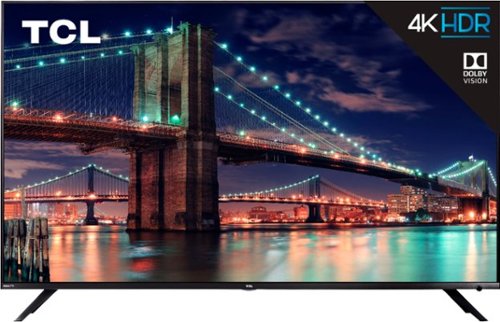
Treat yourself to endless entertainment with this 55-inch 4K TCL Ultra HD TV. Its Roku platform streams thousands of shows that can be accessed via its remote or your smartphone, and HDR technology provides impressive, lifelike pictures. This TCL Ultra HD TV has three HDMI inputs, dual-band Wi-Fi and an Ethernet port for plenty of connection options.

Enjoy hands-free online searches with this 8-inch Amazon Fire HD tablet. It supports voice commands through Alexa, and it has a Blue Shade mode for comfortable e-book reading at night. Watch HD videos and play mobile games all day thanks to the 12-hour battery life of this 16GB Amazon Fire HD tablet.
Enjoy hands-free online searches with this 8-inch Amazon Fire HD tablet. It supports voice commands through Alexa, and it has a Blue Shade mode for comfortable e-book reading at night. Watch HD videos and play mobile games all day thanks to the 12-hour battery life of this 16GB Amazon Fire HD tablet.
Can you get Amazon Free Time for kids on this tablet?
Yes you can. This is the same tablet as the “kids” version except you don’t get the bumper or the 2 year warranty or the 1 year of free time for free. If you already have the freetime app, it will prompt you if you would like to set up your freetime profile as you go through the initial setup process.
7 years, 5 months ago
by
Rayviator
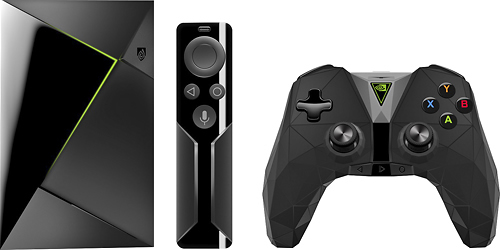
Upgrade your home theater system with this NVIDIA SHIELD Android console. It lets you stream 4K HDR movies and TV shows and play hundreds of PC-quality games via GeForce NOW or Android streaming. The 16GB of internal memory stores your favorite multimedia files, and the voice search feature of this NVIDIA SHIELD Android console lets you access content immediately.