
Share Rayviator's profile


Rayviator
Rayviator's stats
- Review count64
- Helpfulness votes213
- First reviewOctober 18, 2018
- Last reviewAugust 19, 2025
- Featured reviews0
- Average rating4.6
- Review comment count5
- Helpfulness votes3
- First review commentOctober 31, 2020
- Last review commentOctober 9, 2023
- Featured review comments0
Questions
- Question count0
- Helpfulness votes0
- First questionNone
- Last questionNone
- Featured questions0
- Answer count32
- Helpfulness votes15
- First answerOctober 20, 2018
- Last answerOctober 9, 2023
- Featured answers0
- Best answers4

New and returning subscribers. Offer ends 9/30/25. Active My Best Buy Plus or My Best Buy Total membership required to qualify for discount. With NFL Sunday Ticket for out-of-market games and YouTube TV Base Plan (+$82.99/mo) for local and national games. Payment plans not available everywhere. Terms, restrictions, and embargoes apply. Excludes digital-only games. No refunds. Commercial use excluded. Redeem by 10/7/25. A valid form of payment is required at sign-up. Your NFL Sunday Ticket membership will automatically renew for the 2026 NFL season and each season thereafter at the then current season price unless you cancel before your billing renewal date. Regularly priced at $480 for YouTube subscribers, regularly priced at $378 for YouTube TV subscribers.
Customer Rating

5
Football Season is here!
on August 19, 2025
Posted by: Rayviator
Verified Purchase:Yes
Other than a student discount, the BestBuy membership price for NFL Sunday ticket is hard to beat! Definitely worth getting if you are an NFL fan.
Length of ownership: 22
Mobile Submission: True
I would recommend this to a friend!
Quality

5
Value

4
Ease of Use
5
Share this review:


0points
0of 0voted this as helpful.
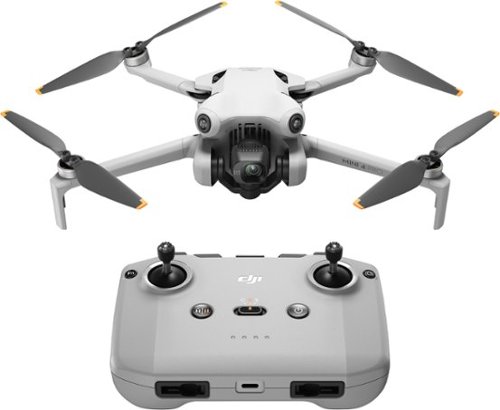
DJI Mini 4 Pro integrates powerful imaging capabilities, omnidirectional obstacle sensing, ActiveTrack 360~ with the new Trace Mode, and 20km FHD video transmission, bringing even more things to love for pros and beginners alike.
Customer Rating
5
This drone is for all types flyers.
on November 19, 2023
Posted by: Rayviator
Year after year, DJI continues to improve on their products and this year has been a pretty nice upgrade. Comparing the DJI Mini 3 Pro, lose the FOMO, unless you really need the active track capabilities. Otherwise, just wait for the next mini drone, or upgrade and get a DJI AIR 3 instead. I like the fact that the batteries from the DJI MINI 3 Pro are compatible with the MINI 4 Pro. Now, the main reasons to get this drone are the improved obstacle avoidance detection, the added active track feature, and the slightly improved image quality. If you are looking to buy a second drone and you already have a mini 3 or Mini 3 Pro, get an AIR 3 instead. If you have a Mini 2 series, then go ahead and get the Mini 4 Pro if you need another Mini drone, or get a Mini 3 Pro if you can find it at a big discount. Skip the Mini 3 Pro if it's at full retail. For the distance I fly, I won't notice the upgrade in signal strength, except for signal loss behind objects and land masses and I found the OcuSync 4 to be somewhat noticeable in maintaining a strong connection. Note, that the DJI RC and N1 controllers won't work with the MINI 4 Pro, you have to use the RC and NC2 controllers because of the OcuSync 4 technology. If you have flown any DJI drones in the past, this will be very familiar to you and you should have little to no learning curve for the basic operations of this drone. DJI is truly the "Apple" of Drones. Having owned both the RC (With Screen) and RC-N (Without Screen) controllers, I highly recommend saving up and just getting the RC controller option as it will save your phone battery, and remove having to connect another device. The RC controller just makes the experience much better. You will have to download the DJI fly app regardless of which option you get since that will help with wirelessly syncing your photos and video, as well as support firmware updates outside of areas with wifi connections. On another note, get the DJI CARE Refresh warranty, it's absolutely worth it and it's very easy to get a replacement drone if something breaks or you lose it and can't recover your drone. If you are unsure about the hobby and are looking to get started, while this drone is a great option, you might want to look at something like the DJI Mini 3 Pro (Discounted) or older for cost savings in case you don't end of enjoying the hobby, or you don't find yourself flying as much as you thought. Last thing to note, if you live in an area with flight restrictions, this drone WILL NOT allow you to fly inside your home or outside your home. It will be GEOLOCKED and you will probably find that frustrating. Check your area ahead of time so you don't get mad after powering on your shiny new drone and it won't take off, not even inside your own home. All in all, this is definitely a buy, but maybe not an upgrade for those who already own a Mini 3 Pro if that is working just fine for you.
Mobile Submission: True
I would recommend this to a friend!
Quality
5
Value
5
Ease of Use
5


Share this review:


+1point
1of 1voted this as helpful.

The EVO Lite+ is the gold standard for photography drones. It features some of the best lowlight performance in its size class, thanks to its 1-inch camera sensor and intelligent Moonlight Algorithm. With a 40-minute flight time and one-tap cinematic flight modes, the Lite+ can get you the best aerial photos and videos, whatever time of day. The Premium Bundle comes with extra batteries, propellers, and more to help you maximize your flight time and photography potential.
Customer Rating

4
Premium Drone; On par with DJI Air 2S
on October 9, 2023
Posted by: Rayviator
I’ll save you the lengthy review and give you what you need to know: This drone is on par if not better than the DJI drone it competes with which is the DJI Air 2S. The gamer style controller feels familiar if you have played video games. It’s a very high-quality controller and easy to use with your phone. This Drone is designed to be used with iPhone, but there are Android Phones and Tablets this is compatible with as well. YES, you need to register this drone because it exceeds the 250-gram weight limit. Yes, this has Remote ID built in, so it will be complaint with future FAA rules and regulations. The camera says it is 6K, but actually it is a 5.4K camera which is still excellent! The app is easy to navigate, it’s both Android and Apple compatible, just be sure to check which Android phones this will work with. There is a handy tutorial that will walk you through all of the features, so you are familiar with the buttons before flying. This premium bundle gives you everything you will need to get started flying and more. This does have some built in storage, but you will need a high-end SD card that is at least 128 GB, but I would recommend a 256 GB as a good middle ground. Battery life is about 30 or so minutes which is on par with DJI's offering in the DJI Air 2S. The time it takes to connect to the controller and app is ALOT faster than my DJI Air 3 and Mini 3 Pro. You will start flying minutes faster than a DJI. The distance this can fly is up to around 7 miles with clear line of sight, but I have personally flown about 2 miles away over the ocean and had no transmission issues at all. I have had some connections issues when flying around a hill, but the same has happened with my DJI as well. As for pricing, look around since there seems to be a lot of different prices, but Best Buy seems to have a good price. This drone does have some quirks here and there, but the quality is on par with the rest of the well-known brands at a cheaper cost. One major advantage this drone has over the others is that it is not geo-fenced / geo-locked. So, it lets you be the responsible one to fly in approved air space and not just lock you out like DJI drones do. I would definitely recommend this drone and this package, don't get the standard package, just save your extra couple of dollars to get the full premium bundle.
With all that being said, the drone of the year has to be the DJI Air 3 with everything that has to offer, so definitely cross shop that drone with this one.
Mobile Submission: False
I would recommend this to a friend!
Battery Life
5
Range
5
Camera Quality
5


Share this review:


+3points
3of 3voted this as helpful.
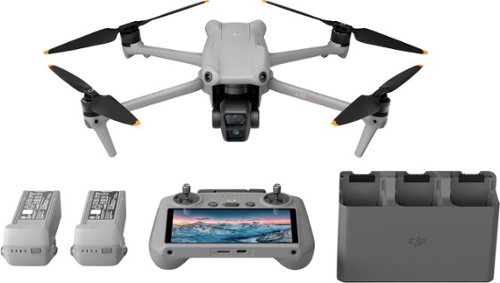
DJI Air 3 brings the next evolution of aerial and camera tech to the Air series with dual cameras, a 46-minute max flight time, omnidirectional obstacle sensing, O4 transmission, and many other intelligent features. With its advanced technology, compact and foldable design, and affordable price point, Air 3 is an unrivaled option for creators everywhere.
Customer Rating
5
Best All Around Drone in 2023
on October 1, 2023
Posted by: Rayviator
The DJI Air 3 is one of the best, if not the best all around prosumer drone you can buy right now. This drone can serve as an all-around hobby drone to have fun just flying around or for some serious professional work (social media, Stock photo/video, Real estate, and more. You do need to purchase a charging brick, so be sure to get one with at least a 65 watt rating or higher. You don’t need the DJI branded one.
Who should get this done? Well, I think there are a couple of categories for why you would want this drone:
1) The person who is just getting into the hobby and wants one of the best all-around drones on the market for battery life, range, camera quality, wind resistance, night photos, 360 obstacle avoidance, is easy to fly, and cost for features.
2) The person who already has a DJI drone from Mini 3, Air 2, and Mavic 2 series and older and you are ready to spend money on an upgrade. This is the one you were waiting for, especially for the cost to quality/features ratio.
3) Somone who has a mini series and is looking for a secondary drone that will handle stronger winds, has better cameras, and improved flight time and range. This will be a great secondary drone for you. You don’t need that Mavic 3 Series, but if you do, well you probably already know your use case for that drone. Save your money and get the Air 3 instead.
1) The person who is just getting into the hobby and wants one of the best all-around drones on the market for battery life, range, camera quality, wind resistance, night photos, 360 obstacle avoidance, is easy to fly, and cost for features.
2) The person who already has a DJI drone from Mini 3, Air 2, and Mavic 2 series and older and you are ready to spend money on an upgrade. This is the one you were waiting for, especially for the cost to quality/features ratio.
3) Somone who has a mini series and is looking for a secondary drone that will handle stronger winds, has better cameras, and improved flight time and range. This will be a great secondary drone for you. You don’t need that Mavic 3 Series, but if you do, well you probably already know your use case for that drone. Save your money and get the Air 3 instead.
I currently own a DJI Mini 3 Pro and an Autel Evo Lite plus. Comparing these to the DJI Air 3, If you own a Mini 3 pro and have been happy with the quality you are getting, only buy this if you find yourself frequently needing a drone that can handle increased wind speeds or you need a drone with active track. Otherwise, don’t worry about the FOMO, save your money. If you have an Autel Evo Lite plus, I find the Air 3 has more reliable connection with the controller. I find I have issues with maintaining a connection from the drone to the controller on the Autel. For the average drone enthusiast, the camera quality is great on both, you won’t notice a real difference in daylight shots. For the professional, the 1-inch sensor and 5.4k camera on the Autel is going to give you a boost in image quality for editing later on.
Lastly, some quick highlights of the DJI Air 3, this drone is quick! I’ve been able to reach 33 mph against mild wind conditions. It’s the fastest out of my Mini 3 Pro and Autel Evo Lite plus. The second camera is awesome for getting closer to your subject without having to fly as close. Fly more combo is must, save your money and get this package, it’s the best value overall if you are set on getting an Air 3. I absolutely recommend getting DJI care, I’ve had to use it on my Mini 3 pro, and it was a life saver.
*** Pro tip, the DJI Min 4 Pro can do about 90% of what the DJI Air 3 is capable of for the average person. The Air 3 will perform better in stronger windy conditions and it has that second camera 3x zoom lens.
Mobile Submission: True
I would recommend this to a friend!
Quality
5
Value
5
Ease of Use
5


Share this review:


+4points
4of 4voted this as helpful.
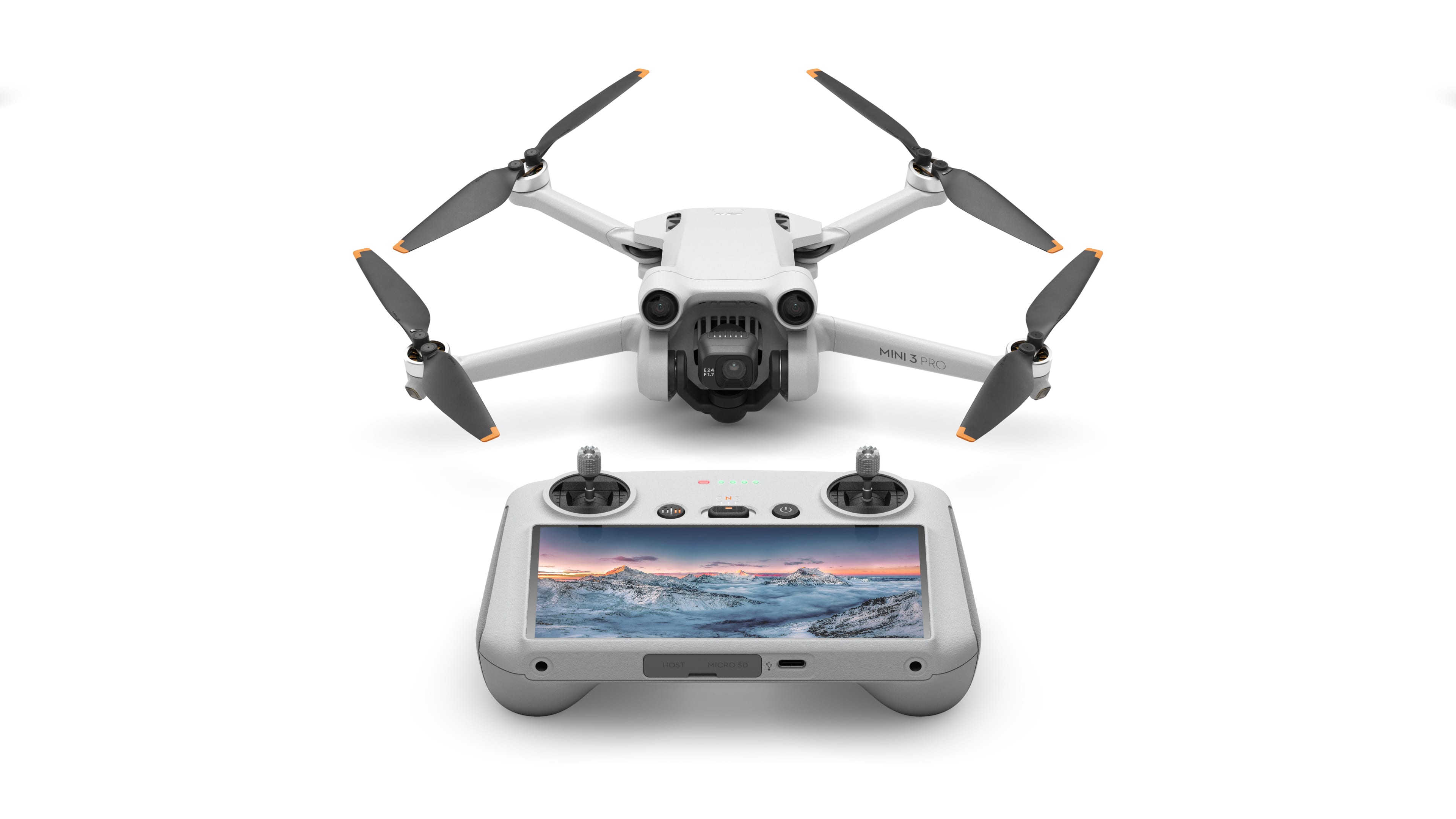
The mini-sized, mega-capable DJI Mini 3 Pro is just as powerful as it is portable. Weighing less than 249 g and with upgraded safety features, it's not only regulation-friendly, it's also the safest in its series. With a 1/1.3-inch sensor and top-tier features, it redefines what it means to fly Mini.
Posted by: Rayviator
The DJI Mini 3 pro is an excellent first drone. I am a beginner enthusiast myself and was able to operate this drone without a significant learning curve. The serup instructions walk you through the features and how to operate the drone. I’m still trying to learn how to maximize all of the features, but the automated flight settings makes getting some unique pictures and videos very easy. The controller with the screen is AMAZING. I have tried a mini 2 SE drone and I returned it for this because of how simple and easy it is instead of having to fly with my phone. The new controller is convenient and very reliable. If you are hesitant to get this drone, don’t be, you will be happy with the purchase! I think this drone will meet about 90% of people’s needs. If you find yourself needing additional features or capability, then you probably already know which drone fits your usecase. The one thing you should consider is if you are constantly flying in extreme windy conditions, then you will need a larger drone like a DJI Air 2s, Air 3, or Autel Evo lite plus. Outside of that, you will probably be very happy with what this drone can do.
Mobile Submission: True
I would recommend this to a friend!
Quality
5
Value
5
Ease of Use
5


Share this review:


+2points
2of 2voted this as helpful.

The all-new NZXT H1 provides a beautifully small vertical chassis, maintaining full sized GPU compatibility. Comes ready with a 750w PSU.
Customer Rating
5
A definite improvement over the first version
on June 20, 2023
Posted by: Rayviator
Verified Purchase:Yes
The NZXT H1 v2 is an excellent value when on sale. I picked this up for $200 on sale and for every you get, I think it’s worth it. I had the H1 v1 and this one is definitely taller and a bit wider. This is to accommodate bigger graphics cards. NZXT also included a 750watt Power Supply instead of the 650 watt in the older model. They also added an additional USB 3.0 port on top and an improved riser cable for the graphics card. The included 140 mm AIO water cooler seems to be the same setup as before which isn’t bad. All of the cables are pre-routed so this is almost as plug and play as you get with PC builds. The new USB controller didn’t quite workout with my MSI motherboard so I went ahead and plugged the CPU fan cable directly onto my motherboard in addition to the usb controller cable. I’m very happy with this small form factor case and would recommend it, especially when on sale. Hold out for those 50% off deals if you can!
Length of ownership: 20
Mobile Submission: True
I would recommend this to a friend!
Quality
5
Value
5
Ease of Use
5


Share this review:


+4points
4of 4voted this as helpful.
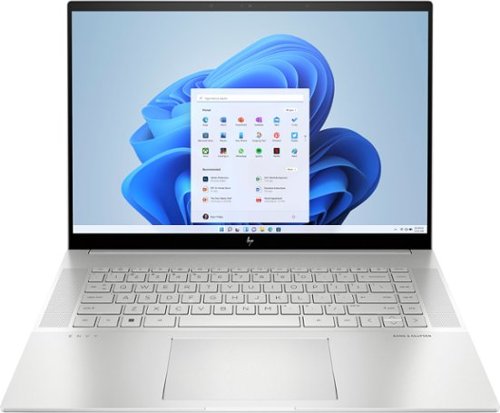
To stay up and creating on the run, you need power, mobility and seamless connectivity between all your creative tools. Power your ideas wherever they take you.
Customer Rating
5
Excellent value when on sale
on June 19, 2023
Posted by: Rayviator
Verified Purchase:Yes
I have put in weeks of research to find a laptop that could meet my needs as a video creative for 4k and 5k Drone videos and photos. I am coming from a 2018 i5 MacBook Pro with 16 GB Ram and 512 GB hard drive. I was dead set on getting either an M2 Max 14 inch MacBook Pro or M1 Max 16 Inch MacBook Pro which would have cost me about $2,600 from the Refurb Apple Store. I decided to see what 13th Gen Intel had to offer and research various benchmarks and YouTube reviews of different laptops with 13th Gen i9 processors.
Then I found this HP Envy 16 Inch on sale for $1,299. The benchmarks for the i9 13900H is on par if not better than the M1 Max and with the RTX 4060 GPU on this HP Envy 16, it exceeds the performance of the integrated M1 MAX GPU. This laptop has the power and performance for a lot less than it’s Apple competition. Where this falls short is the overall brightness which is 400 nits where the Apple is 500 nit average and up to 1000 nit peak. Also, the battery life is about 6 to 7 hours of watching content, productivity, email, surfing the web, etc. If you are gaming or doing power intensive tasks, the battery last about 2 to 3 hours. The MacBook Pro is going to be closer to 16 hours or more. You will have to determine if spending an extra $1,000 or more is worth a brighter screen and better battery life.
A couple things to mention that is not clear in the product description, YES you can easily upgrade this laptop. It is NOT based on the Evo platform where the RAM is soldered on. You can upgrade this RAM to 64 GB of DDR5, and you can add a second NVME Drive. The included drive is a MICRON 3400 with a Read of 6,600 MB/s and a Write of 5,000 MB/s. You can also swap out the Wi-Fi/Bluetooth adapter if you want. This has the Intel AX211 NGW. Another thing is, you CAN charge this laptop via USB-C and I was able to get 91 watts of charge consistently. You will probably get a message saying to use a higher watt power adapter for full performance though. So don’t expect to get full CPU/GPU power using USB-C charging.
I do want to highlight the following, Windows Hello works great and reminds me of how well Face ID works. Start up from power off to being logged in using Windows Hello takes about 15 seconds. When you restart from power on, it takes about 25 seconds to be logged back in. The speakers for me were TERRIBLE at first. Be sure to go to the HP website and download all of the latest drivers and update the BIOS to the latest version. That fixed the speaker problems for me which was low volume. Last thing I want to mention again is that if you want the FULL power this laptop has to offer, you will need to have it plugged in to outlet using the included 200W adapter. Apple products give you the full power plugged in or not. Hopefully this review gave you the insight you were looking for.
Length of ownership: 6
Mobile Submission: True
I would recommend this to a friend!
Quality
5
Value
4
Ease of Use
5


Share this review:


+107points
110of 113voted this as helpful.

Celebrate the Sword & Shield Series~with Charizard! Celebrate the Sword & Shield Series and the era of Pok~mon V, Pok~mon VMAX, and Pok~mon VSTAR with a hotshot who knows how to put all that power to good use! Charizard turns up the heat as a trio of promo cards with an etched foil treatment, and its Gigantamax form shows off blazing style on a playmat, metal coin, and set of card sleeves. Metal dice and condition markers round out this ultimate set of gameplay accessories. And as you open the huge stack of booster packs inside this box, take a journey through the Sword & Shield Series with an original booklet full of images and stats!
Customer Rating
5
Lots of packs to open, premium experience!
on January 12, 2023
Posted by: Rayviator
Verified Purchase:Yes
Got this on sale and my kid was ecstatic to open this on Christmas. What’s cool about this set is how many packs you get, plus the three Charizard cards and many other extras. The whole experience for him was awesome to watch as a parent, seeing the joy on his face. Glad Pokémon made a bunch of these to allow many kids to enjoy the hobby.
Length of ownership: 22
Mobile Submission: True
I would recommend this to a friend!
Quality
5
Value
5
Ease of Use
5
Share this review:


0points
0of 0voted this as helpful.

With Apple Music, you can play over 90 million songs and 30,000 playlists ad-free, online or off.
Customer Rating
5
Has all the music I want
on June 26, 2022
Posted by: Rayviator
Verified Purchase:Yes
I love Apple music. It has all the songs I look for with no commercials. I also enjoy the variety of radio stations they have.
Length of ownership: 387
Mobile Submission: False
I would recommend this to a friend!
Quality
5
Value
5
Ease of Use
5
Share this review:


0points
0of 0voted this as helpful.
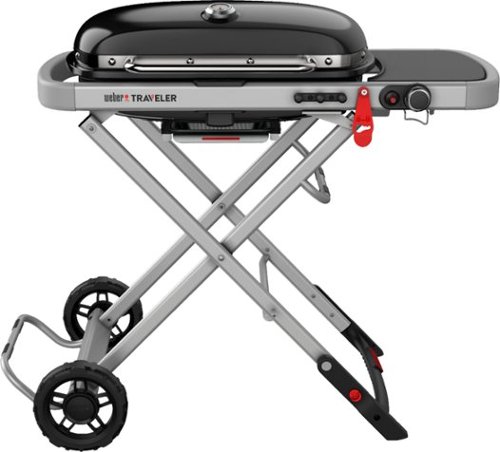
The Weber Traveler is for anyone who wants delicious grilled food away from home. Whether you~re camping, tailgating, or picnicking, its sturdy, compact design makes for a seamless experience, from setup to storage. Savor the journey with backyard quality food, no matter where the adventure takes you.
Customer Rating
5
So compact with great build quality
on January 10, 2022
Posted by: Rayviator
Verified Purchase:Yes
This Grill is so compact and easy to setup. It’s the perfect travel grill for those days at the beach or front yard cookouts.
Length of ownership: 11
Mobile Submission: True
I would recommend this to a friend!
Quality
5
Ease of Use
5
Value
5
Share this review:


+1point
1of 1voted this as helpful.
Rayviator's Review Comments
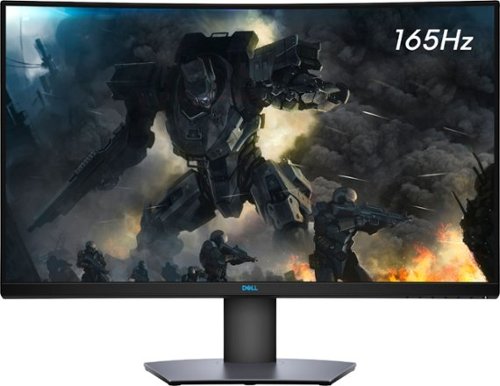
Enjoy stunning panoramic views during gameplay with this Dell 32-inch curved gaming monitor. A vibrant 2560 x 1440 resolution coupled with a contrast ratio of 3000:1 delivers precise colors for an immersive gaming experience. This Dell 32-inch curved gaming monitor has AMD FreeSync 2 to reduce screen tearing and splitting, and a 165Hz refresh rate keeps the action smooth.
Overall5 out of 5
5 out of 5Great specs for the price
By grizzlyone95
This monitor provides a lot of value for the price, especially on sale! It goes down to 350 or even 330 I saw once, and at that point it's a steal. You get 1440p, 165 hz, HDR, 32" of glorious Freesync goodness.
The colors are very good, much better than my previous TN panel. I do not notice the 4ms response time causing issues playing online, though I usually play single player anyway.
The only main issue I had with it, is this monitor is not actually compatible with G Sync. All the official reviews do say it's compatible with G Sync, but it technically is not. I was able to get it working, but only after tweaking some settings via Custom Resolution Utility. Basically you need to set the FPS limit for Freesync to around 75 - 165 instead of the default 48 - 165. And you also need to adjust this in the right spot depending on if you have DisplayPort connection or HDMI connection.
After I did this the monitor did work with G Sync without flickering or other bugs. So I am very happy with it now! HDR is amazing when games support it, like Doom Eternal. I say on sale you can't find a better monitor for gaming and productivity.

Rayviator
Try a Display Port 1.4 cable
October 31, 2020
Make sure your firmware is updated on your monitor and try getting a new DP 1.4 cable. The cable that comes in the box is only a 1.2 cable. Also, make sure your free sync is turned on from the monitor and G-sync is turned on. Also, your graphics card needs to be a 10 series or newer. The updated DP 1.4 cable has worked for many.
+1point
1of 1voted this comment as helpful.
Enjoy stunning panoramic views during gameplay with this Dell 32-inch curved gaming monitor. A vibrant 2560 x 1440 resolution coupled with a contrast ratio of 3000:1 delivers precise colors for an immersive gaming experience. This Dell 32-inch curved gaming monitor has AMD FreeSync 2 to reduce screen tearing and splitting, and a 165Hz refresh rate keeps the action smooth.
Overall 3 out of 5
3 out of 5Flickering Issue.
By AsadFlickeringVictim
Overall, it is pretty good and decent Monitor.
However, it has a wired issue- it will do randomly Flickering. it just randomly black-out and come back for 1~2s. (its just like Alt-Tab out) 1~2 times a day. I tried both with/without Freesync. Same issue.
However, it has a wired issue- it will do randomly Flickering. it just randomly black-out and come back for 1~2s. (its just like Alt-Tab out) 1~2 times a day. I tried both with/without Freesync. Same issue.
https://www.reddit.com/r/Monitors/comments/epk6dw/dell_s3220dgf_flickering/
This is the same topic reddit. After reading that, i am still not sure how to fix this issue.
I am using the DP port with in-box DP cable.
Rayviator
Get a DP v1.4 cable
November 27, 2020
You need to buy a DP v1.4 cable. As I mentioned in my review, the cable in the box is a v1.2. The new cable should stop the flickering.
0points
0of 0voted this comment as helpful.
Enjoy stunning panoramic views during gameplay with this Dell 32-inch curved gaming monitor. A vibrant 2560 x 1440 resolution coupled with a contrast ratio of 3000:1 delivers precise colors for an immersive gaming experience. This Dell 32-inch curved gaming monitor has AMD FreeSync 2 to reduce screen tearing and splitting, and a 165Hz refresh rate keeps the action smooth.
Overall5 out of 5
5 out of 5Great picture and build quality.
By Rayviator
This is an excellent monitor and especially at the Black Friday price. I was able to get G-Sync to work with my RTX 2070-Super no problem. Like others have stated you need to buy a v1.4 DisplayPort cable as the one that comes in the box is only a v1.2 which will cause flickering issues with G-sync turned on. Also, be sure to check the box and make sure you get the REV A03 or A04 model.
Rayviator
G-Sync "compatible" with the right cable/settings
February 3, 2021
To expand on my review, I know that G-Sync is "Officially" support by Dell, but it DOES work. Again, the Display Port cable that comes in the box is a v1.2 and will NOT work properly and WILL cause flickering when you try to enable G-Sync. I had to buy a verified Display Port v1.4 cable and only then did it work without flickering issues and continues to work no problem. I have been playing COD Cold War without any G-Sync issues what so ever. When I go into the NVIDIA Control Panel, under the "Display" menu, "Set up G-SYNC" becomes available. I then check the box that says, "Enable G-SYNC, G-SYNC Compatible". The button below it, I have it selected on "Enable for full screen mode". Hopefully this additional information helps.
0points
0of 0voted this comment as helpful.
To stay up and creating on the run, you need power, mobility and seamless connectivity between all your creative tools. Power your ideas wherever they take you.
Overall5 out of 5
5 out of 5Excellent value when on sale
By Rayviator
I have put in weeks of research to find a laptop that could meet my needs as a video creative for 4k and 5k Drone videos and photos. I am coming from a 2018 i5 MacBook Pro with 16 GB Ram and 512 GB hard drive. I was dead set on getting either an M2 Max 14 inch MacBook Pro or M1 Max 16 Inch MacBook Pro which would have cost me about $2,600 from the Refurb Apple Store. I decided to see what 13th Gen Intel had to offer and research various benchmarks and YouTube reviews of different laptops with 13th Gen i9 processors.
Then I found this HP Envy 16 Inch on sale for $1,299. The benchmarks for the i9 13900H is on par if not better than the M1 Max and with the RTX 4060 GPU on this HP Envy 16, it exceeds the performance of the integrated M1 MAX GPU. This laptop has the power and performance for a lot less than it’s Apple competition. Where this falls short is the overall brightness which is 400 nits where the Apple is 500 nit average and up to 1000 nit peak. Also, the battery life is about 6 to 7 hours of watching content, productivity, email, surfing the web, etc. If you are gaming or doing power intensive tasks, the battery last about 2 to 3 hours. The MacBook Pro is going to be closer to 16 hours or more. You will have to determine if spending an extra $1,000 or more is worth a brighter screen and better battery life.
A couple things to mention that is not clear in the product description, YES you can easily upgrade this laptop. It is NOT based on the Evo platform where the RAM is soldered on. You can upgrade this RAM to 64 GB of DDR5, and you can add a second NVME Drive. The included drive is a MICRON 3400 with a Read of 6,600 MB/s and a Write of 5,000 MB/s. You can also swap out the Wi-Fi/Bluetooth adapter if you want. This has the Intel AX211 NGW. Another thing is, you CAN charge this laptop via USB-C and I was able to get 91 watts of charge consistently. You will probably get a message saying to use a higher watt power adapter for full performance though. So don’t expect to get full CPU/GPU power using USB-C charging.
I do want to highlight the following, Windows Hello works great and reminds me of how well Face ID works. Start up from power off to being logged in using Windows Hello takes about 15 seconds. When you restart from power on, it takes about 25 seconds to be logged back in. The speakers for me were TERRIBLE at first. Be sure to go to the HP website and download all of the latest drivers and update the BIOS to the latest version. That fixed the speaker problems for me which was low volume. Last thing I want to mention again is that if you want the FULL power this laptop has to offer, you will need to have it plugged in to outlet using the included 200W adapter. Apple products give you the full power plugged in or not. Hopefully this review gave you the insight you were looking for.
Rayviator
USB-C Charging Reply
June 24, 2023
I didn't do anything special to get USB-C charging to work. When powered on, USB-C charging is not enough, you will still see the battery drain. If you have the laptop off or in sleep mode, the battery will charge with no problem. I will say, I am using a 120-watt power brick so it's possible if your power brick is not 100-watt or more, it could struggle with USB-C charging.
-1point
1of 3voted this comment as helpful.
To stay up and creating on the run, you need power, mobility and seamless connectivity between all your creative tools. Power your ideas wherever they take you.
Overall5 out of 5
5 out of 5Excellent value when on sale
By Rayviator
I have put in weeks of research to find a laptop that could meet my needs as a video creative for 4k and 5k Drone videos and photos. I am coming from a 2018 i5 MacBook Pro with 16 GB Ram and 512 GB hard drive. I was dead set on getting either an M2 Max 14 inch MacBook Pro or M1 Max 16 Inch MacBook Pro which would have cost me about $2,600 from the Refurb Apple Store. I decided to see what 13th Gen Intel had to offer and research various benchmarks and YouTube reviews of different laptops with 13th Gen i9 processors.
Then I found this HP Envy 16 Inch on sale for $1,299. The benchmarks for the i9 13900H is on par if not better than the M1 Max and with the RTX 4060 GPU on this HP Envy 16, it exceeds the performance of the integrated M1 MAX GPU. This laptop has the power and performance for a lot less than it’s Apple competition. Where this falls short is the overall brightness which is 400 nits where the Apple is 500 nit average and up to 1000 nit peak. Also, the battery life is about 6 to 7 hours of watching content, productivity, email, surfing the web, etc. If you are gaming or doing power intensive tasks, the battery last about 2 to 3 hours. The MacBook Pro is going to be closer to 16 hours or more. You will have to determine if spending an extra $1,000 or more is worth a brighter screen and better battery life.
A couple things to mention that is not clear in the product description, YES you can easily upgrade this laptop. It is NOT based on the Evo platform where the RAM is soldered on. You can upgrade this RAM to 64 GB of DDR5, and you can add a second NVME Drive. The included drive is a MICRON 3400 with a Read of 6,600 MB/s and a Write of 5,000 MB/s. You can also swap out the Wi-Fi/Bluetooth adapter if you want. This has the Intel AX211 NGW. Another thing is, you CAN charge this laptop via USB-C and I was able to get 91 watts of charge consistently. You will probably get a message saying to use a higher watt power adapter for full performance though. So don’t expect to get full CPU/GPU power using USB-C charging.
I do want to highlight the following, Windows Hello works great and reminds me of how well Face ID works. Start up from power off to being logged in using Windows Hello takes about 15 seconds. When you restart from power on, it takes about 25 seconds to be logged back in. The speakers for me were TERRIBLE at first. Be sure to go to the HP website and download all of the latest drivers and update the BIOS to the latest version. That fixed the speaker problems for me which was low volume. Last thing I want to mention again is that if you want the FULL power this laptop has to offer, you will need to have it plugged in to outlet using the included 200W adapter. Apple products give you the full power plugged in or not. Hopefully this review gave you the insight you were looking for.
Rayviator
USB-C Charging follow-up
October 9, 2023
The only way to get USB-C charging to work is when the laptop is either turned off completely or when it is in sleep mode. It will not charge via USB-C when you are using the laptop. I am using a 65-watt charging brick with a thunderbolt cable to get this to work.
+1point
1of 1voted this comment as helpful.
Rayviator's Questions
Rayviator has not submitted any questions.
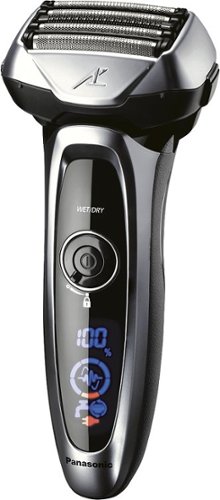
Know you are getting the closest shave possible with this Panasonic Arc5 shaver. The shaving sensor monitors the density of your beard and adjusts power to the five ultrasharp Nanotech blades. This waterproof Panasonic Arc5 shaver works wet or dry and has a sonic vibration cleaning mode for easy maintenance.
Is it made in Japan?

Turn back the clock to your gaming youth with this Super NES Classic Edition gaming console. An exact replica of the original console in compact size, this fun blast from the past includes two 90s-style controllers. Twenty games on this Super NES Classic Edition console let you relive your memories, and you can finally play the never-released Star Fox 2.