
Share bzm3j81's profile


bzm3j81
bzm3j81's stats
- Review count28
- Helpfulness votes32
- First reviewDecember 21, 2018
- Last reviewJuly 21, 2023
- Featured reviews0
- Average rating4.8
- Review comment count4
- Helpfulness votes1
- First review commentAugust 19, 2018
- Last review commentMay 24, 2019
- Featured review comments0
Questions
- Question count0
- Helpfulness votes0
- First questionNone
- Last questionNone
- Featured questions0
- Answer count17
- Helpfulness votes26
- First answerDecember 21, 2018
- Last answerApril 7, 2025
- Featured answers0
- Best answers7

These stainless-steel washing machine fill hoses are ideal for connecting most washing machines to hot and cold water.
Customer Rating

5
Good price for Stainless Steel Braided Hoses
on June 7, 2019
Posted by: bzm3j81
from Detroit, MI
Verified Purchase:Yes
I picked up these hoses when I purchased a new LG Washer. The previous washer lasted 14 years and therefore the previous hoses were there for 14 years and they worked fine. Upon removing the old hoses, I noticed that the inner seal ring was quite chewed up. Thankful I thought ahead and picked up these stainless steel braided hoses when I got my new washer. These installed very quickly and had a little more length than my previous hoses so it made hook up easier before sliding the washer into place.
I had a rubber hose that developed a bubble once so I try to go with stainless braided hoses wherever I can to avoid that kind of problem.
I highly recommend replacing hoses when replacing the connected appliance so that the mating of the new hoses and connection points can make a solid seal.
Mobile Submission: False
I would recommend this to a friend!
Share this review:


0points
0of 0voted this as helpful.

Quicken Deluxe helps you stay on top of bills and spending and save for the future. See your bank, credit card, investment and retirement accounts in one place, or view and pay your bills. With rich analysis, including ROI and IRR, you can manage your investment performance.
Customer Rating

3
Don't like Annual Subscription Model
on April 5, 2019
Posted by: bzm3j81
from Detroit, MI
Verified Purchase:Yes
I've been a longtime Quicken User. I've recommended it to many friends over the years as a way to view all your finances in one place.
It hasn't been perfect, there are a few banks that don't synchronize nicely with Quicken. Fitting my budgeting preferences into Quicken hasn't been easy either. I like to pay certain bills annually instead of monthly and Quicken historically hasn't done a good job letting me know I'm over/under budget when it comes to those items.
Previously, I didn't really mind when I had to purchase Quicken every 3 years. But last year they switched to an annual subscription without significantly dropping the price and that has rubbed me the wrong way.
Quicken 2019 hasn't brought me any 'gotta have' features. Over the next 12 months, I'll probably take a hard look at some of the competitive products that are offered for free online.
I still would recommend to friends trying to get a clearer picture of their finances, but only if they can find a great purchase price.
Mobile Submission: False
I would recommend this to a friend!
Share this review:


+7points
7of 7voted this as helpful.

Worlds collide in Mario + Rabbids Kingdom Battle! The Mushroom Kingdom has been torn apart by a mysterious vortex, transporting the chaotic Rabbids into this once-peaceful land. To restore order, Mario, Luigi, Princess Peach, and Yoshi must team up with a whole new crew made up of four Rabbids heroes! Together, they will battle with weapons through four worlds filled with combat, puzzles, and unpredictable enemies.Developed exclusively for the Nintendo Switch system, Mario + Rabbids Kingdom Battle is the best of the Mario and Rabbids franchises, combining all that you love about Mario iconic universe with the side-splitting antics of the Rabbids.
Customer Rating
5
Fun intro to turn based strategy games on Switch
on February 18, 2019
Posted by: bzm3j81
from Detroit, MI
Verified Purchase:Yes
My family has enjoyed Rabbid characters since the Rayman series. Mashing them together with Mario characters, we were skeptical we would enjoy the game. Somehow Ubisoft has made it work and it works well.
Mario + Rabbids Kingdom Battle is a great way to get kids introduced to Turn based strategy games. Storyline is fun and gameplay builds skills nicely.
I wasn't sure I would enjoy this game. Even seeing gameplay videos, I was still doubtful. After getting the game, I am pleased that I picked it up.
Mobile Submission: False
I would recommend this to a friend!
Share this review:


0points
0of 0voted this as helpful.

It~s time to switch up how you move with vivofit 3, the activity tracker with Garmin Move IQ automatic activity detection. Its 1-year battery life lets you track activity 24/7 so you never have to turn it off or charge it. The red move bar reminds you when to move, and you can also view stats like steps and calories on its easy-to-read high-resolution display. With Move IQ, vivofit 3 automatically captures different activities, such as walking, running, biking, swimming and elliptical, to view on Garmin Connect. Access Garmin Connect via mobile app or desktop to see your data in more detail, join challenges and compete against others.
Customer Rating
5
Upgrade from my vivofit 2
on December 21, 2018
Posted by: bzm3j81
from Detroit, MI
Verified Purchase:Yes
I've worn a Garmin vivofit 2 since 2013. At the time I didn't need anything fancy, just something to count my steps. My previous step counters were given to me as part of my company's wellness program and they were cheap pedometers that hooked on my waistband of my pants. While it was somewhat effective, I wanted something that wouldn't get in the way of my seatbelts and somewhat waterproof.
The Garmin vivofit line does that and more. They are waterproof up to 50 meters so showering and swimming are no problem. The greatest consideration was battery life. The vivofit line battery life is rated for year. It has a user replaceable battery so when it does run out, you can swap it out yourself or take it to any watch place for a battery replacement. This is huge because I knew that if I got my wife a Fitbit and she had to take it off to recharge it, it wouldn't go back on her wrist.
We've enjoyed our vivofit 2 so much that we got the kids vivofit jr. activity trackers for them to track towards their activity goal. They enjoy getting their goals so they can sync to the Garmin vivofit jr. app. It has an adventure trail where they get animal facts.
However, over time the vivofit 2 bands have cracked and those bands are unique to the vivofit 2 device. Fortunately, the vivofit 3 band is much easier to obtain since it is physically identical to the vivofit jr activity trackers.
While the vivofit 4 is available at the time of the purchase of the vivofit 3, the vivofit 3 is at a good price and still has compatibility to connect to a heart rate monitor if I choose to purchase one at a later date.
Mobile Submission: False
I would recommend this to a friend!
Share this review:


+2points
2of 2voted this as helpful.
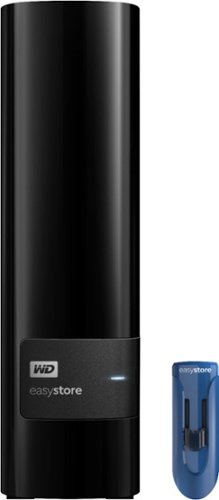
Only at Best BuyArchive and share important data with this Western Digital easystore storage bundle. The 10TB desktop hard drive lets you opt for automatic continuous or scheduled backup tasks via the WD Discovery software. Access files from a projector, printer or another PC with the 32GB flash drive of this Western Digital easystore storage bundle.
Customer Rating
5
Shucked to find White Label Reds
on December 21, 2018
Posted by: bzm3j81
from Detroit, MI
Verified Purchase:Yes
As many others have done, I purchased these to go into my NAS. My 4 Bay NAS had 4 x 3TBs previously so I'm anticipating a huge storage jump from 8 TB usable space to 27 TB usable space. I have been taking it slow, installing one drive at a time to let the NAS initialize the drive and repair the degraded volume. This obviously takes longer, but keeps my data intact.
Shucking them is pretty straightforward. There are many different videos out there that work great. Inside mine, I found White Label drives that are equivalent to the WD Reds.
As for the 3TB drives these drives replaced, I will probably install them into these shells for basic external drives.
The 32 GB USB 3.0 Flash Drive is a nice bonus. They may go to my kids as stocking stuffers.
Mobile Submission: False
I would recommend this to a friend!
Share this review:


+1point
1of 1voted this as helpful.
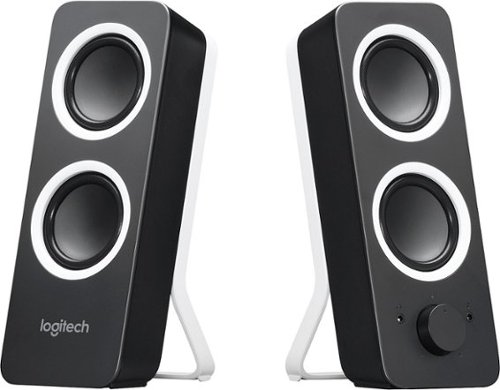
Enrich your music and movie experience with room-filling sound delivered by 10 Watts Peak/5 Watts RMS power. Adjust bass level with the tone control dial to customize your listening experience. Simple controls allow you to access power, volume, bass, headphone jack and auxiliary jack on the right speaker.
Customer Rating

4
Great Value Speakers
on December 21, 2018
Posted by: bzm3j81
from Detroit, MI
Verified Purchase:Yes
I have a couple PCs that didn't have any speakers and found these for a great price. They connected very easily to my computer and sound great for the price.
The stands are fixed, so they take up a little more desk space than I originally planned.
They offer auxiliary in and headphone out ports that allow me to change my listening needs.
Mobile Submission: False
I would recommend this to a friend!
Share this review:


0points
0of 0voted this as helpful.
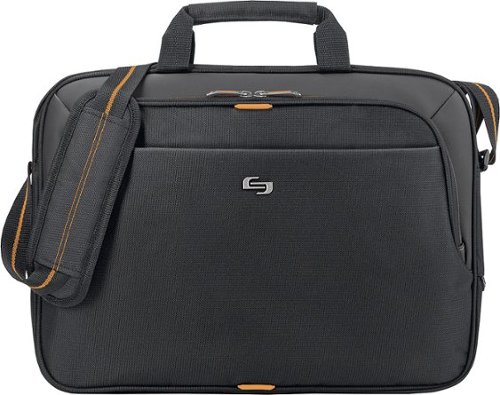
Protect up to a 15.6" laptop on the go with this Solo New York Ace Slim Briefcase, which features a padded compartment to keep your device secure. An interior pocket offers storage for an Apple iPad, e-reader or tablet.
Customer Rating
4
Great replacement to my previous bag
on December 21, 2018
Posted by: bzm3j81
from Detroit, MI
Verified Purchase:Yes
The handle on my previous bag ripped off. I needed a cheap replacement and this Solo Urban Laptop Briefcase was cheap and available at my local Best Buy. Seems to hold everything nicely and constructed well.
Mobile Submission: False
I would recommend this to a friend!
Share this review:


0points
0of 0voted this as helpful.
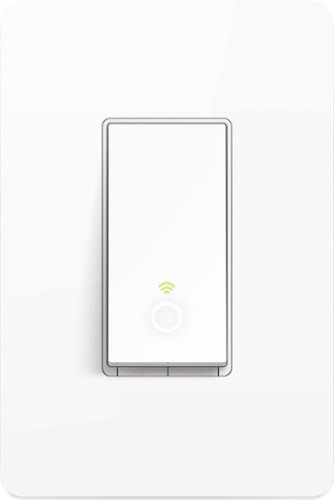
Control your lights, ceiling fans, and other fixtures from anywhere with the HS200. The smart switch replaces any standard light switch, and connects to your home Wi-Fi in no time through the free Kasa app. Kasa also lets you manage connected fixtures with your smartphone or tablet, including setting schedules, timers and countdowns. For added convenience, you can use your voice to control the HS200 when paired with Amazon Alexa or Google Assistant.
Customer Rating
5
Great Line of Smart Switches
on December 21, 2018
Posted by: bzm3j81
from Detroit, MI
Verified Purchase:Yes
I started my foray with TP-Link Smart Switches with the HS210 kit. Once I got an understanding of the wiring, I have switched several more switches in my house to keep with the TP-Link brand. Partially because I dislike having multiple apps to control different aspects of my Smart Home.
I purchased several HS200 switches back in August, 2018 and they installed very easily. I love their functionality so much I bought 8 more recently. In the beginning, I considered Lutron's Caseta line but I realized that they needed a hub. The TP-Link line of Smart Switches don't need a separate hub, they work off your home Wi-Fi. This means that you don't have to worry about a separate hub's range if you know that your home Wi-Fi range is good enough for your Smart Switch locations.
Before you install the HS200, make sure you have a set of neutrals accessible in the electrical box. If you're coming from a non-Smart Switch they are most often white and tied together without a line to the switch. Please cut power to the switch before you begin the project and use due caution.
Once installed, and power is restored to the switch, it will take a moment to start up and then the Wi-Fi light will alternate between green and orange signaling that the switch is ready to be setup. In the Kasa app, you'll click on the plus sign in the top right corner and specify "Add a Device", then it walks you through connecting the switch to your Wi-Fi and setting up the switch with a name within the Kasa App.
As for the Kasa app, over the past year, I've seen several improvements to the User Interface and functionality. I like where it seems to be going so far. Operations within the app are pretty intuitive. However, when setting lights in "away" mode, you need to go into each light and set the schedule. I wish there were an easier way to change the mode for a group of lights.
TP-Link switches like the HS200 connect very easily to Alexa and to Google Home. I have also connected it to my Samsung SmartThings hub, but that takes a little more work. You'll need to find 3rd party code and set up a developer account within the SmartThings ecosystem.
I've talked up the TP-Link Smart Switches so much, I've brought 3 co-workers into this ecosystem.
Mobile Submission: False
I would recommend this to a friend!
Share this review:


+4points
6of 8voted this as helpful.
bzm3j81's Review Comments
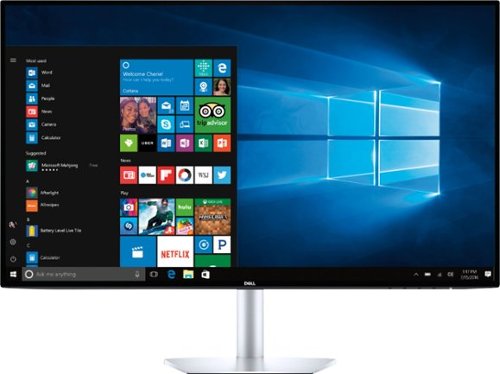
Satisfy your HDR viewing and video-editing needs with this 27-inch Dell ultrathin monitor. Its 600-nit maximum brightness provides enhanced clarity, and its Quad HD resolution at 60Hz lets you enjoy streaming premium content. This Dell ultrathin monitor has two HDMI ports for easy switching between media sources, and its Comfort View mode helps prevent eye fatigue.
Overall5 out of 5
5 out of 5Stunning, Bright
By bzm3j81
from Detroit, MI
The Dell Ultrathin 27" S2719DM monitor is a superb display. It sports 2560x1440 resolution, 5ms response time and up to 600 cd/m2 of brightness. This is the first monitor I've owned where I had to turn down the default brightness. While it defaults to 60hz refresh rate, I was able to bump it up to 75hz in normal (non-HDR) operation.
It certainly lives up to the Ultrathin moniker. It feels like it's about 1/4" thick, but there are no VESA mounting holes to take advantage of that thinness. You have to use the included stand. The bezel is 1/4" wide all around.
As great as this monitor is, there are a few places where I'm left wanting more. This monitor only has two HDMI inputs. No DVI. It doesn't have any speakers. The power supply has a light at the end of the cord which casts a dim white light mostly onto the base of the stand, but there is some light cast onto the wall behind my monitor whether the monitor is on or off.
The resolution is great, I can cascade several windows without feeling crowded. I've had to increase the text size in a few applications to transition to this resolution, but it's quite comfortable and text is sharp. Colors pop in normal operation. Colors really stand out in HDR, although the HDR doesn't punch hard enough for my taste.
Monitor control is achieved by 5 buttons on the bottom of the monitor on the right hand side. They are much more preferable than my work monitors with soft-buttons that don't register my touch half the time. And I like these buttons more than Samsung's Joystick on the back of the monitor.
It really is a superb display and while I am disappointed with a few options, I kinda wish I could afford a second S2719DM.

bzm3j81
Detroit, MI
Re: Refresh Setting
August 19, 2018
@beansprout, the Refresh setting is in Win10, not in the monitor settings itself. In Win10, go to your Display Settings as you normally would, at the bottom, click on Display adapter properties, a new window pops up, select the Monitor tab towards the top. In the Monitor Settings box, you'll see your current Screen refresh rate. Mine was at 59 Hertz. So I changed it to 75 Hertz, after clicking OK, I think it flipped down to 74 Hertz. Keep in mind that 74-75 Hertz is supported in non-HDR mode. I believe the max refresh in HDR mode is 59-60 Hertz.
0points
0of 0voted this comment as helpful.
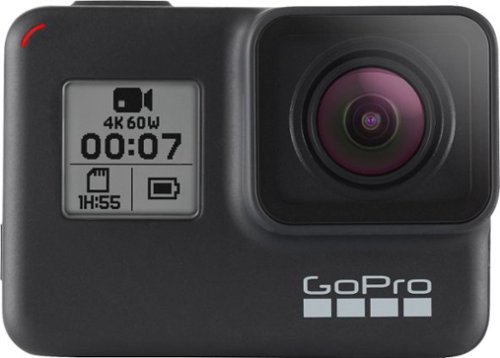
Film underwater scenes in 4K with this 12-megapixel GoPro HERO7 action camera. Its HyperSmooth stabilization feature lets you capture shake-free videos, and it withstands submersion up to 33 feet without a waterproof case. Stream captured videos from this rugged GoPro HERO7 action camera on Facebook Live via the companion app.
Overall4 out of 5
4 out of 5Where's my HyperSmooth 4K60?
By bzm3j81
from Detroit, MI
After checking out some tech preview sites, I was hyped up for HyperSmooth at 4K at 60 frames/second. I cannot seem to get this setting and I've played around with a bunch of settings. After checking out some other posts, it seems this feature has been stripped out. 4K-60 gives you normal stabilization and 4K-30 gives you HyperSmooth.
The GoPro HERO7 Black is the newest, top of the line release. The biggest feature is HyperSmooth which goes above and beyond their normal Electronic Image Stabilization. After shooting several minutes of 4K-30 with HyperSmooth, GoPro has won me over. GoPro even goes as far to say it's HyperSmooth gives you gimbal like stabilization. That's very nearly true. I was almost ready to buy a $300 gimbal, but it's unnecessary...for what I'll be doing. For more professional footage, you may want to invest in a gimbal mount.
While there are many other features that have been introduced in this iteration of the GoPro Black, let's get back to the basics. Externally, it's no different from the HERO6 or HERO5. So accessories are plentiful and if you're willing to go off-brand, they can be very affordable. Battery is identical to the HERO6 and HERO5 as well, so picking up an extra costs around $20. It's waterproof to 30 feet straight out of the box. No accessories needed. But if you use their waterproof case, you can go to something like 80 feet.
Battery life gives you about 1 hour of record time. I highly recommend U3 rated MicroSDXC cards from a big name brand. While the HERO7 can support 256 GB memory cards, I think the sweet spot for pricing is at 128 GB (for now). This gives you roughly 4 hours of recording time.
Operation of the HERO7 has been cleaned up with some menu system improvements. It's easy to set up, although I have found that at 4K-60, I lose the option of a Linear Field of View. Wide Field of View may be OK for some, but I don't like the slight fish-eye effect. GoPro has packed a few more features into this tiny camera such as in-camera handling of HDR photos and TimeWarp which is time-lapse video.
Videos produced by this camera are very sharp. Still pictures came out a little more grainy than I expected from a 12MP sensor. Microphone performance is greatly improved over previous generations. In addition, you can connect an external microphone to suit your conditions.
Connection to my phone via the GoPro and Quik apps are very easy and I like having the phone act as a remote control and view finder. Power is supplied by a USB-C port and I was able to charge the camera with my phone charger. However, please note that data transfer to a computer cannot be handled by the thin cable that comes with most modern phones. The included USB A to C cord that is about double the diameter of my phone cord is needed to handle the data transfer.
Overall, a great camera whose features steered me away from getting a plain video camera. I'm just disappointed that I cannot get 4K-60 with HyperSmooth as I've read about.
bzm3j81
Detroit, MI
Firmware Update gave me HyperSmooth 4K60
October 1, 2018
Thanks @AnthonyTalerico
I updated firmware when I got it out of the box and confirm that some Resolutions/framerates are not available until you switch from 4:3 to 16:9. It wasn't until the day after that I wrote the review that I got the next firmware update and confirm that HyperSmooth 4K60 is now an option.
I updated firmware when I got it out of the box and confirm that some Resolutions/framerates are not available until you switch from 4:3 to 16:9. It wasn't until the day after that I wrote the review that I got the next firmware update and confirm that HyperSmooth 4K60 is now an option.
+1point
1of 1voted this comment as helpful.
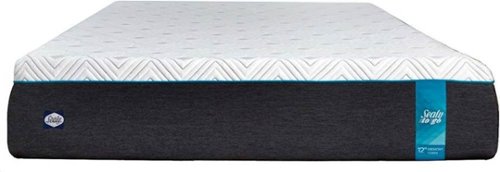
Sleep well on this 12-inch Sealy To Go memory foam mattress. Distinct layers include 3 inches of 3-lb. memory foam for responsive comfort, a 4-inch transitional layer of advanced comfort foam and a 5-inch base for support. This Sealy To Go memory foam mattress is topped with a luxurious circular knit 350 GSM cover for softness.
Overall 2 out of 5
2 out of 5Off-gassing problem and no edge support
By bzm3j81
from Farmington Hills
The To Go product line simply signifies that the mattress is packaged to be moved into your home in a very compact way. It's packed in a way that it should fit in the back seat of most cars.
The Mattress arrived in a roughly 18"x18"x45" box. The whole package weighs about 85 pounds, so it's not the most convenient thing to lug around the house. After opening one end, I highly recommend flipping the open end down and letting gravity help get the mattress out of the box. The mattress is in a vacuum sealed bag folded in half and then rolled up. To keep it rolled up, they've cling wrapped it. To be safe, I highly recommend working backwards from that. Don't use scissors or a sharp object to cut through the wrapping, otherwise the mattress might decompress and hit a bystander.
Instead, find the end of the cling wrap and unroll the package. Then when you get to the vacuum sealed bag, unroll it, unfold it and lay the mattress where you want it to end up. Next, carefully puncture the bag and work quickly to cut the vacuum bag along the edges. The kids had a great time watching the mattress decompress in a matter of seconds. The instructions say it may take up to 48 hours to completely recover to the original size, but it was done by the time I completely removed the plastic bag.
The construction is a 3" memory foam top with a 4" layer of comforting foam on top of a 5" foam support base. Pushing my hand into the side of the mattress, I can feel the transitions of the different foam layers mostly from the stiff adhesive used to join the layers.
Once the mattress was out of the bag, it had a very strong odor. Within seconds, I didn't want to be in the same room. It's off-gassing from the manufacturing process. It tends to be related to memory foam products. I haven't put any bedding on it and left the window open to try to air out the mattress. After 4 days, the odor in the room is gone, but it's concentrated in the mattress. My kids and I have also crawled all over the mattress to try to squish the mattress to exchange the air in the foam. From other's experiences with other memory foam mattresses, some people have gotten it to dissipate quickly while others have had to wait weeks for the off-gassing to complete.
It seems to be a luck of the draw, as I didn't read many reviews of off-gassing odors in my mattress research prior to getting it.
There is acknowledgement in the instructions of a "fresh foam odor". It says to allow the foam to "air out" in a well ventilated area for 24-72 hours. I've given an extra day, but I'm still smelling the odor.
I don't know what the return policy is for Best Buy, but many furniture stores in Michigan do not offer mattress returns. You may get a one-time free mattress re-selection at other furniture stores, but that's about it.
Unfortunately, due to the off-gassing problem, I have not spent more than a few minutes on the mattress. What I've found is that there is no edge support, so if you're an edge sleeper like myself, you'll need to make sure you're a few inches away from the edge, otherwise it feels like you'll roll right off. Coil beds do a much better job at edge support. Shifting into different positions is difficult. The memory foam adds extra resistance to your movements. Once I settled into a position, I noticed some discomfort as my body adjusted to the new way it was being supported by the mattress. This is typical in a new mattress and many mattress retailers encourage a trial period of about 30 days to let your body adjust. I really hope the off-gassing completes quickly because the mattress itself seems comfortable, I just haven't spent any significant time on it to make a final decision.
bzm3j81
Detroit, MI
Off-Gassing Update
May 16, 2019
It took just a little over 2 weeks for the smell to go away. This is going to vary depending on situation. In my case, the bed was fairly close to an open window between 25%-50%. Luckily, I was able to set this up in a spare bedroom so I didn't have to sleep with the smell immediately. I still find the bed comfortable as long as I sleep a few inches away from the edge of the bed. Since the memory foam resists body movement, I believe it will result in a more restful sleep. I hope to prove this out over the next several weeks.
-2points
0of 2voted this comment as helpful.
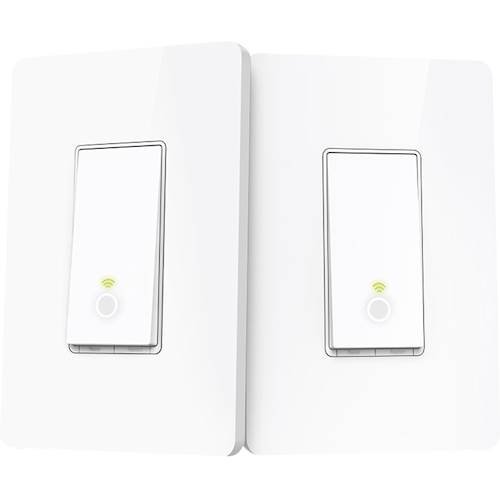
Tell Amazon Alexa or Google Assistant to turn on the lights with this 3-way control TP Link smart light switch kit. It has Wi-Fi connectivity and includes two switches to control a single unit in a stairway or other location. This TP Link smart light switch kit works with the Kasa app for remote control.
Overall4 out of 5
4 out of 55 wire installation with neutral required!
By bzm3j81
from Detroit, MI
I initially wanted to rate this product with 2 stars. The are no wiring requirements in the product description and the product web page misleads you to think that you can install anywhere there is a 3-way switch when it says "No need to understand complex 3-way switch wiring or master vs. auxiliary switch configurations." and "...makes it easy to replace 3-way switches...". In reality, the product requirements should inclue a 5 wire installation with neutral.
I wanted to find instructions prior to opening the box, but there were none to be found. There are no significant instructions in the box, instead the Kasa app leads you through the instructions. While the Kasa app does a decent job, it failed to address my configuration. In my configuration, I have 4 wires (which I input into the Kasa app and it misled me further). Ground (bare copper), Common (black), and two travelers (white and red). One one side of my hallway, there are no other wires. In the end, I found out I could not set up this smart switch on that side of the hallway.
On the other side of the hallway, I have the original 3-way switch in the same receptacle with a normal 2 way switch that controls a separate set of lights. I'm lucky that I have that because I was able to splice into the neutral (white) bundle that was in there.
Once I cleared the wiring hurdle, setup in the Kasa app was pretty easy. Just know that the Kasa app expects both HS210 smart switches to be connected to the same light fixture. Since I only connected it on one side, I just clicked "Next/OK" buttons through the rest of the setup and everything works. Having a plain (non-smart) 3 way switch at the other end of the hallway is fine, no function loss. In fact, I find very little reason to dedicate 2 smart switches on the same light fixture.
Knowing that the two Smart Switches in the HS210 kit are functionally identical and being able to separate them onto different fixtures is what redeems the major wiring requirement gaffe.
I further tested this by installing the second HS210 switch in another location where I have 3-way switches for my stairway. Everything works. My Kasa app now has two switches that control different fixtures. Response time for both fixtures in the Kasa app is immediate.
Setup on both Google Home and Alexa was quite easy. Response time for both fixtures to voice commands on either platform is immediate.
Another shortcoming on this is that the flanges that allow you to secure the switch to the electrical box and to the switch plate are rather thick. So using a normal Decora switch plate tends to sit away from the drywall. I think you're probably fine if you only have the switch installed in single gang configuration as TP-Link includes two single gang switch plates that seem to account for the thick flanges. But since I was installing them in a double gang configuration, the switch plate sits about a millimeter away from the wall.
The switch looks like a rocker switch that is always in the 'on' position. On and off functions are both toggled on the bottom half of the switch. I would prefer the whole button to be popped up and the ability to press anywhere to toggle the on/off function, but I'll get over it. There is a faint light circle within the switch to help locate it in the dark. I wish there were a way to disable that, but again, I'll get over it.
Would I buy this again? Surprisingly, yes. It comes down to getting two discrete switches for the price of one. I've got a couple more 3-way switch locations and now that I understand the true wiring requirements of the HS210 kit, the ability to separate the two smart switches in this kit, comparing competitor requirements and their price points, I would not hesitate to run HS210 kits where needed. It is a great value.
bzm3j81
Detroit, MI
Long Term Success Story
May 24, 2019
Once I had the HS210 kit installed, I have been hooked. In the past 12 months, I have purchased and installed over 20 more TP-Link Smart Light Switches and Smart Plugs in my house! I've installed 2 TP-Link Smart Light switches at my parent's house. In addition, I have been a strong advocate for these products to where at least 3 co-workers have started to install these TP-Link Smart Light Switches in their own homes.
0points
0of 0voted this comment as helpful.
bzm3j81's Questions
bzm3j81 has not submitted any questions.
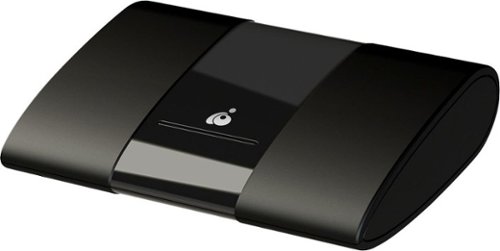
Extend the display of your Android or Windows devices with this IOGEAR wireless mobile and PC to HDTV screen-sharing receiver. Compatibility with Miracast enables direct content streaming to HD displays. This IOGEAR wireless mobile and PC to HDTV screen-sharing receiver supports Full HD playback to provide an immersive audiovisual experience and connects to devices up to 50 feet away for convenience.
Does it work if you are connected to a corporate VPN? How about a personal VPN? It appears to use Miracast, is that correct?
It does use Miracast, however it does utilize your network card to make a wireless network connection (WiFi Direct). In my case, my corporate VPN is very restrictive. Once VPN connection is established to my corporation, I cannot connect to my local Miracast receiver.
6 years, 8 months ago
by
bzm3j81
It~s time to switch up how you move with vivofit 3, the activity tracker with Garmin Move IQ automatic activity detection. Its 1-year battery life lets you track activity 24/7 so you never have to turn it off or charge it. The red move bar reminds you when to move, and you can also view stats like steps and calories on its easy-to-read high-resolution display. With Move IQ, vivofit 3 automatically captures different activities, such as walking, running, biking, swimming and elliptical, to view on Garmin Connect. Access Garmin Connect via mobile app or desktop to see your data in more detail, join challenges and compete against others.
It~s time to switch up how you move with vivofit 3, the activity tracker with Garmin Move IQ automatic activity detection. Its 1-year battery life lets you track activity 24/7 so you never have to turn it off or charge it. The red move bar reminds you when to move, and you can also view stats like steps and calories on its easy-to-read high-resolution display. With Move IQ, vivofit 3 automatically captures different activities, such as walking, running, biking, swimming and elliptical, to view on Garmin Connect. Access Garmin Connect via mobile app or desktop to see your data in more detail, join challenges and compete against others.
Does it track your heart rate Without buying anything else
No. You need to purchase a separate heart rate monitor. Garmin sells an ANT+ connected chest band heart rate monitor.
7 years, 7 months ago
by
bzm3j81
It~s time to switch up how you move with vivofit 3, the activity tracker with Garmin Move IQ automatic activity detection. Its 1-year battery life lets you track activity 24/7 so you never have to turn it off or charge it. The red move bar reminds you when to move, and you can also view stats like steps and calories on its easy-to-read high-resolution display. With Move IQ, vivofit 3 automatically captures different activities, such as walking, running, biking, swimming and elliptical, to view on Garmin Connect. Access Garmin Connect via mobile app or desktop to see your data in more detail, join challenges and compete against others.
How do you charge
The battery for the vivofit 3 activity tracker does not need charging. It is rated for 1 year of use. When the battery is depleted you can replace it yourself or probably take it to a jeweler or watch place to get the battery replaced. It uses a CR1632 coin cell battery.
7 years, 7 months ago
by
bzm3j81
It~s time to switch up how you move with vivofit 3, the activity tracker with Garmin Move IQ automatic activity detection. Its 1-year battery life lets you track activity 24/7 so you never have to turn it off or charge it. The red move bar reminds you when to move, and you can also view stats like steps and calories on its easy-to-read high-resolution display. With Move IQ, vivofit 3 automatically captures different activities, such as walking, running, biking, swimming and elliptical, to view on Garmin Connect. Access Garmin Connect via mobile app or desktop to see your data in more detail, join challenges and compete against others.
How do I replace the battery?
If you choose to replace the battery yourself, you'll pull on one side of the band and pop the vivofit 3 device out of the band's pocket. Flip the vivofit 3 device over to locate the screw heads. Then you'll need to unscrew 4 small screws with a jewelers Philips screwdriver, remove the cover and swap out the battery. Then reverse your steps (install cover, put the 4 screws back, slip the vivofit 3 device back into the pocket of the band.
You can probably take it to a watch place to have them replace the battery for a small fee.
You can probably take it to a watch place to have them replace the battery for a small fee.
7 years, 7 months ago
by
bzm3j81
It~s time to switch up how you move with vivofit 3, the activity tracker with Garmin Move IQ automatic activity detection. Its 1-year battery life lets you track activity 24/7 so you never have to turn it off or charge it. The red move bar reminds you when to move, and you can also view stats like steps and calories on its easy-to-read high-resolution display. With Move IQ, vivofit 3 automatically captures different activities, such as walking, running, biking, swimming and elliptical, to view on Garmin Connect. Access Garmin Connect via mobile app or desktop to see your data in more detail, join challenges and compete against others.
Is there any metal touching the skin on the inside?
Nope. The brains of the vivofit 3 tracker sits inside a pocket of the band. So your skin only touches the band and the plastic clasp.
7 years, 7 months ago
by
bzm3j81
Protect up to a 15.6" laptop on the go with this Solo New York Ace Slim Briefcase, which features a padded compartment to keep your device secure. An interior pocket offers storage for an Apple iPad, e-reader or tablet.