
Share KahinDur's profile


KahinDur
KahinDur's stats
- Review count101
- Helpfulness votes95
- First reviewJanuary 22, 2019
- Last reviewOctober 30, 2023
- Featured reviews0
- Average rating4.9
- Review comment count6
- Helpfulness votes10
- First review commentJune 29, 2019
- Last review commentOctober 29, 2020
- Featured review comments0
- Question count1
- Helpfulness votes0
- First questionJune 20, 2019
- Last questionJune 20, 2019
- Featured questions0
- Answer count6
- Helpfulness votes6
- First answerMay 24, 2019
- Last answerApril 28, 2021
- Featured answers0
- Best answers1
![Once Upon a Time in America [Blu-ray] [1984]](https://pisces.bbystatic.com/prescaled/500/500/image2/BestBuy_US/images/products/304b2327-370a-41e7-956a-951dd4939472.png)
Customer Rating

5
Watch this movie..
on June 19, 2019
Posted by: KahinDur
Verified Purchase:Yes
This is one of the best movies of Robert DeNiro. Amazing!
Mobile Submission: true
I would recommend this to a friend!
Share this review:


0points
0of 0voted this as helpful.

Mike Judge makes his second directorial foray into live-action comedy with IDIOCRACY. When a none-too-bright fighter pilot volunteers for a military experiment that propels him 1000 years into the future, he finds himself in a dumbed-down society in which he is the smartest member. Director Mike Judge Star Luke Wilson, Maya Rudolph, Dax Shepard Special Features Widescreen, deleted scenes 84 minutes.
Customer Rating
5
Amazing movie
on June 19, 2019
Posted by: KahinDur
Verified Purchase:Yes
Do yourself and watch this move. Once you do, you will never unsee it!
Mobile Submission: true
I would recommend this to a friend!
Share this review:


0points
0of 0voted this as helpful.
![Odyssey 5: The Complete Series [5 Discs]](https://pisces.bbystatic.com/prescaled/500/500/image2/BestBuy_US/images/products/74c53b99-a09b-4e72-83de-84b0ba45ef41.jpg)
Customer Rating
5
Great show
on June 19, 2019
Posted by: KahinDur
Verified Purchase:Yes
This is the best cancelled show I have seen. Only one season sadly.
Mobile Submission: true
I would recommend this to a friend!
Share this review:


0points
0of 0voted this as helpful.

Show someone you care by giving them this Shell $25 gift card, which can be redeemed at more than 14,000 Shell stations across all 50 U.S. states for gasoline, car washes, auto supplies, food and snacks and more.
Customer Rating
5
Good gas
on June 19, 2019
Posted by: KahinDur
Verified Purchase:Yes
Great to see this gas brand has gas card. I. An but gas without credit feed
Mobile Submission: true
I would recommend this to a friend!
Share this review:


0points
0of 0voted this as helpful.
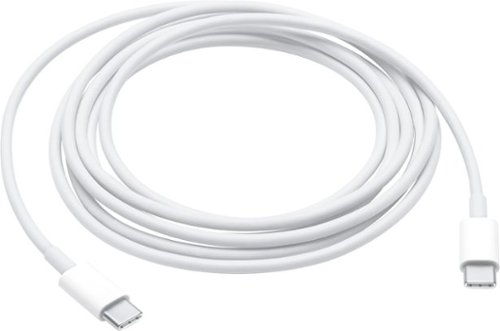
This 6.6' (2M) charge cable - with USB-C connectors on both ends - is ideal for charging USB-C devices, and also supports USB 2 for syncing and data transfer between USB-C devices. To conveniently charge your MacBook, MacBook Air, or MacBook Pro from a wall outlet, pair the USB-C Charge Cable with a compatible USB-C power adapter, sold separately.
Customer Rating
5
Apple brand
on June 19, 2019
Posted by: KahinDur
Verified Purchase:Yes
Tried others but this is the best! You can never go wrong with Apple products.
Mobile Submission: true
I would recommend this to a friend!
Quality

5
Value
5
Ease of Use
5
Share this review:


0points
0of 0voted this as helpful.

The Apple USB-C-to-USB Adapter lets you connect iOS devices and many of your USB accessories to a MacBook with a USB-C port. Plug the USB-C end of the adapter into the USB-C port on your MacBook, and then connect your flash drive, camera or other standard USB device.
Customer Rating
5
Apple brand... Apple quality
on June 19, 2019
Posted by: KahinDur
Verified Purchase:Yes
Tried others but this is the best! You can never go wrong with Apple products.
Mobile Submission: true
I would recommend this to a friend!
Ease of Use
5
Quality
5
Value
5
Share this review:


0points
0of 0voted this as helpful.
![The LEGO Movie 2: The Second Part [3D] [Blu-ray] [Includes Digital Copy] [Blu-ray/Blu-ray 3D] [2019]](https://pisces.bbystatic.com/prescaled/500/500/image2/BestBuy_US/images/products/4f9dc3a8-f9c9-4cd2-8f97-7695e9dc8607.jpg)
Customer Rating
5
Excellent
on May 31, 2019
Posted by: KahinDur
from Minneapolis
Verified Purchase:Yes
Great 3D effects. Better than 4k quality. 3D get you immersed in the movie.
Mobile Submission: True
I would recommend this to a friend!
Share this review:


0points
0of 0voted this as helpful.
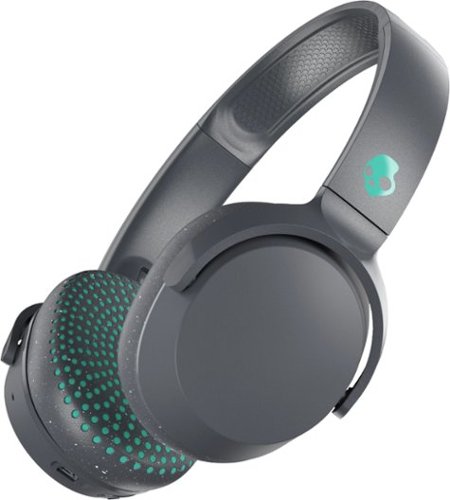
Enjoy your favorite playlists in private with these Skullcandy Riff on-ear headphones. The wireless design provides increased mobility, and a built-in microphone lets you take calls or hold a video conference. These Skullcandy Riff on-ear headphones have a 12-hour run time on a single charge, and the collapsible design is ideal for travel.
Customer Rating
5
Good quality phones
on May 24, 2019
Posted by: KahinDur
from Minneapolis
Verified Purchase:Yes
Skull candy has always been reliable. Cannot go wrong with them.
Mobile Submission: True
I would recommend this to a friend!
Share this review:


0points
0of 0voted this as helpful.

Give the gift of mobility with this $50 BP gift card. It can be used at the pump or inside the station, so you can purchase gas, convenience store items, car washes or other auto supplies.
Customer Rating
5
Best gas
on February 1, 2019
Posted by: KahinDur
Verified Purchase:Yes
Best gas to buy for your car. And the best way to get it is by gift cards.
Mobile Submission: True
I would recommend this to a friend!
Share this review:


0points
0of 0voted this as helpful.

Live stream your favorite channels, or watch the shows you love on demand. Get Sling TV free for 30 days and experience entertainment your way. You can stream on your TV or mobile device anytime, anywhere. Plus, personalize your channel lineup to get rid of useless options.
Customer Rating
5
Good service
on January 22, 2019
Posted by: KahinDur
Verified Purchase:Yes
Good service for being free. I do not know if I will pay to use, however.
Mobile Submission: True
I would recommend this to a friend!
Share this review:


0points
0of 0voted this as helpful.
KahinDur's Review Comments
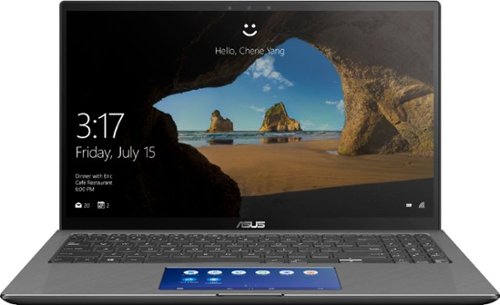
ASUS Q546FD Laptop: Commute lightly with this ultra-thin ASUS laptop. The 15.6-inch 4K touchscreen offers clear, crisp visuals, and the infrared camera supports video conferencing. An Intel Core i7 processor and 16GB of DDR4 RAM handle demanding programs. This ASUS laptop delivers immersive graphics with an NVIDIA GTX 1050 graphics card, while the 1TB SSD provides fast data access.
Overall 4 out of 5
4 out of 5Beautiful laptop but with some issues...
By KahinDur
This is going be long but very informative for people seeking more info on this laptop.
I was torn between getting this Q546FD model or Q536FD. The former is an updated version with 1TB + 32GB Optane M.2 SSD and a Screenpad which, in theory, is very practical. The latter comes with a 256GB M.2 stick coupled with 2TB SATA 5400rpm 6GB/s HDD. Besides that, I saw no difference between the two. I also could not find any information on this Q546FD model anywhere! Not on google searches, not on YouTube and, most importantly, no where on Asus’s website. Officially, Asus only supplies Q536FD. So, did Q546FD appear from thin air?
That question began my quest to finding out what the story behind this model is! I did not want to buy Q536FD until I was thoroughly educated on Q546FD. My concerns were if this is just a limited-time Best Buy exclusive and how will I be downloading any future driver updates from? I did had a feeling that this model is using the older Q536FD drivers. I was also assuming that since this model looks exactly like the outgoing model with same port configuration, there might actually be an unused SATA port and a blank caddy to add another storage media inside the Q546FD. So,
I might be getting the best of both models- a dual storage system and a screenpad! But, I had no idea how reliable and accurately the screenpad will work, even with the ScreenPad 2.0 software running on it. I needed to find this info badly as I know it will help me a lot in my classes.
I might be getting the best of both models- a dual storage system and a screenpad! But, I had no idea how reliable and accurately the screenpad will work, even with the ScreenPad 2.0 software running on it. I needed to find this info badly as I know it will help me a lot in my classes.
So, after exhausting all my options, and finding out, in the process, that Q546FD is just a refresh of Asus Zenbook Flip 15 UX562UD with an added screen, and a Best Buy exclusive, on behalf of all of you and your curiosities, I splurged on this laptop. Once it was delivered to me, of course I had to take some pictures of the internals and try out the screenpad features. Below are my findings:
1. Shame on you, Best Buy, for not providing your customers with nearly enough information to decide on the products you are selling. Shame on you, again, for having this model on display at your stores but having none in stock anywhere in the northern US! You guys should have just advertised this laptop as Online only and you would have been in a better situation. Yes, I did check for it in at least 6 to 7 northern states using your “within 250 miles” search criteria. I didn’t go any further because it would just be a waste of my time. Finally, and hopefully a third “shame on you” might be the charm. Shame on you for having the demo model with a broken screenpad software. Actually, this shame should also go to Asus for installing such a broken demo. What I mean is the demo only has two things- “click on the window and drag to this button to move it to screenpad display” and “tap on this button to close the multitask apps- smartphone style”! I ask, is that the only demo you guys could think of with such a big innovation. It reminds me of that one Family Guy episode where a caveman Peter discovers the Wheel and Axle and uses his invention to have Lois pole dance in front of his cavemen buddies! Seriously? What about a demo for the number pad, the Calculator, Windows 10 shortcuts, Office 365 integrated shortcuts? The demo machines have Office 365 built-in, so why not utilize them? Very poor presentation, indeed!
2. There is no unused SATA port! So, we are stuck with only one PCI-e port for the SSD stick.
3. The space where the 2TB HDD resides in Q536FD is now occupied by a bigger battery. Yes, the battery is now 71Wh instead of 57Wh in Q536FD! So, we have 25% bigger battery that equates to one to three extra hours of running time, depending on individual usage habits.
4. The screenpad does have some useful apps and shortcuts. It also allows us to create our own shortcuts, like adding a virtual screenpad button for Windows+E key press to open a new explorer window. The bad part is that the screenpad touch sensor, after a few seconds of inactivity, wakes up and takes precedence over the mouse control. Basically, you go to a webpage, read a few lines and want to scroll down but the mouse is no longer in control, the screenpad has taken control and you are, instead of scrolling down, actually flipping the screenpad app pages. So, if you want constant control over your pointer, the screenpad needs to be off (by pressing the F6 key) unless you become a fan of three-finger tapping the screenpad to activate/deactivate it every few seconds. Asus, you guys need to fix this, ASAP! Some of us want the screenpad to be on most of the time but not have it battle over taking control away from the mouse functions.
4. There are no dedicated drivers for Q546FD. The BIOS and drivers are using F536FD versions. Why? F536FD does not have a screenpad, and it does not have a bigger battery, so why are it’s drivers being used in the updated model? I am not a smart person but I can certainly see this issue in effect as the battery, when fully charged, shows only 3.5hrs remaining but I get a full 6-7hrs of use out of it before the battery exhausts. And yes, I have calibrated the battery and conditioned it by fully charging it before using it for the first time and went through through four full charge/discharge cycles. Please release dedicated drivers for this model! I don’t know what other anomalies people will see as time progresses and many more but this model.
5. I don’t know if this is an issue with all 4K laptop screens but there is a light bleed on the top edge of the screen. This is clearly visible on the blue screen when I was setting up Windows. It disappears in the darker wallpaper background once the setup is complete and is only visible if the window is maximized or when a restart takes place. I saw this same anomaly on all display models I have seen, including the Q536FD when it was still on display, before being replaced with Q546FD. Poor quality control, maybe?
6. The laptop gets hot fast, due to the bottom facing vents which get covered when the laptop is sitting on my lap. Also, what’s with the back vents pointing straight at the 4K screen, Asus? Did you not even try to think of any other place to put those vents? If I have the laptop on my lap, the only place the hot air will come out of is after bouncing off of the 4K screen! God knows if the screen will last five years if this is how the vents are designed.
7. The lack of information for consumer is appalling! Will the battery last longer if the resolution of the display is dropped down from 4K to 1080p, say when traveling? Also, as we have two resolutions to choose from on the screenpad, namely 2160x1080 or 1000x500, and two refresh rates to choose from, 50Hz or 60Hz, which combination should I choose to prolong battery when traveling? I am not educated much on this but questions like these are expected to be asked and the Best Buy reps should be educated on answering such questions, which they couldn’t, at various stores.
Overall, I like the build, the quality, the looks and the functionality of this laptop and made a great, albeit costly choice! I wish the presentation was better and proper information was posted at Bestbuy.com and provided by Best Buy and Asus reps. The copy-paste job from Q536FD page to Q546FD page just does not help and I doubt will sell enough of these laptops. Not enough info to differentiate between the two models, and the absurd fact that the latter is on display but not in stock anywhere whereas the former NOT on display but in stock all over just makes this whole conundrum ludicrous!
I would have just gone with Q536FD and all the reviews and consumer reviews are already there for me to read through instead of scrounging for information for Q546FD. The screen, with its set of issues, is worth it. The ability to have one program or webpage or a movie running on the screenpad while doing designing or coding, or word processing on a maximized window is what a multitask should be all about. I can only imagine what smarter people will use this screenpad as. Hope they post it online so I can learn their tricks too.
I apologize for the long review but I do not want you folks to go through what I had to go through to find out any sort of info on this laptop. I would not recommend this over the Q536FD as even I wonder, still, whether a screenpad, two to three hours of extra battery life and 750GB extra SSD storage is better than the 2TB SATA space with a non-headache and beautiful looking touchpad.
With more refinement to the software, the screenpad could definitely be appealing and hands-down innovative and useful. Please Asus, fix it and folks, buy this if you want to support screenpad innovation. If not, you will be just as happy with the Q536FD.

KahinDur
Incorrect model number in review...
June 29, 2019
I apologize for the error but I realized that I mistyped incorrect model number. The model this Q546FD is based on is Asus Zenbook Flip 15 UX562FDX. Please look at it for more info on this laptop.
+1point
1of 1voted this comment as helpful.
ASUS Q546FD Laptop: Commute lightly with this ultra-thin ASUS laptop. The 15.6-inch 4K touchscreen offers clear, crisp visuals, and the infrared camera supports video conferencing. An Intel Core i7 processor and 16GB of DDR4 RAM handle demanding programs. This ASUS laptop delivers immersive graphics with an NVIDIA GTX 1050 graphics card, while the 1TB SSD provides fast data access.
Overall4 out of 5
4 out of 5Beautiful laptop but with some issues...
By KahinDur
This is going be long but very informative for people seeking more info on this laptop.
I was torn between getting this Q546FD model or Q536FD. The former is an updated version with 1TB + 32GB Optane M.2 SSD and a Screenpad which, in theory, is very practical. The latter comes with a 256GB M.2 stick coupled with 2TB SATA 5400rpm 6GB/s HDD. Besides that, I saw no difference between the two. I also could not find any information on this Q546FD model anywhere! Not on google searches, not on YouTube and, most importantly, no where on Asus’s website. Officially, Asus only supplies Q536FD. So, did Q546FD appear from thin air?
That question began my quest to finding out what the story behind this model is! I did not want to buy Q536FD until I was thoroughly educated on Q546FD. My concerns were if this is just a limited-time Best Buy exclusive and how will I be downloading any future driver updates from? I did had a feeling that this model is using the older Q536FD drivers. I was also assuming that since this model looks exactly like the outgoing model with same port configuration, there might actually be an unused SATA port and a blank caddy to add another storage media inside the Q546FD. So,
I might be getting the best of both models- a dual storage system and a screenpad! But, I had no idea how reliable and accurately the screenpad will work, even with the ScreenPad 2.0 software running on it. I needed to find this info badly as I know it will help me a lot in my classes.
I might be getting the best of both models- a dual storage system and a screenpad! But, I had no idea how reliable and accurately the screenpad will work, even with the ScreenPad 2.0 software running on it. I needed to find this info badly as I know it will help me a lot in my classes.
So, after exhausting all my options, and finding out, in the process, that Q546FD is just a refresh of Asus Zenbook Flip 15 UX562UD with an added screen, and a Best Buy exclusive, on behalf of all of you and your curiosities, I splurged on this laptop. Once it was delivered to me, of course I had to take some pictures of the internals and try out the screenpad features. Below are my findings:
1. Shame on you, Best Buy, for not providing your customers with nearly enough information to decide on the products you are selling. Shame on you, again, for having this model on display at your stores but having none in stock anywhere in the northern US! You guys should have just advertised this laptop as Online only and you would have been in a better situation. Yes, I did check for it in at least 6 to 7 northern states using your “within 250 miles” search criteria. I didn’t go any further because it would just be a waste of my time. Finally, and hopefully a third “shame on you” might be the charm. Shame on you for having the demo model with a broken screenpad software. Actually, this shame should also go to Asus for installing such a broken demo. What I mean is the demo only has two things- “click on the window and drag to this button to move it to screenpad display” and “tap on this button to close the multitask apps- smartphone style”! I ask, is that the only demo you guys could think of with such a big innovation. It reminds me of that one Family Guy episode where a caveman Peter discovers the Wheel and Axle and uses his invention to have Lois pole dance in front of his cavemen buddies! Seriously? What about a demo for the number pad, the Calculator, Windows 10 shortcuts, Office 365 integrated shortcuts? The demo machines have Office 365 built-in, so why not utilize them? Very poor presentation, indeed!
2. There is no unused SATA port! So, we are stuck with only one PCI-e port for the SSD stick.
3. The space where the 2TB HDD resides in Q536FD is now occupied by a bigger battery. Yes, the battery is now 71Wh instead of 57Wh in Q536FD! So, we have 25% bigger battery that equates to one to three extra hours of running time, depending on individual usage habits.
4. The screenpad does have some useful apps and shortcuts. It also allows us to create our own shortcuts, like adding a virtual screenpad button for Windows+E key press to open a new explorer window. The bad part is that the screenpad touch sensor, after a few seconds of inactivity, wakes up and takes precedence over the mouse control. Basically, you go to a webpage, read a few lines and want to scroll down but the mouse is no longer in control, the screenpad has taken control and you are, instead of scrolling down, actually flipping the screenpad app pages. So, if you want constant control over your pointer, the screenpad needs to be off (by pressing the F6 key) unless you become a fan of three-finger tapping the screenpad to activate/deactivate it every few seconds. Asus, you guys need to fix this, ASAP! Some of us want the screenpad to be on most of the time but not have it battle over taking control away from the mouse functions.
4. There are no dedicated drivers for Q546FD. The BIOS and drivers are using F536FD versions. Why? F536FD does not have a screenpad, and it does not have a bigger battery, so why are it’s drivers being used in the updated model? I am not a smart person but I can certainly see this issue in effect as the battery, when fully charged, shows only 3.5hrs remaining but I get a full 6-7hrs of use out of it before the battery exhausts. And yes, I have calibrated the battery and conditioned it by fully charging it before using it for the first time and went through through four full charge/discharge cycles. Please release dedicated drivers for this model! I don’t know what other anomalies people will see as time progresses and many more but this model.
5. I don’t know if this is an issue with all 4K laptop screens but there is a light bleed on the top edge of the screen. This is clearly visible on the blue screen when I was setting up Windows. It disappears in the darker wallpaper background once the setup is complete and is only visible if the window is maximized or when a restart takes place. I saw this same anomaly on all display models I have seen, including the Q536FD when it was still on display, before being replaced with Q546FD. Poor quality control, maybe?
6. The laptop gets hot fast, due to the bottom facing vents which get covered when the laptop is sitting on my lap. Also, what’s with the back vents pointing straight at the 4K screen, Asus? Did you not even try to think of any other place to put those vents? If I have the laptop on my lap, the only place the hot air will come out of is after bouncing off of the 4K screen! God knows if the screen will last five years if this is how the vents are designed.
7. The lack of information for consumer is appalling! Will the battery last longer if the resolution of the display is dropped down from 4K to 1080p, say when traveling? Also, as we have two resolutions to choose from on the screenpad, namely 2160x1080 or 1000x500, and two refresh rates to choose from, 50Hz or 60Hz, which combination should I choose to prolong battery when traveling? I am not educated much on this but questions like these are expected to be asked and the Best Buy reps should be educated on answering such questions, which they couldn’t, at various stores.
Overall, I like the build, the quality, the looks and the functionality of this laptop and made a great, albeit costly choice! I wish the presentation was better and proper information was posted at Bestbuy.com and provided by Best Buy and Asus reps. The copy-paste job from Q536FD page to Q546FD page just does not help and I doubt will sell enough of these laptops. Not enough info to differentiate between the two models, and the absurd fact that the latter is on display but not in stock anywhere whereas the former NOT on display but in stock all over just makes this whole conundrum ludicrous!
I would have just gone with Q536FD and all the reviews and consumer reviews are already there for me to read through instead of scrounging for information for Q546FD. The screen, with its set of issues, is worth it. The ability to have one program or webpage or a movie running on the screenpad while doing designing or coding, or word processing on a maximized window is what a multitask should be all about. I can only imagine what smarter people will use this screenpad as. Hope they post it online so I can learn their tricks too.
I apologize for the long review but I do not want you folks to go through what I had to go through to find out any sort of info on this laptop. I would not recommend this over the Q536FD as even I wonder, still, whether a screenpad, two to three hours of extra battery life and 750GB extra SSD storage is better than the 2TB SATA space with a non-headache and beautiful looking touchpad.
With more refinement to the software, the screenpad could definitely be appealing and hands-down innovative and useful. Please Asus, fix it and folks, buy this if you want to support screenpad innovation. If not, you will be just as happy with the Q536FD.
KahinDur
Update 2..
July 1, 2019
Ok, so I happened to look at the literature in the box and found out that the three-finger tap to activate the ScreenPad only temporarily switches to cursor mode from touch (ScreenPad) mode. It automatically switches back to touch mode after a few seconds.
In order to have the ScreenPad on but not take over the cursor mode for longer periods of time, you have to press the touchpad icon on the bottom left of the ScreenPad screen. That deactivates the touch mode in favor of the cursor mode as long as one needs. This is good info I should have bothered myself to familiarize with when the laptop was first delivered to me. That is my bad!
However, the actual bad part is that I cannot seem to have the ScreenPad apps that I downloaded from Asus website / MS Store show up on the ScreenPad screen. When I click on the launch button after the app installs, the MS Store’s home page pops up on the main display. But nothing on the ScreenPad! I can’t seem to get the ScreenPad specific apps to show up and run on the ScreenPad like Asus’s ScreenPad website shows. Any advice would be greatly appreciated.
+2points
2of 2voted this comment as helpful.
ASUS Q546FD Laptop: Commute lightly with this ultra-thin ASUS laptop. The 15.6-inch 4K touchscreen offers clear, crisp visuals, and the infrared camera supports video conferencing. An Intel Core i7 processor and 16GB of DDR4 RAM handle demanding programs. This ASUS laptop delivers immersive graphics with an NVIDIA GTX 1050 graphics card, while the 1TB SSD provides fast data access.
Overall4 out of 5
4 out of 5Beautiful laptop but with some issues...
By KahinDur
This is going be long but very informative for people seeking more info on this laptop.
I was torn between getting this Q546FD model or Q536FD. The former is an updated version with 1TB + 32GB Optane M.2 SSD and a Screenpad which, in theory, is very practical. The latter comes with a 256GB M.2 stick coupled with 2TB SATA 5400rpm 6GB/s HDD. Besides that, I saw no difference between the two. I also could not find any information on this Q546FD model anywhere! Not on google searches, not on YouTube and, most importantly, no where on Asus’s website. Officially, Asus only supplies Q536FD. So, did Q546FD appear from thin air?
That question began my quest to finding out what the story behind this model is! I did not want to buy Q536FD until I was thoroughly educated on Q546FD. My concerns were if this is just a limited-time Best Buy exclusive and how will I be downloading any future driver updates from? I did had a feeling that this model is using the older Q536FD drivers. I was also assuming that since this model looks exactly like the outgoing model with same port configuration, there might actually be an unused SATA port and a blank caddy to add another storage media inside the Q546FD. So,
I might be getting the best of both models- a dual storage system and a screenpad! But, I had no idea how reliable and accurately the screenpad will work, even with the ScreenPad 2.0 software running on it. I needed to find this info badly as I know it will help me a lot in my classes.
I might be getting the best of both models- a dual storage system and a screenpad! But, I had no idea how reliable and accurately the screenpad will work, even with the ScreenPad 2.0 software running on it. I needed to find this info badly as I know it will help me a lot in my classes.
So, after exhausting all my options, and finding out, in the process, that Q546FD is just a refresh of Asus Zenbook Flip 15 UX562UD with an added screen, and a Best Buy exclusive, on behalf of all of you and your curiosities, I splurged on this laptop. Once it was delivered to me, of course I had to take some pictures of the internals and try out the screenpad features. Below are my findings:
1. Shame on you, Best Buy, for not providing your customers with nearly enough information to decide on the products you are selling. Shame on you, again, for having this model on display at your stores but having none in stock anywhere in the northern US! You guys should have just advertised this laptop as Online only and you would have been in a better situation. Yes, I did check for it in at least 6 to 7 northern states using your “within 250 miles” search criteria. I didn’t go any further because it would just be a waste of my time. Finally, and hopefully a third “shame on you” might be the charm. Shame on you for having the demo model with a broken screenpad software. Actually, this shame should also go to Asus for installing such a broken demo. What I mean is the demo only has two things- “click on the window and drag to this button to move it to screenpad display” and “tap on this button to close the multitask apps- smartphone style”! I ask, is that the only demo you guys could think of with such a big innovation. It reminds me of that one Family Guy episode where a caveman Peter discovers the Wheel and Axle and uses his invention to have Lois pole dance in front of his cavemen buddies! Seriously? What about a demo for the number pad, the Calculator, Windows 10 shortcuts, Office 365 integrated shortcuts? The demo machines have Office 365 built-in, so why not utilize them? Very poor presentation, indeed!
2. There is no unused SATA port! So, we are stuck with only one PCI-e port for the SSD stick.
3. The space where the 2TB HDD resides in Q536FD is now occupied by a bigger battery. Yes, the battery is now 71Wh instead of 57Wh in Q536FD! So, we have 25% bigger battery that equates to one to three extra hours of running time, depending on individual usage habits.
4. The screenpad does have some useful apps and shortcuts. It also allows us to create our own shortcuts, like adding a virtual screenpad button for Windows+E key press to open a new explorer window. The bad part is that the screenpad touch sensor, after a few seconds of inactivity, wakes up and takes precedence over the mouse control. Basically, you go to a webpage, read a few lines and want to scroll down but the mouse is no longer in control, the screenpad has taken control and you are, instead of scrolling down, actually flipping the screenpad app pages. So, if you want constant control over your pointer, the screenpad needs to be off (by pressing the F6 key) unless you become a fan of three-finger tapping the screenpad to activate/deactivate it every few seconds. Asus, you guys need to fix this, ASAP! Some of us want the screenpad to be on most of the time but not have it battle over taking control away from the mouse functions.
4. There are no dedicated drivers for Q546FD. The BIOS and drivers are using F536FD versions. Why? F536FD does not have a screenpad, and it does not have a bigger battery, so why are it’s drivers being used in the updated model? I am not a smart person but I can certainly see this issue in effect as the battery, when fully charged, shows only 3.5hrs remaining but I get a full 6-7hrs of use out of it before the battery exhausts. And yes, I have calibrated the battery and conditioned it by fully charging it before using it for the first time and went through through four full charge/discharge cycles. Please release dedicated drivers for this model! I don’t know what other anomalies people will see as time progresses and many more but this model.
5. I don’t know if this is an issue with all 4K laptop screens but there is a light bleed on the top edge of the screen. This is clearly visible on the blue screen when I was setting up Windows. It disappears in the darker wallpaper background once the setup is complete and is only visible if the window is maximized or when a restart takes place. I saw this same anomaly on all display models I have seen, including the Q536FD when it was still on display, before being replaced with Q546FD. Poor quality control, maybe?
6. The laptop gets hot fast, due to the bottom facing vents which get covered when the laptop is sitting on my lap. Also, what’s with the back vents pointing straight at the 4K screen, Asus? Did you not even try to think of any other place to put those vents? If I have the laptop on my lap, the only place the hot air will come out of is after bouncing off of the 4K screen! God knows if the screen will last five years if this is how the vents are designed.
7. The lack of information for consumer is appalling! Will the battery last longer if the resolution of the display is dropped down from 4K to 1080p, say when traveling? Also, as we have two resolutions to choose from on the screenpad, namely 2160x1080 or 1000x500, and two refresh rates to choose from, 50Hz or 60Hz, which combination should I choose to prolong battery when traveling? I am not educated much on this but questions like these are expected to be asked and the Best Buy reps should be educated on answering such questions, which they couldn’t, at various stores.
Overall, I like the build, the quality, the looks and the functionality of this laptop and made a great, albeit costly choice! I wish the presentation was better and proper information was posted at Bestbuy.com and provided by Best Buy and Asus reps. The copy-paste job from Q536FD page to Q546FD page just does not help and I doubt will sell enough of these laptops. Not enough info to differentiate between the two models, and the absurd fact that the latter is on display but not in stock anywhere whereas the former NOT on display but in stock all over just makes this whole conundrum ludicrous!
I would have just gone with Q536FD and all the reviews and consumer reviews are already there for me to read through instead of scrounging for information for Q546FD. The screen, with its set of issues, is worth it. The ability to have one program or webpage or a movie running on the screenpad while doing designing or coding, or word processing on a maximized window is what a multitask should be all about. I can only imagine what smarter people will use this screenpad as. Hope they post it online so I can learn their tricks too.
I apologize for the long review but I do not want you folks to go through what I had to go through to find out any sort of info on this laptop. I would not recommend this over the Q536FD as even I wonder, still, whether a screenpad, two to three hours of extra battery life and 750GB extra SSD storage is better than the 2TB SATA space with a non-headache and beautiful looking touchpad.
With more refinement to the software, the screenpad could definitely be appealing and hands-down innovative and useful. Please Asus, fix it and folks, buy this if you want to support screenpad innovation. If not, you will be just as happy with the Q536FD.
KahinDur
Update 3...
July 8, 2019
I have decided to return this laptop, mainly because Asus did not follow through with ScreenPad as they had advertised. On the official ScreenPad Apps website, you can see dedicated ScreenPad apps with big font and customized layout for the tiny screen but you cannot launch those apps after downloading and installing them.
They just don’t show up on Screenpad’s Home page. Going into Windowsapps folder to access them just takes you to MS Store homepage.
They just don’t show up on Screenpad’s Home page. Going into Windowsapps folder to access them just takes you to MS Store homepage.
I have been back and forth with Asus and they don’t have much of a clue other than to say to create calculator shortcut on sceeenpad and launch it. Even if we do that, the calculator that shows up is not the dedicated ScreenPad calculator- it’s just the normal windows calculator with tiny numbers and buttons that are a pain to press because the whole calculator has been shrunken down to fit that screen. Same goes for any program that you drop to the ScreenPad. Everything is just reduced so much in size, instead of, well, at least scaling to 300% or so.
The laptop is a good idea, an innovative buy, has amazing display resolution and battery life and is just beautiful to look at. However, if you are buying it for the ScreenPad, it fails quite miserably. Asus is to blame as they only half-cooked this with their full-blown gam-changer vision.
What a disappointment! I had my hopes up for this but it is more frustrating than it is an added help. Dropped one more star to 3 now because of poor implementation and lack of support.
+4points
4of 4voted this comment as helpful.
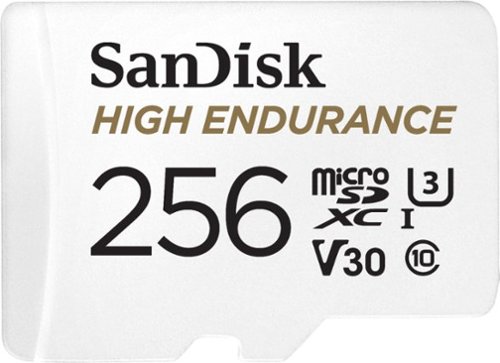
Designed to record for up to 20,000 hours, the SanDisk microSDXC High Endurance UHS-I Memory Card gives you the peace of mind that your dash cam, home monitoring or security system will capture crucial footage when it happens, recording and re-recording worry-free. The card is built tough too~ready to record in extreme heat or freezing cold, and it~s shockproof, waterproof and X-ray proof. Rated Class 10, U3 and V30 this SanDisk card has the speed you need to record in Full HD or 4K. Quickly transfer or back up your videos to a computer with read speeds up to 100MB/s.
Overall4 out of 5
4 out of 5Bought it for mom's phone
By Axel
Haven't heard any complaints, so it must be working great.
packaging was really strong, almost needed to use the card's "High Endurance" feature just to get it out.
packaging was really strong, almost needed to use the card's "High Endurance" feature just to get it out.
KahinDur
Haha
November 29, 2019
Good one!
0points
0of 0voted this comment as helpful.
ASUS Q546FD Laptop: Commute lightly with this ultra-thin ASUS laptop. The 15.6-inch 4K touchscreen offers clear, crisp visuals, and the infrared camera supports video conferencing. An Intel Core i7 processor and 16GB of DDR4 RAM handle demanding programs. This ASUS laptop delivers immersive graphics with an NVIDIA GTX 1050 graphics card, while the 1TB SSD provides fast data access.
Overall4 out of 5
4 out of 5Beautiful laptop but with some issues...
By KahinDur
This is going be long but very informative for people seeking more info on this laptop.
I was torn between getting this Q546FD model or Q536FD. The former is an updated version with 1TB + 32GB Optane M.2 SSD and a Screenpad which, in theory, is very practical. The latter comes with a 256GB M.2 stick coupled with 2TB SATA 5400rpm 6GB/s HDD. Besides that, I saw no difference between the two. I also could not find any information on this Q546FD model anywhere! Not on google searches, not on YouTube and, most importantly, no where on Asus’s website. Officially, Asus only supplies Q536FD. So, did Q546FD appear from thin air?
That question began my quest to finding out what the story behind this model is! I did not want to buy Q536FD until I was thoroughly educated on Q546FD. My concerns were if this is just a limited-time Best Buy exclusive and how will I be downloading any future driver updates from? I did had a feeling that this model is using the older Q536FD drivers. I was also assuming that since this model looks exactly like the outgoing model with same port configuration, there might actually be an unused SATA port and a blank caddy to add another storage media inside the Q546FD. So,
I might be getting the best of both models- a dual storage system and a screenpad! But, I had no idea how reliable and accurately the screenpad will work, even with the ScreenPad 2.0 software running on it. I needed to find this info badly as I know it will help me a lot in my classes.
I might be getting the best of both models- a dual storage system and a screenpad! But, I had no idea how reliable and accurately the screenpad will work, even with the ScreenPad 2.0 software running on it. I needed to find this info badly as I know it will help me a lot in my classes.
So, after exhausting all my options, and finding out, in the process, that Q546FD is just a refresh of Asus Zenbook Flip 15 UX562UD with an added screen, and a Best Buy exclusive, on behalf of all of you and your curiosities, I splurged on this laptop. Once it was delivered to me, of course I had to take some pictures of the internals and try out the screenpad features. Below are my findings:
1. Shame on you, Best Buy, for not providing your customers with nearly enough information to decide on the products you are selling. Shame on you, again, for having this model on display at your stores but having none in stock anywhere in the northern US! You guys should have just advertised this laptop as Online only and you would have been in a better situation. Yes, I did check for it in at least 6 to 7 northern states using your “within 250 miles” search criteria. I didn’t go any further because it would just be a waste of my time. Finally, and hopefully a third “shame on you” might be the charm. Shame on you for having the demo model with a broken screenpad software. Actually, this shame should also go to Asus for installing such a broken demo. What I mean is the demo only has two things- “click on the window and drag to this button to move it to screenpad display” and “tap on this button to close the multitask apps- smartphone style”! I ask, is that the only demo you guys could think of with such a big innovation. It reminds me of that one Family Guy episode where a caveman Peter discovers the Wheel and Axle and uses his invention to have Lois pole dance in front of his cavemen buddies! Seriously? What about a demo for the number pad, the Calculator, Windows 10 shortcuts, Office 365 integrated shortcuts? The demo machines have Office 365 built-in, so why not utilize them? Very poor presentation, indeed!
2. There is no unused SATA port! So, we are stuck with only one PCI-e port for the SSD stick.
3. The space where the 2TB HDD resides in Q536FD is now occupied by a bigger battery. Yes, the battery is now 71Wh instead of 57Wh in Q536FD! So, we have 25% bigger battery that equates to one to three extra hours of running time, depending on individual usage habits.
4. The screenpad does have some useful apps and shortcuts. It also allows us to create our own shortcuts, like adding a virtual screenpad button for Windows+E key press to open a new explorer window. The bad part is that the screenpad touch sensor, after a few seconds of inactivity, wakes up and takes precedence over the mouse control. Basically, you go to a webpage, read a few lines and want to scroll down but the mouse is no longer in control, the screenpad has taken control and you are, instead of scrolling down, actually flipping the screenpad app pages. So, if you want constant control over your pointer, the screenpad needs to be off (by pressing the F6 key) unless you become a fan of three-finger tapping the screenpad to activate/deactivate it every few seconds. Asus, you guys need to fix this, ASAP! Some of us want the screenpad to be on most of the time but not have it battle over taking control away from the mouse functions.
4. There are no dedicated drivers for Q546FD. The BIOS and drivers are using F536FD versions. Why? F536FD does not have a screenpad, and it does not have a bigger battery, so why are it’s drivers being used in the updated model? I am not a smart person but I can certainly see this issue in effect as the battery, when fully charged, shows only 3.5hrs remaining but I get a full 6-7hrs of use out of it before the battery exhausts. And yes, I have calibrated the battery and conditioned it by fully charging it before using it for the first time and went through through four full charge/discharge cycles. Please release dedicated drivers for this model! I don’t know what other anomalies people will see as time progresses and many more but this model.
5. I don’t know if this is an issue with all 4K laptop screens but there is a light bleed on the top edge of the screen. This is clearly visible on the blue screen when I was setting up Windows. It disappears in the darker wallpaper background once the setup is complete and is only visible if the window is maximized or when a restart takes place. I saw this same anomaly on all display models I have seen, including the Q536FD when it was still on display, before being replaced with Q546FD. Poor quality control, maybe?
6. The laptop gets hot fast, due to the bottom facing vents which get covered when the laptop is sitting on my lap. Also, what’s with the back vents pointing straight at the 4K screen, Asus? Did you not even try to think of any other place to put those vents? If I have the laptop on my lap, the only place the hot air will come out of is after bouncing off of the 4K screen! God knows if the screen will last five years if this is how the vents are designed.
7. The lack of information for consumer is appalling! Will the battery last longer if the resolution of the display is dropped down from 4K to 1080p, say when traveling? Also, as we have two resolutions to choose from on the screenpad, namely 2160x1080 or 1000x500, and two refresh rates to choose from, 50Hz or 60Hz, which combination should I choose to prolong battery when traveling? I am not educated much on this but questions like these are expected to be asked and the Best Buy reps should be educated on answering such questions, which they couldn’t, at various stores.
Overall, I like the build, the quality, the looks and the functionality of this laptop and made a great, albeit costly choice! I wish the presentation was better and proper information was posted at Bestbuy.com and provided by Best Buy and Asus reps. The copy-paste job from Q536FD page to Q546FD page just does not help and I doubt will sell enough of these laptops. Not enough info to differentiate between the two models, and the absurd fact that the latter is on display but not in stock anywhere whereas the former NOT on display but in stock all over just makes this whole conundrum ludicrous!
I would have just gone with Q536FD and all the reviews and consumer reviews are already there for me to read through instead of scrounging for information for Q546FD. The screen, with its set of issues, is worth it. The ability to have one program or webpage or a movie running on the screenpad while doing designing or coding, or word processing on a maximized window is what a multitask should be all about. I can only imagine what smarter people will use this screenpad as. Hope they post it online so I can learn their tricks too.
I apologize for the long review but I do not want you folks to go through what I had to go through to find out any sort of info on this laptop. I would not recommend this over the Q536FD as even I wonder, still, whether a screenpad, two to three hours of extra battery life and 750GB extra SSD storage is better than the 2TB SATA space with a non-headache and beautiful looking touchpad.
With more refinement to the software, the screenpad could definitely be appealing and hands-down innovative and useful. Please Asus, fix it and folks, buy this if you want to support screenpad innovation. If not, you will be just as happy with the Q536FD.
KahinDur
Thank you for your appreciation people!
December 1, 2019
You are all welcome. I am glad my time spent figuring out the laptop helped others. If you liked my review, hit the Like button and Subscribe to not miss out on an... J/K! Just wanted to see how it feels like to be a Youtuber. It sucks!
+3points
3of 3voted this comment as helpful.

Equip your home theater for family movie night with this 75-inch LG smart TV. The third-generation a7 processor and 4K Nanocell display deliver sharp, detailed video content, while IPS technology supports comfortable viewing from various sides of the room. This LG smart TV is AMD FreeSync compatible for flawless 4K game rendering, and LG ThinQ AI supports voice recognition for hands-free control.
Overall5 out of 5
5 out of 5An awesome TV!!!!
By BryBryJuarez
I love my new LG Nanocell TV!!! This was un upgrade from my old 70" LG 4K UHD TV (70UJ65) and the picture difference is definitely noticeable.
I'll start by saying that LG's Nanocell has an amazing picture quality, with stunningly bright/vivid colors and deep/dark blacks. The TV has various preset picture modes and multiple settings that allow you to choose the screen/picture quality that is best for whatever you're watching. It has HDMI 2.1 connections and support for low input lag and VRR for video games, which was a big deal for since I play alot of PS4. It has all your favorite streaming apps and Apple TV support. The magic remote is pretty cool and the voice command suport allows for both Google Assistant and Amazon Alexa.
Now for the cons. LG hasn't exactly made their display setting entirely transparent so you'll have to play around with every individual setting until you find which is best for your preferred viewing style. I prefer fast refresh rates and clear and sharp picture, in other words I like the "Soap Opera Effect" when I watch TV or Movies. So it was an annoying hassle trying to figuring out with motion settings which one was 120hz and which one would be set to try and upscale to reach the 240hz trumotion that is advertised. They have a description of all the settings on their website but it hasn't been updated for the new 2020 TV lineups. Out of all the apps available they don't have any HBO app support, idk what LG has against HBO but it was the same issue on my old TV. Lastly the price is pretty high, I had bought it when the discount wasn't great and just as I did they decided to drop it another $100 for BB Elite members.
Overall its still an amazing TV and I love it, itll be with me for quite sometime.
KahinDur
Me too..
October 29, 2020
Same here, please post your settings.
0points
0of 0voted this comment as helpful.
KahinDur's Questions
ASUS Q546FD Laptop: Commute lightly with this ultra-thin ASUS laptop. The 15.6-inch 4K touchscreen offers clear, crisp visuals, and the infrared camera supports video conferencing. An Intel Core i7 processor and 16GB of DDR4 RAM handle demanding programs. This ASUS laptop delivers immersive graphics with an NVIDIA GTX 1050 graphics card, while the 1TB SSD provides fast data access.
Can we add another SSD / SATA HDD to this like the dual drive system of Q536FD? They both share the same chassis so I’m wondering if it is possible.
7 years, 1 month ago
by
KahinDur
KahinDur's Answers
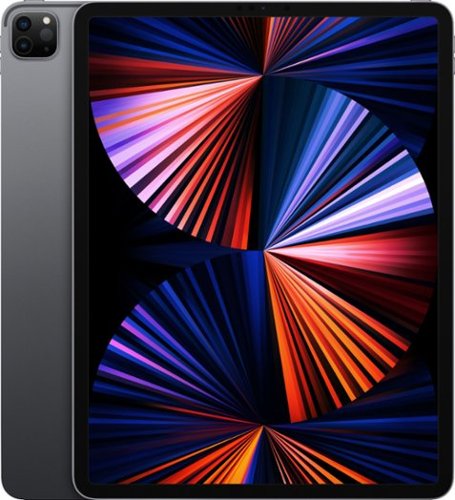
iPad Pro features the powerful Apple M1 chip for next-level performance and all-day battery life.~ An immersive 12.9-inch Liquid Retina XDR display for viewing and editing HDR photos and videos.~ And a front camera with Center Stage keeps you in frame automatically during video calls. iPad Pro has pro cameras and a LiDAR Scanner for stunning photos, videos, and immersive AR. Thunderbolt for connecting to high-performance accessories. And you can add Apple Pencil for note-taking, drawing, and marking up documents, and the Magic Keyboard for a responsive typing experience and trackpad.~
Can a mouse be used with this iPad?
iPad Pro features the powerful Apple M1 chip for next-level performance and all-day battery life.~ An immersive 12.9-inch Liquid Retina XDR display for viewing and editing HDR photos and videos.~ And a front camera with Center Stage keeps you in frame automatically during video calls. iPad Pro has pro cameras and a LiDAR Scanner for stunning photos, videos, and immersive AR. Thunderbolt for connecting to high-performance accessories. And you can add Apple Pencil for note-taking, drawing, and marking up documents, and the Magic Keyboard for a responsive typing experience and trackpad.~
ASUS Q546FD Laptop: Commute lightly with this ultra-thin ASUS laptop. The 15.6-inch 4K touchscreen offers clear, crisp visuals, and the infrared camera supports video conferencing. An Intel Core i7 processor and 16GB of DDR4 RAM handle demanding programs. This ASUS laptop delivers immersive graphics with an NVIDIA GTX 1050 graphics card, while the 1TB SSD provides fast data access.
ASUS Q546FD Laptop: Commute lightly with this ultra-thin ASUS laptop. The 15.6-inch 4K touchscreen offers clear, crisp visuals, and the infrared camera supports video conferencing. An Intel Core i7 processor and 16GB of DDR4 RAM handle demanding programs. This ASUS laptop delivers immersive graphics with an NVIDIA GTX 1050 graphics card, while the 1TB SSD provides fast data access.
Enjoy your favorite playlists in private with these Skullcandy Riff on-ear headphones. The wireless design provides increased mobility, and a built-in microphone lets you take calls or hold a video conference. These Skullcandy Riff on-ear headphones have a 12-hour run time on a single charge, and the collapsible design is ideal for travel.
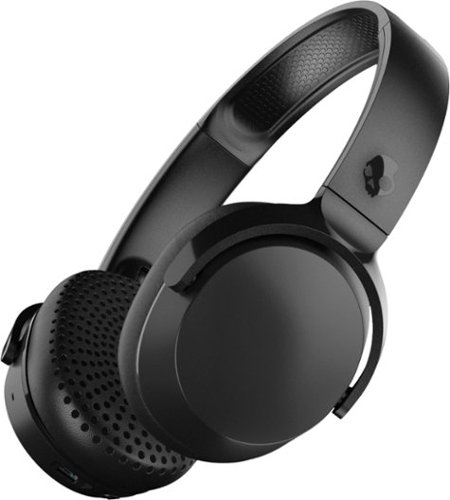
Enjoy music untethered with these Skullcandy wireless on-ear headphones. They provide 12 hours of battery life for all-day use with Bluetooth technology, and the buttons on the ear cups let you manage tracks and answer calls. These Skullcandy wireless on-ear headphones have a collapsible design for safe stowing while traveling.