
Share NicoR's profile


NicoR
NicoR's stats
- Review count103
- Helpfulness votes51
- First reviewMay 30, 2023
- Last reviewNovember 25, 2023
- Featured reviews0
- Average rating4.7
Reviews comments
- Review comment count0
- Helpfulness votes0
- First review commentNone
- Last review commentNone
- Featured review comments0
Questions
- Question count0
- Helpfulness votes0
- First questionNone
- Last questionNone
- Featured questions0
- Answer count48
- Helpfulness votes110
- First answerJune 2, 2023
- Last answerSeptember 22, 2023
- Featured answers0
- Best answers10
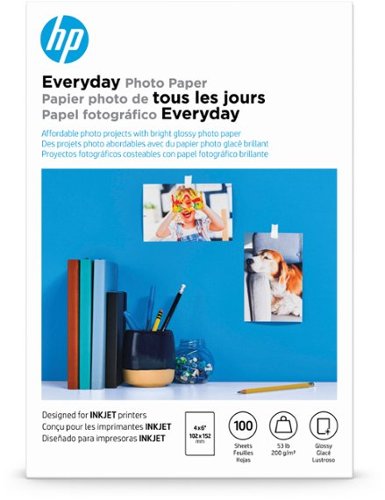
Print vivid 4" x 6" glossy photos at home with this 100-pack of HP Everyday photo paper that features a porous image coating that lets your images dry quickly for water and smudge resistance.
Customer Rating

4
Works well with HP printer
on August 9, 2023
Posted by: NicoR
I purchased the HP - Everyday Glossy 4" x 6" Photo Paper - 100 Count - White to print some family photos on my printer. I was very impressed with the results! The photos came out clear, bright, and colorful. The paper is also very thick and durable, so I'm confident that my photos will last for years to come.
I would definitely recommend this photo paper to anyone looking for a high-quality, affordable option for printing photos. It's perfect for everyday printing needs, and it's also great for printing special occasion photos.
Here are some of the pros and cons of the HP - Everyday Glossy 4" x 6" Photo Paper - 100 Count - White:
**Pros:**
* Clear, bright, and colorful photos.
* Thick and durable paper.
* Affordable price.
* Versatile: can be used for everyday printing or special occasion photos.
* Easy to find at most major retailers.
* Thick and durable paper.
* Affordable price.
* Versatile: can be used for everyday printing or special occasion photos.
* Easy to find at most major retailers.
**Cons:**
* Some users have reported that the paper can be a bit finicky to load into the printer.
* The paper is not as smooth as some other brands of photo paper.
* The paper is not as smooth as some other brands of photo paper.
Overall, I think the HP - Everyday Glossy 4" x 6" Photo Paper - 100 Count - White is a great product. It's affordable, produces high-quality photos, and is easy to find. I would definitely recommend it to anyone looking for a good photo paper option.
Mobile Submission: True
I would recommend this to a friend!
Quality

4
Value

5
Ease of Use
5
Share this review:


0points
0of 0voted this as helpful.
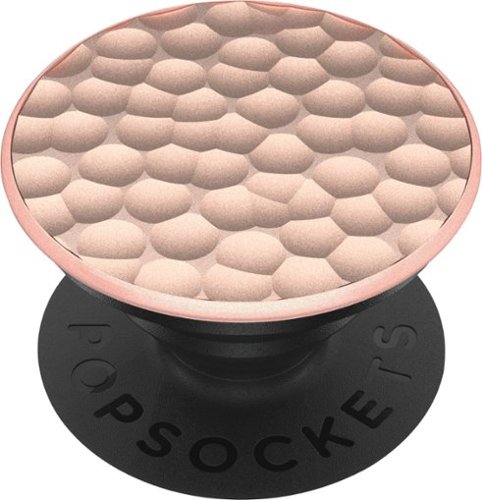
Hold your phone with one hand using this PopSockets rose gold PopGrip phone grip. The adjustable grip makes it easy to operate your phone one-handed and converts into a convenient kickstand for hands-free viewing. This PopSockets rose gold PopGrip phone grip is easy to install on most phones and folds flat when not in use to conserve pocket space.
Posted by: NicoR
I bought the PopSockets PopGrip Luxe Cell Phone Grip & Stand - Hammered Metal Rose Gold 4 years ago, and I've been using it on my phone ever since. I love it! It's the perfect way to make my phone more comfortable to hold, and it also doubles as a stand for watching videos or taking pictures.
The PopGrip is made of a durable metal that has held up well over the past 4 years. It's also very easy to remove and reattach, so I can swap it out with different PopTops whenever I want. I've had no problems with the adhesive wearing off, even though I've taken my phone in and out of my pocket a lot.
The PopGrip is also very versatile. I can use it to prop my phone up on a table or desk, or I can use it to grip my phone more securely while I'm using it one-handed. It's also great for taking selfies, since it gives me a more stable grip on my phone.
Overall, I'm very happy with the PopSockets PopGrip Luxe Cell Phone Grip & Stand - Hammered Metal Rose Gold. It's a great way to make my phone more comfortable and versatile to use. I highly recommend it to anyone who wants to improve their phone experience.
Here are some of the pros and cons of the PopSockets PopGrip Luxe Cell Phone Grip & Stand - Hammered Metal Rose Gold:
**Pros:**
* Durable metal construction.
* Easy to remove and reattach.
* Versatile: can be used as a grip or a stand.
* Improves the phone experience.
* Comes with a variety of PopTops to choose from.
* Easy to remove and reattach.
* Versatile: can be used as a grip or a stand.
* Improves the phone experience.
* Comes with a variety of PopTops to choose from.
**Cons:**
* Can be a bit bulky for some people.
* May not be compatible with all phone cases.
* Can be pricey.
* May not be compatible with all phone cases.
* Can be pricey.
Overall, I think the PopSockets PopGrip Luxe Cell Phone Grip & Stand - Hammered Metal Rose Gold is a great product. It's durable, versatile, and it makes my phone more comfortable and enjoyable to use. I highly recommend it to anyone who is looking for a way to improve their phone experience.
Mobile Submission: True
I would recommend this to a friend!
Quality
4
Value
4
Ease of Use
5
Share this review:


0points
0of 0voted this as helpful.
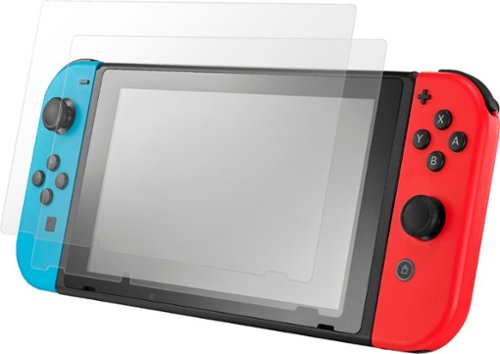
Keep your console safe and scratch-free with this two-pack of Insignia glass screen protectors for Nintendo Switch. Simple designs and the included wipes and dust removal stickers offer easy bubble-free installation. These Insignia glass screen protectors preserve screen clarity and provide reliable protection against scratches, bumps and the effects of impacts.
Customer Rating
4
Good protector no issues over 4 years
on August 9, 2023
Posted by: NicoR
I've been using the Insignia Screen Protector for Nintendo Switch for 4 years now, and I can honestly say that it's one of the best screen protectors I've ever used. It's made of tempered glass, which is much more durable than the plastic screen that comes with the Switch. This means that it's much less likely to scratch or shatter, even if you drop your Switch.
I've also found that the Insignia screen protector is very easy to install. The kit comes with everything you need, including a cleaning cloth, a dust remover, and a positioning guide. I was able to get the screen protector on perfectly in just a few minutes.
Another thing I like about the Insignia screen protector is that it's completely invisible. Once it's on, you can't even tell it's there. The screen still looks just as clear and crisp as it did without the screen protector.
I've been using the Insignia screen protector for 4 years now, and I've never had any problems with it. It's still in perfect condition, and it's protected my Switch screen from scratches and scuffs. I highly recommend this screen protector to anyone who wants to protect their Switch screen.
Here are some of the pros and cons of the Insignia Screen Protector for Nintendo Switch:
**Pros:**
* Made of tempered glass, which is much more durable than the plastic screen that comes with the Switch.
* Very easy to install.
* Completely invisible.
* Protects the Switch screen from scratches and scuffs.
* Comes with a 2-pack, so you have a spare in case you need it.
* Very easy to install.
* Completely invisible.
* Protects the Switch screen from scratches and scuffs.
* Comes with a 2-pack, so you have a spare in case you need it.
**Cons:**
* Can be a bit tricky to get the bubbles out during installation.
* May slightly reduce the sensitivity of the touchscreen.
* May slightly reduce the sensitivity of the touchscreen.
Overall, I think the Insignia Screen Protector for Nintendo Switch is a great product. It's durable, easy to install, and it's completely invisible. I highly recommend it to anyone who wants to protect their Switch screen.
Mobile Submission: True
I would recommend this to a friend!
Quality
4
Value
4
Ease of Use
4
Share this review:


0points
0of 0voted this as helpful.
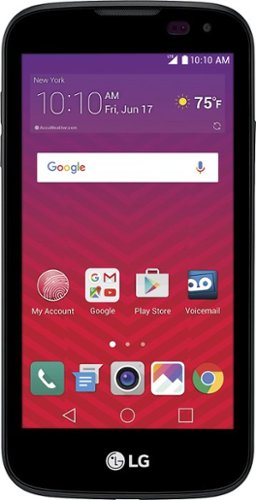
LG K3 Prepaid Cell Phone for Virgin Mobile: Stay connected with the LG K3 smartphone. This entry-level device has a 1.1GHz processor and 1GB of RAM so that you can do everything you need to do, and an 8GB hard drive lets you store plenty of data on it. Android 6 keeps this LG K3 smartphone running seamlessly.
Posted by: NicoR
I purchased the Virgin Mobile - LG K3 with 8GB Memory Prepaid Cell Phone - Black 7 years ago as a basic phone for my son. I was looking for a phone that was affordable and that would have the basic features that he needed, such as calling, texting, and internet browsing. The Virgin Mobile - LG K3 met all of my expectations.
The Virgin Mobile - LG K3 is a very affordable phone. I purchased it for around $30, which is a great price for a prepaid phone. The phone also has the basic features that I was looking for, such as calling, texting, and internet browsing. The phone also has a 2MP camera, which is decent for a basic phone.
The Virgin Mobile - LG K3 is also very easy to use. The phone has a simple interface that is easy for kids to understand. The phone also has a large screen, which makes it easy for kids to see.
The only con I have with the Virgin Mobile - LG K3 is that it is not very durable. The phone is made of plastic, and it is not very water-resistant. I would not recommend this phone for kids who are rough on their phones.
Overall, I am okay with the Virgin Mobile - LG K3. It is a great basic phone for kids that is affordable and easy to use. I would definitely recommend it to anyone looking for a prepaid phone for their child on a budget.
Here are some pros and cons of the Virgin Mobile - LG K3:
**Pros:**
* Affordable
* Basic features
* Large screen
* Easy to use
* 2MP camera
* Basic features
* Large screen
* Easy to use
* 2MP camera
**Cons:**
* Not very durable
* Not water-resistant
* Not as fast as some other phones
* Not water-resistant
* Not as fast as some other phones
Overall, I think the Virgin Mobile - LG K3 is a great value for the price. It is a reliable and easy-to-use prepaid phone that is perfect for kids on a budget. However, if you need a phone with more features or that is more durable, then you may want to consider a different model.
Mobile Submission: True
I would recommend this to a friend!
Battery Life
4
Display Quality
4
Camera
4
Share this review:


0points
0of 0voted this as helpful.
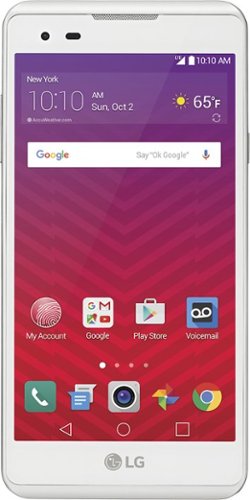
Keep in touch with a swipe on the screen of this Virgin Mobile LG M3 smartphone, featuring a 5-inch HD display for crisp, clear visuals. Android 6.0 Marshmallow OS keeps all of your apps running smoothly, and this Virgin Mobile LG M3 smartphone has both an 8-megapixel rear-facing camera and 2-megapixel front-facing camera for Skyping with friends and family.
Posted by: NicoR
I purchased the Virgin Mobile - LG Tribute LTE with 8GB Memory Prepaid Cell Phone - White 7 years ago as a basic phone for my son. I was looking for a phone that was affordable and that would have the basic features that he needed, such as calling, texting, and internet browsing. The Virgin Mobile - LG Tribute HD 4G LTE met all of my expectations.
The Virgin Mobile - LG Tribute HD 4G LTE is a very affordable phone. I purchased it for around $50, which is a great price for a prepaid phone. The phone also has the basic features that I was looking for, such as calling, texting, and internet browsing. The phone also has a 5MP camera, which is decent for a basic phone.
The Virgin Mobile - LG Tribute HD 4G LTE is also very easy to use. The phone has a simple interface that is easy for kids to understand. The phone also has a large screen, which makes it easy for kids to see.
The only con I have with the Virgin Mobile - LG Tribute HD 4G LTE is that it is not very durable. The phone is made of plastic, and it is not very water-resistant. I would not recommend this phone for kids who are rough on their phones.
Overall, I am very happy with the Virgin Mobile - LG Tribute HD 4G LTE. It is a great basic phone for kids that is affordable and easy to use. I would definitely recommend it to anyone looking for a prepaid phone for their child.
Here are some pros and cons of the Virgin Mobile - LG Tribute HD 4G LTE:
**Pros:**
* Affordable
* Basic features
* Large screen
* Easy to use
* 5MP camera
* Basic features
* Large screen
* Easy to use
* 5MP camera
**Cons:**
* Not very durable
* Not water-resistant
* Not as fast as some other phones
* Not water-resistant
* Not as fast as some other phones
Overall, I think the Virgin Mobile - LG Tribute HD 4G LTE is a great value for the price. It is a reliable and easy-to-use prepaid phone that is perfect for kids. However, if you need a phone with more features or that is more durable, then you may want to consider a different model.
Mobile Submission: True
I would recommend this to a friend!
Battery Life
4
Display Quality
4
Camera
4
Share this review:


0points
0of 0voted this as helpful.
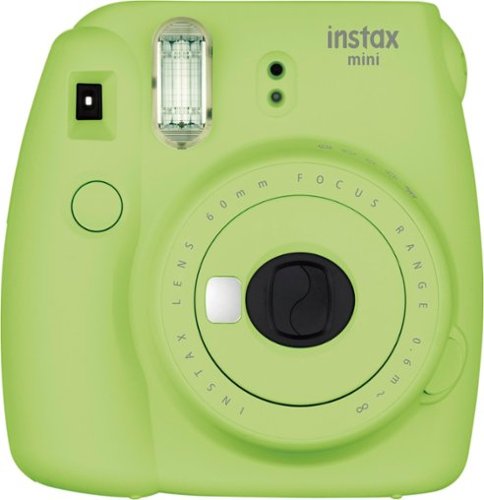
Take high-quality photos with this Fujifilm mini camera. Its high-key mode lets you take brighter pictures, making it great for portraits, and its viewfinder provides a better view of your subject, so you can take the best photo. This Fujifilm mini camera has a slim, light body, so it's easy to carry around.
Posted by: NicoR
I purchased the Fujifilm - instax mini 9 Instant Film Camera - Lime Green over 6 years ago as a way to take fun and spontaneous photos at parties and events. I was looking for an instant camera that was easy to use and that would produce high-quality photos. The Fujifilm - instax mini 9 met all of my expectations.
The Fujifilm - instax mini 9 is very easy to use. It has a simple point-and-shoot design, and it comes with a variety of lens attachments that you can use to change the look of your photos. I have used the Fujifilm - instax mini 9 to take photos of everything from parties to weddings to family gatherings, and I have always been happy with the results.
The Fujifilm - instax mini 9 also produces high-quality photos. The photos are sharp and clear, and they have a nice vintage look to them. I love being able to take a photo and have it printed out instantly. It's a great way to capture memories and share them with friends and family.
The Fujifilm - instax mini 9 is also very portable. It's small and lightweight, so I can easily take it with me to parties and events. I also like that it uses instax mini film, which is relatively affordable.
The only con I have with the Fujifilm - instax mini 9 is that it can be a bit slow to take photos. If you're taking a lot of photos in a row, it can be a bit of a pain to wait for each photo to develop. However, this is a minor inconvenience, and I think it's worth it for the quality of the photos that the Fujifilm - instax mini 9 produces.
Overall, I am very happy with the Fujifilm - instax mini 9 Instant Film Camera - Lime Green. It is a great instant camera that is perfect for taking fun and spontaneous photos at parties and events. I would definitely recommend it to anyone looking for an instant camera.
Here are some pros and cons of the Fujifilm - instax mini 9 Instant Film Camera - Lime Green:
**Pros:**
* Easy to use
* Produces high-quality photos
* Portable
* Affordable film
* Fun and creative
* Produces high-quality photos
* Portable
* Affordable film
* Fun and creative
**Cons:**
* Can be a bit slow to take photos
* Film can be expensive
* Not as durable as some other cameras
* Film can be expensive
* Not as durable as some other cameras
Overall, I think the Fujifilm - instax mini 9 Instant Film Camera - Lime Green is a great value for the price. It is a reliable and easy-to-use instant camera that is perfect for parties and events. However, if you need a camera with faster speeds or that is more durable, then you may want to consider a different model.
Mobile Submission: True
I would recommend this to a friend!
Quality
4
Value
4
Ease of Use
5

Share this review:


0points
0of 0voted this as helpful.

Only at Best BuyHelp preserve your memories when you're on the go with the easystore External USB 3.0 Portable Hard Drive with plug-and-play USB connectivity and WD Backup software. The backup software allows scheduling of regular automatic file transfers, and WD Discovery software makes it convenient to manage drive settings, including formatting and LED control. USB 3.0 connectivity, offers fast transfer speeds.

Posted by: NicoR
I purchased the WD - easystore 1TB External USB 3.0 Portable Hard Drive - Black 6 years ago as a way to backup my important files. I was looking for a reliable and affordable external hard drive, and the WD - easystore met all of my expectations.
The WD - easystore has been a solid backup device for me. It has never failed me, and it has always been able to backup my files quickly and easily. I have used it to backup my photos, videos, documents, and music, and I have never had any problems.
The WD - easystore is also very easy to use. It is simply plug-and-play, and it does not require any drivers or software. I can simply connect it to my computer and start backing up my files.
The WD - easystore is also very affordable. I purchased it for around $50, which is a great price for a 1TB external hard drive.
The only con I have with the WD - easystore is that it is not very portable. It is a bit bulky and heavy, so it is not the best option for traveling. However, for home use, it is a great option.
Overall, I am very happy with the WD - easystore 1TB External USB 3.0 Portable Hard Drive - Black. It is a reliable and affordable external hard drive that has been a solid backup device for me for the past 6 years. I would definitely recommend it to anyone looking for a backup device.
Here are some pros and cons of the WD - easystore 1TB External USB 3.0 Portable Hard Drive - Black:
**Pros:**
* Reliable
* Affordable
* Easy to use
* Plug-and-play
* No drivers or software required
* Large storage capacity
* Affordable
* Easy to use
* Plug-and-play
* No drivers or software required
* Large storage capacity
**Cons:**
* Not very portable
* Bulky and heavy
* Not as fast as some other external hard drives
* Bulky and heavy
* Not as fast as some other external hard drives
Overall, I think the WD - easystore 1TB External USB 3.0 Portable Hard Drive - Black is a great value for the price. It is a reliable and affordable external hard drive that is perfect for home use. However, if you need a portable external hard drive or a hard drive with faster speeds, then you may want to consider a different model.
Mobile Submission: True
I would recommend this to a friend!
Ease of Use
4
Quality
5
Value
5
Share this review:


0points
0of 0voted this as helpful.
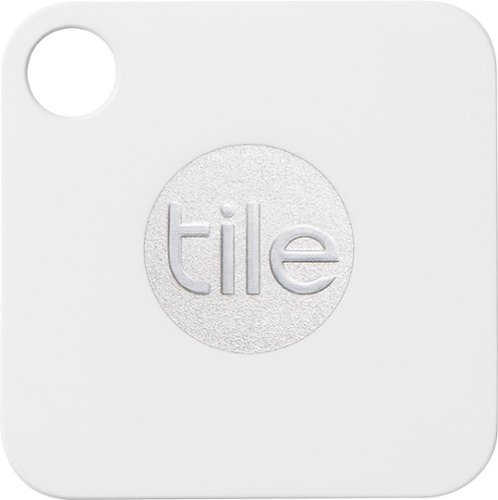
Track your phone and keys and never lose them again with this Tile by Life360 Mate tracker. Using Bluetooth compatibility, this small Tile by Life360 connects to your phone so you'll never lose it again. Slip this Tile by Life360 Mate tracker on your key ring and call it from your phone to end the search for your keys.
Posted by: NicoR
I purchased the Tile Mate Item Tracker 5 years ago for my family. We were looking for a way to track our belongings, especially our keys and wallets. The Tile Mate Item Tracker has been a lifesaver!
The Tile Mate Item Tracker is very easy to use. You simply attach it to your belongings, and then you can use the Tile app to find them. The app will make a sound on the Tile Mate Item Tracker, so you can easily find it. You can also use the Tile app to make your Tile Mate Item Tracker ring, even if it's on silent. This is great for finding your keys in the couch cushions or your wallet in the car.
The Tile Mate Item Tracker also has a built-in proximity sensor. This means that if you leave your Tile Mate Item Tracker behind, the app will alert you when you get too far away from it. This is great for making sure you don't leave your keys or wallet at the store.
The Tile Mate Item Tracker has a range of up to 400 feet. This is more than enough range for most people. However, if you need more range, you can purchase the Tile Pro Item Tracker. The Tile Pro Item Tracker has a range of up to 900 feet.
The Tile Mate Item Tracker is also waterproof and dustproof. This means that you can use it in any environment.
I have been very happy with the Tile Mate Item Tracker. It has helped us find our belongings countless times. I would definitely recommend it to anyone who is looking for a way to track their belongings.
Here are some pros and cons of the Tile Mate Item Tracker:
**Pros:**
* Easy to use
* Long range
* Waterproof and dustproof
* Affordable
* Works with Alexa and Google Assistant
* Long range
* Waterproof and dustproof
* Affordable
* Works with Alexa and Google Assistant
**Cons:**
* Battery life is not great
* Can be easily lost
* Not as durable as some other trackers
* Can be easily lost
* Not as durable as some other trackers
Overall, I think the Tile Mate Item Tracker is a great value for the price. It is a reliable and easy-to-use tracker that is perfect for busy families. However, if you need a tracker with a longer battery life or that is more durable, then you may want to consider a different model.
Mobile Submission: True
I would recommend this to a friend!
Quality
5
Value
4
Ease of Use
4
Share this review:


0points
0of 0voted this as helpful.
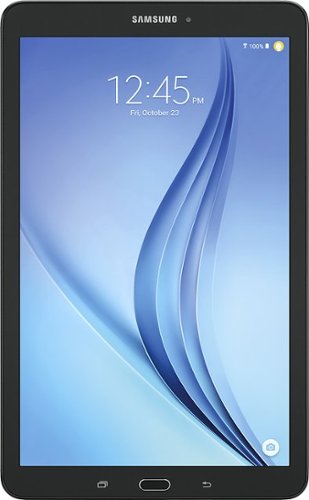
Samsung Galaxy Tab E: Easily browse the Web and stay entertained with this tablet, which features a 9.6" display that's large enough to watch movies and TV shows and small enough to take on the go. Plus, you can record videos and snap photos with the 5.0MP rear-facing and 2.0MP front-facing cameras.
Posted by: NicoR
I purchased the Samsung Galaxy Tab E 9.6" - 16GB - Black (Verizon) 6 years ago for my son. I was looking for a tablet that was affordable, durable, and had a long battery life. The Samsung Galaxy Tab E met all of my expectations.
The tablet is very durable. It has a plastic body that can withstand a few bumps and drops. The tablet also has a long battery life. I can get up to 8 hours of use on a single charge.
The tablet is also very affordable. I purchased it for around $200, which is a great price for a tablet with these features.
The only con I have with the Samsung Galaxy Tab E is that it is a bit slow. The processor is not the fastest, and the tablet can be a bit laggy at times. However, this is not a major issue for most users.
Overall, I am very happy with the Samsung Galaxy Tab E. It is an affordable, durable, and long-lasting tablet that is perfect for kids or anyone who needs a basic tablet.
Here are some pros and cons of the Samsung Galaxy Tab E 9.6" - 16GB - Black (Verizon):
**Pros:**
* Affordable
* Durable
* Long battery life
* Large screen
* Easy to use
* Expandable storage
* Durable
* Long battery life
* Large screen
* Easy to use
* Expandable storage
**Cons:**
* Slow processor
* Not the best camera
* Limited app selection
* Not the best camera
* Limited app selection
Overall, I think the Samsung Galaxy Tab E is a great value for the price. It is a reliable and affordable tablet that is perfect for basic tasks like browsing the web, watching videos, and playing games. However, if you need a tablet for more demanding tasks like gaming or video editing, then you may want to consider a different model.
It is important to note that the Samsung Galaxy Tab E is now 6 years old, so it may not be the best choice for users who need the latest features and performance. However, if you are looking for an affordable and durable tablet that can still do the basics, then the Samsung Galaxy Tab E is a great option.
Mobile Submission: True
I would recommend this to a friend!
Battery Life
4
Display
4
Durability
5
Share this review:


0points
0of 0voted this as helpful.
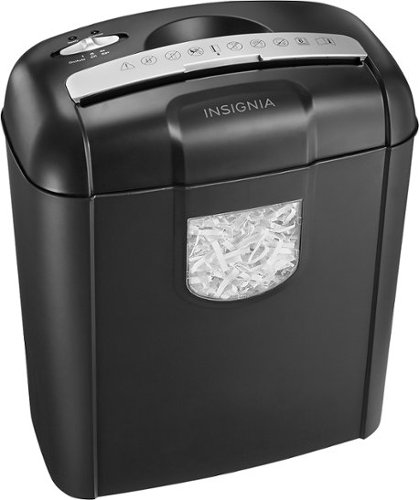
Prevent identity theft with the help of this 6-sheet Insignia~ NS-PS06CC crosscut shredder, which shreds paper, credit cards and staples down to 0.2" x 1.3", so you can help protect your personal information and documents.
Customer Rating
4
Good shredder it does the job
on August 9, 2023
Posted by: NicoR
I purchased the Insignia 6-Sheet Crosscut Shredder 5 years ago for my home office. I was looking for a shredder that was affordable, reliable, and easy to use. The Insignia 6-Sheet Crosscut Shredder has met all of my expectations.
The shredder is very reliable. I have never had any problems with it shredding documents. The shredding is also very quiet, which is important to me since I work from home. The shredder also has a built-in safety feature that prevents it from overheating.
The shredder is also very easy to use. The controls are simple to understand, and the shredder is easy to load and unload. I can also shred documents directly from my mailbox, which is a great time-saver.
The only con I have with the Insignia 6-Sheet Crosscut Shredder is that it can only shred 6 sheets of paper at a time. This is not a big deal for me, as I don't typically shred more than 6 sheets of paper at a time. However, if you need to shred a lot of paper, then you may want to consider a shredder with a higher sheet capacity.
Overall, I am very happy with the Insignia 6-Sheet Crosscut Shredder. It is an affordable, reliable, and easy-to-use shredder that has met all of my needs. I would definitely recommend this shredder to anyone looking for a basic shredder for home or office use.
Here are some pros and cons of the Insignia 6-Sheet Crosscut Shredder:
**Pros:**
* Affordable
* Reliable
* Easy to use
* Quiet
* Built-in safety feature
* Shreds directly from mailbox
* Reliable
* Easy to use
* Quiet
* Built-in safety feature
* Shreds directly from mailbox
**Cons:**
* Can only shred 6 sheets of paper at a time
* Not the fastest shredder on the market
* Not as durable as some other shredders
* Not the fastest shredder on the market
* Not as durable as some other shredders
Overall, I think the Insignia 6-Sheet Crosscut Shredder is a great value for the price. It is a reliable and easy-to-use shredder that is perfect for home or office use. However, if you need to shred a lot of paper or need a shredder that is more durable, then you may want to consider a different model.
Mobile Submission: True
I would recommend this to a friend!
Ease of Use
5
Quality

3
Value
5

Share this review:


0points
0of 0voted this as helpful.
NicoR's Review Comments
NicoR has not submitted comments on any reviews.
NicoR's Questions
NicoR has not submitted any questions.

Everything you need is right in your screen. Watch, work and chat - all without connecting a separate PC - with Smart Monitor. Your favorite content, productivity and video call apps are built-in for a simpler and more stylish desk setup that~s a joy to use every time.
Speakers seam to be not so good my 32" smart TV is amazing what happened to sound quality how can it be fixed. As it was open box maybe displayed and speakers could be bad I'm not sure. Maybe I'm supposed to get a new soundbar for good sound ....
There are a few things you can do to improve the sound quality of your Samsung 32" smart TV:
Check the audio settings. Make sure that the volume is turned up and that the audio mode is set to the best setting for your content. You can also try adjusting the equalizer settings to improve the sound quality.
Move the speakers. If the speakers are placed in a corner or against a wall, the sound quality may be muffled. Try moving them to a more open area.
Get a soundbar. A soundbar is a great way to improve the sound quality of your TV. It will provide you with richer, fuller sound that will make your movies and TV shows more enjoyable
Check the audio settings. Make sure that the volume is turned up and that the audio mode is set to the best setting for your content. You can also try adjusting the equalizer settings to improve the sound quality.
Move the speakers. If the speakers are placed in a corner or against a wall, the sound quality may be muffled. Try moving them to a more open area.
Get a soundbar. A soundbar is a great way to improve the sound quality of your TV. It will provide you with richer, fuller sound that will make your movies and TV shows more enjoyable
2 years, 9 months ago
by
NicoR
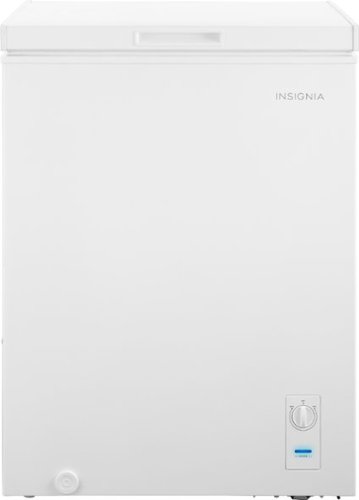
The Insignia 5.0 Cu. Ft. chest freezer has a removable storage basket to keep your food organized so you can find all your items. Have confidence that your food is stored correctly by adjusting the temperature control panel.
Our power went out. Do I need to reset? Or should I unplug the freezer and plug it back in?
If the power outage was brief, you do not need to reset your freezer. Just keep the door closed and the food inside will stay safe.
However, if the power outage was longer, you may need to unplug the freezer and plug it back in. This will help to reset the freezer's temperature control.
Here are the steps on how to reset your freezer after a power outage:
Unplug the freezer from the power outlet.
Wait for a few minutes.
Plug the freezer back in.
Close the freezer door.
The freezer will take a few hours to reach its normal temperature. During this time, do not open the door unless absolutely necessary.
However, if the power outage was longer, you may need to unplug the freezer and plug it back in. This will help to reset the freezer's temperature control.
Here are the steps on how to reset your freezer after a power outage:
Unplug the freezer from the power outlet.
Wait for a few minutes.
Plug the freezer back in.
Close the freezer door.
The freezer will take a few hours to reach its normal temperature. During this time, do not open the door unless absolutely necessary.
2 years, 9 months ago
by
NicoR
The Insignia 5.0 Cu. Ft. chest freezer has a removable storage basket to keep your food organized so you can find all your items. Have confidence that your food is stored correctly by adjusting the temperature control panel.
Can I order extra baskets? What is the size of the basket?
Yes, you can order extra baskets for the Insignia 5 cu ft garage ready chest freezer. The baskets are not sold separately by Insignia, but you can find them on Amazon and other online retailers.
The baskets are 20.4 x 16.7 x 27.7 inches (518 x 425 x 705 mm) and have a capacity of 2.5 cubic feet. They are made of wire mesh and have a black powder-coated finish.
To order extra baskets, you can search for "Insignia 5 cu ft chest freezer baskets" on Amazon or other online retailers. The baskets typically cost around $20 each.
The baskets are 20.4 x 16.7 x 27.7 inches (518 x 425 x 705 mm) and have a capacity of 2.5 cubic feet. They are made of wire mesh and have a black powder-coated finish.
To order extra baskets, you can search for "Insignia 5 cu ft chest freezer baskets" on Amazon or other online retailers. The baskets typically cost around $20 each.
2 years, 9 months ago
by
NicoR
The Insignia 5.0 Cu. Ft. chest freezer has a removable storage basket to keep your food organized so you can find all your items. Have confidence that your food is stored correctly by adjusting the temperature control panel.
I just noticed there are 2 screw-in pegs on the (front and back corner) underneath/ bottom left side only. For balance purposes? Anyway, are there 2 more screw holes on the underneath/ bottom right. And can I buy 4 caster wheels and just screw them in?
Yes, there are two more screw holes on the bottom right side of the Insignia 5 cu ft garage ready chest freezer. You can buy four caster wheels and screw them into these holes to make the freezer more portable.
The screw-in pegs on the bottom left side of the freezer are for balance purposes. They help to prevent the freezer from tipping over. If you screw in the caster wheels, you can remove the pegs.
When choosing caster wheels, make sure that they are the right size for the freezer. The wheels should also be rated for the weight of the freezer.
Here are the steps on how to install caster wheels on the Insignia 5 cu ft garage ready chest freezer:
Remove the two screw-in pegs on the bottom left side of the freezer.
Screw in the caster wheels into the holes.
Make sure that the caster wheels are level.
Here are some safety tips to keep in mind when installing caster wheels:
Make sure that the freezer is unplugged and empty before you start.
Be careful not to overtighten the screws, as this could damage the freezer.
Test the freezer to make sure that it is stable on the caster wheels.
With the caster wheels installed, you can easily move the freezer around your garage or other storage area. This can be helpful for cleaning or making space for other items.
The screw-in pegs on the bottom left side of the freezer are for balance purposes. They help to prevent the freezer from tipping over. If you screw in the caster wheels, you can remove the pegs.
When choosing caster wheels, make sure that they are the right size for the freezer. The wheels should also be rated for the weight of the freezer.
Here are the steps on how to install caster wheels on the Insignia 5 cu ft garage ready chest freezer:
Remove the two screw-in pegs on the bottom left side of the freezer.
Screw in the caster wheels into the holes.
Make sure that the caster wheels are level.
Here are some safety tips to keep in mind when installing caster wheels:
Make sure that the freezer is unplugged and empty before you start.
Be careful not to overtighten the screws, as this could damage the freezer.
Test the freezer to make sure that it is stable on the caster wheels.
With the caster wheels installed, you can easily move the freezer around your garage or other storage area. This can be helpful for cleaning or making space for other items.
2 years, 9 months ago
by
NicoR
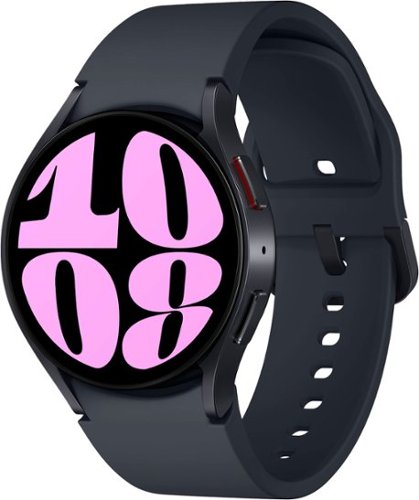
It~s your day ~own it with Samsung Galaxy Watch6. From the gym to the office, our large display keeps you in the know with simple navigation and a super easy-to-read screen. Work out smarter with personalized heart rate zones, and get insights for better rest with Advanced Sleep Coaching. Stay connected by using Galaxy Watch6 to call, text, play music and get notifications on the go. Plus, wherever the day takes you, own your look with a variety of customizable Watch bands and faces. Unlock your day~s full potential with Galaxy Watch6.
Does this have the elliptical workout option? I have an old Active that has it and I use it regularly and track it in Samsung Health. Thanks!
Yes, the Samsung Galaxy Watch6 Aluminum Smartwatch 40mm BT has an elliptical workout option. To start an elliptical workout on your watch, follow these steps:
Open the Samsung Health app on your watch.
Tap Workout.
Scroll down and tap Elliptical.
Tap Start.
The watch will start tracking your workout and will display your heart rate, calories burned, and other metrics. You can also pause or stop the workout at any time.
The elliptical workout option is available on both the Bluetooth and LTE models of the Galaxy Watch6. It is also available on other Samsung smartwatches, such as the Galaxy Watch4 and Galaxy Watch5.
Open the Samsung Health app on your watch.
Tap Workout.
Scroll down and tap Elliptical.
Tap Start.
The watch will start tracking your workout and will display your heart rate, calories burned, and other metrics. You can also pause or stop the workout at any time.
The elliptical workout option is available on both the Bluetooth and LTE models of the Galaxy Watch6. It is also available on other Samsung smartwatches, such as the Galaxy Watch4 and Galaxy Watch5.
2 years, 9 months ago
by
NicoR
It~s your day ~own it with Samsung Galaxy Watch6. From the gym to the office, our large display keeps you in the know with simple navigation and a super easy-to-read screen. Work out smarter with personalized heart rate zones, and get insights for better rest with Advanced Sleep Coaching. Stay connected by using Galaxy Watch6 to call, text, play music and get notifications on the go. Plus, wherever the day takes you, own your look with a variety of customizable Watch bands and faces. Unlock your day~s full potential with Galaxy Watch6.
Does this watch connect to the Galaxy Fold4?
Yes, the Samsung Galaxy Watch6 Aluminum Smartwatch 40mm BT can connect to the Galaxy Fold4. Both devices use Bluetooth to connect to each other. To connect the watch to the phone, follow these steps:
Make sure that both devices are turned on and Bluetooth is enabled.
On the watch, open the Settings app.
Tap Connections > Bluetooth.
Tap the name of the phone to connect to it.
Once the watch is connected to the phone, you can use it to control the phone, receive notifications, and make and answer calls.
Here are some of the features that you can use with the Galaxy Watch6 Aluminum Smartwatch 40mm BT - Cream and the Galaxy Fold4:
Make and answer calls: You can use the watch to make and answer calls if the phone is nearby.
Control the phone: You can use the watch to control the phone's music playback, volume, and settings.
Receive notifications: You can receive notifications from the phone on the watch, such as text messages, emails, and social media updates.
Track your fitness: You can use the watch to track your steps, calories burned, and heart rate.
Pay for things: You can use the watch to pay for things with Samsung Pay if the phone is nearby.
I hope this helps!
Make sure that both devices are turned on and Bluetooth is enabled.
On the watch, open the Settings app.
Tap Connections > Bluetooth.
Tap the name of the phone to connect to it.
Once the watch is connected to the phone, you can use it to control the phone, receive notifications, and make and answer calls.
Here are some of the features that you can use with the Galaxy Watch6 Aluminum Smartwatch 40mm BT - Cream and the Galaxy Fold4:
Make and answer calls: You can use the watch to make and answer calls if the phone is nearby.
Control the phone: You can use the watch to control the phone's music playback, volume, and settings.
Receive notifications: You can receive notifications from the phone on the watch, such as text messages, emails, and social media updates.
Track your fitness: You can use the watch to track your steps, calories burned, and heart rate.
Pay for things: You can use the watch to pay for things with Samsung Pay if the phone is nearby.
I hope this helps!
2 years, 9 months ago
by
NicoR
It~s your day ~own it with Samsung Galaxy Watch6. From the gym to the office, our large display keeps you in the know with simple navigation and a super easy-to-read screen. Work out smarter with personalized heart rate zones, and get insights for better rest with Advanced Sleep Coaching. Stay connected by using Galaxy Watch6 to call, text, play music and get notifications on the go. Plus, wherever the day takes you, own your look with a variety of customizable Watch bands and faces. Unlock your day~s full potential with Galaxy Watch6.
Does this watch show, receive, read & send RCS text
The Samsung Galaxy Watch6 Aluminum Smartwatch 40mm BT can show, receive, read, and send RCS text messages if the phone it is paired with has RCS enabled. RCS stands for Rich Communication Services, and it is a more advanced messaging protocol than SMS. RCS messages can include features such as typing indicators, read receipts, and high-quality photos and videos.
To enable RCS on your phone, you will need to use the Messages app from Google. Open the Messages app and tap on the three dots in the top right corner. Then, select Settings > Chat features > Turn on chat features.
Once RCS is enabled on your phone, it will be enabled on your watch as well. You can then send and receive RCS messages from your watch just like you would from your phone.
However, it is important to note that not all carriers support RCS. If your carrier does not support RCS, you will not be able to use these features on your watch.
Here are the steps on how to check if your carrier supports RCS:
Open the Messages app on your phone.
Tap on the three dots in the top right corner.
Select Settings > Chat features.
If you see the message "Chat features are unavailable," then your carrier does not support RCS.
If your carrier does not support RCS, you can still use your watch to send and receive SMS messages. However, you will not be able to use the more advanced features that are available with RCS.
To enable RCS on your phone, you will need to use the Messages app from Google. Open the Messages app and tap on the three dots in the top right corner. Then, select Settings > Chat features > Turn on chat features.
Once RCS is enabled on your phone, it will be enabled on your watch as well. You can then send and receive RCS messages from your watch just like you would from your phone.
However, it is important to note that not all carriers support RCS. If your carrier does not support RCS, you will not be able to use these features on your watch.
Here are the steps on how to check if your carrier supports RCS:
Open the Messages app on your phone.
Tap on the three dots in the top right corner.
Select Settings > Chat features.
If you see the message "Chat features are unavailable," then your carrier does not support RCS.
If your carrier does not support RCS, you can still use your watch to send and receive SMS messages. However, you will not be able to use the more advanced features that are available with RCS.
2 years, 9 months ago
by
NicoR
It~s your day ~own it with Samsung Galaxy Watch6. From the gym to the office, our large display keeps you in the know with simple navigation and a super easy-to-read screen. Work out smarter with personalized heart rate zones, and get insights for better rest with Advanced Sleep Coaching. Stay connected by using Galaxy Watch6 to call, text, play music and get notifications on the go. Plus, wherever the day takes you, own your look with a variety of customizable Watch bands and faces. Unlock your day~s full potential with Galaxy Watch6.
Is this watch for women or for men?
he Samsung Galaxy Watch6 Aluminum Smartwatch 40mm BT is a unisex watch. It is designed to fit both men and women. The 40mm case size is considered a smaller size, so it may be a better fit for women with smaller wrists. However, ultimately the best way to determine if the watch is right for you is to try it on and see how it feels.
Here are some of the factors to consider when choosing a smartwatch:
Case size: The case size is the diameter of the watch face. Smaller case sizes are typically better for women with smaller wrists, while larger case sizes are better for men with larger wrists.
Band size: The band size is the width of the watch band. It is important to choose a band size that is comfortable and does not feel too tight or too loose.
Style: The style of the watch is also an important consideration. Choose a watch that you think looks good and that you will be happy to wear.
If you are still not sure if the Samsung Galaxy Watch6 Aluminum Smartwatch 40mm BT is right for you, I recommend trying it on at a local store. This will give you a chance to see how it looks and feels on your wrist.
Here are some of the factors to consider when choosing a smartwatch:
Case size: The case size is the diameter of the watch face. Smaller case sizes are typically better for women with smaller wrists, while larger case sizes are better for men with larger wrists.
Band size: The band size is the width of the watch band. It is important to choose a band size that is comfortable and does not feel too tight or too loose.
Style: The style of the watch is also an important consideration. Choose a watch that you think looks good and that you will be happy to wear.
If you are still not sure if the Samsung Galaxy Watch6 Aluminum Smartwatch 40mm BT is right for you, I recommend trying it on at a local store. This will give you a chance to see how it looks and feels on your wrist.
2 years, 9 months ago
by
NicoR
It~s your day ~own it with Samsung Galaxy Watch6. From the gym to the office, our large display keeps you in the know with simple navigation and a super easy-to-read screen. Work out smarter with personalized heart rate zones, and get insights for better rest with Advanced Sleep Coaching. Stay connected by using Galaxy Watch6 to call, text, play music and get notifications on the go. Plus, wherever the day takes you, own your look with a variety of customizable Watch bands and faces. Unlock your day~s full potential with Galaxy Watch6.
Can you swim while wearing this watch?
Yes, you can swim while wearing the Samsung Galaxy Watch6 Aluminum Smartwatch 40mm BT -. It is water resistant up to 50 meters, which means it can withstand water pressure equivalent to being 50 meters underwater for up to 10 minutes.
However, there are a few things to keep in mind when swimming with the watch:
Turn on Water Lock mode before swimming. This will prevent the touchscreen from being activated accidentally and will also prevent water from getting into the speaker and microphone.
Do not use the watch in saltwater or hot tubs. Saltwater can corrode the watch's components, and hot water can damage the seals that make it water resistant.
After swimming, rinse the watch with fresh water and dry it thoroughly. This will help to prevent the growth of mold and mildew.
By following these simple tips, you can safely swim with your Samsung Galaxy Watch6 Aluminum Smartwatch 40mm BT and enjoy all of its features, even underwater.
Here are some additional tips for swimming with your smartwatch:
Choose a watch band that is made of a material that is not absorbent, such as silicone or nylon.
Avoid wearing any jewelry while swimming, as this could scratch the watch or get caught on something.
If you are going to be swimming in a pool, make sure that the pool is properly chlorinated. Chlorine can damage the watch's seals.
With a little care, you can enjoy swimming with your smartwatch without any problems.
However, there are a few things to keep in mind when swimming with the watch:
Turn on Water Lock mode before swimming. This will prevent the touchscreen from being activated accidentally and will also prevent water from getting into the speaker and microphone.
Do not use the watch in saltwater or hot tubs. Saltwater can corrode the watch's components, and hot water can damage the seals that make it water resistant.
After swimming, rinse the watch with fresh water and dry it thoroughly. This will help to prevent the growth of mold and mildew.
By following these simple tips, you can safely swim with your Samsung Galaxy Watch6 Aluminum Smartwatch 40mm BT and enjoy all of its features, even underwater.
Here are some additional tips for swimming with your smartwatch:
Choose a watch band that is made of a material that is not absorbent, such as silicone or nylon.
Avoid wearing any jewelry while swimming, as this could scratch the watch or get caught on something.
If you are going to be swimming in a pool, make sure that the pool is properly chlorinated. Chlorine can damage the watch's seals.
With a little care, you can enjoy swimming with your smartwatch without any problems.
2 years, 9 months ago
by
NicoR
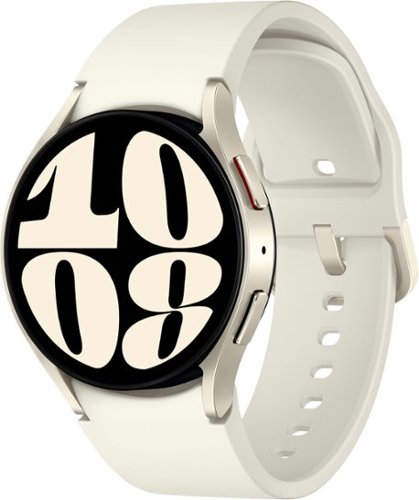
It~s your day ~own it with Samsung Galaxy Watch6. From the gym to the office, our large display keeps you in the know with simple navigation and a super easy-to-read screen. Work out smarter with personalized heart rate zones, and get insights for better rest with Advanced Sleep Coaching. Stay connected by using Galaxy Watch6 to call, text, play music and get notifications on the go. Plus, wherever the day takes you, own your look with a variety of customizable Watch bands and faces. Unlock your day~s full potential with Galaxy Watch6.
What does it mean by carrier GPS? I thought the watch is not carrier locked, isn't it?
The term "carrier GPS" refers to the type of GPS used by the watch. There are two types of GPS: standalone GPS and carrier GPS. Standalone GPS uses its own satellite network to determine your location. Carrier GPS uses the satellite network of a cellular carrier, such as AT&T, Verizon, or T-Mobile.
The Samsung Galaxy Watch6 Aluminum Smartwatch 40mm BT - Cream has a built-in GPS sensor, but it does not have carrier GPS. This means that it can only use standalone GPS to determine your location. If you want to use carrier GPS, you will need to purchase a model that is specifically designed for that carrier.
The watch is not carrier locked, which means that you can use it with any cellular carrier. However, if you want to use carrier GPS, you will need to purchase a model that is specifically designed for that carrier.
The Samsung Galaxy Watch6 Aluminum Smartwatch 40mm BT - Cream has a built-in GPS sensor, but it does not have carrier GPS. This means that it can only use standalone GPS to determine your location. If you want to use carrier GPS, you will need to purchase a model that is specifically designed for that carrier.
The watch is not carrier locked, which means that you can use it with any cellular carrier. However, if you want to use carrier GPS, you will need to purchase a model that is specifically designed for that carrier.
2 years, 9 months ago
by
NicoR