
Share Jack's profile


Jack
Jack's stats
- Review count13
- Helpfulness votes13
- First reviewDecember 14, 2018
- Last reviewDecember 18, 2020
- Featured reviews0
- Average rating4.8
- Review comment count3
- Helpfulness votes1
- First review commentDecember 15, 2018
- Last review commentMay 4, 2020
- Featured review comments0
- Question count1
- Helpfulness votes0
- First questionJanuary 25, 2020
- Last questionJanuary 25, 2020
- Featured questions0
- Answer count1
- Helpfulness votes0
- First answerMarch 7, 2020
- Last answerMarch 7, 2020
- Featured answers0
- Best answers0
![Iron Man [SteelBook] [Includes Digital Copy] [4K Ultra HD Blu-ray/Blu-ray] [Only @ Best Buy] [2008]](https://pisces.bbystatic.com/prescaled/500/500/image2/BestBuy_US/images/products/304b2327-370a-41e7-956a-951dd4939472.png)
Customer Rating

5
Classic marvel
on November 15, 2019
Posted by: Jack
Verified Purchase:Yes
Awesome movie and must have in your 4K collection.
Length of ownership: 28
Mobile Submission: true
I would recommend this to a friend!
Share this review:


0points
0of 0voted this as helpful.

Watch movies at home on this Sony 4K Ultra HD Blu-ray player. It plays video from nearly any type of disc or file format and displays images in crisp detail and vivid color, creating an immersive experience with life-like visuals. This Sony 4K Ultra HD Blu-ray player also connects to your Wi-Fi for convenient video streaming.
Customer Rating
5
Great for VISION and ATMOS
on December 15, 2018
Posted by: Jack
from Richmond, VA
I purchased the X800 about a year ago, and it performed great but lacked Dolby Vision. Owning the LG C7 OLED, I had to go ahead and buy this player for the VISION feature. So far I am loving Vision movies and cant believe I waited this long.
It is smaller and slightly noisier than the X800, but I haven't noticed it during movies. I paired this with the Sony HTST 5000 sound bar it they work wonderfully together. No complaints thus far. You do have to enable Vision in the settings, and disable it for non vision movies, but it takes like 5 seconds and is not a big deal.
Mobile Submission: False
I would recommend this to a friend!
Share this review:


0points
0of 0voted this as helpful.
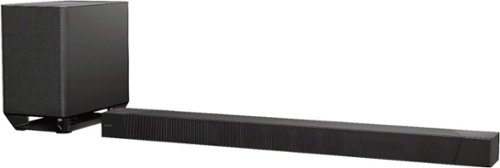
Fill your space with rich surround sound by using this 7.1.2 channel Sony Dolby Atmos sound bar. Its S-Force PRO front surround and wavefront technology distribute dynamic, three-dimensional audio details via the included coaxial speakers. This Wi-Fi-enabled Sony Dolby Atmos sound bar supports high-definition A/V components with its four HDMI ports.
Customer Rating
5
Excellent Immersion
on December 14, 2018
Posted by: Jack
from Richmond, VA
I normally don't write reviews, but felt that I should for this product because I am thoroughly enjoying it.
I have owned the Sony HTST 5000 for 3 weeks and love it so far. I switched from the LG SJ9 (owned for one year) and am very satisfied with this bar. The SJ9 was good, but this is great. For reference, I am using it with an LG C7 OLED TV, Sony X700 blu ray player, xbox one, and cable box.
Pros: 3 HDMI inputs, effective Dolby Atmos, DTS-X, and 4K HDR pass-thru, powerful room shaking bass, 7.1 channels, sound level adjustability (including seating position and the ceiling). You can turn off the led light in settings.
Cons: Price. Audio/Video sync is good for everything except I had to tinker with it for Blu-Ray movies. I delayed the audio on the Blu-Ray player itself to sync everything and now it’s good to go. Atmos effect is mostly noticeable in my specific room at volume level 35 and higher (max is 50). Not a huge con unless you are worried about waking the neighbors.
Full review:
First off, the Dolby Atmos effect is incredible. I played the Dolby Vision and Atmos demos on the Dolby app on my LG TV, and the rain scene is perfect for simulating rain above your head, true immersion. I don’t have a flat ceiling, but Atmos still worked phenomenally for me. I am definitely experiencing sound over my head, to my sides, and sometimes even behind me! I am enjoying movies on the 37 or 38 volume level, 40+ really shows off the Dolby Atmos for those special scenes. You can increase the voice level from the remote, but I haven’t found it necessary. There is also subwoofer volume control on the remote which is a cool feature.
I turned Audio DRC off, and prefer the 3D Surround setting for all sources, including XBOX. I also noticed during Atmos blu-ray movies that if I left it on 3d surround, then pressed the sound bar remote Display button, the sound bar confirmed I was playing Dolby Atmos. I’m not sure if it did for the other sound fields FWIW. You can also adjust the decibel level for the front facing, vertical facing, and subwoofer speakers.
Setup recommendation:
I recommend connecting your devices to the HDMI inputs on the sound bar, and then connecting the sound bar to the TV with HDMI. This helps you to avoid using your TV’s ARC function for your devices, which is known to have quirks.
I chose to connect the sound bar HDMI output to the HDMI ARC input on my TV, which has turned out to be a great setup but with one quirk. Everything plays phenomenally, and I use HDMI ARC to watch the Netlix app directly on my TV from the sound bar, but if I pause a Blu-Ray movie, then restart it, the ARC connection triggers the sound bar to switch to the “TV” input, instead of my HDMI 3 input for my Blu-Ray player audio. This can be easily avoided by not connecting the sound bar to the ARC HDMI input on the TV, but I prefer to watch the LG TV Netflix app because it offers Dolby ATMOS and VISION. If you don’t watch the Amazon or Netflix app built in your TV, and use another device instead, then I would suggest not connecting the sound bar to the HDMI ARC input on your TV. It is a quirk I am willing to live with because I love the VISION and ATMOS on my Netflix TV app. I simply change the input using the sound bar remote when I restart the movie. Believe me, it’s not a big deal because of the excellent sound, and only takes like two seconds, but worth noting as con if you like using your TV apps.
Overall, I highly recommend this sound bar, it is awesome. The intro to Blade Runner 2049 is just insane. It was a level of sound I have not experienced before. The motorcycle chase scene in Mission Impossible: Rogue Nation was also a blast to watch. This is how movies are meant to be experienced.
Mobile Submission: False
I would recommend this to a friend!
Share this review:


+5points
6of 7voted this as helpful.
Jack's Review Comments
Fill your space with rich surround sound by using this 7.1.2 channel Sony Dolby Atmos sound bar. Its S-Force PRO front surround and wavefront technology distribute dynamic, three-dimensional audio details via the included coaxial speakers. This Wi-Fi-enabled Sony Dolby Atmos sound bar supports high-definition A/V components with its four HDMI ports.
Overall5 out of 5
5 out of 5Excellent Immersion
By Jack
from Richmond, VA
I normally don't write reviews, but felt that I should for this product because I am thoroughly enjoying it.
I have owned the Sony HTST 5000 for 3 weeks and love it so far. I switched from the LG SJ9 (owned for one year) and am very satisfied with this bar. The SJ9 was good, but this is great. For reference, I am using it with an LG C7 OLED TV, Sony X700 blu ray player, xbox one, and cable box.
Pros: 3 HDMI inputs, effective Dolby Atmos, DTS-X, and 4K HDR pass-thru, powerful room shaking bass, 7.1 channels, sound level adjustability (including seating position and the ceiling). You can turn off the led light in settings.
Cons: Price. Audio/Video sync is good for everything except I had to tinker with it for Blu-Ray movies. I delayed the audio on the Blu-Ray player itself to sync everything and now it’s good to go. Atmos effect is mostly noticeable in my specific room at volume level 35 and higher (max is 50). Not a huge con unless you are worried about waking the neighbors.
Full review:
First off, the Dolby Atmos effect is incredible. I played the Dolby Vision and Atmos demos on the Dolby app on my LG TV, and the rain scene is perfect for simulating rain above your head, true immersion. I don’t have a flat ceiling, but Atmos still worked phenomenally for me. I am definitely experiencing sound over my head, to my sides, and sometimes even behind me! I am enjoying movies on the 37 or 38 volume level, 40+ really shows off the Dolby Atmos for those special scenes. You can increase the voice level from the remote, but I haven’t found it necessary. There is also subwoofer volume control on the remote which is a cool feature.
I turned Audio DRC off, and prefer the 3D Surround setting for all sources, including XBOX. I also noticed during Atmos blu-ray movies that if I left it on 3d surround, then pressed the sound bar remote Display button, the sound bar confirmed I was playing Dolby Atmos. I’m not sure if it did for the other sound fields FWIW. You can also adjust the decibel level for the front facing, vertical facing, and subwoofer speakers.
Setup recommendation:
I recommend connecting your devices to the HDMI inputs on the sound bar, and then connecting the sound bar to the TV with HDMI. This helps you to avoid using your TV’s ARC function for your devices, which is known to have quirks.
I chose to connect the sound bar HDMI output to the HDMI ARC input on my TV, which has turned out to be a great setup but with one quirk. Everything plays phenomenally, and I use HDMI ARC to watch the Netlix app directly on my TV from the sound bar, but if I pause a Blu-Ray movie, then restart it, the ARC connection triggers the sound bar to switch to the “TV” input, instead of my HDMI 3 input for my Blu-Ray player audio. This can be easily avoided by not connecting the sound bar to the ARC HDMI input on the TV, but I prefer to watch the LG TV Netflix app because it offers Dolby ATMOS and VISION. If you don’t watch the Amazon or Netflix app built in your TV, and use another device instead, then I would suggest not connecting the sound bar to the HDMI ARC input on your TV. It is a quirk I am willing to live with because I love the VISION and ATMOS on my Netflix TV app. I simply change the input using the sound bar remote when I restart the movie. Believe me, it’s not a big deal because of the excellent sound, and only takes like two seconds, but worth noting as con if you like using your TV apps.
Overall, I highly recommend this sound bar, it is awesome. The intro to Blade Runner 2049 is just insane. It was a level of sound I have not experienced before. The motorcycle chase scene in Mission Impossible: Rogue Nation was also a blast to watch. This is how movies are meant to be experienced.

Jack
Richmond, VA
Review Update
December 15, 2018
For the review above which I wrote, I was running the Bluray player HDMI Audio Out to the sound bar and then the blu ray video on a separate HDMI cable to the TV, because my Blu ray player has this option. This caused a quirk that if I paused blu ray movies, then pressed play, the soundbar input switched to "TV" instead of HDMI 3. I fixed this issue by running a single HDMI cable carrying both sound and audio to the soundbar, same as what I have been doing for the xbox one x and cable box, and then one HDMI from the soundbar to the TV. The setup is perfect now.
+1point
1of 1voted this comment as helpful.
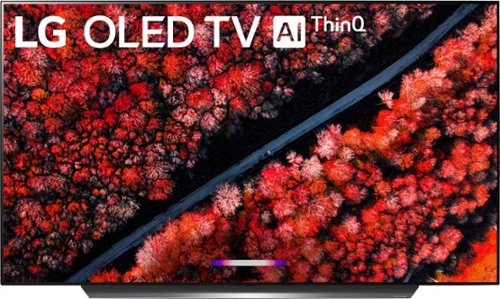
Get an immersive experience when watching your favorite shows with this LG 4K OLED smart TV. A 65-inch screen ensures clear viewing even in large rooms, while the 4K resolution provides sharp picture quality. This LG 4K OLED smart TV has a thin bezel and slender design for a sleek look.
Overall 3 out of 5
3 out of 5Best picture money can buy but burn in is real
By Jeff
There is no question this TV has the best picture you’ll find on a TV, and the viewing angles are limitless.
The problem is burn in, it’s not if but when. I had a previous LG OLED B6 that suffered burn in to the point the tv was unwatchable for me.
I didn’t play video games on the tv, didn’t watch the same channel all day, I mixed up my content and turn the tv off while not watching.
I’ll post a picture of the B6 that got burn in. I bought the C9 because BestBuy sales person told me the new models didn’t have the image retention or burn in of the previous models.
I return the C9 after 24 hours because of image retention which will eventually will lead to burn in. I watched the CW about 30 minutes the morning after purchase before I took my daughter to school, I left on the TV on took my daughter to school and when I got back (the channel was on about 45 minutes) I changed channels and the CW logo stayed on the screen about 15 seconds before it faded.
So you can’t even watch a hour show on a network without image retention that last 10 to 15 seconds. Yes it went away as the TV was only a day old, but over the course of a couple years this would become permanent.
If you have a family/theater room that you DONT watch tv on so there are no static images and only watch movies (4K Blu-ray or stream) a few times a week hands down this is the tv to buy.
Don’t not buy this tv for everyday 4 Plus hours a day normal tv watching (cable/satellite or network channels) You will eventually get burn in regardless what anyone tells you.
I returned this for the Sony X950G which has a beautiful picture. Is the Sony as beautiful as the OLED, no it’s not, but it’s close and no risk of burn in.
Here is a picture of the B6 that was 2 1/2 years old and got major burn in and I did not abuse the TV
Jack
Richmond, VA
OLED burn in
May 4, 2020
Hello, I’m in a similar situation with my C7 that I have had 2 and a half years. I’m just now noticing burn in, I think because I’ve been watching news more than usual lately. Other than that I truly enjoyed this TV and love the picture. Has the Sony X950G been good for you? I’m considering switching back to led but am concerned I will miss oled too much.
0points
0of 0voted this comment as helpful.
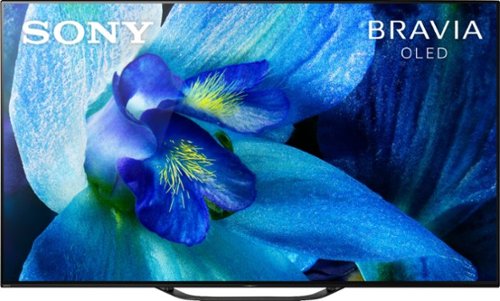
Enjoy an immersive audio-visual experience with this 65-inch Sony BRAVIA OLED smart TV. The powerful X1 Extreme processor provides real-time performance for stunningly detailed images in 4K HDR quality, and Sound-from-Picture Reality technology delivers lifelike acoustics with true-to-life pictures. This Sony BRAVIA OLED smart TV has a 180-degree rotating stand that's height-adjustable to accommodate a sound bar.
Overall5 out of 5
5 out of 5Unbelievable Picture
By kgrchitect
Had to return my LG due to excessive burn in. This TV is incredible. Amazing features, quality, and the price mark down was the icing on the cake. Hope to have this TV for 10+ years!
Jack
Richmond, VA
Sony oled
May 4, 2020
How do you like this TV so far compared to the LG?
0points
0of 0voted this comment as helpful.
Jack's Questions
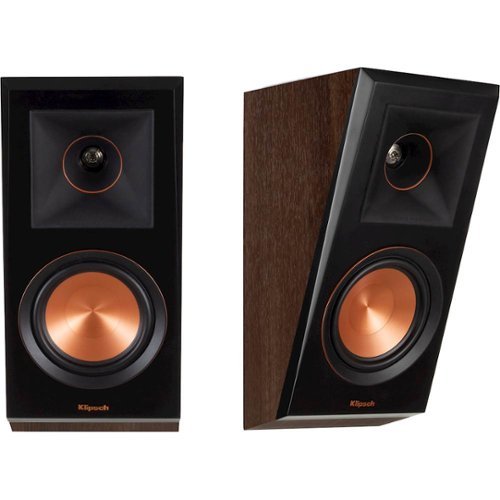
Experience cinematic audio at home with this Klipsch Reference Premier Atmos surround speaker. The 1-inch titanium LTS vented tweeter and 5.25-inch cerametallic cone woofer deliver high-efficiency audio with clear detail at high and low frequencies. This Klipsch Reference Premier Atmos surround speaker features Dolby Atmos Elevation effects for atmospheric audio from all directions that immerses you in sound.
I’ve seen a few reviews say there is a toggle on the back to switch these from surround to Atmos. I have these speakers, but can’t locate the switch. Does yours have a switch?
6 years, 4 months ago
by
Jack
Jack's Answers
![Ford V Ferrari - 4K Blu-Ray [Standard] [4K Ultra HD Blu-ray]](https://pisces.bbystatic.com/prescaled/500/500/image2/BestBuy_US/images/products/627fa668-d5ea-4775-aea8-bf62526620b2.jpg)
American car designer Carroll Shelby and driver Ken Miles battle corporate interference, the laws of physics and their own personal demons to build a revolutionary race car for Ford and challenge Ferrari at the 24 Hours of Le Mans in 1966.