
Share anickname's profile


anickname
anickname's stats
- Review count10
- Helpfulness votes21
- First reviewJuly 12, 2019
- Last reviewSeptember 28, 2022
- Featured reviews0
- Average rating4.5
- Review comment count3
- Helpfulness votes7
- First review commentOctober 2, 2020
- Last review commentOctober 21, 2021
- Featured review comments0
Questions
- Question count0
- Helpfulness votes0
- First questionNone
- Last questionNone
- Featured questions0
- Answer count7
- Helpfulness votes14
- First answerJune 17, 2020
- Last answerApril 2, 2023
- Featured answers0
- Best answers3
anickname's Reviews
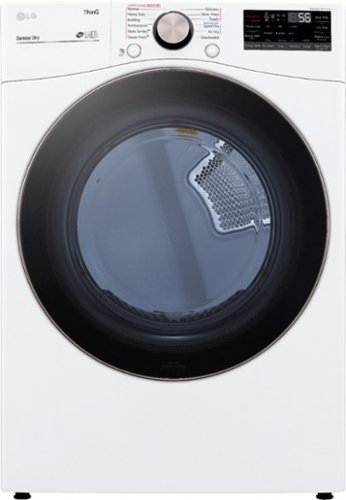
Meet the intelligent dryer that helps you save time and enhances fabric care, all at the same time. TurboSteam technology reduces wrinkles and odors in up to 5 garments to refresh clothes in between washes. Built-in intelligence automatically selects the right drying motions, temperatures and more, and even talks to your washer to select a compatible cycle~making it the ultimate laundry hack. You~ll even score high on the durability and style scale, thanks to the scratch-resistant tempered glass door and rose gold accents.
Customer Rating

5
Can't argue with LG dryers. They always work
on September 28, 2022
Posted by: anickname
Verified Purchase:Yes
This is our second LG washer/dryer set and so far so good. We have enjoyed the LG pair and the Thinq app that goes with it.
Setting up on the app is easy and it's actually pretty nice to have an alert when your laundry is done. We thought we wouldn't use that much, but we actually really enjoy it, especially since our washer and dryer are in the basement and the signal can't be heard when it's done.
Setting up on the app is easy and it's actually pretty nice to have an alert when your laundry is done. We thought we wouldn't use that much, but we actually really enjoy it, especially since our washer and dryer are in the basement and the signal can't be heard when it's done.
I've had both gas and electric LG dryers and both have worked perfectly fine. The gas was easy to hook up myself and we had no issues getting the dryer running. It's also nice that the dryer can run diagnostic tests on your vent to make sure it's not clogged.
Overall I'm happy with our choice and would continue to buy an LG washer and dryer and would recommend it to anyone looking for a smart washer.
Length of ownership: 32
Mobile Submission: False
I would recommend this to a friend!
Capacity

5
Dry Time
5
Ease of Use
5
Share this review:


0points
0of 0voted this as helpful.
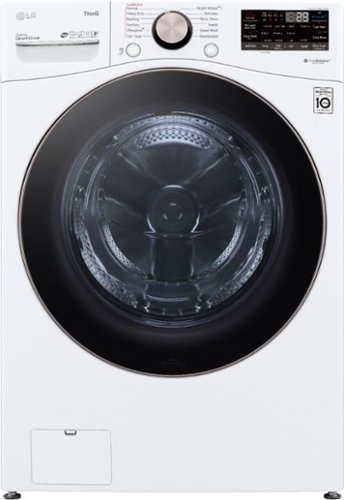
When sleek good looks meet powerful cleaning and intelligent performance, you~ll experience laundry on a whole new level. TurboWash 360~ cleans larger loads fast so you get more done while enjoying the same great washing performance. And forget about endless sorting~AI technology uses built-in sensors to detect fabric texture and load size and then automatically selects the right settings for advanced fabric care. Activate Smart Pairing in the ThinQ app, and the washer can even tell the dryer to select a compatible drying cycle, making it the ultimate laundry hack. The gentle power of steam reduces common household allergens in fabrics by more than 95%*. Durable and stylish tempered glass door with rose gold accents adds the perfect finish. *Based on certification by the Asthma and Allergy Foundation of America (AAFA)
Customer Rating
5
Can't argue against a good quality product
on September 28, 2022
Posted by: anickname
Verified Purchase:Yes
This is our second LG washer/dryer set and so far so good. We have enjoyed the LG pair and the Thinq app that goes with it.
Setting up on the app is easy and it's actually pretty nice to have an alert when your laundry is done. We thought we wouldn't use that much, but we actually really enjoy it, especially since our washer and dryer are in the basement and the signal can't be heard when it's done.
Setting up on the app is easy and it's actually pretty nice to have an alert when your laundry is done. We thought we wouldn't use that much, but we actually really enjoy it, especially since our washer and dryer are in the basement and the signal can't be heard when it's done.
Overall I'm happy with our choice and would continue to buy an LG washer and dryer and would recommend it to anyone looking for a smart washer.
Length of ownership: 31
Mobile Submission: False
I would recommend this to a friend!
Quality
5
Value
5
Ease of Use
5
Share this review:


0points
0of 0voted this as helpful.
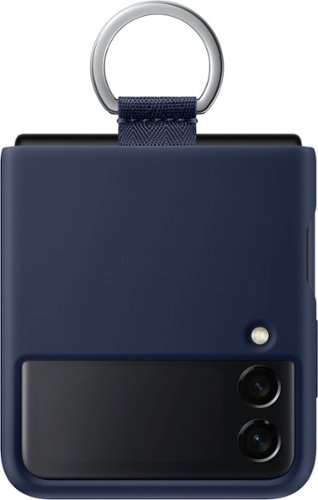
With silicone to protect from bumps and scratches, and a ring on the back to keep your phone securely in your hand, the Samsung Galaxy Z Flip3 5G (EF-PF711TNEGUS) Silicone Cover with Ring keeps your phone safe and stylish.
Customer Rating

3
there's better for cheaper
on September 20, 2022
Posted by: anickname
Verified Purchase:Yes
This case was decent and did protect the phone, but that's where the positives stop. The silicone provided a nice grip, but unfortunately it also provided a grip on the inside of my pockets making it really difficult to get out of my pocket, and every time I did take it out, I looked like T-Bag from Prison Break with my pockets inside out. I didn't enjoy that obviously but figured I'd deal with it and learn how to deal with it. However, after not a very long time, I think about 6 months or so, the silicone started to peel and eventually was coming off in large chunks. For a samsung branded case, I figured it would last longer than that and certainly longer than some cheap amazon one. The whole reason I bought this case over others was because I figured pay more and get a better quality item, but I have since bought a cheaper but similar style case from a different store and it has worked better, same amount of grip but not on my pants and lasted longer. Unfortunately I can not recommend this case over others you can find for cheaper. What I can suggest is any case you buy, try to get your hands on it and feel it or make sure it has a good return policy because these cases will all work differently with your clothes, purse, etc. I would suggest a case with the key ring though, it's nice way to hold the phone when it's open and can be handy when you're carrying the phone closed.
Length of ownership: 350
Mobile Submission: False
No, I would not recommend this to a friend.
Quality

2
Value
2
Ease of Use
5
Share this review:


0points
0of 0voted this as helpful.
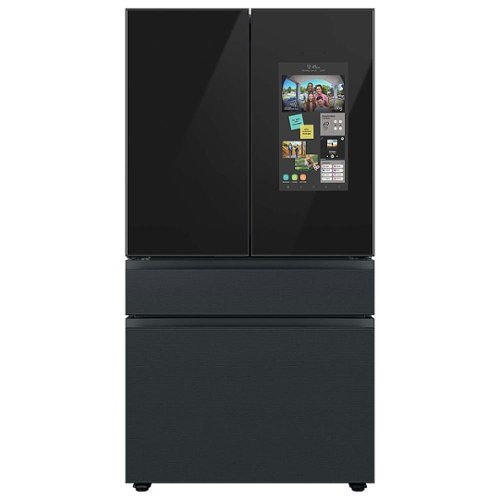
Counter Depth 4-Door French Door Refrigerator with customizable and changeable door panels available in a variety of colors and finishes featuring Samsung~s Family Hub which lets you see inside your refrigerator, manage your family~s calendars, stream music, see who~s at the front door and much more, all right from your fridge. It also features the Beverage Center with both a water dispenser and AutoFill Water Pitcher. Plus a Dual Ice Maker with cubed ice and Ice Bites.
Customer Rating
5
So Far So Good
on September 20, 2022
Posted by: anickname
Verified Purchase:Yes
How's this for irony, I'm one of those people who bought a samsung fridge with the ice maker issues years ago and vowed never to buy another samsung fridge. And here I am, with a new house and a new samsung fridge. So why did I do it? Honestly, the biggest reason was that every brand out there now "sucks" at something and they all break and so why not just get the one with the features you like best and an extended warranty and just hope for the best. But also, because I was told by some reliable sources that Samsung fixed their issue with the ice maker and also this ice maker is in the freezer where it belongs. Also, to be fair, my old fridge really was great other than that one little issue and the Bespoke line is supposed to be better quality then any other samsung fridge so I figured I'll give them one more shot.
So far it has not proven to be a bad decision. There's a lot to like about the fridge, it's sleek, it's shiny, it has a tablet built into the panel. There's also a few quirks though that we are trying to get used to. Mainly the shelves in the door don't really allow for too much storage. This hasn't been a deal breaker for us because we just move things to the main part of the fridge, but it is a little annoying that things like ketchup bottles don't quite fit in the door if you also want room for milk. Another issue we've noticed is the "see inside" part of the fridge really isn't much more than a gimmick. It's cool sure, but if you're at the grocery store and you want to know what's in the fridge, unless you put it front and center, you won't be able to see it anyway. I checked once to see if we had an item, I couldn't see it on the camera so I bought it only to find out we DID have that item, it was just off to the side. So don't expect to see everything in the fridge. Right along that same idea is the item list issue. It's a cool idea, and I'm sure Samsung will eventually tweak it to work better, but for now, listing all the items in the fridge with an expiration date only SOUNDS cool but doesn't actually work great. The biggest issue is we have something "expire" and the fridge warns us, awesome; but then I can't easily tap something to say that the item is no longer in the fridge. For example, we had pasta sauce in the fridge. The expiration date we added to the item came up and the fridge popped up a notification telling us it was expired but it was no longer in the fridge, we used it up. I looked for a quick button to "delete item" but there was none. I had to go into the item list, find the item, and then delete it from there.
But hey, that's all mostly software and perks issues, the things the fridge does right are the things you want most out of a fridge. It keeps food cold, it makes ice without a dam, and it's smart enough to play music or show you photos, leave notes to the family, etc.
But hey, that's all mostly software and perks issues, the things the fridge does right are the things you want most out of a fridge. It keeps food cold, it makes ice without a dam, and it's smart enough to play music or show you photos, leave notes to the family, etc.
We love having the white board available to quickly leave notes or messages and easily add to anyone's note. The same goes for the sticky notes. If you take the time to customize your settings and home pages you can really have a useful tablet controller for your smartthings controlled home as well. I like having my scenes easily accessible and check on cameras at a glance.
Another feature we've been enjoying a lot is the beverage center. The auto fill pitcher has been working great for us so far and we tend to use that more than the water dispenser because our pressure is a little low so the dispenser goes slower. We haven't done any infusion water yet but I plan to try that soon. It's also nice to have quick grab snacks above the beverage center without having to open the entire door.
The ice is perfect and having two options is nice. Again, so far we haven't had any issues with the ice maker but it's only been a few months.
The 3rd drawer is perfect for beverages and snacks as well. We keep a couple go to fruits and snacks and some cans of pop in there as well as using it as a cheese drawer due to the amount of cheese we use.
Since we have no kids and it's just the two of us, the cabinet depth was a better choice and we have not had any issues with running out of room. We aren't the type of people that load up on a ton of grocery to be fair, but we do have more than average and have not had any issues with finding room for things. When the fridge is more full, the "view inside" cameras are not really useful though. We've learned to put important things front and center so the cameras can see them and we can keep track of them.
Overall we have been really happy with the Bespoke Fridge so far and hope that it continues to work well. I'll do my best to update this review good or bad after a year and see how it's coming along then. But for now, we're enjoying it and happy with our purchase.
Length of ownership: 10
Mobile Submission: False
I would recommend this to a friend!
Design
5
Storage Capacity
5
Quality
5
Share this review:


+2points
2of 2voted this as helpful.
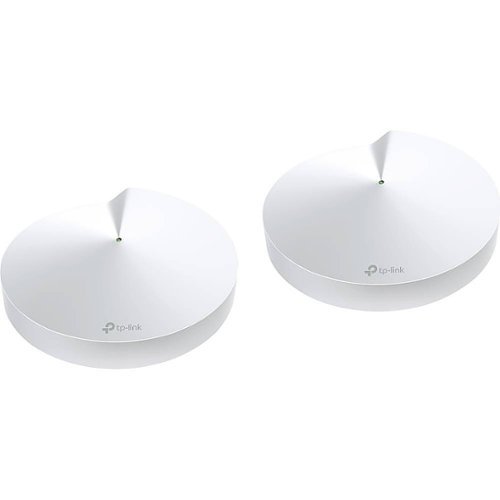
Deco M9 Plus covers your entire home with high-speed mesh Wi-Fi no matter its size or shape. It uses powerful tri-band AC2200 Wi-Fi with TP-Link Mesh technology to deliver strong Wi-Fi everywhere and keep up to 100 devices running at top speed.With built-in ZigBee and Bluetooth technology, Deco M9 Plus even replaces most smart hubs and lets you directly connect and control your favorite smart devices from the Deco app. It also supports Alexa for easy voice control.
Customer Rating

4
works well but still waiting on firmware updates
on June 17, 2020
Posted by: anickname
Verified Purchase:Yes
Overall the TP-Link Mesh is good. It works well, we haven't had any drop outs, and tri-band helps keep the 2.4 and 5 channels open and fast for your devices while using the 3rd band for back-haul communications. This works well and, like I said, we have not had any dropouts or slow downs and have had this system for a month or more. My speeds have been better than when I was using one router for the whole house, we have a 2 story and basement at about 2500sqFt with drywall walls.
Setup:
Setup was really easy and has a pretty good walk through like most tech devices these days. The part I didn't like is this must be done on the app. Now there was some confusion on this for awhile among myself and others in the TP-Link forums until we found out that there is a V1 and a V2 of the Deco 9+ system. The newer (and only available that I can find) is the V2 which is what I purchased from best buy. The reason this is so important is because V1 has already received an update that allows you to access the UI on a web page (192.168.x.xxx) as well as see which device is on which wifi band and which mesh unit. Currently as of writing this review on 6/17/20, the promised update for the V2 9+ has still not been released, however there is a beta that can be found with some searching around the forums. It's worth noting this update has been "coming soon" for 9 months to a year so the fact that it is in beta is promising but don't hold your breath waiting for TP-Link to contact you back with any actual dates.
So as it stands right now, the V2 does not show you which devices are connected to each mesh unit or if they are on the 2.4 or 5 channel. This is something that frustrates me and hence 4 out of 5 stars, but for most people who just want to set up a wifi system, have strong and reliable signal, and do not care about technicalities like which deco you are connected to or which channel you are on, will be plenty happy. And SOME day you have to figure the update will come for the V2. The other side of the argument is that TP-Link is delaying the update to make sure it works fully and is not full of bugs and errors like I've read about other systems from netgear tend to have. There is nothing worse than a backward firmware update, so for that, I can wait for them to do it right. Last note on setup and connecting to the correct band; even though you can not see which band your device connected to, I do have a few older devices that have to connect to a 2.4ghz band and the deco system correctly added it to the right band and those devices have not disconnected or had issues trying to "jump" to the 5ghz. So even though I can not monitor it right now, the system is doing a good job controlling the devices.
Setup was really easy and has a pretty good walk through like most tech devices these days. The part I didn't like is this must be done on the app. Now there was some confusion on this for awhile among myself and others in the TP-Link forums until we found out that there is a V1 and a V2 of the Deco 9+ system. The newer (and only available that I can find) is the V2 which is what I purchased from best buy. The reason this is so important is because V1 has already received an update that allows you to access the UI on a web page (192.168.x.xxx) as well as see which device is on which wifi band and which mesh unit. Currently as of writing this review on 6/17/20, the promised update for the V2 9+ has still not been released, however there is a beta that can be found with some searching around the forums. It's worth noting this update has been "coming soon" for 9 months to a year so the fact that it is in beta is promising but don't hold your breath waiting for TP-Link to contact you back with any actual dates.
So as it stands right now, the V2 does not show you which devices are connected to each mesh unit or if they are on the 2.4 or 5 channel. This is something that frustrates me and hence 4 out of 5 stars, but for most people who just want to set up a wifi system, have strong and reliable signal, and do not care about technicalities like which deco you are connected to or which channel you are on, will be plenty happy. And SOME day you have to figure the update will come for the V2. The other side of the argument is that TP-Link is delaying the update to make sure it works fully and is not full of bugs and errors like I've read about other systems from netgear tend to have. There is nothing worse than a backward firmware update, so for that, I can wait for them to do it right. Last note on setup and connecting to the correct band; even though you can not see which band your device connected to, I do have a few older devices that have to connect to a 2.4ghz band and the deco system correctly added it to the right band and those devices have not disconnected or had issues trying to "jump" to the 5ghz. So even though I can not monitor it right now, the system is doing a good job controlling the devices.
Operation:
Like I said already, I wasn't a huge fan of using an app to set up and monitor the system, I'm old school like that I guess, but that said, the app does actually operate really well. It's pretty user friendly and finding a setting or option is quick and easy. There's a more "basic" front page with information the average user will need like device lists and status, but then there are still more advanced options available to dive into if you need. That said, a web page UI would come in handy here and is probably what people who use the advanced features would prefer to use for port forwarding, device control etc.
The system features some pretty cool parental controls that I do not use because we do not have children, but I played around with them anyway and did things like limited my wife's phone access and time just to mess with her and it worked pretty good, as well as gave me the same reaction as what I assume anyone with teenagers would get. You can make a profile and set devices to that profile as well as an age range, websites blocked, time limits for weekdays and weekends and bedtimes and a few other things. Best of all, it's free. No add on or subscription. That's not the case with the security and virus protection but that's more of an add on throw in type thing anyway. I activated the one month free which should be ending soon but I will probably not pay for it, we did not receive any alerts or warnings and have not really "needed" it. But it's there if you prefer to.
As far as WiFi signal strength, I found our signal to be a lot stronger and consistent across the house. I put one unit upstairs and one unit on the ground/middle floor connected to the main modem. The basement still receives a strong signal and if I need to, I could always add another mesh unit there, but for now we have strong WiFi in all the places we need it. I also now have Ethernet ports available upstairs via the mesh unit so I can hard wire in my computer and other items that need a direct connection.
Like I said already, I wasn't a huge fan of using an app to set up and monitor the system, I'm old school like that I guess, but that said, the app does actually operate really well. It's pretty user friendly and finding a setting or option is quick and easy. There's a more "basic" front page with information the average user will need like device lists and status, but then there are still more advanced options available to dive into if you need. That said, a web page UI would come in handy here and is probably what people who use the advanced features would prefer to use for port forwarding, device control etc.
The system features some pretty cool parental controls that I do not use because we do not have children, but I played around with them anyway and did things like limited my wife's phone access and time just to mess with her and it worked pretty good, as well as gave me the same reaction as what I assume anyone with teenagers would get. You can make a profile and set devices to that profile as well as an age range, websites blocked, time limits for weekdays and weekends and bedtimes and a few other things. Best of all, it's free. No add on or subscription. That's not the case with the security and virus protection but that's more of an add on throw in type thing anyway. I activated the one month free which should be ending soon but I will probably not pay for it, we did not receive any alerts or warnings and have not really "needed" it. But it's there if you prefer to.
As far as WiFi signal strength, I found our signal to be a lot stronger and consistent across the house. I put one unit upstairs and one unit on the ground/middle floor connected to the main modem. The basement still receives a strong signal and if I need to, I could always add another mesh unit there, but for now we have strong WiFi in all the places we need it. I also now have Ethernet ports available upstairs via the mesh unit so I can hard wire in my computer and other items that need a direct connection.
Overall thoughts:
Despite the annoyance of waiting on a firmware update to make features available that should have come with the unit out of the box, I am still happy with this system and am reluctantly sticking with it in hopes of a brighter future to come. I figure it does 90% of what I want and it does that 90% very well. That's not something I read consistently about any other tri-band system. The price is reasonable and the ability to work with most other TP-Link mesh routers promise longevity. I think most people looking for better wifi signal throughout their house would enjoy this system.
Despite the annoyance of waiting on a firmware update to make features available that should have come with the unit out of the box, I am still happy with this system and am reluctantly sticking with it in hopes of a brighter future to come. I figure it does 90% of what I want and it does that 90% very well. That's not something I read consistently about any other tri-band system. The price is reasonable and the ability to work with most other TP-Link mesh routers promise longevity. I think most people looking for better wifi signal throughout their house would enjoy this system.
Length of ownership: 27
Mobile Submission: false
I would recommend this to a friend!
Ease of Use
5
Quality
5
Value
5
Share this review:


+17points
18of 19voted this as helpful.
![Logan Lucky [Blu-ray] [2017]](https://pisces.bbystatic.com/prescaled/500/500/image2/BestBuy_US/images/products/304b2327-370a-41e7-956a-951dd4939472.png)
Customer Rating
5
Red neck oceans 11
on July 12, 2019
Posted by: anickname
Verified Purchase:Yes
I love this movie and the director. If you enjoy his work on the ocean's series then you will definitely enjoy this movie as well. It has the same feel and tone and twists and the acting is great.
Length of ownership: 231
Mobile Submission: false
I would recommend this to a friend!
Share this review:


0points
0of 0voted this as helpful.
![Men in Black Trilogy [Blu-ray] [3 Discs]](https://pisces.bbystatic.com/prescaled/500/500/image2/BestBuy_US/images/products/278b9abc-7723-4724-b8d0-1ca1627ac307.jpg)
This release contains the trilogy of the sci-fi franchise Men in Black directed by Barry Sonnenfeld and stars Will Smith and Tommy Lee Jones as agents in a top-secret organization that track extra-terrestrial creatures on Earth. Titles include Men in Black, Men in Black II and Men in Black III.
Customer Rating
5
Great Movies
on July 12, 2019
Posted by: anickname
Verified Purchase:Yes
This is a great trilogy that seems to get under appreciated. The HD version of all 3 is great and having the digital copy on movies anywhere is a bonus.
Length of ownership: 231
Mobile Submission: false
I would recommend this to a friend!
Share this review:


0points
0of 0voted this as helpful.
![Air Force One [Includes Digital Copy] [4K Ultra HD Blu-ray/Blu-ray] [1997]](https://pisces.bbystatic.com/prescaled/500/500/image2/BestBuy_US/images/products/72a12d38-f194-4b20-81aa-3e1e3e0b9282.jpg)
Customer Rating
4
movie is great, 4k not so much
on July 12, 2019
Posted by: anickname
Verified Purchase:Yes
I love this movie and figured why not upgrade at a good black friday price. Unfortunately this is one of those old movies that got the low quality 4k upgrade. I have a really good LG 4k player and TV and usually the quality is fantastic but this particular movie did not look good. It wasn't just grainy from old film stock but it was highlighting the poor CG work (although limited in the movie) and all the darks/blacks where clearly not remastered and just been upscaled. they look grey, blocky, and just plain bad. Love the movie, but I'd only go up to 1080 at most and let the player upscale if you want. if you have it on DVD or 1080 then you don't need to buy a second copy just for 4k.
Length of ownership: 231
Mobile Submission: false
No, I would not recommend this to a friend.
Share this review:


-1point
0of 1voted this as helpful.

Ryan Reynolds, Anna Faris, Justin Long, Kaitlin Doubleday, Andy Milonakis, Dane Cook, Chi McBride, and Luis Guzman star. Extras include new cast & crew commentary, documentary, deleted scenes, outtakes, alternate takes, theatrical trailer, and more.
Customer Rating
4
good old school style comedy
on July 12, 2019
Posted by: anickname
Verified Purchase:Yes
It's a good movie about the behind the scenes life of food service. The Blu-ray version was good quality and upscaled to 4k with my player/tv was good and not blocky or distorted.
Length of ownership: 160
Mobile Submission: false
I would recommend this to a friend!
Share this review:


0points
0of 0voted this as helpful.

Al Pacino and Robert de Niro appear on-screen together for the first time in writer/director Michael Mann's intense crime drama. Frazzled LAPD detective Lt. Vincent Hanna (Pacino) is out to stop a group of highly skilled professional thieves headed by mastermind Neil McCauley (De Niro), who's looking for one last score. The stakes rise to dangerous levels as Hanna and McCauley become locked in a deadly game of cat-and-mouse. Val Kilmer, Ashley Judd, Tom Sizemore, and Jon Voight co-star. 170 min. Widescreen; Soundtracks English DTS HD Master Audio 5.1, Spanish DTS 5.1, French DTS 5.1; Subtitles English (SDH), Spanish, French; featurettes; theatrical trailers; deleted scenes; more.
Customer Rating
5
Pachino, DeNiro and Kilmer...It's good.
on July 12, 2019
Posted by: anickname
Verified Purchase:Yes
Heat is THE heist movie. It's a classic for a reason. I thought the directors definitive edition was good but to be honest I didn't notice the differences because I haven't watched the original edit recent enough to notice. I can say the HD picture looks good and upscaled with my LG 4k player to a 4k M series Vizo tv looked really good. (most Blu-ray's upscale well with my setup but not all).
I won't bother talking about the plot, it's 2019, hit up IMDB for that information. But the quality of the specific item, purchased from Best Buy was good, the disk was not loose and floating around, the plastic case wasn't broken and I did store pick up that was ready within a hour or less. I think I also got it on sale for a pretty good price (under 10) so well worth getting the upgraded HD version and director cut if you're even a slight fan of this movie.
Length of ownership: 160
Mobile Submission: false
I would recommend this to a friend!
Share this review:


+1point
1of 1voted this as helpful.
anickname's Review Comments
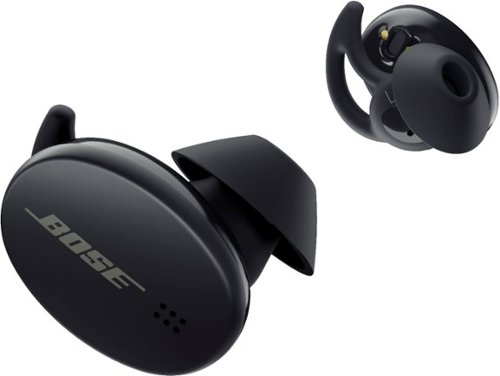
Bose Sport Earbuds are true wireless earbuds engineered to produce clear and balanced sound in any listening environment. StayHear Max tips mold these wireless earbuds to your ears with soft silicone and won~t fall out, no matter how demanding your workout is. Bose Sport Earbuds go through rigorous quality testing for durability and they~re rated IPX4 - designed to resist moisture from sweat and weather. And instead of buttons, a capacitive touch interface lets you simply tap to play or pause music, answer calls, and more. These earphones have a battery life of up to five hours get ready to beat your personal best, again and again.
Overall4 out of 5
4 out of 5These buds have some faults, but not in sound
By bTobin
from Illinois
PROS:
- Audio quality is the best I’ve tested so far. It’s Bose, c’mon.
- comfort (yes I listed that as a con as well but since comfort is based very much on your ear shape, Bose has done a good job getting these as comfortable as possible)
- IPX4 resists sweat or getting caught in rain. Other non-sport buds tend to be IPX2
- Stay put during intense workouts. I’m not sure how but I jumped and threw my head everywhere and they stayed in
- Made with sports and active users in mind, great for workouts!
- 15 min charge gives 2 hours of playback (I tested this and they lasted about 2 hours 10 min.)
- Audio quality is the best I’ve tested so far. It’s Bose, c’mon.
- comfort (yes I listed that as a con as well but since comfort is based very much on your ear shape, Bose has done a good job getting these as comfortable as possible)
- IPX4 resists sweat or getting caught in rain. Other non-sport buds tend to be IPX2
- Stay put during intense workouts. I’m not sure how but I jumped and threw my head everywhere and they stayed in
- Made with sports and active users in mind, great for workouts!
- 15 min charge gives 2 hours of playback (I tested this and they lasted about 2 hours 10 min.)
CONS:
- Voice assistant is phone default (samsung users, this means bixby NOT google)
- Can not turn off voice assistant touch shortcut
- Touch sensitivity is very high, accidental touch happens a lot. Make fitting adjustments carefully
- personal con but your ears may be different: Comfort is only decent. For me, they are starting to feel a little uncomfortable after about an hour (still better than other brands for me)
- “Standby mode” still drains battery. They will die if you set them down but not in the case. No off button.
- Battery life is only at the “average” of 5 hours. Airpods are similar but galaxy buds Live blow that out of the water and google “mentos” pixel buds are 5 hours but 24 hours more in the case
- Case only has 10 hours of spare charge despite being bigger/more awkward than airpods, galaxy and pixel and no wireless charging for the case
- Voice assistant is phone default (samsung users, this means bixby NOT google)
- Can not turn off voice assistant touch shortcut
- Touch sensitivity is very high, accidental touch happens a lot. Make fitting adjustments carefully
- personal con but your ears may be different: Comfort is only decent. For me, they are starting to feel a little uncomfortable after about an hour (still better than other brands for me)
- “Standby mode” still drains battery. They will die if you set them down but not in the case. No off button.
- Battery life is only at the “average” of 5 hours. Airpods are similar but galaxy buds Live blow that out of the water and google “mentos” pixel buds are 5 hours but 24 hours more in the case
- Case only has 10 hours of spare charge despite being bigger/more awkward than airpods, galaxy and pixel and no wireless charging for the case
TL;DR:
The new Bose Sport Earbuds are made for active users who need a bud to stay in place no matter how much they sweat or move and bounce. So far they have passed that test and provide overall comfort while doing it. I do have weird ear shapes but I still get a pretty good fit and comfort from these buds. Make sure to try out all 3 sizes, I found one ear needs a small but the other needs medium. Overall they feel good, definitely for a short workout or run, and the audio quality is fantastic. There’s a tight seal that naturally blocks some background noise, they have touch controls, 5 hour playback and sturdy carrying case with 10 hours extra charge. They can take on sweat and rain but don’t go swimming with them in. Overall great sound, a bit quirky settings and app, but nothing that would make me return them.
WHAT'S IN THE BOX?! FIRST IMPRESSIONS
Packaging is nice and clean with a black box that has the case, earbuds, S, M, L ear tips, short USB-C charging cable, (NO wall plug) and some paperwork/warranty etc inside. The manual is found online but is not included in the box. My buds came with about 80% charge but it’s good practice to charge up fully before your first use.
Packaging is nice and clean with a black box that has the case, earbuds, S, M, L ear tips, short USB-C charging cable, (NO wall plug) and some paperwork/warranty etc inside. The manual is found online but is not included in the box. My buds came with about 80% charge but it’s good practice to charge up fully before your first use.
Once I had a full charge and the Bose app downloaded, I was able to easily connect the buds to my Galaxy phone (s9+). I started trying the different ear tips with the helpful fit guide in the app and noticed a few annoyances. Not with the fit but with the touch sensitivity. As I’m fiddling with the buds, trying to get them in my ear, switching the tips out, or just making a small adjustment, I was constantly triggering my phone voice assistant or starting music or hearing the battery status. I went into the app to turn off or adjust those settings and was unfortunately unable to do much.
You can turn off the “in-ear detection” and auto play pause but there is NO way to turn off the voice assistant shortcut. This is extra annoying for any samsung user who chooses google assistant over bixby (aka 99% of galaxy owners) because these buds do not allow you to pick your voice assistant, it is only the factory default assistant on your phone. That also means iphone users who may choose google over siri, you will not be able to choose google. Almost more annoying is when I realized it was bixby only, I figured I would simply turn off the assistant feature, but I could not, so now I’m stuck telling my phone no I do not want to set up bixby right now every time I touch the right bud a little too long. I feel like this is a major oversight for Bose and hope that a firmware or app update will allow more options based on your preference for assistant. Luckily that can be addressed easily so I wouldn’t make a purchase decision based on that.
You can turn off the “in-ear detection” and auto play pause but there is NO way to turn off the voice assistant shortcut. This is extra annoying for any samsung user who chooses google assistant over bixby (aka 99% of galaxy owners) because these buds do not allow you to pick your voice assistant, it is only the factory default assistant on your phone. That also means iphone users who may choose google over siri, you will not be able to choose google. Almost more annoying is when I realized it was bixby only, I figured I would simply turn off the assistant feature, but I could not, so now I’m stuck telling my phone no I do not want to set up bixby right now every time I touch the right bud a little too long. I feel like this is a major oversight for Bose and hope that a firmware or app update will allow more options based on your preference for assistant. Luckily that can be addressed easily so I wouldn’t make a purchase decision based on that.
AUDIO PERFORMANCE:
Let’s be honest, the reason you buy headphones is to listen to audio, other features are nice, but what good are headphones with bad audio? Bose engineers have always been magicians at making powerful, immersive sound come out of small speakers and these sport buds are no exception. As I was struggling to get a good fit and the touch controls started triggering I thought these buds may not be worth it. The negatives were piling up and I was getting frustrated...Then I played some music and literally smiled and thought, Bose, you always crush it in sound quality and the frustration melted away. I started by playing some clean, well engineered acoustic music. A great place to start any audio test, providing deep punchy lows and full of dynamic shifts and large frequency range. I was immediately hit with the feeling I was surrounded by music and my body was full of sound. The guitar was coming through clean and crisp but still punching with low frequencies. The buds do a great job of filling your head with sound and cleanly providing equal levels to each ear at all volumes. Bose has some kind of fancy name for a feature that prevents “buzzing” or “rattle” noises at high volume giving you clean sound at any level, which I’m proud to say is true. I couldn’t crank them to 100 because it was getting too loud for comfort but at the highest I could take, they were still very clean and crisp. Look, in short, Bose will always have good quality, these aren’t going to be insane quality like headphones in the $250+ range from Bose or others but for the price, you get a very good quality and 90% of users don’t have well enough trained ears to notice a difference anyway. If you do, you’re not buying 170 dollar sports buds.
OTHER NOTES/OVERALL:
One thing I wanted to mention, I wanted to see what would happen if you put the buds down or in your pocket but NOT in the case. The manual says after 20 min it will go into standby to save your battery. Unfortunately, after my testing, I found this to not work well at all. When I set the buds on the table and left them there I noticed every time I bumped the table or moved the buds a little they would turn on and connect to my phone. I would have to disconnect them once I noticed and they would go to standby or reconnect to my phone in a vicious cycle. Eventually I went to bed leaving them out overnight and in the morning they were fully dead. The only way to turn them OFF is putting them in the case (as noted in the manual). I did not try this after turning off the “in-ear detection” so maybe connection issues would be less with that off.
Luckily a dead pair of headphones gave me the chance to do a 15 min charge and see if they truly last 2 hours. I used a stopwatch, charged for 15 minutes and then played spotify music streaming at about 70% volume and they lasted 2 hours and 10 minutes before they would start to turn off. I could wake them and use them about 10 or 15 minutes longer before they fully died.
The case still shows 4 dots of power but no way to get a percentage, however that is after 3 days of heavy use and at least one FULL recharge of the buds. Bose says it holds 10 hours but so far I think it may be a bit more than that. Figure 10 to be safe though.
One thing I wanted to mention, I wanted to see what would happen if you put the buds down or in your pocket but NOT in the case. The manual says after 20 min it will go into standby to save your battery. Unfortunately, after my testing, I found this to not work well at all. When I set the buds on the table and left them there I noticed every time I bumped the table or moved the buds a little they would turn on and connect to my phone. I would have to disconnect them once I noticed and they would go to standby or reconnect to my phone in a vicious cycle. Eventually I went to bed leaving them out overnight and in the morning they were fully dead. The only way to turn them OFF is putting them in the case (as noted in the manual). I did not try this after turning off the “in-ear detection” so maybe connection issues would be less with that off.
Luckily a dead pair of headphones gave me the chance to do a 15 min charge and see if they truly last 2 hours. I used a stopwatch, charged for 15 minutes and then played spotify music streaming at about 70% volume and they lasted 2 hours and 10 minutes before they would start to turn off. I could wake them and use them about 10 or 15 minutes longer before they fully died.
The case still shows 4 dots of power but no way to get a percentage, however that is after 3 days of heavy use and at least one FULL recharge of the buds. Bose says it holds 10 hours but so far I think it may be a bit more than that. Figure 10 to be safe though.
Overall I really enjoy the audio quality of these sports buds. That’s the biggest use of headphones and get 5 stars for that, the reason I’m marking them 4 overall is because for all the great quality in sound, they have little quirks and annoyances that other big name buds do not have. They are minimal issues and ALL products will always have some falls, it’s up to you to decide if they are too bad to get over or not an issue at all.
These are Bose's sport edition and therefore offer better sweat and moisture protection than most and will stay put no matter what kind of movement you do. They are not noise canceling, but they do seal tight in your ear and block out a decent amount of background noise because of it. Some people don’t like that effect so it’s worth noting, they do “plug” your ears pretty good.
Call quality is good in the minimum testing I did, just as good as any others, nothing I’m going to brag about though.
These are Bose's sport edition and therefore offer better sweat and moisture protection than most and will stay put no matter what kind of movement you do. They are not noise canceling, but they do seal tight in your ear and block out a decent amount of background noise because of it. Some people don’t like that effect so it’s worth noting, they do “plug” your ears pretty good.
Call quality is good in the minimum testing I did, just as good as any others, nothing I’m going to brag about though.
If you need a good, true wireless earbud option for your active lifestyle and don’t care much for custom features or controls but still want above average audio quality and long lasting comfort, you can’t go wrong with these sport buds from Bose.

anickname
October 2, 2020
I understand what you are saying but I have tried this and it did not make a difference. Bixby is not even installed on my device and google is set as default. It did not change the way the headphones behaved.
+1point
1of 1voted this comment as helpful.
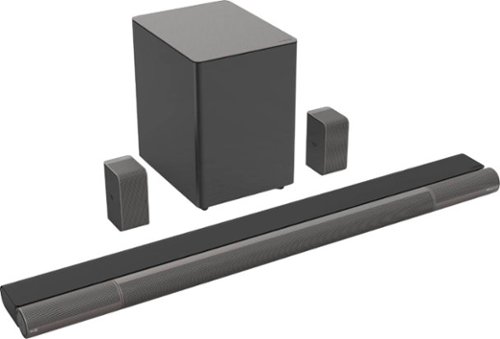
Feel every word, every moment, every emotion, elevated. The new VIZIO Elevate 5.1.4 Home Theater Sound Bar with Dolby Atmos and DTS:X plus 18 total speakers with separate tweeters and dual woofers to breathe thrilling life into the latest movies, sports, gaming, and more. Revolutionary auto-rotating Adaptive Height Speakers blast sound off the ceiling, delivering completely immersive overhead surround sound. When rotated forward, these speakers provide a wider soundstage and clearer vocals to standard surround and stereo modes, particularly great for music. Voice Assistant Input lets you use the voice-enabled device you~re already accustomed to (sold separately) right through the sound bar, in addition to convenient Chromecast built-in and Bluetooth streaming. Three HDMI ports connect two 4K devices to the TV with eARC making setup clean and simple.
Overall4 out of 5
4 out of 5Phenomenal sound!
By Boogie2525
from GURNEE
It took me a little bit longer for this review because of the delivery problems, but once I got a few days to hook everything up and listen to it, I was blown away! The blend of sound as the highs, mids, and bass are over the top! I have mine in my master bedroom, so I believe since it's a smaller space the sound is that much better. I promise you, the sound is like I'm in the theater! I've watched different programs, the news, and YouTube videos to see the differences and how the system would sound. Every single thing I watched was crystal clear no matter if I use netflix, Amazon prime, or DC universe online, they all sounded phenomenal! I didn't hear any crackling or any pauses throughout the day, as I switched to different video outlets. One thing I really didn't like, was the app for the surround sound system. I spent more than 3 hours trying to get it to work, like uninstalling and reinstalling, turning my phone on and off, and trying to pair the system with the app multiple times. I have the newest most expensive phone, so I don't think that's the problem. So I figured I would use the remote that came with it instead. I also had difficulty trying to get the speakers to rotate once I watched movies with Dolby Atmos or DTS:X on the different movie platforms. But because I'm not a technical guy, it could possibly be something I'm not doing right. Other than that, this would be a phenomenal addition to anyone's personal entertainment area, and I would definitely recommend this system!
anickname
rotating solution
November 10, 2020
hey boogie, I also had issues initially with the auto rotation not working but found out it was indeed do to my video/audio source not actually sending an atmos codec to the bar and only sending dolby digital plus signal. Once I was able to get a TRUE atmos codec signal to the bar it would rotate up automatically and roll down when playback ended. Like Vizio commented, you can change this setting on the remote, but what they didn't explain all that well is that you can also force rotate the speakers in the same setting location. Instead of choosing auto, choose "up" (I believe it's "up" but I'm not looking at it at the moment. It's up or on) either way, there's only 3 options in that setting, auto, up, or front facing. I'd suggest playing with that a little and you if you believe you have an atmos playback or want to simulate it, try forcing the speakers to rotate up and see what you think. Like you I've really enjoyed this sound bar and think its performance out weighs it's quirks
+1point
1of 1voted this comment as helpful.
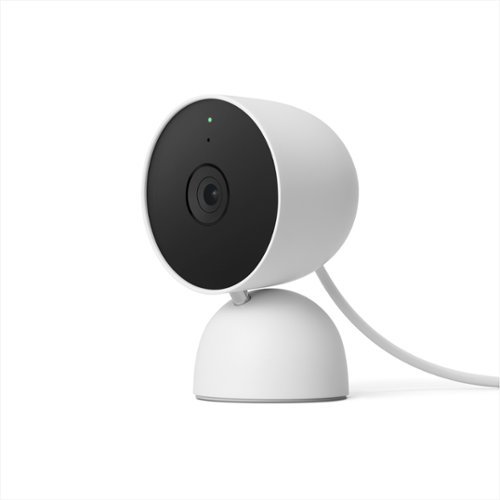
The indoor Nest Cam knows the difference between a person, pet, and vehicle, and alerts you about the things that matter to you, instead of the things that don't. 24/7 live view shows you what~s happening from anywhere.* With 3 hours of free event video history, you can go back and see what you missed. And it comes in different colors to fit your style. The indoor Nest Camera requires the Google Home app and a Google Account ~ it~s not compatible with the Nest app or the home.nest.com site.
Overall4 out of 5
4 out of 5I'm like YES! But also like noooo.
By SirGalahad
from Denver, CO
I’m not fully sure how I feel about this camera. Part of me absolutely loves the features but another part of me expected more for the price and it being a Google device. Picture quality is perfectly adequate. The number of features is excellent as expected at this price point. But if you want full functionality you need to add a monthly payment which I don’t like. Opening the live stream is fast but looking at histories is a bit to a lot slower depending on internet connection.
It comes in a very attractive design, in four different colors, and feels very premium in the hand. Easily blending into a modern home while also being low-profile. Probably one of the most attractive cameras I’ve seen. Setup was easy but I find the settings and Google Home App to not be very user friendly. Other security cameras software’s are easier to figure out with almost all the same features.
The video quality is 1080p and HDR compatible. I like the HDR component as that makes a big difference when you have light/dark areas. But the 1080p is a bit disappointing as I’ve found 1440p – 2160p is best. But with it being an indoor camera and for the price 1080p works just fine. Picture quality is perfectly adequate but won’t make you go wow. Night vision is good and clear. No complaints on that end. But the big draw is the other features.
First, it comes with 3 hours of “event” history. Which doesn’t sound like very much as it is worded poorly. It doesn’t mean it only records the last three hours. But instead records up to 3 hours of events. Meaning it is equivalent to about 2 – 3 weeks (depending on how many alerts you get). As each alert is 5 – 60 seconds out of 10,800 (3 hours = 10,800 seconds). If the wi-fi goes down, it can record up to 1 hour (or about 1 week) and then will upload the results to the cloud when it comes back on. Unfortunately, you can only see video via your phone or Google Device. You cannot view it on PC. Which means I can’t check in on what is happening at home while at work. Which I don’t like.
These alerts are “smart” and can notify you if it spots people, animals, vehicles, and/or motion. You can select which ones you want and if you want it to send you a notification. In other words, you can turn each one on/off so it will record and individually select if you want it to send you a notification or not. You can also setup multiple zones. In each zone you can do the same thing of selecting what you want it to detect and if it sends you a notification. I like that a lot. Most cameras aren’t “smart” and can only detect motion and/or a person but those are also cheaper. The ones in a similar price range can do the same thing. With it being indoor and not having an IPX rating I’m limited in what it picks up depending on your home and or business.
The alerts themselves are good and will say which camera, which zone, and what it thinks it detected.. Selecting the notification will open it up in the app. You can scrub through the timeline to find events, or you can go into a full history to see each event in a row. But getting to that is a bit buried and complicated. Last, you can filter by event type (person or animal). Which I don’t think I’ve seen on other cameras and is appreciated if you are looking for something particular. I really like that feature.
You can buy “Nest Aware” for $6 a month or $60 yearly, which gives you 30 days of video history clips or “Nest Aware Plus” for $12 a month or $120 yearly, for the top tier which gives you 60 days of event history AND 10 days of continues 24/7 video history. If you remember from before that 3 hours is equal to about 3 weeks 30 – 60 days is like A LOT. Both versions unlock other features such as being able to recognize familiar faces and important sounds such as smoke alarms. I’m not always the fan of another monthly payment. But they have to pay for that cloud storage somehow and for what you are getting it could be worth it. Thankfully, if you own multiple Nest Gen 2 devices you only have to pay for a SINGLE membership for all your cameras where previously it was for each camera. So, if you have multiple cameras, it’s probably worth it. But you can get by without it just fine as well.
Some other settings are home and away routines. That way the camera will turn on when you aren’t home and then turn off when you are home. They do this by pairing it with your phone. It also automatically connects to any of your google devices. So, if you are deep in that echo system this is the device to get. There is a green light on the device to notify you when it is recording. That way if you’re home you can tell if someone is spying on you. Also, appreciated. I’m sure there is more but I hit on most of the main stuff.
anickname
October 21, 2021
Good review, but one note here, you're wrong on your math, the 3 hours isn't equal to 3 weeks or even close; it's 3 hours. Exactly. It's not 3 hours of accumulated events, it's events from the last 3 hours. If it's 8am, you can't see any events from 4:59am or earlier. even if there's only 1 10 second event from 5 to 8, that's ALL you can see. Personally, as someone coming from the old nest world, that's a huge rip off when we used to have 24/7 video going back days for 50 dollars a year. the equivalent now costs 120 dollars a year.
+5points
5of 5voted this comment as helpful.
anickname's Questions
anickname has not submitted any questions.
anickname's Answers

Clean up to 12 place settings with this dishwasher, which offers 3 wash cycles and a delay start function that allows you to set the unit to run up to 12 hours in advance. An autosense cycle feature adjusts to the ideal cycle time. A Piranha hard food disposer ensures consistently clean items, the stainless steel blade rotates at 3,600 rpm to pulverize food particles and helps prevent large particles from clogging the wash arms.
The indoor Nest Cam knows the difference between a person, pet, and vehicle, and alerts you about the things that matter to you, instead of the things that don't. 24/7 live view shows you what~s happening from anywhere.* With 3 hours of free event video history, you can go back and see what you missed. And it comes in different colors to fit your style. The indoor Nest Camera requires the Google Home app and a Google Account ~ it~s not compatible with the Nest app or the home.nest.com site.
does it record continuously if I get subscription (not only when detecting action but all time)
only when you pay 120 dollars a year for the max subscription. otherwise it's ONLY event based. (as of now, oct 2021)
4 years, 7 months ago
by
anickname
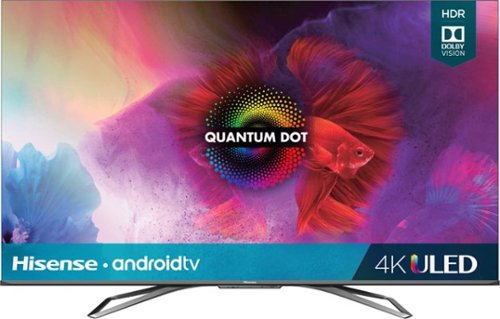
Enjoy a cinematic theater experience at home with this 65-inch Hisense H9G quantum 4K Android TV. Quantum dot technology combined with Dolby HDR deliver high definition to video streaming and games, and the various backlighting and dimming options provide a brilliant picture in any lighting. This 65-inch Hisense H9G quantum 4K Android TV has voice command so you can skip the remote and go straight to your favorite program.
Dolby Atmos pass through supported?
bobbyJ has not been doing their research properly yet still demands you go to google and look it up yourself. That's one part Bobby got right, you can go to google and you will find that Atmos CAN be sent over ARC. It will not be lossless but 99.99% of people won't hear a difference from Dolby TrueHD and atmos vs Dolby Digital Plus with atmos. Dolby Digital Plus with atmos is what almost all devices support as well as what streaming services use to send Atmos regardless of if you are using eARC or regular ARC HDMI channel on your TV. This TV does not have eARC and where that will start to cause issues is if you have next gen gaming consoles or are very particular about your Dolby Atmos codec source. Otherwise you will have no problem using good ol fashioned ARC channel on this TV and can still experience an immersive atmos experience. hope that helps!
5 years, 7 months ago
by
anickname
Feel every word, every moment, every emotion, elevated. The new VIZIO Elevate 5.1.4 Home Theater Sound Bar with Dolby Atmos and DTS:X plus 18 total speakers with separate tweeters and dual woofers to breathe thrilling life into the latest movies, sports, gaming, and more. Revolutionary auto-rotating Adaptive Height Speakers blast sound off the ceiling, delivering completely immersive overhead surround sound. When rotated forward, these speakers provide a wider soundstage and clearer vocals to standard surround and stereo modes, particularly great for music. Voice Assistant Input lets you use the voice-enabled device you~re already accustomed to (sold separately) right through the sound bar, in addition to convenient Chromecast built-in and Bluetooth streaming. Three HDMI ports connect two 4K devices to the TV with eARC making setup clean and simple.
My soundbar drops sound for a few secs & returns spontaneously. Other times sound won't return until I turn the soundbar off/on. The video continues to pass through without an issue during these episodes. Defective unit or firmware update fixable?
I would assume this is most likely an issue with your HDMI cable (length, quality, etc) or your source. You don't mention if you are streaming or playing a disk or server or how it is hooked up. Without giving us more details it is impossible to properly troubleshoot, but based on what you have said, I would bet money it's a problem somewhere else down the line and not the sound bar itself. To test this, Try a new, shortest possible HDMI, a different port if possible from your source, remove any sources in the middle, ie: take the most direct route to the sound bar, removing gaming consoles or streaming boxes along the way, or simply try other sources to try to find the problem. DO NOT try to test with streaming sites, too many variables added there. Use a good old fashioned DVD/BluRay/4K player plugged directly into the sound bar and if that doesn't work, plug directly into your TV and run HDMI from the TV's ARC to the sound bar. Lots of things you can try before assuming its a defective bar or update needed. good luck
5 years, 7 months ago
by
anickname
Feel every word, every moment, every emotion, elevated. The new VIZIO Elevate 5.1.4 Home Theater Sound Bar with Dolby Atmos and DTS:X plus 18 total speakers with separate tweeters and dual woofers to breathe thrilling life into the latest movies, sports, gaming, and more. Revolutionary auto-rotating Adaptive Height Speakers blast sound off the ceiling, delivering completely immersive overhead surround sound. When rotated forward, these speakers provide a wider soundstage and clearer vocals to standard surround and stereo modes, particularly great for music. Voice Assistant Input lets you use the voice-enabled device you~re already accustomed to (sold separately) right through the sound bar, in addition to convenient Chromecast built-in and Bluetooth streaming. Three HDMI ports connect two 4K devices to the TV with eARC making setup clean and simple.
will this work with just an optical cable or do you have to hook it up to the earc hdmi port on my tv
Will it work? yes. Should you spend $1000 on a sound bar you plan to hook up via optical? Absolutely not!! If you're using optical cable for your sound runs, then look at lower cost sound bars. You won't notice any difference.
5 years, 7 months ago
by
anickname
Deco M9 Plus covers your entire home with high-speed mesh Wi-Fi no matter its size or shape. It uses powerful tri-band AC2200 Wi-Fi with TP-Link Mesh technology to deliver strong Wi-Fi everywhere and keep up to 100 devices running at top speed.With built-in ZigBee and Bluetooth technology, Deco M9 Plus even replaces most smart hubs and lets you directly connect and control your favorite smart devices from the Deco app. It also supports Alexa for easy voice control.
Do these come with the cords to plug them in?
Not sure if you mean power or something else, but yes they come with power cords which is the only thing you need to plug in other than one unit connected to your modem via Ethernet (also included, albeit pretty short) which is standard for ANY router. The whole point of a mesh system is so you do NOT need to connect wires to each unit. Each unit has 2 Ethernet ports and one of those will need to be used to connect to your modem. The rest can be used to connect wired devices
5 years, 11 months ago
by
anickname
Deco M9 Plus covers your entire home with high-speed mesh Wi-Fi no matter its size or shape. It uses powerful tri-band AC2200 Wi-Fi with TP-Link Mesh technology to deliver strong Wi-Fi everywhere and keep up to 100 devices running at top speed.With built-in ZigBee and Bluetooth technology, Deco M9 Plus even replaces most smart hubs and lets you directly connect and control your favorite smart devices from the Deco app. It also supports Alexa for easy voice control.
Does it come with built-in parental control with time schedule which does not require monthly fee as an add-on feature?
Yes there is built in parental controls that let you make "profiles" for members of your family then set an age range (Kid, pre-teen, teen, etc) with suggested content blocking (you can customize this and add specific websites etc as well) then you can set total internet usage time (ie 6 hours a day) with weekdays and weekends separated so you can allow different times on school nights vs weekends. It also allows you to set a bedtime (again for weekdays and weekends). Then you choose which connected devices you want to include in this profile. So, for example, your kid "Joe" may have a cell phone, a tablet and a computer, you can add all of these devices under the profile "Joe" and set what time of day he can be on the internet (weekdays and/or weekends) as well as total hours used and designate a bedtime when they are no longer allowed online. Then if you have more kids, your other children can have a completely different profile with rules that fit their specific needs. I don't have kids and don't use this but did just make a test profile to double check and it's actually pretty cool feature. And I do not see anything that requires a subscription or add on cost to use it. Hope that helps.
5 years, 11 months ago
by
anickname