
Share Chris's profile


Chris
Chris's stats
- Review count12
- Helpfulness votes0
- First reviewDecember 18, 2020
- Last reviewJanuary 31, 2021
- Featured reviews0
- Average rating5
- Review comment count1
- Helpfulness votes0
- First review commentJuly 25, 2020
- Last review commentJuly 25, 2020
- Featured review comments0
Questions
- Question count0
- Helpfulness votes0
- First questionNone
- Last questionNone
- Featured questions0
Answers
- Answer count0
- Helpfulness votes0
- First answerNone
- Last answerNone
- Featured answers0
- Best answers0
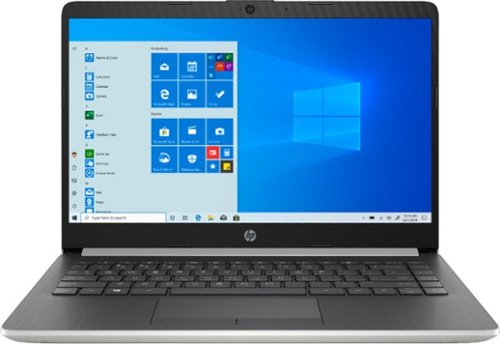
Stay connected on the road with this HP 14-inch laptop. The AMD A9 processor delivers reliably smooth performance and completes everyday tasks quickly, and the 4GB of RAM ensure resource-efficient multitasking. This HP 14-inch laptop has a 128GB SSD that provides plenty of storage space and loads large programs in seconds.
Customer Rating

5
Good value
on December 18, 2020
Posted by: Chris
Verified Purchase:Yes
Good value buy for a laptop and easily upgradeable. You can add another stick of RAM and triple your memory if you choose to from the get go. ( real easy to open up the back cover just dont lose the screws as they are tiny. ) Also an empty slot for another SSD if you want to expand the hard drive space. You just need to buy a ribbon cable to connect it. There are other reviews that show this. Does the job for most everyday things and can stream with ease, just not 4k capable so consider that when you buy.
Length of ownership: 170
Mobile Submission: false
I would recommend this to a friend!
Quality

4
Value

5
Ease of Use
5
Share this review:


0points
0of 0voted this as helpful.
![Emma (2020) (DVD + Digital) [Blu-ray] [Standard]](https://pisces.bbystatic.com/prescaled/500/500/image2/BestBuy_US/images/products/851a8ce6-23a3-43d9-8d22-3a5ae4f1f05f.jpg)
Customer Rating
5
Wonderful
on December 18, 2020
Posted by: Chris
Verified Purchase:Yes
Great performance from Anya Taylor Joy. One of the best current remakes of period movies.
Length of ownership: 10
Mobile Submission: false
I would recommend this to a friend!
Share this review:


0points
0of 0voted this as helpful.
Chris's Review Comments
Stay connected on the road with this HP 14-inch laptop. The AMD A9 processor delivers reliably smooth performance and completes everyday tasks quickly, and the 4GB of RAM ensure resource-efficient multitasking. This HP 14-inch laptop has a 128GB SSD that provides plenty of storage space and loads large programs in seconds.
Overall5 out of 5
5 out of 5Respectable Inexpensive Laptop w/Option to Upgrade
By TeeGee
As others have written, this is a respectable laptop with a few upgrade options available, specifically adding additional memory and/or an additional SSD.
I chose to add PNY 8GB DDR4 2400MHz Notebook Memory - (MN8GSD42400) to the existing 4 GB and a 250 GB SSD I had on hand to the empty drive bay, supplementing the existing 128 GB. The SSD required a Hard Disk Connector with Cable, part number 6017B0421501 (8 bucks from ebay). Removing the back cover is hardest part: 2 visible screws at the front, plus some hidden screws under the two rubber strips which can be carefully peeled off then replaced. Once screws are removed, use guitar pick or credit card to pry off the back cover (from the keyboard side). See pics for parts locations.

Chris
July 25, 2020
Did you have to buy a mounting bracket or you just placed the drive in the slot, connected the cable and closed the laptop? Thanks!
0points
0of 0voted this comment as helpful.
Chris's Questions
Chris has not submitted any questions.
Chris's Answers
Chris has not submitted any answers.