
Share idontspeakmonkey's profile


idontspeakmonkey
idontspeakmonkey's stats
- Review count29
- Helpfulness votes124
- First reviewAugust 23, 2019
- Last reviewNovember 29, 2024
- Featured reviews0
- Average rating4.7
- Review comment count6
- Helpfulness votes0
- First review commentNovember 23, 2020
- Last review commentApril 20, 2022
- Featured review comments0
- Question count6
- Helpfulness votes0
- First questionAugust 20, 2021
- Last questionJuly 11, 2024
- Featured questions0
- Answer count15
- Helpfulness votes25
- First answerAugust 24, 2019
- Last answerDecember 16, 2022
- Featured answers0
- Best answers2
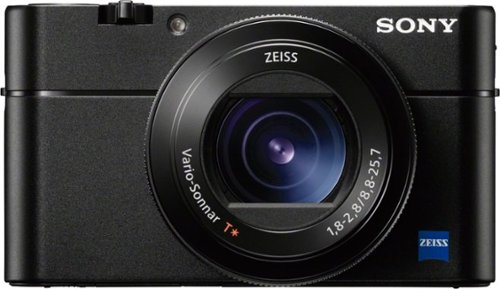
Capture every photographic moment with this 20.1-megapixel Sony Cyber-shot digital camera. Its 0.05-second autofocus speed and 24 fps continuous shooting mode let you capture fast-paced scenes clearly, and the tiltable LCD screen and retractable OLED viewfinder enable versatile image composition. Shoot detailed action in super-slow-motion videos at up to 960 fps with this Sony Cyber-shot digital camera. .
Customer Rating

5
The best camera is the one you will have with you!
on August 24, 2019
Posted by: idontspeakmonkey
Great Little Camera, Fantastic Picture Quality.
This is my second RX100 and I still love the line. I sold my RX-IV for 80% of what I paid for it. These things hold their value.
Here is my thought, if it is too large to pocket then I don’t care how good the camera is, it will probably sit at home or at the hotel. I don’t want to be bogged down with lenses and so on.
Fortunately, this is also a great camera, and high quality all in a tiny package. For this version (VA) you sacrifice a longer zoom lens for a faster lens in low light (compared to the VI or VII). Add to it the fact you can take 1080P or 4K videos and you have a fantastic all around shooter.
I was recently on a cruise with a professional photographer. He had a giant camera, but he (and his wife) also had an RX-III and RX V. Guess what, 90% of the time we were together they were using the RX instead of the giant SLR camera.
I added to this a 52mm lens adapter and lenses for UV and a Variable ND filter.
I have some very minor nits that may or may not bug you.
4K video is limited to 5 minutes.
1080P video is limited to 30 minutes.
No external microphone jack.
1080P video is limited to 30 minutes.
No external microphone jack.
Otherwise I 100% love it.
At a recent concert in Vienna, I had to record in 1080P and had to constantly check when the 30 minutes ran out, wait for the camera to cool down, then restart the recording.
Again, not the end of the world.
I highly recommend this. If you don’t care about ultra low light, then look at the VI or VII. They are both very capable, just not as sensitive.
Mobile Submission: false
I would recommend this to a friend!
Quality

5
Value
5
Ease of Use
5


Share this review:


+9points
12of 15voted this as helpful.

Bosch 300 Series 18" Dishwasher: Thoroughly clean up to 9 place settings in this dishwasher that offers 9 possible rack positions and a variety of storage options to help keep items secure and organized. A water softener system and Extra Shine function help ensure your dishes come out spot-free.
Customer Rating
5
Tiny but Great
on August 23, 2019
Posted by: idontspeakmonkey
Verified Purchase:Yes
I bought one of these for the office 5 years ago, it is still working like new. You can't even tell it is running. For work I had to have an ADA compliant dishwasher.
In my home case we built a suite for my son and only had a limited amount of space, so this was my first choice. It was worked perfectly and is very quiet.
Length of ownership: 175
Mobile Submission: false
I would recommend this to a friend!
Quality
5
Value
5
Ease of Use
5
Share this review:


+1point
1of 1voted this as helpful.

Top Freezer Refrigerator featuring the FlexZone with versatile freezer and fridge convertible zones and Twin Cooling, maintaining the humidity level of the refrigerator and keeping foods fresher longer.
Customer Rating
5
Great Value, Very Nice for Apt
on August 23, 2019
Posted by: idontspeakmonkey
Verified Purchase:Yes
We build an apt suite for our son (w/disabilities) and wanted a fridge for his kitchenette. We looked at small fridges but they were not cheap and all had horrible ratings. This was the best brand name we could find, and as we already have another Samsung Fridge that we love we gave this a try and really like it. The ice maker is quick. Overall very quiet and plenty of room for a single person or small family. Would highly recommend it. We've had "cheap" fridges in the past from "F" and "G" companies and regretted them both on day one due to cheap parts. This is not the case here, quality build all around.
Length of ownership: 169
Mobile Submission: false
I would recommend this to a friend!
Quality
5
Value
5
Ease of Use
5
Share this review:


+2points
2of 2voted this as helpful.
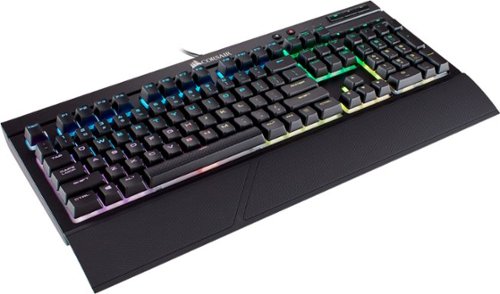
Take gaming to the next level with this stunning CORSAIR keyboard. The RGB back-lighting allows for virtually unlimited customization, and the CHERRY MX key switches lets you play outdoors or indoors thanks to the IP32 water and dust resistance. This CORSAIR keyboard has program macro keys and multimedia controls to keep you in the game.
Customer Rating

4
Returned Can't Save Light Settings in HW
on August 23, 2019
Posted by: idontspeakmonkey
Verified Purchase:Yes
I bought this with a matching mouse.
I could not get it to keep the default light settings. I use a KVM every time I swapped screens it went into a rainbow pattern.
So I returned it. Nice keyboard
Length of ownership: 90
Mobile Submission: false
No, I would not recommend this to a friend.
Ease of Use

3
Quality

4
Value
4
Share this review:


0points
0of 0voted this as helpful.

Improve your aim with this CORSAIR M65 RGB Elite gaming mouse. Featuring an advanced 12,000 dpi optical sensor, this mouse offers pro-grade precision tracking on nearly any surface for improved accuracy in a variety of games. This CORSAIR M65 RGB Elite gaming mouse lets you customize your experience with three adjustable weight-tuning zones.
Customer Rating
4
Returned it since it would not keep default lights
on August 23, 2019
Posted by: idontspeakmonkey
Verified Purchase:Yes
I bought this with a matching keyboard. I actually bought the black one, but BB could not find it in the store so they swapped out the white one.
I don't know if was me or the software, but I could not get it to keep the default light settings. I use a KVM every time I swapped screens it went into a rainbow pattern.
So I returned it. Nice mouse otherwise.
Length of ownership: 90
Mobile Submission: false
I would recommend this to a friend!
Ease of Use
3
Quality
5
Value
5
Share this review:


0points
0of 0voted this as helpful.

Samsung's premium Chef Collection line is designed by Master Chefs with the sophisticated cook in mind. Every appliance in the collection has been tested and approved by Michelin Star chefs to build the best kitchen possible.
Customer Rating
5
We got the last one in the world - Sorry
on August 23, 2019
Posted by: idontspeakmonkey
Verified Purchase:Yes
Writing a review for an extinct product, but maybe Samsung will come up with something like this again.
We remodeled our kitchen and wanted a big but not industrial kitchen sized fridge. This was the biggest we could find and we love it.
We love the minimalist look. (no screens)
We love the recessed Handles (nothing sticking out)
We love the micro perforated hidden display (so do our guest)
We love the Flex Qtr, and use it for parties just like suggested.
We love that there is no buttons to press to swich from ice to water.
We love the recessed Handles (nothing sticking out)
We love the micro perforated hidden display (so do our guest)
We love the Flex Qtr, and use it for parties just like suggested.
We love that there is no buttons to press to swich from ice to water.
The flexible shelves are great. We were nervious about some of the negative reviews about the ice maker so we got a Best Buy extended warranty just in case.
We almost lost out on the last one in the world.
We ordered it, and had customer cabinets built around where it would go. Our remodel project took too long to complete (1 year past due) and even though we had paid in advance it was misplaced at the warehouse. They showed one in stock but could not locate it. It turns out the model was discontinued with no direct replacement. Best buy normally returns unsold consignment stock, but we lucked out in that this was in some obscure corner of a warehouse in Chicago.
So it all ended well and we love it.
Length of ownership: 939
Mobile Submission: false
I would recommend this to a friend!
Quality
5
Value
5
Ease of Use
5
Share this review:


+1point
1of 1voted this as helpful.

KitchenAid built-in dishwasher: With plenty of options, including heated-dry and delay-start, you can wash dishes your way. The ProScrub option eliminates the need for soaking with 40 spray jets, and a low noise level ensures quiet operation.
Customer Rating
5
Great little Dishwasher that "could"
on August 23, 2019
Posted by: idontspeakmonkey
Verified Purchase:Yes
Zero Complaints, 1 year in it still works like new. Does a great job, and I honestly usually can't tell if it is running. We run it at least 1 time per day and sometimes more.
I love the fact that the controls are hidden it has a nice clean looks and matches our other KitchenAid appliances nicely.
We don't use the top "extra row" very often, so I would not look for that extra feature or consider that a must have.
When we do use it, we usually forget we put something there until we can't find whatever it was and think to look in the dishwasher after it has been washed 20 times.
Length of ownership: 780
Mobile Submission: false
I would recommend this to a friend!
Quality
5
Value
5
Ease of Use
5
Share this review:


0points
0of 0voted this as helpful.

KitchenAid wall oven:Get the best of both worlds with this wall oven and microwave. SatinGlide roll-out extension rack provides an easy-grip handle to ensure simple loading and unloading of heavy dishes, and the microwave browns, crisps and fries.
Customer Rating
4
Love it, but some minor nits
on August 23, 2019
Posted by: idontspeakmonkey
Verified Purchase:Yes
It looks great, the oven performs well. I have no problems recommending this. It is our "overflow" oven, but primary microwave. We get lots of compliments on it. Most guest dont realize it is a microwave oven combo, they just think it is a double oven.
The oven is used mostly for proofing bread, does a great job.
The microwave started out great, but after a little more than a year of use it has lost a lot of power. Here is my example.
It used to take 45 seconds to heat my single serving "microwave" lava cake from the grocery store (starts with K). Now it takes about 1:15. This is pretty much the same across the board. 30 seconds for oatmeal is now 45 seconds and so on.
I will take out all the elements and do a through cleaning to see is extra splatter is somehow absorbing the rays. We did have a stick of butter and a potato explode in the past, so maybe there is something hidden somewhere.
CONTROLS:
There is a quick start (1:00) and I mostly use that, but the controls are a multiple choice quiz nightmare when you just want to nuke some food.
There are so many buttons (both for Micro and Oven) you really have to pay attention.
Example: Softening a frozen desert.
Press: Soften
Wait for it to scroll through several options (butter, icecream, etc)
Press: 3 for Ice Cream (closest to what I had)
Wait for it to scroll through several option
Press Size
Press Start
OK, does not sound like much but doing these 3-4 choices every time you use it is a little annoying. Warm, (what to you want to warm), Defrost, (what do you want to defrost), and so on. Baking, (Do you want rapid or slow preheat), Convection bake, (do you want me to re-calc the temp) and on and on.
Finally, I wish there were a backlight on the buttons. We have an "open concept" layout where the kitchen is in full view of the living room and family room. If the family is watching a movie (with all the lights out) and I want to nuke a snack, I have to blind everyone with the kitchen lights. Same in the AM if I am cooking my breakfast, I don't want to have to turn on the overhead lights while I am enjoying the relative peaceful morning darkness.
Again, these are all minor nits, I've never found the perfect appliance, especially microwave controls.
Overall I would recommend the unit.
Length of ownership: 780
Mobile Submission: false
I would recommend this to a friend!
Quality
5
Value
5
Ease of Use
4
Share this review:


+4points
4of 4voted this as helpful.

Capture all the fine detail with this Xbox wireless controller. Extra-comfortable grips and a streamlined design make gaming more the joy than ever before, and powerful wireless connectivity gives you even more range and connects you to Windows 10 PCs and devices. Create the ideal setup with this Xbox wireless controller thanks to custom button mapping.
Customer Rating
5
Great for Windows 10 and No Mans Sky
on August 23, 2019
Posted by: idontspeakmonkey
Verified Purchase:Yes
Like many others have written, this is just a great controller. I use it wirelessly with BlueTooth on my Desktop Computer. I am new to gaming and I wanted something solid and reliable. I bought this in May, I am still on my first set of batteries. I am only doing casual gaming with No Mans Sky, so I can't really speak to latency and other high performance gaming topics. Would recommend.
Length of ownership: 90
Mobile Submission: false
I would recommend this to a friend!
Quality
5
Value
5
Ease of Use
5
Share this review:


+1point
1of 1voted this as helpful.
idontspeakmonkey's Review Comments
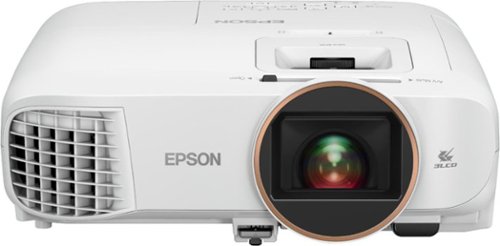
Android TV built-in projector for seamless access to content Powered by Google, watch all your favorite streaming channels including Netflix, Hulu, HBO NOW, YouTube and more. Sit back, relax and watch movies with this Epson video projector. It offers 2.700 lumens of color & white brightness to ensure vibrant, accurate colors, and its HD resolution delivers crisp image quality at 1080p. This Epson video projector lets you also connect a Blu-ray player or gaming console via an HDMI input for smooth streaming of your favorite media.
Overall 2 out of 5
2 out of 5Great picture - Poor Bluetooth
By TechMatcher
from Minneapolis
I received a 10 foot screen for my recent birthday, so I was super stoked to give the Epson - Home Cinema Smart projector a try. I was using an older projector to date - so this was sure to be a welcome upgrade.
Unboxing and initial config was easy and the picture was nice and bright! One of my pics shows displaying the image against a dark brown wall. I was immediately impressed with the brightness and quality of the picture.
The Android TV app menu seemed a bit clunky right away. I have 3 firesticks, 2 Apple TVs and several smart TVs - so I'm familiar. The built-in android TV stick is cool - but clunky.
Next - I mounted to the ceiling in my garage. That worked well and I just flipped the image so it displayed the correct way.
Next - determine whether to use the built in smart TV or my Apple TV. To save alot of time - I had to go with the latter as I could not get the Sonos Move speaker to pair with the bluetooth on the projector. That seems to be the main issue with this projector - bluetooth connectivity. So - using my Apple TV means I needed to connect another cable (HDMI cable) and remove the magnetic cover plate on the rear of the projector. Had I not needed to do that - the only cable I would have had would have been the power cable....that would have been cool.
Overall - if you're looking for a Smart Projector, I'd have to admit that I would direct you to another device given the clunky, built-in Android TV stick but mostly due to the bluetooth connectivity issues. Don't get me wrong - the picture is GREAT and it definitely has best-in-class brightness and things like vertical lens shift, it's the bluetooth that will be a deal breaker for many.

idontspeakmonkey
Love the Screen Setup - Seriously
November 23, 2020
I was trying to figure out how to mount my screen in my short basement (stands are too tall). You nailed it !
0points
0of 0voted this comment as helpful.

Watch movies at home on this Sony 4K Ultra HD Blu-ray player. It plays video from nearly any type of disc or file format and displays images in crisp detail and vivid color, creating an immersive experience with life-like visuals. This Sony 4K Ultra HD Blu-ray player also connects to your Wi-Fi for convenient video streaming.
Overall5 out of 5
5 out of 5So good I might by another (for spare) 3D Dolby
By idontspeakmonkey
My 10 year old 3D Blu-Ray Player died in the middle of a COVID Lockdown 3D Family movie marathon. Since most mfgs stopped making 3D screens/players and even BluRay Players, I thought that I would have to go to an online auction to pay through the nose for an old used 3D player.
I am so glad that I checked BestBuy first. In Stock UHD, 3D, Dolby Vision, HDR Player for $149. A Sony UBPX700 no less. I'm slowly working my way toward a full ATMOS setup, and this was exactly what needed.
The UBPX700 has 2 HDMI outputs (1 is Audio Only) so I can hook it to my future ATMOS system while still keeping my TV a while longer.
My biggest concern was if it would play my media library of MKV files. Previously only my Now Dead BluRay player would digest my MKV libraries without prior conversion. Every other device (TV and other players / streams) could not deal with all the audio codecs contained in a full MKV. My TV for example completely locks up trying to play a BluRay MKV directly from the TV streaming app.
NO WORRIES, I have tested about 10 different eras of DVD and BluRay MKV's (I don't have UHD yet) and everything worked perfectly on the UBPX700 as did my audio library of MP3 and FLAC.
So Far (only a few hours in) high marks for DLNA based streaming compatibility which constitutes 90% of my use. I also tested Amazon and Netflix Apps to allow me to pull down more 4K and ATMOS content. Again, worked perfectly no issues.
I will probably buy another UBPX700 one just to put on a shelf for a spare.
At $149 is only slightly more expensive than a premium streaming box.
Some reviews were concerned about the build quality as it weighs close to nothing and is smaller than 10 year old generations. First, at this price, I don't care. Second it still has a metal case with a plastic front end. Granted, you won't want to stack anything on this. My old unit was buried under a substantial pile of gear. This Sony will need to be on top, but even my TiVo is now this smaller form factor. When I opened my old player to try to repair it. 50% of the box was empty anyway. It was just built with stronger materials.
So, in summary, just get this. It checks most of the boxes you could think of. I wish it had optical audio out. But for $15 I can get a converter if I ever need it.
idontspeakmonkey
Response: to $250 question
January 10, 2021
I can't decide that for you (if it is worth $250 vs $150). If you can't wait for the next sale, then go for it. All the prices on AV Gear are really high right now. (Jan 2020). If I was in a bind and it was the same price as competitors then I would have paid $250 since I was in middle of a family 3D movie marathon.
I will add one note on MKV Playback. As others have noted, it does not playback the ATMOS audio tracks on MKV RIPS (HD or UHD), but you can press the "audio" button on the remote and change to a non-ATMOS sound track.
I also had to return the first one I bought as it sounded like a plane engine when the disc was spinning. The replacement did not have that issue.
0points
0of 0voted this comment as helpful.
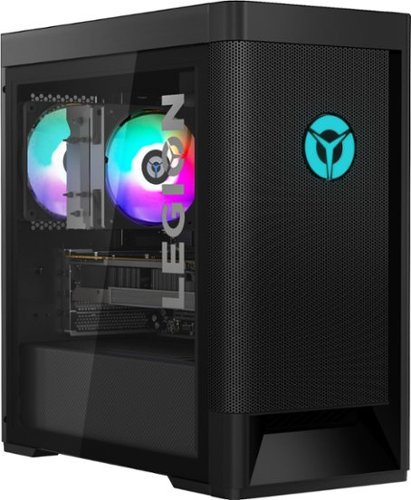
Engineered out of a passion for savage power and unmatched speed, the Lenovo~ Legion Tower 5 AMD delivers mind-blowing performance that combines AMD Ryzen processors and top-of-the-line NVIDIA~ GeForce~ graphics cards for blazing-fast frame rates at up to 4K resolution. Pushing far beyond the upper bounds of smaller rig configurations while keeping things cool and whisper quiet, the Legion Tower 5 is a marvel of build and design, accentuated by its illuminated blue LED logo and lighting, as well a transparent side panel that can properly showcase your internals.
Overall4 out of 5
4 out of 5GOOD GAMING PC VALUE, NOT FOR ENTHUSIAST – LEGION
By idontspeakmonkey
REVIEW: Lenovo - Legion Tower 5 AMD Gaming Desktop - AMD Ryzen 7-3700X - 16GB Memory - NVIDIA GeForce GTX 1660 Super - 256GB SSD+ 1TB HDD - Phantom Black Model:90RB000EUS
GOOD GAMING PC VALUE, NOT FOR ENTHUSIAST – (Legion T5-26amr5)
The LEGION T5-26AMR5 (being specific as there are many variants), is a good all-around computer and an acceptable gaming computer for medium to casual gaming. [I can benchmark at 60 FPS (frames per second) ultra settings 1080p]
The price to performance is pretty good, especially considering RAM and GPU shortages (as of APR 2021). Boot time and program loads are zippy. Storage speed is competent. Features are great (such as GTX 1660 Super, PCIe v4, USB-C 3.2 Gen 2, WiFi AX 2x2, and lots of pretty lights).
My advice, is to get it for what it is, use it as is, and don’t try to make it into a foundation for an enthusiast gaming machine. If I were buying it for my spouse or kids (not heavy gamers) I would have no problem recommending it as is.
PRO’s
- Attractive enough, Lots of lights
- Feature Packed
- Great overall value
- Good GPU – GTX 1660 Super
- Attractive enough, Lots of lights
- Feature Packed
- Great overall value
- Good GPU – GTX 1660 Super
HOWEVER
- RAM does not overclock and has high latency (22)
- Low RAM compatibility (must use only a few types of RAM or speed dropped by 50%)
- Build Quality is pretty bad (inside) lots of loose wires, taped on parts that come off, bare contacts too close to other metal (sometimes covered with tape, sometimes not)
- Cramped interior means you have to remove GPU to get to NVME (slot 2) Storage and the NVME (slot 1 for PCIe V4) is mostly under the CPU heat sync. Since NVME drives pump out a lot heat this mean the heat is going directly into your GPU or CPU, neither are great.
- Power Supply is just barely enough for what is in the system. 400 Watts. Don’t add anything or you will probably have problems.
- RAM does not overclock and has high latency (22)
- Low RAM compatibility (must use only a few types of RAM or speed dropped by 50%)
- Build Quality is pretty bad (inside) lots of loose wires, taped on parts that come off, bare contacts too close to other metal (sometimes covered with tape, sometimes not)
- Cramped interior means you have to remove GPU to get to NVME (slot 2) Storage and the NVME (slot 1 for PCIe V4) is mostly under the CPU heat sync. Since NVME drives pump out a lot heat this mean the heat is going directly into your GPU or CPU, neither are great.
- Power Supply is just barely enough for what is in the system. 400 Watts. Don’t add anything or you will probably have problems.
THE ORIGINAL PLAN
My plan was to use this as a foundation for a pretty good upper-tier gaming rig. To do that justice, I need to upgrade the GPU, Upgrade the RAM, Upgrade the Power Supply, Upgrade the Storage, etc. Due to the GPU shortage, I’ll still head down that path, but with the assumption that this is a stop gap solution for about a year until there is better GPU availability, at which time, I’ll move all my “good” components into a more enthusiast build, once prices stabilize.
My plan was to use this as a foundation for a pretty good upper-tier gaming rig. To do that justice, I need to upgrade the GPU, Upgrade the RAM, Upgrade the Power Supply, Upgrade the Storage, etc. Due to the GPU shortage, I’ll still head down that path, but with the assumption that this is a stop gap solution for about a year until there is better GPU availability, at which time, I’ll move all my “good” components into a more enthusiast build, once prices stabilize.
SUMMARY / CONCLUSION / RECOMMENDATION
The LEGION T5-26AMR5 is not an enthusiast gaming computer. I would not judge it as such (although Lenovo does try to sell it as such, so maybe some criticism is justified). It is the best bang for the buck as of this review, and does a good enough job for casual gaming. I would not invest heavily in upgrading this, unless you already have the parts, and (like myself) are a glutton for punishment.
I wanted PCI v4 support for my NVME. I wanted a dedicated GPU. I wanted Upper/Mid-Tier CPU performance. I wanted USB-C 3.2 Gen 2 support for my backups to external NVME storage.
It delivers on all of these fronts. Once I upgrade the Power Supply, it should be fine for a while as my primary computer.
See PICS for close up (RAM, NVME, POWER, Etc)
idontspeakmonkey
Michigan
Some Updates about Upgrading.
April 6, 2021
I was able to upgrade the power supply to 850 Watts (standard fit). Much easier than I thought it would be. Just make sure to reattach (re-tape) all the loose wires that run to the fans. If you bump them they come off the fan light control board, which is why they are taped on to begin with.
I put a fresh build on Win 10 PRO and suddenly the Bluetooth Stopped working. I contacted tech support and was told that by upgrading to Win 10 PRO I had voided the warranty. REALLY? Obscure Reset Tip found on a German Forum. Pull Power Cord, PRESS AND HOLD ON/OFF Button for 30 seconds, Plug Power Cord Back in. Now Bluetooth is recognized. Must be some sort of soft reset.
I added Standard High Speed RAM, but that dropped the RAM Speed, so I pulled it and ordered the exact same type of RAM In there.
I installed a NVME v4 drive (into the slot under the CPU) WORKS GREAT (That is the v4 slot I dont think the one under the GPU is v4 but could not find docs)
I installed more fans in the top, but there are not spare USB headers on the motherboard to control the lights on the new fans, so I had to get a 3rd party cable to route one my external USB ports back into the case in a standard USB header configuration.
Enjoy!
0points
0of 0voted this comment as helpful.
Engineered out of a passion for savage power and unmatched speed, the Lenovo~ Legion Tower 5 AMD delivers mind-blowing performance that combines AMD Ryzen processors and top-of-the-line NVIDIA~ GeForce~ graphics cards for blazing-fast frame rates at up to 4K resolution. Pushing far beyond the upper bounds of smaller rig configurations while keeping things cool and whisper quiet, the Legion Tower 5 is a marvel of build and design, accentuated by its illuminated blue LED logo and lighting, as well a transparent side panel that can properly showcase your internals.
Overall4 out of 5
4 out of 5GOOD GAMING PC VALUE, NOT FOR ENTHUSIAST – LEGION
By idontspeakmonkey
REVIEW: Lenovo - Legion Tower 5 AMD Gaming Desktop - AMD Ryzen 7-3700X - 16GB Memory - NVIDIA GeForce GTX 1660 Super - 256GB SSD+ 1TB HDD - Phantom Black Model:90RB000EUS
GOOD GAMING PC VALUE, NOT FOR ENTHUSIAST – (Legion T5-26amr5)
The LEGION T5-26AMR5 (being specific as there are many variants), is a good all-around computer and an acceptable gaming computer for medium to casual gaming. [I can benchmark at 60 FPS (frames per second) ultra settings 1080p]
The price to performance is pretty good, especially considering RAM and GPU shortages (as of APR 2021). Boot time and program loads are zippy. Storage speed is competent. Features are great (such as GTX 1660 Super, PCIe v4, USB-C 3.2 Gen 2, WiFi AX 2x2, and lots of pretty lights).
My advice, is to get it for what it is, use it as is, and don’t try to make it into a foundation for an enthusiast gaming machine. If I were buying it for my spouse or kids (not heavy gamers) I would have no problem recommending it as is.
PRO’s
- Attractive enough, Lots of lights
- Feature Packed
- Great overall value
- Good GPU – GTX 1660 Super
- Attractive enough, Lots of lights
- Feature Packed
- Great overall value
- Good GPU – GTX 1660 Super
HOWEVER
- RAM does not overclock and has high latency (22)
- Low RAM compatibility (must use only a few types of RAM or speed dropped by 50%)
- Build Quality is pretty bad (inside) lots of loose wires, taped on parts that come off, bare contacts too close to other metal (sometimes covered with tape, sometimes not)
- Cramped interior means you have to remove GPU to get to NVME (slot 2) Storage and the NVME (slot 1 for PCIe V4) is mostly under the CPU heat sync. Since NVME drives pump out a lot heat this mean the heat is going directly into your GPU or CPU, neither are great.
- Power Supply is just barely enough for what is in the system. 400 Watts. Don’t add anything or you will probably have problems.
- RAM does not overclock and has high latency (22)
- Low RAM compatibility (must use only a few types of RAM or speed dropped by 50%)
- Build Quality is pretty bad (inside) lots of loose wires, taped on parts that come off, bare contacts too close to other metal (sometimes covered with tape, sometimes not)
- Cramped interior means you have to remove GPU to get to NVME (slot 2) Storage and the NVME (slot 1 for PCIe V4) is mostly under the CPU heat sync. Since NVME drives pump out a lot heat this mean the heat is going directly into your GPU or CPU, neither are great.
- Power Supply is just barely enough for what is in the system. 400 Watts. Don’t add anything or you will probably have problems.
THE ORIGINAL PLAN
My plan was to use this as a foundation for a pretty good upper-tier gaming rig. To do that justice, I need to upgrade the GPU, Upgrade the RAM, Upgrade the Power Supply, Upgrade the Storage, etc. Due to the GPU shortage, I’ll still head down that path, but with the assumption that this is a stop gap solution for about a year until there is better GPU availability, at which time, I’ll move all my “good” components into a more enthusiast build, once prices stabilize.
My plan was to use this as a foundation for a pretty good upper-tier gaming rig. To do that justice, I need to upgrade the GPU, Upgrade the RAM, Upgrade the Power Supply, Upgrade the Storage, etc. Due to the GPU shortage, I’ll still head down that path, but with the assumption that this is a stop gap solution for about a year until there is better GPU availability, at which time, I’ll move all my “good” components into a more enthusiast build, once prices stabilize.
SUMMARY / CONCLUSION / RECOMMENDATION
The LEGION T5-26AMR5 is not an enthusiast gaming computer. I would not judge it as such (although Lenovo does try to sell it as such, so maybe some criticism is justified). It is the best bang for the buck as of this review, and does a good enough job for casual gaming. I would not invest heavily in upgrading this, unless you already have the parts, and (like myself) are a glutton for punishment.
I wanted PCI v4 support for my NVME. I wanted a dedicated GPU. I wanted Upper/Mid-Tier CPU performance. I wanted USB-C 3.2 Gen 2 support for my backups to external NVME storage.
It delivers on all of these fronts. Once I upgrade the Power Supply, it should be fine for a while as my primary computer.
See PICS for close up (RAM, NVME, POWER, Etc)
idontspeakmonkey
Michigan
Response to Smichaelmcc
May 4, 2021
I used the best buy sold EVGA 850 Watt power supply, primarily because (1) it was all that in stock locally (2) I like EVGA brand (3) it has modular accessory connectors. This is important because the new PS takes up a lot more room in the case than the original 400 watt PS. This leaves no room for extra accessory cables, so the only thing I attached as 2 SATA powers and 1 GPU power. If you had a PS with dozens of hardwired connectors, I'm not sure you find the room for them easily in the case.
I also used the best buy sold Corsair color fan kit (3) pack. However, if you want the colors, then you have to bring in a USB port from outside the case to inside the case via an adapter not sold at bestbuy. Otherwise you can try to find the Lenovo fans. I like the Corsair kit, because I can have some fans show me the CPU temp and some fans show the GPU temp, which gives me a quick visual status at a glance. I don't trust the Lenovo Fans to change colors with CPU temp. I've never seen them change color yet. Just Blue. So I also them moved some of the Lenovo Fans to less visible locations, so I can get a better view of the Corsair fans. Just a word of caution if you remove a fan from the motherboard, the BIOS POST test will give you an error and interrupt the boot process. There are settings to deal with this, (show or don't show fan errors), but they did not seem to make any difference, I still got the errors. So I ended up with an extra fan connected in a place I don't need it, just to get the BOIS POST to stop throwing errors. [At the time my BIOS was about 10 generations old, because the BIOS update utility does not work properly]
0points
0of 0voted this comment as helpful.
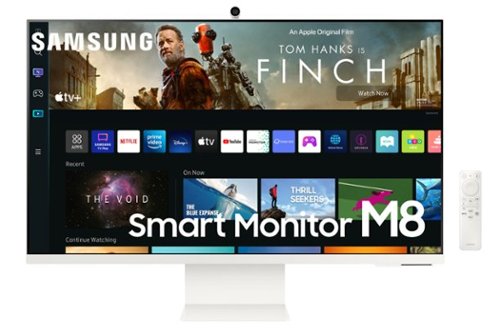
Everything you need is right in your screen. Watch, work and chat - all without connecting a separate PC - with the Smart Monitor. Your favorite content, productivity and video call apps are built-in for a simpler and more stylish desk setup that~s a joy to use every time.
Overall4 out of 5
4 out of 5Full of Features
By Mukman
from Mukwonago, WI
Below is my detailed review on this Ultra thin 32”UHD Monitor.
Assembly-
Very easy to assemble to the stand, basically one screw to mount built the two units of the stand and then simple click the monitor to the stand. The stand is made of the solid metal and is very sturdy. I love the way you can not only tilt the monitor on the stand, but it slides up and down for different heights as well. Very nice design.
Very easy to assemble to the stand, basically one screw to mount built the two units of the stand and then simple click the monitor to the stand. The stand is made of the solid metal and is very sturdy. I love the way you can not only tilt the monitor on the stand, but it slides up and down for different heights as well. Very nice design.
The webcam is another easy assembly, you simply add a small adapter and then the whole unit magnetically snap itself into place. The webcam also come with a magnetic privacy cover that stores on the back of the camera and when not in use.
Connections-
On the back you have a power/selector button and your input ports -Micro HDMI, two USB type C and a power adapter input. USB is also powered so you can also charge your devices up to 65 watt fast charge.
On the back you have a power/selector button and your input ports -Micro HDMI, two USB type C and a power adapter input. USB is also powered so you can also charge your devices up to 65 watt fast charge.
Bluetooth & Wireless – Connect all your Bluetooth devices with ease, Keyboard, mouse, Speakers etc. Every device I connected went smoothly.
Monitor and Remote-
Very slim remote that is rechargeable via USB type C
You have your shortcut keys for Netflix, Disney+, Prime Video and Samsung TV along with a voice activation button for Amazon Alexa or Samsung’s Bixby assistant. (Your choice at set-up)
Very slim remote that is rechargeable via USB type C
You have your shortcut keys for Netflix, Disney+, Prime Video and Samsung TV along with a voice activation button for Amazon Alexa or Samsung’s Bixby assistant. (Your choice at set-up)
The left and right speakers are hidden in the back of the monitor and sound okay for being built into a monitor of this size.
Speaking of the size of this monitor, it is very thin (<.5 inch) and sleek with clean bezel edges.
The specs of the display - UHD or up to 3840x2160 resolution, 400 nits of brightness, 99%sRGB color gamut and HDR10+ support. All this to say the screen quality is amazing. Once again, Samsung does not disappoint. Document viewing is crisp and picture quality of streaming, art, games are all outstanding. I also love the matte screen finish of the screen as it does a fantastic job of not reflecting surrounding light.
Setup-
Initial setup was a pretty easy process as well. You have a choice to use your phone via Samsung Smart Things App or simply use the remote.
Initial setup was a pretty easy process as well. You have a choice to use your phone via Samsung Smart Things App or simply use the remote.
Features:
This M8 monitor is packed with features.
Smart TV, with include all your expected streaming services PLUS it has Samsung FREE TV which is a big bonus. The interface is clean and easy to use. The UI is also very responsive.
This M8 monitor is packed with features.
Smart TV, with include all your expected streaming services PLUS it has Samsung FREE TV which is a big bonus. The interface is clean and easy to use. The UI is also very responsive.
As mentioned earlier, upon setup, you have a choice to set up Amazon Alexa or Bixby as your voice assistant. You can choose to have the assistant respond to your voice or just the button on the remote.
With Multiview you can do Picture in Picture with some inputs, but not all. I did try to watch Amazon Prime and see my PC at the same time and could not figure it out. I could view PC and Samsung Free TV, YouTube or phone.
Wireless Screen Sharing-
Beside the wired options, you can connect and share your computer screen via Screen Sharing (Win 8.1 and up). You can also screen share using Smart View or Apple AirPlay. To use as your main computer monitor, I would suggest using one of the hard wire choices as I found that to be more fluid with better resolution
Beside the wired options, you can connect and share your computer screen via Screen Sharing (Win 8.1 and up). You can also screen share using Smart View or Apple AirPlay. To use as your main computer monitor, I would suggest using one of the hard wire choices as I found that to be more fluid with better resolution
Casting-
You can also cast your screen from your mobile device with ease. I have a Samsung S20 that I can simply tap against the monitor, and it will connect and share my phones screen to the monitor using Samsung Smart View.
You can also cast your screen from your mobile device with ease. I have a Samsung S20 that I can simply tap against the monitor, and it will connect and share my phones screen to the monitor using Samsung Smart View.
Wired-
HDMI connection was flawless; however, I did run into trouble connecting my PC to the monitor via USB C. at first (User error), I thought the monitor would not recognize it as a PC. Reading through the ‘connection guide’ of the ‘support’ tab, I found you need to go to the Connected Devices tab / Sources and then select your PC there.
HDMI connection was flawless; however, I did run into trouble connecting my PC to the monitor via USB C. at first (User error), I thought the monitor would not recognize it as a PC. Reading through the ‘connection guide’ of the ‘support’ tab, I found you need to go to the Connected Devices tab / Sources and then select your PC there.
With Samsung DeX on a compatible Galaxy, Note or Tab device, you can connect your phone via USB C or wirelessly to the monitor allowing you to use your phone much like a PC*.
Another stand out option is the ability to use this monitor without a PC at all. With a Microsoft 365 account you can browse websites and work on all you Microsoft documents connected to your account.*
*Note you will need to connect a keyboard and mouse.
*Note you will need to connect a keyboard and mouse.
Webcam -
The only Con I found with this device was the fact that the Webcam only appears to work with Google Duo and not applications like Microsoft Teams or Zoom. This is a big disappointment for the work-from-home person. I use Microsoft teams every day and was looking forward to the built-in webcam. (-1 star)
The only Con I found with this device was the fact that the Webcam only appears to work with Google Duo and not applications like Microsoft Teams or Zoom. This is a big disappointment for the work-from-home person. I use Microsoft teams every day and was looking forward to the built-in webcam. (-1 star)
Other than the con mentioned above. The Camera has a very nice picture and can also be used to aid you in workouts. You can view yourself while viewing workout content and you also have the option to get real time feedback thorough motion tracking. This feature tracks your body in real time to let you know if you are using proper form.
Final thoughts. Overall, this monitor is pretty amazing. Samsung packed everything except a touch screen into this Smart Monitor. The Samsung M8 is so much more than a monitor. It is truly a Smart Monitor. You can use the smart home functions using the SmartThings App, voice assistant from Amazon or Bixby smart functions, connect anything you want through wired, Bluetooth or Wi-Fi devices, even connect Samsung wireless surround sound systems. You can even connect USB hard drive if needed. You can stream all your favorite video services and even watch them while working on your computer using Muti-View. You can screen share with Smart View, Tap View or Apple AirPlay and you even get Free TV. Oh, and the picture quality is what you expect from Samsung, A+.
idontspeakmonkey
Michigan
Webcam on PC needs additional driver download
April 20, 2022
Don't know if you tried this already but you can download the optional drive from the Samsung site, then you can use the built in webcam in teams. (at least it worked for me).
0points
0of 0voted this comment as helpful.
Everything you need is right in your screen. Watch, work and chat - all without connecting a separate PC - with the Smart Monitor. Your favorite content, productivity and video call apps are built-in for a simpler and more stylish desk setup that~s a joy to use every time.
Overall4 out of 5
4 out of 5Nice 32" Smart Monitor
By SciFiFan
from Goodyear, AZ
Samsung S32BM80 Smart Monitor
This is my 2nd 32” Samsung Smart Monitor. I really love the 1st one and use it daily as a smart TV and as a 2nd PC monitor. This new monitor promises even more functionality because it comes with a Samsung Slim Fit Camera. It’s basically a small webcam that plugs into the back of the monitor and rests right on the top center of the monitor. The resolution is good. When using it, it has subject tracking and will zoom in and center on the subject. When the subject moves, the camera adjusts. It’s very nice from that standpoint. The monitor comes preloaded with Duo so you can try it right out of the box without hooking up anything else. It also includes Samsung Health that allows you to watch yourself as you watch workout videos.
It includes all of the standard Samsung apps for their Smart TVs such as Netflix, HBO Max, Disney+, Showtime, Apple+ and many more. There are dozens of additional programs that can be added through the menus. It supports Samsung DEX for integration with your Samsung Smartphone or Tablet and allows you to connect your PC directly or via screen mirroring or casting. It’s full 4K and has internal speakers and can connect to Bluetooth speakers as well. It uses a Mini HDMI cable (included) and has 2 USB-C ports one of them able to charge at up to 65 watts. The monitor attaches to a stand that allows the display to tilt forwards and backwards as well as move up and down. The monitor can be adjusted to rest between 1” and 6” above your desk.
It's almost the perfect monitor. I only have 1 complaint. It involves using it as a monitor directly connected to your PC. It’s the camera. While the Smart TV aspects of the unit are able to utilize the camera, your PC cannot. You connect your PC to the monitor via a Micro HDMI cable, which doesn’t have support for a camera attached to the monitor. The PC doesn’t know that the camera exists. You can also connect the monitor to your PC via USB-C, but the camera still does not appear in device manager. Support explains that the camera can only be used by apps local to the monitor. That’s a big drawback for me, but not a deal killer.
Overall, I love the monitor, and it will be my new primary monitor from now on. I just wish they had integrated the camera better.
idontspeakmonkey
Michigan
Camera use on PC required additional driver
April 20, 2022
Just a tip.
Don't know if you tried this already but you can download the optional drive from the Samsung site, then you can use the built in webcam in teams. (at least it worked for me).
0points
0of 0voted this comment as helpful.
idontspeakmonkey's Questions
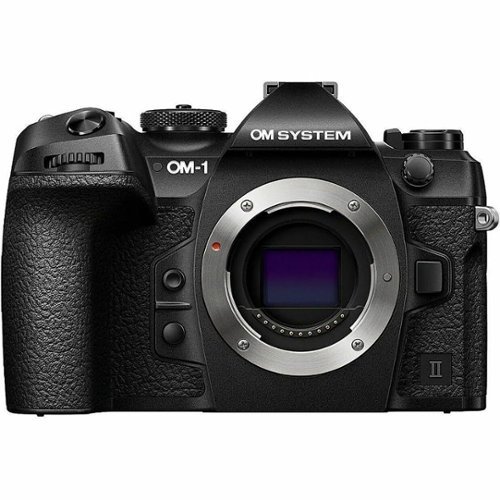
The OM-1 Mark II is a statement of blazing fast speeds, unparalleled computational capabilities and tactile usability with refinements throughout the camera. What the OM-1 Mark II presents is a true wonder of outdoor photography equipment that will perform wherever you go.
Product Specs Off? Integrated Flash = YES, (should be NO) Included Memory Card = YES, (NO) Battery Life = 520 shots (500?) What's Included does not list external flash, batteries etc.
1 year, 10 months ago
by
idontspeakmonkey

Bosch 300 Series dishwashers deliver a clean and dry you can rely on, plus the versatility of extra flexibility and capacity when you need it. The redesigned, edge-to-edge recessed handle with integrated front controls blend functionality and beauty. With PrecisionWash, intelligent sensors continually scan and check the progress of dishes throughout the cycle, while powerful spray arms target every item of every load, for a smarter clean. PureDry technology delivers simply clean, simply dry dishes with an energy efficient, closed drying system. A convenient 3rd rack provides additional loading space for cutlery and utensils. Get personalized app features like Smart Cycle, hands-free voice control with Amazon Alexa or Google Home and so much more, all when you use Wi-Fi enabled Home Connect.
What is the weight capacity of the "middle" rack? We have heavy glasses and dishes, and a different high end brand is on its 3rd replacement middle rack in 5 years.
2 years, 1 month ago
by
idontspeakmonkey

Winegard Extreme 2.0 High-Performance Wireless-AC Access Point and Outdoor Wi-Fi Range Extender. The Extreme 2.0 Extender offers 1,000 ft. of boosted range - Winegard's best, and most secure, outdoor Wi-Fi solution.
Does this have 2 sets of antennas for both RX and TX Example, Receive on CH 3 and then TX on CH 6? This can help with performance, and minimize the chance of the device stepping on its own signal.
4 years, 6 months ago
by
idontspeakmonkey

Experience the thrill of the game with the new Dell G15 gaming laptop. Featuring AMD~ Ryzen processors, NVIDIA~ GeForce~ graphics, improved thermal design and Game Shift technology.
Can I drive 2 external monitors for example use the built in HDMI port and then something like the Dell DA310 Mobile adapter to drive a second external monitor (DA310 puck connects over USB-C and then supports HDMI, VGA and DP)?
4 years, 8 months ago
by
idontspeakmonkey
Experience the thrill of the game with the new Dell G15 gaming laptop. Featuring AMD~ Ryzen processors, NVIDIA~ GeForce~ graphics, improved thermal design and Game Shift technology.
Is the 512GB SSD "SATA" or "NVME" and if so what PCI version is supported.
4 years, 8 months ago
by
idontspeakmonkey

Unexpected. Unseen. Unreal. The Delta 15 AMD Advantage Edition uses the latest AMD Ryzen 7 5800H processor and Radeon RX 6700M graphics. Coming in at 4.19lbs light and 0.75in thin, the Delta 15 supports SmartShift, Smart Access Memory and Wi-Fi 6E for powerful performance inside a premium chassis. Break through and set off a new standard in gaming with the Delta 15.
Are the M.2 Slots pci v4 or pci v3. I dont care about the speed of the card installed, but if i replace it can I get full v4 speed.
4 years, 9 months ago
by
idontspeakmonkey
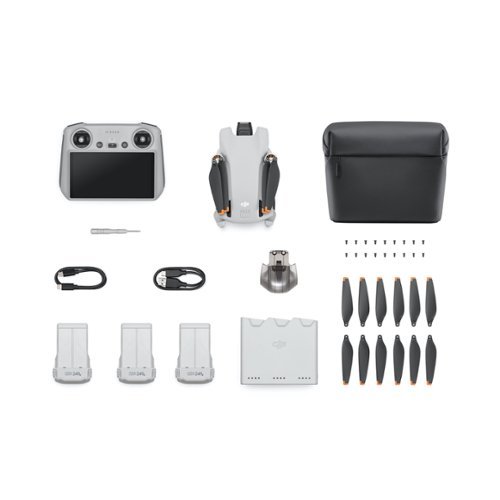
DJI Mini 3 is a compact, ultra-lightweight camera drone, ready for adventure. It features an extended battery life, stunning 4K HDR video to capture true-to-life color and detail, and fun features like True Vertical Shooting for fantastic shots for social media. Whether walking on the beach, weekend backpacking, or month-long road-tripping, you'll be prepared to capture every moment.
What is the difference between the dgi mini 3 and the dgi mini 3 pro?
Check the dji website it allows side by side comparisons for details.
Main difference is no collision avoidance.
Everything else is slightly diminished. Like shooting in 4K30 vs 4K60 and so on.
Also no follow me mode
Main difference is no collision avoidance.
Everything else is slightly diminished. Like shooting in 4K30 vs 4K60 and so on.
Also no follow me mode
3 years, 5 months ago
by
idontspeakmonkey

Front row, center stage. This 4K Ultra HD Blu-ray player delivers the impeccable clarity of 4K and stunning detail of High Dynamic Range. Get the best seat in the house and lose yourself in incredible picture quality and advanced surround sound. Play almost any media disc, or stream 4K content from your favorite streaming services. HDMI cable included.
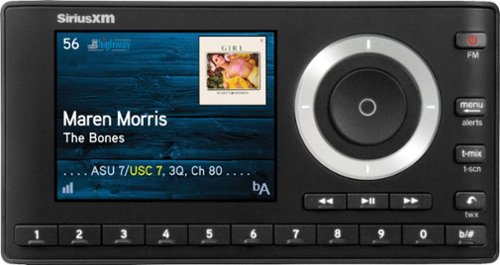
SiriusXM Onyx Plus SXPL1V1 Satellite Radio Receiver: With satellite radio you get access to hundreds of great channels, as well as customizable favorites so you can play the stations, artists and songs you love, anytime. Satellite and Internet Radio subscriptions are sold separately by SiriusXM Radio Inc. See the SiriusXM Customer Agreement at www.siriusxm.com for details.
Engineered out of a passion for savage power and unmatched speed, the Lenovo~ Legion Tower 5 AMD delivers mind-blowing performance that combines AMD Ryzen processors and top-of-the-line NVIDIA~ GeForce~ graphics cards for blazing-fast frame rates at up to 4K resolution. Pushing far beyond the upper bounds of smaller rig configurations while keeping things cool and whisper quiet, the Legion Tower 5 is a marvel of build and design, accentuated by its illuminated blue LED logo and lighting, as well a transparent side panel that can properly showcase your internals.
I've heard that 400w power supply isn't enough for this pc but that's what it comes with, is it complicated to upgrade a PSU? Should I buy this one now and wait a week for it or wait for another better pc for who knows how long? (It's my first pc so. . .)
Engineered out of a passion for savage power and unmatched speed, the Lenovo~ Legion Tower 5 AMD delivers mind-blowing performance that combines AMD Ryzen processors and top-of-the-line NVIDIA~ GeForce~ graphics cards for blazing-fast frame rates at up to 4K resolution. Pushing far beyond the upper bounds of smaller rig configurations while keeping things cool and whisper quiet, the Legion Tower 5 is a marvel of build and design, accentuated by its illuminated blue LED logo and lighting, as well a transparent side panel that can properly showcase your internals.
Can anyone tell me the dimensions of the power supply or graphics card? I want to upgrade them at some point but I don't know what will fit.
Any standard PS will fit. The issue it all the extra cables,. I suggest getting a PS with modular accessory cables so you can leave most of the unused cables outside the case.
I put in an ASUS 2.7 slot 3070 and it fits just fine with the exception that it covers the SATA ports at the edge of the MB so you have to find right angle SATA cables.
I put in an ASUS 2.7 slot 3070 and it fits just fine with the exception that it covers the SATA ports at the edge of the MB so you have to find right angle SATA cables.
5 years, 1 month ago
by
idontspeakmonkey
Engineered out of a passion for savage power and unmatched speed, the Lenovo~ Legion Tower 5 AMD delivers mind-blowing performance that combines AMD Ryzen processors and top-of-the-line NVIDIA~ GeForce~ graphics cards for blazing-fast frame rates at up to 4K resolution. Pushing far beyond the upper bounds of smaller rig configurations while keeping things cool and whisper quiet, the Legion Tower 5 is a marvel of build and design, accentuated by its illuminated blue LED logo and lighting, as well a transparent side panel that can properly showcase your internals.
Engineered out of a passion for savage power and unmatched speed, the Lenovo~ Legion Tower 5 AMD delivers mind-blowing performance that combines AMD Ryzen processors and top-of-the-line NVIDIA~ GeForce~ graphics cards for blazing-fast frame rates at up to 4K resolution. Pushing far beyond the upper bounds of smaller rig configurations while keeping things cool and whisper quiet, the Legion Tower 5 is a marvel of build and design, accentuated by its illuminated blue LED logo and lighting, as well a transparent side panel that can properly showcase your internals.
Engineered out of a passion for savage power and unmatched speed, the Lenovo~ Legion Tower 5 AMD delivers mind-blowing performance that combines AMD Ryzen processors and top-of-the-line NVIDIA~ GeForce~ graphics cards for blazing-fast frame rates at up to 4K resolution. Pushing far beyond the upper bounds of smaller rig configurations while keeping things cool and whisper quiet, the Legion Tower 5 is a marvel of build and design, accentuated by its illuminated blue LED logo and lighting, as well a transparent side panel that can properly showcase your internals.

Give your movies, TV shows and games the great sound they deserve. This ultra-slim SR-B20 sound bar fits discreetly in front of your TV or on a shelf or can be rotated for a low-profile wall mount. Setup is a breeze with a simple connection to your TV while Bluetooth lets you wirelessly stream from your mobile devices.
Does this model have a treble/bass control to permit selection to preferred tone level ?

T.Flight Hotas One, a joystick for Xbox Series X|S, Xbox One, and PC, provides a high level of realism: the stick includes five axes, fourteen action buttons, a rapid-fire trigger and a multidirectional hat switch (navigation/panoramic view), all of which are easily accessible. The throttle - detachable and full-size for easy maneuverability, even in virtual reality - provides super-responsive power. The dual rudder system can be engaged by rotating the handle (with an integrated locking system) or via the progressive tilting lever. The T.Flight Hotas One includes official buttons for the Xbox One console (Guide/View/Menu): access social features, switch between the game and the console, navigate through the console's menus, etc.