
Share NorthCarolinaResident's profile


NorthCarolinaResident
NorthCarolinaResident's stats
- Review count42
- Helpfulness votes6
- First reviewDecember 26, 2018
- Last reviewNovember 17, 2024
- Featured reviews0
- Average rating4.8
Reviews comments
- Review comment count0
- Helpfulness votes0
- First review commentNone
- Last review commentNone
- Featured review comments0
Questions
- Question count0
- Helpfulness votes0
- First questionNone
- Last questionNone
- Featured questions0
- Answer count3
- Helpfulness votes1
- First answerNovember 26, 2019
- Last answerNovember 26, 2019
- Featured answers0
- Best answers0
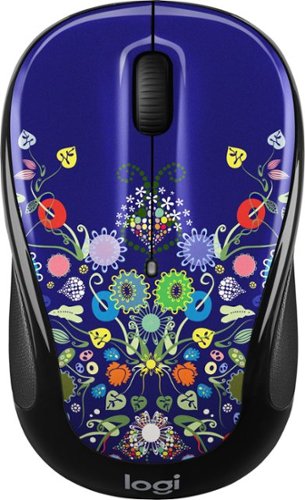
Combine fashion and function with this Logitech Party Collection wireless mouse. It's small, compact and responsive from up to 33 feet away for added workspace freedom, and its preinstalled battery lasts up to 18 months for uninterrupted use. This Logitech Party Collection wireless mouse has a fun, colorful design to match your personal style.
Customer Rating

5
Love the design.
on December 26, 2018
Posted by: NorthCarolinaResident
Verified Purchase:Yes
Bought it because it was on sale. Could not let slide. Design is great and new tech with unifying dongle.
Mobile Submission: False
I would recommend this to a friend!
Share this review:


0points
0of 0voted this as helpful.
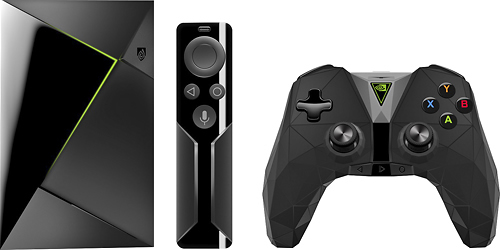
Upgrade your home theater system with this NVIDIA SHIELD Android console. It lets you stream 4K HDR movies and TV shows and play hundreds of PC-quality games via GeForce NOW or Android streaming. The 16GB of internal memory stores your favorite multimedia files, and the voice search feature of this NVIDIA SHIELD Android console lets you access content immediately.
Customer Rating
5
Best Android Box.
on December 26, 2018
Posted by: NorthCarolinaResident
Verified Purchase:Yes
This is the best experience I ever had with an internet streaming box.
It's reliable and stylish- controller as well. My boys love the games included with it. I went ahead and bought another one when it was on sale.
It's reliable and stylish- controller as well. My boys love the games included with it. I went ahead and bought another one when it was on sale.
Mobile Submission: False
I would recommend this to a friend!
Share this review:


0points
0of 0voted this as helpful.
NorthCarolinaResident's Review Comments
NorthCarolinaResident has not submitted comments on any reviews.
NorthCarolinaResident's Questions
NorthCarolinaResident has not submitted any questions.
NorthCarolinaResident's Answers
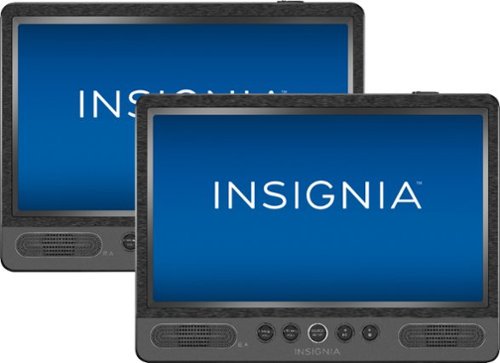
Add entertainment features to your car's backseat with this two-pack of Insignia portable DVD players. The 10-inch units each have a disk input and an LCD display, and they can be used independently or for mirrored video playback. Power these headrest-mountable Insignia portable DVD players with your vehicle charger or home outlet.
Add entertainment features to your car's backseat with this two-pack of Insignia portable DVD players. The 10-inch units each have a disk input and an LCD display, and they can be used independently or for mirrored video playback. Power these headrest-mountable Insignia portable DVD players with your vehicle charger or home outlet.
I just purchase today. Started set it up to make sure it works. Everything is good but I can't get both players to display the same picture at the same time. Displaying the same picture at the same time. Thanks
We had that same issue when we bought the DVD player and here how we got ours to work. 1- Make sure you connect the included cable from plug A on one of the DVD players to plug B on the other DVD player. Plugs referred to are located above power hook up. 2- On the DVD player that doesn't show picture, press and hold source button on the remote for that player until you see AV on top right then release button. you should see a picture. Hope that helps.
6 years, 6 months ago
by
NorthCarolinaResident
Add entertainment features to your car's backseat with this two-pack of Insignia portable DVD players. The 10-inch units each have a disk input and an LCD display, and they can be used independently or for mirrored video playback. Power these headrest-mountable Insignia portable DVD players with your vehicle charger or home outlet.
How are the DVD's inserted? Does the player open up or do you insert the disk through a slit?
DVD player open up using button on top right. Then insert the DVD disk in center and push down gently so it locks in position. Shut door easy and, done. One more thing, if you are using the included mounting sleeves, the doors might not open far enough. So either remove the player out of the sleeve or simply use the other hand to help open it far enough but, of course, with caution.
6 years, 6 months ago
by
NorthCarolinaResident