
Share Danny's profile


Danny
Danny's stats
- Review count23
- Helpfulness votes6
- First reviewApril 19, 2019
- Last reviewNovember 30, 2022
- Featured reviews0
- Average rating5
- Review comment count1
- Helpfulness votes0
- First review commentJune 18, 2020
- Last review commentJune 18, 2020
- Featured review comments0
Questions
- Question count0
- Helpfulness votes0
- First questionNone
- Last questionNone
- Featured questions0
- Answer count11
- Helpfulness votes2
- First answerJanuary 7, 2019
- Last answerNovember 30, 2022
- Featured answers0
- Best answers1
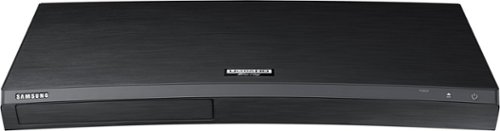
Enjoy incredible video quality with this HDR-compatible Samsung 4K Ultra HD Blu-ray player. It offers 4x the resolution of a standard Blu-ray player, and its built-in UHD upscaling technology enhances the picture quality from standard Blu-ray discs and DVDs. The built-in Wi-Fi in this Samsung 4K Ultra HD Blu-ray player lets you stream 4K movies and shows from your favorite services.
Customer Rating

5
Excellent Blu-Ray/DVD player
on October 26, 2020
Posted by: Danny
Verified Purchase:Yes
We only have a few 4K UHD Blu-Ray discs, but wow! It’s so worth it! The clarity is amazing!
I like that this player also tries to adjust the regular, old DVDs to the best picture quality possible for an awesome experience as well.
Even though it can be paired wirelessly to the TV, I recommend using an high-end HDMI cable for better data transfer and image quality.
I like that this player also tries to adjust the regular, old DVDs to the best picture quality possible for an awesome experience as well.
Even though it can be paired wirelessly to the TV, I recommend using an high-end HDMI cable for better data transfer and image quality.
Length of ownership: 678
Mobile Submission: true
I would recommend this to a friend!
Ease of Use

5
Quality
5
Value
5
Share this review:


0points
0of 0voted this as helpful.
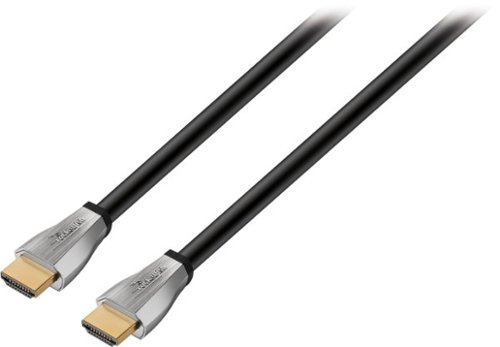
Install your home theater system with this in-wall Rocketfish 4K UltraHD cable, and enjoy the latest technology your television offers. The triple-layer shielding on this cable defends against interference so you get the clearest picture possible. This Rocketfish 4K UltraHD cable is certified for in-wall installations, making it an ideal cable for home theaters and entertainment centers.Enjoy stunning visuals and crisp, clear audio with this in-wall certified Rocketfish HDMI cable which lets you connect an HDMI component to an HDTV or projector and supports 4K Ultra HD & 1080P resolution as well as HDR and advanced audio formats like Dolby Atmos.
Customer Rating
5
Great for performance laptop and TV
on April 19, 2019
Posted by: Danny
from Escanaba, MI
Verified Purchase:Yes
I use this one to connect my MacBook Pro to my monitors and it never lags on videos. My high-res photos on Power Point look astounding on the screen too!
Mobile Submission: False
I would recommend this to a friend!
Share this review:


0points
0of 0voted this as helpful.
![Planet Earth II - 4K Blu-Ray [Standard] [4K Ultra HD Blu-ray]](https://pisces.bbystatic.com/prescaled/500/500/image2/BestBuy_US/images/products/2ab95e65-6002-49b2-9e01-1aa67f486c27.jpg)
David Attenborough. Ten years after the original Planet Earth, another collection of the absolute best in nature filmmaking explores the world around us. Visit jungles, deserts, mountains and oceans in incredible intimacy and detail, with some of the natural world's most exciting and terrifying moments caught on video. 6 parts on 2 DVDs, 2 Blu-ray Discs or 2 Discs. 2016/color/6 hrs/NR/widescreen.
Customer Rating
5
Best 4K UHD footage in the wild!
on April 19, 2019
Posted by: Danny
from Escanaba, MI
Verified Purchase:Yes
The BBC has done it again! Amazing footage, sound, narration. Everyone in the family was "WOW!" every few minutes. You'll love it if you have a 4K UHD TV and BlueRay player. (I recommend connecting your player to the TV via UHD HDMI cable for best footage.)
Mobile Submission: False
I would recommend this to a friend!
Share this review:


0points
0of 0voted this as helpful.
Danny's Review Comments

This Orbi Wi-Fi System comes with an Orbi Router with a built-in Cable Modem and a Satellite. Easily set up and create a whole home mesh Wi-Fi system that delivers ideal Wi-Fi coverage. It covers homes up to 4000 square feet with strong Wi-Fi signals. Innovative Tri-Band Wi-Fi helps maximize the Internet speeds available in your home. Enjoy better Wi-Fi. Everywhere
Overall5 out of 5
5 out of 5Hallelujah!
By Jack
Awesome product! I have Spectrum internet that was always droppping out. Especially my Nest camera's. I tried every solution Spectrum offered...even changing out spectrum routers to no avail. Then I found Orbi. Once this mesh system was installed, I have not lost connection at all. If you are having problems with keeping connection, this is your fix. My house is stucco on the outside, and it seems to have been preventing external connection with my exterior cameras. Orbi fixed all that. My outdoor connection is awesome now!

Danny
Escanaba, MI
June 18, 2020
Jack, I have Spectrum as well and I’m beginning to drop WiFi too. Did you use to have another Netgear Router before you switched to Orbi?
0points
0of 0voted this comment as helpful.
Danny's Questions
Danny has not submitted any questions.
Enjoy incredible video quality with this HDR-compatible Samsung 4K Ultra HD Blu-ray player. It offers 4x the resolution of a standard Blu-ray player, and its built-in UHD upscaling technology enhances the picture quality from standard Blu-ray discs and DVDs. The built-in Wi-Fi in this Samsung 4K Ultra HD Blu-ray player lets you stream 4K movies and shows from your favorite services.
I got this player for Christmas and the Dolby Atmos works perfectly but the blu ray part is much brighter than the 4k which is much darker on Across the Universe when I use the 4k disc. Any reason? Is something set wrong?
The only movie I've watched on it so far is Planet Earth II in 4K UHD Blue Ray. 4K UHD with HDR should make the Blacks darker and the colors brighter. If it's too dark, go to the settings and turn off the HDR feature in the DVD player. I had it off for one DVD and it still looked good, but when I turned it to Auto, it became a bit darker. Also, check the TV picture setting, if it's a Samsung, switch from Standard, Movie, and Dynamic to see if it makes difference. Also, are you using an HD HDMI cable? One that transmits at least 18GB per second of bandwidth? That will also help. I'm not an expert, but I was able to find the best settings for mine. Hope this helps out.
7 years, 5 months ago
by
Danny