
Share Mkastle's profile


Mkastle
Mkastle's stats
- Review count15
- Helpfulness votes10
- First reviewMarch 22, 2019
- Last reviewMay 27, 2021
- Featured reviews0
- Average rating4.7
- Review comment count1
- Helpfulness votes0
- First review commentAugust 26, 2019
- Last review commentAugust 26, 2019
- Featured review comments0
Questions
- Question count0
- Helpfulness votes0
- First questionNone
- Last questionNone
- Featured questions0
- Answer count6
- Helpfulness votes17
- First answerAugust 30, 2019
- Last answerNovember 23, 2020
- Featured answers0
- Best answers2
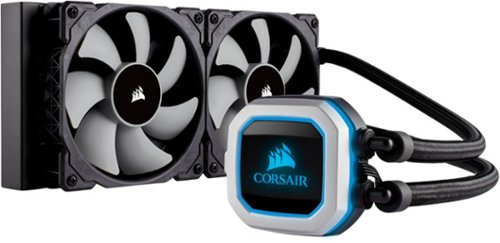
Keep your computer at an optimal temperature with this Corsair Hydro series liquid CPU cooling system. Dual magnetic levitation fans keep air flowing around delicate components, while the adjustable-speed pump lets you reduce noise or improve performance as needed. This Corsair Hydro series liquid CPU cooling system has a tool-free mounting bracket for quick installation.
Customer Rating

5
It actually works!!
on August 10, 2019
Posted by: Mkastle
Verified Purchase:Yes
Under heavy load this keeps my cpu under 52c and idle will hover around 33-35c and just standard pc use are in the 40’s
Easy install as long as your case supports the size!
I could not roof mount this in an ATX case so it’s front mounted!
Well worth the money!
Also in the photo are the Corsair LL120 RGB Fans! Equally worth the money as well!
Length of ownership: 25
Mobile Submission: true
I would recommend this to a friend!
Quality

5
Value
5
Ease of Use
5

Share this review:


0points
0of 0voted this as helpful.
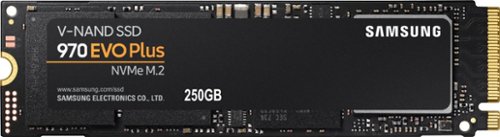
Store and retrieve files quickly with this Samsung 970 EVO Plus M.2 250GB SSD. The sequential read/write speeds of up to 3500/2300MB/sec. together with firmware optimization ensure faster computing performance. This Samsung 970 EVO Plus M.2 250GB SSD has a dynamic thermal guard for optimal temperature regulation, and V-NAND architecture maximizes internal speeds.
Customer Rating
5
Fast.....
on August 4, 2019
Posted by: Mkastle
Verified Purchase:Yes
This is where to come for Amazingly Fast Speeds! That is all!
Length of ownership: 22
Mobile Submission: false
I would recommend this to a friend!
Ease of Use
5
Quality
5
Value
5
Share this review:


0points
0of 0voted this as helpful.
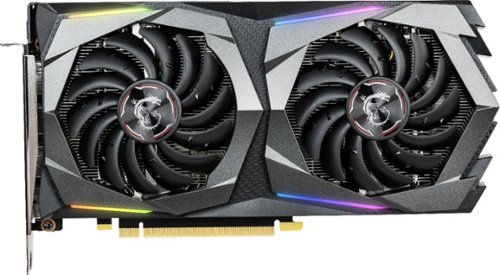
Run demanding games at high frame rates and in incredible detail with this MSI GeForce GTX 1660 Ti graphics card. Games, streaming and other graphical programs run fluidly thanks to the 1,536 CUDA cores, and three DisplayPort outputs make multi-monitor setup simple. This MSI GeForce GTX 1660 Ti graphics card has 6GB of memory for handling intense workloads.
Customer Rating
5
Monster GPU
on July 26, 2019
Posted by: Mkastle
Verified Purchase:Yes
Bought this upon skeptical YouTube reviews at the time!
Let me tell ya for the price of this card it’s a monster and can handle easily most games on high settings maybe with a change or two depending on what ya play!
Highly suggest it for a budget build as I personally don’t believe in $700+ hardware to play a game!
The subtle RGB is wonderful also!
MSI has awesome stuff!
Length of ownership: 22
Mobile Submission: true
I would recommend this to a friend!
Quality
5
Value
5
Ease of Use
5

Share this review:


+1point
8of 15voted this as helpful.

Live stream with outstanding clarity with the Logitech C922 webcam, designed and built for streamers who take their game seriously. With a choice of 30 fps at 1080p or the hyperfast 60 fps at 720p, you can record or go live with vibrant, true-to-life video on channels like Twitch and YouTube. Broadcast masterfully with reliable no-drop audio, autofocus, and a 78~ diagonal field of view. Two omni-directional microphones accurately capture your voice from multiple angles for greater nuance. Go pro with features for XSplit, or customize your stream with Logitech Capture.
Customer Rating
5
Gets the Job Doneeee!
on April 17, 2019
Posted by: Mkastle
Verified Purchase:Yes
It’s so perfect for cost vs. performance and the mic does the job well also for in game chat!
Mobile Submission: True
I would recommend this to a friend!
Share this review:


0points
0of 0voted this as helpful.
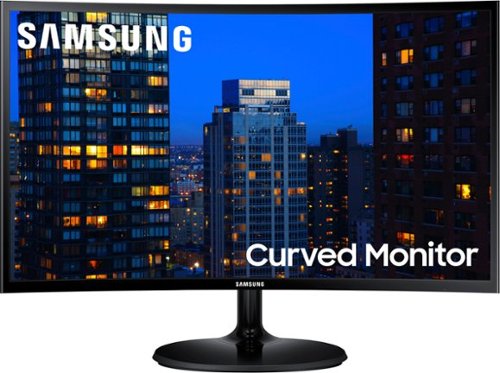
Enjoy an immersive viewing experience with this Samsung 24-inch curved monitor. An ultra-fast video response prevents blurring so you don't miss a detail. This Samsung 24-inch curved monitor provides bold panoramic views and its ultra-slim design is complimented with a simple tilting stand.
Customer Rating
5
Solid!!!!
on March 22, 2019
Posted by: Mkastle
Verified Purchase:Yes
Solid monitors for the price! Have less then 0 complaints!
Mobile Submission: True
I would recommend this to a friend!
Share this review:


0points
0of 0voted this as helpful.
Mkastle's Review Comments
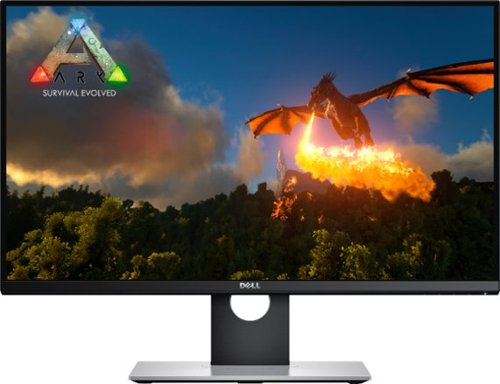
Delve deep into your favorite games with this Dell gaming monitor. Nvidia G-Sync technology minimizes stuttering and screen tearing for smooth graphics, and the adjustable display lets you customize your gaming setup for optimum comfort and visibility. Boasting a 27-inch screen, this Dell gaming monitor makes it easy to see minute details as you play.
Overall5 out of 5
5 out of 5Excellent Gaming Monitor, Buy with Confidence
By Lawyer4Ever
I recently purchased three of these monitors for my triple screen set up after thoroughly researching them. I also finally had a chance to see one operate in person at the Best Buy store here in town. Here are my thoughts. In summary, this is an excellent gaming monitor that will serve you well, particularly if you get it on sale at $400-$550.
INTRODUCTION
I will say out of the box that I am a Dell guy when it comes to monitors. To date, the best monitor I have ever owned when you take into account quality, longevity, etc. is the legendary Dell 24 Inch WFP 2408 monitor. I bought one in 2008 and used it, along with two others I later purchased, until early 2016!!! I finally decided it was time for an upgrade but I was limited on funds and so I got three of the moderatly priced but nonetheless excellent Dell 27 Inch S2715h IPS monitors. They have have served me well, in fact I am typing this review on one of them right now. But it wasn't long before I became aware of Dell's first gaming monitor, the S2716DG.
After reading about this monitor extensively, including feedback from many iRacers, I finally pulled the plug on purchasing three of these from Best Buy when they went on sale for $499 each. The purchase was well worth it.
SPECIFICATIONS
This monitor has all of the right specifications for sim racing and PC gaming generally. Here are the specs that mattered most to me:
27 Inch Size
QHD - 2560 X 1440 Resolution
Nvidia GSYNC
144 hz Refresh Rate
1 ms Response Time
TN Panel
DisplayPort and HDMI Connectors
Matte Coated Screen
VESA 100 x 100 Mount
HDMI and DisplayPort Cables Included
3 Year Warranty with Advanced Exchange from Dell
QHD - 2560 X 1440 Resolution
Nvidia GSYNC
144 hz Refresh Rate
1 ms Response Time
TN Panel
DisplayPort and HDMI Connectors
Matte Coated Screen
VESA 100 x 100 Mount
HDMI and DisplayPort Cables Included
3 Year Warranty with Advanced Exchange from Dell
Now some of you might be concerned already - a TN panel? Yep, that is exactly what I thought, but to be fair, this is no ordinary TN panel. Yes, IPS panels do have better colors out of the box but Dell has done something very special here - they have managed to give us the benefit of IPS like colors but in a TN panel.
OUT OF BOX IMAGE QUALITY
As to image quality, the out of the box default calibration is not good. The image looks washed out. However, I was able to quickly rectify that by changing the following settings. First, in the monitor controls, I reduced the Brightness to 26% (I now have it at 30%) and I adjusted R to 97, G to 99 and B to 96. Second, I made the following adjustments to desktop color settings in the Nvidia driver: Gamma .60 and Digital Vibrance 80% (I now have it at 75%).
These settings have made all of the difference but I will tell you that picture appearance on a monitor is very subjective and so your mileage can and likely will vary based on what you like. I personally prefer darker, more striking colors, with less brightness. That being said, most folks will likely find the default settings to be unsatisfactory because of the brightness and so even if you just reduce that, you probably will see great improvement.
I came from glossy monitors and there is no question that matte is the way to go. That probably explains why most monitors are matte, not glossy.
BUILD QUALITY
Dell monitors have always enjoyed great build quality in the ten years plus I have been buying them and this monitor is no exception. The stand is very solid and clamps nice and tight to the monitor. The monitor has an understated appearance to it, with no fancy gamer marketing logos, etc. like you see with the competing Asus ROG and Acer Predator line of PC gaming products.
I know my picture doesn't show build quality very well, but you can see that the monitors have very thin bezels and an understated appearance. I personally don't mind the fancy ROG and Predator stuff, but some may prefer the much plainer Dell approach.
The screens have a nice anti-glare coating. My only slight complaint is the piano black finish on the back, which shows dust and fingerprints quite well.
PERFORMANCE
To get the best performance out of the monitor, YOU HAVE TO USE THE DISPLAYPORT connection, otherwise no Nvidia GSYNC. Also, the monitor may not give you the 144 hz refresh rate over the HDMI connection.
Once I got the settings right, I was amazed at the beauty of the picture. In iRacing, for example, the colors at the tracks I tested including Silverstone and Auto Club just pop. No pictures can do them justice. The reds at Silverstone and blues at Auto Club are so vibrant.
But the real difference here is the Nvidia GSYNC and 144 hz refresh rate. I have a GTX 1080 GPU and a Core i7 6700k CPU and so in iRacing, I am able to average anywhere between 100 and 143 FPS at the triple screen resolution of 7680 X 1440, which means I get incredible visuals, that are running silky smooth. If iRacing were the only game that these monitors worked for, that would be good enough for me, since iRacing is my primary sim and game. The downside here, however, is that to get the most out of these monitors, particularly because three of them run at a resolution that is higher than 4k, you have to have quite a rig or you have to adjust your settings in game downward to get the most out of the high refresh rate.
Of course I did not stop at iRacing. I also tested Project CARS and Assetto Corsa, both of which look and run absolutely amazing with these monitors, even at 7680 X 1440. Raceroom Experience and F1 2016 also look good, but are not quite as pretty and smooth. F1 2016 runs at lower FPS at 7680 X 1440 and so it does not have quite the same smoothness as iRacing, Project CARS and Assetto Corsa.
I also tried Automobilista. The good news is it runs very smoothly, but for whatever reason, the colors are washed out no matter what I tried. I have read that some games, Automobilista apparently one of them, will override the Nvidia desktop color settings.
I also tested many of my other games, including Witcher 3, Deux Ex Mankind Divided, Call of Duty Modern Warfare Remastered, Call of Duty Infinite Warfare, Call of Duty Black Ops III, Far Cry 4, Doom, Sleeping Dogs and Tomb Raider. I found that with each of these games, in order to get the "Ultra" eye candy plus the higher FPS of at least 70+, that I had to switch to one monitor running at 2560 X 1440. That was not a problem for me, as I am not wedded to triple screens for non racing games. Each of these games runs silky smooth, and look amazing. I will say that I prefer 2560 X 1440 with higher FPS on these monitors over 4k on my Samsung 40 inch 4K TV!
I also tested some other games, including Battlefield 1 and GTA V that I prefer on triple screens and they did not disappoint. Very smooth and beautiful.
I cannot comment on the 1 ms response time spec and whether it makes any difference. I have read that it matters most in FPS games and that is why TN panels are preferred by gamers, since only TN panels have the 1 ms response time spec. If that matters to you, there you go.
CAVEATS
As I already mentioned, there are some caveats that come with this monitor, which I think also overlap with other gaming monitors that include this cutting edge technology. First, as previously mentioned, the out of the box settings are not good, and Dell's failure to include a Gamma adjustment in the monitor menu is questionable. So, know that if you go with this monitor, chances are that you will need to fuss with the settings on the monitor AND in the Nvidia control panel. Second, as previously mentioned, you need a powerful rig to get the most out of these monitors, particularly if you run the ideal triple screen resolution of 7680 X 1440. That is a lot of pixels, more than 4k. Also, GSYNC does work all the way down to 30 FPS, but in order to get the silky smooth images, you really need to average at least 70-80 FPS, which is not easy. And, these monitors are not cheap. They list for $699, which is more competitive than the comparable Acer and Asus monitors, but my research over the last few months has revealed that the monitors are usually on sale somewhere between $400 and $550.
I also will mention Dell's support. The 3 year warranty is nice but my experience with Dell's support in the past has been mixed. To be fair, it has been at least 5 years since I have contacted Dell support and so their customer service may have improved. I have never had to use Dell's support for the many Dell monitors I have purchased. That says something. That being said, I did have to get support for both Dell computers I bought in the past and it was a hassle.
And finally, I personally do not like to buy a monitor sight unseen. If you can, view these monitors in person at your local Best Buy or whatever local retailers you may have that have an operating display model of this monitor. Ideally, go see the competing Acer and Asus models as well. I was able to see the monitor in action at Best Buy before I took delivery and that helped cement my decision to purchase, but Best Buy has a great return policy and so there is little risk. Online retailers have the PIA RMA process and so I am glad I would have avoided that if I had decided to return these monitors.
SUMMARY
So, as you probably can tell if you have read this far, I am very satisfied with my purchases. The Dell 27 Inch S2716DG is a solid gaming monitor that will serve you well. Buy from Best Buy with confidence!

Mkastle
South Carolina
Color
August 26, 2019
Does it lose color calibration when gaming in fullscreen?
0points
0of 0voted this comment as helpful.
Mkastle's Questions
Mkastle has not submitted any questions.
Mkastle's Answers

Introducing the G5 Odyssey~s high performance line-up of Full HD and Quad HD curved gaming monitors. The G5 range hosts a variety of next level performance and visual upgrades at a fantastic price point, allowing gamers to pick and choose the model that~s right for the games they love to play.
Can I switch from 1440p to 1080p and from 1080 to 1440p?, like switching between the 2 whenever I want?
Introducing the G5 Odyssey~s high performance line-up of Full HD and Quad HD curved gaming monitors. The G5 range hosts a variety of next level performance and visual upgrades at a fantastic price point, allowing gamers to pick and choose the model that~s right for the games they love to play.
Does this support G-sync?
Introducing the G5 Odyssey~s high performance line-up of Full HD and Quad HD curved gaming monitors. The G5 range hosts a variety of next level performance and visual upgrades at a fantastic price point, allowing gamers to pick and choose the model that~s right for the games they love to play.
Introducing the G5 Odyssey~s high performance line-up of Full HD and Quad HD curved gaming monitors. The G5 range hosts a variety of next level performance and visual upgrades at a fantastic price point, allowing gamers to pick and choose the model that~s right for the games they love to play.
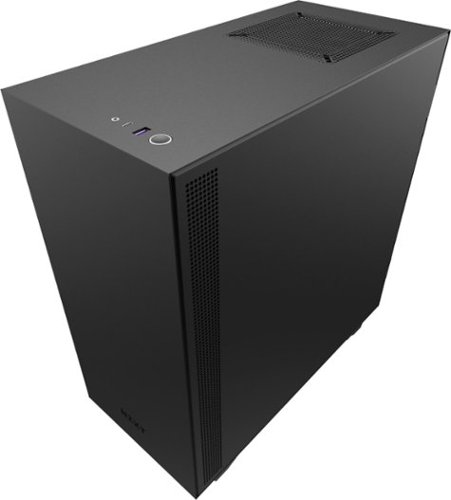
Create a robust tailor-made desktop with this NZXT H510 compact mid-tower ATX case. Two Aer F120mm fans are integrated for optimum internal airflow, and the front panel and PSU intakes consist of detachable filters. This NZXT H510 compact mid-tower ATX case comes with a cable management system that allows easy installation and expansion.
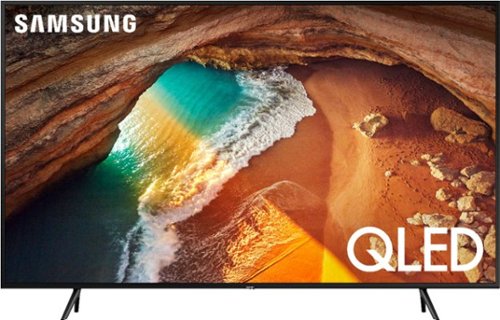
See the whole picture clearly with this 49-inch Samsung QLED TV. Quantum Dot technology improves image quality with over a billion possible colors, while Quantum HDR technology boosts detail in dark and bright scenes. This Samsung QLED TV has a 4K Quantum Processor that enhances your viewing experience by making content look more colorful and detailed.
Would this be worth the extra money over some of the other models I am considering such as the Vizio M 507, Samsung RU8000, or Samsung RU7100- mostly movies (independent) and football. or baseball
In every way blows those lower end models out of the water. Worth every dollar!
6 years, 9 months ago
by
Mkastle