
Share Paul's profile


Paul
Paul's stats
- Review count73
- Helpfulness votes29
- First reviewApril 23, 2020
- Last reviewApril 9, 2026
- Featured reviews0
- Average rating4.2
- Review comment count5
- Helpfulness votes3
- First review commentJuly 30, 2020
- Last review commentMarch 25, 2023
- Featured review comments0
- Question count1
- Helpfulness votes0
- First questionSeptember 18, 2020
- Last questionSeptember 18, 2020
- Featured questions0
- Answer count19
- Helpfulness votes1
- First answerApril 23, 2020
- Last answerJuly 16, 2023
- Featured answers0
- Best answers1
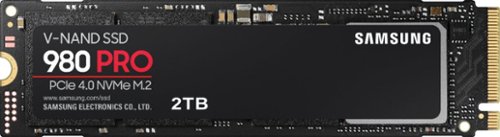
Unleash the power of the Samsung 980 PRO PCIe 4.0 NVMe Gen4 SSD for next-level computing. 980 PRO delivers 2x the data transfer rate of PCIe 3.0, while maintaining compatibility with PCIe 3.0.~ ~The NVM Express~ design mark is a registered trademark of NVM Express, Inc.* Results are based on a comparison with Samsung PCIe 3.0 NVMe SSDs and SATA SSDs. PS5 compatible with heatsink as recommended by Sony; heatsink sold separately.
Customer Rating

5
Update the firmware.
on February 19, 2023
Posted by: Paul
Verified Purchase:Yes
At the time of its release, this was one of the faster Gen 4x4 NVMe drives. It has since been eclipsed in the Gen 4 space, but to be honest, you probably won't notice much of a speed difference for anything Gen 3x4 or above.
Sadly, there was a recent firmware update that caused reliability/lifespan issues with the 980 Pro and 990 Pro. Make certain you install the Samsung Magician software and update the firmware to the latest version.
Unless you need every scrap of storage space, I would suggest turning on Over Provisioning, as this will extend the lifespan of your device.
I would recommend against using Full Power Mode. This will probably increase the heat for a performance increase that you're unlikely to notice in practice.
This is a gen 4 NVMe device. If your motherboard doesn't have a built-in heatsink, I would suggest getting a third-party heatsink and using it with this device. You don't really need heatsinks with Gen 3, but it's recommended for Gen 4 and above.
Length of ownership: 144
Mobile Submission: False
I would recommend this to a friend!
Ease of Use

5
Quality

4
Value

3
Share this review:


+1point
1of 1voted this as helpful.
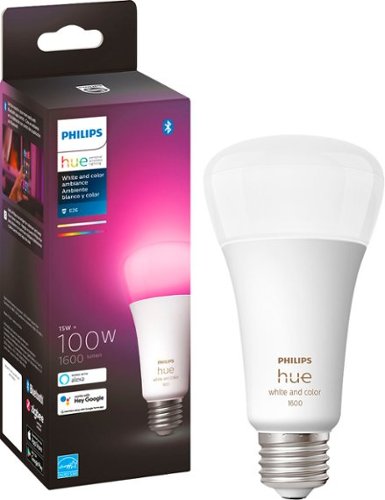
Instantly set the mood for any occasion with 16 million colors of light with Philips Hue Color Ambiance 100W A21 Color Ambiance bulb. Transform any room for an immersive entertainment experience, create the perfect atmoshpere for a get-together with friends, or complement your home decor. Give your largest spaces bright, colorful smart light with this A21 smart bulb. With a brightness equivalent to a traditional 100 W bulb, this bulb can fill living rooms, kitchens, and more with color. Connect to a Hue Bridge (sold separately) to unlock the full power of Philips Hue, including the ability to control up to 50 lights and accessories, automations, and smart control from anywhere in the world.
Customer Rating

4
Good, programmable, too expensive
on February 19, 2023
Posted by: Paul
Verified Purchase:Yes
If you aren't already locked into the Philips Hue ecosystem, then do your research and consider something else because Hue products are really expensive. There are plenty of other lighting systems that work with Google Assistant, Alexa, etc.
If you already have a Hue hub, then you already know if you want this. The ecosystem is decent (the motion/light sensors work really well for automatic lighting). The only question is if you want to spend a little more for addressable colored lighting over the plain white bulbs. That's up to you.
Mobile Submission: False
I would recommend this to a friend!
Quality
5
Value

1
Ease of Use
5
Share this review:


+1point
1of 1voted this as helpful.
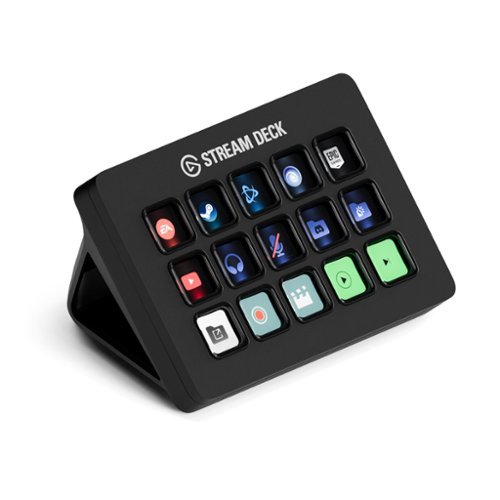
Stream Deck gives you 15 LCD keys to control your apps and tools. Trigger actions, launch social posts, adjust audio, play sound clips, activate lights, and much more. Get visual feedback to confirm your commands. Set Stream Deck to automatically switch key configurations as you jump between apps. It~s the ultimate workflow hack, and it~s fully customizable. Personalize your Stream Deck with custom icons, screensavers, and a growing range of interchangeable faceplates. Use the app to configure keys with ease, and hit the Stream Deck Store for app plugins, icon packs, thousands of royalty free tracks, effects, and more.
Customer Rating
5
15 macro keys per page, 10 pages, highly customiza
on February 15, 2023
Posted by: Paul
Verified Purchase:Yes
I am not a streamer.
Heck, I don't even game much anymore.
But I had to give up my gaming keyboard and return to using an ergonomic keyboard to avoid repetitive stress injury. While I admit that I miss the frivolous flashing light show, what I really miss was the macro keys, which I used for trivial things like special characters.
Now I have rapid access to frequently-used special characters, media controls, single-button access to my NAS, router, etc.
The keys have little screens on them. The automatic images are generally descriptive enough and highly customizable, and you can also create 72 pixel squared custom images for individual keys for further customization.
The only minor complaint that I have is that if you want to open an app, you have to have a path. Apps installed from the Microsoft store and certain utilities built into Windows may not have a path that the user can easily get to. Thus, for Notepad and MS Paint, I had to create a batch file and and create a custom image of a screenshot of the start menu to have an icon.
Mobile Submission: True
I would recommend this to a friend!
Ease of Use
5
Quality
5
Value
4

Share this review:


+3points
3of 3voted this as helpful.
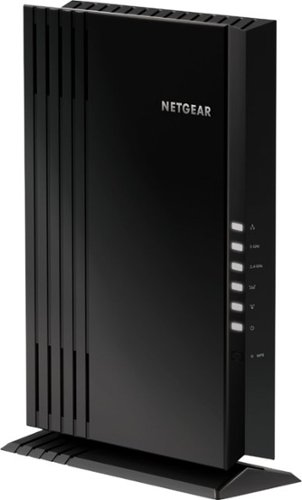
The NETGEAR 4-stream Wi-Fi 6 mesh extender EAX20 is built for the future of Wi-Fi to create a powerful mesh Wi-Fi network for increased coverage to every corner of your home. Experience the power of the latest-generation Wi-Fi 6 (802.11ax) for dramatically faster Wi-Fi to your smartphones, tablets, computers and so many more devices. Even more capacity plus backward compatibility with your current- and previous-generation routers and devices (Wi-Fi 5, Wi-Fi 4, and earlier-generation Wi-Fi standards) means that you'll enjoy ultrafast Wi-Fi in the farthest corners of your home today and for all your future tech purchases for years to come.
Customer Rating
5
Ad hoc mesh for your existing router
on June 29, 2022
Posted by: Paul
Verified Purchase:Yes
I used to use an older Nighthawk router as an access point. This was very clunky, as devices would connect to the first router they could, then hold on for dear life and refuse to connect to the other router as you moved around the house.
With this, the access point acts more like a proper mesh system. As I move around the house, devices connect to either the main router or this device as needed, depending on which has the stronger signal.
Caveat 1: I am using this with a Nighthawk router, so I have no idea how well this plays with other routers from other companies.
Caveat 2: if at all possible, connect this to your existing router using an ethernet cable. As with all range extenders, if you connect to the main router over WiFi, any devices connecting to this will generate twice the traffic (each packet gets broadcast on the network twice to make it to the main router). Depending on what you have going on in your network, this could halve throughput if you don't connect via ethernet. This is true of all range extenders.
I would definitely recommend this if your existing router is a Netgear Nighthawk. I have no idea how good or bad this device is with other routers.
Length of ownership: 9
Mobile Submission: False
I would recommend this to a friend!
Ease of Use
3
Quality
5
Value
4
Share this review:


-1point
0of 1voted this as helpful.
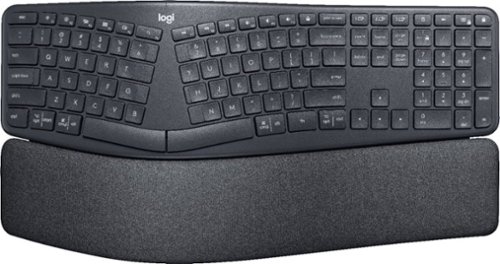
Type more naturally with ERGO K860 ~ an advanced ergonomic keyboard that promotes a more relaxed typing posture ~ reducing wrist bending and offering wrist support. A curved keyframe helps reduce wrist strain, while a pillowed wrist rest keeps your forearms elevated to help prevent excessive bending. This Logitech ERGO keyboard features Perfect Stroke keys for quiet performance and responsiveness, and the 2-year battery life offers long-lasting use.
Customer Rating
5
Worth every penny
on June 10, 2022
Posted by: Paul
Verified Purchase:Yes
I have used split ergonomic keyboards almost exclusively since the 1990s when I got the early stages of carpal tunnel syndrome. In recent years, I bought mechanical keyboards because I liked the old-fashioned feel, but this exacerbated my old injuries and required me to get another ergonomic keyboard. This took a little getting used to, but is just as comfortable, easy on the joints, and fast to type on as the old Microsoft Natural line of keyboards (that's a very high compliment from me). If you already have a Logitech Unifying receiver, you can download the Unifying software from Logitech and connect this keyboard to the Unifying dongle that you already have. If you can use that instead of USB, you'll find a better connection. As with all such wireless dongles, it is strongly recommended that you get a powered USB hub on your desktop (near your keyboard) and plug the dongle into the hub for the best reception for wireless devices on the desk. Some of the keys are programmable, but I only programmed the "lock" key in the upper-right because it seems inconvenient to have a key that might accidentally lock my computer and make me log back in. I don't know what material the palm rest is made of, but it's incredibly comfortable. The wrist rest also cannot be removed, so do keep that in mind. Like some Logitech mice (such as the Logitech MX Master 3), this can be paired to up to 3 devices, which is great as you can use your keyboard and mouse as a makeshift KVM switch and control multiple devices. The keyboard uses AAA batteries, and according to Logitech should last you about two years before you have to worry about replacing the batteries. While making the keyboard rechargeable like the G915 might have been nice, in a way, the AAA batteries are more convenient in my opinion as you don't have to worry about protecting the lifespan of the battery. This keyboard has not yet been added to Logi Options +, so you will have to install Logitech Options to gain full control over the keyboard's features. Does not work with G-Hub at all. The keyboard is admittedly a bit pricey, but worth every penny in my opinion.
Mobile Submission: False
I would recommend this to a friend!
Ease of Use
5
Quality
5
Value
4


Share this review:


+5points
6of 7voted this as helpful.
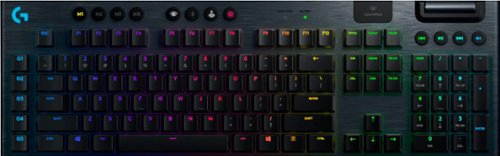
G915 is a new class of wireless mechanical gaming keyboard with 3 selections of low-profile GL switches and pro-grade 1 ms LIGHTSPEED wireless. Capable of delivering 30 hours of non-stop gaming on a full charge. Fully customizable per-key, LIGHTSYNC RGB technology also reacts to in-game action, audio and screen color as you choose. With a sleek, impossibly thin yet durable and sturdy design, G915 brings gamers to a higher dimension of play. Programmable G-keys let you create and execute complex actions simply and intuitively and the volume wheel and media keys give you fast, easy control over video, audio, and streaming.
Customer Rating
5
Amazing for typing
on June 10, 2022
Posted by: Paul
Verified Purchase:Yes
I originally had a Logitech G815 and bought this to get rid of the wire. My old one was a tactile G815, this one has clicky switches. The tactile took some getting used to, and I had missed keypresses and double keypresses until I got used to it. The clicky had no learning curve but was noisier. It's not as noisy as some other mechanical keyboards, but might be too noisy for an office environment. I bought both the G815 and G915 after I wasn't gaming much, simply because I liked the feel of typing on them. They really are a dream for typing. Unfortunately, in my particular case, I had to go back to an ergonomic keyboard due to a mild repetitive stress injury from long ago. It's a fine productivity keyboard, particularly once you turn the lightshow down to a softer light. The macro keys have all kinds of non-gaming uses, from inserting commonly-used special characters to launching applications. Just know that if you want to pass arguments to an application upon launch, the "arguments" textbox in G-Hub will not be passed to the launched application. You will have to make a batch file or PowerShell script (note, enabling PowerShell scripts might open a security hole on your computer), then launch the batch file or script via G-Hub. Batch files and scripts can enable all kinds of useful things through those G-keys. If you turn the lights lower, the battery goes from good to amazing. The media keys and volume nob are convenient, but not programmable. If you use the Lightspeed dongle (highly recommended as it has much lower latency), it is suggested that you attach the dongle to a USB hub on your desktop, or use the included dongle adapter to put the dongle on the end of the included USB cable so you can have the dongle on your desktop close to your keyboard. The battery is replaceable (remove screws under the sticker on the bottom of the keyboard). I prefer this over the TKL version of the G915 just because the thought of entering IP addresses without a numeric keypad sounds like a nightmare. I cannot stress enough how the low profile, low key travel, and low spring force on the keys make this a dream to type on. This keyboard is indeed expensive, but if you look at what we paid for mechanical keyboards on the original IBM PCs back in the 1980s, then adjust for inflation, it's still less expensive than what we paid for keyboards back in the day.
Length of ownership: 1
Mobile Submission: False
I would recommend this to a friend!
Ease of Use
5
Quality
5
Value
3
Share this review:


0points
0of 0voted this as helpful.
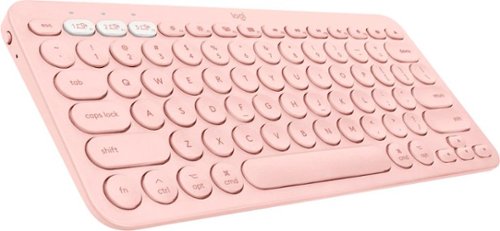
The Logitech K380 Multi-Device Bluetooth keyboard makes any space minimalist, modern, and multi-device, letting you type on your smartphone, tablet, and more. Connect with up to three Bluetooth-enabled devices simultaneously and switch instantly between them. The K380 Multi-Device is compact and lightweight. You can type on the device of your choice~anywhere. It automatically detects your device, maps keys, and provides a familiar typing experience with all your favorite shortcuts. So you can own your space on any device, anywhere.
Customer Rating
5
Simply the best mobile keyboard
on May 31, 2022
Posted by: Paul
Verified Purchase:Yes
They charge an extra $10 for the color. Whatever. Other than the increase in price, it's still a K380, which makes it one of the best mobile wireless keyboards available. It's sturdy, cheap, feels great to type on, and can quickly switch between 3 different Bluetooth devices at the push of a button. The battery will last for a very long time.
Length of ownership: 20
Mobile Submission: False
I would recommend this to a friend!
Ease of Use
5
Quality
5
Value
5
Share this review:


0points
0of 0voted this as helpful.
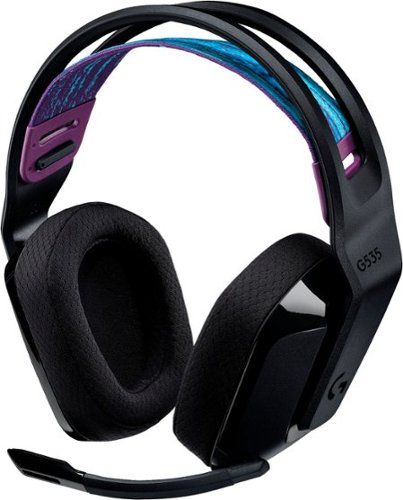
G535 gives you performance, freedom and comfort for all your gaming sessions. Enjoy advanced LIGHTSPEED wireless, up to 33-hour battery life, and 40 mm drivers for crystal-clear sound. Just 236 grams, an adjustable headband, and soft memory foam earpads ensure all-day comfort.
Customer Rating
4
Better than the G733 according to RTINGS
on May 31, 2022
Posted by: Paul
Verified Purchase:Yes
According to the professional reviewers at RTINGS, this set of headphones gets better sound quality than the G733. It is comfortable for long gaming sessions. Better still, there is no RGB lighting (who wants that on headphones), so you get better battery life compared to the G733. The charging port is USB-C, and the mic can be muted just by flipping it up (unlike a lot of other Logitech wireless headsets such as the G733). For all the advantages over the G733, this headset is also about $50 cheaper.
The sound quality is quite good considering the price. It's not going to make audiophiles salivate, but for the price, they sound good.
Thanks to the Lightspeed connection, the lag is imperceptible. You will not have sound synching issues.
As with all wireless PC peripherals, make certain you plug the Lightspeed dongle into a USB hub that is placed on your desktop, or the connection might be shoddy.
The USB-C port is only for charging. You cannot connect to the PC via USB. Yes, you can charge the headphones and use them at the same time.
Downside 1: the GHUB software will not tell you how much battery life is left. You have to go by the color of the LED when you turn it on.
Downside 2: the software is not smart enough to automatically switch your Windows sound device to headphones when you turn these on. You will have to manually switch the sound source through the system tray or system settings, then switch back to your speakers when you turn the headphones off.
Length of ownership: 1
Mobile Submission: False
I would recommend this to a friend!
Ease of Use
5
Quality
4
Value
5
Share this review:


0points
0of 0voted this as helpful.
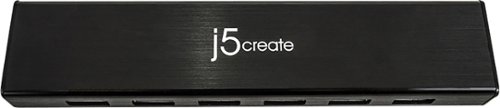
The USB 3.0 7-Port HUB allows up to seven USB 3.0 devices to be connected simultaneously at a transmission speed of 5 Gbps, while still providing connectivity and support for the older USB 2.0 (480 Mbps) and 1.1 (12 Mbps) devices. It works with high-bandwidth SuperSpeed USB 3.0 devices, such as an external disk drive, high-resolution webcam, multi-channel audio and more. In addition, it supports fast charging for smartphones, tablets and iPad.
Customer Rating

3
Decent, but not all ports are powered
on May 31, 2022
Posted by: Paul
Verified Purchase:Yes
Why you want this: Bluetooth dongles, Lightspeed dongles, and other wireless transceivers don't work very well when plugged into your computer. They work best if you connect a hub to your computer and put the hub on the same desktop as your wireless devices.
And therein lies the drawback of this hub. While the hub requires a separate power brick, not all ports get power, so you will have to plug your dongle into ports one after another to find one that will actually work.
Other than that, this device does provide USB 3.0 speeds.
Length of ownership: 621
Mobile Submission: False
I would recommend this to a friend!
Ease of Use
5
Quality
4
Value
4
Share this review:


-1point
0of 1voted this as helpful.
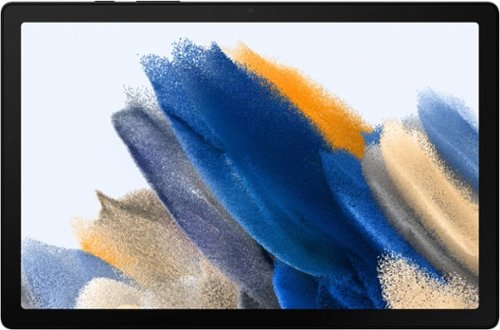
Bring home Galaxy Tab A8, the awesomely entertaining tablet enhanced by the Galaxy ecosystem experience.
Customer Rating
4
Modest power & features, good for the price.
on April 16, 2022
Posted by: Paul
Verified Purchase:Yes
This isn't exactly a flagship tablet like the Galaxy Tab S series. There is no Dex mode. The screen is dim and washed out compared to a Tab S. The max RAM is 4 GB, which might be limiting in the future depending on what future software is like. Long-term storage is small, but is expandable with MicroSD. There is no haptic feedback (vibrations). There's no HDR. The resolution is roughly HD.
As long as you can live with all that, this is a great tablet for the price. Samsung has promised 4 years of firmware updates (same as basically all newer Android devices) and 5 years of security updates. As long as you don't do anything exotic that requires a beefy processor or lots of memory, this tablet should be good enough for most things. Even without Dex, the Android version of MS Office apps are really good, and the Google equivalents (Docs, Sheets, etc) are good enough, so you can even do light productivity, especially with a decent cheap Bluetooth keyboard. The 4 built-in speakers sound great considering the price, but if you want sound quality, there's a headphone jack.
If you want an affordable tablet that is part of the Samsung ecosystem, i would recommend this over the Tab S6 Lite because this one will get more firmware updates in the future.
Length of ownership: 25
Mobile Submission: True
I would recommend this to a friend!
Battery Life
3
Display
3
Share this review:


+3points
3of 3voted this as helpful.
Paul's Review Comments
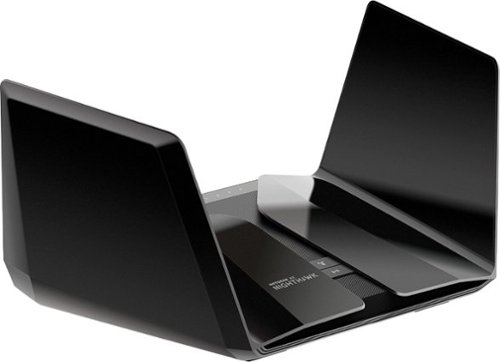
The NETGEAR Nighthawk AX6000 12-Stream WiFi Router is powered by the industry~s latest 802.11ax WiFi standard with 4 times increased data capacity to handle today and tomorrow~s growing home network. Blazing-fast combined WiFi speeds up to 6Gbps and AX optimized 64bit 2.2GHz Quad-core processor powers smart home applications, ultra-smooth 4K UHD streaming, online gaming, and more. Keep your family safe from cyber threats with NETGEAR Armor anti-virus and data theft protection for your home and all of your smartphones and computers. Free trial included.
Overall5 out of 5
5 out of 5Stellar, but pricey
By Paul
I think this RAX120 is a better deal than the RAX200 right now. The RAX120 has a 5gbps ethernet port instead of 2.5, and a faster CPU. The RAX200 is tri-band instead of dual-band, and if configured correctly can offer higher speeds to WiFi 6 client devices. All in all, I'd say the RAX120 is worth saving $100.
It's definitely faster (for WiFi 6 devices) and produces a noticeably stronger signal than the RAX80.
The one downside is that as with the RAX80, you may have to toggle QoS off and on or on and then off to get the WiFi connection speeds up to where they should be, and you may have to do this again after firmware updates. Consider yourself warned.
If you have another router set up in AP mode (what I'm doing with my old RAX80) with this as the main, the hand-off between the two routers is not exactly seamless (sometimes you'll have to wait a few seconds for your device to connect to the other router), but these routers aren't really designed to function as mech routers, so that is to be expected.
Other than that, stability and speed have been stellar.

Paul
UPDATE
July 30, 2020
This is the original reviewer
So I ran into a nasty issue. Randomly, devices will stop connecting to one or the other bands. Keep getting "invalid password" when I try to connect an affected device to the affected band. Nothing I do changes this. Netgear said they were "looking into it" and would "fix it soon" around 10 months ago. It still has not been fixed. This router is great when it works, but a device this expensive should not have a bug this glaring for this long. I can no longer in good conscience recommend this router to anyway.
0points
0of 0voted this comment as helpful.
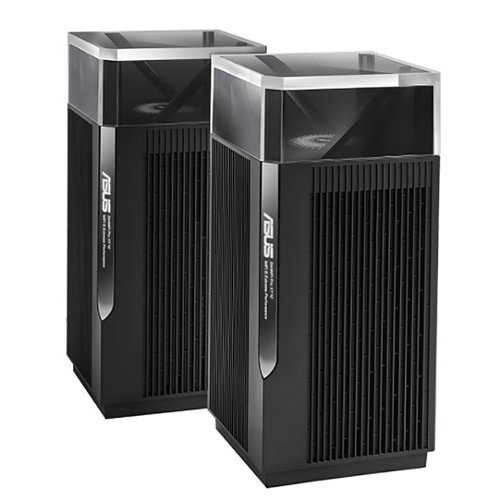
ZenWiFi Pro AXE1100 Tri-Band WiFi 6E Mesh System (ET12 2PK) is the new paradigm for whole home mesh Wi-Fi, combining performance and beauty in a perfectly balanced package. Working with the ASUS Wi-Fi 6E ecosystem, it takes the productivity and entertainment capabilities of your whole-home network to the next level. Features include whole room coverage up to 6000 sq. ft. and 6+ rooms, dual 2.5G ports, 6GHz Band, AiMesh, with included lifetime internet security.
Overall5 out of 5
5 out of 5Remarkable Router
By Construction
Bought this mesh system after being extremely unhappy with my Nighthawk AX11000 Tri-Band WiFi 6 Router router. This ASUS router is amazing. Only potential gripe is one router completely covers my whole house easily. I don't even know why they sell this in pairs unless you need to cover 6000sf home. I would have been more than happy with the one unit. Amazing coverage and speeds....one day I might plug in the mesh point.....It is that good. Yes it is expensive and maybe technology has gotten that much better in a few years, but this router is amazing.
Paul
The 6 GHz band has short range
August 2, 2022
The higher the frequency, the more signal attenuation you get when it passes through physical objects such as walls. This is why the 2.4 GHz band is available in more parts of your home than the 5 GHz band. If and when you start using that 6 GHz band with client devices,you're probably going to want that second node/access point.
It's best if you connect these two routers via an Ethernet cable, otherwise the Wi-Fi connection between the two units will affect bandwidth over whichever band gets used (and that can change from moment to moment as the two units look for the best band to use for the backhaul, causing performance to change during use).
+1point
1of 1voted this comment as helpful.
ZenWiFi Pro AXE1100 Tri-Band WiFi 6E Mesh System (ET12 2PK) is the new paradigm for whole home mesh Wi-Fi, combining performance and beauty in a perfectly balanced package. Working with the ASUS Wi-Fi 6E ecosystem, it takes the productivity and entertainment capabilities of your whole-home network to the next level. Features include whole room coverage up to 6000 sq. ft. and 6+ rooms, dual 2.5G ports, 6GHz Band, AiMesh, with included lifetime internet security.
Overall4 out of 5
4 out of 5Fast
By Rexx
Very fast. However the 6GHz network serms to drop out frequently. Going to tey a wired backhaul to see if that makes a difference.
Paul
Absolutely use a wired backhaul if possible
August 15, 2022
This does not have two 5 GHz bands, so you cannot have a dedicated wireless backhaul. Because of the way AI Mesh works, which of the three bands (2.4 GHz, 5 GHz, 6 GHz) gets used as a backhaul will change every so often depending on what's going on. Whichever band gets used as a backhaul will suddenly have the throughput halved. If your connection to the ISP is less than 500 megabits per second, then you might not notice, but it could still make things weird.
The reviews I read strongly recommend using a wired backhaul with the ET12 for this reason. The nice thing is that both units have 2.5 gbps Ethernet WAN and LAN ports. If you have a switch between the two, the switch will need to be 2.5 gbps. If you have 1 gbps from your ISP or faster, having a 2.5 gbps Ethernet connection between these two units will make a difference. (At 1 gbps, in practice you'll get around 800 mbps or so because with 1000 base-T, 1 gbps is a hard maximum.) This is good because a lot of routers these days have a WAN port that is faster than 1 gbps, but only 1 gbps LAN ports. This is one of the few routers you want if you are getting multigig connection from your ISP and have the Ethernet hardware to make use of it.
+1point
1of 1voted this comment as helpful.
The NETGEAR 4-stream Wi-Fi 6 mesh extender EAX20 is built for the future of Wi-Fi to create a powerful mesh Wi-Fi network for increased coverage to every corner of your home. Experience the power of the latest-generation Wi-Fi 6 (802.11ax) for dramatically faster Wi-Fi to your smartphones, tablets, computers and so many more devices. Even more capacity plus backward compatibility with your current- and previous-generation routers and devices (Wi-Fi 5, Wi-Fi 4, and earlier-generation Wi-Fi standards) means that you'll enjoy ultrafast Wi-Fi in the farthest corners of your home today and for all your future tech purchases for years to come.
Overall5 out of 5
5 out of 5Ad hoc mesh for your existing router
By Paul
I used to use an older Nighthawk router as an access point. This was very clunky, as devices would connect to the first router they could, then hold on for dear life and refuse to connect to the other router as you moved around the house.
With this, the access point acts more like a proper mesh system. As I move around the house, devices connect to either the main router or this device as needed, depending on which has the stronger signal.
Caveat 1: I am using this with a Nighthawk router, so I have no idea how well this plays with other routers from other companies.
Caveat 2: if at all possible, connect this to your existing router using an ethernet cable. As with all range extenders, if you connect to the main router over WiFi, any devices connecting to this will generate twice the traffic (each packet gets broadcast on the network twice to make it to the main router). Depending on what you have going on in your network, this could halve throughput if you don't connect via ethernet. This is true of all range extenders.
I would definitely recommend this if your existing router is a Netgear Nighthawk. I have no idea how good or bad this device is with other routers.
Paul
Update: Don't get
August 15, 2022
Sadly, I'm not allowed to edit my original review. I ultimately had to unplug this as it caused connection issues with WiFi devices, even with the wired connection.
0points
0of 0voted this comment as helpful.
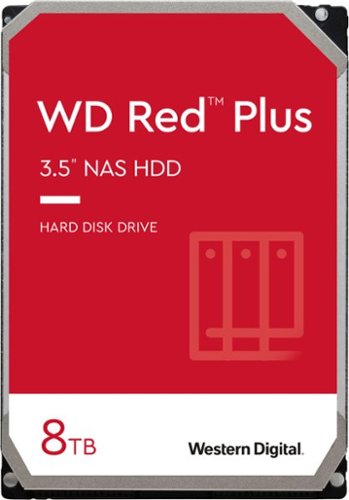
WD Red Plus NAS internal hard drives are designed with CMR technology for RAID-optimized NAS systems with up to eight bays. Perfect for handling increased workloads associated with small- to medium-sized business environments, including expanded OS compatibility and ZFS.
Overall 1 out of 5
1 out of 5TIGGEDOUT
By Twantabee
Only 2T show up in computer, have not figured out how to get use of other 6T yet. So frustrating for th none computer savvy!
Paul
March 25, 2023
Check the documentation for the motherboard of your computer. There might be a BIOS setting, or your computer might just be too old, or your operating system is too old. Google "Windows support for hard disks that are larger than 2 TB" for more details.
+1point
1of 1voted this comment as helpful.
Paul's Questions
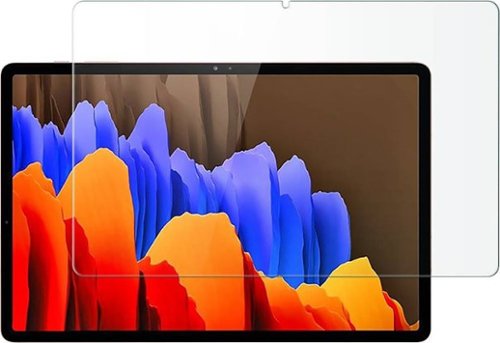
Protect your Samsung Galaxy Tab S7 Plus and Tab S8 Plus against damage with this clear ZeroDamage HD screen protector. The tempered glass guards your screen against cracks and dents, ensuring long-lasting use, while the anti-fingerprint coating prevents smudges without compromising sensitivity. This ZeroDamage HD screen protector retains amazing clarity, enhancing the viewing experience.
There was an issue with this same fingerprint reader in phones where a screen protector would allow other people to unlock the device. Does this screen protector produce that same problem?
5 years, 8 months ago
by
Paul
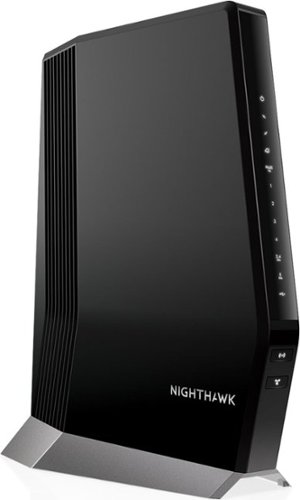
Experience a new-generation Wi-Fi 6 router with a built-in DOCSIS 3.1 cable modem that delivers blazing-fast multi gigabit Internet. With link aggregation and enhanced capacity to handle more Wi-Fi devices, the Nighthawk multi gigabit speed cable modem router delivers a truly impressive experience. Enjoy an improved Internet experience with a built-in cable modem that supports 1 Gbps+ Internet speed and Next-Gen Wi-Fi 6 technology that is ideal for the speeds you and your family want for lag-free gaming, 4K HD streaming, and Internet browsing coupled with improved indoor and outdoor coverage. Stream, game, and browse even more with 2.5 Gbps Multi-Gig Ethernet ports and 4 Gigabit Ethernet ports for wired connectivity support with endless options for fast Internet.Compatible with XFINITY from Comcast and Cox. Contact your Internet service provider for additional compatibility information.
I have a CAX30 which pushes about 250Mbps on a 950 Mbps connection from Comcast. I upgraded to 1.2 gig service but they tell me(Comcast) that the CAX30 won't get there. How much faster would the WIFI signal out be on average with the CAX80?
The speed you get over WiFi depends on a lot of factors: what band you're using, the specific settings in the router, and how much physical material (e.g. walls) are between the router and the client device. Generally, you'll get the fastest speeds when the client device is right next to a router/access point, and speeds go down as you move away from it.
One thing to keep in mind is that these units do not have two 5 GHz bands, which means you do not have a dedicated wireless backhaul. The three bands you get are 2.4 GHz, 5 GHz, and the new 6 GHz (used only by WiFi 6E devices). Because of the way Asus' AI Mesh works, which band gets used as a backhaul will change from time to time based on conditions. Whichever band is used as a backhaul can have its throughput cut in half.
It is strongly recommended that you use a wired backhaul. Both units have a 2.5 Gbps WAN and a 2.5 Gbps LAN port, which means you can have a wired connection between them that is faster than the standard 1000 base-T. Keep in mind that if there is a switch between these two devices, you'll need to make certain that the switch is 2.5 Gbps. Also, find out if the category of your Ethernet cable can handle 2.5 Gbps.
Lastly, if you have any Ethernet devices, you'll definitely need a 2.5 Gbps Ethernet switch, and makes sure the other Ethernet devices (e.g. desktops, laptops, etc.) have a 2.5 Gbps Ethernet NIC.
Since you have faster than 1 Gbps from your ISP, this is one of the few routers you can use if you want to get the most out of it, particularly over Ethernet. If you get something else, make sure that the router has both in and out (WAN/LAN) ports that can handle faster than 1 Gbps (1000 base-T), and that your other networking hardware is up to snuff.
One thing to keep in mind is that these units do not have two 5 GHz bands, which means you do not have a dedicated wireless backhaul. The three bands you get are 2.4 GHz, 5 GHz, and the new 6 GHz (used only by WiFi 6E devices). Because of the way Asus' AI Mesh works, which band gets used as a backhaul will change from time to time based on conditions. Whichever band is used as a backhaul can have its throughput cut in half.
It is strongly recommended that you use a wired backhaul. Both units have a 2.5 Gbps WAN and a 2.5 Gbps LAN port, which means you can have a wired connection between them that is faster than the standard 1000 base-T. Keep in mind that if there is a switch between these two devices, you'll need to make certain that the switch is 2.5 Gbps. Also, find out if the category of your Ethernet cable can handle 2.5 Gbps.
Lastly, if you have any Ethernet devices, you'll definitely need a 2.5 Gbps Ethernet switch, and makes sure the other Ethernet devices (e.g. desktops, laptops, etc.) have a 2.5 Gbps Ethernet NIC.
Since you have faster than 1 Gbps from your ISP, this is one of the few routers you can use if you want to get the most out of it, particularly over Ethernet. If you get something else, make sure that the router has both in and out (WAN/LAN) ports that can handle faster than 1 Gbps (1000 base-T), and that your other networking hardware is up to snuff.
3 years, 9 months ago
by
Paul
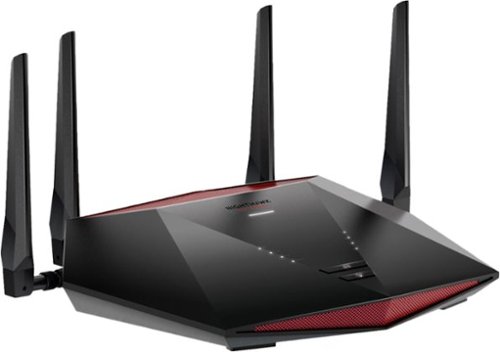
Stay in the game with reliable connectivity for fast-paced gaming. Optimize your Internet connection by stabilizing ping and reducing lag spikes.
IS THIS COMPATIABLE WITH XFINITY MODEM
This is a router, not a modem. It will work with your existing ISP, but if your modem also includes a WiFi router, I would suggest turning the WiFi off on your modem and using this, or otherwise make sure this is using a different SSID than the WiFi router in your modem. Alternately, you can use the WiFi router in your modem for all your smarthome devices, and put all the other devices on this router. That way, the bad security of your smarthome devices will be less of a threat to your laptops, smartphones, etc.
3 years, 10 months ago
by
Paul
Stay in the game with reliable connectivity for fast-paced gaming. Optimize your Internet connection by stabilizing ping and reducing lag spikes.
Is it compatible with cox Wi-Fi?
This is a router, not a modem. It will work with your existing ISP, but if your modem also includes a WiFi router, I would suggest turning the WiFi off on your modem and using this, or otherwise make sure this is using a different SSID than the WiFi router in your modem. Alternately, you can use the WiFi router in your modem for all your smarthome devices, and put all the other devices on this router. That way, the bad security of your smarthome devices will be less of a threat to your laptops, smartphones, etc.
3 years, 10 months ago
by
Paul
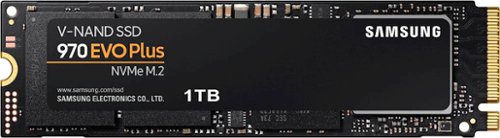
Geek Squad Certified Refurbished products are thoroughly, painstakingly and lovingly tested, so you can be sure that your device will work right, right away. Learn more about Geek Squad Certified Refurbished products.Upgrade your computer's performance with this Samsung EVO Plus NVMe M.2 SSD. The 1TB capacity accommodates plenty of files and videos, while read speeds of up to 3500MB/sec. make data transfer easy. This Samsung EVO Plus NVMe M.2 SSD features sequential write speeds of up to 3300MB/sec. for quick file storage.
Geek Squad Certified Refurbished products are thoroughly, painstakingly and lovingly tested, so you can be sure that your device will work right, right away. Learn more about Geek Squad Certified Refurbished products.Upgrade your computer's performance with this Samsung EVO Plus NVMe M.2 SSD. The 1TB capacity accommodates plenty of files and videos, while read speeds of up to 3500MB/sec. make data transfer easy. This Samsung EVO Plus NVMe M.2 SSD features sequential write speeds of up to 3300MB/sec. for quick file storage.
Just wondering if I can use this for my PS5
You can google "PS5 m.d compatibility list" and find the official Sony page showing what to look for in a drive. This is Gen 3x4, while Sony recommends Gen 4x4. Also, Sony recommends 5,500 MB/s while this is rated at 3,500 MB/s.
I don't know the details of M.2/NVMe implementation in the PS5, so there's a chance that the slot is backwards compatible with Gen 3x4, but why risk it?
I don't know the details of M.2/NVMe implementation in the PS5, so there's a chance that the slot is backwards compatible with Gen 3x4, but why risk it?
3 years, 11 months ago
by
Paul
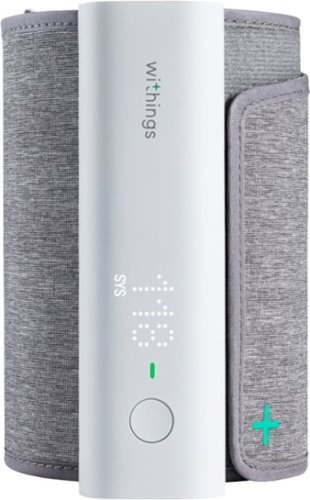
With BPM Connect, taking your blood pressure at home has never been so convenient. The device provides medically accurate blood pressure and heart rate measurements with immediate color-coded feedback on the device. BPM Connect synchronizes seamlessly via Wi-Fi and Bluetooth to the free Health Mate app, where you can see all your data history and share it with your doctor.
Hello, I can't figure out how to setup a second user. Can someone provide some steps? Also, seems that it always measures my BP high, does it need some sort of calibration? Thanks!
You add extra users in the smartphone app, but telling it to switch to a different user is obnoxious because the device itself has only one button.
Make sure the device is on your arm such that it is level with your heart when you take three measurement. Use the setting that takes an average of 3 measurements ("BPx3" on the device).
Make sure the device is on your arm such that it is level with your heart when you take three measurement. Use the setting that takes an average of 3 measurements ("BPx3" on the device).
5 years, 2 months ago
by
Paul
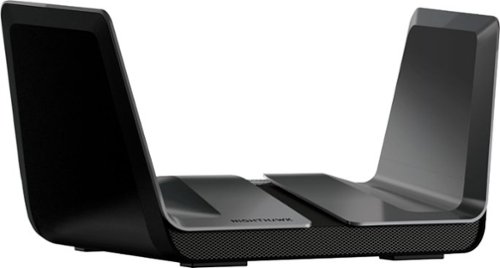
The NETGEAR Nighthawk AX8 8-Stream AX6000 Wi-Fi 6 Router offers improved network capacity for more Wi-Fi devices in your home and 2Gbps wired connectivity support for an incredibly faster Internet experience. It has a 64-bit 1.8GHz quad-core processor designed to transfer multi gigabits of data with almost zero CPU load. 160MHz channel support doubles the speeds as offered by 80MHz channels to provide gigabit speeds to compatible devices.
Can I connect a NAS and a network printer to the USB ports?
If you have a NAS device, you're probably better off connecting it to the router via ethernet.
If you have a USB external drive, you can connect it to this router and use it as a makeshift NAS, although the performance and features will not be as good as a dedicated NAS enclosure.
And yes, you can connect a printer to the USB port and use the router as a sort of print server. If your printer has an ethernet port, that might be a better way to attach it to the router.
If you have a USB external drive, you can connect it to this router and use it as a makeshift NAS, although the performance and features will not be as good as a dedicated NAS enclosure.
And yes, you can connect a printer to the USB port and use the router as a sort of print server. If your printer has an ethernet port, that might be a better way to attach it to the router.
6 years, 1 month ago
by
Paul
The NETGEAR Nighthawk AX8 8-Stream AX6000 Wi-Fi 6 Router offers improved network capacity for more Wi-Fi devices in your home and 2Gbps wired connectivity support for an incredibly faster Internet experience. It has a 64-bit 1.8GHz quad-core processor designed to transfer multi gigabits of data with almost zero CPU load. 160MHz channel support doubles the speeds as offered by 80MHz channels to provide gigabit speeds to compatible devices.
Is this model mesh compatible?
I currently have this router and an old R7000 router using the same SSID and the same password. The result is something that works kind of sort of like a mesh network, although the pass-off between routers can be less than graceful. When I reconfigured the R7000 as an access point in support of the RAX80, it offered various options to make this kind of thing easier.
The R7000 offered "router mode," "AP mode," "Bridge mode," and "repeating mode."
AP mode connects to the other router via ethernet and offers WiFi connections to other devices.
Bridge mode is the opposite: it connects to the other router via WiFi, then offers an ethernet connection to devices.
Repeating mode uses WiFi at both ends, so it probably doubles the traffic on your WiFi network (this is how many mesh devices work, although some WiFi 6 mesh devices can use a dedicated "backhaul" to connect to each other.
I hope that helps.
The R7000 offered "router mode," "AP mode," "Bridge mode," and "repeating mode."
AP mode connects to the other router via ethernet and offers WiFi connections to other devices.
Bridge mode is the opposite: it connects to the other router via WiFi, then offers an ethernet connection to devices.
Repeating mode uses WiFi at both ends, so it probably doubles the traffic on your WiFi network (this is how many mesh devices work, although some WiFi 6 mesh devices can use a dedicated "backhaul" to connect to each other.
I hope that helps.
6 years, 1 month ago
by
Paul
The NETGEAR Nighthawk AX8 8-Stream AX6000 Wi-Fi 6 Router offers improved network capacity for more Wi-Fi devices in your home and 2Gbps wired connectivity support for an incredibly faster Internet experience. It has a 64-bit 1.8GHz quad-core processor designed to transfer multi gigabits of data with almost zero CPU load. 160MHz channel support doubles the speeds as offered by 80MHz channels to provide gigabit speeds to compatible devices.
can i control my home devices through this router . like i can disconnect my kids devices, parent control device time limit . game website block temporary and how i can do it. if i buy this router
Yes. If you use a web browser on a desktop or laptop, click on "Attached Devices" in the left column, then at the top of the right side, click on "Access Control."
If you use the Android app (called "Nighthawk"), you can tap "Device Manager," then tap on the specific device, then use the switch to enable or disable access to the network.
If you use the Android app (called "Nighthawk"), you can tap "Device Manager," then tap on the specific device, then use the switch to enable or disable access to the network.
6 years, 1 month ago
by
Paul