
Share Paul's profile


Paul
Paul's stats
- Review count73
- Helpfulness votes29
- First reviewApril 23, 2020
- Last reviewApril 9, 2026
- Featured reviews0
- Average rating4.2
- Review comment count5
- Helpfulness votes3
- First review commentJuly 30, 2020
- Last review commentMarch 25, 2023
- Featured review comments0
- Question count1
- Helpfulness votes0
- First questionSeptember 18, 2020
- Last questionSeptember 18, 2020
- Featured questions0
- Answer count19
- Helpfulness votes1
- First answerApril 23, 2020
- Last answerJuly 16, 2023
- Featured answers0
- Best answers1
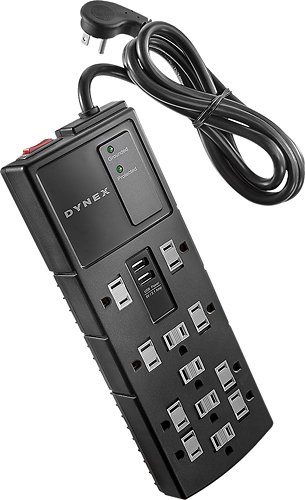
Only @ Best BuyPower your devices with this Dynex~ DX-SF127 surge protector that features 12 outlets and 2 USB ports that enable charging of compatible mobile phones, tablets and more. The 1200-joule rating provides reliable protection.
Customer Rating

3
Plugs too close together
on September 14, 2021
Posted by: Paul
Verified Purchase:Yes
I have no idea how good or bad this is at surge protection. Heck, I don't even know how to test such a thing. While the number of plugs is plentiful, they are so close together that you will only be able to use slightly more than half of them.
Length of ownership: 150
Mobile Submission: false
No, I would not recommend this to a friend.
Quality

5
Value

3
Ease of Use
5
Share this review:


0points
0of 0voted this as helpful.
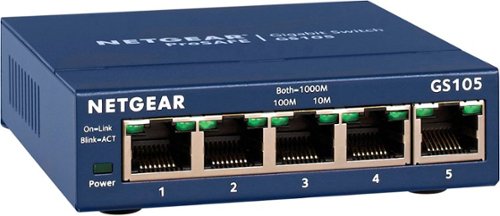
This NETGEAR Gigabit unmanaged switch helps businesses cost effectively expand their network to Gigabit speeds and high port counts. The GS105 switch comes with 5 Gigabit copper ports in a desktop metal case and is wall-mountable. This switch is energy-efficient, built to last, and rigorously tested to provide the reliability businesses need. 802.1p traffic prioritization and jumbo frame support allow for seamless integration with sophisticated networks.
Customer Rating

5
Reliable
on September 14, 2021
Posted by: Paul
Verified Purchase:Yes
I don't know why, but consumer-grade switched hubs that look like smaller versions of the rack-mounted stuff break down less often than the consumer-grade switched hubs with the fancier industrial design that looks more like consumer-grade electronics.
Length of ownership: 138
Mobile Submission: false
I would recommend this to a friend!
Ease of Use
5
Quality
5
Value
5
Share this review:


0points
0of 0voted this as helpful.

G815 is a new class of mechanical gaming keyboard with tactile low-profile GL switches fully customizable per-key, LIGHTSYNC RGB technology. Set LIGHTSYNC to react to in-game action, audio and even your screen color. With a sleek, impossibly-thin yet durable and sturdy design, G815 brings gamers to a higher dimension of play. Programmable G-keys let you create and execute complex actions simply and intuitively. Volume wheel and media keys give you fast, easy control over video, audio, and streaming.
Customer Rating

4
Amazing keyboard, G Hub software is buggy
on September 14, 2021
Posted by: Paul
I don't game as much as I used to, but I'm glad I got this keyboard because it is a dream to type on. The low height means I don't need a wrist rest, and the shorter key travel and gentle springs mean less work for my fingers as I type.
At first, I found the price daunting, but I remember buying the original mechanical keyboards for over a hundred dollars back in the early 1980s. If you adjust for inflation, that would come out to 300+ or 400+ in today's dollars. Those membrane keyboards changed our perception of what prices are reasonable.
The G1 - G5 macro keys are fairly useless for me, although I can see how useful they would be for certain games. Unfortunately, their use for regular productivity tasks is extremely limited because when you use a macro to launch an application in G Hub, none of the arguments are ever passed to the launched application. This means, for example, that you can assign a G key to launch Windows Explorer, but you can't have it open in a particular folder (which would be much more useful). You can assign a G key to launch a browser, but you can't have it go to a particular URL or launch in private mode. The macro interface clearly has a box for arguments, but nothing you put in there actually gets passed to the launched app from what I can tell. There are plenty of complaints on the Internet about how buggy the G Hub software is.
Also, it's a bit of a bummer that the lighted keys do not show secondary key symbols (such as the @ on the 2 key). That makes it inherently less useful in low-light settings. On the plus side, I like the lighting customization options.
For example, most of us are instinctively trained to go to the bottom left of the keyboard to find the Ctrl key, but that often results in hitting the G5 key as well. By changing the colors of individual keys (they even animate to go back and forth between different colors), I no longer hit any G keys on accident. Furthermore, it's easier to find certain other keys with the right colors on the right keys.
Mobile Submission: false
I would recommend this to a friend!
Ease of Use

4
Quality
5
Value

2

Share this review:


0points
0of 0voted this as helpful.
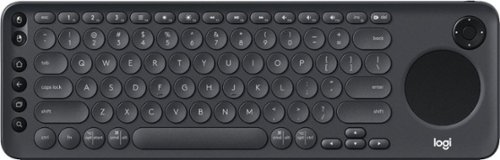
Enjoy smart TV navigation with this Logitech K600 TV keyboard. Its precision touch pad makes browsing the web and searching for your favorite movies more user-friendly. This Logitech K600 TV keyboard connects wirelessly to smart TVs from up to 15m away, so you can relax comfortably in your recliner while selecting shows.
Customer Rating
5
Almost a replacement for your remote
on September 6, 2021
Posted by: Paul
Verified Purchase:Yes
Check compatibility before buying. You can pair this as a Bluetooth keyboard with any smart TV or streaming device that allows such a thing, but not all the features will work with all televisions. You need to pair it as a Bluetooth keyboard, and launch a browser to a particular URL to complete the process.
It all worked fine on my Hisense Android TV. I can use this as a replacement for the remote, except for powering on or off. The home button doesn't quite do the same thing as the home button on the remote. Otherwise, this works as a remote replacement that effectively gives you a keyboard and a trackpad. You can pair this to up to 3 Bluetooth-capable devices and quickly switch between them.
Length of ownership: 9
Mobile Submission: true
I would recommend this to a friend!
Ease of Use
4
Quality
4
Value
2
Share this review:


0points
0of 0voted this as helpful.
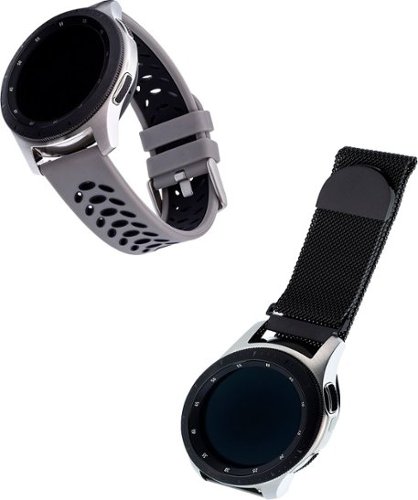
This WITHit Universal 22mm Smartwatch Replacement Band 2-Pack is a high-quality option that is as functional as it is stylish. With one bluestone/black and one solid black silicone sport band, you can easily change the look of your device and express your individual style. Designed for Fossil Explorist HR Gen 4, Fossil Sport (43mm), Samsung Galaxy Watch 46mm, Samsung Galaxy Watch 3 (45mm), Samsung Gear S3 Classic, Samsung Gear S3 Frontier, Garmin Darth Vader, Garmin First Avenger or Garmin v~voactive 4 smart watches, these bands are a wonderful complement to your existing wearable device and are great for all-day wear. They are high-quality Samsung Universal 22mm bands for women and men. The WITHit Universal 22mm Smartwatch Replacement Bands are sized to fit most wrists. You can trust these watchbands to stay in place with a secure stainless-steel watch-style buckle that has multiple size options for ultimate comfort. Plus, the bands have sturdy built-in connectors for easy installation and removal. Please note that the device is not included. WITHit designs and curates products that bring out the best in the devices people love. Powered by a team of technology experts, style influencers and product engineers, WITHit brings consumers the accessories that make their digital devices perform better, feel better and become a bigger part of their lives.
Customer Rating
5
Highly adjustable replacement band!
on April 20, 2021
Posted by: Paul
Verified Purchase:Yes
Because of the pandemic, I'm working out at home with free weights instead of machines at the gym. This means that my forearm and wrist muscles are developing faster than everything else.
My wrists change size a lot during a workout, and the stock wristband was no longer big enough. It was surprisingly hard to find a 22mm wristband that was both long enough and adjustable. The metal band that congress with this fit the bill nicely. Because the latch use magnetic, it automatically expands on its own during a workout. The maximum possible size is bigger than my wrists are ever going to get.
Length of ownership: 2
Mobile Submission: true
I would recommend this to a friend!
Quality
5
Value
5
Ease of Use
4
Share this review:


0points
0of 0voted this as helpful.
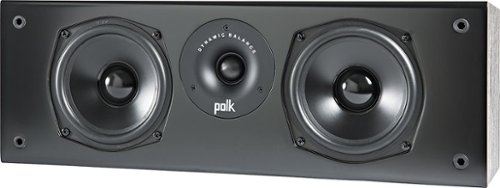
The T30 is the center channel speaker that puts its overpriced competitors to shame. Since the center channel is the most important speaker in your Home audio system, the T30 is the workhorse that delivers crystal-clear dialogue and room-filling theater sound. What~s more, it~s easy to setup, supports Dolby and DTS, and connects to most Home theater receivers, stereos or Home theater processors. Put the T30 center channel to the test and you'll hear how it rings true-in price and quality. Built for more than your viewing pleasure, the T Series hits the mark on great-sounding audio for all the music that fills your life. Don't fret, we'll pat ourselves on the back for you.
Customer Rating
5
Great bang for the buck as usual w/ Polk T-series
on April 14, 2021
Posted by: Paul
Verified Purchase:Yes
This is a large center channel speaker given the size of the cones. Some might find the size inconvenient, but that size also delivers good sound at lower frequencies. You'll definitely hear it with deep male voices. Matches really well with Polk T-50 tower speakers as fronts.
The clarity might not be as good as more expensive center channel speakers, and definitely don't try to play this at high volume (which might make this inappropriate for large rooms), but for modest volume levels, the bang for the buck is incredible.
Length of ownership: 1
Mobile Submission: false
I would recommend this to a friend!
Quality
4
Value
5
Ease of Use
5
Share this review:


0points
0of 0voted this as helpful.
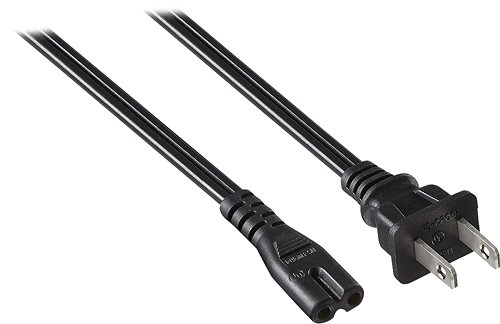
Only at Best BuyThis Insignia~ NS-HW304 power cord features a 2-slot, nonpolarized design for use with Sony PlayStation 4, select laptops, TVs and other compatible devices. The 6' cord provides plenty of reach for flexible placement.
Customer Rating
4
Works
on April 8, 2021
Posted by: Paul
Verified Purchase:Yes
My Hisense TV came with a power cable that was just slightly too short. This fixed it.
Mobile Submission: true
I would recommend this to a friend!
Share this review:


0points
0of 0voted this as helpful.
![Ghost in the Shell [Includes Digital Copy] [4K Ultra HD Blu-ray/Blu-ray] [1996]](https://pisces.bbystatic.com/prescaled/500/500/image2/BestBuy_US/images/products/31cec420-4471-4bf7-bc9f-4afe49096e6d.jpg)
Customer Rating
5
Great quality images for a classic movie
on April 8, 2021
Posted by: Paul
Verified Purchase:Yes
I don't have to tell you about how good the movie is. This is one of the movies that introduced Japanese animation to Western audiences, it's been endlessly analyzed by philosophers and film buffs. You can watch this over and over and continuously find new things to think about.
As for the image quality, older chemical film tends to make the transition to 4K better than older films that were shot digitally. As expected, this looks beautiful on a good 4K TV.
Length of ownership: 5
Mobile Submission: true
I would recommend this to a friend!
Share this review:


0points
0of 0voted this as helpful.
![The Lord of the Rings: The Motion Picture Trilogy [Extended/Theatrical] [4K Ultra HD Blu-ray]](https://pisces.bbystatic.com/prescaled/500/500/image2/BestBuy_US/images/products/8d263cd1-cb65-4086-944d-02205b49ce6f.jpg)
This release brings together every entry into Peter Jackson's critically-acclaimed The Lord of the Rings trilogy, based on the novels by J.R.R. Tolkien. Hobbit Frodo Baggins and the Fellowship embark on a dangerous quest to destroy the One Ring, and with it, its maker, the Dark Lord Sauron, in order to save Middle Earth forever. Included here are The Lord of the Rings: The Fellowship of the Ring (2001), The Lord of the Rings: The Two Towers (2002), and The Lord of the Rings: The Return of the King (2003).
Customer Rating
4
Amazing image quality, no bonus materials
on April 8, 2021
Posted by: Paul
Verified Purchase:Yes
Reviews said that the HD version has questionable image quality. The image quality of this UHD version is simply astounding. This will be one of the disks you pull out to show off what a good 4K home theater system can do.
This box set includes both the theatrical and extended versions, but none of the bonus materials the DVD/SD extended editions were famous for.
Length of ownership: 3
Mobile Submission: true
I would recommend this to a friend!
Share this review:


0points
0of 0voted this as helpful.
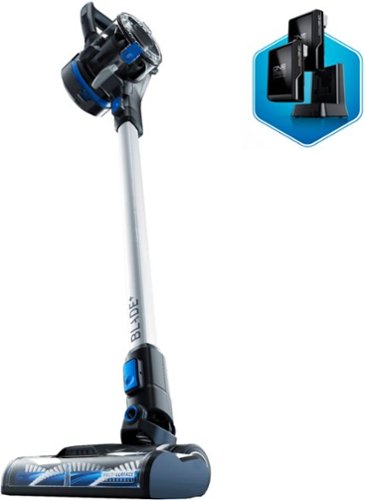
Capture up to 99 percent of dust particles without losing suction power using this Hoover ONEPWR Blade+ cordless vacuum. The multi-surface brush offers optimal cleaning performance on carpets and hard floors, while the removable cup makes emptying the accumulated dirt hassle-free. This Hoover ONEPWR Blade+ cordless vacuum features a wireless design with a rechargeable battery, letting you clean hard-to-reach corners easily.
Customer Rating
5
Easy to clean/maintain, powerful for the price
on April 8, 2021
Posted by: Paul
Verified Purchase:Yes
Lots of hair gets caught in the roller. Thankfully, the roller comes out easily for cleaning.
Also, the dust collection area and associated filter come completely apart easily for cleaning. Dump the dust from one end, remove the filter to clean it from the other end. Comes with 2 batteries, so if one dies on you, you have a spare.
The suction is much more powerful than other cordless vacuums in this process range that I've used before.
Length of ownership: 6
Mobile Submission: true
I would recommend this to a friend!
Quality
5
Value
5
Ease of Use
5
Share this review:


0points
0of 0voted this as helpful.
Paul's Review Comments
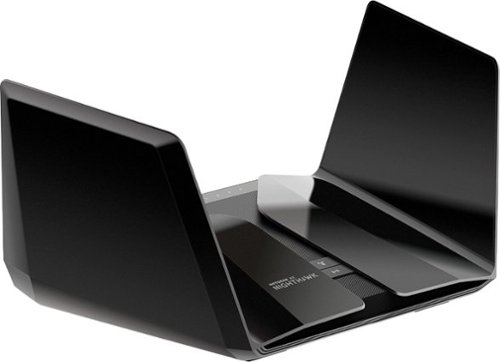
The NETGEAR Nighthawk AX6000 12-Stream WiFi Router is powered by the industry~s latest 802.11ax WiFi standard with 4 times increased data capacity to handle today and tomorrow~s growing home network. Blazing-fast combined WiFi speeds up to 6Gbps and AX optimized 64bit 2.2GHz Quad-core processor powers smart home applications, ultra-smooth 4K UHD streaming, online gaming, and more. Keep your family safe from cyber threats with NETGEAR Armor anti-virus and data theft protection for your home and all of your smartphones and computers. Free trial included.
Overall5 out of 5
5 out of 5Stellar, but pricey
By Paul
I think this RAX120 is a better deal than the RAX200 right now. The RAX120 has a 5gbps ethernet port instead of 2.5, and a faster CPU. The RAX200 is tri-band instead of dual-band, and if configured correctly can offer higher speeds to WiFi 6 client devices. All in all, I'd say the RAX120 is worth saving $100.
It's definitely faster (for WiFi 6 devices) and produces a noticeably stronger signal than the RAX80.
The one downside is that as with the RAX80, you may have to toggle QoS off and on or on and then off to get the WiFi connection speeds up to where they should be, and you may have to do this again after firmware updates. Consider yourself warned.
If you have another router set up in AP mode (what I'm doing with my old RAX80) with this as the main, the hand-off between the two routers is not exactly seamless (sometimes you'll have to wait a few seconds for your device to connect to the other router), but these routers aren't really designed to function as mech routers, so that is to be expected.
Other than that, stability and speed have been stellar.

Paul
UPDATE
July 30, 2020
This is the original reviewer
So I ran into a nasty issue. Randomly, devices will stop connecting to one or the other bands. Keep getting "invalid password" when I try to connect an affected device to the affected band. Nothing I do changes this. Netgear said they were "looking into it" and would "fix it soon" around 10 months ago. It still has not been fixed. This router is great when it works, but a device this expensive should not have a bug this glaring for this long. I can no longer in good conscience recommend this router to anyway.
0points
0of 0voted this comment as helpful.
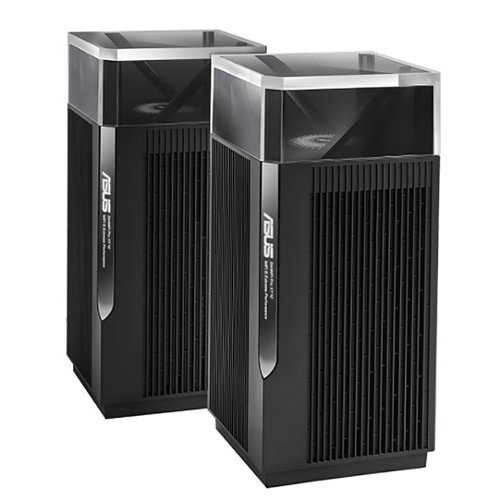
ZenWiFi Pro AXE1100 Tri-Band WiFi 6E Mesh System (ET12 2PK) is the new paradigm for whole home mesh Wi-Fi, combining performance and beauty in a perfectly balanced package. Working with the ASUS Wi-Fi 6E ecosystem, it takes the productivity and entertainment capabilities of your whole-home network to the next level. Features include whole room coverage up to 6000 sq. ft. and 6+ rooms, dual 2.5G ports, 6GHz Band, AiMesh, with included lifetime internet security.
Overall5 out of 5
5 out of 5Remarkable Router
By Construction
Bought this mesh system after being extremely unhappy with my Nighthawk AX11000 Tri-Band WiFi 6 Router router. This ASUS router is amazing. Only potential gripe is one router completely covers my whole house easily. I don't even know why they sell this in pairs unless you need to cover 6000sf home. I would have been more than happy with the one unit. Amazing coverage and speeds....one day I might plug in the mesh point.....It is that good. Yes it is expensive and maybe technology has gotten that much better in a few years, but this router is amazing.
Paul
The 6 GHz band has short range
August 2, 2022
The higher the frequency, the more signal attenuation you get when it passes through physical objects such as walls. This is why the 2.4 GHz band is available in more parts of your home than the 5 GHz band. If and when you start using that 6 GHz band with client devices,you're probably going to want that second node/access point.
It's best if you connect these two routers via an Ethernet cable, otherwise the Wi-Fi connection between the two units will affect bandwidth over whichever band gets used (and that can change from moment to moment as the two units look for the best band to use for the backhaul, causing performance to change during use).
+1point
1of 1voted this comment as helpful.
ZenWiFi Pro AXE1100 Tri-Band WiFi 6E Mesh System (ET12 2PK) is the new paradigm for whole home mesh Wi-Fi, combining performance and beauty in a perfectly balanced package. Working with the ASUS Wi-Fi 6E ecosystem, it takes the productivity and entertainment capabilities of your whole-home network to the next level. Features include whole room coverage up to 6000 sq. ft. and 6+ rooms, dual 2.5G ports, 6GHz Band, AiMesh, with included lifetime internet security.
Overall4 out of 5
4 out of 5Fast
By Rexx
Very fast. However the 6GHz network serms to drop out frequently. Going to tey a wired backhaul to see if that makes a difference.
Paul
Absolutely use a wired backhaul if possible
August 15, 2022
This does not have two 5 GHz bands, so you cannot have a dedicated wireless backhaul. Because of the way AI Mesh works, which of the three bands (2.4 GHz, 5 GHz, 6 GHz) gets used as a backhaul will change every so often depending on what's going on. Whichever band gets used as a backhaul will suddenly have the throughput halved. If your connection to the ISP is less than 500 megabits per second, then you might not notice, but it could still make things weird.
The reviews I read strongly recommend using a wired backhaul with the ET12 for this reason. The nice thing is that both units have 2.5 gbps Ethernet WAN and LAN ports. If you have a switch between the two, the switch will need to be 2.5 gbps. If you have 1 gbps from your ISP or faster, having a 2.5 gbps Ethernet connection between these two units will make a difference. (At 1 gbps, in practice you'll get around 800 mbps or so because with 1000 base-T, 1 gbps is a hard maximum.) This is good because a lot of routers these days have a WAN port that is faster than 1 gbps, but only 1 gbps LAN ports. This is one of the few routers you want if you are getting multigig connection from your ISP and have the Ethernet hardware to make use of it.
+1point
1of 1voted this comment as helpful.
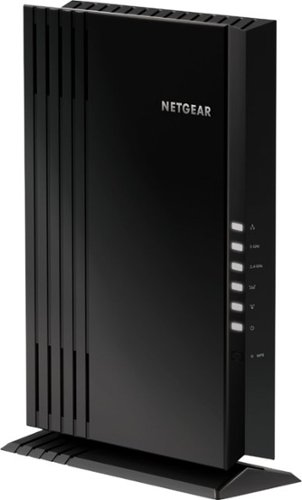
The NETGEAR 4-stream Wi-Fi 6 mesh extender EAX20 is built for the future of Wi-Fi to create a powerful mesh Wi-Fi network for increased coverage to every corner of your home. Experience the power of the latest-generation Wi-Fi 6 (802.11ax) for dramatically faster Wi-Fi to your smartphones, tablets, computers and so many more devices. Even more capacity plus backward compatibility with your current- and previous-generation routers and devices (Wi-Fi 5, Wi-Fi 4, and earlier-generation Wi-Fi standards) means that you'll enjoy ultrafast Wi-Fi in the farthest corners of your home today and for all your future tech purchases for years to come.
Overall5 out of 5
5 out of 5Ad hoc mesh for your existing router
By Paul
I used to use an older Nighthawk router as an access point. This was very clunky, as devices would connect to the first router they could, then hold on for dear life and refuse to connect to the other router as you moved around the house.
With this, the access point acts more like a proper mesh system. As I move around the house, devices connect to either the main router or this device as needed, depending on which has the stronger signal.
Caveat 1: I am using this with a Nighthawk router, so I have no idea how well this plays with other routers from other companies.
Caveat 2: if at all possible, connect this to your existing router using an ethernet cable. As with all range extenders, if you connect to the main router over WiFi, any devices connecting to this will generate twice the traffic (each packet gets broadcast on the network twice to make it to the main router). Depending on what you have going on in your network, this could halve throughput if you don't connect via ethernet. This is true of all range extenders.
I would definitely recommend this if your existing router is a Netgear Nighthawk. I have no idea how good or bad this device is with other routers.
Paul
Update: Don't get
August 15, 2022
Sadly, I'm not allowed to edit my original review. I ultimately had to unplug this as it caused connection issues with WiFi devices, even with the wired connection.
0points
0of 0voted this comment as helpful.
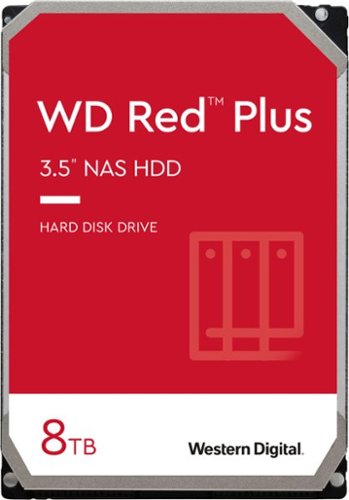
WD Red Plus NAS internal hard drives are designed with CMR technology for RAID-optimized NAS systems with up to eight bays. Perfect for handling increased workloads associated with small- to medium-sized business environments, including expanded OS compatibility and ZFS.
Overall 1 out of 5
1 out of 5TIGGEDOUT
By Twantabee
Only 2T show up in computer, have not figured out how to get use of other 6T yet. So frustrating for th none computer savvy!
Paul
March 25, 2023
Check the documentation for the motherboard of your computer. There might be a BIOS setting, or your computer might just be too old, or your operating system is too old. Google "Windows support for hard disks that are larger than 2 TB" for more details.
+1point
1of 1voted this comment as helpful.
Paul's Questions
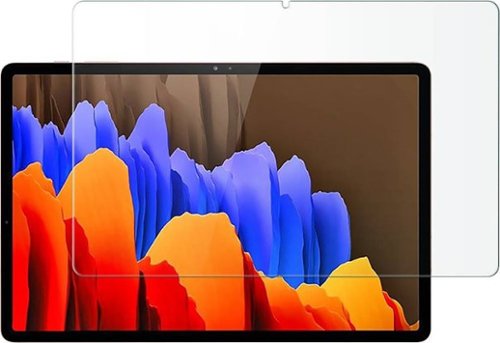
Protect your Samsung Galaxy Tab S7 Plus and Tab S8 Plus against damage with this clear ZeroDamage HD screen protector. The tempered glass guards your screen against cracks and dents, ensuring long-lasting use, while the anti-fingerprint coating prevents smudges without compromising sensitivity. This ZeroDamage HD screen protector retains amazing clarity, enhancing the viewing experience.
There was an issue with this same fingerprint reader in phones where a screen protector would allow other people to unlock the device. Does this screen protector produce that same problem?
5 years, 8 months ago
by
Paul
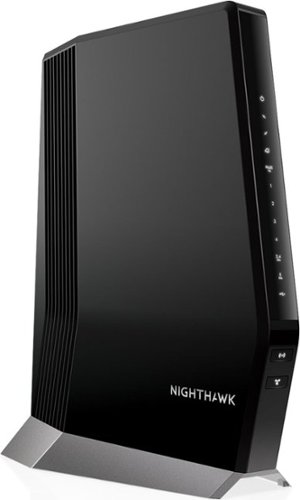
Experience a new-generation Wi-Fi 6 router with a built-in DOCSIS 3.1 cable modem that delivers blazing-fast multi gigabit Internet. With link aggregation and enhanced capacity to handle more Wi-Fi devices, the Nighthawk multi gigabit speed cable modem router delivers a truly impressive experience. Enjoy an improved Internet experience with a built-in cable modem that supports 1 Gbps+ Internet speed and Next-Gen Wi-Fi 6 technology that is ideal for the speeds you and your family want for lag-free gaming, 4K HD streaming, and Internet browsing coupled with improved indoor and outdoor coverage. Stream, game, and browse even more with 2.5 Gbps Multi-Gig Ethernet ports and 4 Gigabit Ethernet ports for wired connectivity support with endless options for fast Internet.Compatible with XFINITY from Comcast and Cox. Contact your Internet service provider for additional compatibility information.
I have a CAX30 which pushes about 250Mbps on a 950 Mbps connection from Comcast. I upgraded to 1.2 gig service but they tell me(Comcast) that the CAX30 won't get there. How much faster would the WIFI signal out be on average with the CAX80?
The speed you get over WiFi depends on a lot of factors: what band you're using, the specific settings in the router, and how much physical material (e.g. walls) are between the router and the client device. Generally, you'll get the fastest speeds when the client device is right next to a router/access point, and speeds go down as you move away from it.
One thing to keep in mind is that these units do not have two 5 GHz bands, which means you do not have a dedicated wireless backhaul. The three bands you get are 2.4 GHz, 5 GHz, and the new 6 GHz (used only by WiFi 6E devices). Because of the way Asus' AI Mesh works, which band gets used as a backhaul will change from time to time based on conditions. Whichever band is used as a backhaul can have its throughput cut in half.
It is strongly recommended that you use a wired backhaul. Both units have a 2.5 Gbps WAN and a 2.5 Gbps LAN port, which means you can have a wired connection between them that is faster than the standard 1000 base-T. Keep in mind that if there is a switch between these two devices, you'll need to make certain that the switch is 2.5 Gbps. Also, find out if the category of your Ethernet cable can handle 2.5 Gbps.
Lastly, if you have any Ethernet devices, you'll definitely need a 2.5 Gbps Ethernet switch, and makes sure the other Ethernet devices (e.g. desktops, laptops, etc.) have a 2.5 Gbps Ethernet NIC.
Since you have faster than 1 Gbps from your ISP, this is one of the few routers you can use if you want to get the most out of it, particularly over Ethernet. If you get something else, make sure that the router has both in and out (WAN/LAN) ports that can handle faster than 1 Gbps (1000 base-T), and that your other networking hardware is up to snuff.
One thing to keep in mind is that these units do not have two 5 GHz bands, which means you do not have a dedicated wireless backhaul. The three bands you get are 2.4 GHz, 5 GHz, and the new 6 GHz (used only by WiFi 6E devices). Because of the way Asus' AI Mesh works, which band gets used as a backhaul will change from time to time based on conditions. Whichever band is used as a backhaul can have its throughput cut in half.
It is strongly recommended that you use a wired backhaul. Both units have a 2.5 Gbps WAN and a 2.5 Gbps LAN port, which means you can have a wired connection between them that is faster than the standard 1000 base-T. Keep in mind that if there is a switch between these two devices, you'll need to make certain that the switch is 2.5 Gbps. Also, find out if the category of your Ethernet cable can handle 2.5 Gbps.
Lastly, if you have any Ethernet devices, you'll definitely need a 2.5 Gbps Ethernet switch, and makes sure the other Ethernet devices (e.g. desktops, laptops, etc.) have a 2.5 Gbps Ethernet NIC.
Since you have faster than 1 Gbps from your ISP, this is one of the few routers you can use if you want to get the most out of it, particularly over Ethernet. If you get something else, make sure that the router has both in and out (WAN/LAN) ports that can handle faster than 1 Gbps (1000 base-T), and that your other networking hardware is up to snuff.
3 years, 9 months ago
by
Paul
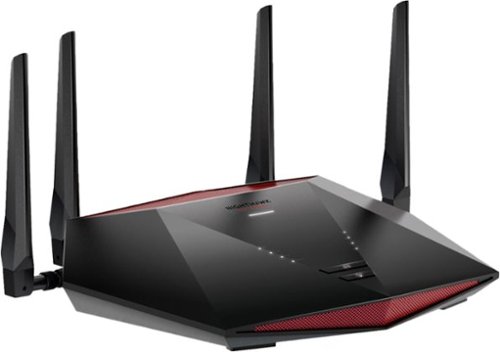
Stay in the game with reliable connectivity for fast-paced gaming. Optimize your Internet connection by stabilizing ping and reducing lag spikes.
IS THIS COMPATIABLE WITH XFINITY MODEM
This is a router, not a modem. It will work with your existing ISP, but if your modem also includes a WiFi router, I would suggest turning the WiFi off on your modem and using this, or otherwise make sure this is using a different SSID than the WiFi router in your modem. Alternately, you can use the WiFi router in your modem for all your smarthome devices, and put all the other devices on this router. That way, the bad security of your smarthome devices will be less of a threat to your laptops, smartphones, etc.
3 years, 10 months ago
by
Paul
Stay in the game with reliable connectivity for fast-paced gaming. Optimize your Internet connection by stabilizing ping and reducing lag spikes.
Is it compatible with cox Wi-Fi?
This is a router, not a modem. It will work with your existing ISP, but if your modem also includes a WiFi router, I would suggest turning the WiFi off on your modem and using this, or otherwise make sure this is using a different SSID than the WiFi router in your modem. Alternately, you can use the WiFi router in your modem for all your smarthome devices, and put all the other devices on this router. That way, the bad security of your smarthome devices will be less of a threat to your laptops, smartphones, etc.
3 years, 10 months ago
by
Paul
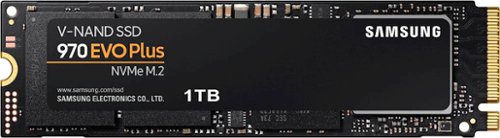
Geek Squad Certified Refurbished products are thoroughly, painstakingly and lovingly tested, so you can be sure that your device will work right, right away. Learn more about Geek Squad Certified Refurbished products.Upgrade your computer's performance with this Samsung EVO Plus NVMe M.2 SSD. The 1TB capacity accommodates plenty of files and videos, while read speeds of up to 3500MB/sec. make data transfer easy. This Samsung EVO Plus NVMe M.2 SSD features sequential write speeds of up to 3300MB/sec. for quick file storage.
Geek Squad Certified Refurbished products are thoroughly, painstakingly and lovingly tested, so you can be sure that your device will work right, right away. Learn more about Geek Squad Certified Refurbished products.Upgrade your computer's performance with this Samsung EVO Plus NVMe M.2 SSD. The 1TB capacity accommodates plenty of files and videos, while read speeds of up to 3500MB/sec. make data transfer easy. This Samsung EVO Plus NVMe M.2 SSD features sequential write speeds of up to 3300MB/sec. for quick file storage.
Just wondering if I can use this for my PS5
You can google "PS5 m.d compatibility list" and find the official Sony page showing what to look for in a drive. This is Gen 3x4, while Sony recommends Gen 4x4. Also, Sony recommends 5,500 MB/s while this is rated at 3,500 MB/s.
I don't know the details of M.2/NVMe implementation in the PS5, so there's a chance that the slot is backwards compatible with Gen 3x4, but why risk it?
I don't know the details of M.2/NVMe implementation in the PS5, so there's a chance that the slot is backwards compatible with Gen 3x4, but why risk it?
3 years, 11 months ago
by
Paul
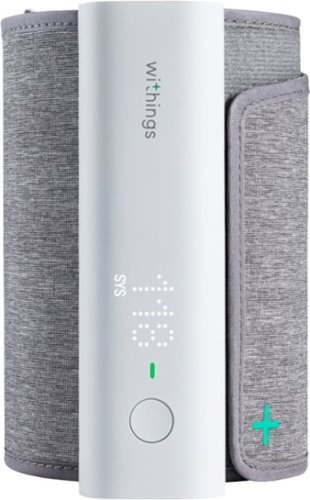
With BPM Connect, taking your blood pressure at home has never been so convenient. The device provides medically accurate blood pressure and heart rate measurements with immediate color-coded feedback on the device. BPM Connect synchronizes seamlessly via Wi-Fi and Bluetooth to the free Health Mate app, where you can see all your data history and share it with your doctor.
Hello, I can't figure out how to setup a second user. Can someone provide some steps? Also, seems that it always measures my BP high, does it need some sort of calibration? Thanks!
You add extra users in the smartphone app, but telling it to switch to a different user is obnoxious because the device itself has only one button.
Make sure the device is on your arm such that it is level with your heart when you take three measurement. Use the setting that takes an average of 3 measurements ("BPx3" on the device).
Make sure the device is on your arm such that it is level with your heart when you take three measurement. Use the setting that takes an average of 3 measurements ("BPx3" on the device).
5 years, 2 months ago
by
Paul
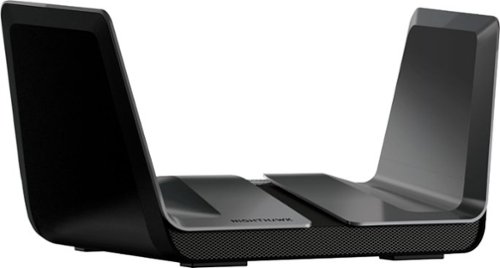
The NETGEAR Nighthawk AX8 8-Stream AX6000 Wi-Fi 6 Router offers improved network capacity for more Wi-Fi devices in your home and 2Gbps wired connectivity support for an incredibly faster Internet experience. It has a 64-bit 1.8GHz quad-core processor designed to transfer multi gigabits of data with almost zero CPU load. 160MHz channel support doubles the speeds as offered by 80MHz channels to provide gigabit speeds to compatible devices.
Can I connect a NAS and a network printer to the USB ports?
If you have a NAS device, you're probably better off connecting it to the router via ethernet.
If you have a USB external drive, you can connect it to this router and use it as a makeshift NAS, although the performance and features will not be as good as a dedicated NAS enclosure.
And yes, you can connect a printer to the USB port and use the router as a sort of print server. If your printer has an ethernet port, that might be a better way to attach it to the router.
If you have a USB external drive, you can connect it to this router and use it as a makeshift NAS, although the performance and features will not be as good as a dedicated NAS enclosure.
And yes, you can connect a printer to the USB port and use the router as a sort of print server. If your printer has an ethernet port, that might be a better way to attach it to the router.
6 years, 1 month ago
by
Paul
The NETGEAR Nighthawk AX8 8-Stream AX6000 Wi-Fi 6 Router offers improved network capacity for more Wi-Fi devices in your home and 2Gbps wired connectivity support for an incredibly faster Internet experience. It has a 64-bit 1.8GHz quad-core processor designed to transfer multi gigabits of data with almost zero CPU load. 160MHz channel support doubles the speeds as offered by 80MHz channels to provide gigabit speeds to compatible devices.
Is this model mesh compatible?
I currently have this router and an old R7000 router using the same SSID and the same password. The result is something that works kind of sort of like a mesh network, although the pass-off between routers can be less than graceful. When I reconfigured the R7000 as an access point in support of the RAX80, it offered various options to make this kind of thing easier.
The R7000 offered "router mode," "AP mode," "Bridge mode," and "repeating mode."
AP mode connects to the other router via ethernet and offers WiFi connections to other devices.
Bridge mode is the opposite: it connects to the other router via WiFi, then offers an ethernet connection to devices.
Repeating mode uses WiFi at both ends, so it probably doubles the traffic on your WiFi network (this is how many mesh devices work, although some WiFi 6 mesh devices can use a dedicated "backhaul" to connect to each other.
I hope that helps.
The R7000 offered "router mode," "AP mode," "Bridge mode," and "repeating mode."
AP mode connects to the other router via ethernet and offers WiFi connections to other devices.
Bridge mode is the opposite: it connects to the other router via WiFi, then offers an ethernet connection to devices.
Repeating mode uses WiFi at both ends, so it probably doubles the traffic on your WiFi network (this is how many mesh devices work, although some WiFi 6 mesh devices can use a dedicated "backhaul" to connect to each other.
I hope that helps.
6 years, 1 month ago
by
Paul
The NETGEAR Nighthawk AX8 8-Stream AX6000 Wi-Fi 6 Router offers improved network capacity for more Wi-Fi devices in your home and 2Gbps wired connectivity support for an incredibly faster Internet experience. It has a 64-bit 1.8GHz quad-core processor designed to transfer multi gigabits of data with almost zero CPU load. 160MHz channel support doubles the speeds as offered by 80MHz channels to provide gigabit speeds to compatible devices.
can i control my home devices through this router . like i can disconnect my kids devices, parent control device time limit . game website block temporary and how i can do it. if i buy this router
Yes. If you use a web browser on a desktop or laptop, click on "Attached Devices" in the left column, then at the top of the right side, click on "Access Control."
If you use the Android app (called "Nighthawk"), you can tap "Device Manager," then tap on the specific device, then use the switch to enable or disable access to the network.
If you use the Android app (called "Nighthawk"), you can tap "Device Manager," then tap on the specific device, then use the switch to enable or disable access to the network.
6 years, 1 month ago
by
Paul