
Share Jennifer's profile


Jennifer
Jennifer's stats
- Review count5
- Helpfulness votes3
- First reviewSeptember 18, 2020
- Last reviewOctober 6, 2020
- Featured reviews0
- Average rating5
Reviews comments
- Review comment count0
- Helpfulness votes0
- First review commentNone
- Last review commentNone
- Featured review comments0
Questions
- Question count0
- Helpfulness votes0
- First questionNone
- Last questionNone
- Featured questions0
Answers
- Answer count0
- Helpfulness votes0
- First answerNone
- Last answerNone
- Featured answers0
- Best answers0
Jennifer's Reviews
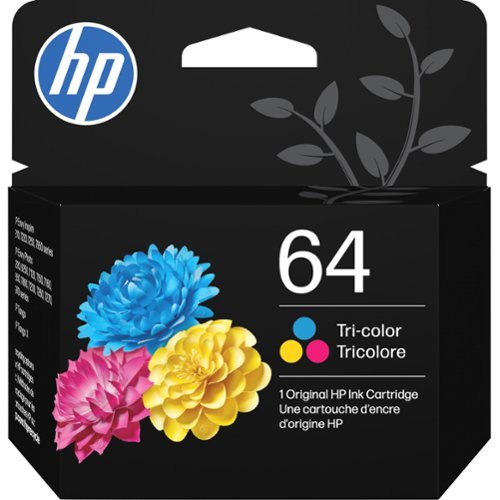
Replace the ink in your HP ENVY printer with this HP 64 tricolor ink cartridge. It has a four-ink delivery system that yields approximately 165 printed pages, producing photos with rich colors and clear images. This original HP 64 tricolor ink cartridge prints with water-resistant ink that does not smudge.
Customer Rating

5
Refill for HP Tango X printer
on October 6, 2020
Posted by: Jennifer
Verified Purchase:Yes
Purchased as a backup refill for an HP Tango X printer. I don't print a lot -- mostly color documents, monthly invoices -- but no photos yet. So far, the print quality is great. Gets the job done.
Length of ownership: 12
Mobile Submission: false
I would recommend this to a friend!
Share this review:


0points
0of 0voted this as helpful.
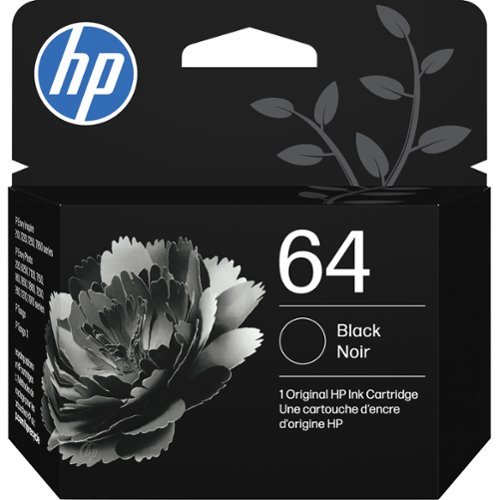
Produce high-quality text documents and sharp photos with this HP original black ink cartridge. Its standard capacity yields 200 pages, letting you replace ink less often and providing lasting productivity for home and small office use. This HP original black ink cartridge works with select HP ENVY photo and all-in-one printers.
Customer Rating
5
Refill for HP Tango X printer
on October 6, 2020
Posted by: Jennifer
Verified Purchase:Yes
Purchased as a backup refill for an HP Tango X printer. I don't print a lot -- mostly color documents, monthly invoices -- but no photos yet. So far, the print quality is great. Gets the job done.
Length of ownership: 12
Mobile Submission: false
I would recommend this to a friend!
Share this review:


0points
0of 0voted this as helpful.
![The Princess Bride [30th Anniversary Edition] [DVD] [1987]](https://pisces.bbystatic.com/prescaled/500/500/image2/BestBuy_US/images/products/49aba6af-954f-415e-adef-d55a6a9aebc9.jpg)
Customer Rating
5
A favorite since forever
on October 5, 2020
Posted by: Jennifer
Verified Purchase:Yes
If you've seen it, you know. If you haven't, give it a try! The cover art that was pictured is not what I got, but for $4 I'm not super sad about it.
Length of ownership: 10
Mobile Submission: false
I would recommend this to a friend!
Share this review:


0points
0of 0voted this as helpful.
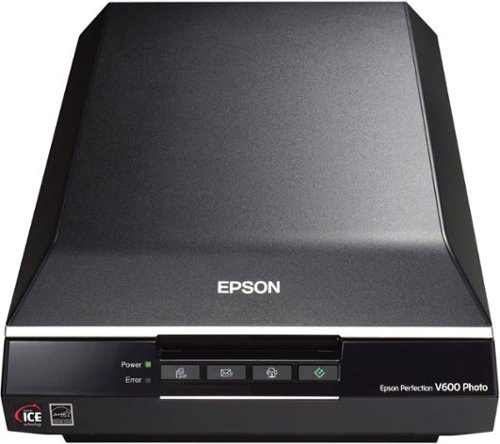
Scan all your prints, negatives and slides quickly and efficiently. Complete with film holdersit handles just about any size and format, including 35 mm filmstrips, mounted slides and full panoramic medium format film.
Customer Rating
5
A good level-up scanner for large jobs
on September 18, 2020
Posted by: Jennifer
Verified Purchase:Yes
This is my third Epson flatbed scanner -- the first two were part of all-in-one printers. I've never had problems with those, but I needed one that could scan larger documents for bigger jobs. The EPSON Scan software is easy to navigate. I like to use the professional setting for digitizing photos because of all the customizable settings, but there are also simpler pre-sets for quicker no-fuss scans. I'm not a professional, though, and still have issues with trying to get the best quality, even in prep for Photoshop. A digital camera and a good set-up will yield better results in terms of getting sharper detail, but that's a ton of additional time, space, and effort.. and this scanner really does a good job with image and color quality.
Set up was painless. Scans are really fast. And it can scan negatives and transparencies!
Length of ownership: 16
Mobile Submission: false
I would recommend this to a friend!
Quality

5
Value
5
Ease of Use
5
Share this review:


+2points
3of 4voted this as helpful.
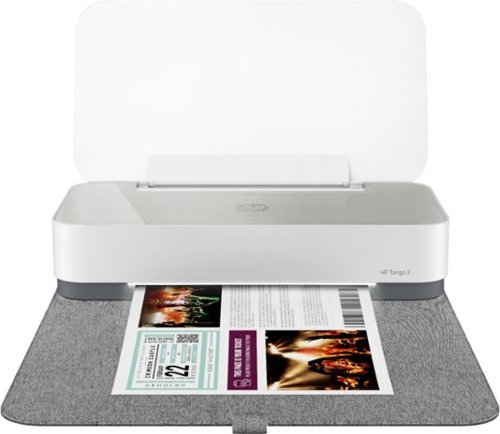
Built to match the way you live and designed for use with the HP Smart app, Tango X helps you stay a step ahead by connecting and printing from any device, anywhere.
Customer Rating
5
Great printer, but wireless only
on September 18, 2020
Posted by: Jennifer
Verified Purchase:Yes
All I needed was a color printer for small jobs, and while all-in-ones are great, I already have a flatbed scanner so didn't want another one. I love that it's sleek and compact and doesn't look like a clunky printer when not in use.
It's wireless, which is tidier, and it's nice to have the option of printing from my phone.. but getting it to connect to WiFi, downloading a phone app and driver for my desktop Mac, setting them up in a particular order, and getting them all to talk to each other was frustrating. I followed the directions, but ended up stuck in a loop when setting up the desktop app because it wouldn't recognize the printer no matter what I tried. Not gonna lie, I had visions of that scene in Office Space where they beat up the printer. But somehow, something I did got it out of the hell loop and everything suddenly worked.. though I really don't know what it was that I did to fix it. -- The first test print was blurry, but it just need calibration and the prints after looked great. There's also a fax feature in the app which I haven't used yet, but it's a good option to have. I've had it less than a month, but so far it's doing its job, doing it fast, and looking good in the process. My only issue is its reliance on WiFi. I do wish there was the option to connect it with a cable.
Length of ownership: 23
Mobile Submission: false
I would recommend this to a friend!
Quality
5
Value
5
Ease of Use

4
Share this review:


0points
0of 0voted this as helpful.
Jennifer's Review Comments
Jennifer has not submitted comments on any reviews.
Jennifer's Questions
Jennifer has not submitted any questions.
Jennifer's Answers
Jennifer has not submitted any answers.