
Share Leslie's profile


Leslie
Leslie's stats
- Review count22
- Helpfulness votes23
- First reviewApril 2, 2021
- Last reviewJuly 26, 2021
- Featured reviews0
- Average rating4.8
Reviews comments
- Review comment count0
- Helpfulness votes0
- First review commentNone
- Last review commentNone
- Featured review comments0
Questions
- Question count0
- Helpfulness votes0
- First questionNone
- Last questionNone
- Featured questions0
- Answer count2
- Helpfulness votes5
- First answerJuly 9, 2021
- Last answerJuly 9, 2021
- Featured answers0
- Best answers1
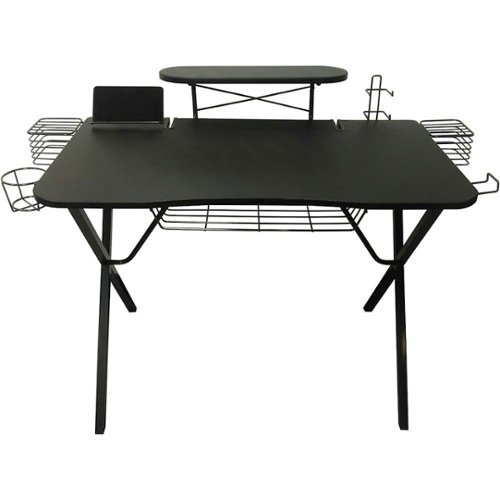
Game like a pro with this Atlantic gaming desk. Built-in metal wire holders keep your peripherals safe and secure while also routing cables neatly to the desktop or laptop at the heart of your gaming system. Study metal construction and a black laminated desk top keep this Atlantic gaming desk looking great even after heavy gaming sessions
Customer Rating

5
Good quality gaming desk
on April 2, 2021
Posted by: Leslie
Verified Purchase:Yes
Got for my 11yr old son. Desk is smaller then He wanted. It said desk is 51.8” W but it’s 40” W. The 51.8” is from basket to basket. Even though it’s smaller my son is still very happy with his gaming desk. Desk was easy to assemble and very sturdy.
Length of ownership: 2
Mobile Submission: true
I would recommend this to a friend!
Quality

5
Value
5
Ease of Use
5
Share this review:


+2points
2of 2voted this as helpful.

Navigate precisely with this SteelSeries QcK Prism gaming mouse pad. The smooth surface is optimized for both optical and laser mice, and the dynamic two-zone RGB illumination adds a fun finishing touch during competitive games. This SteelSeries QcK Prism gaming mouse pad has a nonslip rubber base to eliminate unwanted movement.
Customer Rating
5
Awesome LED mouse pad.
on April 2, 2021
Posted by: Leslie
Verified Purchase:Yes
Great LED mouse pad 35”L x 12” W. LED lights are nice and bright. Lights rotate on there own. Keyboard and mouse fit nicely with plenty room left. Only thing, I thought I can plug into wall with a USB adapter but it didn’t work maybe I need better adapter. Guess it needs to be plug into PC or Monitor or tv. We currently have it plug to tv. Over all we are happy with purchase.
Length of ownership: 9
Mobile Submission: true
I would recommend this to a friend!
Ease of Use
5
Quality
5
Value
5
Share this review:


0points
0of 0voted this as helpful.
Leslie's Review Comments
Leslie has not submitted comments on any reviews.
Leslie's Questions
Leslie has not submitted any questions.
Leslie's Answers
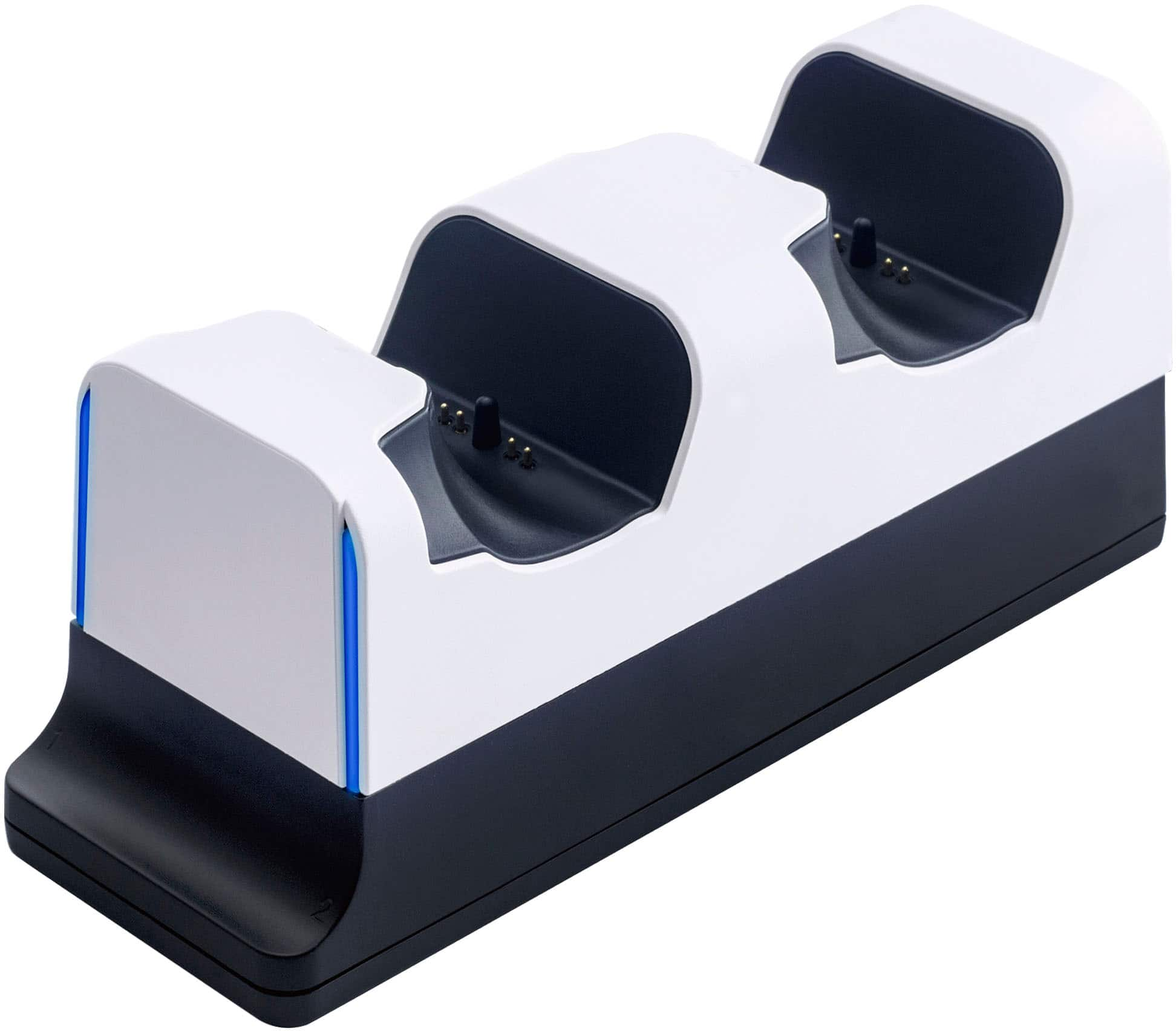
Stay charged and organized with the Insignia Dual Controller Charging Station for PlayStation 5 DualSense controllers. Quickly charge your official DualSense controllers with this easy drop-in design. The heavy base with rubber feet stays in place while it quickly charges up to two controllers.
Can i just leave the controllers on the stand and not worrying about overcharging the controllers and can i just unplug the charger with the controllers on it?
I heard that any device being left plug in after it’s fully charged will eventually over time damage the device’s battery.
4 years, 11 months ago
by
Leslie
Stay charged and organized with the Insignia Dual Controller Charging Station for PlayStation 5 DualSense controllers. Quickly charge your official DualSense controllers with this easy drop-in design. The heavy base with rubber feet stays in place while it quickly charges up to two controllers.