
Share Electrosoft's profile


Electrosoft
Electrosoft's stats
- Review count99
- Helpfulness votes257
- First reviewJanuary 20, 2019
- Last reviewJanuary 22, 2026
- Featured reviews0
- Average rating4.3
- Review comment count10
- Helpfulness votes0
- First review commentNovember 7, 2020
- Last review commentJuly 21, 2024
- Featured review comments0
Questions
- Question count0
- Helpfulness votes0
- First questionNone
- Last questionNone
- Featured questions0
- Answer count10
- Helpfulness votes9
- First answerNovember 29, 2020
- Last answerFebruary 6, 2025
- Featured answers0
- Best answers1
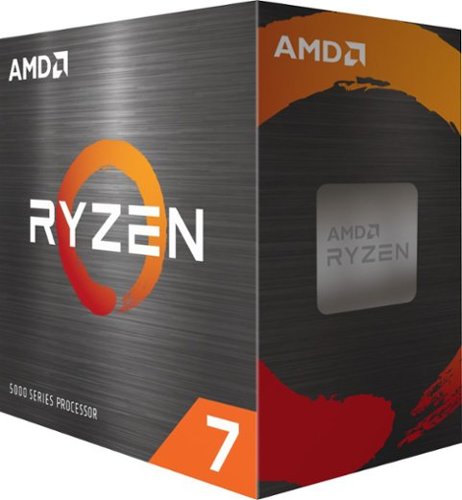
8 cores optimized for high-FPS gaming rigs. Get the high-speed gaming performance of the world~s best desktop processor. AMD Ryzen Master Utility the Simple and Powerful Overclocking Utility for AMD Ryzen processors.
Customer Rating

5
King of the 8 core CPUs.....
on March 30, 2021
Posted by: Electrosoft
Verified Purchase:Yes
Recently upgraded from a Z390 9900k to a x570 5800x. 8/16 for 8/16, performance gains across the board with modern port assignments to boot and Gen4. Much less power consumption and clock for clock just decimated my old 9900k. Was lucky enough to get a golden chip (CTR cert) hitting 6100+ CB20 right out of the box before any tweaks and curve -25 to -30 across the board. Paired with a 3090 running like a champ with full BAR enabled.
Length of ownership: 33
Mobile Submission: false
I would recommend this to a friend!
Quality

5
Value
5
Ease of Use
5
Share this review:


+6points
6of 6voted this as helpful.
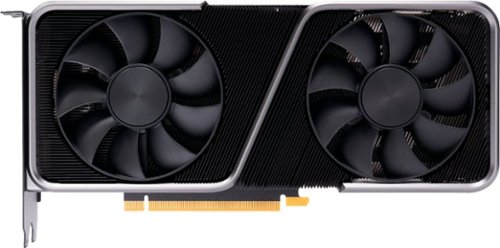
The GeForce RTX 3070 is powered by Ampere~NVIDIA~s 2nd gen RTX architecture. Built with enhanced RT Cores and Tensor Cores, new streaming multiprocessors, and high-speed G6 memory, it gives you the power you need to rip through the most demanding games.
Customer Rating

4
Good for everything except situational 4k
on February 21, 2021
Posted by: Electrosoft
Verified Purchase:Yes
I purchased this as an upgrade for my desktop to play World of Warcraft: Shadowlands on a 4k BenQ 60hz display at 4k Ultra 10 RT enabled as the goal and at least 50+ FPS everywhere.
For the most part, 4k Ultra 10 RT enabled HIGH was playable with small dips into the low 50s until I hit Ardenweald, Bastion and some Shadowland instances and frame rates took bad hit into the 20's and 30's. Scaling back to 1440p render, everything was back to rock solid 60+ fps everywhere but that wasn't my goal. I wanted 4k.
At 1440p, this is a GREAT card for everything I've encountered but it really isn't a true 4k card.
I ended up upgrading to a 3090 and now all is well, but if you are looking for a lights out 1080 or 1440p with some 4k gaming with limitations and want DLSS and RT support to boot, you can't go wrong with this card.
Length of ownership: 38
Mobile Submission: false
I would recommend this to a friend!
Quality
5
Value
5
Ease of Use
5
Share this review:


+1point
2of 3voted this as helpful.
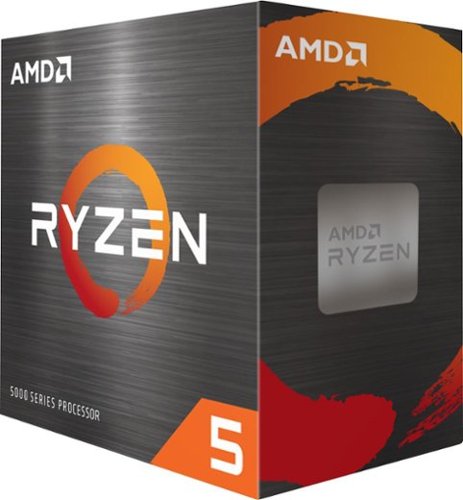
Game with the Best 6 incredible cores for those who just want to game. Get the high-speed gaming performance of the world~s best desktop processor. AMD StoreMI Technology a fast and easy way to expand and accelerate the storage in a desktop PC with an AMD Ryzen processor.
Customer Rating
5
Fantastic performance....
on February 21, 2021
Posted by: Electrosoft
Verified Purchase:Yes
Purchased this for a small micro atx build out for my brother using an Aorus B550M MicroATX motherboard.
Using a Noctua NH-L9a-AM4 low profile cooler, the 5600x boosted to 4.6ghz all core and max temps never exceeded 80 under load with CB20 and scored a very respectable 4381 beating the 4114 my heavily overclocked 5.3ghz 8086k right out of the box with no tweaks or overclocks using the exact same 3200 B-Die Dual Rank 2x8GB memory.
I won't be overclocking it or tweaking it upward since this is meant for quiet noise, lower thermals in a more compact case but wow....the performance is excellent. I can just imagine this chip with a larger air cooler or under water.
Length of ownership: 24
Mobile Submission: false
I would recommend this to a friend!
Quality
5
Value
5
Ease of Use
5
Share this review:


0points
0of 0voted this as helpful.
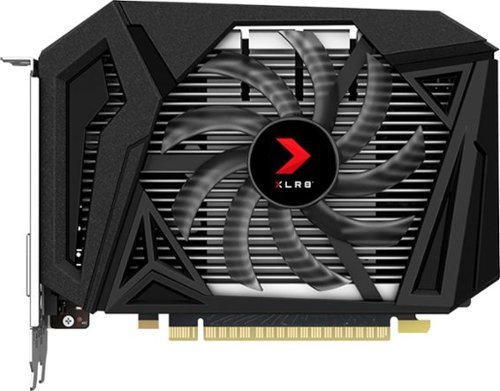
Customize your gaming rig with this PNY GeForce GTX 1650 SUPER graphics card. The 4GB of GDDR6 memory and 1280 CUDA processing cores let you play modern games smoothly, while the DisplayPort, HDMI and DVI-D ports offer flexible connectivity to UHD monitors. This PNY GeForce GTX 1650 SUPER graphics card has NVIDIA Ansel technology for capturing quality in-game screenshots, and the NVIDIA Turing architecture delivers ultra-realistic visuals.
Customer Rating
4
Runs a bit hot....
on February 21, 2021
Posted by: Electrosoft
Verified Purchase:Yes
Purchased this for a micro atx buildout for my brother. Due to the smaller size and heatsink, under heavy load / stress test / benchmarks it does run a bit hot settling into the 80s with its normal fan curve. Manually increasing the curve drops the temps into the 70's but it runs a bit loud. In the end, the size trade off is it just runs warmer.
Other than that, it performs just like a 1650 should and gets the job done at a somewhat affordable price during these times.
It is replacing an old Radeon 7850 which it absolutely crushes at less than half the size.
Length of ownership: 24
Mobile Submission: false
I would recommend this to a friend!
Quality

4
Value

3
Ease of Use
5
Share this review:


0points
0of 0voted this as helpful.
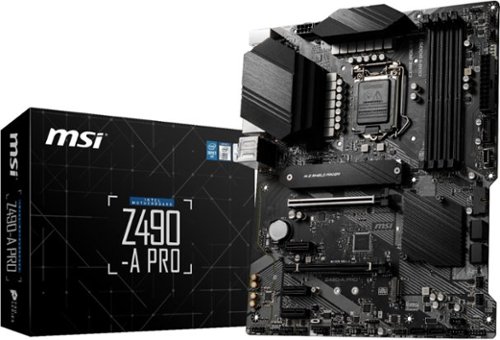
PRO series helps users work smarter by delivering an efficient and productive experience. Featuring stable functionality and high-quality assembly, PRO series motherboards provide not only optimized professional workflows but also less troubleshooting and longevity. THERMAL SOLUTION FOR MORE CORES AND HIGHER PERFORMANCE With more cores~ processors, thermal and power design is more important to make sure the temperature keeps lower. MSI extended PWM heatsink with 7W/mK thermal pad ensures even high-end processors to run in full speed with MSI motherboards. MSI PRO series motherboards support all the latest storage standards, which allows users to connect any ultra-fast storage device. Higher efficiency makes your work easier. Read and write your files over USB faster than ever. MSI PRO series motherboards offer a wide variety of options to connect and boost your USB devices, delivering 10Gbps transferring speed by both USB 3.2 Gen 2 Type-A and Type-C. Add your color if you want! Mystic Light Extension pin header provides an intuitive way to control additional RGB strips and other RGB peripherals added to a system, without needing a separate RGB controller. Unleash and sustain maximum performance with an aggressive VRM design built with a total of 12 Duet Rail Power System(DRPS). Combining 8 + 4-pin power connectors and exclusive Core Boost technology, PRO series motherboard is ready to sustain heavy daily work.
Customer Rating

1
DOA out of the box
on December 7, 2020
Posted by: Electrosoft
Verified Purchase:Yes
Purchased new 10900k and this motherboard from Best Buy.
DOA out of the box (Dead CPU socket / CPU not detected LED).
Ended up returning it to Best Buy and picked up another brand motherboard from best buy worked as intended.
Missing retention C clamp on M.2 cover.
Minimal pack ins including which is fine for a budget board but no manual (must be downloaded/viewed online) is a major problem.
Length of ownership: 4
Mobile Submission: false
No, I would not recommend this to a friend.
Quality

1
Value
1
Ease of Use
1

Share this review:


-6points
1of 8voted this as helpful.

The ROG Strix Z490-E Gaming motherboard is designed to cope with the demands of 10th Generation Intel~ Core~ processors, with boosted power delivery and an optimized cooling design providing more surface area for heat dissipation. ROG Strix Z490-E Gaming features AI enhancements and intuitive dashboards to help you overclock and tweak various parameters easily
Customer Rating
5
Can Asus redeem itself?
on December 3, 2020
Posted by: Electrosoft
Verified Purchase:Yes
Recently had a critical motherboard failure that finally completely failed on WoW launch day (!). I decided to upgrade (read: desperate for whatever was available) and went with a 10900k and a much cheaper motherboard at first from Best Buy. Of course that board failed with a bad CPU socket so after returning it to the store I decided to unhinge my wallet and settle on a upper mid / lower top tier board with the Asus ROG STRIX.
I'm not a big fan of Asus. I used to be, but my previous experience with their boards years ago on numerous occasions was not great from DOA boards to early failures but this was basically all our local Best Buy had so I figured I might as well give it a shot.
Quality packaging, good BIOS. It has some RGB, but that never dictates my buying decisions. Solidly built. Good manual and excellent layout. I go for minimalist layouts when possible.
Built in NVMe heatsink is a plus as my Samsung 970 Pro gets rather toasty (85+ on the controller) without one.
I paired it with the 10900k (also from Best Buy) and everything worked fine including with some G.Skill 4000 B-Die XMP memory right out of the box and an FE 3090.
The board reported a good SP and an expected "extreme overclock" of ~45%. Setting AI and it runs @ 5.3ghz+ all cores right out of the box so that's nice. I'll fine tune it down the road, but right now it's all about getting back into WoW and playing catchup having missed launch week.
Asus already has a beta BAR enabled BIOS up for enhanced GPU performance so that's a plus too.
Time will tell if Asus re-enters my list of recommended motherboards. Early signs say yes.
Mobile Submission: false
I would recommend this to a friend!
Quality
5
Value
3
Ease of Use
5

Share this review:


0points
0of 0voted this as helpful.
![Blizzard Entertainment - World of Warcraft 60 Days of Game Time [Digital]](https://pisces.bbystatic.com/prescaled/500/500/image2/BestBuy_US/images/products/fd6c6e98-4f38-459e-a091-f32441921c3f.jpg)
Azeroth Awaits! Join millions of players and enter a world of myth, magic, and endless adventure. With a single game time purchase you can access World of Warcraft and WoW Classic, including 20th Anniversary Edition, Cataclysm Classic, Season of Discovery, and Hardcore Realms. Embark on your epic adventure in Azeroth for 60 days with this pre-paid game timecard. Simply enter your code at battle.net/code then assign this game time to any new or existing World of Warcraft account to keep the adventures going. No game purchase required. Includes access to World of Warcraft and WOW Classic. The most recent modern WOW expansion is sold separately.
Customer Rating
5
Reliable and quick
on December 3, 2020
Posted by: Electrosoft
Verified Purchase:Yes
The wonderful thing about Best Buy is you can either manually buy the card via online or locally or just purchase the digital code version which is delivered with an activation link right in your email.
Excellent for when you have no desire to keep your financial information tied to your Blizzard account to play.
Length of ownership: 25
Mobile Submission: false
I would recommend this to a friend!
Share this review:


0points
0of 0voted this as helpful.
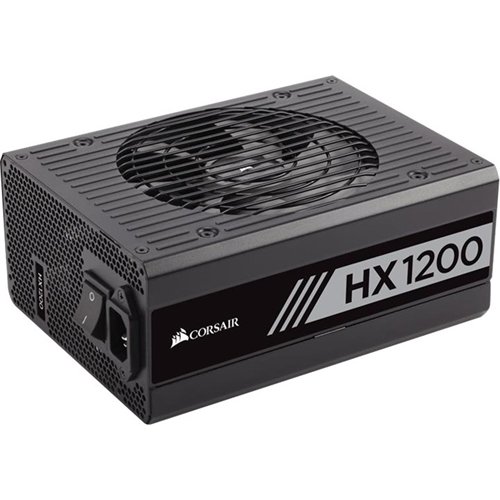
Power your high-performance computer with this CORSAIR HX Series fully modular power supply. It has overvoltage and undervoltage protection to keep your PC safe, and its fan only speeds up when it needs to, ensuring quiet operation. This CORSAIR HX Series fully modular power supply has 105-degree Celsius capacitors for reliability.
Customer Rating
5
Crazy quiet...Crazy cool.
on December 3, 2020
Posted by: Electrosoft
Verified Purchase:Yes
Upgraded from my previous EVGA T2 850w workhorse with a new buildout centered around a 3090.
Insanely quiet PSU even when pulling 700w+. Maybe one day I'll get to a point of pulling 1000w+ to see it actually warm up.
Length of ownership: 6
Mobile Submission: false
I would recommend this to a friend!
Quality
5
Value
4
Ease of Use
5
Share this review:


0points
0of 0voted this as helpful.
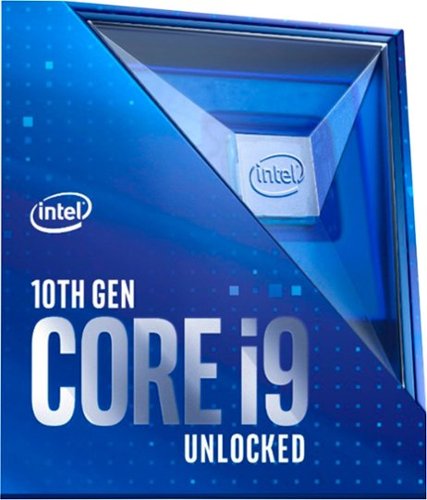
Boost the performance of your desktop computer with this Intel Core i9-10900K processor. The 3.7GHz base speed provides rapid clocking, while 20MB of L3 cache queues commands quickly for swift task execution. This Intel Core i9-10900K processor has 10 cores with 20 threads for seamless multitasking, and AES support allows easy encryption and decryption.
Customer Rating
5
Golden chip...
on December 3, 2020
Posted by: Electrosoft
Verified Purchase:Yes
Recently had my (after much exhaustive testing of all my components) Z390 motherboard fail on WoW launch day and with shortages everywhere of key components, I spent the entire week of launch not playing while I scrambled to get my system up and running.
Glad to see these show up at MSRP at the moment of my frantic search for parts. I'm never an early adopter at inflated prices.
Installed in a Asus ROG Strix. AI tuned to a reported 43-45% "Extreme Overclock" and running 5.3+ on all cores right out of the box with a high SP rating so I'm good to go.
Over a week later, finally back into WoW (where everybody has already hit 60 yay me lol....)
Length of ownership: 6
Mobile Submission: false
I would recommend this to a friend!
Quality
5
Value
5
Ease of Use
5
Share this review:


+3points
3of 3voted this as helpful.
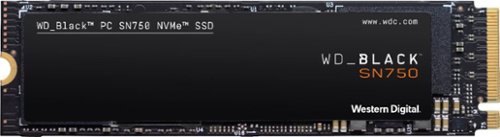
Upgrade compatible PC systems with the WD_Black SN750 internal SSD. Read speeds of up to 3,470MB/s offer improved load times, while the M.2 form factor means you can directly plug into the motherboard without extra cabling. Compared to typical 2.5-inch SSDs, this WD_Black SSD fits double the storage density on a single-sided drive, making it suitable for portable builds.
Customer Rating
5
Recent price drops = killer price:performance
on October 28, 2020
Posted by: Electrosoft
Verified Purchase:Yes
I'm building out a second system for WoW and I needed storage. I usually go with Samsung, but with the recent massive price drops and good reviews, I decided to give the WD Black a try.
I was not disappointed.
Coupled with an Asrock Z390 MB, this drive is speedy and fast with more than enough transfer rates and rock solid performance.
Price to performance on NVMe drives are really becoming fantastic and this was a solid buy.
5/5
Mobile Submission: false
I would recommend this to a friend!
Ease of Use
5
Quality
5
Value
5
Share this review:


0points
0of 0voted this as helpful.
Electrosoft's Review Comments
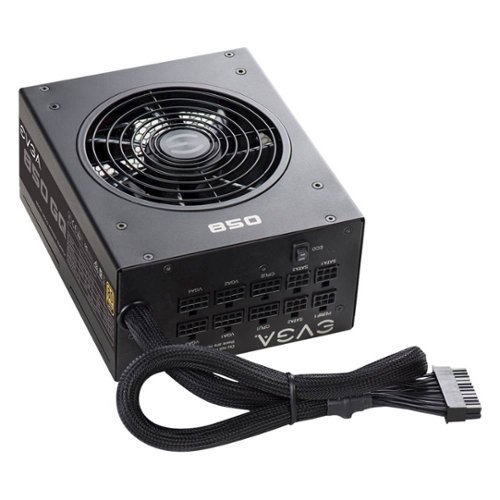
Introducing the latest in the EVGA power supply lineup~ the GQ series. These power supplies take some of the best features from EVGA~~~s award winning power supplies, like EVGA ECO fan mode for near silent operation, Japanese Capacitor Design and a highly efficient design, at an excellent value. These new power supplies are 80 Plus Gold rated and offer an outstanding 5 Year Warranty that~~~s backed by world class EVGA support.
Overall 2 out of 5
2 out of 5Noisy coil whine with 3090
By Josh
I would not recommend this for an RTX 3090, I experienced some loud (louder than any I’ve heard) coil whine from this power supply. This was communicated to EVGA and they did a warranty replacement, but that did not solve the issue. I tested it for a couple weeks, including running a benchmark program overnight a couple times, but the noise from the PSU persisted.

Electrosoft
Coil whine from GPU, PSU or both?
November 7, 2020
Developed coil whine with an EVGA T2+ 850w w/ 3090 too. In the process of waiting for a 1300w to arrive to isolate the issue.
Use a funnel to listen and isolate the source of the coil whine exactly. Sometimes it is the PSU, the GPU (due to a weak or bad PSU) or both.
I suspect some PSU makers didn't fully expect sustained pulls of 150-175w per PCIe cable line.
0points
0of 0voted this comment as helpful.
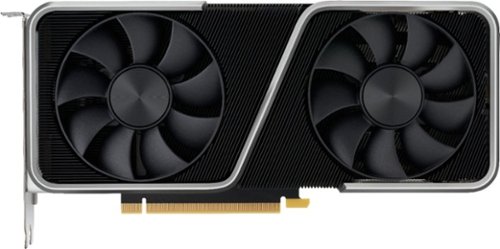
The NVIDIA GeForce RTX 3060 Ti lets you take on the latest games using the power of Ampere~NVIDIA~s 2nd generation RTX architecture. Discover incredible performance with enhanced Ray Tracing Cores and Tensor Cores, new streaming multiprocessors, and high-speed G6 memory.
Overall5 out of 5
5 out of 5Must have $400 dollars GPU
By Shawn
I have been running this GPU for a few weeks now, and it is a great card. I upgraded from an RX 580, and it performs so much better.
Pros: The GPU runs relatively cool and is somewhat quiet. The GPU is a beast even at a lower price point. It runs every game that I have thrown at it, with at least 75 average FPS, even in raytracing. The color of the metal is absolutely stunning and matches my build well.
Cons: At times, under full load, the card can get very loud with a hissing like noise. Anyone who has a cat beware, as mine hissed at my pc because of this. My biggest complaint is the 12 pin GPU power connector and its location on the GPU itself. There is just no good way to position it, and an 8 pin to 12 pin adapter (which is included in the box) or custom cables are needed to supply power.
Overall the GPU is a great card and performs well; just be aware of its downsides.
Electrosoft
Welcome to the wonderful world of Coil Whine
December 29, 2020
That hissing sound is the bane of modern GPUs aka coil whine. Quite common and very front and center. Sometimes making sure your power line is clean and a quality PSU can lessen it or effectively eliminate it from ear shot.
0points
0of 0voted this comment as helpful.
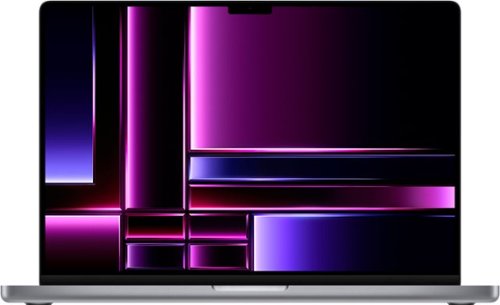
The 16-inch MacBook Pro with M2 Pro and M2 Max takes power and speed to the next level, whether it~s on battery or plugged in. With a stunning Liquid Retina XDR display, all the ports you need, and all-day battery life~this pro laptop goes anywhere you need.
Overall5 out of 5
5 out of 5The King. M2 Max vs M1 Max 14" vs 16" which one?
By manny
Before going into details i want to say these are the best laptops on the market hands down there is no competition. I am intending this review to help people in a position of trying to figure out which model to get as a high end user and which size 14" vs 16". Also that there is ZERO reason to upgrade from an M1 2021 version of this laptop as it is so similar unless you have a very specific need (eg wi-fi 6e, bluetooth 5.3, hdmi 2.1) or use case (profesional video editing and time based 3D rendering projects that it would likely be a waste of money. Also sorry for an extremely long review but read it all if you want to know where things sit.
I own the 2021 m1 max 32 core gpu as well as the 14 and 16 core, m2 air 8-core, a few other windows gaming laptops and macs and now m2 max 38-core gpu model. I have recently picked up this years 19 and 30 core so i know a thing or two about all of them.
First I will cover 14" vs 16" size comparison and then go into details regarding why i daily drive the one i do and how they all compare.
As you can see from my pictures i am showing a couple comparisons of the 14" vs the 16" for size wise. This is always a common thing to be looking at when making a purchase and portability plays a large role. Flat out the 16" is LARGE, heavy, but packs a greater punch so to speak. The 16" has better speakers, larger battery giving a couple more hours, clearly far more screen real estate, larger track pad, and larger fans/cooling system so it runs about 10c cooler than the 14" at all times though i want to note neither size ever EVER overheats unlike the old intel models.
Speakers- the speakers are the best in any laptop ever on the 16" but the 14" ones are not that far behind or enough to be mad over they still are better than any windows laptop ive heard (ive heard a lot).
The larger battery- Realistically speaking in the real world were talking getting 14 hours vs 16 hours on light use so again if you have a windows machine or older mac your probably only getting 6-10 hours max anyway so even the 14" is worth your time there.
Screen- These are the best screens on the market today even against OLED as these have no risk of burn in yet still produce deep blacks. That said the screen real estate on the 16" is MUCH more and this is where you need to stop and think about what you need from your laptop. If you do any video editing or coding you may find that the 16" is the absolute best for you. The 14" can feel extremely cramped while using it on the go and for me this is the only real drawback of that size. Also note that if you dock at a desk using an external monitor or your TV at home ( hdmi or casting wirelessly to airplay) this becomes a non issue and i would much reccomend the 14" instead.
Track pad- Again these are by far the best track pads made. Just like the screen if you do video editing it is much easier using the much larger 16" versions trackpad as its a few extra inches over the already ridiculously large one on the 14". If you use an external mouse this clearly doesnt matter and if you dont do intensive tasks like gestures constantly this also wont matter for you as both are abnormally large and amazing to use.
Thermals Fans - Ok so by now you might know that the redesign with apple silicon in 2021 also came with extremely cool running laptops which is just amazing! Comparing the 14 and 16" models as said above you will see about a good 10c difference in temps under heavy load. That said you will still almost NEVER hear the fans run. Even when they do they are so quiet youd have to put your ear to the laptop to see if that is indeed what your hearing, thats how good they are. Now, if you are putting a large CPU and GPU load on your machine doing something like gaming or 3d work here is where you might realize something that most reviewers cant attest to. The 16" fans when at full speed (over 100c under extremely rare times that almost nobody can make it do mind you) are MUCH louder than the 14" ones at full speed as they push a lot more air with larger blades. This is a topic that is largely glossed over because you legit cannot get your machine this hot almost ever. So the 1% out there that do this, you know who you are, get the 14" if you care about fan sound which is the opposite of what most say because under normal use the 16" handles heat better and doesnt spin the fans as much generally speaking.
To finish the whole 14" vs 16" debate its of course personal preference however i personally daily use my 14" as its way way more portable and i enjoy using it more regardless of the drawbacks stated above. I use it at the office and home desk docked with an external display so that doesnt bother me. I also air play it to my living room TV to get video editing done or use my magic keyboard and trackpad from my couch with it hooked to my TV HDMI and it works amazing. If you dont travel or you are going to keep it plugged in at all times go for the 16" as you can enjoy the better items it can provide.
----------------
M1 MAX 32-core vs M2 MAX 38-Core GPU's as well as others-
The advertised spec bump is exactly as youd imagine it is a very small increase to graphical performance. You actually get a much larger leap by the fact the base clock speed is higher than the M1 chip rather than the 8 extra GPU cores. In gaming i can say in world of warcraft that the extra 8 gpu cores actually increased framerates 65%!! This game however also has more to do with single core cpu speeds then GPU but it is a massive increase none the less. In video rednering ive seen a massive decrease which was suprising because the documentation doesnt mention it having double encode and decode engines yet it must because its walking all over the m1 max 32 core. Most other generic workloads arent going to matter with saving time but almost everything ive done and tested on these are within 10% difference in performance and probably not worth spending more money to get the M2 version unless you have a very specific need. When looking at the base models of these the 19-core in the 2023 vs 2021 provides a larger increase in performance and is a very welcomed change over last year. Since if your buying that machine you would not be pushing the envelope most things will work better then youd ever imagine or need and you may also want to cross shop the M2 air model if you dont mind the worse speakers and screen (see in store).
The advertised spec bump is exactly as youd imagine it is a very small increase to graphical performance. You actually get a much larger leap by the fact the base clock speed is higher than the M1 chip rather than the 8 extra GPU cores. In gaming i can say in world of warcraft that the extra 8 gpu cores actually increased framerates 65%!! This game however also has more to do with single core cpu speeds then GPU but it is a massive increase none the less. In video rednering ive seen a massive decrease which was suprising because the documentation doesnt mention it having double encode and decode engines yet it must because its walking all over the m1 max 32 core. Most other generic workloads arent going to matter with saving time but almost everything ive done and tested on these are within 10% difference in performance and probably not worth spending more money to get the M2 version unless you have a very specific need. When looking at the base models of these the 19-core in the 2023 vs 2021 provides a larger increase in performance and is a very welcomed change over last year. Since if your buying that machine you would not be pushing the envelope most things will work better then youd ever imagine or need and you may also want to cross shop the M2 air model if you dont mind the worse speakers and screen (see in store).
M1 10 core cpu vs 12 core cpu
This year they added 2 more efficency cores which provides a tangable performance jump over the previous model. I can see this in daily use and i can see a large difference in battery life as well as its much more effecient. The cores run at a higher clock speed and provide just a much smoother experience multi tasking or under heavy cpu work load. Its much harder to get it to hiccup vs the older models.
This year they added 2 more efficency cores which provides a tangable performance jump over the previous model. I can see this in daily use and i can see a large difference in battery life as well as its much more effecient. The cores run at a higher clock speed and provide just a much smoother experience multi tasking or under heavy cpu work load. Its much harder to get it to hiccup vs the older models.
14" vs 16"
There is NO performance difference between the 14" and 16" contrary to popular belief from tech youtubers talking about thermal throttling. This is ridiculously based off of worthless benchmarks that literally max out your cpu and gpu for 10 mins straight and are not at all a normal use case so dont be fooled by those videos. I have real world experience on both. Do not base your choice on the made up metrics just decide what size phyiscally works better for your use case unless you need something very specific or NEED the extra 1.5-2 hours of battery for whatever reason that the 16" provides.
There is NO performance difference between the 14" and 16" contrary to popular belief from tech youtubers talking about thermal throttling. This is ridiculously based off of worthless benchmarks that literally max out your cpu and gpu for 10 mins straight and are not at all a normal use case so dont be fooled by those videos. I have real world experience on both. Do not base your choice on the made up metrics just decide what size phyiscally works better for your use case unless you need something very specific or NEED the extra 1.5-2 hours of battery for whatever reason that the 16" provides.
RAM / Unified memory
So you dont have that many options from the "stock" models that the stores get you can only choose between 16GB and 32GB which come with their own set of set SSD sizes and options but for MOST people are more then enough with any that you choose. These laptops will certainly last longer then 5 years and since you will already be spending a ton of money i highly suggest if you have any doubt to just go with the 32GB unified memory model to "futureproof" as many say. The 16GB though is more than capible and these machines can use what they call SWAP memory where it can write to the extremely fast SSD drive (except the base model 10/16 14" that has a slow ssd and worse performance) and use it as unified memory in the case your running out of physical memory. So its nothing like a windows computer where you just bluescreen and crash, these do not do that it will give you many warnings and allow you to choose how to proceed instead.
So you dont have that many options from the "stock" models that the stores get you can only choose between 16GB and 32GB which come with their own set of set SSD sizes and options but for MOST people are more then enough with any that you choose. These laptops will certainly last longer then 5 years and since you will already be spending a ton of money i highly suggest if you have any doubt to just go with the 32GB unified memory model to "futureproof" as many say. The 16GB though is more than capible and these machines can use what they call SWAP memory where it can write to the extremely fast SSD drive (except the base model 10/16 14" that has a slow ssd and worse performance) and use it as unified memory in the case your running out of physical memory. So its nothing like a windows computer where you just bluescreen and crash, these do not do that it will give you many warnings and allow you to choose how to proceed instead.
There is many other things you could say about these but this is already more than long enough and i hope i have helped you make a better choice on your potentially new laptop.
That said if your looking for the absolute king of the jungle this is your machine! Everything is largely identical to the eye between the 2021 models and these new 2023 so keep that in mind these are just an upgraded internally with some benefits. Some of those being wi-fi 6e, bluetooth 5.3, better battery life, and HDMI 2.1 which essentially means you have more bandwidth to output a video signal over if you wish to run something like a 4k monitor at up to 240hz (2021 can only do 4k 60hz).
Electrosoft
Good writeup!
January 29, 2023
Nice overall comparison! You mention World of Warcraft. How is it fairing in Dragon Isles? RT on or off? Resolution and fps?
0points
0of 0voted this comment as helpful.
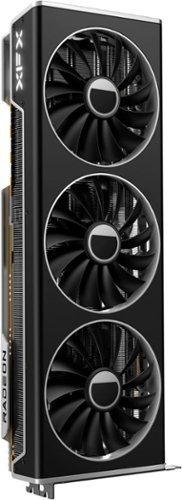
The AMD Radeon RX 7900 graphics card, powered by AMD RDNA 3 architecture, featuring 96 powerful enhanced Compute Units, the all new AMD Infinity Cache and 24GB of dedicated GDDR6 memory, is engineered to deliver ultra-high frame rates and powerhouse resolution gaming.
Overall2 out of 5
2 out of 5Not a great World of Warcraft card....
By Electrosoft
I decided to give Team Red a try this time around and was looking for a little bit of an upgrade from my 3080 10GB for World of Warcraft. I game on a 32:9 LG 144hz 5120x1440 display.
After weighing the pros and cons of the 4080 and 4090 I snagged one of these expecting some major uplift and I was sorely disappointed.
The card itself is large and in charge and wonderfully built. It is aesthetically beautiful and the industrial placing of the "XFX" logo is nice. In terms of build quality, it is close to a 10.
I used the newest drivers as of 1/7/2023 and 1/20/2023 with a clean install of Windows 10 and 11 (dual boot).
12900k @ 5.1ghz all core e-cores off
Arctic Cool LF II 420mm
Asus Strix Z690 D4 Motherboard
2x16GB DDR4 B-Die 4000 CL16-17-17-36
Resizable Bar ON
Arctic Cool LF II 420mm
Asus Strix Z690 D4 Motherboard
2x16GB DDR4 B-Die 4000 CL16-17-17-36
Resizable Bar ON
The verdict?
Everything set to Ultra 10, scaling to 98%, Super Fidelity on, RT disabled...Using repeatable flight point runs in Ardenweald, the 7900XTX is about 26% faster with GPU being utilized 100% (122fps vs 97fps)
Same settings RT on, the 7900XTX is about 1.33% faster. (76fps vs 75fps).
I prefer RT on so the cards are equal. Even with it off, it is only 26% faster than a 3080 10GB.
The card runs rather cool under load both GPU and hot spot running 56 and 74 respectively while fans were under 40%.
I gave it a Timespy run to make sure it was running up to spec and it scored a nice and healthy 30334 GPU score boosting up to 2670mhz.
As always, your game results will vary depending on title chosen. Make sure to check which titles you run and seek out comparative results before buying since. For example if you run Modern Warfare II, this card is closer to 4090 performance than 4080.
Unfortunately it just isn't a good World of Warcraft card.
Electrosoft
GPU bound not CPU bound
January 30, 2023
WoW likes a good CPU but as you push your resolution up just as in most every other case, GPU usage increases and CPU usage decreases. It's finding that perfect balance so neither is held back too much by the other.
For example, at 5120x1440 with the 7900xtx, the benchmark runs were GPU bound both with my 3080 and the 7900xtx hitting and staying at 99-100% utilization especially with RT enabled which hits the CPU even harder but neither the 3080 10GB or 7900XTX could cap my CPU at 5.1 or even 4.9 all core. For comparison, I picked up a 4090 and now in the exact same scenario I am CPU bound with my 12900k even at 5.3 all core (e cores off) bouncing off 100% usage and my 4090 GPU usage never hitting greater than ~89%.
With a 4090 Average fps in Dragon Isles with the previous mentioned FP runs and settings RT on:
3080 10GB = 75fps average GPU bound
7900xtx = 76fps average GPU bound
4090 = 138fps average CPU bound
7900xtx = 76fps average GPU bound
4090 = 138fps average CPU bound
My display caps at 144hz. If I truly want to attempt to cap the display and push the 4090 utilization up higher, I will need a better CPU. I'm waiting to see how the 7800X3D performs and I might switch to that or just upgrade to a 13900ks from my 12900k.
0points
0of 0voted this comment as helpful.
The AMD Radeon RX 7900 graphics card, powered by AMD RDNA 3 architecture, featuring 96 powerful enhanced Compute Units, the all new AMD Infinity Cache and 24GB of dedicated GDDR6 memory, is engineered to deliver ultra-high frame rates and powerhouse resolution gaming.
Overall2 out of 5
2 out of 5Not a great World of Warcraft card....
By Electrosoft
I decided to give Team Red a try this time around and was looking for a little bit of an upgrade from my 3080 10GB for World of Warcraft. I game on a 32:9 LG 144hz 5120x1440 display.
After weighing the pros and cons of the 4080 and 4090 I snagged one of these expecting some major uplift and I was sorely disappointed.
The card itself is large and in charge and wonderfully built. It is aesthetically beautiful and the industrial placing of the "XFX" logo is nice. In terms of build quality, it is close to a 10.
I used the newest drivers as of 1/7/2023 and 1/20/2023 with a clean install of Windows 10 and 11 (dual boot).
12900k @ 5.1ghz all core e-cores off
Arctic Cool LF II 420mm
Asus Strix Z690 D4 Motherboard
2x16GB DDR4 B-Die 4000 CL16-17-17-36
Resizable Bar ON
Arctic Cool LF II 420mm
Asus Strix Z690 D4 Motherboard
2x16GB DDR4 B-Die 4000 CL16-17-17-36
Resizable Bar ON
The verdict?
Everything set to Ultra 10, scaling to 98%, Super Fidelity on, RT disabled...Using repeatable flight point runs in Ardenweald, the 7900XTX is about 26% faster with GPU being utilized 100% (122fps vs 97fps)
Same settings RT on, the 7900XTX is about 1.33% faster. (76fps vs 75fps).
I prefer RT on so the cards are equal. Even with it off, it is only 26% faster than a 3080 10GB.
The card runs rather cool under load both GPU and hot spot running 56 and 74 respectively while fans were under 40%.
I gave it a Timespy run to make sure it was running up to spec and it scored a nice and healthy 30334 GPU score boosting up to 2670mhz.
As always, your game results will vary depending on title chosen. Make sure to check which titles you run and seek out comparative results before buying since. For example if you run Modern Warfare II, this card is closer to 4090 performance than 4080.
Unfortunately it just isn't a good World of Warcraft card.
Electrosoft
Poor value over the 3080 10GB for RT and NON-RT
January 31, 2023
Please re-read my initial review and follow up. I clearly state even with RT OFF the uplift is still only 26% over the 3080 10GB (122fps vs 97fps) which is not worth the price especially with the .1 and .01 lows being as poor as they are with the 7900xtx RT on or OFF. Back to RT, the 7900XTX in reviews is supposed to perform like a 3090ti in RT but in WoW it can't even match that and instead matches a 3080 10GB in WoW. As I summed up, it is a poor WoW card in comparison to Nvidia's offerings. Plenty of research was conducted.
I purposely give the 7900xtx props for not only XFX's build quality. but also note to check your specific games as the 7900xtx can be a decent performer but it just simply isn't in the class of Nvidia RT and in many cases the Raster is poor too for what *I* am looking for in regards to performance both RT on and OFF. If the 7900xtx managed to cap my display AND had higher .01 and 1.0 lows I would have just compromised and ran it with RT off and saved the hefty difference between it and a 4090 but It failed to even do that.
The card is ok not great for WoW and if your objective is to cap your refresh 144hz (or get close to it) while pushing your lows up higher it fails on both fronts with RT on or OFF.
On the other hand, the 4090 is a monster that checks all the boxes (and wallet too) and has my system CPU bound while still almost capping my display at 138fps average with RT ON. I don't even have to weigh the pros and cons like I did with the 7900XTX even contemplating RT OFF.
The 4090 at 32:9 or 4k gets higher fps in WoW with RT ON (138fps) than the 7900XTX with RT OFF. (122fps) Let that sink in.
If your AMD card is doing what you need for you, I'm happy for you, enjoy it! But for WoW enthusiasts wondering how the 7900xtx performs with both RT ON and RT OFF (that's why I included both), that was the basis of my review presenting both comparisons to my 3080 10GB so WoW players who run 32:9 or 4k high refresh displays can quickly get an idea of how the 7900XTX will perform if purchased and depending on what they have now is it a meaningful and worthwhile upgrade.
-1point
0of 1voted this comment as helpful.
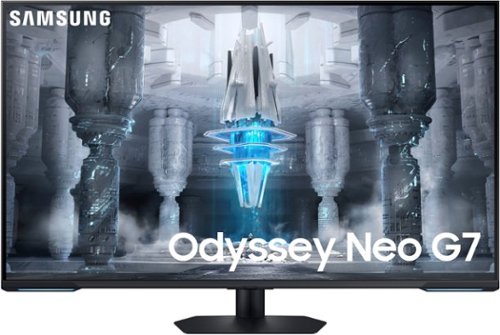
Explore the 4K UHD Odyssey Neo G7 gaming monitor with 1ms MPRT response time (MPRT), Quantum Mini LED, and VESA Display HDR600. Experience a versatile screen for both games and streaming videos. With a size of 43", the G7 is the perfect entertainment screen that has an ideal design for both console and PC games
Overall5 out of 5
5 out of 5Large and in charge in the best way
By Electrosoft
I had previously been using a BenQ 32" 4k display but it was only 60hz and had IPS glow. Still, it was a wonderful display.
I switched to "ultra-ultra-wide" and moved to an LG 49" 5120x1440 144hz but the lack of true 4k and IPS glow were detriments. I do not like curved displays and while its curve was mild, I would have preferred none. Still, it was a wonderful display.
When I finally thought about what I wanted in my ideal display I wanted something 32" or larger non curved with no glow, local dimming, no OLED due to burn in converns, 4k and at least 144hz refresh rate with good color reproduction.
Enter the Samsung NEO 43" mini led 4k 144hz display.
Arriving in classic Samsung brown boxing, inside is a display that checks all the boxes and then some.
Setup was straight forward and requires just a phillips head screw driver to secure the arm to the display and then the mounting base.
It is so large I feel like I'm IN my PC games and for desktop work seeing everything is a breeze thanks to the massive display size.
I use a 4090 and the Samsung NEO is G-Sync compatible so you have access to all control panel settings. You don't realize how wonderful mini LED is until you are playing games or watching content with a lot of black spaces. Those near inky black reproductions just make everything else pop.
You have plenty of connections from HDMI 2.1 to DP 1.4. There are USB ports and a USB hub connection if you want.
If you use Samsung's SmartThings app, your display will detect it and ask if you want to connect. I use the app with my washing machine so my display picked up on it as soon as I connected it to my network. You can also use the app to setup your display too. This will also keep your NEO firmware and smart apps up to date as yes your NEO display also is a beautiful full smart app enabled display with apps of its own (Netflix, Prime, etc...) to provide media consumption with no need of external devices if you so choose.
I have a spare AppleTV so I connected that via HDMI to my NEO and wow....the picture just pops in the best way. Watching Apple's "Foundation" series was a beautiful thing to behold and the mini LEDs and color reproduction made for a beautiful experience.
Whether using it with my PC or AppleTV, I love having a large, full 4k experience back.
Back to gaming which was one of my primary reasons for picking up this display. Playing World of Warcraft or Fallout 76 in 4k is just.....majestic. The display is just so large that everything pops and is front and center in the best way. Proper local dimming vs edge lit is a game changer in everyway especially for gaming. I picked this up primarily for gaming and to check all my "dream display" boxes and this does it and then some.
There are a passable set of speakers built into the display. If it is all you have it will give you audio but in the end you would be better serve getting a decent set of speakers or using headphones but at least they're there if needed and you have nothing else.
I must make note of the overall picture quality as it is very uniform and clear. The display has a matte finish but it is very subtle in application so there is no overly grainy textures or problems. I love the way it produces images. Nothing is overly saturated or washed out.
Nothing is perfect though and if I had to call out a few minor faults: I felt the setup was a bit tedious. Everything requires a remote (or the smart app) to properly navigate. The display for desktop use can be TOO big depending on neck and eye positions. While the mount allows tilting forwards and backwards there is no vertical adjustment but the mounting takes into consideration this is a 43" display so it mounts maybe ~3" off the table. It is VESA compliant so you can always mount it to your needs and specifications. 43" at 4k close up things can get less sharp as 4k at 43" equals ~102.46 PPI.
Overall I am incredibly pleased and I did not expect to have all my boxes checked or enjoy this display as much as I am. I am slowly but surely adjusting to the lush 43" landscape it provides and now all other displays feel small.
Electrosoft
No issues with the "Scrolling ghosting" issue
March 19, 2023
I am not sure what all the furor over ghosting is as the only "ghosting" I'm picking up on is when fast scrolling on white lit pages and a touch of blur. Seeing as I do NOT read anything realistically when I'm scrolling but when it is stationary, it isn't a problem. Even when scrolling, I can still easily read everything that is presented on the screen. Outside of that, the ghosting issue is being blown out of proportion and overrated and yes I do run it in game mode to have G-sync enabled with my 4090.
Once I read about the "issue" I spent several hours testing various use cases and scrolling as fast as I could and trying out all types of games.
Again, the "issue" is on predominately white lit pages and large fast scrolling. Smaller and/or slower scrolls and it is fine. Even with the larger and /or faster scrolling it isn't a deal breaker. Not even close.
I picked this up primarily as a PC gaming display that fit my criteria (4k, >32", 144hz, mled) and I have zero ghosting issues after setup outside of what I mentioned above. I also use it as my primary desktop display and it has fully supplanted my BenQ and LG as my primary display I like it that much. Watching 4k content is also a joy since my LG could not do it properly. Gaming at 144hz is great since my BenQ could not do that either. It checks all my boxes even with the "ghosting" issue.
Having used it for weeks now, one issue I could add is the display wakes up too slow on cold boot for your PC so the "VGA Error" diagnostic light tends to stay on and require a soft reboot or using the remote first to wake up the display then powering on.
I can't really comment more on the Smart TV functionality as this spends its days as my PC display or streaming from my AppleTV. As a PC display, it is providing everything I want and need for my uses.
One last thing: calling over reviewer's reviews, "fake" because they don't agree with your assessment diminishes your post quality.
-1point
0of 1voted this comment as helpful.

Draw more frames and win more games with the brand new Strix G18 and Windows 11 Home. Powered by a 13th Gen Intel Core i9-13980HX Processor and an NVIDIA GeForce RTX 4080 Laptop GPU boasting a max TGP of 175W with Dynamic Boost, be ready to dominate the competition in all of the latest games.
Overall5 out of 5
5 out of 5Well built Laptop
By Soundfreak262
This laptop is very well built. I am happy to find all i was hoping for. Here are the things that are not listed, but are very important. It has 2 SO-DIMM slots for ram. It will run up to 5600mhz DDR5. I upgraded it with some GSkill to 32GB. It also has 2 - Gen 4 x4 M.2 slots for HDD’s. Both of these can be raided for redundancy, or speed if you actual need more than the speed than Gen 4 offers. The cooling is incredible for a laptop of any kind. It is loud when it is running hard, but it is expected. It doesnt have a wining sound that many laptops have from the fans. It have strong, well built fans. I would highly recommend this laptop to anyone with the funds.
Electrosoft
What model G.skill was 5600 compliant?
August 31, 2023
You note the laptop can run 5600mhz memory and you went with G.Skill. Which product # was it?
0points
0of 0voted this comment as helpful.
The AMD Radeon RX 7900 graphics card, powered by AMD RDNA 3 architecture, featuring 96 powerful enhanced Compute Units, the all new AMD Infinity Cache and 24GB of dedicated GDDR6 memory, is engineered to deliver ultra-high frame rates and powerhouse resolution gaming.
Overall2 out of 5
2 out of 5Not a great World of Warcraft card....
By Electrosoft
I decided to give Team Red a try this time around and was looking for a little bit of an upgrade from my 3080 10GB for World of Warcraft. I game on a 32:9 LG 144hz 5120x1440 display.
After weighing the pros and cons of the 4080 and 4090 I snagged one of these expecting some major uplift and I was sorely disappointed.
The card itself is large and in charge and wonderfully built. It is aesthetically beautiful and the industrial placing of the "XFX" logo is nice. In terms of build quality, it is close to a 10.
I used the newest drivers as of 1/7/2023 and 1/20/2023 with a clean install of Windows 10 and 11 (dual boot).
12900k @ 5.1ghz all core e-cores off
Arctic Cool LF II 420mm
Asus Strix Z690 D4 Motherboard
2x16GB DDR4 B-Die 4000 CL16-17-17-36
Resizable Bar ON
Arctic Cool LF II 420mm
Asus Strix Z690 D4 Motherboard
2x16GB DDR4 B-Die 4000 CL16-17-17-36
Resizable Bar ON
The verdict?
Everything set to Ultra 10, scaling to 98%, Super Fidelity on, RT disabled...Using repeatable flight point runs in Ardenweald, the 7900XTX is about 26% faster with GPU being utilized 100% (122fps vs 97fps)
Same settings RT on, the 7900XTX is about 1.33% faster. (76fps vs 75fps).
I prefer RT on so the cards are equal. Even with it off, it is only 26% faster than a 3080 10GB.
The card runs rather cool under load both GPU and hot spot running 56 and 74 respectively while fans were under 40%.
I gave it a Timespy run to make sure it was running up to spec and it scored a nice and healthy 30334 GPU score boosting up to 2670mhz.
As always, your game results will vary depending on title chosen. Make sure to check which titles you run and seek out comparative results before buying since. For example if you run Modern Warfare II, this card is closer to 4090 performance than 4080.
Unfortunately it just isn't a good World of Warcraft card.
Electrosoft
Nov 2023 and still not a good WoW card
November 26, 2023
As a follow up almost 11 months later, I picked up another one of these 7900xtx cards and the state of WoW is even worse. All you need to do is search "amd 7900xtx and world of warcraft problems" or similar searches and you will find plenty of posts.DX12 problems, crashes, stuttering, freezes and more. RT performance is still very poor. You can also check the Blizzard tech support forums for plenty of threads of problems with AMD 7000 series cards. I tested my 7900xtx on my 7800X3D and 13900KS platforms and the problems are persistent on both. Many of these problems have been around for months on end. I still stand by my assessment that the 7900XTX is not a great WoW card. I have had zero problems with my 4090, 3080 or 3070. Hopefully Blizzard can sort out these issues before the next Xpac.
0points
0of 0voted this comment as helpful.
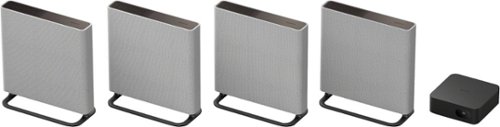
Introducing BRAVIA Theater Quad, our flagship home theater surround sound system that brings movies to life. With a revolutionary design that compliments your space, 16 total speakers and 360 Spatial Sound Mapping, any space becomes the movie theater with pin-point surround sound from every corner of the room. And get heart pounding bass with optional wireless subwoofer.
Overall5 out of 5
5 out of 5I love it but a subwoofer is needed for excellence
By Electrosoft
Background and farewell to classic wired subwoofers:
I haven't had a surround sound system in quite some time since my Onkyo 5.1 finally gave up the ghost after 15 years of faithful service and all that was working was the massive wired subwoofer which I kept and used with three subsequent sound bars starting small with a Vizio, upgrading to a Sanyo and finally my current soundbar is a Sennheiser Ambeo Plus 7.1.4 which is about a year old. It has provided me with almost 25yrs of faithful service.
I liked that all three sound bars physically connected to my old Onkyo subwoofer which was a beast but alas modern times have caught up to it and the Sony HTA9M2 will only work with Sony branded wireless bluetooth subwoofers. For a complete, immersive experience, properly enriched sound stage along with extended bass, it is better to consider this a $2900 or $3200 based system as the SW3 200w sub and SW5 500w sub cost $400 and $700 respectively.
Arrival, unboxing and required app for use:
Arriving in a very large box clocking in at 33lbs, inside you will find a classic Sony layout of items with a straight forward guide to get your control box up and running and then speakers setup ready to use. Setting up everything was very straight forward and each speaker has its own compartment in the box with everything you need. Everything is clearly marked (Front L, Front R, Rear L, Rear R) along with place/directional guides. I love that you get the floor stands and optional wall mounts as that will be the eventual placement for our speakers both front and rear. All four speakers come with a very healthy run of power cabling that is thin and flexible making it easy to work with and place. The control box looks and feels like a mix of an older Apple TV and a Mac Mini.
Documentation is basic in nature without any detailed explainations past the basic speaker/box cabling setup. Anything else if you need it will have to be via app exploration or online help but everything felt and proceeded intuitively.
The speakers are very well made and feel solid and polished. I very much like the grey, industrial look they have. The control box has a nifty display on the front that will show you various text prompts depending on what you are doing and/or what is going on when in use. The remote almost feels like an afterthought because the system is clearly designed around using the app. It is very small with minimal functions but it does have the basics (IE volume, etc..) so once you configure your setup with the app, you could rely just on the remote for rudimentary functionality. For any type of fine tuning, you will have to use the app.
Once your hardware is physically setup, all that's left to do is download the Bravia App and get things setup properly. There is a QR Code right on the quick setup portion of the packaging and it will take you right to the app to download. You will need a Sony account which can be created during setup (it uses your mobile browser for this) or if your account was previously via a third party service (Apple, Google, etc..) or even an older Sony account (like mine) you will now need to migrate it to an all enclusive Sony account. This was pretty straight forward too. Lots of Agree/Not Agree terms but kudos to Sony for allowing you to opt out from the bulk of it. There is no auto setup feature like the Sennheiser which could just use your Wifi settings and automatically setup your soundbar. I had to manually authenticate to my router but that was simple.
The app really makes it fairly easy to get up and running and after a hefty update to your control box, you set up and test the speakers, have it map the soundstage based on where you primarily sit for tv viewing and off you go. Make sure during initial setup and updating the firmware you're right next to your Sony control box with your phone/tablet so there are no time outs or issues. A few times, the app said it couldn't find/connect to my HTA9M2s, but closing and restarting it fixed the problem each time.
Once you have mapped your sound stage, you can then fine tune the settings to your liking. For example, after letting the app map and implement my sound stage, I increased the rear speakers output because the mapping overcompensated for the closeness to our recliners of the rear speakers and pushed bass to max because without a subwoofer everything sounds a bit hollow so pushing bass to max helped enrich the sound and add a bit of body and warmth to it. Since the app is fairly new, refinements and enhancements will roll out over time. I am hoping one is an equilizer so I can really dial in my preferred sound stage past the basic few settings for rear and bass settings. Individual speaker adjusts would be nice too with a fine degree of control.
I paired the HTA9M2 to our Sony 65" Z9F Bravia that is now about 5 years old but still performs beautifully and has retained its magnificent picture quality. The last software update was from 2021 but it still had 100% support for the HTA9M2. It has an Arc out port and switching from my Sennheiser was as simply as unplugging the existing 2.1 8k HDMI cable from it and into the Sony control box. I also have a Sony 4k Blu-Ray player and an AppleTV 4k 3rd generation connected to my HDMI2 and HDMI4 ports via 8k 2.1 HDMI cables. The Z9F does have a 1/8" audio jack for center channel, but I will not be using it as it was problematic before and as noted the last software update from Sony for the Z9F is dated 2021. If somehow Sony decides to update the firmware on the Z9F, I will retest and report back here.
Performance:
So how does it perform when all is said and done? Let's be honest here. Without a subwoofer, it stood no chance against the Sennheiser setup for booming bass and a deep, rich, robust sound stage but that was to be expected. Just as with my Sennheiser without a sub during initial usage, adding a subwoofer is a game changer and I expect the same will be true for the HTA9M2.
What I wasn't expecting was how much I had missed a true surround sound system when watching movies and shows that took advantage of it. I also missed the immersive nature of even listening to music in a 360 degree bubble. The Sennheiser is pretty state of the art and mapped the room to project a 3D'esque sound stage, but nothing can match the real thing.
For music testing, I decided to just use Kitaro's "Caravansary" as it has fantastic highs, mids and punchy lows to give a complete idea of the audio and I must say the HTA9M2 delivered especially compared to my Sennheiser not only in immersion but the highs were just so clear and sweet and the bass it did have had a type of seperation I have not heard on home speakers before. Is it the best I've heard? No, but it is well above average. I would not purchase the HTA9M2 primarily for music, but it can do a good job in addition to everything else it does. I appreciate good sound but I am not a hardcore audiophile so I am sure there is much better out there for music but for myself? I was impressed with the balance of the highs, mids and lows but the lack of a subwoofer is painfully present to add that extra layer of richness and what I like to call electronic baritone that only a subwoofer can deliver.
For program viewing, there is a particular sequence in AppleTV+ Foundation series Season 2, Episode 8 when Sal is trapped in the prison in the ground and she is brought food. The sound of the suppresors along with ambient and insect sounds is very specific, detailed with good separation. The HTA9M2's did an admirable job better than my Sennheiser Soundbar but was still lacking detail that can readily be heard on my Sonos Ace or Apple Airpod Max headphones but that was to be expected as headphones are a different breed but the point was to see what detail the HTA9M2 could produce compared to what is there. Again, I can not emphysize enough the lack of a subwoofer as even with the included bit of bass enhanced via the app, you will never achieve that next level of depth and richness of sound only a subwoofer can bring. One thing I very much like is the app will let you know what type of codec/streaming is being presented to the HTA9M2. When I was watching some basic older TV programs, the app said Dolby 2.0. When I started to stream any newer movies, it switched to Dolby Atmos to let me know what was being played back. Older content, the rear speakers were silent as expected but as soon as something modern played? They came to life in the most delightful way.
Watching a movie like Top Gun Maverick or Mission Impossible Dead Reckoning was a joy with the real surround sound and not projected/simulated. A true and proper surround sound experience is completely on another level versus a soundbar even with the newest room mapping. Did I mention the lack of a subwoofer and that extra layer of richness missing? It is present here too. I can not emphysize how much of a game changer it is with a good subwoofer integrated into your sound system even if you are not a huge bass fan.
The Sennheiser prides itself on center/dialogue playback, but my wife and I both found the Sony HTA9M2 and its simulated center channel to actually provide better and clearer dialogue than the Sennheiser. Many times we found ourselves with the Sennheiser backing up the program 10 seconds so we could hear what was being said but with the Sony we haven't encountered that problem once. The dialogue/center virtual reproduction is excellent.
Networking and conflicts:
I know the previous model had problems existing with other Wifi routers in close proximity. I have two routers with Wifi 6 and 6e going along with numerous devices in use and I have had zero drop outs or issues. In fact, the Sony control box is about 3 feet away from my Wifi 6 router and it has been rock solid.
Overall, a great performer but a subwoofer is really a must to truly realize its potential.
Electrosoft
Follow up: Added an SA-SW5 = game changer
June 17, 2024
I picked up a Sony SA-SW5 300w Subwoofer and as expected, it is a total game changer in regards to the sound stage created. Retesting everything, and the bass is powerful. The explosions and action scenes in Mission Impossible Dead Reckoning and Top Gun Maverick are teeth rattling excellence. The bass in Kitaro's Caravansary is deep and rich.
There is also another update for the HTA9-M2 giving more granular control over the rear speakers and bass functionality which is much appreciated.
I let the app remap the entire sound stage again and the bass is so powerful I have it set at a -2 (negative two) and that is plenty even with the subwoofer almost 10ft away. I think an SA-SW3 might have been enough the bass is so powerful with the SW5.
Setup is very easy. Tell the app you want to add a subwoofer, turn on subwoofer, it finds and adds it.....done.
Now the setup sounds as it should and I can easily say my HTA9-M2 + SA-SW5 300w Subwoofer easily beats my old Sennheiser Ambeo 7.1.4 soundbar + Onkyo 400w subwoofer pretty handily.
I will re-iterate it again. If you're looking to purchase this absolutely beast of a surround sound system, you really need to calculate the cost reflecting an SA-SW3 or SA-SW5 subwoofer as part of the package as it is that much of a game changer.
0points
0of 0voted this comment as helpful.

See all around your home and enjoy 360~ coverage with the versatile Pan-Tilt Indoor Cam. Get a better view of what~s up and what~s down right from your phone with pan-tilt controllable via the Ring App, HD Video and Color Night Vision. Or see less with a manual Privacy Cover that turns off your cam until you need it next.
Overall4 out of 5
4 out of 5First time home security user overall it's decent
By Electrosoft
I am new to home camera systems as I've never had one before but recently with package delivery problems plus wanting to know who is at the front door when knocking before I answer along with some street facing security, I figured it was time to give it a try. This review is from the perspective of not only a RING newbie but someone new to home surveillance.
Arriving in a small, compact box inside you will find the Ring pan and tilt camera, a decently length power cord and a wall adapter. Also included is a snap on stabilizing mount and a wall mount with screws so basically you're good to go however you want to use/mount it. You get a few small pamphlets but really all setup is via a QC code.
I decided I wanted the "full" Amazon experience (since they own RING) and opted to update and use my Fire HD 10 tablet which is a ~3yr old 11th generation model as my primary monitoring device. Once updated, downloading the Ring app was easy and as soon as you create an account which is mandatory, you can set up your camera via the QC code which was the first problem as my Fire HD tab could not focus on the incredibly small QC code. I tried from many angles. I even took a picture of it and enlarged it with my phone to try and capture it that way to no avail. I ended up just having to manually punch in the number which in hindsight was much easier than scanning the code.
Once punched in, you make sure your Ring camera is near your router and setup is a breeze. It finds and links to it automatically with the tablet Bluetooth and will sync it to the network you're using. Be warned, these are only 2.4ghz devices and do not support 5.0ghz so make sure you're either using an older router or have dual band set up. Once synced and setup, you can adjust the various settings you want (home / away modes, live vs delayed feed, pan/tilt settings, etc...).
I set it up in its dedicated location and since it is wall powered, it can be left unattended. I really like the fact it uses a USB-C to USB-A cable and standard USB-A power adapter as this gives you plenty of flexibility not only in cable run length but if you want to power it off a USB hub.
Once I placed it where I needed it, I was able to immediately pull up my feed and see my front door, driveway and a bit more. The camera has a very wide angle.
The app is more than quick enough even on my 11th gen Fire HD tablet. I suspect it would be much quicker on an Apple or faster Android device but for my needs it works fine.
As always, nothing is perfect.
I do wish it was in color, but the 1080p picture was good enough.
I like that I can monitor it via the tablet and my PC. My main issue is there is no PC or Mac native program and everything has to be done via the Ring website which makes it a bit cumbersome and obtuse. If there is an app for mobile devices, there should be a stand alone application for PCs and Macs.
I'm not a huge fan of a lack of direct local streaming mode. Everything has to funnel through the cloud back to Ring and then to you. There needs to be a direct Wi-Fi/LAN only mode to conserve uplink bandwidth and more important localize your privacy options if all you want to do is monitor the cameras and that's it.
You do get a free month of Ring Protect that allows you to save and review videos along with other features but if you opt not to pay monthly, you only have real time/delayed video and it still has to be uploaded/streamed to Ring and then re-sent to your various devices (in my case, Fire HD and PC).
If the Ring camera was in color, had a native PC or Mac program and a way to select localized streaming only, this would be near perfect. Alas, it lacks these three things but overall I'm generally content with this first step into home security and most likely after my trial period is over I will just use it for real time streaming of my front door/area and that's it.
Electrosoft
Clarification about color capability
July 21, 2024
When I said, "in color" I meant to say better color / saturation. It's clearly a color (not B&W) camera.
0points
0of 0voted this comment as helpful.
Electrosoft's Questions
Electrosoft has not submitted any questions.
Electrosoft's Answers

NVIDIA - GeForce RTX 5080 Founders Edition 16GB GDDR7 PCI Express 5.0 Graphics Card - Dark Gun Metal
Gear up for game-changing experiences with the NVIDIA GeForce RTX 5080 and AI-powered DLSS 4. Built with NVIDIA Blackwell and equipped with blistering-fast GDDR7 memory, it lets you run the most graphically demanding games and creative applications with stunning fidelity and performance. With NVIDIA Studio you can bring your creative projects to life faster than ever.
Introducing BRAVIA Theater Quad, our flagship home theater surround sound system that brings movies to life. With a revolutionary design that compliments your space, 16 total speakers and 360 Spatial Sound Mapping, any space becomes the movie theater with pin-point surround sound from every corner of the room. And get heart pounding bass with optional wireless subwoofer.
Introducing BRAVIA Theater Quad, our flagship home theater surround sound system that brings movies to life. With a revolutionary design that compliments your space, 16 total speakers and 360 Spatial Sound Mapping, any space becomes the movie theater with pin-point surround sound from every corner of the room. And get heart pounding bass with optional wireless subwoofer.
Is the Sony SW3 subwoofer powerful and big enough sounding to compliment this system? Or do you think that the SW5 is necessary?
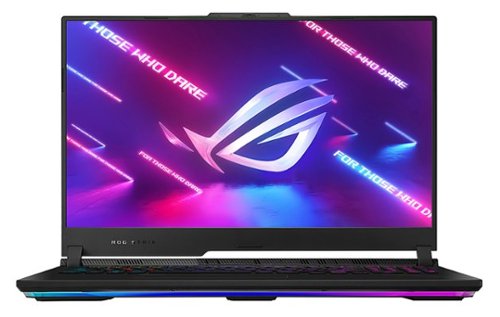
Beat the best and carve your legacy with the 2023 ROG Strix SCAR 17 X3D gaming laptop, featuring Windows 11 Pro, an NVIDIA GeForce RTX 4090 Laptop GPU, and an AMD Ryzen 9 7945HX3D processor for the first time ever in a laptop. It has 32GB of DDR5-4800MHz memory and 2TB of PCIe 4x4 in RAID 0 storage for fast multitasking and loading. The QHD 240Hz/3ms display with Dolby Vision HDR and Adaptive-Sync offers a crystal clear, ultra-fast viewing experience.
Why does it say it has 32GB and 16 GB of ram in multiple places. The description says 32 and the specs say 16gb and 32GB. What one is it. Hard to believe they would only have 16gb in a 4090 laptop.
This has 32GB of system memory (2x16GB DDR5) and the 4090 has 16GB of VRAM. Sometimes sites get those details backwards or interchange them mistakenly. That is one reason.
Another reason is *If* you buy it from some specialty botique shops they will sometimes offer it in a non Asus standard spec ranging from NO ram up to 96GB of ram based on your choice. They will also custom config your storage too from NO storage up to 12TB again based on your choice.
Luckily, Best Buy sells it in the proper stock config directly from Asus which is 32GB of system memory and 2TB of SSD.
Another reason is *If* you buy it from some specialty botique shops they will sometimes offer it in a non Asus standard spec ranging from NO ram up to 96GB of ram based on your choice. They will also custom config your storage too from NO storage up to 12TB again based on your choice.
Luckily, Best Buy sells it in the proper stock config directly from Asus which is 32GB of system memory and 2TB of SSD.
2 years, 3 months ago
by
Electrosoft
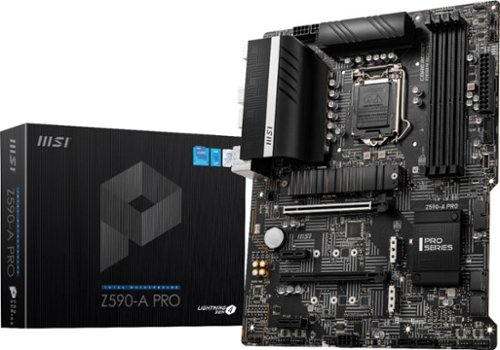
The Z590-A PRO ATX motherboard employs a robust VRM platform for the Intel Z590 chipset (LGA 1200, 11th Gen Core ready) with a 12 Duet Rail 55A power system (4+8 Pin connector) supported by passive cooling heat sinks and Frozr AI thermal monitoring. Designed to support the latest 11th Gen Intel Core processors, the Z590-A PRO includes future-friendly hardware support options in the form of 4 x DDR4 dual-channel DIMMs (5333 MHz/OC) and a steel-reinforced PCIe 4.0 x16 slot to support heavier GPU~s (2-way AMD CrossFire available via secondary PCIe 3.0 x16 slot). Storage options include 1 x M.2 Gen4 x4 64Gb/s slot (with Shield Frozr) and 2 x M.2 Gen3 x4 32Gb/s slots for ultra-fast SSD access (compatible with Intel Optane). Hard-line connectivity options include Intel 2.5G LAN, HD Audio 7.1 with Audio Boost, and HDMI 2.0b (4K/60Hz) outputs. For creative professionals looking to update their system, the MSI Z590-A PRO offers a quality platform with the capacity to support a broad spectrum of both cutting-edge and legacy hardware.
Introducing the latest in the EVGA power supply lineup~ the GQ series. These power supplies take some of the best features from EVGA~~~s award winning power supplies, like EVGA ECO fan mode for near silent operation, Japanese Capacitor Design and a highly efficient design, at an excellent value. These new power supplies are 80 Plus Gold rated and offer an outstanding 5 Year Warranty that~~~s backed by world class EVGA support.
Introducing the latest in the EVGA power supply lineup~ the GQ series. These power supplies take some of the best features from EVGA~~~s award winning power supplies, like EVGA ECO fan mode for near silent operation, Japanese Capacitor Design and a highly efficient design, at an excellent value. These new power supplies are 80 Plus Gold rated and offer an outstanding 5 Year Warranty that~~~s backed by world class EVGA support.
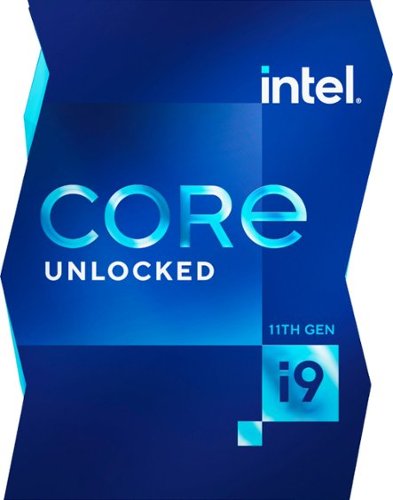
11th Gen Intel Core i9-11900K unlocked desktop processor. Featuring Intel Turbo Boost Max Technology 3.0 and PCIe Gen 4.0 support, unlocked 11th Gen Intel Core desktop processors are optimized for enthusiast gamers and serious creators and help deliver high performance overclocking for an added boost. Thermal solution NOT included in the box. Compatible with 500 series & select 400 series chipset based motherboards. Refer to motherboard vendor for compatiblity details. 125W.
Azeroth Awaits! Join millions of players and enter a world of myth, magic, and endless adventure. With a single game time purchase you can access World of Warcraft and WoW Classic, including 20th Anniversary Edition, Cataclysm Classic, Season of Discovery, and Hardcore Realms. Embark on your epic adventure in Azeroth for 60 days with this pre-paid game timecard. Simply enter your code at battle.net/code then assign this game time to any new or existing World of Warcraft account to keep the adventures going. No game purchase required. Includes access to World of Warcraft and WOW Classic. The most recent modern WOW expansion is sold separately.
Will this subscription card work with the new expansion(Shadowlands)?
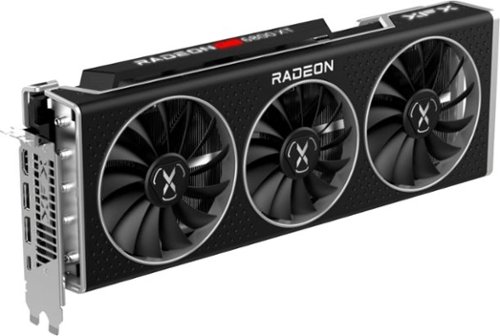
Introducing the AMD Radeon~ RX 6000 Series graphics cards, featuring the breakthrough AMD RDNA~ 2 architecture, engineered to deliver powerhouse performance for all gamers. The AMD Radeon~ RX 6800 Series graphics cards power a new generation of competitive and 4K gaming with vivid visuals, and elevated experiences in every game and every frame.