
Share ryanmcv's profile


ryanmcv
ryanmcv's stats
- Review count34
- Helpfulness votes102
- First reviewOctober 31, 2018
- Last reviewMarch 15, 2025
- Featured reviews0
- Average rating4.8
- Review comment count13
- Helpfulness votes29
- First review commentDecember 11, 2018
- Last review commentNovember 18, 2024
- Featured review comments0
Questions
- Question count0
- Helpfulness votes0
- First questionNone
- Last questionNone
- Featured questions0
- Answer count5
- Helpfulness votes29
- First answerMarch 29, 2023
- Last answerMarch 29, 2023
- Featured answers0
- Best answers3
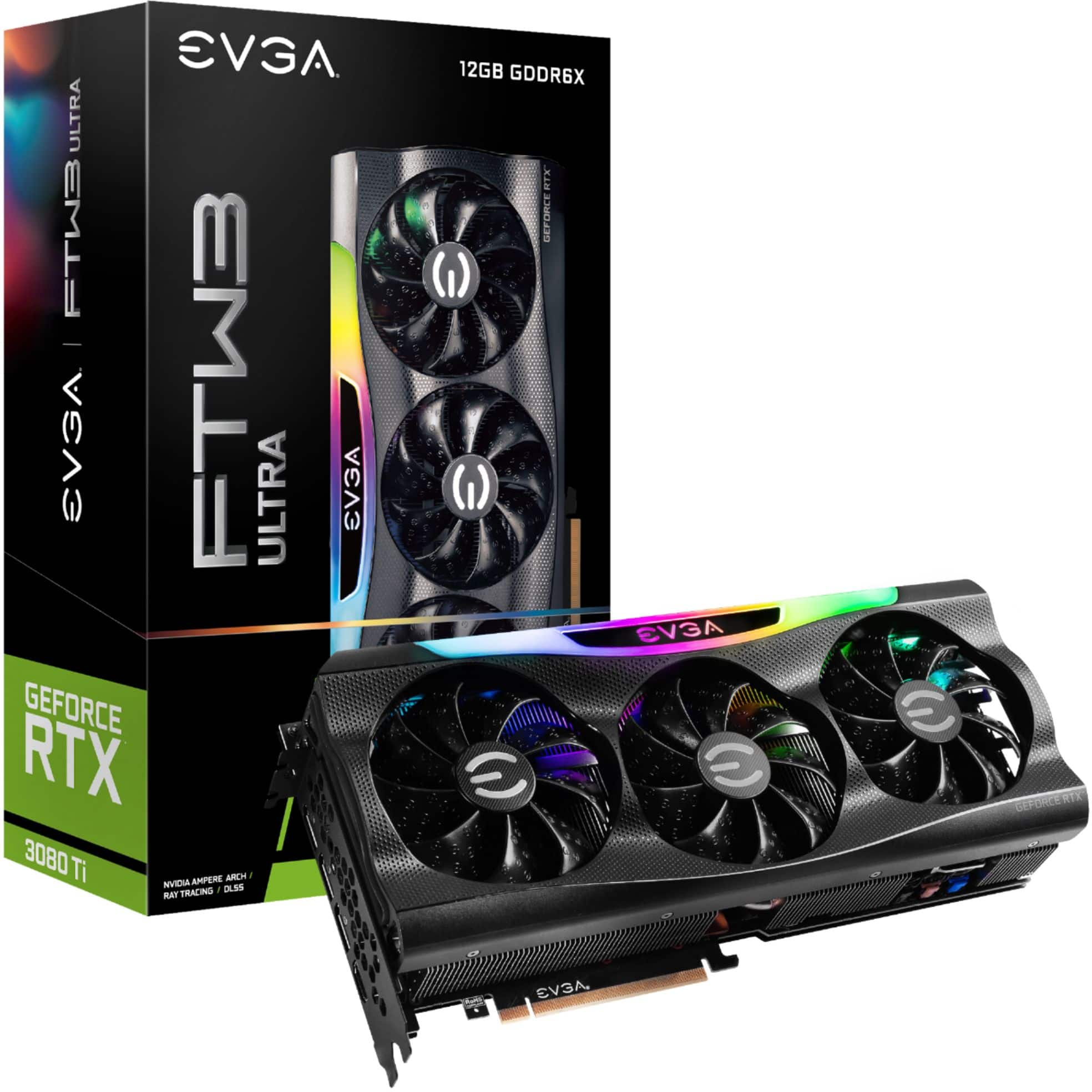
The EVGA GeForce RTX 3080 Ti delivers the unprecedented performance that gamers crave for 4K resolution gaming, powered by the NVIDIA Ampere architecture. It's built with enhanced RT Cores and Tensor Cores, new streaming multiprocessors, and superfast G6X memory for an amazing gaming experience. Combined with the next generation of design, cooling, and overclocking with EVGA Precision X1, the EVGA GeForce RTX 3080 Series presents a new definition in ultimate performance.
Customer Rating

5
The Best 3080 Ti Available
on April 9, 2022
Posted by: ryanmcv
Verified Purchase:Yes
I just finished building my first PC and was surprised to see this available for pickup at my local Best Buy last week. The card fits nicely in my NZXT H510 Elite case, though the power cables just barely touch the glass of the case when it's closed. Regardless, this FTW3 is beautiful and runs quite cool in a compact case like the H510. Temps usually settle around 80 to 82 under heavy loads. The card is beautiful and the LEDs are fully customizable via EVGA's Precision X1 software. Glad to see that GPUs are becoming easier to find at MSRP.
Length of ownership: 3
Mobile Submission: False
I would recommend this to a friend!
Quality

5
Value

4
Ease of Use
5
Share this review:


+3points
3of 3voted this as helpful.
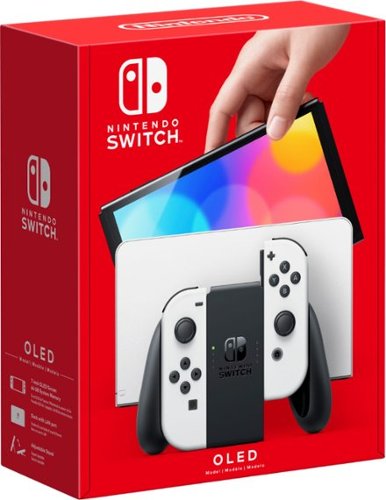
Play at home or on the go with a vibrant OLED screen. Play on your TV at home or pick up and play in handheld mode on a vivid 7-inch OLED screen with the Nintendo Switch ~ OLED Model system. The system also features 64 GB of internal storage, enhanced audio, a wide, adjustable stand, and a dock with a wired LAN port. Enjoy three modes in one system. TV mode: Connect your system to the TV using the included dock to enjoy a traditional gaming experience in HD. Handheld mode: Bring your games on your next travel adventure and enjoy playing on a 7-inch OLED screen that makes colors pop. Tabletop mode: Use the wide, adjustable stand to position the screen and detach the included Joy-Con controllers to enjoy game time even without a TV. Games for the whole family. Nintendo Switch systems are the home of games like Super Mario Bros. Wonder, Mario Kart 8 Deluxe, and others starring Mario and friends. And don~t forget series like Animal Crossing, The Legend of Zelda, Splatoon, Pikmin, and more! Connect and play together. Share the smiles! You can buddy up on one system, play online, or even link your systems together wherever you are for multiplayer favorites like the Super Smash Bros. Ultimate game. Joy-Con controllers included. The two included Joy-Con controllers let you play multiplayer games right out of the box~just pass one to a friend and go. Attach them to the screen for handheld mode or use both as a single controller when you play on the big screen. Plus, built-in motion controls really put you in the game in titles like Super Mario Party.
Customer Rating
5
Worthy Upgrade from Original Switch
on November 14, 2021
Posted by: ryanmcv
Verified Purchase:Yes
I upgraded to this OLED model from my original Nintendo Switch that served me well for the last several years. While there's no noticeable gain in performance, the OLED display is stunning and fits the form factor of the Switch perfectly. The minimal bezels truly help to immerse you in your games. If you play mostly in handheld mode like I do, you should consider upgrading. If you play mostly docked, then there really isn't much here for you. Highly recommended!
Length of ownership: 37
Mobile Submission: False
I would recommend this to a friend!
Quality
5
Value
5
Ease of Use
5
Share this review:


0points
0of 0voted this as helpful.
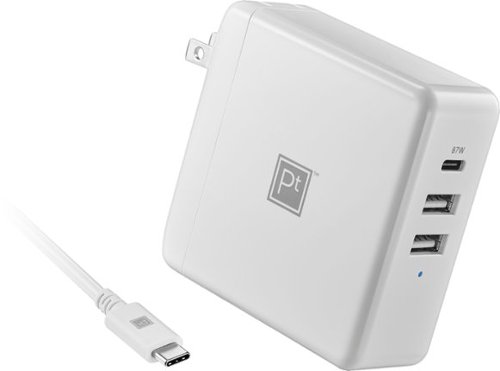
Charge a MacBook, Chromebook or laptop with a USB-C port with the Platinum 95W 8~ USB-C 3-Port Wall Charger with 87W USB-C Power Delivery for MacBook, iPad, iPhone, Chromebook or USB-C Laptops. Equipped with fast-charging Power Delivery, the charger provides 95 total watts, comes with an 8-foot USB-C cable and has two standard USB ports to charge smartphones, tablets and more.
Customer Rating
5
Versatile Charger for Laptops and Tablets
on November 14, 2021
Posted by: ryanmcv
Verified Purchase:Yes
I use this charger for my larger laptops and tablets. The 87W of power via USB-C is enough to charge my laptops at full speed, unlike some smaller chargers that don't provide enough power. This should offer enough power for MacBook Pros and other power-hungry laptops. The USB-A ports are perfect for charging phones and other small devices. The included USB-C cable is of high quality and is 8 feet long. Highly recommended!
Length of ownership: 20
Mobile Submission: False
I would recommend this to a friend!
Quality
5
Value
5
Ease of Use
5
Share this review:


0points
0of 0voted this as helpful.
![Hacksaw Ridge [SteelBook] [Includes Digital Copy] [4K Ultra HD Blu-ray/Blu-ray] [Only @ Best Buy] [2016]](https://pisces.bbystatic.com/prescaled/500/500/image2/BestBuy_US/images/products/304b2327-370a-41e7-956a-951dd4939472.png)
Customer Rating
5
Incredible Steelbook and Movie
on November 14, 2021
Posted by: ryanmcv
Verified Purchase:Yes
Lionsgate continues its steak of amazing 4K steelbooks with this gorgeous release. The slipcover and amazing artwork complement each other perfectly. This is one of my favorite World War II movies in recent memory and this steelbook is a treasured addition to any collection.
Length of ownership: 11
Mobile Submission: False
I would recommend this to a friend!
Share this review:


0points
0of 0voted this as helpful.
Customer Rating
5
Another Great Steelbook
on May 15, 2021
Posted by: ryanmcv
Verified Purchase:Yes
Lionsgate is on a roll with their latest line of 4K steelbooks. Saw is one of my favorite horror films and I was thrilled to see it was getting a 4K and steelbook release by Lionsgate. The video quality is excellent for a 17-year old film. The steelbook itself is beautiful with excellent artwork and a very unique transparent slipcover. I hope Lionsgate continues to release its classic catalogue films in this format!
Length of ownership: 2
Mobile Submission: false
I would recommend this to a friend!
Share this review:


0points
0of 0voted this as helpful.
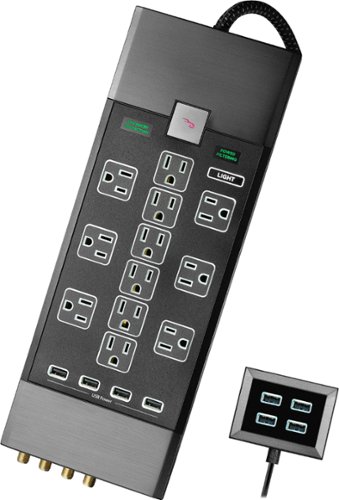
Only at Best Buy Operate your home theater system with this 12-outlet Rocketfish power center. It provides ample surge protection for premium components, and it has four onboard USB ports to charge portable devices. Connect this Rocketfish - Premium 12-Outlet/8-USB Surge Protector Strip to a distant electrical source thanks to its 6-foot cord and two included 1-foot extension cables.
Customer Rating
5
Feature-Rich Surge Protector
on March 4, 2021
Posted by: ryanmcv
Verified Purchase:Yes
This is definitely the most premium-looking, feature-rich surge protector I've ever owned. I love the braided cord and the LED-lit outlets, which look great at night. I'm glad the LEDs can be easily turned off when you need a pitch-dark room.
The joule rating is great, though I wish the clamping voltage rating were a bit lower (it's 500v, which is a bit high for a home theater surge protector). The EMI/RFI noise filter is also a nice touch, but it's certainly not as effective as a dedicated power conditioner.
As a nice bonus, there is a separate 4-port USB hub that can be used anywhere else in your home, and it too has LED lighting that can be turned on or off. I placed it on my desk to charge my tablet, phone, and headphones.
Overall, this is a great value, especially if you can wait for a decent sale.
Length of ownership: 16
Mobile Submission: false
I would recommend this to a friend!
Quality
5
Value
4
Ease of Use
5
Share this review:


0points
0of 0voted this as helpful.
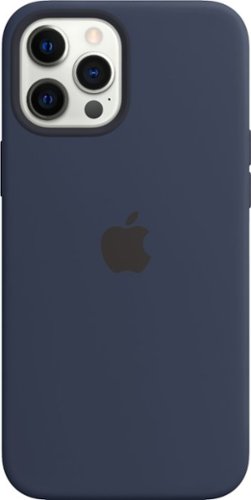
Designed by Apple to complement iPhone 12 Pro Max, the Silicone Case with MagSafe is a delightful way to protect your iPhone.The silky, soft-touch finish of the silicone exterior feels great in your hand. And on the inside, there's a soft microfiber lining for even more protection.With built-in magnets that align perfectly with iPhone 12 Pro Max, the case offers a magical attach and detach experience, every time. The perfectly aligned magnets make wireless charging faster and easier than ever before.And when it's time to charge, just leave the case on your iPhone and snap on your MagSafe charger, or set it on your Qi-certified charger.Like every Apple-designed case, it undergoes thousands of hours of testing throughout the design and manufacturing process. So not only does it look great, it's built to protect your iPhone from scratches and drops.
Customer Rating
5
Fits Like a Glove
on January 11, 2021
Posted by: ryanmcv
Verified Purchase:Yes
I've always been a fan of Apple's silicone iPhone cases. Like previous ones, this silicone case for the 12 Pro Max fits like a glove and doesn't add much bulk or weight to the phone. My only complaint is that dust seems to easily accumulate around the edges of the screen while this case is on, especially with a screen protector installed. Regardless, this provides a good amount of protection while still showing off the sleek design of the 12 Pro Max.
Length of ownership: 22
Mobile Submission: false
I would recommend this to a friend!
Quality
5
Value

3
Ease of Use
5
Share this review:


0points
0of 0voted this as helpful.
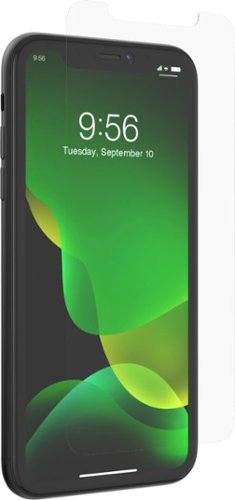
Place a layer of protection on your Apple iPhone 11 or iPhone XR with this InvisibleShield Glass Elite screen protector. The EZ Apply tabs and alignment mat make using the protector effortless, while enhanced touch response doesn't get in the way of your phone's function. Boasting ion-exchange technology, this InvisibleShield Glass Elite screen protector resists scratches and shattering.
Customer Rating
5
Perfect Fit; Easy Installation
on January 11, 2021
Posted by: ryanmcv
Verified Purchase:Yes
Extremely easy installation. A little pricey for what it is, but I like the peace of mind of the lifetime warranty with replacements. I hardly notice the screen protector since it is crystal clear and perfectly aligned. Be sure to register on the ZAGG website so you can request a replacement if the screen protector ever breaks!
Length of ownership: 11
Mobile Submission: false
I would recommend this to a friend!
Quality
5
Value
4
Ease of Use
5
Share this review:


0points
0of 0voted this as helpful.
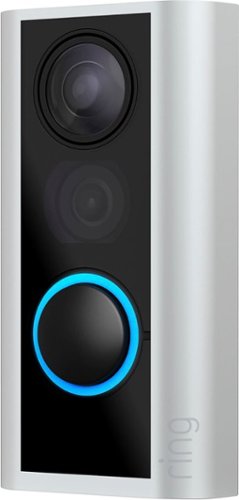
Upgrade your everyday peephole to a motion-detecting, two-way-talking, HD video doorbell. Easy to install and completely non-invasive, Peephole Cam sets up or comes down in minutes~making it perfect for both homes and apartments. See who~s at your door, sense knocks, and get alerts from anywhere, so you can spend less time worrying about home and more time enjoying your every day.
Customer Rating
5
Perfect for Apartments
on August 7, 2020
Posted by: ryanmcv
Verified Purchase:Yes
My apartment's office no longer accepts packages for residents, so delivery drivers simply leave packages at my front door. I needed a way to keep an eye on my packages while I'm away from home, and this is the perfect solution!
- Easy to install - no tools or modifications to your door required.
- Long battery life. After almost 3 weeks, it still shows 70% battery life.
- The yearly subscription for video recording service is among the cheapest I've seen from any camera brand.
- Long battery life. After almost 3 weeks, it still shows 70% battery life.
- The yearly subscription for video recording service is among the cheapest I've seen from any camera brand.
If your apartment is in a busy hallway, you will get a lot of motion alerts, so you will need to fine-tune the app's settings to reduce when and how the camera alerts you of motion. Other than that, I have no complaints. Highly recommended!
Length of ownership: 24
Mobile Submission: false
I would recommend this to a friend!
Quality
5
Value
5
Ease of Use
4
Share this review:


0points
0of 0voted this as helpful.
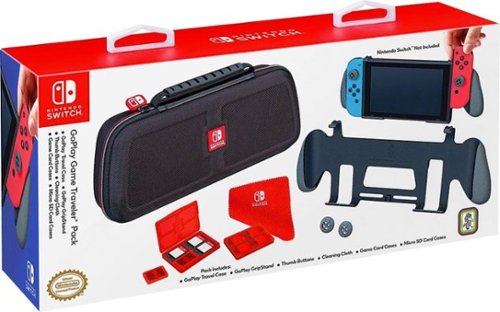
Accessorize your Nintendo Switch system with this RDS GoPlay traveler pack. It has sectioned compartments and padded dividers for safe, organized storage, and the GripStand platform lets you display your console or hold it comfortably. Enhance the feel of your Joy-Con sticks with the two thumb buttons of this RDS GoPlay traveler pack.
Customer Rating

2
Scratches your Switch
on May 22, 2020
Posted by: ryanmcv
Verified Purchase:Yes
The travel case is nice and sturdy, and the grip itself is comfortable to hold. Unfortunately, the plastic clamps at the top of the grip scratch your Switch right above the screen. The scratches will get deeper every time to put on or take off the grip. Very poor and cheap design. If you are concerned with keeping your Switch in good cosmetic condition, then avoid this product.
Length of ownership: 26
Mobile Submission: false
No, I would not recommend this to a friend.
Quality

1
Value

2
Ease of Use
3
Share this review:


+1point
1of 1voted this as helpful.

Get seriously clean floors without the effort thanks to this Roomba robot vacuum. It automatically navigates across your carpet or vinyl while avoiding hazards and keeping track of its location all the while picking up dirt, debris and mess. Automatic recharging keeps this Roomba robot vacuum powered so that it's ready to go.
Overall 4 out of 5
4 out of 5Great Vacuum, But Scatterbrained
By ryanmcv
This is a great vacuum for picking up the small messes and crumbs that accumulate on your floor each day. It's simple to use and is very powerful, but it often fails to clean a majority of my floor.
PROS:
- Fairly easy setup, but allow for a few minutes of planning. You'll need to place the dock in an open area where the Roomba can easily access it. Place the barrier device in front of any room or obstacle that you want the Roomba to avoid. Configuring the smartphone app is also painless and allows you to begin and schedule cleaning via the app.
- Excellent vacuuming abilities on both hard floors and carpets. I use the vacuum in the lower level of my home, which covers the kitchen, hallway, office, and dining room. After 5 days of use, I have noticed a huge decrease in the amount of food crumbs, dust, and hair on my floors.
- Navigates under furniture very nicely, including my kitchen counter, office desk, and stools.
- Fairly easy setup, but allow for a few minutes of planning. You'll need to place the dock in an open area where the Roomba can easily access it. Place the barrier device in front of any room or obstacle that you want the Roomba to avoid. Configuring the smartphone app is also painless and allows you to begin and schedule cleaning via the app.
- Excellent vacuuming abilities on both hard floors and carpets. I use the vacuum in the lower level of my home, which covers the kitchen, hallway, office, and dining room. After 5 days of use, I have noticed a huge decrease in the amount of food crumbs, dust, and hair on my floors.
- Navigates under furniture very nicely, including my kitchen counter, office desk, and stools.
CONS:
- This Roomba is scatterbrained at best. If you watch it clean, you will notice that it aimlessly bumps into walls, furniture, and other obstacles until it finds its way around them. There is no discernible pattern to its movement. As such, it tends to completely miss some areas of my floor and spends too much time on others. I've learned to run the Roomba when I'm not home so I don't go crazy while I watch it bump into a wall for 5 minutes.
- The dust bin seems to get full very quickly. I typically have to empty it each time the Roomba runs.
- This Roomba is scatterbrained at best. If you watch it clean, you will notice that it aimlessly bumps into walls, furniture, and other obstacles until it finds its way around them. There is no discernible pattern to its movement. As such, it tends to completely miss some areas of my floor and spends too much time on others. I've learned to run the Roomba when I'm not home so I don't go crazy while I watch it bump into a wall for 5 minutes.
- The dust bin seems to get full very quickly. I typically have to empty it each time the Roomba runs.
OVERALL:
Is this Roomba going to replace your standard vacuum? No, and you shouldn't expect it to. What it does -- at least for me -- is clean up small messes and debris between my regular vacuuming and cleaning days. I no longer find myself stepping on food crumbs and dust on my floor. If you want a more customizable Roomba, you'll have to step up to a higher model at almost twice the price. Those caveats in mind, I'd recommend this Roomba to those looking to augment their regular cleaning routine.
Is this Roomba going to replace your standard vacuum? No, and you shouldn't expect it to. What it does -- at least for me -- is clean up small messes and debris between my regular vacuuming and cleaning days. I no longer find myself stepping on food crumbs and dust on my floor. If you want a more customizable Roomba, you'll have to step up to a higher model at almost twice the price. Those caveats in mind, I'd recommend this Roomba to those looking to augment their regular cleaning routine.

ryanmcv
Phoenix, AZ
No W-Fi Required
December 11, 2018
No, Wi-Fi is not required to operate this Roomba. You simply won't be able to start or stop the vacuum using the smartphone app. Nor will you able to schedule certain times of the day or week for cleanings to occur. Without Wi-Fi, you'll have to physically press the "Clean" button on top of the vacuum every time you want it to run.
0points
0of 0voted this comment as helpful.
Get seriously clean floors without the effort thanks to this Roomba robot vacuum. It automatically navigates across your carpet or vinyl while avoiding hazards and keeping track of its location all the while picking up dirt, debris and mess. Automatic recharging keeps this Roomba robot vacuum powered so that it's ready to go.
Overall4 out of 5
4 out of 5Great Vacuum, But Scatterbrained
By ryanmcv
This is a great vacuum for picking up the small messes and crumbs that accumulate on your floor each day. It's simple to use and is very powerful, but it often fails to clean a majority of my floor.
PROS:
- Fairly easy setup, but allow for a few minutes of planning. You'll need to place the dock in an open area where the Roomba can easily access it. Place the barrier device in front of any room or obstacle that you want the Roomba to avoid. Configuring the smartphone app is also painless and allows you to begin and schedule cleaning via the app.
- Excellent vacuuming abilities on both hard floors and carpets. I use the vacuum in the lower level of my home, which covers the kitchen, hallway, office, and dining room. After 5 days of use, I have noticed a huge decrease in the amount of food crumbs, dust, and hair on my floors.
- Navigates under furniture very nicely, including my kitchen counter, office desk, and stools.
- Fairly easy setup, but allow for a few minutes of planning. You'll need to place the dock in an open area where the Roomba can easily access it. Place the barrier device in front of any room or obstacle that you want the Roomba to avoid. Configuring the smartphone app is also painless and allows you to begin and schedule cleaning via the app.
- Excellent vacuuming abilities on both hard floors and carpets. I use the vacuum in the lower level of my home, which covers the kitchen, hallway, office, and dining room. After 5 days of use, I have noticed a huge decrease in the amount of food crumbs, dust, and hair on my floors.
- Navigates under furniture very nicely, including my kitchen counter, office desk, and stools.
CONS:
- This Roomba is scatterbrained at best. If you watch it clean, you will notice that it aimlessly bumps into walls, furniture, and other obstacles until it finds its way around them. There is no discernible pattern to its movement. As such, it tends to completely miss some areas of my floor and spends too much time on others. I've learned to run the Roomba when I'm not home so I don't go crazy while I watch it bump into a wall for 5 minutes.
- The dust bin seems to get full very quickly. I typically have to empty it each time the Roomba runs.
- This Roomba is scatterbrained at best. If you watch it clean, you will notice that it aimlessly bumps into walls, furniture, and other obstacles until it finds its way around them. There is no discernible pattern to its movement. As such, it tends to completely miss some areas of my floor and spends too much time on others. I've learned to run the Roomba when I'm not home so I don't go crazy while I watch it bump into a wall for 5 minutes.
- The dust bin seems to get full very quickly. I typically have to empty it each time the Roomba runs.
OVERALL:
Is this Roomba going to replace your standard vacuum? No, and you shouldn't expect it to. What it does -- at least for me -- is clean up small messes and debris between my regular vacuuming and cleaning days. I no longer find myself stepping on food crumbs and dust on my floor. If you want a more customizable Roomba, you'll have to step up to a higher model at almost twice the price. Those caveats in mind, I'd recommend this Roomba to those looking to augment their regular cleaning routine.
Is this Roomba going to replace your standard vacuum? No, and you shouldn't expect it to. What it does -- at least for me -- is clean up small messes and debris between my regular vacuuming and cleaning days. I no longer find myself stepping on food crumbs and dust on my floor. If you want a more customizable Roomba, you'll have to step up to a higher model at almost twice the price. Those caveats in mind, I'd recommend this Roomba to those looking to augment their regular cleaning routine.
ryanmcv
Phoenix, AZ
Bed Skirts
December 11, 2018
As for bed skirts -- they have not been an issue for me. The Roomba goes right through them and cleans under the bed.
0points
0of 0voted this comment as helpful.
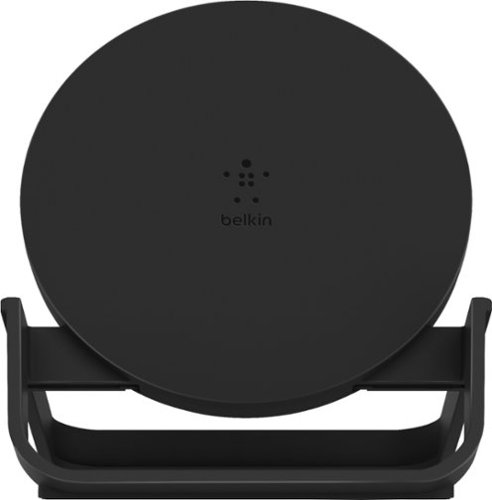
Use your phone while it charges with this Belkin 10W wireless charging stand. The Qi-certified design ensures compatibility with most devices, while an optimized stand holds phones at an angle in portrait or landscape position for maximum visibility. This Belkin 10W wireless charging stand features an LED indicator for monitoring charge status at a glance.
Overall5 out of 5
5 out of 5Perfect Desk Charging Stand
By ryanmcv
from Phoenix, AZ
I own a few of the hockey puck style wireless charging pads, but this is my first wireless charging stand. It does exactly what I need it to do and is a great addition to any desk at work or home.
PROS:
- Easy set-up. Just open the box, connect the power cable, and you're done.
- Fortunately, Belkin has decided to use a standard Micro USB cable and not some proprietary cable/power brick. This makes it much easier to use a longer cable or use a different AC adapter if you lose the original. Also, the included AC adapter is also relatively small and hardly takes up any space on my surge protector.
- The parts of the stand that touch your desk have a rubberized, grippy texture to keep it in place.
- The BOOST↑UP charging stand supports 10W wireless charging, which is among the fastest available on smartphones. iPhone X, XS, and XS Max support up to 7.5W, so this stand will charge your iPhone as fast as is currently possible. My iPhone sits on my work desk for the majority of the day, so this stand is great for keeping my battery at or near 100%. If you're trying to fully recharge your phone from 0% to 100% in a very short time, then wireless charging isn't for you.
- Works perfectly even with a case on your phone. I have an Apple leather case on my iPhone X and haven't had any problems. Thicker, industrial-strength cases might pose a problem, however.
- Face ID on my iPhone works very well when I'm at my desk and my phone is on the stand. This makes it very easy to quickly respond to messages without having to pick my phone up from the stand.
- You can charge your phone in both portrait and landscape orientations.
- Easy set-up. Just open the box, connect the power cable, and you're done.
- Fortunately, Belkin has decided to use a standard Micro USB cable and not some proprietary cable/power brick. This makes it much easier to use a longer cable or use a different AC adapter if you lose the original. Also, the included AC adapter is also relatively small and hardly takes up any space on my surge protector.
- The parts of the stand that touch your desk have a rubberized, grippy texture to keep it in place.
- The BOOST↑UP charging stand supports 10W wireless charging, which is among the fastest available on smartphones. iPhone X, XS, and XS Max support up to 7.5W, so this stand will charge your iPhone as fast as is currently possible. My iPhone sits on my work desk for the majority of the day, so this stand is great for keeping my battery at or near 100%. If you're trying to fully recharge your phone from 0% to 100% in a very short time, then wireless charging isn't for you.
- Works perfectly even with a case on your phone. I have an Apple leather case on my iPhone X and haven't had any problems. Thicker, industrial-strength cases might pose a problem, however.
- Face ID on my iPhone works very well when I'm at my desk and my phone is on the stand. This makes it very easy to quickly respond to messages without having to pick my phone up from the stand.
- You can charge your phone in both portrait and landscape orientations.
CONS:
- Unless I'm missing it, I don't see any LEDs on the stand. Not a deal-breaker, but an LED would be nice so you know that your phone is correctly aligned and properly charging.
- I wish the rubberized pads on the bottom of the stand were a bit more grippy. They do the job, but I have noticed that the stand slides a little too easily on my wooden desk.
- Unless I'm missing it, I don't see any LEDs on the stand. Not a deal-breaker, but an LED would be nice so you know that your phone is correctly aligned and properly charging.
- I wish the rubberized pads on the bottom of the stand were a bit more grippy. They do the job, but I have noticed that the stand slides a little too easily on my wooden desk.
OVERALL:
Aside from a couple of minor complaints, this is an excellent wireless charging stand. It will charge any Qi-certified smartphone very quickly and is a perfect companion for your desk. I'll definitely be purchasing another one for my home office. Highly recommended!
Aside from a couple of minor complaints, this is an excellent wireless charging stand. It will charge any Qi-certified smartphone very quickly and is a perfect companion for your desk. I'll definitely be purchasing another one for my home office. Highly recommended!
ryanmcv
Phoenix, AZ
June 5, 2019
Update: There actually is an LED, but it's at the top of the stand and faces upwards. It's not easy to see if you're sitting at a desk with a phone charging on the stand.
+2points
2of 2voted this comment as helpful.

Game on the go with this Dell Inspiron laptop. An NVIDIA GeForce GTX 1660 Ti runs most titles, while the two tuned speakers and 15.6-inch Full HD anti-glare narrow-border display deliver an immersive experience. This Bluetooth-compatible Dell Inspiron laptop has a 9th-gen Intel Core i5 processor and 8GB of RAM, handling multitasking without issue, and the 512GB NVMe SSD offers exceptional data access speeds.
Overall4 out of 5
4 out of 5Solid Performance Without the Gimmicks
By ryanmcv
from Phoenix, AZ
Gaming laptops are becoming more and more popular, but not every gamer needs the power and performance of a $2,000 machine. For teenagers or casual gamers, this Dell G3 gaming laptop is an excellent entry-level option that foregoes some flashy features in exchange for an affordable yet still powerful machine. There are a couple of notable drawbacks, but this is still one of the best laptops you'll find at this price point.
=== DESIGN & CONNECTIVITY===
- The G3 is entirely a plastic matte black with some neon blue highlights throughout. The Dell logo on the top is reflective and switches between a green and blue shine. There is a bit of a curve to the top of the laptop, and the back of it has some distinct angles. The neon blue accent strip runs around the edge of the laptop and gives it a pretty sleek look.
- The matte plastic has a tendency to pick up fingerprints and smudges and they don't wipe away very easily -- they just sort of smear.
- The inside of the laptop does seem a bit cheap -- the text on the keyboard keys is neon blue and there is a rather thick bezel around the display.
- The laptop feels quite sturdy and substantial -- I think it will easily survive countless trips in backpacks and everyday wear-and-tear. However, there is definitely a bit of flex if you press down too hard on the keyboard or wrist-rest area. But I don't think that's going to be a problem for most people.
- The torque on the hinge is pretty tight - you can't open this laptop with one hand. It might loosen over time.
- There are no flashy RBG features on this laptop, which is totally fine as an entry-level machine. Luckily, the keyboard is backlit, but you cannot change the color of the blue lights.
- There are plenty of ports available on the G3. On the right: Two USB 3.1 Type-A ports. On the left: power connector, one USB Type-C (DisplayPort), one HDMI port, one USB Type-A 3.1 port, an Ethernet port, and a headphone jack. On the right: lock slot, two USB Type-A 2.0 ports, and an SD card slot.
- The power brick pretty bulky must weigh half as much as the laptop itself, but that's to be expected in any gaming laptop.
- Overall: There's nothing fancy to see here: this is a utilitarian-looking laptop with some nice splashes of color. But that's fine with me -- this will fit in at a company boardroom or at a gaming desk.
- The G3 is entirely a plastic matte black with some neon blue highlights throughout. The Dell logo on the top is reflective and switches between a green and blue shine. There is a bit of a curve to the top of the laptop, and the back of it has some distinct angles. The neon blue accent strip runs around the edge of the laptop and gives it a pretty sleek look.
- The matte plastic has a tendency to pick up fingerprints and smudges and they don't wipe away very easily -- they just sort of smear.
- The inside of the laptop does seem a bit cheap -- the text on the keyboard keys is neon blue and there is a rather thick bezel around the display.
- The laptop feels quite sturdy and substantial -- I think it will easily survive countless trips in backpacks and everyday wear-and-tear. However, there is definitely a bit of flex if you press down too hard on the keyboard or wrist-rest area. But I don't think that's going to be a problem for most people.
- The torque on the hinge is pretty tight - you can't open this laptop with one hand. It might loosen over time.
- There are no flashy RBG features on this laptop, which is totally fine as an entry-level machine. Luckily, the keyboard is backlit, but you cannot change the color of the blue lights.
- There are plenty of ports available on the G3. On the right: Two USB 3.1 Type-A ports. On the left: power connector, one USB Type-C (DisplayPort), one HDMI port, one USB Type-A 3.1 port, an Ethernet port, and a headphone jack. On the right: lock slot, two USB Type-A 2.0 ports, and an SD card slot.
- The power brick pretty bulky must weigh half as much as the laptop itself, but that's to be expected in any gaming laptop.
- Overall: There's nothing fancy to see here: this is a utilitarian-looking laptop with some nice splashes of color. But that's fine with me -- this will fit in at a company boardroom or at a gaming desk.
=== DISPLAY, KEYBOARD, & TRACKPAD ===
- The G3 is equipped with a 15.6-inch 1080p display running at 60Hz. The display is fine, but not great. Colors seem a bit muted or washed out, and there is a bit of backlight bleed around the edges. In bright rooms, it's hard to notice these faults. But in darker rooms, it's very hard to see detail in darker areas of on-screen images. It's passable for portable gaming, but I would recommend using an external monitor if you have a desk at home.
- The keyboard very comfortable to type on, but it feels a little cramped. The inclusion of the numeric keypad on the right side feels a bit unnecessary in a 15-inch laptop. I would have rather gone without the number pad to give the rest of the keys more room to breath. Also, the blue keyboard backlight seems to time out very quickly and I don't see any settings to adjust this.
- The trackpad uses Windows Precision drivers and works very well. But I don't like it's position on the laptop - it's not centered under the display or keyboard and feels too far to the left.
- Overall: For an entry level machine, there's not much to complain about with regards to the display, keyboard, or trackpad. They will be perfectly fine on their own, and I suspect many gamers will be using separate monitors, keyboards, and mice when they are at home.
- The G3 is equipped with a 15.6-inch 1080p display running at 60Hz. The display is fine, but not great. Colors seem a bit muted or washed out, and there is a bit of backlight bleed around the edges. In bright rooms, it's hard to notice these faults. But in darker rooms, it's very hard to see detail in darker areas of on-screen images. It's passable for portable gaming, but I would recommend using an external monitor if you have a desk at home.
- The keyboard very comfortable to type on, but it feels a little cramped. The inclusion of the numeric keypad on the right side feels a bit unnecessary in a 15-inch laptop. I would have rather gone without the number pad to give the rest of the keys more room to breath. Also, the blue keyboard backlight seems to time out very quickly and I don't see any settings to adjust this.
- The trackpad uses Windows Precision drivers and works very well. But I don't like it's position on the laptop - it's not centered under the display or keyboard and feels too far to the left.
- Overall: For an entry level machine, there's not much to complain about with regards to the display, keyboard, or trackpad. They will be perfectly fine on their own, and I suspect many gamers will be using separate monitors, keyboards, and mice when they are at home.
=== PERFORMANCE, COOLING, & UPGRADES ===
- Out of the box, this machine is nicely equipped: i5-9300H, 1660 Ti, 512 GB SSD, and 8 GB of RAM. These are perfectly good specs for casual gaming, though I wish 16 GB of RAM came standard. Luckily, the SSD and RAM can be easily upgraded by simply popping off the back cover. There is even a slot to add a 2.5-inch drive.
- Gaming performance is much better than I was expecting. Here are some sample benchmark results (high settings): Shadow of the Tomb Raider - 74 fps; Battlefield V - 74 fps; The Division 2 - 76 fps; Fortnite - 137 fps. As you can see, there is plenty of power here to drive almost any game at 60 fps with decent quality settings.
- The speakers are acceptable, but nothing more. They work fine, but there is noticeable distortion at higher volumes and they sound tinny and hollow to me.
- The laptop gets warm, but never too hot during gaming. However, the fans get pretty loud, so you'll want to crank up the speaker volume or wear a headset.
- Battery life is very impressive for a gaming laptop. For basic tasks like surfing the web and checking email, I've clocked over 6 hours of battery life on one charge. Gaming is obviously going to drastically reduce that number, but it's nice to know that this laptop can also get me through a full day of productivity tasks if needed.
- Unfortunately, Dell has loaded this machine with tons of bloatware: trials for McAfee, games, proprietary Dell update software, and a ton of other bloat that shows up in the start menu. I was prompted 5 times in 10 minutes to sign up for a $100 McAfee subscription -- no thanks! The first thing you should do when you start up this laptop is head to the Settings menu and uninstall all of this.
- Overall: Despite the included bloatware, this G3 is nicely specced out of the box and is luckily easy to upgrade in the future. My first upgrade will be an extra stick of RAM to bring it up to 16 GB. Regardless, performance is excellent for this price point and should satisfy all but the most hardcore of gamers.
- Out of the box, this machine is nicely equipped: i5-9300H, 1660 Ti, 512 GB SSD, and 8 GB of RAM. These are perfectly good specs for casual gaming, though I wish 16 GB of RAM came standard. Luckily, the SSD and RAM can be easily upgraded by simply popping off the back cover. There is even a slot to add a 2.5-inch drive.
- Gaming performance is much better than I was expecting. Here are some sample benchmark results (high settings): Shadow of the Tomb Raider - 74 fps; Battlefield V - 74 fps; The Division 2 - 76 fps; Fortnite - 137 fps. As you can see, there is plenty of power here to drive almost any game at 60 fps with decent quality settings.
- The speakers are acceptable, but nothing more. They work fine, but there is noticeable distortion at higher volumes and they sound tinny and hollow to me.
- The laptop gets warm, but never too hot during gaming. However, the fans get pretty loud, so you'll want to crank up the speaker volume or wear a headset.
- Battery life is very impressive for a gaming laptop. For basic tasks like surfing the web and checking email, I've clocked over 6 hours of battery life on one charge. Gaming is obviously going to drastically reduce that number, but it's nice to know that this laptop can also get me through a full day of productivity tasks if needed.
- Unfortunately, Dell has loaded this machine with tons of bloatware: trials for McAfee, games, proprietary Dell update software, and a ton of other bloat that shows up in the start menu. I was prompted 5 times in 10 minutes to sign up for a $100 McAfee subscription -- no thanks! The first thing you should do when you start up this laptop is head to the Settings menu and uninstall all of this.
- Overall: Despite the included bloatware, this G3 is nicely specced out of the box and is luckily easy to upgrade in the future. My first upgrade will be an extra stick of RAM to bring it up to 16 GB. Regardless, performance is excellent for this price point and should satisfy all but the most hardcore of gamers.
=== OVERALL ===
Dell has struck a great balance of price and performance with the G3 and it represents an excellent value to budget-conscious gamers or those who simply don't need the absolute best-of-the-best. No, the G3 does not have any flashy features like RGB or a futuristic alien design. But I think most users will appreciate its understated look, and they will certainly appreciate its excellent gaming performance. It might not have the best display, keyboard, or speakers -- and I wish Dell had included 16 GB of RAM as standard -- but these drawbacks pale in comparison to the overall performance you'll get from this machine. If you can pick this machine up on sale (cheaper than it's normal $999.99 selling price), then you will make an already great value even better. Recommended!
Dell has struck a great balance of price and performance with the G3 and it represents an excellent value to budget-conscious gamers or those who simply don't need the absolute best-of-the-best. No, the G3 does not have any flashy features like RGB or a futuristic alien design. But I think most users will appreciate its understated look, and they will certainly appreciate its excellent gaming performance. It might not have the best display, keyboard, or speakers -- and I wish Dell had included 16 GB of RAM as standard -- but these drawbacks pale in comparison to the overall performance you'll get from this machine. If you can pick this machine up on sale (cheaper than it's normal $999.99 selling price), then you will make an already great value even better. Recommended!
ryanmcv
Phoenix, AZ
Correction
January 7, 2020
The USB ports on the right side of the computer are 2.0 speed, not 3.1 as indicated in an incorrect sentence in my review. The one USB Type-A port on the left side is indeed 3.1 speed. Sorry for the confusion!
+2points
2of 2voted this comment as helpful.
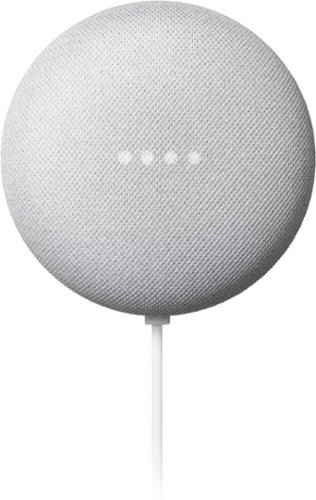
Meet the 2nd generation Nest Mini, the smart speaker you control with your voice. Just say "Hey Google" to play songs from Spotify, YouTube Music, and more.* Music sounds bigger and richer. Ask your Google Assistant about the weather, news, or almost anything. Hear your personalized schedule, current weather conditions, and reminders.** Set timers and alarms. And control your compatible smart devices.***
Overall5 out of 5
5 out of 5Surprisingly Great Sound & Smart Home Companion
By ryanmcv
from Phoenix, AZ
I've been a heavy user of Amazon Alexa products for the past several years, but I'm also deep into the Google and Nest ecosystem. So I ordered this new Google Nest Mini with an open mind, hoping it would be a decent companion for my Nest thermostats and Wemo smart plugs. Surprisingly, the switch to Google Assistant was quite seamless and I'm very impressed with the sound quality and versatility of this little hockey puck-sized device.
PROS:
- Incredibly simple setup, even for iPhone users. Just download the Google Home app, sign in with your Google account, and the app will walk you through the rest.
- Small size, but substantial weight and build quality. Compared to my first generation Echo Dot, the Nest Mini appears to have much better craftsmanship and is made of very nice materials. The mesh fabric nicely blends in to home decor and doesn't look like a traditional speaker. There's even a built-in screw cutout on the back of the device for wall mounting.
- The Nest Mini uses a proprietary power connector rather than microUSB or USB-C, but luckily the plug is compact and rounded, so it won't take up much space on your surge protector or wall outlet.
- The sound quality of the Nest Mini blows the original Echo Dot out of the water. Bass is noticeably stronger and surprisingly deep for such a small device. Audio can get quite loud with very minimal distortion at higher volumes.
- Voice detection is also excellent. Even with music playing at high volumes, the Nest Mini responds instantly to my voice. Google has supposedly added a machine learning chip to the Nest Mini which learns your voice and makes the Assistant faster over time. The responsiveness is absolutely noticeable, and the Assistant's answers are surprisingly detailed and useful.
- The Google Assistant is compatible with an incredible amount of smart home devices and partners, including Wemo, Harmony, and obviously Nest devices. If you have Nest thermostats, camera, and a security system like I do, you will appreciate the seamless integration. You can also connect to almost every music service like Spotify, SiriusXM, and Pandora to stream music directly from the Nest Mini.
- Incredibly simple setup, even for iPhone users. Just download the Google Home app, sign in with your Google account, and the app will walk you through the rest.
- Small size, but substantial weight and build quality. Compared to my first generation Echo Dot, the Nest Mini appears to have much better craftsmanship and is made of very nice materials. The mesh fabric nicely blends in to home decor and doesn't look like a traditional speaker. There's even a built-in screw cutout on the back of the device for wall mounting.
- The Nest Mini uses a proprietary power connector rather than microUSB or USB-C, but luckily the plug is compact and rounded, so it won't take up much space on your surge protector or wall outlet.
- The sound quality of the Nest Mini blows the original Echo Dot out of the water. Bass is noticeably stronger and surprisingly deep for such a small device. Audio can get quite loud with very minimal distortion at higher volumes.
- Voice detection is also excellent. Even with music playing at high volumes, the Nest Mini responds instantly to my voice. Google has supposedly added a machine learning chip to the Nest Mini which learns your voice and makes the Assistant faster over time. The responsiveness is absolutely noticeable, and the Assistant's answers are surprisingly detailed and useful.
- The Google Assistant is compatible with an incredible amount of smart home devices and partners, including Wemo, Harmony, and obviously Nest devices. If you have Nest thermostats, camera, and a security system like I do, you will appreciate the seamless integration. You can also connect to almost every music service like Spotify, SiriusXM, and Pandora to stream music directly from the Nest Mini.
CONS:
- Other than the nice improvement to audio quality, there are really no major improvements to the Nest Mini compared to the original Google Home Mini. If you have a Home Mini, I see no reason to upgrade right now.
- There is no 3.5 mm audio jack for connecting/streaming music to external speakers.
- Other than the nice improvement to audio quality, there are really no major improvements to the Nest Mini compared to the original Google Home Mini. If you have a Home Mini, I see no reason to upgrade right now.
- There is no 3.5 mm audio jack for connecting/streaming music to external speakers.
OVERALL:
This is the best compact smart speaker that I've used and it offers an incredible amount of value for its affordable price. If you use other Google products or services with any frequency, this is probably the speaker for you. The Nest Mini is a great-sounding compact speaker that is also stylish, durable, and incredibly versatile. Highly recommended!
This is the best compact smart speaker that I've used and it offers an incredible amount of value for its affordable price. If you use other Google products or services with any frequency, this is probably the speaker for you. The Nest Mini is a great-sounding compact speaker that is also stylish, durable, and incredibly versatile. Highly recommended!
ryanmcv
Phoenix, AZ
January 7, 2020
Compared to other smart speakers I've used, and other wall plugs in general, I found this one to be rather compact. I'm sorry you don't feel the same way. Many surge protectors (like the one pictured in my review) have outlets specifically for larger plugs so they don't cover other outlets. Even when I plug the Nest Mini directly into my wall outlet, it does not cover the adjacent plug, which has been a problem with other devices I've used.
+6points
6of 6voted this comment as helpful.
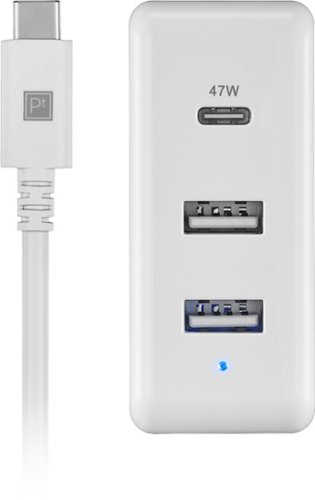
Charge a MacBook, Chromebook or laptop with a USB-C port with the Platinum 65W 8~ USB-C 3-Port Wall Charger with 47W USB-C Power Delivery for MacBook, iPad, iPhone, Chromebook or USB-C Laptops . Equipped with fast-charging Power Delivery, the charger provides 65 total watts, comes with an 8-foot USB-C cable and has two standard USB ports to charge smartphones, tablets and more.
Overall 1 out of 5
1 out of 5Not actually 65W. WONT charge laptops that need 65
By WillNeverForgiveYall
I have no idea how everyone is pointing out that it is so bulky, noone has mentioned that the Usb-c port only provides 47 W of power. The other two Usb-a plugs only output 12 W each. Very much not 65W
Even if you refund my money, I paid for a ride there and back. I dont understand how this is advertised as 65W, whoch is coincidentally, exactly what my Lenovo Yoga y930 requires. Plugged it into all three ports for 15-20 minutes each, iust to be sure. LITERALLY ZERO RESPONSE FROM MY COMPUTER. Still dead. I am a student, it is midnight. I not only feel like I got ripped off, but am also let down to know that I cant depend on the features this company advertises like In-store pickup. If I would've came into the store, I wouldve just bought an official adapter from Lenovo.
Where does 65 W come from??
I've included a screenshot where they explain in the startup guide that this charger is only for devices that require 47 W or less. Totally misleading when 65 W is the second word in the title. Im literally dismayed, but I least now I have realized that I can't even trust big-name stores like Best Buy for their word
I've included a screenshot where they explain in the startup guide that this charger is only for devices that require 47 W or less. Totally misleading when 65 W is the second word in the title. Im literally dismayed, but I least now I have realized that I can't even trust big-name stores like Best Buy for their word
Refunding my money ( which is GOING to happen.) Will not make things better. You guys just ruined the start if my semester. Thanks for abruptly lying about this product.
Prolly works great if you have a mac. But they obviously must not require 65 W output to charge...
ryanmcv
Phoenix, AZ
January 27, 2020
You obviously did not read all of the reviews for this charger. Several of them, including mine near the top of page, note that the USB-C port only provides 47 W of power. The back of the box also clearly shows that the USB-C port is limited to 47 W. It’s standard practice for any multi-port charger like this one to advertise its total power output (65 W), not just the power output of one port. Best Buy also sells a 95 W version of this charger that provides up to 87 W of power via USB-C. Next time, do a bit more research before blaming Best Buy for your mistake.
+6points
9of 12voted this comment as helpful.

Alienware M17 17.3" Gaming Laptop: Game on the go with this Alienware M17 17.3-inch gaming laptop. An NVIDIA GeForce RTX 2070 graphics card delivers smooth gameplay at high settings, and the 512GB SSD loads games quickly. This Alienware M17 17.3-inch gaming laptop has an Intel Core i7 processor and 16GB of RAM that easily handle multiple programs simultaneously.
Overall2 out of 5
2 out of 5Returning
By Thresher
Nice laptop, fast as all get out. However mine appears to be defective.
I am getting a lot of light bleed along the bottom. Not the normal IPS bloom, but actual hotspots that are clearly visible on a darkened screen.
Another note, if you intend to add another SSD to this, think it over carefully. This requires a heatshield that you can only get from Dell. The manual makes this very clear and after opening and trying to install another SSD, short of jerry rigging, it's definitely true. However, Dell's support has no idea what the part number is or how to order it. Might be because it's brand new, but it's ridiculous that the shield isn't already in the unit.
When looking at the attached picture, the glow in the upper left and right isn't really noticeable. But those bleed through spots on the bottom are very distracting.
ryanmcv
Phoenix, AZ
Heat Shield Part Number
February 11, 2020
The SSD heat shield is is Dell part number 047W2D and can easily be found on the popular auction site that starts with 'e' and ends with 'y.' I installed a second NVMe SSD in my m17 R2 with zero issues.
+1point
1of 1voted this comment as helpful.
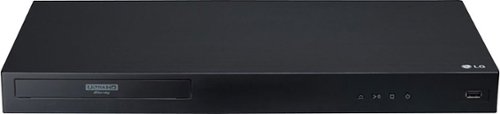
Set up a Dolby Vision home cinema with this LG Ultra HD Blu-ray player. It supports 4K and HDR content, and its Wi-Fi connectivity lets you enjoy premium on-demand programs from your favorite streaming providers. Play media files from a portable device via the USB port of this LG Ultra HD Blu-ray player.
Overall4 out of 5
4 out of 5Beautiful Picture; Limited Features
By ryanmcv
from Phoenix, AZ
The LG UBK90 is a worthy successor to LG's previous player, the UP970. It is Dolby Vision-compatible out of the box and should be an excellent 4K Blu-ray player for most users. However, it's missing a few features that some A/V enthusiasts would enjoy.
PROS:
- Easy set up. Simply connect an HDMI cable (make sure it's a Certified Premium cable), plug it into a power outlet, and then follow the on-screen instructions.
- Very fast and responsive. Discs are fast to load and the unit responds to commands from the remote quickly.
- Dual HDMI outputs. HDMI 2 is reserved for audio-only output. Perfect for those with older soundbars or receivers that can't pass through Dolby Vision or HDR signals.
- Beautiful picture quality. I've tried several UHD Blu-rays, 3D Blu-rays, regular Blu-rays, and even some old DVDs. All look very nice. For UHD Blu-rays, the player automatically engages Dolby Vision or HDR10 depending on the format of the disc. Unlike some other 4K Blu-ray players, this player supports Dolby Vision out of the box -- you don't have to wait for any firmware updates.
- Quiet operation. A common complaint of the previous UP970 model was that the disc drive sounded like a jet engine. The UBK90 has been extremely quiet during all discs that I've played.
- Solid build quality. It's not as sturdy or hefty as some competing models, but it feels noticeably heavier and more solidly built than the UP970.
- The remote control is lightweight and comfortable to hold.
- Easy set up. Simply connect an HDMI cable (make sure it's a Certified Premium cable), plug it into a power outlet, and then follow the on-screen instructions.
- Very fast and responsive. Discs are fast to load and the unit responds to commands from the remote quickly.
- Dual HDMI outputs. HDMI 2 is reserved for audio-only output. Perfect for those with older soundbars or receivers that can't pass through Dolby Vision or HDR signals.
- Beautiful picture quality. I've tried several UHD Blu-rays, 3D Blu-rays, regular Blu-rays, and even some old DVDs. All look very nice. For UHD Blu-rays, the player automatically engages Dolby Vision or HDR10 depending on the format of the disc. Unlike some other 4K Blu-ray players, this player supports Dolby Vision out of the box -- you don't have to wait for any firmware updates.
- Quiet operation. A common complaint of the previous UP970 model was that the disc drive sounded like a jet engine. The UBK90 has been extremely quiet during all discs that I've played.
- Solid build quality. It's not as sturdy or hefty as some competing models, but it feels noticeably heavier and more solidly built than the UP970.
- The remote control is lightweight and comfortable to hold.
CONS:
- There is no "subtitle" button on the remote. If you want to turn on subtitles during movie playback, you'll need to press the "info" button and then turn on subtitles via an on-screen menu.
- The user interface design of this player is archaic - like something out of the early 2000s. It works, but I personally think it's time for LG to add a bit more polish.
- The settings menu is extremely limited. There are no advanced audio/video settings. No Bluetooth connectivity for wireless headphones. No obvious way to stream media from a home network.
- There is no advanced playback information while watching a disc. Some other Blu-ray players are capable of displaying detailed video/audio codec information as well as bitrate during disc playback. Likely not a big deal for average users, but advanced users might miss having this information available.
- Only two streaming services - Netflix and YouTube - are available. It doesn't appear that anymore will be added.
- There is no "subtitle" button on the remote. If you want to turn on subtitles during movie playback, you'll need to press the "info" button and then turn on subtitles via an on-screen menu.
- The user interface design of this player is archaic - like something out of the early 2000s. It works, but I personally think it's time for LG to add a bit more polish.
- The settings menu is extremely limited. There are no advanced audio/video settings. No Bluetooth connectivity for wireless headphones. No obvious way to stream media from a home network.
- There is no advanced playback information while watching a disc. Some other Blu-ray players are capable of displaying detailed video/audio codec information as well as bitrate during disc playback. Likely not a big deal for average users, but advanced users might miss having this information available.
- Only two streaming services - Netflix and YouTube - are available. It doesn't appear that anymore will be added.
OTHER THOUGHTS:
- There is a known issue with Dolby Vision over HDMI on LG OLED TVs. During certain movies, black levels (particularly the black bars above and below the picture) will appear as a murky grey rather than perfect black. Usually, the black levels will flicker back-and-forth between perfect black and grey during the entire movie. I tried to watch The Matrix 4K disc (with Dolby Vision) on the UBK90 connected to my LG OLED C6 TV. The elevated black levels were so distracting that I had to stop watching. Unfortunately, there is no way to force the UBK90 into HDR10 mode for discs that have Dolby Vision, which would solve the black level issue (at the expense of Dolby Vision). So in order to watch The Matrix, I had to reconnect an older 4K Blu-ray player that does not support Dolby Vision. Some discs do not have this issue: Black Panther and Saving Private Ryan appeared to play in Dolby Vision with perfect black levels. Regardless, LG has acknowledged that this is a problem with its OLED TVs, but still has not fixed it. It needs to be fixed ASAP.
- There is a known issue with Dolby Vision over HDMI on LG OLED TVs. During certain movies, black levels (particularly the black bars above and below the picture) will appear as a murky grey rather than perfect black. Usually, the black levels will flicker back-and-forth between perfect black and grey during the entire movie. I tried to watch The Matrix 4K disc (with Dolby Vision) on the UBK90 connected to my LG OLED C6 TV. The elevated black levels were so distracting that I had to stop watching. Unfortunately, there is no way to force the UBK90 into HDR10 mode for discs that have Dolby Vision, which would solve the black level issue (at the expense of Dolby Vision). So in order to watch The Matrix, I had to reconnect an older 4K Blu-ray player that does not support Dolby Vision. Some discs do not have this issue: Black Panther and Saving Private Ryan appeared to play in Dolby Vision with perfect black levels. Regardless, LG has acknowledged that this is a problem with its OLED TVs, but still has not fixed it. It needs to be fixed ASAP.
OVERALL:
If you're looking for a no-frills 4K Blu-ray player to go with your new Dolby Vision-enabled TV, this is a great option. However, competing models in the same price range offer more advanced features and more streaming services that some users will enjoy. Perhaps most importantly, LG needs to address the elevated Dolby Vision black level issue via firmware updates ASAP. Otherwise, the benefits of many Dolby Vision Blu-ray discs will be lost on owners of LG OLED TVs.
If you're looking for a no-frills 4K Blu-ray player to go with your new Dolby Vision-enabled TV, this is a great option. However, competing models in the same price range offer more advanced features and more streaming services that some users will enjoy. Perhaps most importantly, LG needs to address the elevated Dolby Vision black level issue via firmware updates ASAP. Otherwise, the benefits of many Dolby Vision Blu-ray discs will be lost on owners of LG OLED TVs.
ryanmcv
Phoenix, AZ
August 10, 2020
What PKR1 said about Dolby Vision issues isn’t entirely accurate. While it’s true that LG’s 2016 OLEDs like the C6 were the first to support Dolby Vision, the elevated black level over HDMI issue is still observed in newer LG OLEDs, including all 2017 through 2020. Several firmware updates have helped to mitigate the issue, and I rarely notice it on my C6 anymore when watching Dolby Vision discs on this player. But even owners of the latest CX models have reported this issue when watching DV discs and content via Apple TV 4K. It appears to be an inherent flaw in Dolby Vision itself rather than the fault of any one TV or disc player/streaming device.
+4points
5of 6voted this comment as helpful.
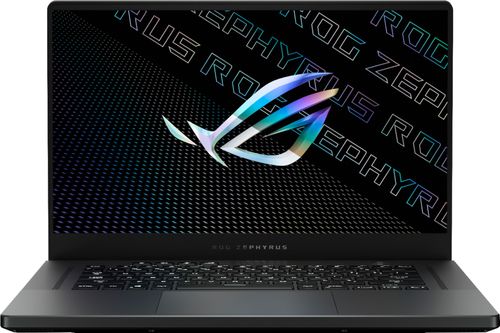
ASUS ROG Zephyrus Gaming Laptop. Enjoy everyday gaming with this ASUS notebook PC. The AMD Ryzen 9 processor and 16GB of RAM let you run graphics-heavy games smoothly, while the potent NVIDIA GeForce RTX 3070 graphics produce high-quality visuals on the fast 15.6-inch 165hz QHD display. This ASUS notebook PC has 1TD SSD that shortens load times and offers ample storage.
Overall5 out of 5
5 out of 5The Total Package: Unmatched Value & Performance
By ryanmcv
from Phoenix, AZ
I've owned a few gaming laptops over the years and the new Zephyrus G15 comes closest to hitting that perfect balance of performance, design, and portability. The model as reviewed here foregoes some high-end upgrades and has a few small quirks, but the design is eye-catching and the overall package is essentially unmatched by any other laptop. Nvidia's new 30-series GPUs offer incredible performance and value, but there are certainly some trade-offs to be aware of with the 3070 in such a small machine. Likewise, you'll want to temper your expectations if you're upgrading from a laptop with a 20-series GPU.
=== DESIGN ===
- This particular configuration is only available in the Eclipse Grey color, which I actually prefer over white. The color maintains a sleek, professional look allowing you to use the laptop in any setting without attracting too much attention. The holographic microdots on the laptop's lid add just enough flare so as to not be over-the-top.
- When closed, the laptop measures 14" wide by 9.6" deep, and less than 1" thick. At just over 4 pounds, it is very portable and should fit in most backpacks and travel bags.
- There are a decent amount of ports available, though I would have preferred more. On the left, there's the power port, an HDMI port, an Ethernet port, one USB Type-A port, two USB Type-C ports, and a headphone jack. On the right, there's one USB Type-A port, a microSD card slot, and a Kensington lock slot.
- The power port on the left side is oddly placed right in the center of the laptop rather than towards the back. As a result, the power cord runs along the length of the laptop, which looks awkward and sometimes covers the left exhaust vent.
- The power brick is surprisingly compact for a gaming laptop. You will need it for the laptop to run at full power, but the machine can also be charged via USB-C with any 100w adapter. Just be aware that the CPU and GPU will not run at full speed when the laptop is being powered via USB-C.
- Build quality is excellent, with minimal flex and no squeaking. Most of the machine is a soft-touch plastic, which is great for keeping weight to a minimum. The hinge is very smooth and can be lifted with one hand. As you raise the display, the base of the laptop begins to raise at a slight angle to improve airflow. I haven't noticed any significant wobble with the display raised.
- Overall: The Eclipse Grey color is great and I appreciate the understated yet modern design of the laptop. The power port positioning is an awkward choice, and I wish there were a couple of additional USB-C ports especially on the right side. Build quality seems top-notch and I'm confident it will last a long time.
- This particular configuration is only available in the Eclipse Grey color, which I actually prefer over white. The color maintains a sleek, professional look allowing you to use the laptop in any setting without attracting too much attention. The holographic microdots on the laptop's lid add just enough flare so as to not be over-the-top.
- When closed, the laptop measures 14" wide by 9.6" deep, and less than 1" thick. At just over 4 pounds, it is very portable and should fit in most backpacks and travel bags.
- There are a decent amount of ports available, though I would have preferred more. On the left, there's the power port, an HDMI port, an Ethernet port, one USB Type-A port, two USB Type-C ports, and a headphone jack. On the right, there's one USB Type-A port, a microSD card slot, and a Kensington lock slot.
- The power port on the left side is oddly placed right in the center of the laptop rather than towards the back. As a result, the power cord runs along the length of the laptop, which looks awkward and sometimes covers the left exhaust vent.
- The power brick is surprisingly compact for a gaming laptop. You will need it for the laptop to run at full power, but the machine can also be charged via USB-C with any 100w adapter. Just be aware that the CPU and GPU will not run at full speed when the laptop is being powered via USB-C.
- Build quality is excellent, with minimal flex and no squeaking. Most of the machine is a soft-touch plastic, which is great for keeping weight to a minimum. The hinge is very smooth and can be lifted with one hand. As you raise the display, the base of the laptop begins to raise at a slight angle to improve airflow. I haven't noticed any significant wobble with the display raised.
- Overall: The Eclipse Grey color is great and I appreciate the understated yet modern design of the laptop. The power port positioning is an awkward choice, and I wish there were a couple of additional USB-C ports especially on the right side. Build quality seems top-notch and I'm confident it will last a long time.
=== DISPLAY, KEYBOARD, TRACKPAD, & AUDIO ===
- A key selling point for me was the 165Hz 1440p (QHD) display, which ASUS claims covers 100% of the DCI-P3 -- meaning it can show a ton of colors and display them very accurately. I absolutely love the resolution and pixel density of this display, and colors are indeed rich and vibrant. I find that contrast is a bit lacking and there is some visible wash-out as you tilt the display very far back. There is also a bit of light bleed along the top edge of my display, but it's hardly noticeable except on black loading screens. The 165Hz refresh rate means that games look incredibly smooth with no tearing or choppiness.
- The keyboard is very spacious and comfortable. It has a nice amount of travel and it takes a satisfying amount of force to depress the keys. It has just the right amount of "clickiness" that you would expect in a gaming keyboard. Given the 15.6" form factor, I'm glad ASUS omitted the 10-key pad. The keyboard is RGB-lit, though the entire keyboard can only display one color at a time (there are not multiple RGB zones to control). The RGB brightness is sufficient, though I've certainly seen brighter RGB keyboards.
- The trackpad is a joy to use. It is very large, soft, and easy to click. It works perfectly with gestures and is extremely responsive.
- The speakers on the G15 really surprised me. MacBook speakers aside, these could be the best sounding speakers I've heard on a Windows laptop. I usually expect to hear a lot of distortion at medium and high volumes on laptop speakers, but not with the G15. Mids and highs are well balanced with a nice amount of "oomph" in the lows. The included Dolby Access app provides some pretty good preset audio profiles as well as an equalizer for custom settings.
- Overall: Minor gripes aside, ASUS has nailed the basic aspects of a 15-inch gaming laptop with arguably the best display available in the segment. The keyboard, trackpad, and speakers also live up to the hype.
- A key selling point for me was the 165Hz 1440p (QHD) display, which ASUS claims covers 100% of the DCI-P3 -- meaning it can show a ton of colors and display them very accurately. I absolutely love the resolution and pixel density of this display, and colors are indeed rich and vibrant. I find that contrast is a bit lacking and there is some visible wash-out as you tilt the display very far back. There is also a bit of light bleed along the top edge of my display, but it's hardly noticeable except on black loading screens. The 165Hz refresh rate means that games look incredibly smooth with no tearing or choppiness.
- The keyboard is very spacious and comfortable. It has a nice amount of travel and it takes a satisfying amount of force to depress the keys. It has just the right amount of "clickiness" that you would expect in a gaming keyboard. Given the 15.6" form factor, I'm glad ASUS omitted the 10-key pad. The keyboard is RGB-lit, though the entire keyboard can only display one color at a time (there are not multiple RGB zones to control). The RGB brightness is sufficient, though I've certainly seen brighter RGB keyboards.
- The trackpad is a joy to use. It is very large, soft, and easy to click. It works perfectly with gestures and is extremely responsive.
- The speakers on the G15 really surprised me. MacBook speakers aside, these could be the best sounding speakers I've heard on a Windows laptop. I usually expect to hear a lot of distortion at medium and high volumes on laptop speakers, but not with the G15. Mids and highs are well balanced with a nice amount of "oomph" in the lows. The included Dolby Access app provides some pretty good preset audio profiles as well as an equalizer for custom settings.
- Overall: Minor gripes aside, ASUS has nailed the basic aspects of a 15-inch gaming laptop with arguably the best display available in the segment. The keyboard, trackpad, and speakers also live up to the hype.
=== PERFORMANCE, COOLING, & UPGRADES ===
- Long story short: you won't have any problems playing modern AAA games on this laptop. The graphics performance in this machine rivals that of a high-end desktop with a 2080 from just a couple of years ago. Just don't buy this laptop -- or ANY gaming laptop -- expecting to get the same performance from the 3070 Laptop GPU that you would get from the full-powered desktop 3070. Due to thermal restrictions and the laws of physics, the 30-series GPUs in laptops use a LOT less power than their desktop counterparts, so performance will never be equal. Regardless, the most impressive aspect of the 3070 in the G15 is its value. Just a couple of years ago, a laptop with this type of performance would have cost much more money.
- Time Spy benchmark: 9408. Cinebench R23 multicore: 11548. Cyberpunk 2077 (Ray Tracing Medium, DLSS Balanced, 1440p): 50 fps average. Gears 5 (Ultra preset, 1440p): 80 fps average. Red Dead Redemption 2 (High preset, 1440p): 45 fps average. Shadow of the Tomb Raider (High preset, DLSS enabled, 1440p): 65 fps average. You get the idea. This laptop can handle these demanding games quite easily, and the performance only gets better if you're willing to fine-tune each game's settings.
- Reducing the resolution in games to 1080p results in noticeable performance gains, but you obviously sacrifice a bit of clarity. That is one drawback to the 1440p display: it looks brilliant, but it requires a lot of GPU power to process such a high resolution.
- So much of your performance will be dependent on the settings you choose in the ASUS Armoury Crate program. There are presets for Silent, Performance, and Turbo. "Turbo" gives you the best performance and cooling, but the fans get obnoxiously loud if you're not wearing headphones. "Performance" is a good middle-ground with less fan noise, but you will sacrifice a bit of CPU and GPU power (the clock speeds of the GPU will not boost as high as quickly). You will have to spend some time in this program to tweak the performance settings to your liking.
- The laptop stays surprisingly cool, but that definitely comes at a cost of loud fans during intense gameplay. Luckily, the fans are hardly noticeable when using the laptop for routine work and web browsing. On Turbo mode, most games push the GPU temp to about 67 to 70°C, and the CPU to over 80°C.
- Battery life is pretty great lasting over 8 hours with standard web browsing and day-to-day tasks (screen at half brightness). Obviously, gaming is going to result in much shorter battery life.
- There is an extra M.2 NVMe slot to add an additional SSD for more storage. 8GB of RAM are soldered onto the board, with another 8GB SODIMM in the memory slot. You can swap out that 8GB DIMM for 16GB (for a total of 24GB of RAM), but that's the most RAM you can get.
- Overall: Performance out of the box is outstanding and should satisfy most gamers looking for a portable gaming laptop. Just do your research and know what you're buying. Cooling is great, but it comes at the cost of loud fans that will have to be closely monitored through the ASUS software.
- Long story short: you won't have any problems playing modern AAA games on this laptop. The graphics performance in this machine rivals that of a high-end desktop with a 2080 from just a couple of years ago. Just don't buy this laptop -- or ANY gaming laptop -- expecting to get the same performance from the 3070 Laptop GPU that you would get from the full-powered desktop 3070. Due to thermal restrictions and the laws of physics, the 30-series GPUs in laptops use a LOT less power than their desktop counterparts, so performance will never be equal. Regardless, the most impressive aspect of the 3070 in the G15 is its value. Just a couple of years ago, a laptop with this type of performance would have cost much more money.
- Time Spy benchmark: 9408. Cinebench R23 multicore: 11548. Cyberpunk 2077 (Ray Tracing Medium, DLSS Balanced, 1440p): 50 fps average. Gears 5 (Ultra preset, 1440p): 80 fps average. Red Dead Redemption 2 (High preset, 1440p): 45 fps average. Shadow of the Tomb Raider (High preset, DLSS enabled, 1440p): 65 fps average. You get the idea. This laptop can handle these demanding games quite easily, and the performance only gets better if you're willing to fine-tune each game's settings.
- Reducing the resolution in games to 1080p results in noticeable performance gains, but you obviously sacrifice a bit of clarity. That is one drawback to the 1440p display: it looks brilliant, but it requires a lot of GPU power to process such a high resolution.
- So much of your performance will be dependent on the settings you choose in the ASUS Armoury Crate program. There are presets for Silent, Performance, and Turbo. "Turbo" gives you the best performance and cooling, but the fans get obnoxiously loud if you're not wearing headphones. "Performance" is a good middle-ground with less fan noise, but you will sacrifice a bit of CPU and GPU power (the clock speeds of the GPU will not boost as high as quickly). You will have to spend some time in this program to tweak the performance settings to your liking.
- The laptop stays surprisingly cool, but that definitely comes at a cost of loud fans during intense gameplay. Luckily, the fans are hardly noticeable when using the laptop for routine work and web browsing. On Turbo mode, most games push the GPU temp to about 67 to 70°C, and the CPU to over 80°C.
- Battery life is pretty great lasting over 8 hours with standard web browsing and day-to-day tasks (screen at half brightness). Obviously, gaming is going to result in much shorter battery life.
- There is an extra M.2 NVMe slot to add an additional SSD for more storage. 8GB of RAM are soldered onto the board, with another 8GB SODIMM in the memory slot. You can swap out that 8GB DIMM for 16GB (for a total of 24GB of RAM), but that's the most RAM you can get.
- Overall: Performance out of the box is outstanding and should satisfy most gamers looking for a portable gaming laptop. Just do your research and know what you're buying. Cooling is great, but it comes at the cost of loud fans that will have to be closely monitored through the ASUS software.
=== SOFTWARE AND OTHER THOUGHTS ===
- A fingerprint reader is built into the power button for logon via Windows Hello, but the reader is very unreliable. I'd say it fails to scan my fingerprint at least half the time, prompting me to enter my PIN or password.
- There is no webcam on this laptop, which seems like poor timing on the part of ASUS given how the world has changed over the past year.
- The ASUS Armoury Crate software is essential for tweaking the performance and cooling of this laptop, but it is very clunky and confusing to use. Luckily there is a button above the keyboard that you can use to switch between your cooling/performance presets.
- A fingerprint reader is built into the power button for logon via Windows Hello, but the reader is very unreliable. I'd say it fails to scan my fingerprint at least half the time, prompting me to enter my PIN or password.
- There is no webcam on this laptop, which seems like poor timing on the part of ASUS given how the world has changed over the past year.
- The ASUS Armoury Crate software is essential for tweaking the performance and cooling of this laptop, but it is very clunky and confusing to use. Luckily there is a button above the keyboard that you can use to switch between your cooling/performance presets.
=== OVERALL ===
From a cost/performance/value perspective, the ASUS ROG Zephyrus G15 checks all of the boxes -- especially this particular configuration. ASUS offers the laptop with a beefier GPU (the 3080) and some additional RAM for hundreds of dollars more, but in my opinion, this model with the 3070 is the sweet spot. Gamers just need to manage their expectations and understand that they are not getting a full-fledged, desktop-class 3070 in this laptop. Those upgrading from a laptop with a 10-series GPU will be blown away. Those coming from a 20-series laptop might not see as big of a jump, but you are getting a lot more performance for your money this generation. A few minor gripes aside, this is likely THE gaming to get right now. With the beautiful display and raw performance offered, nothing else seems to come close to matching its value.
From a cost/performance/value perspective, the ASUS ROG Zephyrus G15 checks all of the boxes -- especially this particular configuration. ASUS offers the laptop with a beefier GPU (the 3080) and some additional RAM for hundreds of dollars more, but in my opinion, this model with the 3070 is the sweet spot. Gamers just need to manage their expectations and understand that they are not getting a full-fledged, desktop-class 3070 in this laptop. Those upgrading from a laptop with a 10-series GPU will be blown away. Those coming from a 20-series laptop might not see as big of a jump, but you are getting a lot more performance for your money this generation. A few minor gripes aside, this is likely THE gaming to get right now. With the beautiful display and raw performance offered, nothing else seems to come close to matching its value.
ryanmcv
Phoenix, AZ
Reply to Seabob - Max RAM
February 22, 2021
Seabob - Good catch! For some reason I thought that SODIMMs maxed out at 16GB. I didn't realize there were 32GB sticks available for laptops. Thanks for clarifying!
0points
0of 0voted this comment as helpful.
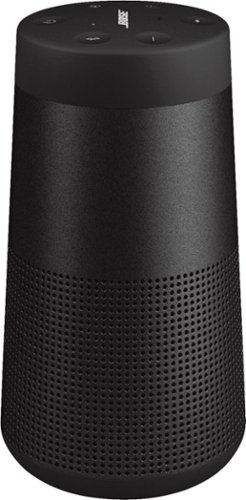
Deep. Loud. And immersive, too. The SoundLink Revolve II Bluetooth speaker delivers true 360~ sound for consistent, uniform coverage. Place it in the center of the room to give everyone the same experience. Or set it near a wall and sound will radiate and reflect around the room, immersing you in that same feeling you felt at your favorite show. The tapered cylindrical shape makes this wireless speaker easy to grab and go, while a durable aluminum body provides worry-free protection. And it~s water resistant so you can keep the party going, even if it starts to rain. The rechargeable, lithium-ion battery plays up to 13 hours ~ for full-day listening. Voice prompts talk you through Bluetooth pairing, and there~s a built-in speakerphone for calls. Use the Bose Connect app to pair two SoundLink speakers for Stereo or Party Mode. The app also helps you manage your devices, unlock features, and access future updates. Available in Triple Black or Luxe Silver.
Overall 3 out of 5
3 out of 5Great Sound, But Where's The Innovation?
By ryanmcv
from Phoenix, AZ
I'm a big fan of most Bose products and the sound quality that they deliver. I've mainly used their headphones and earbuds over the years so I was excited to try out the new Soundlink Revolve II. I had heard great things about the first generation Soundlink speakers and was hoping this refreshed model would have some exciting new features to keep up with the competition. The sound quality is excellent, as expected, and there is a slight boost to battery life and water/dust protection. But I'm disappointed to see that not much else is new, and it seems that Bose is starting to fall behind in this category.
PROS:
- Setup is super quick and easy, especially if you already have other Bluetooth-based Bose products. If you've ever paired a set of wireless headphones or Bluetooth to your phone, you won't have any problems.
- There are multiple ways to play audio through the speaker, including via Bluetooth as well as the auxiliary input and a micro USB port. The micro USB port is used for charging but can also be used to play music from a computer.
- The Revolve II maintains nearly the same design as its predecessor, so it is extremely lightweight and portable. It has a matte texture that does not show fingerprints or smudges. This easily fits in my backpack and tote bags and will be great for taking to the pool or on a camping trip.
- The real strength of this speaker is its 360-degree design: The speaker fires sound in all directions, so there is no distortion or volume drop-off as you rotate the speaker or move around it.
- Sound quality is very good for a speaker of this size. I'm surprised at just how loud this can get and it fills my medium-sized apartment with great sounding music. Midrange and high frequencies are clear and crisp, though there is some distortion in bass at higher volumes. Bass distortion is much more noticeable when you are closer to the speaker, but seems to be a non-issue after you get about 8 feet away.
- If you happen to own another Bose Revolve speaker, you can pair them together to enable "party mode" or a stereo pair for even richer sound.
- Battery life is excellent, rated at 13 hours for the Revolve II. I haven't had a chance to use the speaker non-stop for that long, but battery life has not been an issue at all in the few weeks I've used this speaker.
- The dust and water protection rating of the Revolve II has been increased to IP55, up from IPX4 in the previous generation. So the Revolve II adds dust protection and slightly better splash protection. However, this rating is still not high enough to protect from complete immersion in water, so don't drop it in a pool.
- Setup is super quick and easy, especially if you already have other Bluetooth-based Bose products. If you've ever paired a set of wireless headphones or Bluetooth to your phone, you won't have any problems.
- There are multiple ways to play audio through the speaker, including via Bluetooth as well as the auxiliary input and a micro USB port. The micro USB port is used for charging but can also be used to play music from a computer.
- The Revolve II maintains nearly the same design as its predecessor, so it is extremely lightweight and portable. It has a matte texture that does not show fingerprints or smudges. This easily fits in my backpack and tote bags and will be great for taking to the pool or on a camping trip.
- The real strength of this speaker is its 360-degree design: The speaker fires sound in all directions, so there is no distortion or volume drop-off as you rotate the speaker or move around it.
- Sound quality is very good for a speaker of this size. I'm surprised at just how loud this can get and it fills my medium-sized apartment with great sounding music. Midrange and high frequencies are clear and crisp, though there is some distortion in bass at higher volumes. Bass distortion is much more noticeable when you are closer to the speaker, but seems to be a non-issue after you get about 8 feet away.
- If you happen to own another Bose Revolve speaker, you can pair them together to enable "party mode" or a stereo pair for even richer sound.
- Battery life is excellent, rated at 13 hours for the Revolve II. I haven't had a chance to use the speaker non-stop for that long, but battery life has not been an issue at all in the few weeks I've used this speaker.
- The dust and water protection rating of the Revolve II has been increased to IP55, up from IPX4 in the previous generation. So the Revolve II adds dust protection and slightly better splash protection. However, this rating is still not high enough to protect from complete immersion in water, so don't drop it in a pool.
CONS:
Unfortunately, Bose seems to be stuck in the past with its line of Revolve speakers. Here is a rundown of things that could have been improved but weren't:
- Still uses micro USB for charging (not USB-C like most newer high-end wireless devices)
- No standardized wireless charging support. You can buy a proprietary charging cradle, but it is not included with the speaker and costs an extra $30.
- Low dust & water protection rating compared to competitors. Other speakers in the same price range offer IP67 protection which would protect against full immersion in water.
- No built-in, hands-free voice control such as Alexa or Google Assistant.
- Wireless connection is via Bluetooth only; there is no Wi-Fi or AirPlay support.
Unfortunately, Bose seems to be stuck in the past with its line of Revolve speakers. Here is a rundown of things that could have been improved but weren't:
- Still uses micro USB for charging (not USB-C like most newer high-end wireless devices)
- No standardized wireless charging support. You can buy a proprietary charging cradle, but it is not included with the speaker and costs an extra $30.
- Low dust & water protection rating compared to competitors. Other speakers in the same price range offer IP67 protection which would protect against full immersion in water.
- No built-in, hands-free voice control such as Alexa or Google Assistant.
- Wireless connection is via Bluetooth only; there is no Wi-Fi or AirPlay support.
OVERALL:
Sonos, a major Bose competitor, recently announced a portable speaker with all of these missing features -- and it will actually be cheaper than the Revolve II. Given the major advancements from other wireless speaker brands, it amazes me that Bose did so little to update its Revolve speakers. There was practically zero innovation in designing the Revolve II, and I fear that Bose is going to be left in the dust of Sonos and other players in the compact speaker market. Don't get me wrong, the Revolve II is a great-sounding speaker with some nice features, but I certainly don't think it's the best value for the money. I would only recommend the Revolve II if you are already heavily invested in Bose products or really love the sound profile of Bose speakers. Otherwise, I think your money is better spent on a more innovative portable speaker.
Sonos, a major Bose competitor, recently announced a portable speaker with all of these missing features -- and it will actually be cheaper than the Revolve II. Given the major advancements from other wireless speaker brands, it amazes me that Bose did so little to update its Revolve speakers. There was practically zero innovation in designing the Revolve II, and I fear that Bose is going to be left in the dust of Sonos and other players in the compact speaker market. Don't get me wrong, the Revolve II is a great-sounding speaker with some nice features, but I certainly don't think it's the best value for the money. I would only recommend the Revolve II if you are already heavily invested in Bose products or really love the sound profile of Bose speakers. Otherwise, I think your money is better spent on a more innovative portable speaker.
ryanmcv
Phoenix, AZ
December 23, 2021
Any portable speaker that charges via micro USB in 2021 is not exactly "innovative" in my book. It is also missing several other modern features like Wi-Fi connectivity and true voice controls. I don't care about gimmicks like flashing lights. The Sonos Roam is cheaper, sounds just as good, and has a ton of innovative features compared to the Bose SoundLink Revolve II. The Sonos Roam is also more durable with a higher dust and water resistance rating. The Bose is still a great sounding speaker and will certainly last for many years, but it's definitely not the best value in the portable speaker market.
+2points
2of 2voted this comment as helpful.
ryanmcv's Questions
ryanmcv has not submitted any questions.
ryanmcv's Answers

Switch OLED Console - The Legend of Zelda: Tears of the Kingdom Edition - Nintendo Switch OLED Model
The Nintendo Switch ~ OLED Model - The Legend of Zelda: Tears of the Kingdom Edition system features a design inspired by the Legend of Zelda: Tears of the Kingdom game, including the familiar Hylian Crest from the Legend of Zelda series on the front of the dock (game not included).
Switch OLED Console - The Legend of Zelda: Tears of the Kingdom Edition - Nintendo Switch OLED Model
The Nintendo Switch ~ OLED Model - The Legend of Zelda: Tears of the Kingdom Edition system features a design inspired by the Legend of Zelda: Tears of the Kingdom game, including the familiar Hylian Crest from the Legend of Zelda series on the front of the dock (game not included).
Does this include a copy of Tears of the Kingdom game for Nintendo switch? Or is the game sold separately?
Switch OLED Console - The Legend of Zelda: Tears of the Kingdom Edition - Nintendo Switch OLED Model
The Nintendo Switch ~ OLED Model - The Legend of Zelda: Tears of the Kingdom Edition system features a design inspired by the Legend of Zelda: Tears of the Kingdom game, including the familiar Hylian Crest from the Legend of Zelda series on the front of the dock (game not included).
I am going to assume this does not come with the game? as it says its released before game release. will these only be available for preorder?
Switch OLED Console - The Legend of Zelda: Tears of the Kingdom Edition - Nintendo Switch OLED Model
The Nintendo Switch ~ OLED Model - The Legend of Zelda: Tears of the Kingdom Edition system features a design inspired by the Legend of Zelda: Tears of the Kingdom game, including the familiar Hylian Crest from the Legend of Zelda series on the front of the dock (game not included).
Switch OLED Console - The Legend of Zelda: Tears of the Kingdom Edition - Nintendo Switch OLED Model
The Nintendo Switch ~ OLED Model - The Legend of Zelda: Tears of the Kingdom Edition system features a design inspired by the Legend of Zelda: Tears of the Kingdom game, including the familiar Hylian Crest from the Legend of Zelda series on the front of the dock (game not included).
It says it comes with the game but the game will be released on 5/12 but this console already on 4/28. How does that goes together? Thank you
The game is NOT included. It says so on the front of the box.
3 years, 2 months ago
by
ryanmcv