
Share Todd's profile


Todd
Todd's stats
- Review count21
- Helpfulness votes49
- First reviewAugust 3, 2018
- Last reviewDecember 26, 2020
- Featured reviews0
- Average rating4.5
Reviews comments
- Review comment count0
- Helpfulness votes0
- First review commentNone
- Last review commentNone
- Featured review comments0
Questions
- Question count0
- Helpfulness votes0
- First questionNone
- Last questionNone
- Featured questions0
- Answer count17
- Helpfulness votes9
- First answerNovember 12, 2018
- Last answerNovember 10, 2023
- Featured answers0
- Best answers4

Easily add funds to your account for PlayStation Network (PSN) to use towards anything from PlayStation Store~s (PS Store) huge library of content, including: PlayStation Plus (PS Plus) subscription* with online multiplayer access, games every month, exclusive discounts and more. Games, Virtual currency and add-ons, and more.
Customer Rating

5
Best Practice for PSN purchases
on August 3, 2018
Posted by: Todd
from Virginia, USA
Verified Purchase:Yes
I used to used my Credit card on PSN, but with all they Cyber attacks (I work in Cyber BTW) I removed my info, and I purchase these to fill my "PSN Wallet" then make a purchase. Keep in mind though, as I just found out trying to pump in $180 for Blops 4 ($99) and the Destiny Add on ($80) that it stated "you are exceeding Gift card wallet limit" around the $105 amount when I tried to plug in another $20 at that point. So I purchased Blops, then added the rest, then purchased Forsaken (Destiny 2) I've done it via the Console, but this time I did it via the PC so you can do it multiple ways.
Mobile Submission: False
I would recommend this to a friend!
Share this review:


0points
0of 0voted this as helpful.
Todd's Review Comments
Todd has not submitted comments on any reviews.
Todd's Questions
Todd has not submitted any questions.
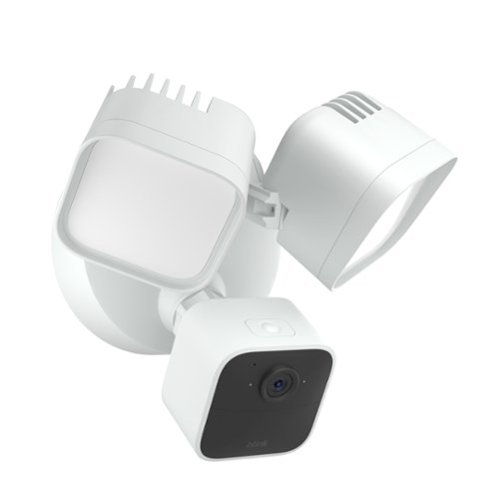
Blink Wired Floodlight Camera ~ smart security camera, 2600 lumens, HD live view, enhanced motion detection, built-in siren, works with Alexa ~ 1 camera (White)
How many phones can be linked to the cameras simultaneously?
For the record, YES they (all blink cams, etc) can be link to multiple phones, devices, etc. "Simultaneous" is the trick phrase here though. Only one device at a time can view then entire system at a time. Example, I was trying to arm our system when leaving garage on motorcycle, but couldn't access it, got error, I noticed LED on camera was on, so I asked wife to stop viewing me long enough to arm, or to arm it after I left, LED went off (she heard me and complied lol) so I was then able to access and arm. Long story short, if someone is accessing, any cam, nobody else can do anything with the system until that person is done. But it is very rare this happens.
2 years, 9 months ago
by
Todd
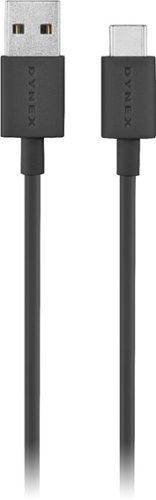
Connect a portable device your computer with this Dynex USB-C to USB-A cable. The USB Type-C 2.0 interface is compatible with most smartphones, tablets and storage drives with USB-C ports, providing a reliable charge-and-sync setup. This black Dynex USB-C to USB-A cable measures 3 feet to support a short-distance connection.
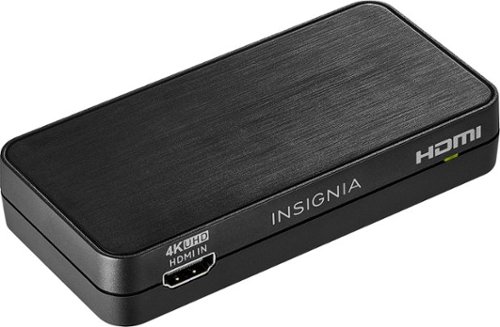
Convert the sound signals from HDMI to analog or optical output with this Insignia HDMI audio extractor. The 3.5mm jack makes connecting headphones or a speaker system as needed simple. This Insignia HDMI audio extractor lets you choose between stereo sound or 5.1 channels with the flip of a switch, providing a variety of audio options for different media.
Can I connect my firestick to my projector that doesn't have sound by using this device hfmi extractor?
Convert the sound signals from HDMI to analog or optical output with this Insignia HDMI audio extractor. The 3.5mm jack makes connecting headphones or a speaker system as needed simple. This Insignia HDMI audio extractor lets you choose between stereo sound or 5.1 channels with the flip of a switch, providing a variety of audio options for different media.
I have an HDMI cable hook to my Samsung TV from my altice one cable box I would like to hook up my Blu-ray player without having to get a second HDMI cable to the TV will this product work?
No. You need a HDMI switch. Like this one: https://www.bestbuy.com/site/rocketfish-4-port-hdmi-switch-black/2947005.p?skuId=2947005
6 years, 7 months ago
by
Todd
Convert the sound signals from HDMI to analog or optical output with this Insignia HDMI audio extractor. The 3.5mm jack makes connecting headphones or a speaker system as needed simple. This Insignia HDMI audio extractor lets you choose between stereo sound or 5.1 channels with the flip of a switch, providing a variety of audio options for different media.
Will this work with new Roku's to adapt the HDMI to my current stereo inputs? I need to send audio from the Roku through RCA plugs to my current setup.
It should. That is it's intent. Pass thru Video and extract audio to out. I use it on a PS4. Plug HDMI out of PS4, pass thru other HDMI cable to TV, then take optical out to the optical in of my A50 Headset box In you case, you will need a 3.5mm to RCA adapter like this: https://www.bestbuy.com/site/insignia-6-3-5mm-mini-to-rca-stereo-audio-cable-black/4408001.p?skuId=4408001
6 years, 7 months ago
by
Todd
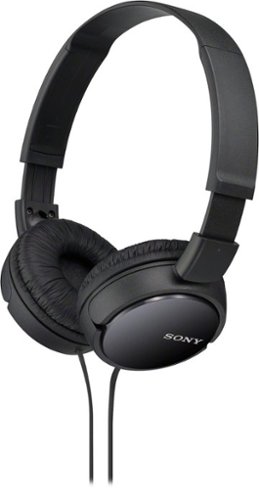
These Sony ZX Series MDRZX110/BLK headphones feature neodymium magnets and 30mm drivers for powerful, reinforced sound. Enjoy your favorite songs with lush bass response thanks to the Acoustic Bass Booster technology.
These Sony ZX Series MDRZX110/BLK headphones feature neodymium magnets and 30mm drivers for powerful, reinforced sound. Enjoy your favorite songs with lush bass response thanks to the Acoustic Bass Booster technology.
These Sony ZX Series MDRZX110/BLK headphones feature neodymium magnets and 30mm drivers for powerful, reinforced sound. Enjoy your favorite songs with lush bass response thanks to the Acoustic Bass Booster technology.
Can I use this headphones while I take a shower? (This is the kind of questions that you will find here)
Yes you can, but only if you get an 3.5mm extension cable from your pc/mp3 player/ipod/etc that will reach to your shower, then you must put headsets on then wrap an entire roll of saran wrap around your head and headphones to make sure headphones do not get wet, some people say it helps to cover your mouth and nose as well, I don't know as I've never attempted this. Good luck. LOL (I know you were being sarcastic, but I had to respond anyway, so hopefully nobody is dumb enough to wrap saran wrap around their face, but who knows :O )
7 years, 4 months ago
by
Todd
These Sony ZX Series MDRZX110/BLK headphones feature neodymium magnets and 30mm drivers for powerful, reinforced sound. Enjoy your favorite songs with lush bass response thanks to the Acoustic Bass Booster technology.
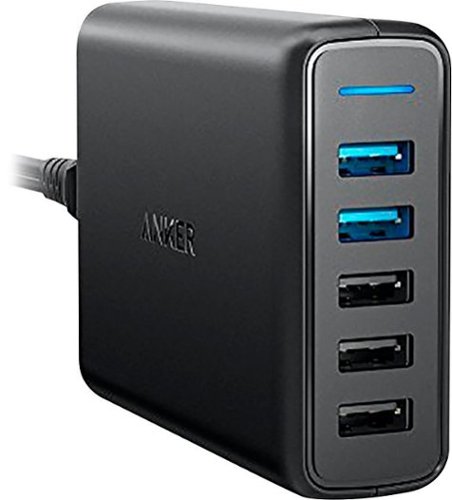
Power multiple gadgets with this five-port Anker PowerPort USB hub. Its two Quick Charge 3.0 ports charge devices up to four times faster than previous-generation USB ports, and its MultiProtect system shields you from power surges and helps prevent short circuits. The PowerIQ and VoltageBoost technologies of this Anker PowerPort USB hub optimize charging speed for non-Quick Charge devices.
Is it compatible or safe to use with an iPhone 8 and newer? Also, can I plug it into a power strip that has a surge protector?
It will charge the iPhone 8 fine but you must use a USB to Lightning cable, and not a USB-C to Lightning cable (iow, the old style usb connector, not the more rounded new one) and I have mine plugged into a surge protector just fine 115VAC from wall outlet or Surge protector is still 115VAC (normally ac voltage for residential outlets used by product) You're good to go on both questions.
7 years, 7 months ago
by
Todd