
Share DubDub's profile


DubDub
DubDub's stats
- Review count1
- Helpfulness votes0
- First reviewMay 21, 2020
- Last reviewMay 21, 2020
- Featured reviews0
- Average rating4
Reviews comments
- Review comment count0
- Helpfulness votes0
- First review commentNone
- Last review commentNone
- Featured review comments0
Questions
- Question count0
- Helpfulness votes0
- First questionNone
- Last questionNone
- Featured questions0
- Answer count2
- Helpfulness votes0
- First answerMay 21, 2020
- Last answerMay 21, 2020
- Featured answers0
- Best answers0
DubDub's Reviews
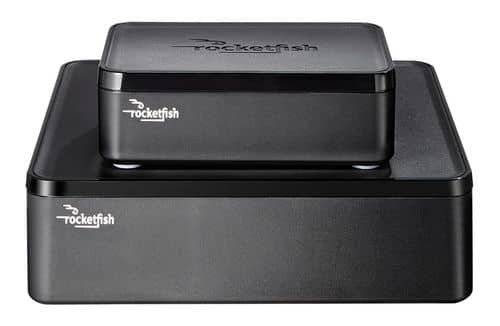
Only at Best BuyEnjoy vibrant CD-quality audio with this Rocketfish~ RF-WHTIB wireless rear speaker kit, which features a wireless range up to 100' for clear transmission. Multiple placement options allow flexible use.

Posted by: DubDub
It has been working to connect our speakers upstairs for a few years now, and it still works pretty good.
We have had a few issues with it where something would happen and it would produce static or weird noises but all it took to fix that was to unplug it and plug it back in and it started working again. Not sure what caused that.
Mobile Submission: false
I would recommend this to a friend!
Quality

4
Value
4
Ease of Use
4
Share this review:


0points
0of 0voted this as helpful.
DubDub's Review Comments
DubDub has not submitted comments on any reviews.
DubDub's Questions
DubDub has not submitted any questions.
DubDub's Answers
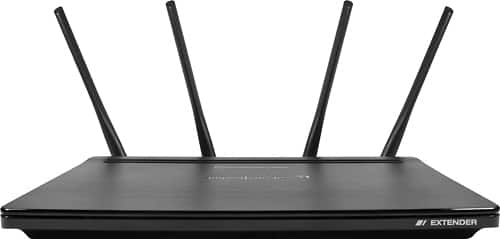
Increase the coverage of your wireless network by using this Amped Wireless range extender, which provides up to 15,000 square feet of coverage. With cutting edge MU-MIMO technology and four high-gain antennas, this range extender eliminates dead spots and ensures you have a strong connection with up to 2.53Gbps speeds. With a built-in dual-core processor, this Amped Wireless range extender easily handles multiple connections.
will this device connect back to the router by a CAT cable?
I am not sure how to edit my previous answer but even though they said no, it does work. It took a bit of configuring to make that happen but it wasn't too hard. The main things were to disable its DHCP server under the IP Settings Tab and assign it a static IP address on your local subnet, you also have to make sure the gateway is your main routers IP address. Fill out the home network settings with just a network name if you want to be able to select which channel it runs on. Selecting the channel has to be done there and it won't let you change that unless a home network name is filled in. Then you can configure the Extended networks, those will be the access points. I had a few issues along the way with some DHCP still getting assigned by the server in the re2600m after connecting but that was my fault for not making sure it cleared the old settings out. It wasn't hard and I am not explaining it best but it does work as an access point with a little configuration. The only issue I have noticed is that any internet related activites on the device itself, like checking for updates, or using the NTP protocol don't seem to work. Its like the device itself doesn't know there is internet access even though anything that connects to it has internet. Anyway sorry for the poor explanation.
TLDR, YES it works with a little effort and the right configuration.
TLDR, YES it works with a little effort and the right configuration.
6 years ago
by
DubDub
Increase the coverage of your wireless network by using this Amped Wireless range extender, which provides up to 15,000 square feet of coverage. With cutting edge MU-MIMO technology and four high-gain antennas, this range extender eliminates dead spots and ensures you have a strong connection with up to 2.53Gbps speeds. With a built-in dual-core processor, this Amped Wireless range extender easily handles multiple connections.
will this device connect back to the router by a CAT cable?
I am testing this now actually. If the four ports on the back act as a network switch and I know for a fact that devices connected to those ports can talk to devices connected through wifi then theoretically you should be able to connect CAT cable from the main router to the switch on the back then connect a wifi device and get internet access. If it works I will update this answer. I know this is an old question but I was in need of a quick access point and had one of these around and this came up during a google search.
6 years ago
by
DubDub