
Share BJH7's profile


BJH7
BJH7's stats
- Review count32
- Helpfulness votes10
- First reviewDecember 5, 2018
- Last reviewNovember 10, 2019
- Featured reviews0
- Average rating4.3
Reviews comments
- Review comment count0
- Helpfulness votes0
- First review commentNone
- Last review commentNone
- Featured review comments0
Questions
- Question count0
- Helpfulness votes0
- First questionNone
- Last questionNone
- Featured questions0
- Answer count2
- Helpfulness votes0
- First answerNovember 10, 2019
- Last answerNovember 10, 2019
- Featured answers0
- Best answers0
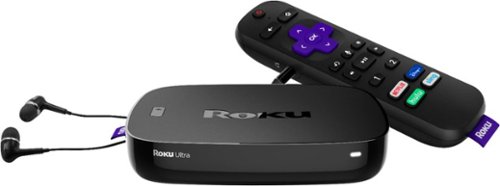
Upgrade your HDTV experience with this Roku Ultra streaming box. It has a voice search feature for hands-free operation, and the quad-core processor and dual-band Wi-Fi connectivity facilitate seamless playback of 4K and HDR content from your favorite streaming services. Connect your headphones to the remote of this Roku Ultra streaming box for discreet audio.
Customer Rating

4
Well Worth The Money
on December 20, 2018
Posted by: BJH7
from Wonder Lake, IL
Verified Purchase:Yes
Bought the Roku Stick, 3 to be exact, and had issues with them overheating on all 3 TVs. Did some investigating and found that most people preferred the Ultra. Returned the sticks and bought the Ultras, WHAT A DIFFERENCE!!! No heat issues, and with using a micro sd card in the unit, the channels load much quicker. We had Hulu on our TV and would notice minor lag/glitches. Hooked the Ultra up and went through that and no more lag. I gave this 4 stars because the controller is still pretty cheap.
Mobile Submission: False
I would recommend this to a friend!
Share this review:


0points
0of 0voted this as helpful.
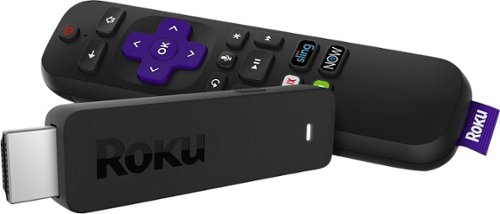
Take your favorite digital media on business trips and vacations with the Roku Streaming Stick. Its USB format offers a plug-and-play interface for a seamless setup, and it comes with a voice remote for controlling the player and finding your favorite shows hands-free. The Roku Streaming Stick provides access to 500,000+ movies and TV shows for hours of endless entertainment.
Customer Rating

3
Not Completely Satisfied
on December 5, 2018
Posted by: BJH7
from Wonder Lake, IL
Purchased 3 of the streaming sticks the weekend after Thanksgiving as we have had enough of high cable bills & contracts. Installed on main tv and began loading apps and using. Saw no issues and liked what we could do. Decided to hook up on the two other TVs in the house based on what we experienced. While watching a show through Prime Video a message popped up saying the stick was overheating. After researching online I was able to access the screen where you can see the temperature, 108C!!! I checked the other 2 Roku sticks and while sitting idle those sticks are at 88C & 82C, doing nothing!!!! Called Roku and they said they will send me out an extender to go between the tv and stick, we’ll see how that works. Checked temperature on other tv’s while using and both get up to around 96C when in use. Roku support said they do not have a known normal operating temp to tell me as each stick is different, what??? Anyways started using the Prime Video app again on one of the other TVs and temp went up to 106C. Tried on the 3rd tv and same result, 107C while using the Amazon Prime Video app. For some reason that app makes these sticks hot as can be. Again, Roku had no idea why and it doesn’t seem anyone else does either, very strange. From discussions I’ve had, and reviews I’ve read, it looks like the Roku Ultra is the way to go. Don’t like how hot these sticks run, makes me nervous as the first stick damaged the HDMI port on my bedroom tv, and people who I’ve talked to that have these said they have never seen their stick get that hot. I love what we are able to do with the Roku, but will do it through the Ultra and possibly the TCL tv. Will be returning the sticks.
Mobile Submission: True
No, I would not recommend this to a friend.
Share this review:


0points
5of 10voted this as helpful.
BJH7's Review Comments
BJH7 has not submitted comments on any reviews.
BJH7's Questions
BJH7 has not submitted any questions.
BJH7's Answers
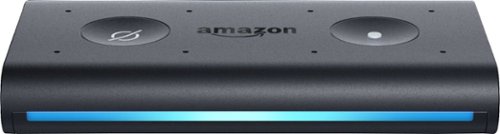
Ask Alexa to read the news while you drive with this Amazon Echo Auto voice-assisted speaker. The integrated eight-microphone system and far-field voice technology ensure you can be heard over road noise and music, while the hands-free voice-assisted control lets you manage your calendar and make calls. This Amazon Echo Auto voice-assisted speaker integrates advanced Bluetooth technology that connects to Alexa on your phone and plays sound through your car speakers.
Ask Alexa to read the news while you drive with this Amazon Echo Auto voice-assisted speaker. The integrated eight-microphone system and far-field voice technology ensure you can be heard over road noise and music, while the hands-free voice-assisted control lets you manage your calendar and make calls. This Amazon Echo Auto voice-assisted speaker integrates advanced Bluetooth technology that connects to Alexa on your phone and plays sound through your car speakers.