
Share preorder's profile


preorder
preorder's stats
- Review count11
- Helpfulness votes24
- First reviewAugust 12, 2019
- Last reviewFebruary 24, 2021
- Featured reviews0
- Average rating3.5
- Review comment count6
- Helpfulness votes5
- First review commentFebruary 1, 2019
- Last review commentFebruary 24, 2021
- Featured review comments0
- Question count296
- Helpfulness votes13
- First questionSeptember 11, 2018
- Last questionApril 9, 2022
- Featured questions0
- Answer count35
- Helpfulness votes52
- First answerSeptember 19, 2018
- Last answerNovember 8, 2021
- Featured answers0
- Best answers4
![Spartacus: The Complete Series - BLU-RAY [Standard] [13 Discs]](https://pisces.bbystatic.com/prescaled/500/500/image2/BestBuy_US/images/products/0aab5939-f10d-4c9e-aaec-665f635030cb.jpg)
Spartacus The Complete Series [BLU-RAY] Boxed Set Released 2014 product/publication from Starz / Anchor Bay
Customer Rating

1
no digital copy
on August 12, 2019
Posted by: preorder
beware, there is no digital copy for this blu ray set.
Mobile Submission: false
No, I would not recommend this to a friend.
Share this review:


0points
0of 0voted this as helpful.
preorder's Review Comments

Start or lock your vehicle quickly and conveniently with this Compustar G15 starter kit. Its injection-molded body is resistant to water, and the 2-mile range lets you lock and unlock doors or control auxiliary functions from a distance. The audio and video confirmation from this Compustar G15 starter kit provides assurance that functions are completed.
Overall 3 out of 5
3 out of 5Not compatible with Altima
By Johnny2494
from Houston tx
I bought it for my 2017 altima. Website said compatible. When i talked the the teck guy...he said not fully compatible. Some features would not work. Returned it. Just my luck

preorder
February 1, 2019
I have a 2014 ford fiesta, has a push start system. got a similar model CS4900S-KIT , when the bb tech tried to install he said it would not work. Can't remember why he said it needed a ferma,or fob cause of the push start. Why won't this work for my car?
0points
0of 0voted this comment as helpful.

Stream your favorite series and movies on a big screen with this 55-inch LG OLED TV. The 4K Ultra HD capability lets you enjoy outstanding true-to-life imagery, while the smart features offer seamless access to online and video streaming services. This LG OLED TV has HDMI and USB ports for hassle-free connection to external devices.
Overall 5 out of 5
5 out of 5Stunning picture
By preorder
Wow, the picture quality is amazing. I'm using the tv stand legs as I don't want to mount it. Only draw back is you have to spend another $100 for the tv stand legs.
One issue I had, I have verzion's new boxes that are 4k, but in order to get 4k you have to turn off the Ultra HD deep color option, and then you won't get the Amd Freesync premium function.
then you get 4k (3840 X 2160) 59hz in the input from version and same to my main output on the receiver, at color space YCbCR 420 24bit.
Not sure why this is? on my 65 lg 2018 model I have ultra hd deep color on and still get 4k. Maybe this is cause its a newer model. I don't know. but its not that big of a deal. At least I know what to do.
preorder
July 13, 2020
Id like to add to my review about trying to get 4k with my fios box. in my review i had to turn off the Ultra HD deep color option, and then you won't get the Amd Freesync premium function. I was setting up my xbox one x to get Dolby vision and after trouble shooting why I wasn't getting Dolby vision, i had to do this. I had to enable hdmi ultra hd deep color,then disable instant game response and disable amd freesync premium. Now all apps / games are in dolby vision/atmos if avail for that format. Then after that I got fios in 4k, with deep color on and other two off. its odd.
0points
0of 0voted this comment as helpful.
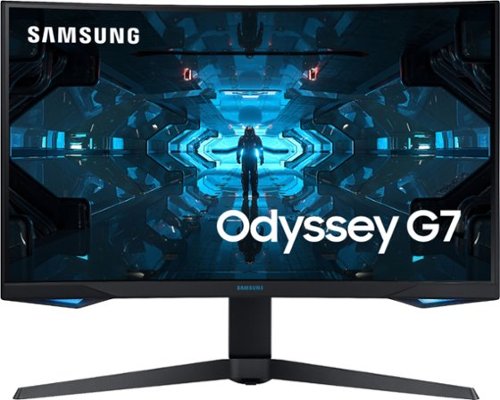
Stay at the top of your game with this 27-inch Samsung Odyssey WQHD gaming monitor. The 1 ms response time and a 240Hz refresh rate deliver detailed visuals for fast-paced gaming, while the QLED technology ensures accurate color reproduction for realistic visuals. This Samsung Odyssey WQHD gaming monitor has an Infinity Core Lighting system, which matches your gaming system for customization.
Overall3 out of 5
3 out of 5HDMI no 4k with free sync on.
By preorder
In order to get 4k hdr via hdmi port, on this Samsung odyssey 27" curved g7 monitor you have to turn off the free sync feature .which means the refresh rate will only be 144 hz not full 240 hz. With free sync on via hdmi you get only 1080p. You only get the full 4k hdr with 240 hz with the display port input with free sync on.thinking of returning this and get the older one I had Samsung odyssey ghg7 which had 144hz max refresh rate.
preorder
July 13, 2020
I'm sorry I meant UHD content with apple 4k and on my ps4 that has it. So are you saying if the hdmi cable was 2.1 (i'm using audio quest chocolate HDMi) I could keep the g-sync/free sync feature on.
-1point
0of 1voted this comment as helpful.
Stream your favorite series and movies on a big screen with this 55-inch LG OLED TV. The 4K Ultra HD capability lets you enjoy outstanding true-to-life imagery, while the smart features offer seamless access to online and video streaming services. This LG OLED TV has HDMI and USB ports for hassle-free connection to external devices.
Overall5 out of 5
5 out of 5An absolutely stunning television
By TylerAustin
Let me start my review by saying, this is my first OLED TV, and I’m regretting not getting an OLED earlier. The picture is exceptionally stunning. The LG GX series combines perfect blacks, infinite contrast, and a beautiful gallery-style design that sits flush against the wall to give you a perfect watching experience.
The biggest and best feature of this television is the beautiful picture. With self-lighting OLED pixels, you dark scenes in movies like Star Wars: The Rise of Skywalker in 4K Dolby Vision on Disney+ look fantastic as the creators imagined. My past 4K TVs have been LCD and I was often frustrated by the noticeable backlights that would halo content on the screen. With OLED, that problem is gone.
The operating system of the television is very fast and easy to use. I love the magic remote that lets me easily type and select content with a flick of my wrist. It feels like a wand from Harry Potter, or a way better Wii remote. Every single app I wanted to use was included, from Netflix, to Disney+, to Hulu and YouTube TV. The only missing apps were HBO Go, HBO Now, and HBO Max. This is disappointing, as when you press the search button on the remote, it suggests “Turn to HBO” right on the screen. However, because the TV supports Apple Airplay, I could easily open the HBO app on my iPad and send it to the TV. Hoping LG can add HBO in the future as a native app.
The gallery-style design of the 2020 GX series is the stand-out feature. This TV is meant to be mounted on the wall by professionals. In fact, it does not even include a stand. While you could buy a stand on eBay that LG sells in certain markets for the GX series, I do not recommend it. If you want the exact same TV and do not plan to mount it on the wall, buy the CX series instead for less money. If you have the right spot on the wall, buy the GX. It is so thin that my friends and family were in awe of how sleek it looks when mounted. It is not as thin as, say, the LG Wallpaper TV, but that’s because the Wallpaper TV had a required soundbar and wire to run down to the box. The LG GX is all-in-one. Now one caveat here is that OLED panel can experience burn-in if you are not careful. I do not recommend leaving this TV on like the Samsung Frame with artwork (even though LG includes an art gallery mode). There are features built-in to avoid burn-in, which made me feel better. And yes, you can fit a Chromecast behind the TV and still have it sit flush if you want to have Cast built in.
To get the best picture, I recommend playing around in the deep picture settings menus and turning off things that mention Frame Rate or Motion to avoid the Soap Opera Effect. You can also switch to the included Filmmaker Mode to do this automatically, but note that Filmmaker Mode lowers the brightness of the screen, so you won’t get the most impactful picture. I also recommend turning off the Power Saving Mode as this limits the maximum brightness of the OLED panel.
The 2020 LG GX is a luxury TV for any home-theater geeks who want the best picture, with the best design, and a top of the line operating system. I highly recommend this TV to anyone who is looking.
preorder
July 15, 2020
This Lg Oled has a refresh rate of 120Hz but why am I only getting 60Hz
0points
0of 0voted this comment as helpful.
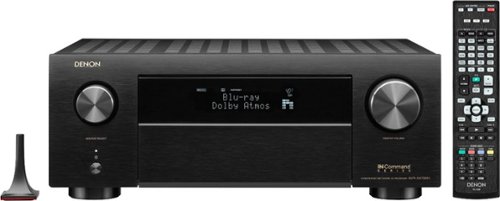
Immerse yourself in high-power, precision-based home theater entertainment with the new Denon AVR-X4700H. With 125W per channel (8 ohms, 20Hz-20kHz, THD: 0.05%, 2 ch. driven) this performance-tuned Denon receiver delivers a truly immersive 3D audio experience with eARC support. The AVR-X4700H features the latest in 3D audio formats such as Dolby Atmos, Dolby Atmos Height Virtualization Technology, DTS:X, DTS Virtual:X, IMAX Enhanced and Auro-3D. The AVR-X4700H also supports the latest video technologies such as 8K/60Hz and 4K/120Hz* pass-through, Dolby Vision, HDR10, HDR10+, Dynamic HDR, HLG, as well as 8K upscaling and HDCP 2.3 support on all HDMI ports (8 in/3 out). *Does not support pass-through from all 4K/120Hz media sources
Overall5 out of 5
5 out of 5Another Great Denon Receiver
By Nittany93
This is my 4th Denon AVR - upgrading from a X4000 most recently. Overall I’m very happy with the upgrade - I bought it to work better with my new 77” LG OLED CX and PS5. I haven’t been able to test out everything (like 4K 120HZ, VRR or ALM on the PS5), but so far 4K 60HZ has been working well. The audio also sounds a little better than the X4000 and it’s nice to be able to decode some of the newer formats like Dolby Atmos (even though I don’t have the speaker setup to take full advantage of it).
The only complaint I have right now is that I’m experiencing a lot more HDMI HDCP handshake issues than I did on my old X4000 - more than half the time I’ve got to power cycle components to get everything working when I turn on the system. I’m trying to fix that issue by adjusting the Power On sequence with my new Harmony Elite but so far the Harmony software has made that impossible (no surprise there).
preorder
December 13, 2020
I'm using the 65 inch 8k lg nano tv I'm using vodka 8k 48gbps hdmi cables with Denon 8K receiver for my cable, 4k blu ray and apple 4k. if i change from 8k enhanced to just 4k don't see 4k at 120hz.only 4k 60hz on info for 8k receiver. have you been able to get 4k 120hz
0points
0of 0voted this comment as helpful.
Immerse yourself in high-power, precision-based home theater entertainment with the new Denon AVR-X4700H. With 125W per channel (8 ohms, 20Hz-20kHz, THD: 0.05%, 2 ch. driven) this performance-tuned Denon receiver delivers a truly immersive 3D audio experience with eARC support. The AVR-X4700H features the latest in 3D audio formats such as Dolby Atmos, Dolby Atmos Height Virtualization Technology, DTS:X, DTS Virtual:X, IMAX Enhanced and Auro-3D. The AVR-X4700H also supports the latest video technologies such as 8K/60Hz and 4K/120Hz* pass-through, Dolby Vision, HDR10, HDR10+, Dynamic HDR, HLG, as well as 8K upscaling and HDCP 2.3 support on all HDMI ports (8 in/3 out). *Does not support pass-through from all 4K/120Hz media sources
Overall 4 out of 5
4 out of 5No 4k 120hz yet?
By preorder
The Denon AVR-X4700H is a great receiver. it has 9.2 channels with the ablity to add 2 more channels with a power amp. I'm using the Niles SI-2150 which gives you 150W at 8ohs and 270W at 4ohms per channel to go with my Klipsch - Reference Series Dual 6-1/2" Passive Floor Speaker. which is 100W RMs and 400 peak.
the only draw back with this receiver is the pre-out set up only allows you to chose from either your Dolby Atmos surround or your fronts. I went with the fronts because it was a shorter run wire wise. I wouldn't have enough slack to wire up the power amp for Dolby Atmos surround.
The set up is easy, the auddusy for the speakers is amazing and if you pay an extra $20 for the multeq app it allows you really calibrate in more detail your speakers and subs via your phone. you then save it via the app and can send it to your receiver.
One small issue is all the hdmi are supposed to be 4k 120hz. my xbox series x allows 4k 120hz and so does my 55 " lg 4k GX series. but the receiver won't do it.
Not sure what's going on there.
but all and all agreat add.
Not sure what's going on there.
but all and all agreat add.
preorder
4k 120
February 24, 2021
Finally got the xbox series x to come in 4k 120hz with my denon 4700h 8k receiver and my 55" lg 4k gx oled tv.1st had to chose 120hz. The xbox then did 120hz at 1080p by default. Then had to just chose 4k as my Resolution,and there ya go.
+5points
5of 5voted this comment as helpful.
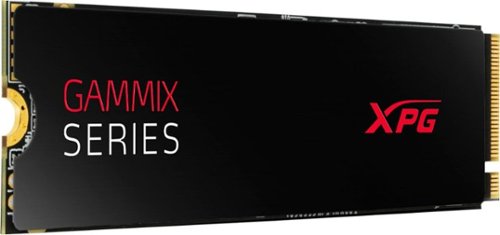
S7 Series SSD PCIe Utilizes PCIe Gen3x4, 3D NAND Flash, and featuring 3500/3000MB/s read and write, the S7 M.2 2280 SSD gives DIY enthusiasts, overclockers and graphics professionals the performance they need. With SLC caching and a DRAM cache buffer, the S7 accelerates your PC~s performance. There~s no more waiting around. Quickly access files and load games in a flash. 3D NAND Flash packs up to 2TB of capacity and a wide range of data protection and correction technologies to increase total TBW (Total Bytes Written). The SX7 supports LDPC (Low-Density Parity-Check) error correcting code technology to detect and fix a wider range of data errors. Meanwhile, RAID Engine ensure security, integrity, and durability. Every component on the S7 has passed meticulous screening, testing, and certification. The S7 ships with the comfort of a 5-year warranty.
my mother board :ROG STRIX Z390-E GAMING has 2 x M.2 Socket 3 ‧ 1 x Type 2242-2280, supports SATA & PCIe 3.0 x4 modes ‧ 1 x Type 2242-22110, supports PCIe 3.0 x4 mode will this work on my board and would it go into 2280 slot with out sata connection.
5 years, 1 month ago
by
preorder
A professional, ISF (Imaging Science Foundation)-certified Agent will use precision equipment to calibrate your TV, tweaking sharpness, black levels, white levels, brightness, color temperature and more to provide the best possible picture in your home.* The Agent will also create custom presets to complement different room ambiences. This service takes about 2 hours to complete.
why is this sold out?
5 years, 1 month ago
by
preorder
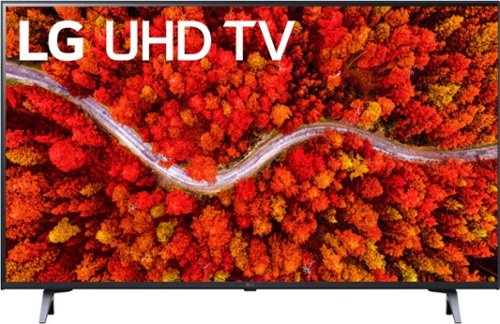
What you want, all in one ultra-slim 4K package. It's an Ultra High Definition cinema screen display backed by our powerful processor to enhance color, contrast, detail and sound. It's a huge library of content right at your fingertips. It's control of all your compatible smart home devices with ThinQ AI and the Magic Remote.
does this tv have dolby vision? and can you dl the mlbtv and hbo max apps?
5 years, 1 month ago
by
preorder

Roku Streambar is the powerful 2-in-1 entertainment upgrade with Roku streaming and premium sound for any TV. Upgrade to America~s #1 TV streaming platform and enjoy a massive selection of free and live TV in vibrant 4K HDR picture quality. The customizable home screen puts your favorite channels like Netflix, Disney+, HBO Max, Apple TV+, Sling, and Hulu front and center. Crisp, clean audio makes dialogue easier to hear and with its compact design, you~ll be amazed at how something so small can fill your room with sound. You can even quiet loud commercials automatically plus stream music with Bluetooth. Setup is simple with everything in the box, including the Roku voice remote that controls your TV, sound, and streaming.~ For even bigger sound, add deep, rich bass with Roku Wireless Bass and immersive surround sound with Roku Wireless Speakers (sold separately). Just plug in and wirelessly pair.~~ *Based on hours streamed~Hypothesis Group.
If i connect this to mt tv arc and have my cable box in HDMI 2, when I'm not on Roku and watching my cable box will the sound come from the sound bar or the tv?
5 years, 2 months ago
by
preorder
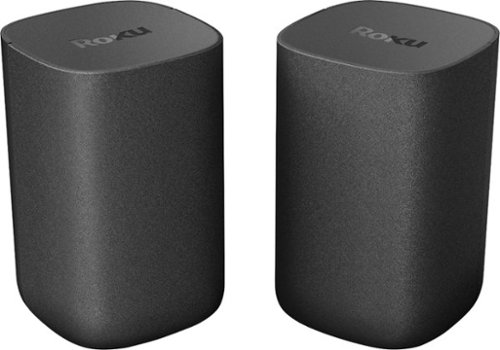
Give your entertainment the premium sound it deserves with Roku Wireless Speakers. They~re the easy way to upgrade the sound of your Roku TV as front speakers or add immersive surround sound to your Roku audio system. Experience a rich soundscape with crisp, clear dialogue and dynamic bass as the two speakers work in harmony to fill your room with sound. Best of all, you won~t need to juggle extra remotes with Roku Wireless Speakers~your current Roku remote is all you need. Just plug them in and wirelessly pair them to your Roku TV, Roku Streambar, Roku Streambar Pro, or Roku Smart Soundbar with a quick and easy setup. For users who already have Roku Streambar, Roku StreambarPro, or Roku Smart Soundbar, you can add a set of Roku Wireless Speakers behind your couch for immersive surround sound and Roku Wireless Subwoofer (sold separately) for heart-pounding bass. For a full surround sound system, you~ll want two sets of Roku Wireless speakers~two in the front by your Roku audio device, and two in the rear behind or beside your couch. For Roku TV users, start with a set of Roku Wireless Speakers for premium sound. Then, you can easily add Roku Wireless Subwoofer (sold separately) for heart-pounding bass.
I have an vizzio 1080P 24" tv in the kitchen and a 4k fire roku fire stick hooked up to one hdmi input, would these speakers work when i paly roku with that tv or would i need the roku sound bar 1st.
5 years, 2 months ago
by
preorder
Give your entertainment the premium sound it deserves with Roku Wireless Speakers. They~re the easy way to upgrade the sound of your Roku TV as front speakers or add immersive surround sound to your Roku audio system. Experience a rich soundscape with crisp, clear dialogue and dynamic bass as the two speakers work in harmony to fill your room with sound. Best of all, you won~t need to juggle extra remotes with Roku Wireless Speakers~your current Roku remote is all you need. Just plug them in and wirelessly pair them to your Roku TV, Roku Streambar, Roku Streambar Pro, or Roku Smart Soundbar with a quick and easy setup. For users who already have Roku Streambar, Roku StreambarPro, or Roku Smart Soundbar, you can add a set of Roku Wireless Speakers behind your couch for immersive surround sound and Roku Wireless Subwoofer (sold separately) for heart-pounding bass. For a full surround sound system, you~ll want two sets of Roku Wireless speakers~two in the front by your Roku audio device, and two in the rear behind or beside your couch. For Roku TV users, start with a set of Roku Wireless Speakers for premium sound. Then, you can easily add Roku Wireless Subwoofer (sold separately) for heart-pounding bass.
how long are the power cords? Does each cord need to be plugged in individual?
5 years, 2 months ago
by
preorder
Roku Streambar is the powerful 2-in-1 entertainment upgrade with Roku streaming and premium sound for any TV. Upgrade to America~s #1 TV streaming platform and enjoy a massive selection of free and live TV in vibrant 4K HDR picture quality. The customizable home screen puts your favorite channels like Netflix, Disney+, HBO Max, Apple TV+, Sling, and Hulu front and center. Crisp, clean audio makes dialogue easier to hear and with its compact design, you~ll be amazed at how something so small can fill your room with sound. You can even quiet loud commercials automatically plus stream music with Bluetooth. Setup is simple with everything in the box, including the Roku voice remote that controls your TV, sound, and streaming.~ For even bigger sound, add deep, rich bass with Roku Wireless Bass and immersive surround sound with Roku Wireless Speakers (sold separately). Just plug in and wirelessly pair.~~ *Based on hours streamed~Hypothesis Group.
I have a VIZIO - 24" 1080p TV that has 2 hdmi inputs 1 is arc and 2 is not. My cable box to hdmi 1 and 4k roku stick to 2. if I got this. i'd plug into hdmi 1 and cable to hdmi 2. would I only get sound from bar for roku and cable sound through tv?
5 years, 2 months ago
by
preorder
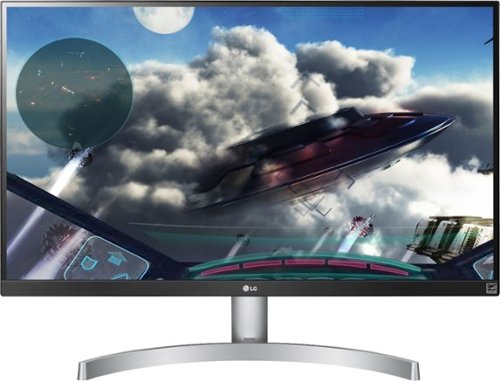
Enjoy a stunning LED display with this 27-inch LG monitor. The 4K UHD resolution and VESA DisplayHDR deliver vivid scenes to keep you captivated by your favorite shows and movies, and IPS technology maintains consistent colors at various viewing angles. This LG monitor's Radeon FreeSync matches your graphics card's frame rate for a stutter-free experience.
Would I be able to hook up my cable box and roku 4k to hdmi ports for this one. if i got a smart plug would i be able to turn it on/off with alexa? and whats a good pair of speakers for this for sound?
5 years, 2 months ago
by
preorder
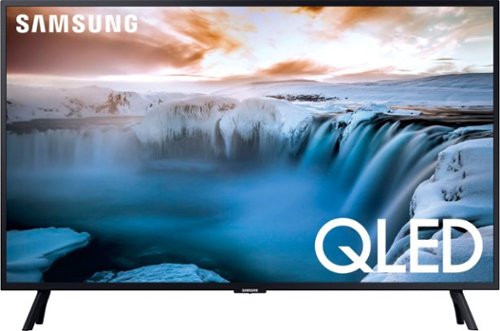
Improve your viewing experience with this Samsung 32-inch 4K smart TV. Native 4K resolution and advanced HDR technology provide a cinematic viewing experience with sharp details and realistic colors. This Samsung 32-inch 4K smart TV has a variety of smart features that make it easy to access and play content from popular streaming services.
can you dl the mlbtv app and does this tv have Dolby vision?
5 years, 2 months ago
by
preorder
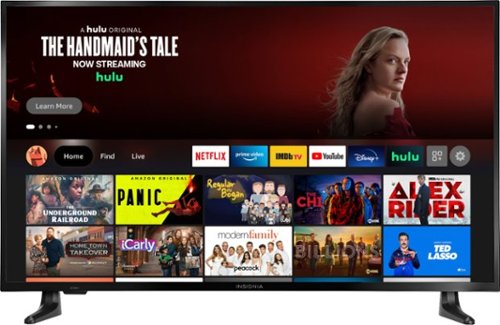
Take in every moment with breathtaking 4K Ultra HD on this 43-inch screen. It~s equipped with DTS Studio Sound to create realistic and immersive audio. Access live over-the-air channels and streaming~and control it all with your voice. Ask Alexa to launch apps, search for titles and more. Experience the affordable, yet high-performing Insignia NS-43DF710NA21 43" Class F30 Series LED 4K UHD Smart Fire TV.
can you dl the mlbtv app with this tv?
5 years, 2 months ago
by
preorder
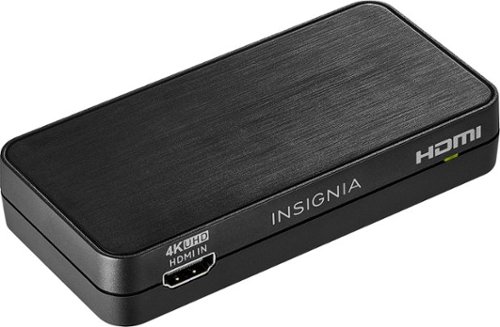
Convert the sound signals from HDMI to analog or optical output with this Insignia HDMI audio extractor. The 3.5mm jack makes connecting headphones or a speaker system as needed simple. This Insignia HDMI audio extractor lets you choose between stereo sound or 5.1 channels with the flip of a switch, providing a variety of audio options for different media.
Convert the sound signals from HDMI to analog or optical output with this Insignia HDMI audio extractor. The 3.5mm jack makes connecting headphones or a speaker system as needed simple. This Insignia HDMI audio extractor lets you choose between stereo sound or 5.1 channels with the flip of a switch, providing a variety of audio options for different media.

Run your high-performance PC with this CORSAIR RMx power supply. It~s made with Japanese 105 degree C capacitors for solid durability, and its Zero RPM fan mode provides optimal cooling and quiet operation for low-to-medium loads. This 80 PLUS Gold-certified CORSAIR RMx power supply comes with a fully modular cable set for efficient, clutter-free installation.
Will this fit a hp omen desktop. Model number 870 244
yes, it will fit in the hp omen that u have. I had the same one just the 750W one in my hp omen and it fit, this one has same specs but is just a tad bit longer.
6 years, 10 months ago
by
preorder
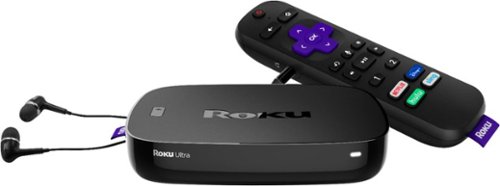
Upgrade your HDTV experience with this Roku Ultra streaming box. It has a voice search feature for hands-free operation, and the quad-core processor and dual-band Wi-Fi connectivity facilitate seamless playback of 4K and HDR content from your favorite streaming services. Connect your headphones to the remote of this Roku Ultra streaming box for discreet audio.
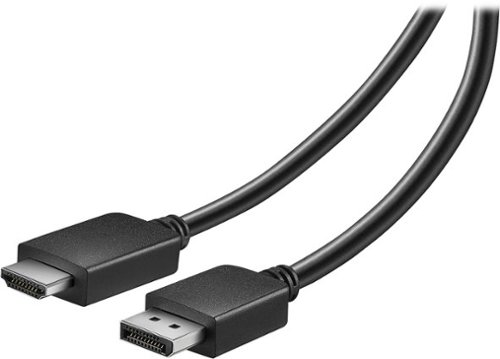
This Insignia~ NS-PD06502 6' cable connects your computer's DisplayPort to an HDMI type-A input and supports up to 1920 x 1200 resolution for crisp images.
I’ve bought this cable in order to set up my third ASUS monitor. However, I kept getting a ‘No Signal’; so I bought another cable thinking maybe the first one was just broke. Second cable, same results. I’ve rebooted and everything of the sorts. HELP!?
I have an 27" 4k lg which has two HDMI's and display port. I bought this cable to connect my super Nintendo to display port and same thing no signal. I've tried everything and nothing. its very annoying. I just took the display prot hooked it to my computer then hdmi to 4k monitor and I get a picture. so its not the cable. just doesn't seem to connect from monitor diplay port to hdni.
7 years, 8 months ago
by
preorder