
Share Micksamson's profile


Micksamson
Micksamson's stats
- Review count13
- Helpfulness votes1
- First reviewDecember 11, 2018
- Last reviewMay 13, 2019
- Featured reviews0
- Average rating4.2
Reviews comments
- Review comment count0
- Helpfulness votes0
- First review commentNone
- Last review commentNone
- Featured review comments0
Questions
- Question count0
- Helpfulness votes0
- First questionNone
- Last questionNone
- Featured questions0
Answers
- Answer count0
- Helpfulness votes0
- First answerNone
- Last answerNone
- Featured answers0
- Best answers0
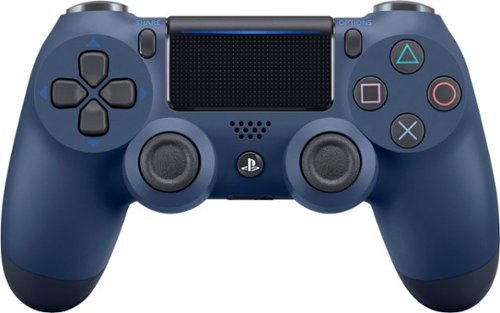
Expertly control the action in your favorite games with this PlayStation 4 DualShock 4 controller. A clickable touchpad and enhanced analog joysticks offer multiple ways to play, while the integrated light bar helps identify each player when gaming with friends. This PlayStation 4 DualShock 4 controller comes with a built-in speaker and audio jack, so you can choose the way you experience your in-game sound.
Customer Rating

4
Great product
on December 18, 2018
Posted by: Micksamson
from Hartford CT
Verified Purchase:Yes
Works nice, I would recommend to any gamer, kids loved.
Mobile Submission: False
I would recommend this to a friend!
Share this review:


0points
0of 0voted this as helpful.
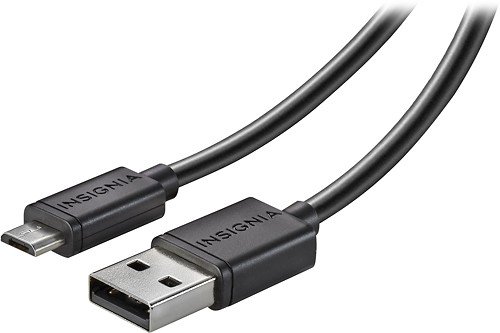
Only at Best BuyYour DUALSHOCK 4 controller is your key to effortlessly navigating the gaming realm with your PlayStation 4. Your DUALSHOCK 4 controller allows you to steer racecars around tight twists and turns, make your way through dark underground passageways, line up a perfect head shot and more. If your controller isn't charged and ready for action, then neither are you. Make sure you're ready whenever the urge to play strikes with this Charge-and-Play Micro USB Cable.Make sure your DUALSHOCK 4 controller is ready when you are with this 10' Charge-and-Play Micro USB Cable for DUALSHOCK 4 Controllers, which lets you power your controller while staying enveloped in your favorite games. The micro USB connector simplifies connection to your PlayStation 4 controller and also works with most micro USB-enabled devices for flexible charging options. With a 10' length, it's easy to play from a comfortable position.
Customer Rating
4
Happy
on December 11, 2018
Posted by: Micksamson
from Hartford CT
Verified Purchase:Yes
Pleased with purchase, works well, gives enough room to keep playing while charging.
Mobile Submission: False
I would recommend this to a friend!
Share this review:


0points
0of 0voted this as helpful.
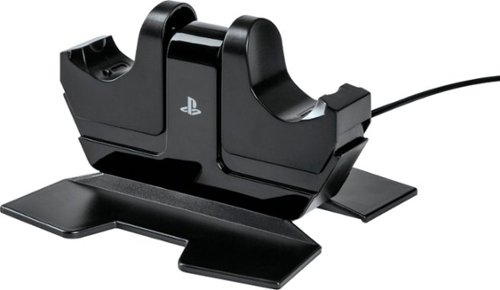
Charge and display your DUALSHOCK 4 wireless controllers with the officially licensed Charging Station for PlayStation 4. Charging is an ease - Simply place the DUALSHOCK 4 on either side of the station, and click down to see the LED base light up to indicate charging level. When fully charged, click down to release contact and simply leave the controller on the station. Feel confident your controllers are always ready to game as it charges on display alongside of your PS4 console
Customer Rating
4
Good quality, works well
on December 11, 2018
Posted by: Micksamson
from Hartford CT
Verified Purchase:Yes
Happy with this purchase, works well. Overall pleased with purchase.
Mobile Submission: False
I would recommend this to a friend!
Share this review:


0points
0of 0voted this as helpful.
Micksamson's Review Comments
Micksamson has not submitted comments on any reviews.
Micksamson's Questions
Micksamson has not submitted any questions.
Micksamson's Answers
Micksamson has not submitted any answers.