MnstrMike
Top 250 Contributor
MnstrMike's Stats
- Review Count169
- Helpfulness Votes890
- First ReviewAugust 5, 2011
- Last ReviewSeptember 2, 2026
- Featured Reviews0
- Average Rating4.1
Reviews Comments
- Review Comment Count2
- Helpfulness Votes5
- First Review CommentNovember 26, 2015
- Last Review CommentJune 18, 2017
- Featured Review Comments0
Questions
- Question Count0
- Helpfulness Votes0
- First QuestionNone
- Last QuestionNone
- Featured Questions0
- Answer Count41
- Helpfulness Votes48
- First AnswerNovember 22, 2010
- Last AnswerDecember 8, 2021
- Featured Answers0
- Best Answers5
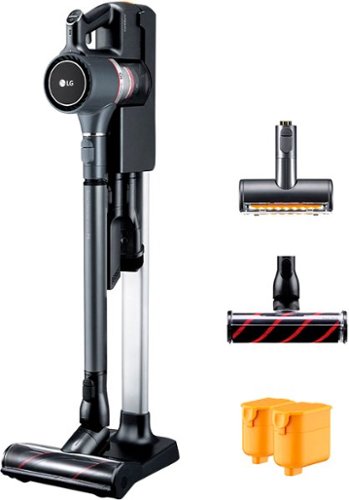
LG - CordZero Cordless Stick Vacuum with 80-Minute Run Time, Floor and Punch Nozzles - Matte Gray
Maintain cleanliness with this LG CordZero A9 ultimate cordless stick vacuum. Three modes, wall-mount, self-standing and compact, deliver convenient portability and ease of storage while requiring no drilling or installation. Two swappable portable batteries let you clean with this LG CordZero A9 ultimate cordless stick vacuum while simultaneously charging a backup power source for uninterrupted cleaning sessions.
Not a daily driver, best for non-carpet floors
Customer Rating

4.0
The Wife says no as a daily driver.
Dust bin too small and the dust bin eject button/mechanism doesn't work that well, carpet sweeping requires device to be on Turbo, which causes the motor to become much louder (high pitch), thus also shortening the battery life. A plus is that it has two batteries, but still not enough if you have a lot of carpet.
If not needing for carpet cleaning, it is a fine device and the issues above (minus the dust bin being too small) go away. Furniture cleaning doesn't require the turbo mode.
We do love that there is the option to have it setup via the floor stand instead of wall mounting. The floor stand is well made, has a good design, and seems sturdy. It also has a small puck that you are supposed to attach to the wall and the floor mount bracket attaches to it. It feels a little redundant, but I can see that it is for extra rigidity when removing/replacing the vaccum, but I decied not to use it at this point as I'm not sure where the final place it sit will be.
All but 1 of the attachments has a spot on the floor stand, so I guess it will just get set somewhere. Honestly, not even sure what it is supposed to do as it is not a brush, but a plastic piece, thinking it is for furniture cleanup. The manual has names for all the parts but not what this one is supposed to do. Also once the stick is undocked for use, there are no onboard spots to attach the crevice and brush tools, so you will have to carry them with you or retrieve them when needed. You will be empyting the dust bin frequently, so it probably won't be an issue.
The device definitely has its strengths, mostly being in the double batteries and optional floor stand instead of the wall mounting, extra filters, and nice guides on how to clean with suction cup holder to place in a window?
I can see there were some small details that where thought through, but it does feel like it is to compensate for other areas lacking.
This device will be used for our basement furniture and vinyl floor cleaning, but not carpet.
Would be ideal for a small apartment (1 or 2 bedroom), but whole house use, not unless you stagger your cleaning schedule. For small carpeted areas the Turbo use would be fine, but areas with a lot of carpet, the sound the motor gives off is a high pitch in turbo and really gets to you after a short period of time.
I cannot say that it is bad, but you will want to think through its intended use before purchasing. Our home is 1800sqft upstairs with mix of carpet and laminte flooring and 1000sqft finished basement with vinyl plank flooring. Not touching the carpeted areas, I know I could easily do the flooring upstairs and downstairs on one battery and average changing the dust bin twice.
Also disclaimer we have two small (15 and 20 lbs) inside dogs, short fur, so if no inside animals carpeted areas may do better for you, but marginally.
I don't feel I can dock it more than 1 star as the manual states everything I said in my review that I find negative. Each battery at normal use should last 40 minutes, turn on the Turbo mode and leave it and you get 6 minutes run time from 1 battery. I got a little longer than advertised, closer to 10 minutes.
My minus 1 star is really for not having a place to put all the attachments and the small dust bin.
But like the first line states...the wife says not a daily driver.
I would recommend this to a friend!
Mobile Submission: False
+1point
1out of 1found this review helpful.
Share this review:


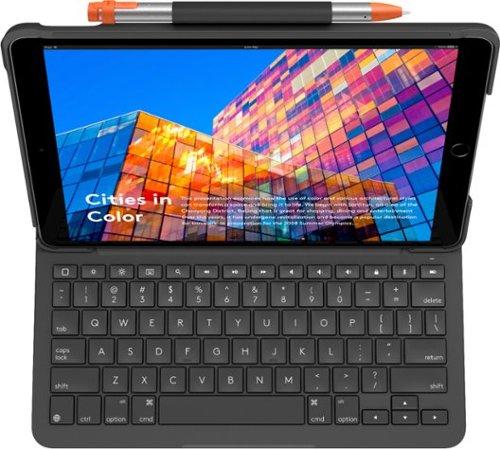
Logitech - Slim Folio Wireless Keyboard for Apple iPad Air 10.5" (3rd Generation 2019) - Graphite
Write e-mails and blog posts through your third-generation iPad Air tablet with this graphite Logitech Slim Folio Bluetooth keyboard case. The edge-to-edge keyboard has well-spaced keys for comfortable typing, and the four-year battery life and BLE technology provide efficient performance. This slender Logitech Slim Folio Bluetooth keyboard case has a built-in pen holder to secure your Logitech Crayon or Apple Pencil.
You'll Forget its just an iPad
Customer Rating

5.0
I'm no stranger to Logitech products and their quality. I really like the versitality that adding the keyboard to my iPad adds. My last gen 2 iPad had a keyboard attacment from Logitech which I really like as well. I'm writing the review using this new one.
Battery life...4 years! I'll let you know. At first with it being a standard cell replaceable battery I was a little shocked, and wasn't sure if I agreed. But after thinking about the fact that it is replaceable and I don't have to carry an extra cable to charge, its really great. When the case closes and the iPad docks the magnets give a very solid reassuring connection that it won't easily pop open. It feels like a Netbook of old.
I tend to keep my iPad on all the time and the fact when the device is closed in notebook style it shuts off the keybard is great and allows one to keep the tablet on.
The keyboard is great size and all the shortcut keys make it feel like your using a laptop, only the limiations of iPad OS remind me I'm not; and also no trackpad. The keys are really quiet and have a satisfactory feel to them, so would be suitbable for meeting and/or class situations with distrubing someone. Way quieter than a pen click.
When it comes to using the Apple Pencil and the holder, I wish the Pencil wasn't just secured by a loop at the top of the case, but had a spot to snap into the housing of the case. I have seen this implemented in a different brand, so I know it can be done.
When using the iPad to write and laying it flat against the keyboard, it is doesn't hit the keys by design. It does rock/wobble a little bit.
The casing material is a nice soft touch, almost leather feel. Not sure how else to describe it.
I highly recommend this to anyone want to extend the versitaality of their iPad. Using it in Portrait mode as a reader, does add a bit of awkwardness to holding it, but for me coming from a porfolio style case that was thick, its not any more awkward than that one.
If you are looking for mulitiple viewing angles, you will only get one in Landscape mode, but it is a comfortable angel, so should be fine whether using the device from your lap or on a table. But your experience may be different than mine.
All in I can easily recommend this product.
I would recommend this to a friend!
Mobile Submission: False
+1point
1out of 1found this review helpful.
Share this review:


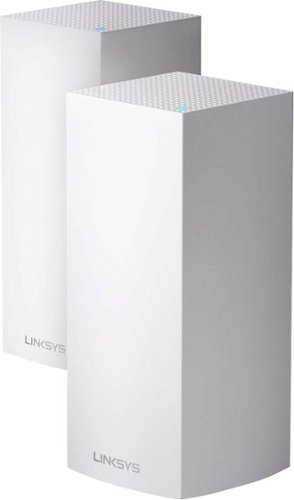
Linksys - MX10 Velop AX5300 Mesh Wi-Fi 6 System (2-Pack) - White
The Linksys Velop MX10 whole-home Wi-Fi 6 system gives you more speed, coverage, and capacity than it ever has before. Wi-Fi 6 combined with Velop's Intelligent Mesh~ technology delivers true Gigabit Wi-Fi speeds, up to 5.3 Gbps, to every corner of your home, even the backyard and outdoor smart home devices. Wi-Fi 6 also sends and receives multiple streams of data simultaneously and reduces latency, providing up to 4x more capacity compared to Wi-Fi 5 technology. So, it can handle the demands of up to 50 devices and more, from laptops and gaming consoles to smart home devices and 4K TVs, all competing for the same bandwidth. You'll also always have a more efficient Wi-Fi experience with OFDMA that enables more data to and from your devices in a more streamlined manner. And, with BSS technology, congestion is also minimized eliminating interference from nearby wireless networks to deliver a strong, clear Wi-Fi signal to your home, so you won't have to worry about your neighbor's Wi-Fi interfering with yours again. You'll even have 7x more battery life with Target Wake Time that reduces network interference, allowing your devices to remain in sleep mode longer. The MX10 whole-home Wi-Fi 6 system is a part of Velop's modular system, so if you need more coverage, just add more nodes. Plus, setup is fast with the Linksys app, so you can enjoy the next evolution of Wi-Fi in minutes.
Currently only 1 of 2 nodes works
Customer Rating

3.0
If you have a large number of devices connected to your network and need coverage for a large home, definitely consider the Linksys MX10 system.
The system comes with 2 nodes and this is to replace a 3 node system of a different brand. As my summary states, 1 node is not working from this Linksys setup, so I was just using 1 node for most of my review, so I know is not a real world test...or is it?
My home is 1800sqft upstairs and the same finished downstairs with 10ft basement ceilings and the ductwork runs through the middle of the house between the floors. With just 1 node all of my devices connect. I have noticed some buffering with a couple of my Roku devices that wasn't present before, but again that is 1 node running and I average 17 devices connected at a time. I pretty confident I would not notice any lag if I had the 2nd node working.
As wifi routers setup go, this was definitely one of the slowest processes I have ever done. Took about 40 minutes all in. There are multiple steps and each one took the max amount of time stated for the process or more the tutorial said it would take. And this process is required for each node being setup. Now since I know 1 node is an issue, the setup time may have been greatly factored by this too.
What I really like about this node style is that each one has 4 Ethernet ports and a USB port making it easy to connect devices that you wish to be hardwired or even adding a NAS device, which were my main reasons for getting this, as the current setup lacks this functionality.
In the very beginning (like first 15 minutes) when both nodes were working I was able to get great range from the setup. With my last traditional wifi router setup I was able to stay connected outside from about 50 yards from my wifi router. When I switched to a mesh system for better overall in home connectivity I lost that range. I get almost the same range as traditional wifi router with both Linksys nodes working and total home coverage, so I know when the system is at full potential it should operate just fine.
On paper and nearly in use, this setup ticked off the boxes that I wanted in my setup.
My rating reflects the issues I have encountered. I know its not node location. I have tried every conceivable useful location. It just simply will only stay connected for no more than 5 minutes, drop off, then reconnect. Not sure if it was an issue with the firmware update right out of the box or just a faulty node?
I'm definitely giving Linksys the benefit of the doubt here as my preferred setup works just fine with my older mesh setup that I have reverted back to until I can go through the phone process that they make you go through to get something replaced, etc. My wife and I both work from home with odd schedules, so its really been hard to drop the internet to go through the support chain of command.
For the amount of devices it should be able to support and the extra wired features, this is a compelling setup. Just wish I didn't have the issues out of the box that I did.
As for the app integration for controlling everything, there was a little bit of a learning curve, mostly I don't care for where they place the location of finding the current connected nodes, should be a bit quicker to access.
I want to recommend this product, but just know you may have to give yourself some more time if you run into any issues.
I would recommend this to a friend!
Mobile Submission: False
0points
0out of 0found this review helpful.
Share this review:


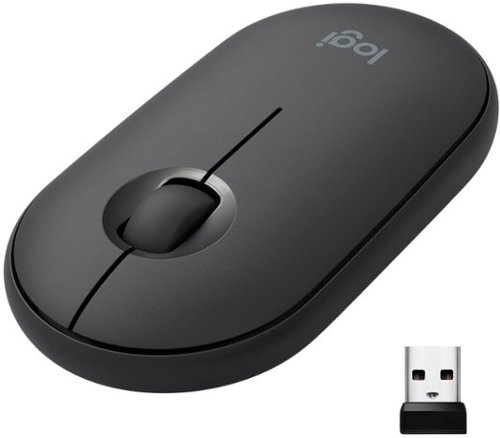
Logitech - Pebble M350 Wireless Optical Ambidextrous Mouse with Silent Click - Wireless - Graphite
Own your space with Logitech Pebble M350 ~ a modern, slim, and silent portable mouse designed for your curated lifestyle. Make a statement with a slim mouse that can easily be scooped up and brought to the cafe or library. Silent clicking and scrolling means you can stay focused without disturbing those around you. And the Logitech Pebble stays powered for up to 18-months on a single AA battery so you don~t have to worry about losing power.
Nothing beats a Logi Mouse
Customer Rating
4.0
I have never bought another brand for any kind of mouse. I have had other that came with laptops/desktops, but they were junk and always ended up swapping out for a Logi setup.
The Pebble is a little different as it is flat, so it doesn't really fit the hand like most mice. The use is absolutely amazing, It worked flawless on all different types of surfaces, canvas, carpet, blanket, t-shirt. It just works!!
I was shocked to see it also comes with an RF adapter for USB as I was just expecting Bluetooth. The connection and pairing process was just fine.
I was shocked to find that the there isn't at this time any software to check battery life, swap buttons, etc. Typically this flat style is great for those that are left handed and want/need to change the button layout. So, that is the subtraction of a star.
I can easily recommend this based on the fact it works really well on many surfaces, but it does feel a little awkward in hand due to the really flat design.
I would recommend this to a friend!
Mobile Submission: False
0points
0out of 0found this review helpful.
Share this review:



Skullcandy - Sesh True Wireless In-Ear Headphones - Black
Say goodbye to cords and cables with these Skullcandy Sesh true wireless headphones. Bluetooth technology seamlessly connects to your smartphone, tablet or PC, letting you stream music or take phone calls with the built-in microphone. These water-resistant Skullcandy Sesh true wireless headphones come with a charging case, providing up to an extra 7 hours of listening time.
Ear Plugs, not Buds.
Customer Rating
3.0
The audio quality is everything I have come to expect from SkullCandy. As good as ever in that department for an earbud style headphone.
I was impressed by the bass sound, as it was really good, just missing the actual concussion feeling!
Battery life seems pretty on par for its claims of 3 hours for buds and with charging case an additional 7 hours. I love that the case has magnets so when placing the buds in they drop right into place.
It loses 2 stars for theses reasons:
Fitment as my title says, these feel like ear plugs. while the plus side is they won't fall out, the negative is they fit tight and I don't think I would worry about the 3 hour battery life per charge because I definitely won't be wearing them that long. I tried and I could make it around the 2 hour mark. With this type of fitment you won't get any ambient sounds, so depending on your useage this may not be a positive.
Fitment as my title says, these feel like ear plugs. while the plus side is they won't fall out, the negative is they fit tight and I don't think I would worry about the 3 hour battery life per charge because I definitely won't be wearing them that long. I tried and I could make it around the 2 hour mark. With this type of fitment you won't get any ambient sounds, so depending on your useage this may not be a positive.
User Interface/Control: First thing, with the fitment being what it is you won't be just simply touching the side of the ear bud to control volume, activate assistant, etc. The button press is pretty hard and requires pinching the device to do so. I believe that is design as with the fitment there is just enough space to easily fit my finger along the backside of the bud and then squeeze the button. I didn't expect the learning curve on the UI for button presses. I found it isn't that accurate and trying to remember to count how long to press was a little weird.
I've tried quite a few ear buds from different manufacturers and even other products from Skullcandy and this is the first wireless set that has the left as the master and the right as the slave. Nothing wrong with that, just different.
You can still use the right ear bud independently of the left, but you do lose UI options like volume down and track back, but that is all. You can still pull up voice assistant and answer/end calls, and play/pause songs. As far as UI goes I think it is the best layed out overall considering you don't loose most functionality, but full volume control is pretty big. There isn't a companion app so there isn't any UI changes available.
I did notice that when just using the right ear bud, then adding the left ear bud it wouldn't always play music in stereo. You have to repower both buds and then it syncs and plays normally.
The case for the buds is nice size and hard so it can take some tumbling in bag. I also like that putting them in the case is an Auto-off feature; I have another pair that I have to constantly check because they turn on in the case when charging and typically drain the batteries more when I finally see it is on. So kudos to Skullcandy for the auto-off feature.
The packaging it all came in was a bit crazy as I thought the buds in the foam where a little tight and I was going to break one of them trying to get it out of packaging.
Call quality on my end was fine, the other end stated that it simply sounded like I was on speaker phone and a little distant.It didn't interrupt the conversation, but just something that was noticed.
I can recommend them, and as stated they are not going to fall out and if you are okay with the physical button pressing then they should be a good option.
I would recommend this to a friend!
Mobile Submission: False
+11points
25out of 39found this review helpful.
Share this review:



Mr. Coffee - 12-Cup Coffee Maker with Dishwashable Design
Prepare great-tasting coffee with this Mr. Coffee 12-cup programmable coffee maker. The dishwashable design lets you disassemble the base and clean out coffee residue, while the advanced water filtration system helps minimize impurities like calcium or chlorine. With the Grab-a-Cup auto-pause feature, this Mr. Coffee 12-cup programmable coffee maker lets you pour a cup while the coffee is brewing.
It Makes Coffee
Customer Rating
3.0
It does exactly what it is supposed to do, but I did learn a few things.
1. Do wash in the dishwasher as directed first! The plastic smell of the parts is strong and typically a good sink wash works, but not for this one. 1 cycle in the dishwasher and the plastic smell went away and the coffee tasted infinitely better.
2. Like most coffee makers, the fill lines in the reservoir don't always match output. Especially with less than full pot brews. For 4 cups, add about a 1/3 more more water. Going higher in brew size it matched the reservoir capacity.
3. I don't like the included filter. It changes the brew strength and its plastic.
4. Like any new coffer maker, you have to keep brewing to learn how it brews.
5. The carafe can only rest on the warming plate a certain way.
6. Instructions say don't leave it plugged in due to malfunction, yet it has a clock/delay brew function!? The timed brew works as directed as long as you leave it plugged in.
Mine comes with the included pod water filter. I did not use as I already brew with filtered water. But I had my reservations on using it anyway, it just seem something that stays wet and sits in the dark is prime for growing mold. I'm sure it just a activated carbon granuales, but unless you are brewing every morning, which I don't, I'm not too sure about. But I didn't test it, so just being skeptical at this point.
It is a decent coffee maker that gets the job done. This Mr. Coffee replaced my 17 year old Mr. Coffee 4 cup maker which the plate finally started to loose its finish. I don't brew all the time, but I'm expecting similar life span or close here.
I would recommend this to a friend!
Mobile Submission: False
+2points
2out of 2found this review helpful.
Share this review:


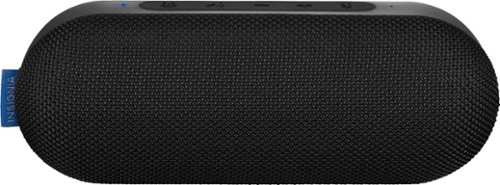
Insignia - Sonic Portable Bluetooth Speaker - Black
Listen to music at the pool with this Insignia Sonic portable speaker. Bluetooth connectivity lets you stream music from compatible smartphones, and the stereo speakers deliver impressively powerful audio. This Insignia Sonic portable speaker has a water-resistant chassis that stands up to moisture and a powerful battery that offers up to 40 hours of listening per charge.
Great Little Speaker
Customer Rating
4.0
The Good: Loud, long battery life, compact size
The Bad: distortion at higher levels, lacks mid-range
The Bad: distortion at higher levels, lacks mid-range
For the price and feature set it is a really compelling offer, especially when looking at the 40-hour claimed battery life. After two weeks of use, still have only had to do the initial charge.
Get two of them and they can be connected (a feature I was not able to test).
Looking at the top brands, Insignia delivers a competing product at great value.
One feature I never use myself just on past experience is the call answering feature. 99.99% of the time I'm not even next to the device, but have my phone in my pocket. And I will say range is really good for this device.
I would recommend this to a friend!
Mobile Submission: False
+1point
1out of 1found this review helpful.
Share this review:


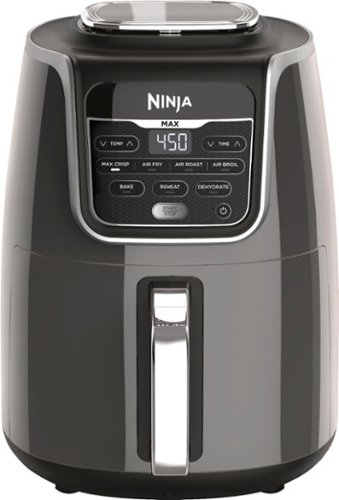
Ninja - Air Fryer Max XL - Gray
Ninja Air Fryer Max XL, a fast and easy way to cook your favorite foods. Cook and crisp 3 lbs of French fries, using little to no oil, in a family-sized XL 5.5-qt basket.
Bigger is BEST
Customer Rating
5.0
Last year I received the Ninja 4qt Air Fryer. I didn't having negative to say about that appliance. It did what it was supposed to do well. However, the portion size was not up to task for a family of 4.
In comes the XL, and I can say this is what I was wanting. It does everything the 4qt did, but at 5.5qt it can do a batch of fries or whatever else you toss in it in no time. The user controls are pretty much the same and everything is pretty straightforward. At least skim the instructions. You will notice every page has at least 5 times FOR BEST RESULTS, TOSS FOOD DURING COOKING PROCESS (or something to that affect). The air has to move around it to cook it. It's like getting your hashbrowns scattered, if you don't ask for scattered, you're just getting a crispy case of mushy hashbrowns.
My favorite use for this device is CHICKEN WINGS!!
The guide states it can hold 3bs of chicken wings and cook it in about 25 minutes. I think it gets pretty close to that. I would venture closer to 30 minutes. But yeah it will hold 3lbs flats and drumettes, detached. If they are together it won't because the wings go in weird angles.
The guide states it can hold 3bs of chicken wings and cook it in about 25 minutes. I think it gets pretty close to that. I would venture closer to 30 minutes. But yeah it will hold 3lbs flats and drumettes, detached. If they are together it won't because the wings go in weird angles.
If you don't already know, Air Frying is a lot slower than Oil Frying on cooking time, but factor in the oil heat up time, mess, and oil cool down time and clean up time, and it is way quicker!! And what to do with the still good oil, that you won't use again for awhile, less waste. You have to plan ahead a little on foods that you need/want large portions of. For Example, I used the 4qt and 5.5 qt to fry up 7.5lbs of Chicken Wings of Labor Day. I did about 2lbs of wings in the 5.5qt and 1.lbs in 4qt. It took just over an hour to cook the 2.5 batches of wings (58). So that is 3 batches in the XL and 2 in the regular.
I am confident that it could cook the 3lbs of Chicken Wings in the XL, but it will take longer than the suggest time of 27 minutes. Thinking closer to 35 to get a really good even crisp; tossing every 7 minutes.
The oven was not available and would have helped them keep a little warmer, but really it went well. FYI, if you have two these they cannot be used on the same circuit. They pull some juice, more than a microwave! I knew this in advance, but just an FYI.
I figured cooking that amount was a pretty good torture test for the device too. And I didn't notice anything unusually hot on the exterior and no burning plastic smell.
A tip though, if you are using it back to back for multiple batches, pour at least the used grease. It could catch fire and at the least give a burnt taste to your food. Keep a wide mouth cup or bowl handy (not plastic) and just pour it out. Add your next batch and off you go.
Just follow the instructions. Especially with items like fries or wings, you want to toss them at least 3 times. It adds about 1min 30secs to the cooking time, which means you have to pay attention. Its not a cook and forget process, but neither is oil frying.
I really haven't ventured passed frying yet. We are hesitant to make Samoosa's (hand-made) with the air fryer as part of the taste is the oil, but if it works out, this will become my number small kitchen appliance. I prefer my vegetables steamed. And not really into dehydrating. But we shall see.
Just like the 4qt version the 5.5qt is 5 stars, just understand its a process just like any other cooking appliance. Way easier to recommend the XL over the 4qt just do batch size. For family use definitely get the XL
Get the silicone tongs too, it makes tossing a lot easier.
I would recommend this to a friend!
Mobile Submission: False
+2points
2out of 2found this review helpful.
Share this review:


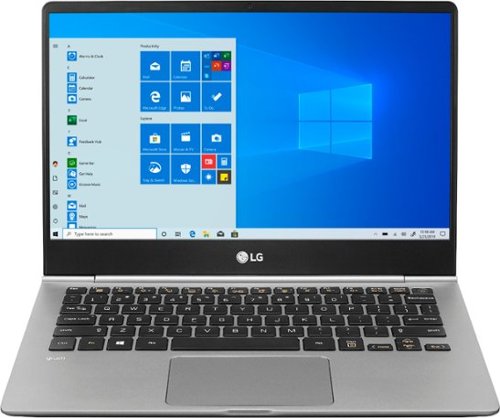
LG - gram 13.3" Touch-Screen Laptop - Intel Core i5 - 8GB Memory - 256GB Solid State Drive - Dark Silver
View photos, watch videos and get work done on this LG gram 13.5-inch laptop. The Full HD resolution provides stunning visuals, while the IPS panel lets you see contents. This LG gram 13.5-inch laptop has an Intel Core i5 processor for powering through intensive tasks, and the 256GB SSD offers fast load times.
Great laptop, super light, but does it shine?
Customer Rating
4.0
On it’s own the LG Gram is a great laptop and if you are looking for one in this size 13” size it will definitely serve you well. I like the amount of ports it has and the screen clarity has a richness to it that others I have seen appear washed out.
I can recommend this laptop very easily based on its use and performance...but I am hard pressed not to compare this to another “L” branded laptop that I have been using extensively for nearly 2 years now. I have been the ultraportable category for about 4 years as I want/need/like the concept of having a highly portable, true, laptop that doesn’t give me much by way of the portability, but also through a second monitor on it and you can get some serious work done at a desk.
5 Stars based on use and functionality. It is as expected.
3 Stars based on bang-for-buck. High asking price compared to the competition. There are some innovative features at play here, but I’m not sure its worth the move from the industry standards.
3 Stars based on bang-for-buck. High asking price compared to the competition. There are some innovative features at play here, but I’m not sure its worth the move from the industry standards.
The issues I have really come down to bang-for-buck. I was shocked when I first pulled the LG Gram out of the packaging as it looked liked the design of an old Acer Chromebook from circa 2009, same dark grey plastic body/shell, at about half the weight though! Obviously I know the hardware is a far cry from a 10 year old Chromebook, but this is where it is hard not to compare to other laptops in this category. LG describes this build material as Carbon-Nanotube Magnesium Alloy mixture, well that feels like plastic and reacts like plastic. It has a MIL-STD 810 rating, personally I’ll take their word for it, but my eyes see plastic, my fingers think they are touching plastic, and my brain interprets, this thing feels light, but brittle; so I better be careful putting in a bag. There is a bit of flex when closed when pushing on various parts of the device and again my brain says brittle.
This is where I’m guessing the light weight comes in for the name “Gram”. However, my aluminum laptop of same size and same specs weighs less than half a pound more still under 3 lbs. So again, my brain is having a hard time with it. I like the cold touch of aluminum.
Looking at upgrading, LG went the route of hiding the screws, while I understand the design aesthetic, its re-world practicality sucks. In two years time I know with my usage I’ll be ready for a battery or maybe want to upgrade the hard drive space (at least it has a microSD slot to stave off that part longer)
Screen: looks fantastic out of the box. It was a definite upgrade over my current which made me go back and tweak the settings to see if I could match it. I came close but the richness in contrast is better with the LG. Staying on the topic of screen, I don’t like how the LG screen is “in-layed” in the frame, so that the bezel and screen are not one, which means using the touch feature will be harder when trying to access something nearer the bezels. It also gives the appearance of a smaller screen...sometimes I like to be deceived.
Keyboard is great no quirks or crazy changes to the shift key that some manufacturers do when creating something in the ultrabook category. I love that the backlighting has two settings of brightness, custom setting would be even better, but I’ll take more than just on/off. Against the black keys it looks better than gray or lighter color keys.
Touchpad works well, no issues there, seems maybe a tad resistive to sliding, but could just be that I’m used to a worn in one.
Hinge, may seem odd to talk on this, but it is super easy to open, it can be laying flat on the table and one-handed the screen will lift up. This may be because it is not a 2-in-1 which is my preference just so I have the option of putting the screen in any configuration depending on the setting, but I have never found one that is easy to open one handed.
Audio: Clarity and loudness is great.
Software: minimal bloatware and after spending some time with the LG software (only 2) I actually quite like the tweaks that can be made to make the machine mine.
Battery Life: 20.5 hours claimed, typically they say you should expect 70% of that for real world use which gets you to about 14 hours of usage and that is dependent on what you are actually doing. All most all of my work is either done in MS Office or Chrome Browser, little to none video, with audio streaming only via downloaded app. Tabs open minimum of 5 and Microsoft's Your Phone App for Android for SMS. Probably a PDF or two open via Adobe DC Reader, system calculator.
Typically that load on the PC is less than 20% usually less than 10 though and the temps are between 45C and 55C, which tends to run on the higher side for that load. The fan is through the back only and the slots are not all that big, so I imagine that this will run a little hotter. Another reason I like aluminum though in ultrabooks as it will help to pull heat out of the machine. Unless of course you are in a hot environment and then it works against you. So in this case the LG may come out on top...not to sure of the properties of their Carbon Nano Tube Magnesium Alloy mixture.
Ports: I made mention that this machine has a lot of ports where I have been used to for the past 2 years 2 x USB-C and 1 x USB 3.1 in which one of those USB-C was the charging port as well and had Thunderbolt.
I’m torn with the LG as the charger is proprietary and that is my only gripe, I love I have a true HDMI port, no more dongles, oh and LG gives you an Ethernet dongle over USB, which I had to purchase separately for my last machine.
Rounding out the ports are 2 x USB 3.1, MicroSD as stated earlier, and combo mic/headphone jack. Of course having bluetooth 5.0 is nice too.
I recently acquired an LG 34” Ultrawide monitor and it is a great companion for some serious spreadsheet nirvana...ha, that’s an oxymoron.
I debated on staying with what I had or moving to the LG Gram 13. I’ve decided to follow Jesus and go with the LG Gram 13 the two are mutually exclusive...however Jesus could walk on water and I’m pretty sure the LG Gram 13 would take some time to sink as light as it is.
For a cheaper price the one I have used for the past two years has served me well and will continue to for someone else after I replace the battery (easily by the way, with no hidden screws). But I do like new too.
You have to decide where you will put your money, I can recommend this LG easily for quality and use, but as stated bang-for-buck feels a little off knowing what else is out there given the Chipset, RAM, Storage is the same, touchscreen, etc. All that being the same, its a hard sell based on price. If there is a superior advantage to the Carbon Nanotube Magnesium Alloy then it could change that the paradigm a bit.
I would recommend this to a friend!
Mobile Submission: False
+2points
2out of 2found this review helpful.
Share this review:


Defender - 4K Security System 4-Channel, 4-Camera Indoor/Outdoor Wired 2160p 1TB DVR Surveillance System
Enhance surveillance across multiple areas at once with this Defender 4K four-camera security system. The 4K resolution provides crystal-clear images for reviewing footage in detail, while the 1TB of local storage offers ample space for saving videos. This Defender 4K four-camera security system has a durable housing for standing up to harsh weather.
Straightforward setup, typical layout
Customer Rating
4.0
This is my third camera security installation I have done, the previous two were of a different but same brand, the first was the Analog type like this Defend version and the other was a Power over Ethernet. While I prefer the PoE version as it makes for smaller holes and less wires at the base station, this installation was really no different from the rest.
Quick Tip for the DIYer, unbox everything, setup on a table, and check the functionality and use of the cameras. It will also give you the perspective you need when planning the layout.
Also know, there is limited documentation included, the Quick Start Guide is the only printed material, the other documentation has to be downloaded from the website. That doesn't concern me, but they do make it quite more difficult than it should be to get to the page that has all of their full product manuals. They are written from the perspective of already knowing a bit about security systems, so plan on doing a bit more research to understand some terminology.
The software is the same or very similar to most other systems I have used and/or installed myself in the past, the learning curve was small for me.
It did take a few extra attempts to get the Android App to sync with the system, but just continue following the steps and it will work. Haven't had any issues since then.
One area of contention that I feel I need to point out, which is an industry standard, is that anything above 1080p resolution will only have a frame rate of 8fps and 15fps (at least in the price range). This system no matter the resolution set at will not go higher than 8fps. That is not a fault of the system just the required bandwidth necessary.
Second item I wish to note is the camera Field of View is only 79deg. which is quite narrow. I did not check this specification first and for me it would have changed my decision to try this system.
I am used to 90deg or higher and so when planning the system layout it ended up changing camera placement. If you are only needing a narrow field of view, then it works fine and/or you won't also be monitoring your neighbors unintentionally. The 79deg FoV is great for wanting to just to hit say an entryway and the camera I would guess has less than a 35mm focal point so your not getting too much "zoom" from the naked eye, which is debated at about 22mm.
I can recommend this system, just know your needs first. This is definitely for a smaller property. Other systems with higher field of views could maybe be a better solution depending on your needs or get a system that has more channels (camera) capacity.
I prefer the higher field of view as you tend to have more overlap and can do more more with less channels on a typical house, but if your property has a lot of angles, then having more field of view could be a waste as you will get a lot of the side of the property that may not need the coverage.
The allure of the wireless camera system is it is billed as less complicated, while that is partially true, you still have to have power to the camera unless it battery pack operated (which I would only recommend in extreme scenarios of which I have not come across yet) and typically only have internet based recording which comes with a subscription fee, so your costs are lifetime.
I always recommend a wired setup simply for the cost effectiveness and you get the best of both worlds as all have companion apps for mobile devices with ability to set alerts and notifications.
I don't think you can go wrong with this Defender 4K series, again just know if the Field of View would be an issue for you.
I would recommend this to a friend!
Mobile Submission: False
0points
1out of 2found this review helpful.
Share this review:


MnstrMike's Questions
MnstrMike has not submitted any questions.

JBL - Quantum 800 RGB Wireless DTS Headphone:X v2.0 Gaming Headset for PC, PS4, Xbox One, Nintendo Switch, and Mobile Devices - Black
Stay in the game with this JBL Quantum 800 over-ear wireless gaming headset. The memory foam padding ensures comfort during long duels, while the unidirectional microphone delivers clear communication to your teammates. This JBL Quantum 800 over-ear wireless gaming headset features accurate spatial audio positioning to give you an edge over your enemies.
Is this jbl headset have the surround sound can use for pubg game thanks Much appreciated
It has DTS which is Dolby True Sound technology. However, Surround Sound in a headphone is sort of a gimmic, which these don't claim to have, as there are only 2 speakers, so there are only Left and Right channels. Now if you are talking if there are footsteps coming from the left does the sound send only to the left speaker? That will depend on which platform you are using for PUBG. On PC it should give you that simulated sound effect. On my XBOX One S I can only use 3.5mm and I don't seem to get that feature, but I think that is just the limits of the XBOX not having that capability via the controller headphone port.
6 years, 3 months ago
by
Posted by:
MnstrMike
JBL - Quantum 800 RGB Wireless DTS Headphone:X v2.0 Gaming Headset for PC, PS4, Xbox One, Nintendo Switch, and Mobile Devices - Black
Stay in the game with this JBL Quantum 800 over-ear wireless gaming headset. The memory foam padding ensures comfort during long duels, while the unidirectional microphone delivers clear communication to your teammates. This JBL Quantum 800 over-ear wireless gaming headset features accurate spatial audio positioning to give you an edge over your enemies.
Will these work with my Windows PC for telecommuting? I need both a microphone and headphones while attending remote meetings. The application we use is Microsoft Teams. I would also like to listen to streaming music when not in meetings.
Yes, if your PC has Bluetooth you can set them up via the bluetooth option or you can use the included wireless adapter for 2.4Ghz radio builtin to the headphones. Or you can even use the 3.5mm headphone cable if your PC has a combo headphone/mic port.
They are quite large, so not sure if portability is a concern.
They are quite large, so not sure if portability is a concern.
6 years, 3 months ago
by
Posted by:
MnstrMike
JBL - Quantum 800 RGB Wireless DTS Headphone:X v2.0 Gaming Headset for PC, PS4, Xbox One, Nintendo Switch, and Mobile Devices - Black
Stay in the game with this JBL Quantum 800 over-ear wireless gaming headset. The memory foam padding ensures comfort during long duels, while the unidirectional microphone delivers clear communication to your teammates. This JBL Quantum 800 over-ear wireless gaming headset features accurate spatial audio positioning to give you an edge over your enemies.
is it possible to connect a wired and a wireless device simultaneously? for example: make a bluetooth call by cell phone while playing on my xbox via cable?
No, it is one device at a time only
6 years, 3 months ago
by
Posted by:
MnstrMike
Skullcandy - Sesh True Wireless In-Ear Headphones - Black
Say goodbye to cords and cables with these Skullcandy Sesh true wireless headphones. Bluetooth technology seamlessly connects to your smartphone, tablet or PC, letting you stream music or take phone calls with the built-in microphone. These water-resistant Skullcandy Sesh true wireless headphones come with a charging case, providing up to an extra 7 hours of listening time.
Are these comfortable for people that need smaller in ear buds?
It is hard to answer it could be yes, could be no. For me they fit pretty tight, actually feel like ear plugs not buds. I have tried other ear buds like the Jay Bird series and they bud is just two big to sit inside the canal. I was never worried about the Sesh falling out.
If you are used to a typical wired earbud set, these may not work for you. The included extra tips are of the same size, so option to down size them for a different fitment.
Sorry its not a straight answer, but I guess it just depends if you are comparing them to a wired earbud set or wireless one. If these are not your thing, the Indy series are good too and have a bit different fitment. There is always the Plantronics 3100 series clip on style which is my preferred style and the button is touch, not button press. They are more expensive though.
If you are used to a typical wired earbud set, these may not work for you. The included extra tips are of the same size, so option to down size them for a different fitment.
Sorry its not a straight answer, but I guess it just depends if you are comparing them to a wired earbud set or wireless one. If these are not your thing, the Indy series are good too and have a bit different fitment. There is always the Plantronics 3100 series clip on style which is my preferred style and the button is touch, not button press. They are more expensive though.
6 years, 10 months ago
by
Posted by:
MnstrMike
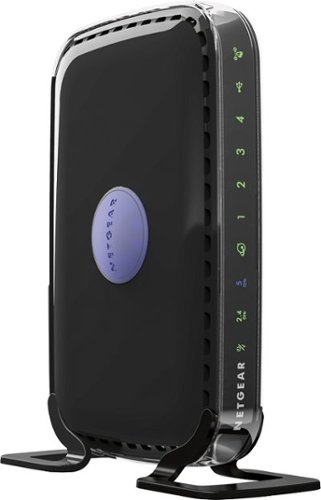
NETGEAR - RangeMax N600 Dual-Band Wi-Fi Router - Black
Choose this NETGEAR router and receive high level wireless security, the ability to share photos, music and more, and a way to keep track of your kids~ activity online. Plus, with easy installation for tablets, smartphones and computers, you~ll be able to start enjoying Wi-Fi throughout your home right away.
Could this replace an xfinity Cisco DPC3941T with download speed of 15 mbps?
There is a lot to unpack in your question.
1. Your Xfinity Cisco is combo unit that both the modem (required to get the signal from Xfinity) and the wifi router, that broadcasts the signal wirelessly from Xfinity.
So, on one-hand, No it won't replace, as this Linksys unit is only one piece of what is needed to broadcast wifi in a place, but you could add this to your system. There would then be two wireless signals being broadcast. I am not sure if your current equipment can have the wifi radio's turned off via the settings menu. Also, your are being charged a monthly fee for having Xfinity equipment, you could purchase a DOCIS 3.1 Modem and replace your equipment. They do make combo units like yours as well to purchase, but these units (sometimes also called a gateway) typically don't have the range as having a two-device setup: modem and router.
2. The speed you state of 15Mbps for internet is first determined by your Internet Plan with Xfinity. Changing equipment won't get you a faster initial download/upload speed outside of what your plans limitations are. Changing your equipment will give you better wifi coverage and determining on the equipment change, may allow your other devices to "talk" to one another faster which is not based on Internet bandwidth, but determined by the network equipment ( namely the router).
So to recap just purchasing a new wifi router won't give you faster download speeds if your plan with Xfinity limits it to 15Mbps. If your plan is rated higher than that and you are not getting close to the rate speeds, then yes changing equipment may be necessary. In which case, you can either A) request new equipment from Xfinity and may require tech to come out (can be free if there equipment you are paying for is faulty) or B) purchase your own equipment (Cable Modem and Wifi Router) and return your equipment stating you are not canceling service, just using your own equipment.
1. Your Xfinity Cisco is combo unit that both the modem (required to get the signal from Xfinity) and the wifi router, that broadcasts the signal wirelessly from Xfinity.
So, on one-hand, No it won't replace, as this Linksys unit is only one piece of what is needed to broadcast wifi in a place, but you could add this to your system. There would then be two wireless signals being broadcast. I am not sure if your current equipment can have the wifi radio's turned off via the settings menu. Also, your are being charged a monthly fee for having Xfinity equipment, you could purchase a DOCIS 3.1 Modem and replace your equipment. They do make combo units like yours as well to purchase, but these units (sometimes also called a gateway) typically don't have the range as having a two-device setup: modem and router.
2. The speed you state of 15Mbps for internet is first determined by your Internet Plan with Xfinity. Changing equipment won't get you a faster initial download/upload speed outside of what your plans limitations are. Changing your equipment will give you better wifi coverage and determining on the equipment change, may allow your other devices to "talk" to one another faster which is not based on Internet bandwidth, but determined by the network equipment ( namely the router).
So to recap just purchasing a new wifi router won't give you faster download speeds if your plan with Xfinity limits it to 15Mbps. If your plan is rated higher than that and you are not getting close to the rate speeds, then yes changing equipment may be necessary. In which case, you can either A) request new equipment from Xfinity and may require tech to come out (can be free if there equipment you are paying for is faulty) or B) purchase your own equipment (Cable Modem and Wifi Router) and return your equipment stating you are not canceling service, just using your own equipment.
7 years, 6 months ago
by
Posted by:
MnstrMike

VIZIO - 5.1.2-Channel Soundbar with Wireless Subwoofer and Dolby Atmos - Black
Take movie nights to the next level with this 5.1.2 VIZIO home theater sound system. It has Dolby Atmos technology built-in, so sound seems to come from all around you, and a six-inch powerful subwoofer creates thumping bass you can feel. This VIZIO home theater sound system has a main sound bar that produces rich, clear audio.
Is this sound system compatible with a Samsung Model 650 series TV?
Depends on what you mean by compatible? Can you get sound from the Samsung 650 to this soundbar yes. The soundbar has HDMI ARC, Optical, and 3.5mm input jacks. Can you get Dolby Atmos? Unless your TV is 4K with Dolby Vision,no it would require a device (blu-ray or Xbox One) setup using the HDMI IN port on the soundbar and then running the HDMI OUT from the soundbar to the HDMI ARC Input on your TV (if it has it).
Dolby Atmos is only carried over HDMI ARC. Optical link does not have the signal strength to carry it.
As a 5.1 sound system (not Dolby Atmos) it is still really good.
Dolby Atmos is only carried over HDMI ARC. Optical link does not have the signal strength to carry it.
As a 5.1 sound system (not Dolby Atmos) it is still really good.
7 years, 9 months ago
by
Posted by:
MnstrMike
VIZIO - 5.1.2-Channel Soundbar with Wireless Subwoofer and Dolby Atmos - Black
Take movie nights to the next level with this 5.1.2 VIZIO home theater sound system. It has Dolby Atmos technology built-in, so sound seems to come from all around you, and a six-inch powerful subwoofer creates thumping bass you can feel. This VIZIO home theater sound system has a main sound bar that produces rich, clear audio.
Will the Vizio sb36512 f6 w/dolby atmos, work with my LG 49sk8000pua w/dolby atmos? will they both work off one remote?
Yes and Yes. HDMI ARC sends the audio signal from all inputs to the soundbar the plus is that it will take the sound level input from the TV source so you can pretty much put away the soundbar remote. I also found this worked over the optical cable input, but if you are after Dolby Atmos, then you have to use the HDMI ARC input. This soundbar also has an HDMI IN so you don't loose the use of the HDMI port on the TV just for sound. It has full pass through support.
7 years, 9 months ago
by
Posted by:
MnstrMike
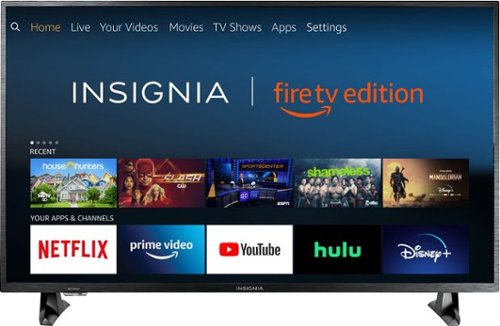
Insignia - 43 Class LED 4K UHD Smart Fire TV Edition TV
Insignia 4K UHD Fire TV Edition is a new generation of smart TVs featuring the Fire TV experience built-in and including a Voice Remote with Alexa. With true-to-life 4K Ultra HD picture quality and access to all the movies and TV shows you love, Insignia Fire TV Edition delivers a superior TV experience that gets smarter every day. The Voice Remote with Alexa lets you do everything you'd expect from a remote~plus, easily launch apps, search for TV shows, play music, switch inputs, control smart home devices and more, using just your voice.
Is every HDMI port 4kHDR enabled or is it only one of the HDMIs is 4kHDR and the rest are just 4k?
Each one, you can select the it to either be 1.4 or 2.0 as sometimes it won't auto-select. Side note. don't purchase this tv unless you are extremely familiar with Fire TV.
7 years, 11 months ago
by
Posted by:
MnstrMike
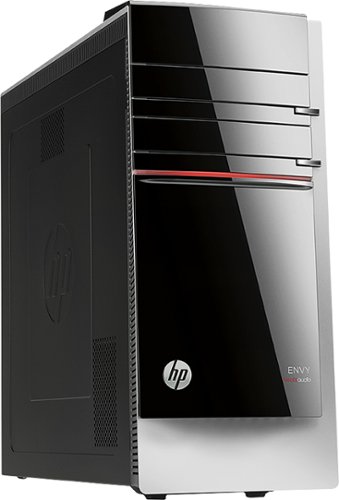
HP - ENVY Desktop - Intel Core i5 - 12GB Memory - 2TB Hard Drive - Gray
HP ENVY 700-214 Desktop: Powerful enough for your demanding gaming and video-editing needs, this desktop boasts abundant memory for quick multitasking of your work projects and daily tasks. Plus you'll have plenty of room store it all on the massive hard drive.Learn more about the New Windows ~
also what is the matching dvd writer order number so i can put it in the 2nd drive. i thought it had two to begin with. or equilevent is fine
You simply need an Internal Desktop DVD Writer, no special numbers or such. Any software is already included with HP and the Drivers will either be included in or disc, most are automatically downloaded when installed and the computer is turned back on. Or I would even Recommend a Blu-Ray/DVD Writer.
It is not a hard install, it does require moving the side panel and the front panel, and the drive slides in, can't remember if i had to remove the bracket screws on the drive for installation or not.
The front panel simply pops off, the tabs are visible once the side panel is removed.
you could always get an an external drive that hooks up via USB too.
It is not a hard install, it does require moving the side panel and the front panel, and the drive slides in, can't remember if i had to remove the bracket screws on the drive for installation or not.
The front panel simply pops off, the tabs are visible once the side panel is removed.
you could always get an an external drive that hooks up via USB too.
11 years, 8 months ago
by
Posted by:
MnstrMike
from
Knoxville, TN
are there any digital cameras that record? If so, which ones?
almost any of them these days. Depends on what kind of video you want to shoot and how much you want to spend. Most shoot standard def, but higher end will shoot in HD. One thing to note is most cameras cannot zoom in while shooting video (zoom is only digital and degrades the quality). However, the super zoom cameras are incorporating the optical zoom while shooting video.
I recommend the Canon line of cameras. The A3100 is good, i just bought it. And also the SX line.
I recommend the Canon line of cameras. The A3100 is good, i just bought it. And also the SX line.
15 years, 9 months ago
by
Posted by:
MnstrMike
from
Knoxville, TN