MnstrMike
Top 250 Contributor
MnstrMike's Stats
- Review Count169
- Helpfulness Votes890
- First ReviewAugust 5, 2011
- Last ReviewSeptember 2, 2026
- Featured Reviews0
- Average Rating4.1
Reviews Comments
- Review Comment Count2
- Helpfulness Votes5
- First Review CommentNovember 26, 2015
- Last Review CommentJune 18, 2017
- Featured Review Comments0
Questions
- Question Count0
- Helpfulness Votes0
- First QuestionNone
- Last QuestionNone
- Featured Questions0
- Answer Count41
- Helpfulness Votes48
- First AnswerNovember 22, 2010
- Last AnswerDecember 8, 2021
- Featured Answers0
- Best Answers5
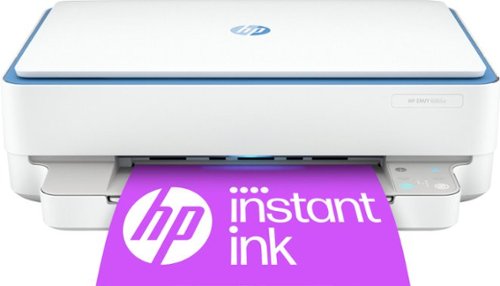
HP - ENVY 6065e Wireless All-in-One Inkjet Printer with 6 months of Instant Ink included with HP+ - White
The HP ENVY 6065e makes it easy to print, scan and copy creative projects, borderless photos and homework with automatic 2-sided printing. It includes the optional HP+ Smart Printing System that keeps itself up to date and ready to print from virtually anywhere at any time~at no additional cost.
Fun Lighting, Neat Job Finished Sounds.
Customer Rating

4.0
Images for this Review
(click to see full-size image)



Good little printer, loads of features, but if you don’t create the HP account, all it will do over WiFi is print.
I set up the printer via Android 13 phone. I didn’t have any issues other than once I finished the setup the printer started to download a firmware update, which would have been fine…if i would have alerted me to it!
The app got really slow, it quit recognizing the printer, then printer shut itself off and the LED lights from the print out port started flashing colors. Finally in the app it notified me that the Firmware was updated.
Stinks that HP locks away the other features behind their account wall, if USB printing there is no such issue. I already had an HP account from a previous printer. Had not logged into it in about 4 years and the account was still active.
I quite like the tray lights and sounds it plays when finishing a task. The app is quite easy to use and has some neat features. Speaking of the app, there are are tracking features that can be turned on/off.
I did not sign up for the free ink refill subscription. I don’t print all that much, do scan a lot in so really wanted to try that feature. It has the ability to send a Fax from the app which is cool.
The table that the printer is sitting on in the pic is 17” (depth) x 29” (width). The paper catch sticks out quite a bit further so if you don’t want it sticking past the edge of the table/printer cart you would want the depth to be 22 in minimum…or just turn the printer sideways on the table.
Unboxing to printing (without HP account) took about 5 minutes. Messing with the HP Account added another 10 minutes. Which isn't bad, but it should have gone quicker as their were issues just getting to the next stages of the account setup, which in my case already existed.
Once everything was done though, it's been smooth sailing!
My time with it so far has gone well. HP is one of the brands I have always purchased in the past and I think this printer should serve my needs well.
I would recommend this to a friend!
-13points
10out of 33found this review helpful.
Share this review:


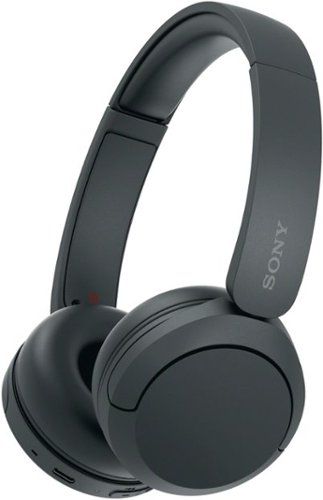
High quality sound and comfortable, all-day listening in a wireless headphone. The WH-CH520 have an ultra-long battery life of up to 50 hours and a 3-minute quick charge gives you up to 1.5 hours of audio playback.
Great Sound and Great Value!
Customer Rating

5.0
Images for this Review
(click to see full-size image)
Great headphones for casual listening. Excellent battery life too! Mids and Bass are definitely synthesized, but for use with my Samsung Tab, it definitely is better than ear buds. Definitely will be replacing my coffee table ear buds that I always seem to misplace.
The packaging states 360 Reality Audio. This is not a feature you can just turn on. It requires the Sony App to be installed and then requires your to run a setup, which includes the app taking pictures of your ears to give you the best sound experience, where they upload the pics to their servers to be analyzed and stored and then create the sound profile for your personal experience. Truth is, I cannot know if this is really being done because you cannot access the feature unless you run this setup. Then once it is done, it tells you which apps it is compatible with...which happen to be none that I use...which only 6 or 7 were listed. On the Sony's product website though Amazon Music Premium (not included with Prime) was listed. I could test this feature being a Prime member for free for 3 months so I gave it shot.
Once in the music app, it will display which songs have 360. And honestly, I didn't actually care for the 360 version of the songs, it made it feel more hollow. I jumped back and forth between the SD and lossless Ultra HD versions of the song and then compared to YT Music versions. Overall I preferred the non-360 versions.
They don't list any video streaming apps that work with the 360 audio feature, but watching the demo via YouTube it doesn't sound like (no pun intended) that it is a goal. This is a licensed feature, so I'm guessing this is supposed to be a Dolby Atmos competitor for music listening. I tested Spiderman Into the Spiderverse via Movies Anywhere app and it did sound really good and picked up on the left right channels. The YouTube demo I mentioned, does add layers to the basic 2 channel setup, that makes it feel like it is spacial audio, but truthfully I didn't feel like an immersive experience.
I feel like my testing of the audio apps was more true to life than their demo.
My review rating I struggled with as I am not a fan of "walled garden" approach to extra feautres that are not explicity stated on the packaging and then getting into the app it was a bit complicated a first to get the ear photos taken. But the more I understand that this is a new technology/feature and has not been fully adopted by the industry, the fact that they are including this feature in this price range is also something to note.
I do like the compactness of these compared to some other brands and while definitely not as compact as ear buds, the earpieces do rotate to lay flat, so putting in a backpack or just lying on the table will make for a slimmer profile.
They are definitely more comfortable than earbuds in my opinion and long movie sessions won't cause ear fatigue.
One thing I think most can agree with is you cannot go wrong with Sony. They have always represented a premium brand along with premium quality!
I would recommend this to a friend!
+2points
2out of 2found this review helpful.
Share this review:


Logitech - K585 Full-size Wireless Scissor Keyboard for Windows, Mac, Chrome, Android with Build-in Cradle for device - Graphite
Own your space with the K585 Slim Multi-Device ~ an ultra-thin and design-forward keyboard perfect for simultaneously typing your ideas on your laptop and a text on your smartphone. Type across computers, tablets, and smartphones from one keyboard for one seamless workflow ~ with a built-in phone cradle for easier multitasking. The compact design integrates a number pad and media shortcuts, so you can work efficiently and comfortably in tight spaces. The quiet low-profile keys offer fluid, laptop-like typing, while an auto-sleep feature preserves battery life, so you can power through your work..
Tried and True
Customer Rating
5.0
Images for this Review
(click to see full-size image)


The Logi K585 keyboard has been pretty slick jumping between devices.
The device tray is neat, but I don’t know how practical it would be for regular use as any device will sit in the tray and will not see the full screen. In portrait mode, this is way less of an issue, but maybe in landscape it could be more of one. It will fit the largest of smartphones on the market today no problem; check your case dimensions though. I am using a OnePlus 10T with a very slim Aramid Fiber case (0.6mm) and it has a little room to spare. If you are rocking anything bulky though the tray won’t be your friend.
I could see a folding phone being beneficial, again if it wasn’t rocking a large case, to sit in the tray area. Or even running a Samsung phone in DEX mode and wirelessly casting to a screen could be a benefit. I couldn’t test this scenario out, but can definitely see the benefit.
I did not try this keyboard with a phone as I have never found it very practical typing on a phone screen. I’ve seen others with collapsible keyboards, but that has not really been necessary for me.
I did try running both connections of Bluetooth: 1=Samsung Tablet 2=ASUS laptop, I was able to pair the keyboard, but I could not get keyboard to type characters even though during the setup process I had to type in the BT Pairing Code that was displayed on my Screen. Using Win10 with latest updates. I switched to the USB Receiver option and immediately it found the receiver and Logi asked to install the keyboard software that allows you to check battery life and reprogram the hot keys.
Overall the keyboard is great and the keys have nice tactile feedback and are very quiet.
I like that it has an on/off switch too to conserve battery power. I will mostly use this with my tablet and leave it in my living room.
I would recommend this to a friend!
+1point
1out of 1found this review helpful.
Share this review:


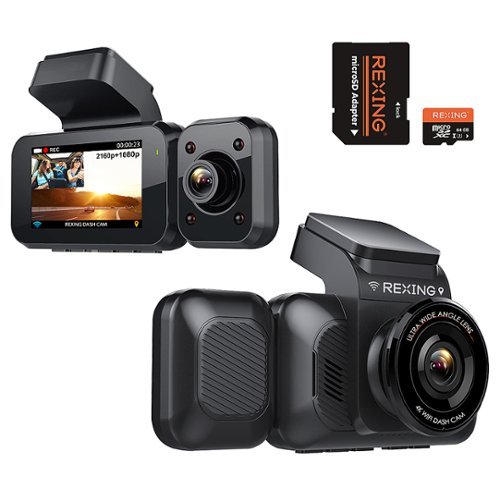
Rexing - V5C 3 4K Dual Dash Cam with Dual Band WiFi GPS with Adhesive Mount - Black
Capture video of the road ahead and your vehicle interior with this Rexing 4K front and cabin dash cam. The ultra-wide-angle lenses capture more of the surroundings and the infrared night vision lets you capture clear footage any time of the day. This Rexing 4K front and cabin dash cam features a parking monitor that automatically begins recording after detecting vibrations. ***If a hardwire kit was not included wih your purchase, please contact bbyhwk@rexingusa.com.
Good Dash Cam, But Bad Companion App
Customer Rating

2.0
Images for this Review
(click to see full-size image)





This is my first dash cam, so nothing to compare to, but I think it will work for my needs just fine. Two new drivers in the house, so definitely worth the investment.
My low rating has to do with trying to access the playback footage on anything: Android (Pixel 7 Pro) device, laptop, and issues with getting an Android App.
The settings menu is pretty extensive and I missed the part where it records in 1, 2, or 3 minute increments; default is 1 minute. I do wish the footage was combined in a side by side or upper and lower when the files are formatted. Since there is a front and interior camera, there are double files each time it records. It will overwrite them as it fills up, so its not necessary to have to delete them all the time.
File formats don’t play nicely in Google Photos app, the audio cuts out, but the video plays smoothly. Playing it in the Rexing App the audio plays fine, but the play back is definitely not 4K, more like 360p…it's pretty rough.
Transferring the videos to a Windows computer, the format is not supported to play in the default video player. For $1 you can get the HEVC codec necessary, however, that would only play the video w/out audio. VLC Player did just fine.
Software
Getting the Rexing App, it does not exist on Google Play Store. There is a Rexing Home App on the Play Store, but the the QR Code in the instructions was not valid and searching for it in the Play Store only brings up the Rexing Home App. They have the .APK on their website though for Android devices. Can’t say I am a big fan of that, if there are any vulnerabilities with the app, then you cannot get updates unless you go and check on their website for a new version. I uninstalled the app as it really isn’t much help and there is a MicroSD card reader included so you can transfer to a PC or other device that way.
Getting the Rexing App, it does not exist on Google Play Store. There is a Rexing Home App on the Play Store, but the the QR Code in the instructions was not valid and searching for it in the Play Store only brings up the Rexing Home App. They have the .APK on their website though for Android devices. Can’t say I am a big fan of that, if there are any vulnerabilities with the app, then you cannot get updates unless you go and check on their website for a new version. I uninstalled the app as it really isn’t much help and there is a MicroSD card reader included so you can transfer to a PC or other device that way.
I also ran into the issue of getting the SSID and Password info from camera screen. The instructions showed a black screen with white lettering, but when I followed the steps I kept missing the info on the screen as it only displayed that info in the lower left of the screen and it was white lettering, which was really hard to read on the screen with the display showing the outside.
Quality of Recordings
The exterior recording is fine, but the interior color is way off, not sure if this is for a night recording, as I have not done that yet, but it has a purple flare; it is pretty clear though.
The exterior recording is fine, but the interior color is way off, not sure if this is for a night recording, as I have not done that yet, but it has a purple flare; it is pretty clear though.
I think for a first dash cam this is pretty good. I definitely wouldn’t bother with the Android App; it is not necessary for setup and use.
Voice Control
Works very well! Each command works just fine and every time and chimes when it follows the command.
Works very well! Each command works just fine and every time and chimes when it follows the command.
I gave it 2 Stars overall for the issue with the App and trying to view the videos with the formatting. I get using the HEVC as it is common for 4K surveillance cameras too, but it takes too much to try and view and the instructions don’t help you there; I’ve ran into this with other devices so knew what to try. If the App actually played the video in a good quality and didn’t have the date/info stamp covering the entire thing it may be worth it, but it’s not.
Based off the actual performance of the device though I think it functions very well. I did get the camera a little off placement as it should have gone a little more to the right. When I drive my daughters car it sees the driver, but I didn’t think about her sliding her seat forward more, so she will not be visible.
Rexing sells for $7 (Plus $12 shipping) a suction mount. Honestly if I would have known that I would have gone with that first. I went ahead and ordered 3 of them so we can move the dash cam between vehicles if necessary.
I would recommend this to a friend!
+1point
1out of 1found this review helpful.
Share this review:


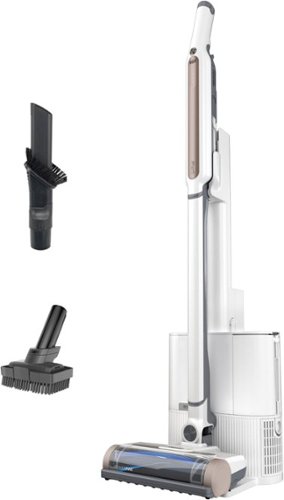
Shark - Wandvac Self-Empty System Pet, Bagless Cordless 3-in-1 Cordless Stick Vacuum with HEPA Self-Empty Charging Base - White
The Shark Wandvac Self-Empty System is the powerful, lightweight cordless vacuum that empties itself so you can ditch the dirty work. It features HyperVelocity suction power and a PowerFins brushroll to tackle floors & carpets with no hair wrap. And when you~re done cleaning, Wandvac automatically empties into a HEPA-sealed base for up to 100x less dust in your home vs. Wandvac traditional emptying.
Dust Buster 4.0
Customer Rating

3.0
Images for this Review
(click to see full-size image)





I am conflicted with this vac; it works fine on hard surfaces. Looking at the claims, it will live up to them on hard surfaces, but transition to soft, like carpet and couches, no bueno, especially for pet hair.
The vac does not have enough suction power on carpet and when switching to wand with attachment it doesn’t have a roller brush/lint style attachment so it cannot pull the pet hair out, it can only try and suck it out.
I feel like Shark is a little misleading in their characterization of this vac given the box pictures and claims.
I cannot recommend this if you have a pet on two fronts one as stated its not powerful enough. That is not to say it doesn’t pick up pet hair, but it takes multiple passes to feel like it has been cleaned. The second reason is because the canister is so small. While the "no dust" canister is great, the mechanism that collects the dust will at some point require dumping and then it will have dust.
I cannot recommend if you have a lot of carpet. Again because it doesn’t have enough suction power and it requires multiples passes.
I cannot recommend if you have a large home. For reasons listed above, it is not going to clean your whole home in one go.
I CAN recommend this if you want a vac for cleaning small spaces with all or mostly hard surfaces.
Honestly, my first impressions was simply the old Dust Buster that every home had in the 80’s and 90’s. They were great will you spilled the dry cereal or had a some dirt on your shoes, etc. The Shark WandVac is definitely a huge upgrade over those old vacs, but still fits that niche of use.
I would see this as an Assistant to the Manager, has it use, but not the main vac in the house and never will be.
Hope my 2 cents help!
I would recommend this to a friend!
0points
0out of 0found this review helpful.
Share this review:


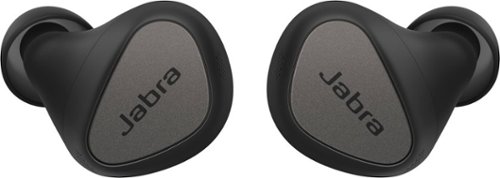
Jabra - Connect 5t True Wireless In-Ear Headphones Optimized for Calls, Music and Online Meetings - Titanium Black
Jabra Connect 5t true wireless earbuds are optimized for use in any environment - working from home, at office, or on the go. These earbuds have 6-mic call technology for clear virtual meetings or mobile phone calls, Hybrid ANC for better focus, and are comfortable for all day use. Bluetooth Multipoint lets you stay connected to two devices, like a laptop and a smartphone, at the same time. And if you~re an Android or Windows user, Google Fast Pair and Microsoft Swift Pair will have you connected in seconds, so you can breeze through your work day. Use your voice to talk to your preferred voice assistant and get all the help you need while you work. Call colleagues, schedule reminders, or get directions, without taking your hands off the keyboard. It~s a bit like having your own PA, except you don~t have to pay them and they can~t bring you a coffee. Well, not yet anyway. We~ve also gone all out to bring you a truly back-to-back-call-worthy battery, with up to 7 hours in the buds, and up to a total of 28 hours with the Qi-certified wireless charging case (included in packaging). Our fast charge feature gives you an hour of power in ten minutes, and you can stretch your battery out even further by using one bud while the other charges. The Bluetooth wireless headphones are also IP55 rated and come with a 2 year warranty against water and dust. Register for warranty and customize Connect 5t via the Jabra Sound+ app.
Easy Listening and Clear Quality
Customer Rating
4.0
Images for this Review
(click to see full-size image)

Another pair of “talk buds” masquerading as headphones…that is a good thing. The audio is great and the mics work really well. The Jabra Sound+ App is nice and helpful with the backend features.
Had to manually turn on the buds to get them to pair, which is not what the graphic printed in the package showed. The buds come with a protector over the charging leads so they do not turn when you open the case or remove the protection over the leads. I dropped the buds back in the case, closed the case, and then started to try and get them to turn on and pair per the printed graphic, but it didn’t work. This was like a whole 2 minutes of my life, so once paired by manually turning them on, there have been no issues.
Fitment is nice, I am using the stock size silicone tips, which looks like a medium compared to the other two options included. Since these are not designed for a sport use, there isn’t any sort of “wing” to lock on to upper interior of the ear, however, I wiped down my car after going through the car wash and I never felt like they were going to fall out. They go pretty deep into the canal and retain a good fit. For intended use, I will say they should be just fine for longer sessions of conference calls and the like.
There is no included charger brick (like most things these days), but there is the wireless charger pad (Qi). It takes an input of 5V @2Amp (10w) and Outputs 5V @1Amp (5w). The earbud case also has a USB-C charge option and a cable is included. The specs state that it takes 180 minutes to charge, but does not specify if that is via wireless or USB-C. There are not power ratings on the case, in the box, on the box, or on the manufacturer website. So I cannot quantify what the power input via USB-C should be. My guess is that it will be the same as the wireless pad since the included USB-C cable is short and to be used to charge from a laptop/dock.
I tend to use headphones (wireless earbuds) a lot when on the phone, but only use one bud. With these the benefit is in using both buds simultaneously. They do work independently, but the controls are spread between the two so you will only get half functionality.
I would recommend this to a friend!
0points
0out of 0found this review helpful.
Share this review:


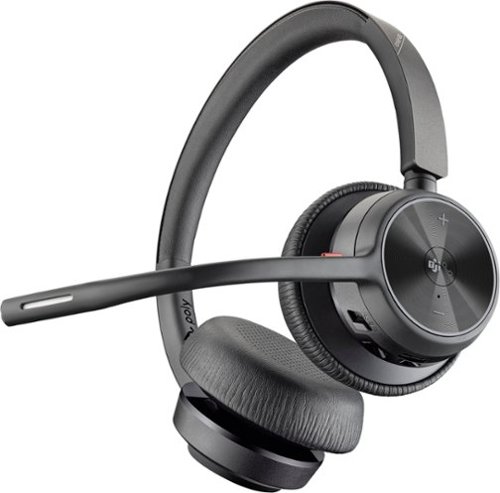
Enjoy the versatile headset for Hybrid work and beyond with the Voyager 4320 Wireless Noise Cancelling Stereo Headset with mic. It's everything you need to stay productive and connected to all your devices whether at home or in the office. Long day of calls made easier with all-day comfort and dual-mic Acoustic Fence technology that eliminates background noise. Phenomenal flexibility, connectivity, and freedom.
Great for ALL content!
Customer Rating
3.0
I had high expectations for the clarity of voice and audio on calls both via phone and pc. What I wasn’t expecting was great audio for other content too! Truly impressed by the versatility of this headset. I did not try with gaming which would be a great blend of both types of content, not going to say it will immerse you in the audio like a dedicated set but if you need to watch the budget the 4320C’s could definitely play multiple roles for your needs. I love that it has the ability to dock and charge even though that is an added expense.
There is one caveat with this unit and that comes down to the speaker coverings…they are not breathable. Which translates into sweaty/moist ear. After 30 minutes of use it is very noticeable, so longer sessions I can only imagine. Taking a two minute break every 30 minutes may be possible depending on your work needs, but if the meeting is going to be longer than that, then you may need to slide one side off at a time and give rest.
I docked two stars for this because that feels like some heavy oversight considering the intended use for the product and possible long term viability of the material used. The material is definitely soft, so at least no scratchiness too with the humidity build up.
I can still recommend them as the audio and call/mic quality is great, but just know the ear issue.
I would recommend this to a friend!
0points
0out of 0found this review helpful.
Share this review:


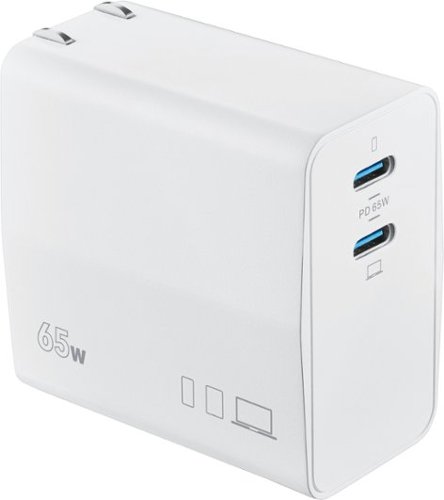
Insignia - 65W Dual Port USB-C Compact Wall Charger for MacBook Pro, MacBook Air, and most USB-C Laptops - White
Don~t let the battery of your device die as you work throughout the day. The Insignia NS-PW365C2W22 100W Dual Port USB-C Compact Wall Charger for Business USB-C Laptops & One Device has a high, 100-watt output to quickly charge your business laptop, smartphone, tablet, and more. It has two USB-C ports so you can connect your cable (not included) and charge two devices simultaneously. Its compact and durable body with a foldable plug easily fits into a purse or pocket, ready for when you need it. A simple white design pairs well with your other accessories. Keep your laptop and phone both working as hard as you do with this dual port, easy-to-carry charger.
It Appears To Run On Electricity!
Customer Rating
5.0
Images for this Review
(click to see full-size image)

Really convenient charger for laptop and mobile devices. I’ve included the specific charging configurations in the photo section.
Overall, it does appear to charge at the advertised speeds, just make sure you have a cable that can handle the 65W supply which the only phones I can recall right now that has that currently are the OnePlus phones; pretty sure the Galaxy S22 Ultra is 45w, but not sure about the S22 and S22+. Also, that 45w capability does not come with charger in the box and neither is the cable included capable.
I am using Anker’s 100W 6ft charging cable and am getting the charging times I am used for both single charge use for laptop and dual charge use for dual when charging my Note 20 and Tab S7…however in dual use they do not charge at the Super Fast (25W) but the Fast Charging (18W I think).
The device uses Programmable Power Supply (PPS) to regulate the charging speeds, which is a part of the USB 3.0 Power Delivery protocol.
I don’t always charge my devices…but when I do, I only use Insignia.
And with the Insignia NS-PW36C2W22 I’ve never felt more free while tethered to the wall!
I would recommend this to a friend!
0points
0out of 0found this review helpful.
Share this review:


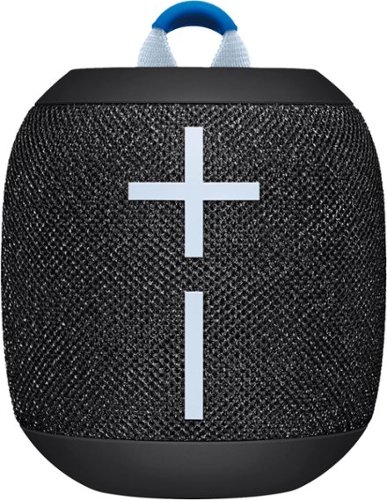
Ultimate Ears - WONDERBOOM 3 Portable Bluetooth Mini Speaker with Waterproof/Dustproof Design - Active Black
Ultra portable Bluetooth speaker with a surprisingly bigger 360-degree stereo sound that~s crisp, bassy, and ready to go with 14 hours of boom ~ anywhere you go. WONDERBOOM 3 is your ultimate companion whether you're at the tailgate, a pool party, at home, or even in the shower.
Here Comes The Boom!
Customer Rating
4.0
Images for this Review
(click to see full-size image)

This is my third edition to our setup, which definitely helps from having to share.
The sound output is great and indoors can definitely fill a room and outside by the pool is super convenient and no worries about it getting wet…it really does float!
Only 2 Booms can be linked, but it is still a pretty cool feature.
Battery life: I cannot comment on hitting 14 hours, I definitely don’t use it that long at one use, but I can definitely use it for hours at a time on different occasions and it lasts each time I need it too. After the third use is typically when I will charge. Charging time is quite slow, there is no fast charge capability, so give yourself at least 2 hours to reach top charge if you're planning on being out and using it extensively for the day. Also, the included charger cable is the best one to use. I’ve tried in the past using my included phone cable and the port cut out dimensions are pretty tight; the included cable fits, unfortunately it is a little short, so charger on a countertop with a close outlet. The cable does fit the cut-out perfectly, I don’t know if it offers any IP rating still, but considering how deep the charge port is, the design of the cable will definitely make it difficult for any dust or liquid to get to the charging port using the supplied cable.
Charging Cable: UE is still using a Micro-USB port and not a USB-C. For me having multiple Boom’s, this is definitely helpful, but if you're just buying one, you’ll definitely need to keep that cable handy.
I can easily recommend this speaker. Pairing with my Galaxy Note 20 was super easy and these speakers have always been super quick to connect.
I can easily recommend this speaker. I docked 1 Star because by now, UE should have some sort of faster charging capability, but seeing as they are sticking with Micro-USB therein lies the charging limitations.
I would recommend this to a friend!
+1point
1out of 1found this review helpful.
Share this review:


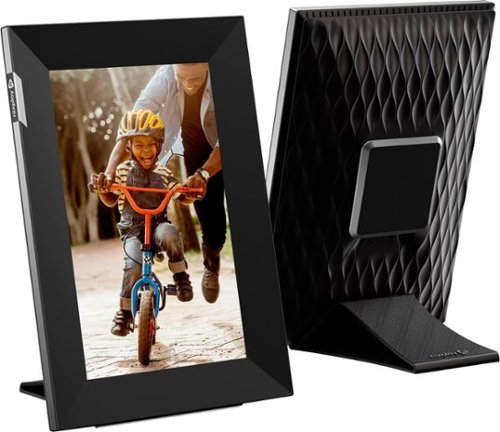
Nixplay - W08K Touch 8-inch LCD Smart Digital Photo Frame - Black
Show off your family photos with this Nixplay 8 inch Touch Screen smart picture frame. Wi-Fi connectivity and the included app let you synchronize and display pictures from social media, and the included remote lets you switch photos easily.
Works Great, Bit of Learning Curve
Customer Rating
4.0
Images for this Review
(click to see full-size image)


My goal for a smartscreen was to allow for easy access to upload photos from different people. The NixPlay UI has three different sharing methods and if the goal is for photos to automatically go to a Frame and a Playlist, then you want to share the Playlist that you intend to use, not share the Frame or just add Friends. It would be nice it if just had a primary share feature with custom privileges, it would definitely keep the redundancy of having to send multiple requests to just one and streamline the whole process.
I can immediately recommend this for anyone that would be thinking for a grandparent or parent that may not be technologically inclined. While it is not hard to get up and running, there is a bit of a learning curve to the UI and its full abilities. The ability though to remotely uploaded to the Frame is pretty cool and have other people contribute. The settings has options to play on Photos in a list, the newest 100, 1000, 2000…and so on. I was thinking 30-50 range would suffice if this is cycling all day.
It has the ability to have Date/Time on the screen, set a sleep schedule, and also a screen time out feature if there is no activity in the room. The last one I don’t really see the need for as my goal would be on all the time, except for when everyone is sleeping.
The included documentation is very light on what the Frame can do and how to navigate around it, so that is where the learning curve comes in. There is a Micro-USB port that is on the device but there is no mention of what it is for; the AC Adapter has its own port. Possibly just another charging port, but I didn’t attempt to do anything with it. There is no documentation on the storage size for the device itself as i don’t think it has an user accessible storage. Under the Account Info screen it show Storage Usage, Frames count, and Shared Playlist count; 10GB, 5 Total, and 5 Total respectively.
There is an option to link to Google Photos, but to be honest, I wasn’t too keen on setting this feature up as it does get quite a bit of access to your Google account. The allure to have this link is that it is easier to share a Google Photos folder and have people upload to it than asking people to setup a NixPlay account and send photos via it (NixPlay does have a browser option too, so downloading the App is not necessary). Also if the photos are just played via the Google folder then they may not be necessary to be uploaded to the NixPlay server?
If it doesn’t need this then effectively you could potentially never need more NixPlay storage. The included 10GB with the free account is not bad though. Videos would definitely eat up more of that storage, but resolution is only 1280x720 (720x1280) depending on orientation of the Frame and that’s not going to eat up a lot of space at 15s a clip.
There are other perks to upgrading to a paid subscription, but you can decide if it is best for your needs.
The touchscreen aspect is nice to control the device and access all the same settings available from the app, so once it is setup and attached to an account (which it can only be attached to one account at a time), WiFi settings and screen control settings, etc can be accessed directly through the frame.
Video feature…this is actually cooler than I thought it would be and at max audio, it is loud enough, but not too loud. The Free Account Subscription allows 15s of video playback which I think is pretty good. I uploaded a full 1 minute video and it clipped it to the 15s. Depending on your internet upload speeds videos can take awhile, so probably best to trim them before uploading and you get the 15s of time you want. The NixPlayer App has a built-in editor so this can be done then; it also allows you to play the clip while trimming to get the markers placed where you want them. The speed at which this editing takes place is definitely going to depend on your mobile device capabilities.
The included stand is magnetic and I found it to be adequately strong to hold up the Frame, which is very lightweight. If putting in the portrait mode, I would recommend on a table or space no higher than 3ft. The best picture quality is when looking at just below eye level or lower. So when sitting on a couch, etc to view if it is then higher than eye level then the images will be washed out. However, plug location is going to be a determining factor for placement so most likely it will remain in the optimal height off the floor; end table and coffee tables would be great, bookshelves possibly, but an equivalent to a mantle height would not be good when sitting down.
The 8inch version I think is adequate, but the 10inch version I think would have been a better choice, of course, if you need a smaller footprint, then the 8 inch is great.
I cannot think of anything bad to say about the Frame. So far everything is working smoothly and as I would expect.
I would recommend this to a friend!
+1point
1out of 1found this review helpful.
Share this review:


MnstrMike's Questions
MnstrMike has not submitted any questions.
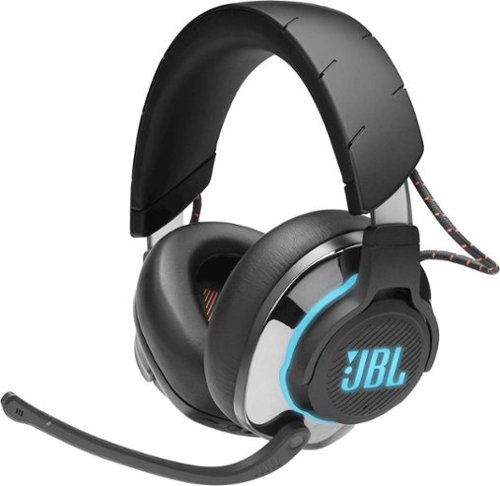
JBL - Quantum 800 RGB Wireless DTS Headphone:X v2.0 Gaming Headset for PC, PS4, Xbox One, Nintendo Switch, and Mobile Devices - Black
Stay in the game with this JBL Quantum 800 over-ear wireless gaming headset. The memory foam padding ensures comfort during long duels, while the unidirectional microphone delivers clear communication to your teammates. This JBL Quantum 800 over-ear wireless gaming headset features accurate spatial audio positioning to give you an edge over your enemies.
Is this jbl headset have the surround sound can use for pubg game thanks Much appreciated
It has DTS which is Dolby True Sound technology. However, Surround Sound in a headphone is sort of a gimmic, which these don't claim to have, as there are only 2 speakers, so there are only Left and Right channels. Now if you are talking if there are footsteps coming from the left does the sound send only to the left speaker? That will depend on which platform you are using for PUBG. On PC it should give you that simulated sound effect. On my XBOX One S I can only use 3.5mm and I don't seem to get that feature, but I think that is just the limits of the XBOX not having that capability via the controller headphone port.
6 years, 3 months ago
by
Posted by:
MnstrMike
JBL - Quantum 800 RGB Wireless DTS Headphone:X v2.0 Gaming Headset for PC, PS4, Xbox One, Nintendo Switch, and Mobile Devices - Black
Stay in the game with this JBL Quantum 800 over-ear wireless gaming headset. The memory foam padding ensures comfort during long duels, while the unidirectional microphone delivers clear communication to your teammates. This JBL Quantum 800 over-ear wireless gaming headset features accurate spatial audio positioning to give you an edge over your enemies.
Will these work with my Windows PC for telecommuting? I need both a microphone and headphones while attending remote meetings. The application we use is Microsoft Teams. I would also like to listen to streaming music when not in meetings.
Yes, if your PC has Bluetooth you can set them up via the bluetooth option or you can use the included wireless adapter for 2.4Ghz radio builtin to the headphones. Or you can even use the 3.5mm headphone cable if your PC has a combo headphone/mic port.
They are quite large, so not sure if portability is a concern.
They are quite large, so not sure if portability is a concern.
6 years, 3 months ago
by
Posted by:
MnstrMike
JBL - Quantum 800 RGB Wireless DTS Headphone:X v2.0 Gaming Headset for PC, PS4, Xbox One, Nintendo Switch, and Mobile Devices - Black
Stay in the game with this JBL Quantum 800 over-ear wireless gaming headset. The memory foam padding ensures comfort during long duels, while the unidirectional microphone delivers clear communication to your teammates. This JBL Quantum 800 over-ear wireless gaming headset features accurate spatial audio positioning to give you an edge over your enemies.
is it possible to connect a wired and a wireless device simultaneously? for example: make a bluetooth call by cell phone while playing on my xbox via cable?
No, it is one device at a time only
6 years, 3 months ago
by
Posted by:
MnstrMike

Skullcandy - Sesh True Wireless In-Ear Headphones - Black
Say goodbye to cords and cables with these Skullcandy Sesh true wireless headphones. Bluetooth technology seamlessly connects to your smartphone, tablet or PC, letting you stream music or take phone calls with the built-in microphone. These water-resistant Skullcandy Sesh true wireless headphones come with a charging case, providing up to an extra 7 hours of listening time.
Are these comfortable for people that need smaller in ear buds?
It is hard to answer it could be yes, could be no. For me they fit pretty tight, actually feel like ear plugs not buds. I have tried other ear buds like the Jay Bird series and they bud is just two big to sit inside the canal. I was never worried about the Sesh falling out.
If you are used to a typical wired earbud set, these may not work for you. The included extra tips are of the same size, so option to down size them for a different fitment.
Sorry its not a straight answer, but I guess it just depends if you are comparing them to a wired earbud set or wireless one. If these are not your thing, the Indy series are good too and have a bit different fitment. There is always the Plantronics 3100 series clip on style which is my preferred style and the button is touch, not button press. They are more expensive though.
If you are used to a typical wired earbud set, these may not work for you. The included extra tips are of the same size, so option to down size them for a different fitment.
Sorry its not a straight answer, but I guess it just depends if you are comparing them to a wired earbud set or wireless one. If these are not your thing, the Indy series are good too and have a bit different fitment. There is always the Plantronics 3100 series clip on style which is my preferred style and the button is touch, not button press. They are more expensive though.
6 years, 10 months ago
by
Posted by:
MnstrMike
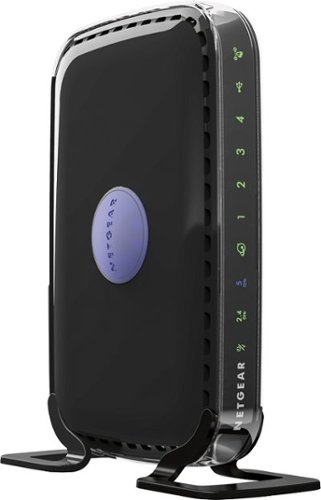
NETGEAR - RangeMax N600 Dual-Band Wi-Fi Router - Black
Choose this NETGEAR router and receive high level wireless security, the ability to share photos, music and more, and a way to keep track of your kids~ activity online. Plus, with easy installation for tablets, smartphones and computers, you~ll be able to start enjoying Wi-Fi throughout your home right away.
Could this replace an xfinity Cisco DPC3941T with download speed of 15 mbps?
There is a lot to unpack in your question.
1. Your Xfinity Cisco is combo unit that both the modem (required to get the signal from Xfinity) and the wifi router, that broadcasts the signal wirelessly from Xfinity.
So, on one-hand, No it won't replace, as this Linksys unit is only one piece of what is needed to broadcast wifi in a place, but you could add this to your system. There would then be two wireless signals being broadcast. I am not sure if your current equipment can have the wifi radio's turned off via the settings menu. Also, your are being charged a monthly fee for having Xfinity equipment, you could purchase a DOCIS 3.1 Modem and replace your equipment. They do make combo units like yours as well to purchase, but these units (sometimes also called a gateway) typically don't have the range as having a two-device setup: modem and router.
2. The speed you state of 15Mbps for internet is first determined by your Internet Plan with Xfinity. Changing equipment won't get you a faster initial download/upload speed outside of what your plans limitations are. Changing your equipment will give you better wifi coverage and determining on the equipment change, may allow your other devices to "talk" to one another faster which is not based on Internet bandwidth, but determined by the network equipment ( namely the router).
So to recap just purchasing a new wifi router won't give you faster download speeds if your plan with Xfinity limits it to 15Mbps. If your plan is rated higher than that and you are not getting close to the rate speeds, then yes changing equipment may be necessary. In which case, you can either A) request new equipment from Xfinity and may require tech to come out (can be free if there equipment you are paying for is faulty) or B) purchase your own equipment (Cable Modem and Wifi Router) and return your equipment stating you are not canceling service, just using your own equipment.
1. Your Xfinity Cisco is combo unit that both the modem (required to get the signal from Xfinity) and the wifi router, that broadcasts the signal wirelessly from Xfinity.
So, on one-hand, No it won't replace, as this Linksys unit is only one piece of what is needed to broadcast wifi in a place, but you could add this to your system. There would then be two wireless signals being broadcast. I am not sure if your current equipment can have the wifi radio's turned off via the settings menu. Also, your are being charged a monthly fee for having Xfinity equipment, you could purchase a DOCIS 3.1 Modem and replace your equipment. They do make combo units like yours as well to purchase, but these units (sometimes also called a gateway) typically don't have the range as having a two-device setup: modem and router.
2. The speed you state of 15Mbps for internet is first determined by your Internet Plan with Xfinity. Changing equipment won't get you a faster initial download/upload speed outside of what your plans limitations are. Changing your equipment will give you better wifi coverage and determining on the equipment change, may allow your other devices to "talk" to one another faster which is not based on Internet bandwidth, but determined by the network equipment ( namely the router).
So to recap just purchasing a new wifi router won't give you faster download speeds if your plan with Xfinity limits it to 15Mbps. If your plan is rated higher than that and you are not getting close to the rate speeds, then yes changing equipment may be necessary. In which case, you can either A) request new equipment from Xfinity and may require tech to come out (can be free if there equipment you are paying for is faulty) or B) purchase your own equipment (Cable Modem and Wifi Router) and return your equipment stating you are not canceling service, just using your own equipment.
7 years, 6 months ago
by
Posted by:
MnstrMike

VIZIO - 5.1.2-Channel Soundbar with Wireless Subwoofer and Dolby Atmos - Black
Take movie nights to the next level with this 5.1.2 VIZIO home theater sound system. It has Dolby Atmos technology built-in, so sound seems to come from all around you, and a six-inch powerful subwoofer creates thumping bass you can feel. This VIZIO home theater sound system has a main sound bar that produces rich, clear audio.
Is this sound system compatible with a Samsung Model 650 series TV?
Depends on what you mean by compatible? Can you get sound from the Samsung 650 to this soundbar yes. The soundbar has HDMI ARC, Optical, and 3.5mm input jacks. Can you get Dolby Atmos? Unless your TV is 4K with Dolby Vision,no it would require a device (blu-ray or Xbox One) setup using the HDMI IN port on the soundbar and then running the HDMI OUT from the soundbar to the HDMI ARC Input on your TV (if it has it).
Dolby Atmos is only carried over HDMI ARC. Optical link does not have the signal strength to carry it.
As a 5.1 sound system (not Dolby Atmos) it is still really good.
Dolby Atmos is only carried over HDMI ARC. Optical link does not have the signal strength to carry it.
As a 5.1 sound system (not Dolby Atmos) it is still really good.
7 years, 9 months ago
by
Posted by:
MnstrMike
VIZIO - 5.1.2-Channel Soundbar with Wireless Subwoofer and Dolby Atmos - Black
Take movie nights to the next level with this 5.1.2 VIZIO home theater sound system. It has Dolby Atmos technology built-in, so sound seems to come from all around you, and a six-inch powerful subwoofer creates thumping bass you can feel. This VIZIO home theater sound system has a main sound bar that produces rich, clear audio.
Will the Vizio sb36512 f6 w/dolby atmos, work with my LG 49sk8000pua w/dolby atmos? will they both work off one remote?
Yes and Yes. HDMI ARC sends the audio signal from all inputs to the soundbar the plus is that it will take the sound level input from the TV source so you can pretty much put away the soundbar remote. I also found this worked over the optical cable input, but if you are after Dolby Atmos, then you have to use the HDMI ARC input. This soundbar also has an HDMI IN so you don't loose the use of the HDMI port on the TV just for sound. It has full pass through support.
7 years, 9 months ago
by
Posted by:
MnstrMike
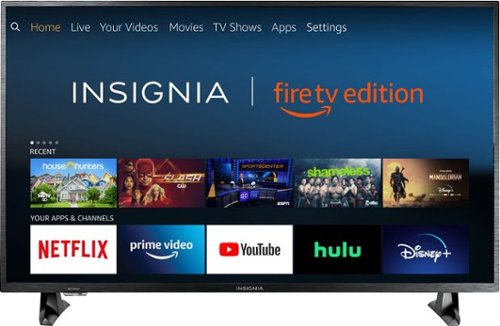
Insignia - 43 Class LED 4K UHD Smart Fire TV Edition TV
Insignia 4K UHD Fire TV Edition is a new generation of smart TVs featuring the Fire TV experience built-in and including a Voice Remote with Alexa. With true-to-life 4K Ultra HD picture quality and access to all the movies and TV shows you love, Insignia Fire TV Edition delivers a superior TV experience that gets smarter every day. The Voice Remote with Alexa lets you do everything you'd expect from a remote~plus, easily launch apps, search for TV shows, play music, switch inputs, control smart home devices and more, using just your voice.
Is every HDMI port 4kHDR enabled or is it only one of the HDMIs is 4kHDR and the rest are just 4k?
Each one, you can select the it to either be 1.4 or 2.0 as sometimes it won't auto-select. Side note. don't purchase this tv unless you are extremely familiar with Fire TV.
7 years, 11 months ago
by
Posted by:
MnstrMike
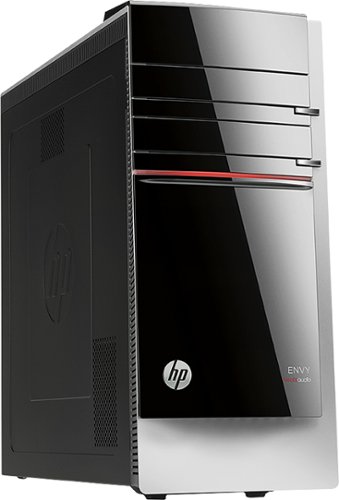
HP - ENVY Desktop - Intel Core i5 - 12GB Memory - 2TB Hard Drive - Gray
HP ENVY 700-214 Desktop: Powerful enough for your demanding gaming and video-editing needs, this desktop boasts abundant memory for quick multitasking of your work projects and daily tasks. Plus you'll have plenty of room store it all on the massive hard drive.Learn more about the New Windows ~
also what is the matching dvd writer order number so i can put it in the 2nd drive. i thought it had two to begin with. or equilevent is fine
You simply need an Internal Desktop DVD Writer, no special numbers or such. Any software is already included with HP and the Drivers will either be included in or disc, most are automatically downloaded when installed and the computer is turned back on. Or I would even Recommend a Blu-Ray/DVD Writer.
It is not a hard install, it does require moving the side panel and the front panel, and the drive slides in, can't remember if i had to remove the bracket screws on the drive for installation or not.
The front panel simply pops off, the tabs are visible once the side panel is removed.
you could always get an an external drive that hooks up via USB too.
It is not a hard install, it does require moving the side panel and the front panel, and the drive slides in, can't remember if i had to remove the bracket screws on the drive for installation or not.
The front panel simply pops off, the tabs are visible once the side panel is removed.
you could always get an an external drive that hooks up via USB too.
11 years, 8 months ago
by
Posted by:
MnstrMike
from
Knoxville, TN
are there any digital cameras that record? If so, which ones?
almost any of them these days. Depends on what kind of video you want to shoot and how much you want to spend. Most shoot standard def, but higher end will shoot in HD. One thing to note is most cameras cannot zoom in while shooting video (zoom is only digital and degrades the quality). However, the super zoom cameras are incorporating the optical zoom while shooting video.
I recommend the Canon line of cameras. The A3100 is good, i just bought it. And also the SX line.
I recommend the Canon line of cameras. The A3100 is good, i just bought it. And also the SX line.
15 years, 9 months ago
by
Posted by:
MnstrMike
from
Knoxville, TN