CommunityAnswer
CommunityAnswer's Stats
Reviews
- Review Count0
- Helpfulness Votes0
- First ReviewNone
- Last ReviewNone
- Featured Reviews0
- Average Rating0
Reviews Comments
- Review Comment Count0
- Helpfulness Votes0
- First Review CommentNone
- Last Review CommentNone
- Featured Review Comments0
Questions
- Question Count0
- Helpfulness Votes0
- First QuestionNone
- Last QuestionNone
- Featured Questions0
- Answer Count188277
- Helpfulness Votes121,798
- First AnswerJune 12, 2014
- Last AnswerJuly 15, 2020
- Featured Answers0
- Best Answers12541
CommunityAnswer's Reviews
CommunityAnswer has not submitted any reviews.
CommunityAnswer's Questions
CommunityAnswer has not submitted any questions.

CyberPowerPC - Gamer Master Gaming Desktop - AMD Ryzen 5-Series - 8GB Memory - AMD Radeon RX 580 XTR - 1TB Hard Drive - Black
CyberPowerPC Gamer Master Desktop: Explore open-world environments seamlessly with this CyberPowerPC Gamer Master desktop computer. Its VR-ready AMD Radeon RX graphics card provides immersive visuals for every game, and its 1TB hard disk drive provides ample storage. The hexa-core AMD Ryzen processor and 8GB of DDR4 RAM of this CyberPowerPC Gamer Master desktop computer support extended multitasking.
What kind of ports does this have? What kind and how many? If there is a DVI please be specific which kind. Which ports are the best? Which ports should I use for dual monitors?
This PC has 8 USB ports (6 USB 3.1 ports and 2 USB 2.0 ports), a microphone and headphone port, PS/2 port, 2 HDMI ports, DisplayPort, and an Ethernet port. Any of the available video display ports can be used to connect monitors for a dual monitor configuration. Your remaining question cannot be answered at this time.
8 years, 2 months ago
by
Posted by:
CommunityAnswer

HDHomeRun - CONNECT DUO Tuner FREE Live OTA TV - Black
Watch live high-definition TV shows from mobile devices with this SiliconDust HDHomeRun CONNECT DUO TV tuner. It lets you stream over-the-air programs via a Wi-Fi or Ethernet connection, saving you the cost of extra cable subscriptions. Record broadcast shows with this SiliconDust HDHomeRun CONNECT DUO TV tuner by using its DVR service.
Can this device itself be connected to the router via WiFi or it must be connected via Ethernet cable? The reason I am asking is because my router is no where close to where the antenna gets the best reception.
Yes, you can connect this unit via WiFi.
8 years, 2 months ago
by
Posted by:
CommunityAnswer

15.6" Touch-Screen Laptop - Intel Core i3 - 8GB Memory - 128GB Solid State Drive - HP Finish In Natural Silver
Enjoy great performance from this HP 15-inch laptop. An Intel Core i3 processor quickly processes the data coming from the 128GB M.2 hard drive, while 8GB of RAM ensures you can have multiple programs at once. Thanks to more than 10 hours of battery power, this HP 15-inch laptop could last you all day.
Can you use dvd movies or CD in this laptop
Yes, this will have an optical drive.
8 years, 2 months ago
by
Posted by:
CommunityAnswer

The Apple USB-C-to-USB Adapter lets you connect iOS devices and many of your USB accessories to a MacBook with a USB-C port. Plug the USB-C end of the adapter into the USB-C port on your MacBook, and then connect your flash drive, camera or other standard USB device.
Will I be able to connect a usb keyboard and mouse to my iPad 2018 9.7 and IPhone 8 Plus?
Yes, this adapter will enable you to connect USB devices to your Apple products that have a Lightning port.
8 years, 2 months ago
by
Posted by:
CommunityAnswer

iBUYPOWER - Desktop - Intel Core i5 - 16GB Memory - NVIDIA GeForce GTX 1050 Ti - 2TB Hard Drive - Black
Power through work tasks with this iBUYPOWER computer. It has 16GB of RAM to support heavy multitasking and complex program execution, and the Intel i5 7400 processor lets you play the latest games or launch robust professional software. This iBUYPOWER computer has a 2TB hard drive, ensuring space for plenty of downloads.
Can I add another video card to this computer?
Yes, you may add a video card to the available expansion slot.
8 years, 2 months ago
by
Posted by:
CommunityAnswer

Bosch - 800 Series 24" Hidden Control Tall Tub Built-In Dishwasher with Stainless-Steel Tub - Stainless Steel
Bosch 800 Series 24" Dishwasher: Designed to hold up to 15 place settings, this dishwasher makes cleaning up after parties simple. The customizable interior with plastic item clips, a vase holder and numerous washing options ensures your dishes come out crystal clean.
Is there a food grinder in this model?
No, this unit does not have a hard food disposer.
8 years, 2 months ago
by
Posted by:
CommunityAnswer

2-way Remote for Viper Remote Start Systems - Black
Replace the remote for your vehicle's alarm system with this Viper two-way remote. It has a 1-mile range, so you can unlock or lock your car from a distance, and the LCD display increases visibility at night and provides information about the battery level. This Viper two-way remote can start your car remotely with compatible systems.
I have a a viper 7351v remote will this one work as a replacement
This will work with the 3706V, 3806V, 4706V, 4606V, 5606V, 5706V, 5806V, and 9756V models.
8 years, 2 months ago
by
Posted by:
CommunityAnswer
15.6" Touch-Screen Laptop - Intel Core i3 - 8GB Memory - 128GB Solid State Drive - HP Finish In Natural Silver
Enjoy great performance from this HP 15-inch laptop. An Intel Core i3 processor quickly processes the data coming from the 128GB M.2 hard drive, while 8GB of RAM ensures you can have multiple programs at once. Thanks to more than 10 hours of battery power, this HP 15-inch laptop could last you all day.
Can u play movie Dvd's or CD's on this laptop
Yes, this unit has an optical DVD-RW drive that will play both DVDs or CDs.
8 years, 2 months ago
by
Posted by:
CommunityAnswer
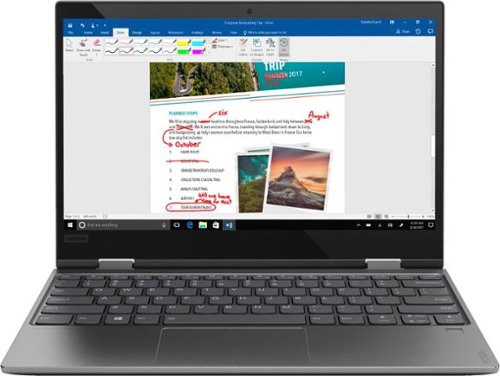
Lenovo - Yoga 720 2-in-1 12.5" Touch-Screen Laptop - Intel Core i5 - 8GB Memory - 128GB Solid State Drive - Iron Gray
Experience the flexibility of this Lenovo Yoga laptop. It weighs less than 3 lbs. for effortless transport, and the Intel Core i5 processor and 8GB of DDR4 RAM let you run multiple demanding programs at once. This Lenovo Yoga laptop has a 128GB solid-state drive for fast data retrieval and boot times when you power it on.
What’s the difference between 8 GB memeory and 128 solid state drive.
The 8GB refers to the system RAM and the 128GB SSD pertains to the storage capacity.
8 years, 2 months ago
by
Posted by:
CommunityAnswer
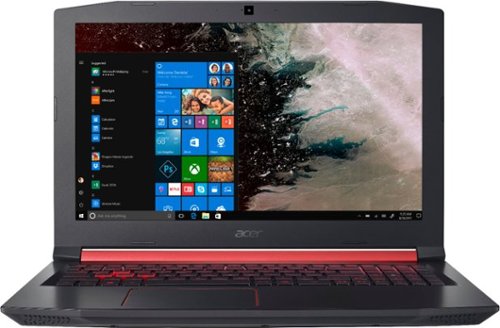
Acer - Nitro 5 15.6" Gaming Laptop - Intel Core i5 - 8GB Memory - NVIDIA GeForce GTX 1050 - 1TB Hard Drive - Shale Black
Only at Best BuyEnter the RPG arena with this Acer Nitro 5 gaming laptop. It has 1TB of storage, and its NVIDIA GeForce GTX 1050 graphics card loads dynamic in-game visuals and Full HD movies smoothly. The quad-core Intel Core i5 processor and 8GB of DDR4 RAM let this Acer Nitro 5 gaming laptop perform efficiently.
Is there a way to turn off the red keyboard lights while you play?
Yes, you can press FN+F9 to turn the keyboard backlight on and off.
8 years, 2 months ago
by
Posted by:
CommunityAnswer