CommunityAnswer
CommunityAnswer's Stats
Reviews
- Review Count0
- Helpfulness Votes0
- First ReviewNone
- Last ReviewNone
- Featured Reviews0
- Average Rating0
Reviews Comments
- Review Comment Count0
- Helpfulness Votes0
- First Review CommentNone
- Last Review CommentNone
- Featured Review Comments0
Questions
- Question Count0
- Helpfulness Votes0
- First QuestionNone
- Last QuestionNone
- Featured Questions0
- Answer Count188277
- Helpfulness Votes121,798
- First AnswerJune 12, 2014
- Last AnswerJuly 15, 2020
- Featured Answers0
- Best Answers12541
CommunityAnswer's Reviews
CommunityAnswer has not submitted any reviews.
CommunityAnswer's Questions
CommunityAnswer has not submitted any questions.

Samsung - 7.4 Cu. Ft. Electric Dryer with Steam and Sensor Dry - Black stainless steel
2017 ENERGY STAR~ certified dryer is eco-friendly and energy-efficient.* Advanced features, such as Multi-Steam technology, give you the ability to steam away wrinkles, while Eco Dry uses up to 25% less energy for every load.
How do you connect it to the smart home app?
Once you have the Smart Care App downloaded to your device:
1. Press and hold Wrinkle Prevent for 3
seconds to activate Smart Care. The
Smart Care indicator turns on.
2. Open the Smart Care app on your
smartphone.
3. Put the smartphone’s camera close
to the display of the dryer. The
app automatically recognizes the
information code, and displays
suggestions on your smartphone.
4. If the smartphone fails to recognize the
information code more than twice, type
the information code manually into the
Smart Care app.
1. Press and hold Wrinkle Prevent for 3
seconds to activate Smart Care. The
Smart Care indicator turns on.
2. Open the Smart Care app on your
smartphone.
3. Put the smartphone’s camera close
to the display of the dryer. The
app automatically recognizes the
information code, and displays
suggestions on your smartphone.
4. If the smartphone fails to recognize the
information code more than twice, type
the information code manually into the
Smart Care app.
8 years, 3 months ago
by
Posted by:
CommunityAnswer

AT&T - CL82407 DECT 6.0 Expandable Cordless Phone System with Digital Answering System and Smart Call Blocker - Silver/Black
Ensure your business or home has enough phones with this AT&T four-handset answering system. You get plenty of range thanks to the DECT 6.0 technology, and a smart call blocker prevents nuisance calls from affecting your workday. Up to 22 minutes of incoming messages can be recorded by this AT&T four-handset answering system so don't miss a potential client.
Does phone have intercom feature?
Yes, this phone does have an intercom feature.
8 years, 3 months ago
by
Posted by:
CommunityAnswer
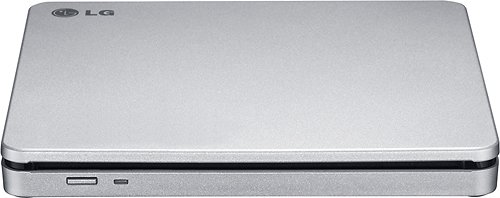
Copy your favorite movies and music to disc with this LG AP70NS50 double-layer DVD~RW/CD-RW drive, which features an overall maximum DVD write speed of 8x for speedy burning. The slim design allows easy portability.
Does this device work with a new LG smart tv? Can I watch a DVD movie on my tv!
No, this is an external DVD drive for a computer. You may be able to stream from your computer using this device to the TV if your PC supports that.
8 years, 3 months ago
by
Posted by:
CommunityAnswer
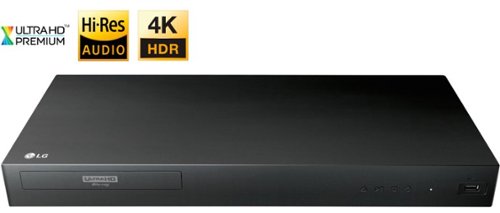
LG - UP875 4K Ultra HD 3D Blu-ray Player - Black
Enjoy your favorite movies with this LG Blu-ray player. It works with 4K televisions and monitors and includes Ultra HD Premium technology for crisp, sharp images, and it supports Dolby Atmos for producing room-filling surround sound.
Can you play ps4 games on this though by the way I just want to find out
No, this is a blu-ray player not a PS4.
8 years, 3 months ago
by
Posted by:
CommunityAnswer
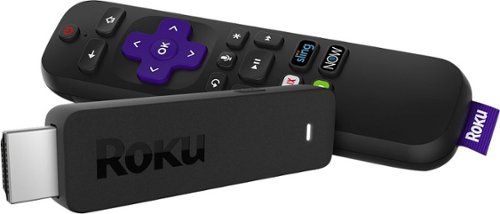
Roku - Streaming Stick with Voice Remote with TV Power and Volume
Take your favorite digital media on business trips and vacations with the Roku Streaming Stick. Its USB format offers a plug-and-play interface for a seamless setup, and it comes with a voice remote for controlling the player and finding your favorite shows hands-free. The Roku Streaming Stick provides access to 500,000+ movies and TV shows for hours of endless entertainment.
I have Direct tv I have 3 tvs. Do I only need one roku for the one with the Geni, to send the signal to the other two mini boxes.
No, each television would need its own or you would need to physically move it from set to set for use.
8 years, 3 months ago
by
Posted by:
CommunityAnswer

Apple Watch Series 3 (GPS + Cellular) 42mm Space Black Stainless Steel Case with Black Sport Band - Space Black Stainless Steel - (2017)
Answer a call from your surfboard. Ask Siri to send a message. Stream your favorite songs on your run.~ And do it all while leaving your phone behind. Introducing Apple Watch Series 3 with cellular. Now you have the freedom to go with just your watch.
Can I use this watch with an existing iPhone and phone number?
Yes, you can pair this watch with an existing iPhone and phone number.
8 years, 3 months ago
by
Posted by:
CommunityAnswer

HP - Pavilion x360 2-in-1 14" Touch-Screen Laptop - Intel Core i5 - 8GB Memory - 128GB Solid State Drive - Gold
Get creative with this HP Pavilion x360 convertible laptop. This touchscreen-enabled device has a 360-degree hinge for multiple configurations, letting you create in comfort. An Intel Core i5 processor and Windows 10 provide a fast, fluid interface that's ready whenever inspiration strikes. This HP Pavilion x360 convertible laptop has a 128GB solid-state drive for lightning-fast startup and file storage, while 8GB of system memory support effective multitasking.
Does this laptop have an optical drive?
No, this laptop has no optical drive.
8 years, 3 months ago
by
Posted by:
CommunityAnswer
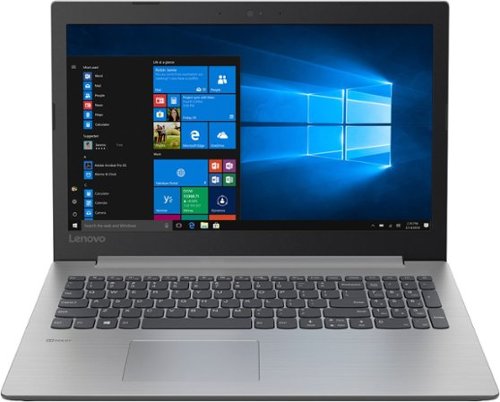
Lenovo - 330-15IGM 15.6" Laptop - Intel Celeron - 4GB Memory - 500GB Hard Drive - Platinum Gray
Lenovo 330-15IGM Laptop:Use this 15-inch Lenovo IdeaPad laptop to take work home with you. Its 500GB hard drive provides a place to store important files, and its Intel Celeron processor and 4GB of RAM let you multitask between programs. This Lenovo IdeaPad laptop has 1366 x 768 resolution that produces a crisp, colorful display.
does this have a built in microphone?
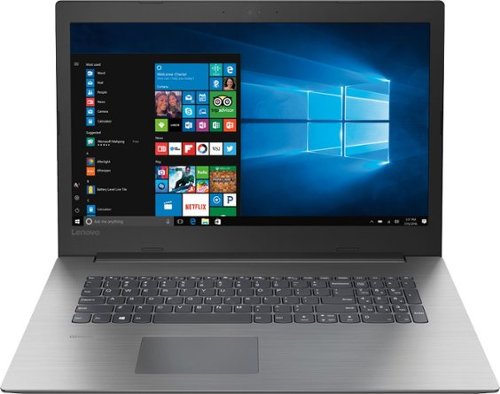
Lenovo - 330-17IKB 17.3" Laptop - Intel Core i5 - 8GB Memory - 1TB Hard Drive - Onyx Black
Lenovo 330-17IKB Laptop: Create spreadsheets and media presentations with this 17.3-inch Lenovo IdeaPad laptop. The 1TB hard drive holds plenty of files, and its 8GB of RAM and quad-core Intel Core i5 processor let you run multiple Windows 10 programs smoothly. Connect this high-definition Lenovo IdeaPad laptop to a projector or external display via its HDMI output.
does it have blue tooth.
Yes, this laptop is Bluetooth-enabled.
8 years, 3 months ago
by
Posted by:
CommunityAnswer

PNY - XLR8 NVIDIA GeForce GTX 1080 8GB GDDR5X PCI Express 3.0 Graphics Card - Black/Red
Upgrade your computer for today's digital entertainment with this PNY GeForce GTX 1080 XLR8 video card. Enjoy cooler running temperatures and greater stability with its three cooling fans, and play the latest VR titles courtesy of its Pascal architecture. This PNY GeForce GTX 1080 XLR8 video card comes with 8GB of high-speed DDR5 RAM to conquer the most demanding games.
What type of Video Memory does this have? The title says gffr5x but the stats say DDR5, im confused.
The video memory of this product is DDR5.
8 years, 3 months ago
by
Posted by:
CommunityAnswer