


TechMatcher's stats
- Review count220
- Helpfulness votes638
- First reviewNovember 3, 2015
- Last reviewJuly 2, 2026
- Featured reviews0
- Average rating4.4
Reviews comments
- Review comment count0
- Helpfulness votes0
- First review commentNone
- Last review commentNone
- Featured review comments0
Questions
- Question count0
- Helpfulness votes0
- First questionNone
- Last questionNone
- Featured questions0
- Answer count77
- Helpfulness votes101
- First answerNovember 3, 2015
- Last answerDecember 3, 2021
- Featured answers0
- Best answers12
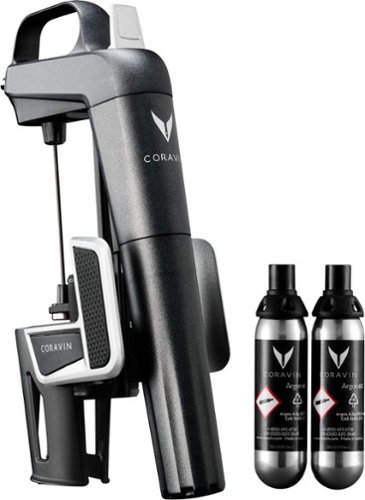
Pour wine without removing the cork by using the Coravin Model Two wine system. The durable needle pierces the cork so you can pour, and then the cork reseals when the needle is removed to preserve the remaining wine. This Coravin Model Two wine system comes with two capsules that let you pour up to 30 glasses of wine.
Customer Rating

5
Elegant, Sleek and for the Wine Connoisseur
on October 9, 2017
Posted by: TechMatcher
from Minneapolis
I must admit – I was pretty skeptical of a device that forces a steel needle through an unopened wine bottle and uses Argon gas to force the wine out. My mom and dad stopped by for a weekend visit so I thought it would be a perfect time to test it out!
I had just received my Coravin Model 2 earlier that day – and hadn’t even opened it up yet. I grabbed a bottle of wine, the Coravin box and opened it up right in front of them. Mom thought it was a drone.
Good grief. I inserted one of the two Argon capsules into the handle and screwed it shut tight. A quick flick of the pour lever allowed the system to purge itself. I clamped the Coravin 2 on the brand new wine bottle – with the foil still intact over the cork, and pushed the needle effortlessly down through the cork. Holding the bottle at approximately a 45 degree angle and pressing the lever, wine effortlessly flowed into the wine glass as my mom giggled with glee! Success!
Good grief. I inserted one of the two Argon capsules into the handle and screwed it shut tight. A quick flick of the pour lever allowed the system to purge itself. I clamped the Coravin 2 on the brand new wine bottle – with the foil still intact over the cork, and pushed the needle effortlessly down through the cork. Holding the bottle at approximately a 45 degree angle and pressing the lever, wine effortlessly flowed into the wine glass as my mom giggled with glee! Success!
I poured her a glass, removed the needle from the cork and the wine bottle was sealed up nice and tight – no drips or anything as I held it upside down to check and see. Dad inspected the bottle and the single needle hole puncture through the foil cork wrapper. Pretty. Frickin. Cool.
Cons – you need a supply of Argon capsules as each one works for about 15 glasses of wine (about $18 for 2). Why Argon? Argon has been used for year to extend the life of wines without tainting the flavor of the wine.
Overall – very impressed. Clever design. Carry bag included. If you know someone who is a wine lover and keeps a small cellar of wines at home or you yourself have the taste for wine and like to sample from various bottles at a sitting – this is the perfect gift!
My Best Buy number: 2178905958
Mobile Submission: False
I would recommend this to a friend!


Share this review:


-1point
0of 1voted this as helpful.
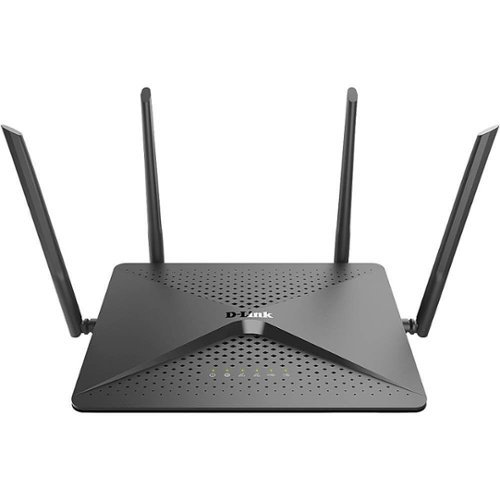
Connect every device in your home with this D-Link Wi-Fi router, and experience super-fast data transfers without the lag. Ending system shortcomings that happen with overloads, this router features four antennas to cover every corner of your home. Two USB ports on this D-Link Wi-Fi router let you connect a printer or extra hard drive storage.
Customer Rating

4
Fast router, loads of features, buggy console
on October 1, 2017
Posted by: TechMatcher
from Minneapolis
One of the most noticeable things about this router is its unusually long antennas. This helps to paint the corners of your house with stronger WiFi signal than many other routers can. That's a nice touch to start with!
This AC2600 router, as with all newer (AC) routers, contain MU-MIMO. What does that mean? It’s Multi-User, Multiple Input & Multiple Output. OK – that means it can handle more simultaneous connections than your old router (which sends signals to only one person at a time). If you are still sitting with an “old-style” A, B, G or even N router – this is your upgrade reason!
As I said – this router is packed with a lot of features, but I feel it was released just a little before it was ready. I say that because when using the web console, I experienced several bugs (console froze up, router didn’t detect other items on the network, parental controls page didn’t operate correctly, etc). Perhaps a new firmware update will fix many of these issues, but for now it was quite a frustrating experience.
Even with that – this router did give great performance numbers! Coverage was great in all corners of my 2 story 3500 sq ft home and multiple device streaming did not have any issues what-so-ever. The dual core technology really helps – with one core focusing on routing and switching and the on all the other features like AC Smart Beam, DNLA, Parental controls, etc. Another interesting feature is TriplePlay - which allows you to create a separate network for devices you don't want talking to your each other. Most won't use that, but for advanced users this VLAN segmentation option may be attractive.
This is a recommended device for those stuck in the dark ages with only an A, B, G, or N technology router. Power users may want to opt for more advanced or wireless mesh devices.
My Best Buy number: 2178905958
Mobile Submission: False
I would recommend this to a friend!


Share this review:


-1point
0of 1voted this as helpful.
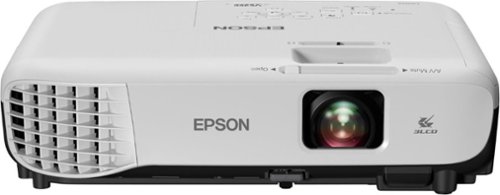
Upgrade your business presentations with this Epson projector. It has built-in speakers for clear audio, and the lamp can run for up to 10,000 hours in economic mode. This Epson projector casts images as small as 33.1 inches and as large as 320 inches and works with several video inputs.
Customer Rating
4
Capable & Affordable Small Business Projector!
on September 30, 2017
Posted by: TechMatcher
from Minneapolis
I’ve recently had the opportunity to test the Epson VS355 business projector – and will say this is a very capable unit. It arrived well packaged in a box, but I noticed right away there wasn’t a case to carry it in. If this machine will be moved around a lot, you’re going to want to pick one up.
I was impressed the number of input options with this projector: USB cable (special SW required), HDMI, VGA and Component. I would expect that most people would simply use HDMI or VGA, but since I was testing with a Surface Pro 4, I didn’t have any of these options. Worthy to note that if you only have a Microsoft Surface device (it has a single USB port and a display port). I opted for the USB port which utilizes a printer style USB cable. I needed to download the special software from Epson, and once installed, I used the “Windows key”+P on my surface device to select “Duplicate” for the display setting. BOOM – worked great! Duplicate displays! However, I could not “Extend” my display between the Surface and the Projector, so if I try to do a PowerPoint presentation, it would not show my presentation notes on my Surface – it only Duplicated the display. Bummer.
There are no wireless display options with this unit, due to its relatively low price point. You can purchase an accessory that would allow this though!
For business presentations, the picture quality is awesome. The projector is bright, crisp and does well with Microsoft Office type software. I also looked at some pictures taken with my iphone, and although it is great for showing off to the family, it lacked the clarity I would want for somebody that is focused mostly on displaying high quality images.
There are plenty of adjustments possibly – auto vertical keystone and manual horizontal. The included remote control allows you do adjust these as well as buttons on the unit itself. Speaking of the remote control (see picture), it also has lots of options. There’s a built in pointer but I feel you’d be better off with a laser pointer though. I do like the zoom feature and if connected with the USB option, the page up and down will allow you to control your presentation or slideshow right from the remote itself! There is a cool "split" button that allows you to display from two sources at the same time - a feature not usually found in affordable projectors like this!
The sound, although a bit “tinny”, is what you’d expect from a small projector like this. If you plan to use sounds to really enhance your presentation, you should plug into the sound system in the room if you have one or use a more capable portable speaker.
Overall – this will work great for small businesses or groups, family photo displays, graduation picture showcases or even movie night for the kids (as they usually don’t notice or care about granulation if it happens). Remember – this is not a Cinema projector – it’s meant for business! I rated it 4 stars only because it didn’t come with a case. Projection wise – it’s bright, quiet and sleek!
My Best Buy number: 2178905958
Mobile Submission: False
I would recommend this to a friend!


Share this review:


0points
0of 0voted this as helpful.
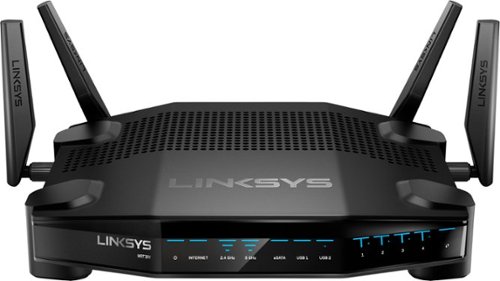
Enjoy lag-free gaming with this Linksys dual-band Wi-Fi router. Its Killer prioritization engine works with Killer-enabled computers to minimize peak ping by up to 77 percent, and the 1.8GHz CPU delivers super-fast speeds with wired and wireless connections. This Linksys dual-band Wi-Fi router has a custom-built user interface that lets you manage your gaming network performance.
Customer Rating
5
Advanced Router to suit all your needs
on September 25, 2017
Posted by: TechMatcher
from Minneapolis
I’ve been eager to test the latest Linksys router on the market – the WRT32X AC3200 gaming router! Boasting better gaming performance as well as traffic prioritization – I may no longer have to worry about my kids Netflix or Kodi streaming messing up my work sessions!
This device come packed like a safe, and was put together easily. The Linksys stackable design and the Stealth-fighter lines on the device make it look cool and “bad” at the same time!
For testing purposes, I temporarily removed my normal mesh-based router as they both try to use the same address space, and fired up the Linksys Killer router. Setup was easy, and I really like the dashboard as compared to many other router brands!
Speed tests was very good, equal with the top-of-the-line competitors mesh products, however the mesh based wireless networks have an edge on the range only due to the fact that they have satellite routers to carry the signal farther.
Speed tests was very good, equal with the top-of-the-line competitors mesh products, however the mesh based wireless networks have an edge on the range only due to the fact that they have satellite routers to carry the signal farther.
If you have a gaming rig or devices aware of the Killer networking features, the built-in "Killer Mode" can automatically detect your Killer-enabled computer, then syncs its Killer engine to the Killer Network Manager on the PC. This means that not only the computer itself but the entire network, hosted by the WRT32x, is tuned for the best gaming experience.
But the router doesn't just work for games only. Linksys says while it prioritizes gaming traffic, it also includes features that allows other online activities like streaming or downloads to work smoothly. It's also smart enough to prioritize only the actual gaming traffic and not all traffic related to games. Downloading a patch for a game, for example, will be treated as a regular download and not automatically prioritized.
Overall – I’m very impressed with the speed and versatility of this router, with the only downside being the 4 ports on the back. I would think that router manufacturers would now start to build in 8 ports or more – there are just so many things to connect!
If you are a big gamer, or have gamers in the house to control – check this router out and I’m sure you’ll be impressed too!
My Best Buy number: 2178905958
Mobile Submission: False
I would recommend this to a friend!


Share this review:


0points
0of 0voted this as helpful.
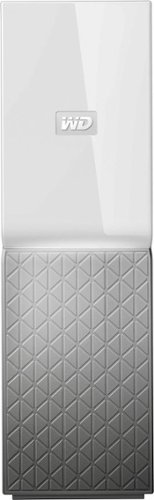
Work with your files on the road via this My Cloud Home personal storage device. Mobile, desktop and web-based apps let you access to up to 4TB of files from anywhere there's an internet connection. This My Cloud Home personal storage device plugs directly into your Wi-Fi router for convenient centralized file storage and backups.
Customer Rating
4
Easy, quick, flexible storage for most home users
on September 24, 2017
Posted by: TechMatcher
from Minneapolis
I recently installed a Western Digital My Cloud Home 4 TB for testing purposes. This is a single drive, home backup system for PCs and mobile devices. It is a very easy solution to setup for most home users that have simple backup requirements.
Your data is actually stored in multiple locations: your device/pc, the WD MyCoud Home device, and in the WD MyCloud online storage solution. If you don’t already use solutions to backup your phone photos/videos, this device is drop-dead simple to setup and a must have to keep your memories safe!
Seriously – just plug it into your home network, create your free WD account, install the app on your mobile device(s) or PC(s) and start backing your stuff up! I can’t tell you how many people have asked me to recover photos or lost them because they’ve lost their phone! Unless they’ve got a recent backup, they are out of luck! Just setup the “Auto Backup” to automatically backup your photos to our MyCloud Home device so they are protected. If you don’t have unlimited cellular data – no worries, you can configure it to only use Wifi for the auto backups!
Another cool feature is the ability to backup your other cloud services like Dropbox, Google Drive, Facebook photos, etc. Now you have them all in one place (well two including the cloud) nad are safe and secure!
There are lots of features that I haven’t setup up yet – like PC backup,Desktop Sync, Plex (music, videos, etc) and IFTTT.
I would definitely recommend the dual hard drive option (the Duo) versus a single drive option – after all the purpose of the device is to make sure you don’t lose data.
I would definitely recommend the dual hard drive option (the Duo) versus a single drive option – after all the purpose of the device is to make sure you don’t lose data.
My Best Buy number: 2178905958
Mobile Submission: False
I would recommend this to a friend!


Share this review:


+14points
16of 18voted this as helpful.
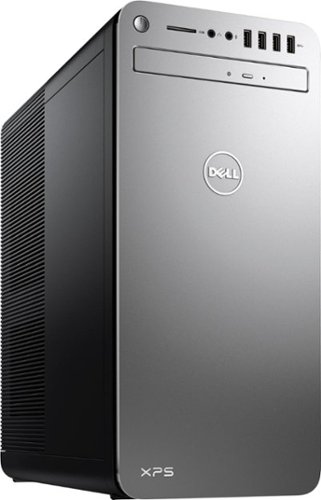
XPS Desktop - Intel Core i7 - 16GB Memory - NVIDIA GeForce GTX 1050 Ti - 2TB Hard Drive + Intel Optane Memory
Customer Rating
4
Solid and fast for most home users
on August 16, 2017
Posted by: TechMatcher
from Minneapolis
I recently picked up a Dell 8920, Core i7, Intel Optane hard drive powered desktop to keep in the home office. I would consider myself an expert user, taxing most systems with business performance software like Visio and running many things at one time – just so you have the context.
At work, I have the pleasure of evaluating desktops and laptops for a Fortune 100 company – so my review of this draws from comparisons made from my previous experiences.
First things first – I can’t believe computers still come with WIRED keyboards and mice! I was extremely disappointed with this fact. Know that you’ll need to purchase or use your existing wireless input devices if you want those features – and who doesn’t??!!
Packaging was good – no issues/scratches with the appearance of the machine. Setup was easy. Just plugged in the WIRED keyboard and mouse, hooked my monitor up with my own HDMI cables (the desktop doesn’t have ANY cables except the power cord), and everything fired right up.
One up and running, I did a few boot tests to get an average of 16 seconds to the logon screen (yes – you should use a password). The machine comes preloaded with a bunch of Dell utilities, support assistance, trial software, etc. That stuff just bloats the computer to me. Delete the AV and use Windows Defender and get rid of the other trial ware. Then, be smart about your surfing and what you click on.
Next, I ALWAYS run a performance test on the systems I review. I use a product called Passmark Performance Test – you can use the free trial. As you can see in the picture attached, this machine scored a 3674. In perspective, the FASTEST PC test with Passmark scores around 9000, while a stock Microsoft Surface Pro 4 with and Core i5 and SSD that I have scores around 1300. So – this machine performs better that 79% of all machines out there. Not too bad – especially if you are the average home user that checks email, surfs the web, and tracks personal finances or something.
The 2-8GB DDR4 SDRAM PC4-19200 Kingston memory chips scored well as does the Core i7-7700 processor. What hurts this machine is the graphics card and the ironically, the Optane boosted spinning disk. I say ironically because the Optane technology is supposed to be the next big thing in storage! It basically is supposed to act like a super-fast cache – and supposed to be intelligent and learns as you go. I could kinda see that after repeatedly launching the disk test – scores ranged from 1900 to 2600 within the tool. So not as fast as a dedicated SSD disk, but from a usability standpoint – I saw no issues.
Another review complained about network card issues. I have not experienced drops – so I see no issues there on this machine. On a positive note, I do like all the ports available – HDMI, Display port, 3 audio ports, 7 USB 3.0 and 2 USB 2.0 ports, built in SD card slot, CD/DVD Burner. This computer has a lot going on!
Overall – if you’re the average home user, or even a bit on the power user side – this machine should be enough horsepower for you. If you’re looking to game – you’ll need to choose something else with a faster hard drive and more powerful graphics card.
My Best Buy number: 2178905958
Mobile Submission: False
I would recommend this to a friend!


Share this review:


+17points
24of 31voted this as helpful.
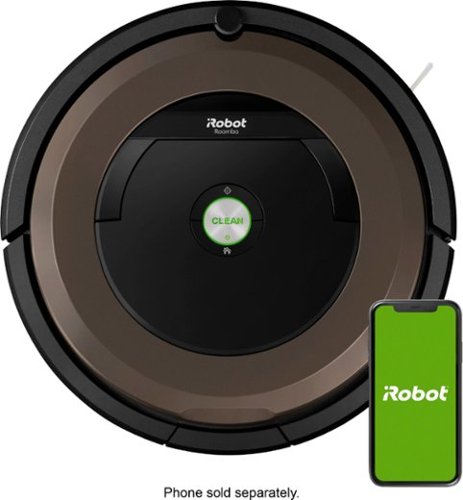
Get seriously clean floors without the effort thanks to this Roomba robot vacuum. It automatically navigates across your carpet or vinyl while avoiding hazards and keeping track of its location all the while picking up dirt, debris and mess. Automatic recharging keeps this Roomba robot vacuum powered so that it's ready to go.
Customer Rating
4
Cool – but keep your old vacuum too!
on August 1, 2017
Posted by: TechMatcher
from Minneapolis
I purposely delayed the writing of this review to give me some time to get a true feeling and opinion of the Roomba 890 robotic vacuum. I was very excited to receive my Roomba – it’s something I’ve been wanting for quite some time.
The unit arrive well packaged and was easy to open. I eagerly downloaded the iRobot App for my iphone, removed the stability tags from the vacuum used for shipping, plugged in the base station and placed near the wall in my living room. I connected the vacuum to my home Wifi and also enabled my Amazon Echo with the iRobot skill.
I let the Victoria (you can name your Roomba in the app) charge for a couple hours, then hit the clean button and watched my pets reactions to this new household resident. After several minutes of the vacuum zig-zagging around the room and the dog barking at it – everybody got used to it.
OK – let’s get to business. Overall, I’m quite impressed on how much dirt and pet hair this unit picks up. See the pictures of the overflowing dirt bins. I literally emptied 5-6 of these bins the first time it tried to clean the floor! What I’m not impressed with is just how random the unit cleans the room. It literally bounces off objects and may make one or two “cleaning lines” in a room before proceeding to another room if you have a fairly open floor plan like me. Note that the 890 does not say supports multi-room cleaning, whereas the 960 and 980 do. (I’d love to get my hands on a 980 to compare the two a bit more)!
The literature says the Roomba knows where it’s been and will eventually clean the whole room – but that could take 60-minutes from my experience. If you have guests coming over or want to clean the floor quick – you’ll be reaching for your old vacuum.
I have setup the Roomba to vacuum the main floor of my house everyday starting at 4:00 am. It is supposed to drive around and clean up the floor and go back to its base station for recharging if needed. I can attest that my floors are cleaner, but it has never finished the floor without some form of manual intervention. Either the dirt bin gets full, it gets stuck on something or under something, or can’t find the base station and runs out of battery charge (60 min max). So – I find it, I pick it up, fix the error or take it back to the dock for a fresh charge. I will say the app notification works well - and I can often look on my phone to see what the error is and how to fix it - so that's cool!
On longer/thicker carpets, you will notice the cleaning marks it makes – which bother my wife because they are not symmetrical or uniform like you get with a vacuum.
Again – my floors are cleaner, it’s fun to watch, it works with Amazon Echo and I’m generally vacuuming less often than before. If you could tell the machine to just clean the living room and it knew the boundaries without having to use the “virtual wall” device that comes with it AND it cleaned in a logical or S-like pattern, I think this would be a much more efficient unit.
My Best Buy number: 2178905958
Mobile Submission: False
I would recommend this to a friend!


Share this review:


+11points
11of 11voted this as helpful.
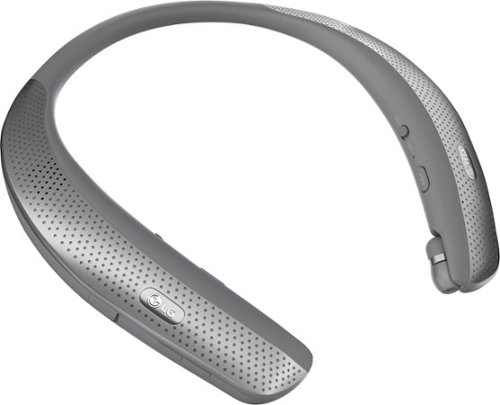
Immerse yourself in music or movies with this LG TONE Studio wearable speaker. It has four drivers to let you experience three-dimensional surround sound and feel low-frequency vibrations from the bass through your body. This LG TONE Studio wearable speaker is Bluetooth compatible for easy connection to your smart devices.
Customer Rating
5
More impressive than you’d think!
on July 20, 2017
Posted by: TechMatcher
from Minneapolis
Last week I received the LG Tone Studio HBS-W120 Wireless In-Ear headphones for review. I’ll be honest in saying that I wasn’t expecting much from these headphones, but I am quite surprised at how well they perform!
First off – they are in-ear headphones that can be used for both music and phone calls. The work great for that – good sound quality, comfortable. You wear the ring around your neck full time – but is it comfortable enough that I don’t even notice they are there!
Second – you can have them play out loud over the 4 speakers built into the neck band – so you don’t have to use the in-ear part! That is an awesome feature that also produces good sound and allows you to hear your surroundings if needed – like if you’re out on a walk. The subwoofers don’t thump like your car stereo, but you get a tingle of bass on your shoulders to feel the music a bit more!
Third – I was skeptical of the sound quality when used as a telephone headset. Usually I would sound tinny or distant to the remote caller, but I tested it both ways – with me wearing the headset and calling someone and with someone else wearing it and me calling them. Very impressed! I actually thought the other person was talking directly into their phone – I couldn’t tell a difference. It has some noise reduction capabilities helps in those conference calls as well! Nice Job LG!
Pairing the headphones with Bluetooth was a breeze. There’s a 1/8” audio jack to plug in auxiliary players as well if your device doesn’t support Bluetooth. Battery length has been super too – 4-6 hours externally and more when using the in-ear headphones!
The only con I have come up with is the fragileness of the retractable earbuds and the cord they are tethered to. I can see people pulling on these too hard and eventually breaking. To retract the earbuds, you pull once again and it rewinds. I have found that it didn’t rewind completely a few times already – so you must pull it out and try it again. That could be a little frustrating for some.
Overall – great sound, comfortable fit, awesome phone calls but a little fragile. If you can be delicate with your electronics, these might be just the thing for you. If you are a bruiser – you might want to stick with over-the-head, corded headphones.
My Best Buy number: 2178905958
Mobile Submission: False
I would recommend this to a friend!


Share this review:


+1point
1of 1voted this as helpful.
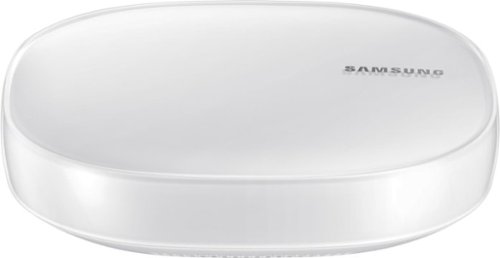
Create an intelligent home network with this all in one Samsung mesh WiFi Router and Smart Home Hub. Not only does it deliver an optimized Wi-Fi signal to every corner of your home, it also works as a SmartThings Hub, connecting compatible cameras, lights, voice assistants, and more to create your smart home. Now you can manage your Wi-Fi and all your smart devices from the palm of your hand with this Samsung Mesh WiFi Router and Smart Home Hub.
Customer Rating
4
Great start on Wifi Converged Device
on July 13, 2017
Posted by: TechMatcher
from Minneapolis
A few weeks ago I received a Samsung Connect Home Pro to review – and I’m happy to say it is a good looking device with better-than-average wifi strength AND combines some basic features of an Internet of Things Hub right into the device. I do have to agree with some other reviewers though – that this is an entry level IoT device/wifi Router combo and hopefully Samsung will build upon this platform to include more advanced features.
Now, for the details. I have tested multiple WiFi mesh routers in the last two months. Most came in either a 2-pack or a 3-pack. This one, the Pro model, only comes in single pack – and I only had one to test with so I can say much about how easily I transitioned from one device to the other. However, I can say that I was pleased with the coverage of the single device, placed centrally in your home should be sufficient for most home users.
For the IoT functions, I can see how this would work nicely for the home with Samsung appliances like their WiFi Fridge, Washer/Dryer, Range, robot Vacuum, etc as well as integrating simple features from, Hue lights, Amazon Alexa, etc. If you have Samsung Smartthings, you can likely handle the simple functions though this new Connect Hub, but more advanced features like Geolocation with your smartphone will need to be future improvements.
Overall, this new converged device will likely set the trend for other manufacturers to start bundling features into their home devices as we are all starting to get too many hubs, connectors, integrators etc in our media closets!
My Best Buy number: 2178905958
Mobile Submission: False
I would recommend this to a friend!
Share this review:


0points
1of 2voted this as helpful.
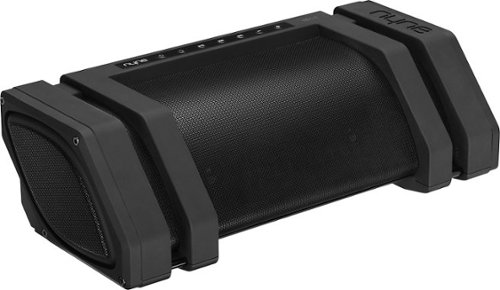
Take your favorite music anywhere with this Nyne Rock boom box. It has two midrange speakers, two tweeters and a subwoofer, and its rechargeable lithium-ion battery lets you play tunes for up to 8 hours. This Nyne Rock boom box is Bluetooth 4.0 compatible and connects to a mobile device via NFC one-touch technology.
Customer Rating
4
My kids are fighting over this speaker
on June 24, 2017
Posted by: TechMatcher
from Minneapolis
Well – the title says it all. Yes – my 13, 16 and 20-year-old kids are fighting over who gets to use this speaker at home and on the lake. Their initial impression was “WOW” right when it came out of the box and even before we turned it on! Once paired, they were impressed with the sound and also the loudness! I think I’ll bribe them with “speaker time” based on the chores they do!
OK – for the details. First know this thing is Big. I attached a picture of it sitting on my son’s dresser. It takes up the entire top. Second, know that the battery life seems great thus far and I don’t think there will be a problem with reaching the posted 8-10 hour play time at all. Could probably even be more if the LED buttons on top shut off after 5 min or something.
Water resistance is a great feature – as the kids plan to use it on the boat over the July 4th holiday. It has a protective metal mesh screen all around – but it’s pretty thin and I can see that easily denting. We’ll see how it fares after a busy week at the cabin.
Pairing was a snap – nobody should have any problems there at all. The charger that comes with also has 4 international plug adapters – a good feature depending on your use scenario. However, I don’t see you hauling this overseas with you as it is so big.
One thing I wish is that there was WiFi capability as well as Bluetooth, it would make the experience that much better. Also, a tone or equalizer would be awesome too – so you can adjust the bass more, etc.
Overall – very impressed. I gave it four stars do to the thin metal grille that will likely dent, no WiFi and no way to adjust tone. After the week of cabin use, I’ll see how it fares and might even get another! I would definitely recommend this to a friend – solely based on how much my kids are excited about it!
My Best Buy number: 2178905958
Mobile Submission: False
I would recommend this to a friend!


Share this review:


0points
0of 0voted this as helpful.
TechMatcher's Review Comments
TechMatcher has not submitted comments on any reviews.
TechMatcher's Questions
TechMatcher has not submitted any questions.
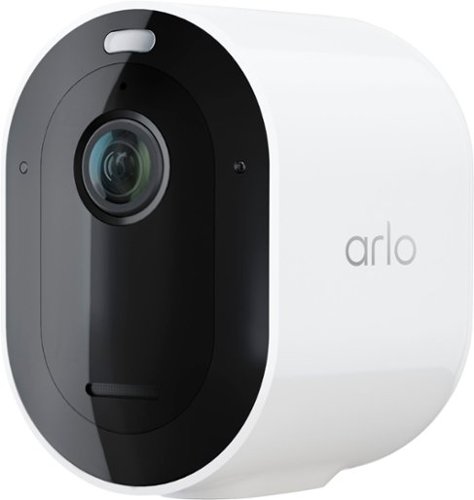
Rest easy knowing your home is protected, whether you're there or away with Arlo Pro 4. With no wires, your camera connects directly to your Wi-Fi network so you can easily install in minutes. Spot unique details with color night vision, and see more in dark areas with the integrated spotlight. The advanced lens provides superior image quality and a wider field of view, and allows you to track and zoom on moving objects with clarity. Hear and speak to visitors clearly with two-way audio. Receive notifications and view videos that tell you a package, person, vehicle or even an animal is detected, so you can take quick action like phone a friend, sound an alarm or call emergency services with included trial of Arlo Secure. Personalize what you get notified for and create custom activity zones to ensure you only get alerts for what matters, reducing those that are less important. Arlo Secure includes cloud recordings of video clips at 2K or lower resolution for 30 days. Renewal of an Arlo Secure plan is required to maintain Arlo Secure features, including cloud storage and activity zones.
So I purchase an Arlo 4 to live stream on my wi fi as a SIXTH camera to my already FULL 5 camera account. I get a free smart subscription and everything works. When the subscription expires and I do not wish to renew, my Arlo 4 is useless, correct?
Well - yes. You either pay for the Arlo subscription upgrade, or perhaps you remove one of your older Arlo's and leverage the great camera quality and features of the Arlo Pro4. Unfortunately, that's the way technology goes - replace old stuff with new stuff.
5 years, 7 months ago
by
TechMatcher
Rest easy knowing your home is protected, whether you're there or away with Arlo Pro 4. With no wires, your camera connects directly to your Wi-Fi network so you can easily install in minutes. Spot unique details with color night vision, and see more in dark areas with the integrated spotlight. The advanced lens provides superior image quality and a wider field of view, and allows you to track and zoom on moving objects with clarity. Hear and speak to visitors clearly with two-way audio. Receive notifications and view videos that tell you a package, person, vehicle or even an animal is detected, so you can take quick action like phone a friend, sound an alarm or call emergency services with included trial of Arlo Secure. Personalize what you get notified for and create custom activity zones to ensure you only get alerts for what matters, reducing those that are less important. Arlo Secure includes cloud recordings of video clips at 2K or lower resolution for 30 days. Renewal of an Arlo Secure plan is required to maintain Arlo Secure features, including cloud storage and activity zones.
Can I combine 2 arlo essential and 2 ArloPro4 on the same account?
Yes - I have many version of the Arlo products on my single account.....so should not be a problem!
5 years, 7 months ago
by
TechMatcher
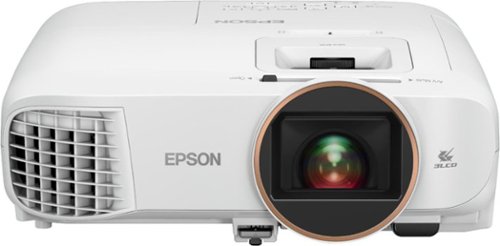
Android TV built-in projector for seamless access to content Powered by Google, watch all your favorite streaming channels including Netflix, Hulu, HBO NOW, YouTube and more. Sit back, relax and watch movies with this Epson video projector. It offers 2.700 lumens of color & white brightness to ensure vibrant, accurate colors, and its HD resolution delivers crisp image quality at 1080p. This Epson video projector lets you also connect a Blu-ray player or gaming console via an HDMI input for smooth streaming of your favorite media.
How many inch android tv with these projector
Not exactly sure what you're asking, but the below graphic should help you understand the recommended screen size display vs the distance the projector is from the screen. The biggest is 120" at 12 feet. Does that help?

5 years, 8 months ago
by
TechMatcher
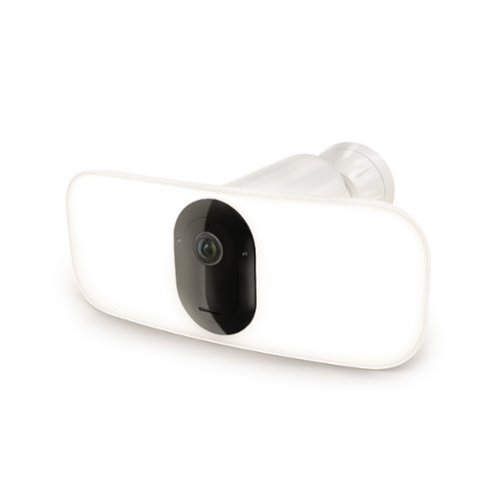
Upgrade your outdoor home security with the Arlo Pro 3 Floodlight Security Camera for a powerful blend of ultra-bright illumination and advanced surveillance. This innovative wireless security camera features a motion-activated floodlight that delivers up to 2000 lumens of brightness or 3000 lumens when paired with the Outdoor Magnetic Charging Cable to deter intruders while lighting up key areas around your property. Capture every detail with crystal-clear 2K video with HDR, ensuring sharp, vibrant footage in both daylight and low-light conditions. Includes a 30-day trial of an Arlo Secure Plan is included for premium features like 60-Day Video History, Person & Vehicle Recognition, Package & Animal Detection, Custom Detection, Fire Detection, 24/7 Emergency Response, and more. A 160~ wide viewing angle with auto image correction reduces distortion so you can see more of what matters without the fisheye effect. Plus, Color Night Vision keeps your home protected even after dark. Designed for easy installation, the completely wire-free camera offers maximum placement flexibility with no wiring hassles. Built to withstand the elements, it is weather-resistant and provides reliable protection through heat, cold, rain, and snow. Stay connected and in control with instant motion alerts sent directly to your smartphone. Use 2-Way Audio to hear and speak to visitors, and receive smart notifications for people, vehicles, and packages, enabling quick action through Emergency Response. Power your security your way with rechargeable batteries or optional solar charging for continuous, eco-friendly operation. Enjoy added peace of mind with the trusted performance and innovative design Arlo is known for to enhance your home and simplify your life.
This is for internal use only. Can i turn off floodlights? I don't want a police-type setup.
Yes - you can control the floodlight on/off - and the brightness as well!
5 years, 8 months ago
by
TechMatcher
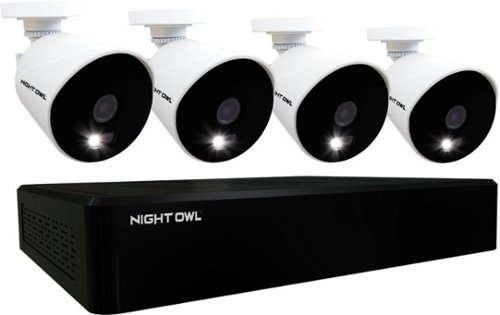
Monitor your surroundings with this Night Owl 16-channel DVR security system. The four Full HD cameras feature L2 Color Boost technology to maintain footage clarity in low-light conditions, while the single sign-on two-step verification ensures secure access. This Night Owl 16-channel DVR security system features a 1TB HDD for ample storage.
Will this DVR system work with other non-night owl cameras (PAL)? I have some really nice wide angle, commercial grade cameras.
From my understanding, it may work - but Night Owl only supports their certified products.
5 years, 11 months ago
by
TechMatcher

Performance meets versatility. From intensive video and graphics files to high-octane gaming, the most powerful Surface laptop yet combines speed, graphics, and long battery life with the versatility of a laptop, tablet, and portable studio. Tackle your biggest demands with quadcore powered 10th Gen Intel Core processors, blazing NVIDIA graphics, and high-resolution PixelSense Display designed for Surface Pen* and touch.
Does the new surface book 3 come with the surface pen or would i need to purchase one separately?
Unfortunately, you would need to purchase it separately. Myself, I plan to get one - specifically to markup drawings and documents during web conferences.
6 years ago
by
TechMatcher
Performance meets versatility. From intensive video and graphics files to high-octane gaming, the most powerful Surface laptop yet combines speed, graphics, and long battery life with the versatility of a laptop, tablet, and portable studio. Tackle your biggest demands with quadcore powered 10th Gen Intel Core processors, blazing NVIDIA graphics, and high-resolution PixelSense Display designed for Surface Pen* and touch.
What is "Realistic Battery Life" of the Microsoft Surface Book 3 - 15 inch if it is used mainly to run software like Excel, Word, Microsoft Edge browser, and some YouTube video ? I've seen video reviews which have mentioned as little as 6 hours.
I've already used mine for 12 hours without charging. The Microsoft website claims 16 hours..
6 years ago
by
TechMatcher
Performance meets versatility. From intensive video and graphics files to high-octane gaming, the most powerful Surface laptop yet combines speed, graphics, and long battery life with the versatility of a laptop, tablet, and portable studio. Tackle your biggest demands with quadcore powered 10th Gen Intel Core processors, blazing NVIDIA graphics, and high-resolution PixelSense Display designed for Surface Pen* and touch.
What are the differences between Surface Book 2 and Surface Book 3?
Aside from the price (SB3 is obviously more), the SB3 is upgraded with a newer/better CPU, a better GPU, WiFi-6, better battery life, more memory options, etc.
6 years ago
by
TechMatcher
Performance meets versatility. From intensive video and graphics files to high-octane gaming, the most powerful Surface laptop yet combines speed, graphics, and long battery life with the versatility of a laptop, tablet, and portable studio. Tackle your biggest demands with quadcore powered 10th Gen Intel Core processors, blazing NVIDIA graphics, and high-resolution PixelSense Display designed for Surface Pen* and touch.
Where is the camera located?
The SB3 has 2 cameras - one on the back in the upper right corner, and in the upper center on the front (screen side). The both work great - used them for Skype, Webex and Zoom calls just today!
6 years ago
by
TechMatcher
Performance meets versatility. From intensive video and graphics files to high-octane gaming, the most powerful Surface laptop yet combines speed, graphics, and long battery life with the versatility of a laptop, tablet, and portable studio. Tackle your biggest demands with quadcore powered 10th Gen Intel Core processors, blazing NVIDIA graphics, and high-resolution PixelSense Display designed for Surface Pen* and touch.
Im looking to purchase this for dual purposes. Audio production With Pro Tools, and Digital art with Adobe products. Will the SB 3 Be able to handle both?
Yes - I'm confident the SB3 will be able to handle this. Take a look at the Microsoft web page for the SB3 - they give you some examples that may help to make your decision.
6 years ago
by
TechMatcher