


Ebonovic's stats
- Review count278
- Helpfulness votes220
- First reviewJuly 24, 2014
- Last reviewNovember 18, 2025
- Featured reviews0
- Average rating4.5
- Review comment count1
- Helpfulness votes7
- First review commentJanuary 28, 2016
- Last review commentJanuary 28, 2016
- Featured review comments0
Questions
- Question count0
- Helpfulness votes0
- First questionNone
- Last questionNone
- Featured questions0
- Answer count31
- Helpfulness votes80
- First answerSeptember 7, 2015
- Last answerNovember 4, 2021
- Featured answers0
- Best answers2
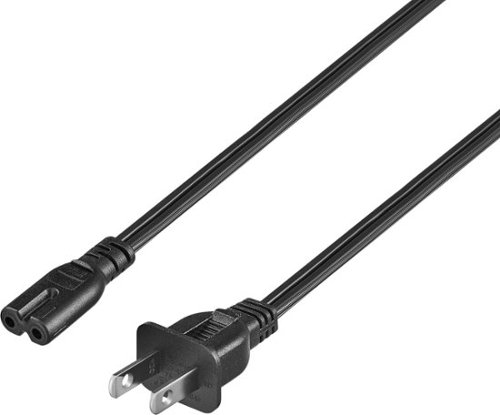
Replace a missing or damaged power cord with the Best Buy essentials 12' C7 Non-Polarized Power Cord. The non-polarized, two-prong design works with select electronic devices ~ just confirm the shape of the power port against your device to ensure compatibility. The cord is backed by Best Buy, so you can rely on it to safely power your electronics.
Customer Rating

5
Good Length, A little Thin
on March 4, 2025
Posted by: Ebonovic
We all have adapter cords... from products we have had, and no longer have.
But it never fails that you need that one cord, that you can't find.
But it never fails that you need that one cord, that you can't find.
Well this cord helps solve that, and then some.
12 foot long, is plenty length for any usage for this cord.
It is thin, 18AWG, so don't try using this on newer laptops, they draw too much power.
This will be a good replacement for large blue-tooth speakers, a smaller monitor.
It is thin, 18AWG, so don't try using this on newer laptops, they draw too much power.
This will be a good replacement for large blue-tooth speakers, a smaller monitor.
This is a non-polarized cord, meaning it can plug into your outlet either way.
DO NOT modify your device you are connecting this to, to allow it to fit.. that is going to cause you problems.
DO NOT modify your device you are connecting this to, to allow it to fit.. that is going to cause you problems.
If your adapter, device does not have the double rounded sides, then this is the wrong cord. Don't force it.
Both ends of the cords are molded on to the wire.
Thicker rubber/plastic is on the ends, so you can firmly connect and plug this wire into your outlet.
Thicker rubber/plastic is on the ends, so you can firmly connect and plug this wire into your outlet.
The extended size is good, as you probably won't need an extension cord or power strip for the VAST (near all) uses.
Good price, simple replacement for that lost cord, or one that was damaged
I would recommend this to a friend!
Share this review:


+1point
1of 1voted this as helpful.
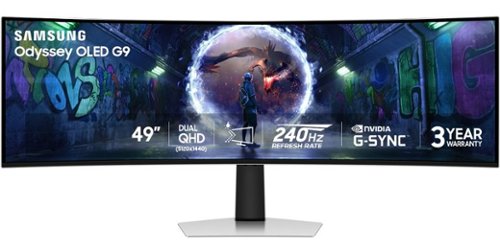
Samsung~s 49" Odyssey OLED G9 Dual QHD Curved Gaming Monitor takes gaming to new heights. Content springs to life with a wider color spectrum and vibrant images on a 5120 x 1440 resolution screen. OLED technology delivers near instant reaction time with 0.03ms (GtG) and a 240Hz refresh rate. G-Sync compatibility keeps the GPU and panel in perfect sync, which reduces choppiness, screen lag, and image tearing. The wide 32:9 screen in Dual QHD resolution and 110 PPI provides an unparalleled level of clarity. OLED Glare Free technology significantly reduces glare from external sources for a distraction-free presentation. OLED Safeguard automatically adjusts brightness, reduces heat, and dims during breaks. Deep Black Levels depict truer black and dark colors on screen for supreme depth in every game. The ergonomic height-adjustable stand with tilting enables the ideal angles during game play. HDMI 2.1, Micro HDMI, DisplayPort, USB-C Upstream and Downstream ports provide increased flexibility and reduce cable clutter. CoreSync & Core Lighting+ add color and enhance the screen~s surroundings for an immersive experience. Picture-in-Picture and Picture-by-Picture makes multitasking easy and efficient. 3-Year Warranty.
Customer Rating

4
Big, Bold, and Business-ish
on February 6, 2025
Posted by: Ebonovic
Let’s just get this out there…. This is a BIG monitor. Before you purchase make sure your computer space has the room. Both the width and the depth for the base
I would recommend two people to take the few minutes to take out of the box and assemble Comes with an easy base, and you can do it with one person, but would be easier with two
Also comes with the adapter for a VESA arm mount as well
Large power brick, if your power supply is on the desktop, you will need to make some room. Underneath, this brick will need to be on the floor or supported, it has some heft to it
So I have a KVM for my primary area so I can switch between my work and fun machines. My work Mac (an M1 MacBook Pro) was not able to work with it via HDMI, which I figured going in I am hoping a newer Mac will work down the road. It just couldn’t do the resolution
So this is going to be exclusive for the PC with the NViDIA 2080. I was able to get the full resolution. So game play was just awesome at this size.
Fast response, great color, amazing detail
Had to connect it via display port to get the full resolution. Looking forward to test it Microsoft Flight Sinulator soon… And how it performs with a 5080 Nvidia
After some initial time, we ended up using two video input mode DP we setup for about 60 percent of the screen. We then put the other 40 percent on and HDMI switcher
So when we want a “2nd monitor” for a game, we got it. But then we also use it for a Amazon Firestick, TV support
That way we can stream video and other things without sacrificing PC performance
Very awesome monitor
If you have the right video card, and the games to support Changes everything
If you have the right video card, and the games to support Changes everything
I would recommend this to a friend!
Share this review:


+1point
1of 1voted this as helpful.

Rising from the successful Project Esther, feel the future of gaming immersion with Razer Freyja ~ the world~s first HD haptic gaming cushion. Powered by Razer Sensa HD Haptics, experience a full range of dynamic tactile sensations that fully syncs with your game, from forceful explosions to the subtle pulse of a heartbeat.
Customer Rating

3
A niche addition, be prepared to tweak it a bit
on February 2, 2025
Posted by: Ebonovic
The potential is there, but it just missed the mark.
First as a bigger person, it is a little small for my body size, but it did work okay, I just can't have it not he chair all the time, only when I want to use it.
For the games I play, it doesn't have native integrated support. So need to work with the sound mixer, to get blend it into the game, which it does... however it takes time to tweak to where it is an advantage or a good addition to the game. Hopefully in time, game developers can add native support for devices like this, and really take it to another level.
As for an installation, it has straps on the back, but that is really it. My bigger issue, is despite various ways attaching it to the chair, it moves.. and slides. And since I have a bigger chair (due to my size), the movement was more then you would expect because there is a big enough gap between the cushion and the arms. So I will be looking at some other ways to keep it in place not he chair.
Also long term, I can see me stepping or rolling on the cord. Not much you can do about it, until there is some advancements in technology. I would have maybe like to seen a spare cord included.
I would recommend this to a friend!
Share this review:


0points
0of 0voted this as helpful.
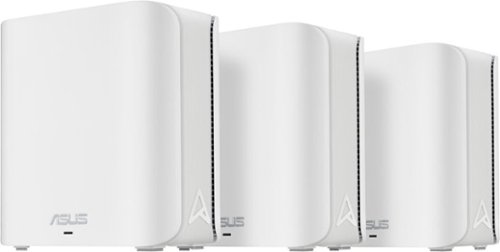
2.4X higher speed with lower signal delays and interference ~ 4096-QAM enables fluent 4K/8K streaming, online AR/VR, and unbelievable gaming experience
Customer Rating
4
Great WiFi, but tries to be too helpful
on January 19, 2025
Posted by: Ebonovic
So, I really wanted to give this a 3.5.. but going with 4, because 3 is a little harsh.
I have been using MESH WiFi systems now for almost 10 years. It is nice to have an affordable WiFi 7 compatible Mesh system, so this is has been a very good replacement for one of the systems I maintain.
At this home, there isn't a way to run Cat-6 lines, so we rely on WiFi and the Mesh system here is running very good.
After setup, the WiFi 7 connectivity to the main Router, is cranking 700+ mbs, with my iPhone 16. Great speeds. All our WiFi devices are connecting nice, and even those not on WiFi 7, are gettin 200-300mbs so doing really really good.
It was easy to setup as our old SSID, and same password, so most devices reconnected without an issue, some just need to cycle power.
They are small, about the size of 3 pieces of bred stacked on top of one another.
BUT.. .my first .5 star of is with the power adapter. The cord is WAY WAY too short, we couldn't even put one on top of the desk hutch, and run the cord straight down to a power strip, and to get a short extension cord.
BUT.. .my first .5 star of is with the power adapter. The cord is WAY WAY too short, we couldn't even put one on top of the desk hutch, and run the cord straight down to a power strip, and to get a short extension cord.
My big issue though, is the "wizard" style of setup. I had a really difficult time getting node #3 to connect wirelessly. Went through all sorts of resets and trials, but just couldn't get it to connect. And there was no easy way to do anything manually. Had to rely on its own software to "find" things.
Support was pretty quick on a reply, and told me there was a firmware update. Which I had to connect the node via wire, and then was able to do the firmware update. then was able to get node #3 to connect.
The lights are challenging... Yellow, Green, Blue, Red, and White. Was trying to identify what they all meant, but Yellow seemed to be booting, Green was still part of the Bootup, Blue was in pairing or setup mode, Red I presume something was bad, so just unplugged, White leaned normal operations.
Once I got them all setup, I was able to turn off the LED's in two visible locations... big lag though from clicking the button to turn it off, and it actually doing it. Caused me some frustrations, as I just thought something was wrong.
The app is pretty good for doing most things, but still found I needed to connect via laptop, to get the full picture of the system.
Overall... for the price, this has been a very good Mesh system.
Share this review:


0points
0of 0voted this as helpful.
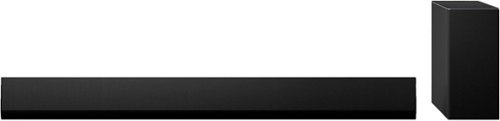
Experience an immersive surround sound that enhances the brilliant picture of an OLED TV. Powered by Dolby~ and DTS:X~ technologies, the 3.1 channel SG10TY soundbar delivers realistic, 3-D audio that lets you hear and feel every moment. Plus, the sleek, One Wall design beautifully complements the premium look of a Gallery Design OLED TV.
Customer Rating
4
Booming Sound, takes a bit to install
on December 3, 2024
Posted by: Ebonovic
So this is my third LG Soundbar system. I love the LG products, and this one really didn't let me down (just a few nitpicks, that keeps it from being 5 stars, more like 4.5 stars)
So I replaced my existing LG Soundbar with this one, because I wanted the Atmos sound. My original one didn't support Atmos. So after easy unpacking, got to setting this one up. I first simply set it up, on the fireplace mantle to make sure everything worked.
Using my LG 86" NanoCell, it didn't have the full integrated connectivity, but I knew that. I just continued to use the perfectly find HDMI ARC connection. I will be upgrading to an LG OLED probably in 2025, so ready to go there with that advanced connection.
Instantly took the connectivity on the ARC and I didn't have to change anything.
Subwoofer was already paired, and we were off.
Subwoofer was already paired, and we were off.
I fired up the LG App (that I already had on my phone, so no need to setup an account or anything special).. I was quickly able to add the soundbar, and got it up on WiFi and it did a quick update. We were then able to run the room setup. Our living space isn't overly complicated, and I was able to do it's sound setup and configuration quickly...
Now for some fun. I fired up a few movies and clips that I know utilizes ATMOS sound, and AWESOME. If you don't know ATMOS it is a more inclusive overall sound. I just love that sound comes from the TOP. This still being a soundbar, not perfect, but much better then I had before.
Base is very distinct with the subwoofer, so explosions FEEL good as they sound, and music... nice.
Fired up some of my test music like Greatest Showman, and was able to rock the house. Then did the opening to Deadpool/Wolverine, and just had fun with it. Very clear and crips sound... didn't disappoint.
Fired up some of my test music like Greatest Showman, and was able to rock the house. Then did the opening to Deadpool/Wolverine, and just had fun with it. Very clear and crips sound... didn't disappoint.
So the only nitpick is the power brick. I was able to zip tie it to the TV mounting bracket. I understand why it is there, but it will be interesting for some installs on the space it will take, so plan for it.
After all this initial testing, I then got to mounting it to the wall. All the equipment is included, just take a little time to measure, make sure things are level. I did then decide to do the test /setup again in the app, and all good there... and now just enjoying the sound.
So if you are simply using your built in speakers on your TV... spend the money and get some good sound going. You won't be disappointed.
I would recommend this to a friend!
Share this review:


0points
0of 0voted this as helpful.

TCL NXTVISION TVs combine an array of art options with premium picture technologies to create a stunning image. TCL~s Art Library of over 400 artworks and AI Art capable of generating over 100,000 images to transform your living room into your personal studio. The included Flush Wall Mount and additional light wood bezel allows the NXTVISION TV to blend seamlessly into any home d~cor. QLED PRO Quantum Dot technology and HDR ULTRA with Dolby Vision IQ provide enhanced contrast, accurate colors and fine details. The powerful TCL AIPQ PRO Processor intelligently optimizes the color, contrast, and clarity for an unrivaled 4K HDR experience. The High Brightness+ LED Backlight produces brighter images for an enhanced viewing experience for all your favorite movies and TV shows. Game Accelerator 240 together with Auto Game Mode provides the lowest latency for a more responsive gameplay without lag, designed to keep you at the top of any leaderboard. Including Dolby Atmos and DTS Virtual:X, the NXTVISION TV provides a complete audio package. Available accessories include an easel-style Movable Stand and Table Stands. The NXTVISION TV offers advanced picture quality with a beautiful lifestyle design worthy of any home.
Customer Rating
4
Good Option for Limited Space
on November 25, 2024
Posted by: Ebonovic
I sooooo wanted this to be a perfect Screen, as I have been wanting a "Framed" TV for this room for a long time. Really this is a 3.5 Star, but rounding up to a 4.
I purchased my first Plasma flat panel TV, 22 years ago. It cost me almost $13,000 after TV, Video Adapter, Mounting Bracket, Custom drop shipping, cables, and my first HD Receiver... It also weighed nearly 175lbs. and it was only 50"
Here we are in 2024. For under $700, you can get this absolute state of the ART TV, weighs almost nothing. Mounts to the wall LITERALLY with a few screws, and two tiny screws to the TV. HDMI, Wireless, Google TV OS, and just a STUNNING STUNNING picture quality.
The installation of the TV.. This is where I lose 1/4 of a star, simply because of the documentation, and maybe the inclusion of just a little bit of plastic on the TV. It took a little while for me to figure out the math, on how far the top of the TV would be from the top of the mounting bracket (FYI it is ~ 8"). This was important, because we were trying to line it up with other fixtures in the room, and make it level. The paper template was nice, but was still a pain to use on the 55" version (having to fold it). Also, the instructions did NOT include a notation for the size BIT to use for lag inserts into the drywall (I ended up using 11/36)...
Despite that, installing the brackets on the wall were not overly difficult, and they provided all the hardware. I ended up with only 1 hole in a stud, the other 7 are using lags... and everything seems super snug and secure.
Then on the TV.. this is where another 1/4 star is lost. It is TWO square brackets, that are installed with just 1 screw each. So after putting the plates on, making sure that the brackets were square and straight... just a tad frustrating (then realizing after installing, it wasn't a big deal). Including just a small piece of plastic not the frame of the TV, either as a mounting alignment or as a stop would have been perfect.
Now, the bracket, with it's hook system, this was nice, and easy to get it on and flush to the wall... but once up, VERY difficult to get the wires (I just used the power for now, but eventually will need to adjust the wall, so I can get a coax (antenna), HDMI for future use, and the power all hidden. That is going to be very tight, but it is okay.
The installation was so overall something a single person could do. If you have a helper, great. Took me about 1 hour to do it all.
now for the TV. Google TV OS, is solid, and very straight forward to use. Have your google credentials ready for the best and easiest installation. There is nothing special because of this TV, so refer to dozens of reviews out there about the Google TV interface. Super easy to download and access all he smart apps, once you have it connected to WiFi. Hulu, YouTube, YouTubeTV, Disney, Netflix, Philo, QVC... they are all there.
So here is where I lose 1/2 star. The speakers/audio.. for me... sub-par, and is my biggest issue with the TV. The audio just isn't greate, and that is a disapointment. With the flush mount, no good way to add a soundbar or secondary speaker system. There is virtually no low range sound on this TV, no base. So for movies, not great. Okay for sports watching and sit-coms.
The PICTURE though is amazing, bright, clear, great resolution... and then this really shows up with the "frame" aspect of the unit. LOVE using it to show pictures of beautiful scenery, as well as our personal pictures. This is going to be a very nice piece, to show our Holiday photos, when we decorate the room for the holidays. Easy to setup using Google Photos, and thus easy to keep up to date, and maintain remotely.
My last 1/2 star... The frame. You only get the option for WHITE (with no frame), or the Almond (snap on frame). I wish there was an option for a black frame. We will probably end up painting the snap on Almond frame after the holidays.
Lastly, I recommend that you go with the 65" or even bigger. 55", is just too small. but maybe it is me and this particular room.
I would recommend this to a friend!

Share this review:


0points
1of 2voted this as helpful.

Shark - SpeedStyle Pro FLEX Professional Performance High-Velocity Hair Dryer System - Metallic Gray
Meet the Shark SpeedStyle Pro FLEX High-Velocity Hair Dryer System. Designed with professional performance in a compact, flex design without compromising power. Get salon-quality blowouts, defined curls, and high-gloss shine at home with high-velocity airflow reaching 100 mph in under a second, all without heat damage. Includes Scalp Shield ~ designed to protect 100% of new hair growth from extreme heat.
Customer Rating
4
Sleek Simple to Use and Options
on November 19, 2024
Posted by: Ebonovic
Love size of hair dryer and that it folds up. Unfortunately, the power bank attached to the cord is very cumbersome and kept banging into the wall as I was drying my hair. Did like that there was an attachment on the hair dryer base so you can hang it
Packaging was nicely presented and it was easy to remove all the pieces. I liked that each attachment had the directions on them or link to a video tutorial.
I was impressed on how easy it was to add and remove each attachment. I used the brush and defrizzer. Amazing. Without even a lot of heat it smoothed my hair quickly. The brush attachment was easy to use and it’s great that you can rotate it 360 degrees.
I was impressed that the directions showed the “cool” spots on where to hold when taking attachments off.
Being relatively light weight, able to use it for a longe period of time, to style and maintain my hair.
The base unit is smaller than our previous hair dryer, so it can sit easily on our counter and not need an elaborate storage.
The base unit is smaller than our previous hair dryer, so it can sit easily on our counter and not need an elaborate storage.
I would recommend this to a friend!
Share this review:


+1point
1of 1voted this as helpful.

The XPS 13 Laptop. Effortless Mobility. Powerful AI. Create and work anywhere with our thinnest XPS notebook. Powered by the Intel Core Ultra processors Series 2, with more powerful AI.
Customer Rating
5
Compact, Slick, Quick
on November 12, 2024
Posted by: Ebonovic
There is an endless number of options out there for Laptops/Tablets in this size category, this one is a solid contender for a large number of users.
This is a small display, and small form-factor unit, this isn't for the power user or gamer, but this will be great for students, travelers, or someone that wants a laptop that does not take up a lot of space.
The unit is setup with Windows 11. I won't comment on Windows 11, there are 1,000s of reviews out there for the OS.
Out of the box, this is unit is slick. the Matt black, with the dell branding is just slick looking. It is compact, and maybe a little heavier than you think at this size, but overall isn't bad at all.
BIG PLUS (for me), thank you DELL for being aware that USB-C is the best option for providing power. High quality cable and adapter was provided, but giving it is the common standard you can easily get an additional setup for under $50 for your office, backpack, etc. GREAT options out there for 60w UBS-C power, as well as many places may provided USB-C power options.
Slight down, there is only 2 USB-C ports on this one. Even with Thunderbolt 4 support, with is great for high speed transfers and usage of external monitors, consider getting a small USB-C dongle so you can get a few extra ports, and a HDMI connector, there isn't one in the box or on the laptop itself, which is okay.. in expensive to get a dongle.
No numeric pad. Which is expected for this smaller size, but if you are a heavy user of this, you will need an external option.
Screen is non-touch, which I am fine with... I find on my laptops I dont' want a touch screen, for some this may be an issue. The screen is FABULOUS in color and display though, and really sharp and goes basically edge to edge to max out the 13" display. Videos were crips, sound was good, and easily was able to handle Netflix.
WiFi is at WiFi 7 standards. I recently got an access point so I can connect at WiFi 7, and this laptop uses it well.. Speed tests have 1GB (yes 1GB) download speeds ON WIFI, stupid fast for WiFi. Remember, to get those speeds you need to connect to a WiFi 7 at 6ghz, But even at WiFi 6 or WiFi 5 you are going to get very good speeds with this.
Bluetooth, was flawless, connecting to my headset with no problems.
The keyboard typing was responsive, typical for a laptop.
The system doesn't seem upgradable tough, as with many of the tight form factor laptops. so be sure to get the one that has the Memory and internal storage you want.
The system doesn't seem upgradable tough, as with many of the tight form factor laptops. so be sure to get the one that has the Memory and internal storage you want.
Easy to add more external storage, via the USB-C and Network connections, but that gets limiting on portability then.
Overall a very good option at its price point.
I would recommend this to a friend!
Share this review:


0points
0of 0voted this as helpful.

The bella PRO 4-qt. Touchscreen Space Saving Air Fryer will fit perfectly in your kitchen. Featuring 5 preset settings and an adjustable temperature up to 400~F, you can easily cook your favorites for friends and family (up to 3.3 lbs. of food). The 60-minute auto shut-off timer ensures precise cooking results every time. Made without PFAS, PFOA, PTFE, Lead, and Cadmium, the EverGood Ceramic Nonstick Coating gives you confidence & peace of mind when using this air fryer, while dishwasher-safe parts simplify the cleanup process and save you valuable time. Powered by high-performance circular heat technology, this air fryer evenly circulates heat for quick, crispy, and perfectly cooked food.
Customer Rating
4
Hot Stuff for the Small space
on November 6, 2024
Posted by: Ebonovic
Air Fryers, there are so many options out there.
For the space conscious or tight space this one is going to be perfect.
If you are cooking for more then 2 people, then you may loose some of the benefits.
If you are cooking for more then 2 people, then you may loose some of the benefits.
So first, it's size.
It is slim in width, and uses length to make up for some of that. So it is deeper than my previous air fryer, but not nearly as wide. So to cook the same amount of food, need to stack it a little more, and have to shift it around. (This was with French Fries and Battered Green Beans)
It is slim in width, and uses length to make up for some of that. So it is deeper than my previous air fryer, but not nearly as wide. So to cook the same amount of food, need to stack it a little more, and have to shift it around. (This was with French Fries and Battered Green Beans)
Since we were familiar with Air Fryer usage, having to shift the food mid-cook, was familiar, so not an issue there... but we had to work with it a few times, to get the right mount of food in there for a consistent cook through.
The results were good with both the fries and greenbeens, both were crispy and hot. And had a good clean taste on them (since we didn't add anything to it).
VERY easy to set the temperature and start the cook.
We then have used it a few times to do some quick cooks and reheats... Our standards in the house are the Chicken Nuggets (two different types), and re-heated left overs (mostly Pizza).
The Nuggets cooked quick and through (but they were pre-cooked ones, so only can confirm they were hot and crispy). Pizza, as usual, cheese gets warm, the bottom crust was warm, but wouldn't say it re-crisped up.
Bottom line: It is a good air-fryer for the price point. Especially if you have a smaller space.
Couple other nit-picks, didn't come with a silicone insert for the tray, so be cautious on items that can create a mess or leak out. We haven't found one yet for it.
Couple other nit-picks, didn't come with a silicone insert for the tray, so be cautious on items that can create a mess or leak out. We haven't found one yet for it.
There are multiple "points" right in the inside of the drawer. hit those a couple times while washing, so be cautious.
Share this review:


0points
0of 0voted this as helpful.

Introducing the Crucial~ P310 Gen4 NVMe~ SSD, delivering read speeds up to 7,100MB/s, making it a gaming storage leader in the Gen4 space. Engineered with the latest Micron~ 3D NAND technology, the Crucial P310 can level up your gaming experience in generous capacities and offers backward compatibility, performing 2x faster than Gen3 SSDs.
Posted by: Ebonovic
Amazing when I look back on years of storage evolution... I got my first Best Buy Credit Card, to get a 200MB hard drive for $200... Now we are doing 2TB in the size of a stick of gum.
We dropped this chip into our son's gaming desktop, as a secondary storage device. His MB supports up to Gen 2 performance, and we didn't have to do anything in settings or configurations to allow this Gen 4, to work perfectly fine.
The system immediately recognized it, got into Windows and formatted it in a blink as a 2nd drive.
Write times are super fast, for most files and directories we transferred it was in a blink (almost like it was going to the same device.
Write times are super fast, for most files and directories we transferred it was in a blink (almost like it was going to the same device.
Game play seems to be improved for games that were re-installed onto this drive (removed from the main system).
The only downside, and that has to do with the mother board setup, is that we had to remove the video card, in order to access the slot to install this chip. So a little planning is necessary on this one.
But end of day.. . to get his kind of space, performance at this price point... if your Mother board supports it, this is a no brainer
I would recommend this to a friend!
Share this review:


0points
0of 0voted this as helpful.
Ebonovic's Review Comments
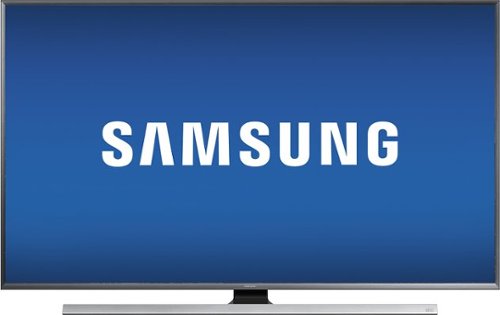
Transform your living room into a personal home theater with this Samsung 60-inch smart television. With 4K UHD, this TV delivers 4 times the resolution of full HD for enhanced visuals. The wireless mirroring function lets you play content from mobile devices on this Samsung 60-inch smart television and access your favorite apps effortlessly from the home screen.
Overall 2 out of 5
2 out of 5Incorrect info. No 3D
By Leroythedog
I was already to buy this TV- seems to be GREAT price!
BUT - IT DOES NOT HAVE 3D. Luckily, this was pointed out by the salesman. He told me that he had even called Samsung to check, and there is a misprint in the specifications,
BUT - IT DOES NOT HAVE 3D. Luckily, this was pointed out by the salesman. He told me that he had even called Samsung to check, and there is a misprint in the specifications,
If you don't want 3D, this would be great, but it doesn't work for me.

Ebonovic
Tinley Park, IL
3D Ready
January 28, 2016
Per Samsung's site, it states as 3D Ready.
Which means you just need the other equipment (separate), glasses, Blu-ray player, and material source
Glasses are about $20 each.
Which means you just need the other equipment (separate), glasses, Blu-ray player, and material source
Glasses are about $20 each.
But the TV is a 3D compatible TV
+7points
7of 7voted this comment as helpful.
Ebonovic's Questions
Ebonovic has not submitted any questions.
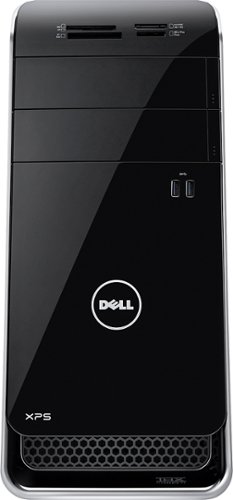
Dell XPS Desktop: It's easy to keep in touch using built-in wireless networking, which provides access to social networks, e-mail and streaming entertainment. Bluetooth technology allows pairing with compatible devices.
Are the keyboard and mouse wireless?
No, they are not. They are wired.
10 years, 3 months ago
by
Ebonovic
Tinley Park, IL