


psyclopps's stats
- Review count250
- Helpfulness votes732
- First reviewJuly 30, 2012
- Last reviewJuly 11, 2026
- Featured reviews0
- Average rating4.5
- Review comment count2
- Helpfulness votes2
- First review commentOctober 14, 2011
- Last review commentJune 28, 2012
- Featured review comments0
Questions
- Question count0
- Helpfulness votes0
- First questionNone
- Last questionNone
- Featured questions0
- Answer count21
- Helpfulness votes39
- First answerApril 25, 2013
- Last answerFebruary 17, 2021
- Featured answers0
- Best answers3
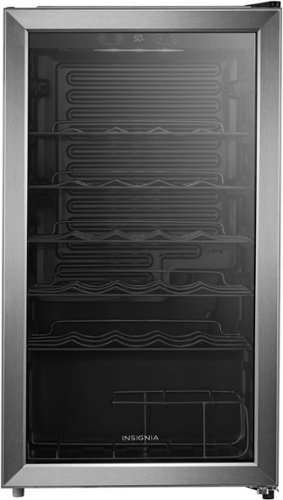
The Insignia 29-Bottle Wine Cooler allows you to store your wine at an ideal temperature, so it is always ready to drink. A digital touchscreen makes it easy to control the temperature. White interior LED lighting and an organized layout helps you and your guests reach for the right bottle every time. With a reversable door and adjustable legs, this cooler can fit anywhere in your home.
Customer Rating

4
A great entry level wine cooler
on December 12, 2025
Posted by: psyclopps
I have been wanting to get a wine cooler for some time now so I'm glad this model became available. It looks good in my dining room, has plenty of room for bottles, is extremely easy to set temperature, and is very quiet.
The unit itself looks nice when set up. There is a nice white/blueish light you can turn on to illuminate it when needed. This is turned on via button though, it would be nice if it just turned on when you opened the refrigerator though. The LCD tells you the current temp and it is easy to adjust. The front looks to be of decent quality, but the housing metal appears to be a little cheaper and subject to dents if you are not careful. The shelves are sturdy but made out of molded metal. This is fine in general for a basic unit but not good if you prefer wooden shelves
The unit runs very quietly with barely any sound whatsoever in a quiet room. There is shelving for a good number of units. I have a very large bottle of prosecco which is not a standard width, but there are two large slots oriented 90 degrees at the bottom for this very purpose. Last, the door is tinted to protect the wine against UV.
Overall this wine cooler is stylish and effective but I would rate it as “entry level” due to build quality. Also, if you are concerned about security look elsewhere as there is no lock.
I would recommend this to a friend!



Share this review:


0points
0of 0voted this as helpful.

With Shark FlexStyle, you can easily transform between a powerful, fast, hair dryer, and an ultra-versatile multi-styler with no-heat-damage. One twist is all it takes to flex from one to the other. Attach different stylers and unlock the ability to curl, volumize, smooth, and dry~the choice is yours. Lightweight & powerful, FlexStyle is the answer to fast, easy styling.
Customer Rating

2
Results were subpar, not for everyone.
on December 1, 2025
Posted by: psyclopps
The device works overall but has some quarks. Obviously, how well it does depends on the hair you are using it on and the user. I tested this mainly on my daughter and in summary, the curls wouldn’t stay even following the instructions to the letter, but the brush was great at adding volume to hair. Either way, it did an overall good job but results were not stellar. I am sure with a little practice results might be better.
Pros: The design is very modern, sleek, and space saving. I can see the appeal with the design and 3 in 1 system which consist of the blow dryer, oval brush, and auto-wrap curlers. The blow dryer and oval brush save a lot of time and effort by cutting down the time it takes to style and blow dryer hair by at least 1/2 the time. When using the oval brush to style the hair, it creates shiny, soft, and frizz free hair, even without using styling products depending on your hair. The attachments are removed with no effort at all, just a switch of a button. The settings allow you to control the heat applied to your hair low, medium, and high, which is also the case for the air flow.
Cons: The Auto-Wrap curlers are a good idea, however the execution is lacking. First, the instructions state that the hair must be 80-90% dry hair, which makes sense because it makes your hair easier to style, however the results were not as desired (see attached pictures). The curls were undefined, frizzy, and fell flat. The airflow is supposed to automatically pick up the ends of your hair which did not happen perhaps due to the air flow not being powerful enough. It just resulted in the hair blowing everywhere and making it frizzy, and definitely not curly or wavy. Also, when you wrap your hair around the wand “creating the curl”, you’re supposed to secure it, and hold the “Cool Shot” button for ten seconds to lock in your curl. Again, the idea seems pretty straightforward, however once you release the wand, the air flow blows your hair everywhere creating a frizzy, undefined, and flat curl. At first, I tried again thinking there was user error on my part, so after towel drying and blow drying my daughter’s hair, the results were the same.
No, I would not recommend this to a friend.



Share this review:


+1point
1of 1voted this as helpful.
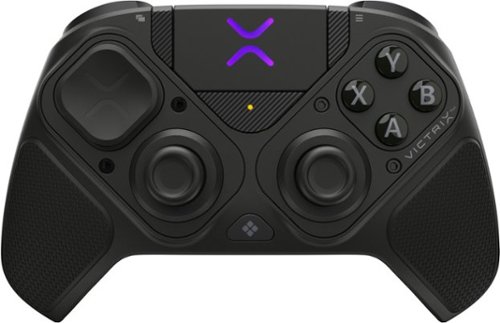
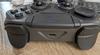
The Victrix Pro BFG Reloaded PC Controller is built for high performance on Windows 10/11 and Steam Deck. It features drift-free Hall-Effect modules, customizable with eleven interchangeable components including thumbsticks, D-pads, and gates. A precision trackpad, mappable back buttons with keyboard and mouse emulation, and patented audio controls offers unique features only included with this controller. Patented 5-Stop Hall-Effect Clutch Triggers with Hair-Trigger mode enhances your response giving you the edge for victory. With both wired and wireless (up to 30 feet) options, and a premium build, the Pro BFG Reloaded delivers top-tier accuracy, control, and versatility for competitive gaming.
Customer Rating
4
Best controller ever, a few minor issues
on November 13, 2025
Posted by: psyclopps
I am very impressed with this gaming controller. It has definitely become the best controller on any system or platform I have ever used. The configuration options allow you to tailor it to your leisure allowing for controls which are better for fighting games, racing, FPS and so on.
First impressions:
Unboxing this device is a nice experience with premium packaging and loads of extras. The device is in a hard fabric case along with all the tools and various sticks you might need to customize it to your liking. There is a very nice, braided USB-A to USB-C cable which you can use for charging or a low latency connection. The USB A dongle is also in there and easy to set up, just be sure to flip the switch on the controller to the appropriate connection type.
Unboxing this device is a nice experience with premium packaging and loads of extras. The device is in a hard fabric case along with all the tools and various sticks you might need to customize it to your liking. There is a very nice, braided USB-A to USB-C cable which you can use for charging or a low latency connection. The USB A dongle is also in there and easy to set up, just be sure to flip the switch on the controller to the appropriate connection type.
Customization:
There is a small hex tool in the case to allow for removal, replacement and reconfiguration of buttons. If you only wish to change out a thumb pad or stick, you will not need the screwdriver for that as you can simply pull and replace. If you want to change out the stick base, or the stick orientation (for example to have the left thumb stick on top like an Xbox or on bottom like a PlayStation).
There is a small hex tool in the case to allow for removal, replacement and reconfiguration of buttons. If you only wish to change out a thumb pad or stick, you will not need the screwdriver for that as you can simply pull and replace. If you want to change out the stick base, or the stick orientation (for example to have the left thumb stick on top like an Xbox or on bottom like a PlayStation).
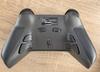
The back of the device has loads of extra buttons you can customize to your leisure using the Virtix Control Hub software. I was impressed by the “clutch” for the triggers. To adjust your trigger to the appropriate depth, you hold the clutch switch, pull a trigger to your desired level and release the clutch. I believe there are five levels for this. I highly recommend you check out the Pro BFG quick setup guide available on the Turtle Beach website as it will walk you through every detail on what the device can do.
Gaming:
The sticks, pads and buttons on the front and top of the device are pure perfection once set up for your tastes. I had a blast testing this out on Starfield, HALO Infinite, Killer Instinct, COD Black Ops 6 and Overwatch.
The sticks, pads and buttons on the front and top of the device are pure perfection once set up for your tastes. I had a blast testing this out on Starfield, HALO Infinite, Killer Instinct, COD Black Ops 6 and Overwatch.
A really cool feature is that you can use the center area as a track pad for your PC. This could be helpful in various menus or on smaller computer form factors. It even works with two fingers for scrolling.
Actions on the sticks are very precious but take some getting used to as I found the controller to be somewhat stiff. The grips on the sides feel to be textured rubber and the rest of the controller is high quality plastic.
The only issues I came across in gaming is that the menu buttons on the front are somewhat small and out of the way. This is good if you don’t want to accidentally press them, but it is annoying to find them when you need them. Also, the custom rear buttons are somewhat too easy to press in a FPS. As a result, I often disabled the inputs in the software and only had them enabled when playing an RPG where I might need extra inputs. A hardcore gamer might find better use for these though, but I do wish they were harder to press or extended further out to prevent accidental input.
I would recommend this to a friend!



Share this review:


+2points
2of 2voted this as helpful.
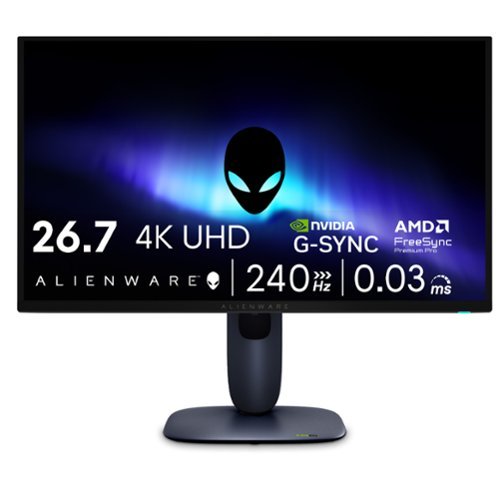
Meet our first 27" 4K QD-OLED Gaming Monitor. Experience ultimate visual fidelity and peak QD-OLED performance in a sleek 27" panel. Immerse yourself in new worlds with the world's highest pixel density in a QD-OLED monitor at 166 PPI* with 4K resolution, incredible color accuracy and Dolby Vision HDR.
Customer Rating

5
Amazing for work and play
on November 9, 2025
Posted by: psyclopps
This has been a great, reasonably sized monitor for both work and play. I enjoy the fast refresh rate, OLED blacks and color accuracy for gaming while I love the 4K resolution, connectivity and monitor brightness for work.
Pros:
- Size
- QD-OLED
- Refresh rate
- Dolby Vision support
- Portrait mode
- Size
- QD-OLED
- Refresh rate
- Dolby Vision support
- Portrait mode
Cons:
- Plastic non-premium build
- Wobbles while typing
- No auto-rotate (that I could find)
- Plastic non-premium build
- Wobbles while typing
- No auto-rotate (that I could find)
Unboxing:
Upon first impression. I was surprised that the monitor is not all black as stated in the description. Most of the monitor is black, but the rear central portion is more of a midnight blue. I captured this in a picture for this review, it is fairly obvious in sunlight. Overall, it is not a huge issue unless you are not a fan of any color in the monitor frame.
Upon first impression. I was surprised that the monitor is not all black as stated in the description. Most of the monitor is black, but the rear central portion is more of a midnight blue. I captured this in a picture for this review, it is fairly obvious in sunlight. Overall, it is not a huge issue unless you are not a fan of any color in the monitor frame.
The material is pretty much all plastic with only two buttons, a power button on the bottom right and a control stick/button in the middle. The two lights are the Alienware logo in the back and the power button on the bottom. Both can be configured with effects and colors within the Alienware Command Center application.
Setup is very easy with just a power plug and a video input required (HDMI 2.1 or DP 1.4). I do recommend you install the optional USB cable to your PC for the ability to update the monitor firmware and customize monitor settings and colors.
Of random note, there is a pretty nice microfiber cloth that comes with the device that feels more like a thicker material but works very well. Nice touch.
Gaming:
Outstanding. I am a huge fan of high refresh rate monitors but even 240 Hz is overkill for me with my limitation of a RTX 3070. I did a lot of testing in Overwatch 2 at 1440P to get about 180 Hz. The game is buttery smooth with not a single frame drop. The monitor supports G-Synch and AMD Freesync to ensure no issues there. Response time is amazing at .03 ms gray-to-gray (GTG).
Outstanding. I am a huge fan of high refresh rate monitors but even 240 Hz is overkill for me with my limitation of a RTX 3070. I did a lot of testing in Overwatch 2 at 1440P to get about 180 Hz. The game is buttery smooth with not a single frame drop. The monitor supports G-Synch and AMD Freesync to ensure no issues there. Response time is amazing at .03 ms gray-to-gray (GTG).
Playing something which ran at a bit lower frame rate and had lots of dark areas in some missions is COD Black Ops 6, the OLED shines here with everything being easy to see. With lower frame rates in some areas, there is still no tearing with G-Sync.
The screen is also anti-reflective to add to the immersion by reducing reflections in most scenarios.
Work:
I do various programming tasks and documentation so the high refresh rate and 4k resolution is very easy on the eyes. Text appears extremely crisp here with long sessions causing no eye strain. You likely would be good with a 120hz setting for work since 240hz is highly overkill here, but it is up to the user of course.
I do various programming tasks and documentation so the high refresh rate and 4k resolution is very easy on the eyes. Text appears extremely crisp here with long sessions causing no eye strain. You likely would be good with a 120hz setting for work since 240hz is highly overkill here, but it is up to the user of course.
The best feature is that the monitor can rotate 90 degrees for portrait viewing. This is a killer feature for any productivity, especially as a second monitor for document viewing and programing.
The only downside to this monitor I could find for work is the monitor tends to wobble a bit when typing
Connectivity:
There are plenty of options here. As mentioned earlier, I recommend you hook up the USB cable to the PC to both enable setting updates from the PC and opens the USB port options. There are two HDMI 2.1 ports, one of which supports ARC/eARC which is handy if needed. The DP port is ideal for most users in my opinion, but both options support slightly different features. Per Dell, the DP supports 4K resolution, 240 Hz, DSC and HDR. But, you might want to use HDMI if you need 4K, HDR, Display Stream Compression (DSC), Variable Refresh Rate (VRR), Fixed Rate Link (FRL). Additionally, the one with eARC also supports Dolby Atmos passthrough.
There are plenty of options here. As mentioned earlier, I recommend you hook up the USB cable to the PC to both enable setting updates from the PC and opens the USB port options. There are two HDMI 2.1 ports, one of which supports ARC/eARC which is handy if needed. The DP port is ideal for most users in my opinion, but both options support slightly different features. Per Dell, the DP supports 4K resolution, 240 Hz, DSC and HDR. But, you might want to use HDMI if you need 4K, HDR, Display Stream Compression (DSC), Variable Refresh Rate (VRR), Fixed Rate Link (FRL). Additionally, the one with eARC also supports Dolby Atmos passthrough.
The 5Gbps USB-B port to PC enables access to 3 USB-A ports at 5Gbps and 1 USB-C port at 5Gbps with Power Delivery (PD) at 15W if you want to charge a phone. One USB-A port and the USB-C port on the front lower left of the monitor.
I would recommend this to a friend!






Share this review:


0points
0of 0voted this as helpful.
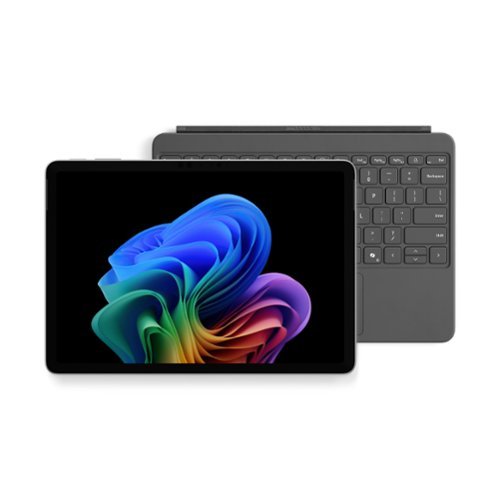
Use the new Surface Pro 12~, a Copilot+ PC, as a powerful tablet with an intuitive touchscreen, touch, voice, and Surface Slim Pen [3] to bring ideas to life, or attach the Surface Pro 12~ Keyboard for a full Windows laptop experience [3]. With built~in AI features, seamless integration across the Windows ecosystem, and an ultra~thin, lightweight design, Surface Pro gives you the freedom and versatility designed for creativity, efficiency and mobility to go beyond what you thought possible.
Customer Rating
5
Great for those on the go & entertainment.
on November 6, 2025
Posted by: psyclopps
This tablet/PC is great for a road warrior or anyone who has simple work and school needs with the option to use it as a tablet or full-blown PC. The upgraded form factor is much easier to hold and runs extremely quiet with great performance and battery life due to not having a fan and utilizing the Snapdragon X Plus processor. It is a portable beast!
Pros:
- Size
- Weight
- Performance
- Display
- Keyboard
- Battery life (DAYS!)
- Size
- Weight
- Performance
- Display
- Keyboard
- Battery life (DAYS!)
Cons:
- No included AC adaptor (Microsoft recommends 27W or higher)
- Non-upgradable
- Only two speakers for landscape
- No included AC adaptor (Microsoft recommends 27W or higher)
- Non-upgradable
- Only two speakers for landscape
First impressions:
Unboxing a surface device is always a premium experience with great packaging and attention to detail. The box comes with the laptop, a keyboard, warranty info, and a USB-C keyboard. If you want the surface pen, it is sold separately.
Unboxing a surface device is always a premium experience with great packaging and attention to detail. The box comes with the laptop, a keyboard, warranty info, and a USB-C keyboard. If you want the surface pen, it is sold separately.
The build quality is premium with what feels like an all-metal design, no fans for a slim form factor and weight reduction. The front has larger bezels than previous surface devices, but this is good since it makes holding it easier as a tablet.
Daily use:
I use my device as a tablet and a laptop. For typing, web browsing, media consumption, office or school tasks, this is the perfect device as it can handle so many things while staying cool. The Snapdragon X Plus is not Qualcomm’s fastest processor, but it still performs extremely well in everything except the toughest of tasks. Hard drive speeds and memory speeds & capacity are sufficient for most tasks.
Using it as a tablet, it is perfect as it is very light and slim. The surface pen now attaches to the back which provides easy access without the keyboard. Typing with the on-screen keyboard takes some getting used to but you can keep it full screen or minimize it for one handed use.
The battery will last for days with regular use. Performance takes little to no hit on battery mode. Keep in mind it only charges via USB-C (27W or higher) as there is no surface port this time around.
I use my device as a tablet and a laptop. For typing, web browsing, media consumption, office or school tasks, this is the perfect device as it can handle so many things while staying cool. The Snapdragon X Plus is not Qualcomm’s fastest processor, but it still performs extremely well in everything except the toughest of tasks. Hard drive speeds and memory speeds & capacity are sufficient for most tasks.
Using it as a tablet, it is perfect as it is very light and slim. The surface pen now attaches to the back which provides easy access without the keyboard. Typing with the on-screen keyboard takes some getting used to but you can keep it full screen or minimize it for one handed use.
The battery will last for days with regular use. Performance takes little to no hit on battery mode. Keep in mind it only charges via USB-C (27W or higher) as there is no surface port this time around.
The NPU in the Snapdragon chips allow for AI enhancements like extra camera settings and Windows Recall. If you use a lot of video calling, the AI enhancements like eye contact, automatic framing and background blur are welcome as they do not affect CPU performance or require a high end GPU.
Performance:
All benchmarks I utilized were taken on battery on the performance setting, the tablet never heated up in the process.
All benchmarks I utilized were taken on battery on the performance setting, the tablet never heated up in the process.
- Speedometer 3.1 web benchmark: 31.8
- CrystalDiskMark: Read 3868.10 MB/s Write 672.73 MB/s
- Steel Nomad Light: 1080
- Geekbench 6 CPU: Single core 2222 / Multi-core 10115
- Geekbench 6 GPU OpenCL: 9570
- Geekbench AI Onyx CPU: Single 1588 / Half 2706 / Quantized 5900
- CrystalDiskMark: Read 3868.10 MB/s Write 672.73 MB/s
- Steel Nomad Light: 1080
- Geekbench 6 CPU: Single core 2222 / Multi-core 10115
- Geekbench 6 GPU OpenCL: 9570
- Geekbench AI Onyx CPU: Single 1588 / Half 2706 / Quantized 5900
Write speeds are somewhat low but nothing to worry about as I experienced no issues in daily use. RAM is plenty speedy and 16GB is more than enough for a tablet. I would not use this for anything that needs high end graphics, video editing or heady duty programming (though I do program on it for simple Python programs with Visual Studio Code).
Display:
I was concerned about the use of an LCD for the screen, but it is a very good LCD which I have no complaints about. The refresh rate is great at 90hz as is the refresh time with fast moving objects like the mouse cursor with no ghosting. Colors appear to be accurate, and it is very bright. I originally saw a demo unit at Best Buy and the screen looked very bad and hazy. My concern is not applicable as my actual unit has none of that issue and I assume it was just film from what the store might have cleaned the screen with (and maybe damaged the glass). If you see this, ask to see if they have a newer demo unit to see. I am unable to see any pixels at close distance.
I was concerned about the use of an LCD for the screen, but it is a very good LCD which I have no complaints about. The refresh rate is great at 90hz as is the refresh time with fast moving objects like the mouse cursor with no ghosting. Colors appear to be accurate, and it is very bright. I originally saw a demo unit at Best Buy and the screen looked very bad and hazy. My concern is not applicable as my actual unit has none of that issue and I assume it was just film from what the store might have cleaned the screen with (and maybe damaged the glass). If you see this, ask to see if they have a newer demo unit to see. I am unable to see any pixels at close distance.
Compatibility:
A common concern with the Snapdragon X series is ARM compatibility. As the processor has been out for a while now, it is mostly a non-concern in most instances. The only issue I have personally come across is SQL databases as there are none with wide support and only lesser known or 3rd party ones that work well on ARM for Windows. Also Virtual machines are somewhat hard to use with ARM. Otherwise, all my programming tools work fine as does pretty much everything else. If you go into Task Manager and click to the “details” menu, you can sort your apps by Architecture. In my example, I only have dllhost.exe, Steam and a few minor services running on x86/x64. Everything else including 1Password, Chrome, Firefox, Office, Visual Studio Code and pretty much every other service and process is running on Arm64.
A common concern with the Snapdragon X series is ARM compatibility. As the processor has been out for a while now, it is mostly a non-concern in most instances. The only issue I have personally come across is SQL databases as there are none with wide support and only lesser known or 3rd party ones that work well on ARM for Windows. Also Virtual machines are somewhat hard to use with ARM. Otherwise, all my programming tools work fine as does pretty much everything else. If you go into Task Manager and click to the “details” menu, you can sort your apps by Architecture. In my example, I only have dllhost.exe, Steam and a few minor services running on x86/x64. Everything else including 1Password, Chrome, Firefox, Office, Visual Studio Code and pretty much every other service and process is running on Arm64.
Speakers:
There are only two speakers, but they are very loud and clear. They are great for music and videos. They are oriented towards landscape positioning and are more than adequate, though I would like additional speakers for portrait stereo.
There are only two speakers, but they are very loud and clear. They are great for music and videos. They are oriented towards landscape positioning and are more than adequate, though I would like additional speakers for portrait stereo.
Keyboard:
The keyboard is great overall. It is backlit and precise for typing this review. The layout is not too cramped as the Surface is widescreen 3:2 allowing the keyboard to spread out sufficiently. The trackpad is diving board style, but it is precise as well. I do wish you could adjust the keyboard to make it not flat and prop it up closer to the screen like past Microsoft Surface keyboards have done.
The keyboard is great overall. It is backlit and precise for typing this review. The layout is not too cramped as the Surface is widescreen 3:2 allowing the keyboard to spread out sufficiently. The trackpad is diving board style, but it is precise as well. I do wish you could adjust the keyboard to make it not flat and prop it up closer to the screen like past Microsoft Surface keyboards have done.
Upgradability:
None. There is no ability to upgrade storage or RAM so make sure to get the capacity you need. This model I am reviewing is the 256GB model which is fine for my use as an entertainment device and light work device. I would not be running any large databases for programming on it or storing all my important documents on it though as recovery might be difficult with the non-removable SSD.
None. There is no ability to upgrade storage or RAM so make sure to get the capacity you need. This model I am reviewing is the 256GB model which is fine for my use as an entertainment device and light work device. I would not be running any large databases for programming on it or storing all my important documents on it though as recovery might be difficult with the non-removable SSD.
I would recommend this to a friend!






Share this review:


0points
0of 0voted this as helpful.
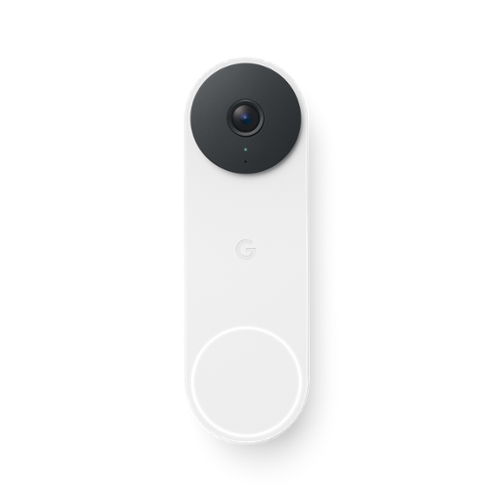
Meet the smarter, sharper wired Nest Doorbell with 2K video and Gemini. Get more peace of mind about the things that matter with the intelligence of Google Home. It provides more details, summarizes what happened, and lets you search video history simply by asking for something.~,~,~
Customer Rating
5
Amazing video quality and style
on October 24, 2025
Posted by: psyclopps
This is a worthy purchase or upgrade for anyone who wants a great front doorbell or would like an upgrade from a previous version. Quality is vastly improved, and reliability is great. Additionally, if you have a Google One subscription, it comes with Google Home Premium included with 30 days of video history and automations.
Setup:
The Google Home app walks you through the fairly easy process. Unless you get it professionally installed, you will need a tiny bit of DIY and electrical knowhow. First, secure power to the doorbell and chime. Hook up the chime to the adapter, install the doorbell (I used a drill for stucco to accommodate the anchors) and turn power back on. The app has a great in-depth video which walks you through every step of the process and also has each step demonstrated in the setup screens. Once paired you will use the Google Home app to interface with the device.
The Google Home app walks you through the fairly easy process. Unless you get it professionally installed, you will need a tiny bit of DIY and electrical knowhow. First, secure power to the doorbell and chime. Hook up the chime to the adapter, install the doorbell (I used a drill for stucco to accommodate the anchors) and turn power back on. The app has a great in-depth video which walks you through every step of the process and also has each step demonstrated in the setup screens. Once paired you will use the Google Home app to interface with the device.
I recommend turning on face recognition so you can identify known faces which can assist with your notifications and Gemini reports.
My device connected via 5GHz which I preferred over 2.4GHz for better bandwidth for 2k HDR videos.
Features and compatibility:
The app appears to be compatible with the Google Home app (Android & iOS) and Alexa (Android and iOS). Previous models were compatible with Samsung SmartThings, but I can’t seem to connect this model with it unfortunately. I also do not see any HomeKit support baked in at this time.
The app appears to be compatible with the Google Home app (Android & iOS) and Alexa (Android and iOS). Previous models were compatible with Samsung SmartThings, but I can’t seem to connect this model with it unfortunately. I also do not see any HomeKit support baked in at this time.
If you have any Google Home displays or Alexa displays, they will display your doorbell anytime someone rings the doorbell which is a great feature. Additionally, if you have a Pixel watch on your Android phone, you will also get a quick feed. This also works with Google TV devices.
Gemini can also interface with Nest devices to give you a summary of what happened that day if you ask it. For example, it will say “there were three people knocking but left, additionally two packages were left on your porch.”
Automations can be used through the Google Home app to have various presets and settings used when you come home or leave.
Zones are reported so you can have the device only provide notifications in certain areas to reduce too many notifications from coming in.
Video / audio quality:
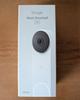
I would describe this as outstanding overall. Video comes in at 2K HDR for plenty of details and better handling of light and dark (especially with the Sun). During the day, details are very crisp. I attached two night photos, one with lights and one without lights (infrared on). Both allow me to see cats and foxes running around at night with ease. You can download previous video events as needed in the app if needed as well as communicate with people ringing the bell. You can use simple prerecorded messages such as “I am not home” for example or use the two-way voice comms.
I would describe this as outstanding overall. Video comes in at 2K HDR for plenty of details and better handling of light and dark (especially with the Sun). During the day, details are very crisp. I attached two night photos, one with lights and one without lights (infrared on). Both allow me to see cats and foxes running around at night with ease. You can download previous video events as needed in the app if needed as well as communicate with people ringing the bell. You can use simple prerecorded messages such as “I am not home” for example or use the two-way voice comms.
The field of view is 166 degrees with a square recording. It is great for getting most of your porch.
I would recommend this to a friend!





Share this review:


0points
0of 0voted this as helpful.
MX Master 4 for Mac Wireless Ergonomic Mouse with Advanced Performance Haptic Feedback
Posted by: psyclopps
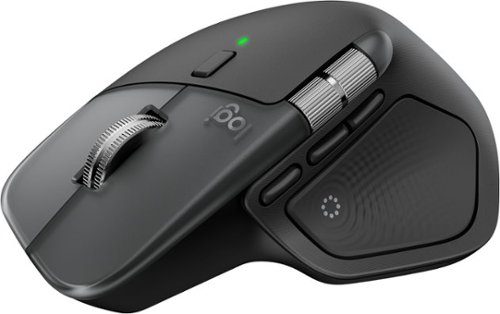
This is a pretty amazing mouse. It likely has some features that most people will never need but add some wow factor (haptics). If you can train yourself to use all the features, this can be one great mouse for power users.
Pros:
- Ergonomics
- Style
- Haptics
- Button options
- Customizability
- Ergonomics
- Style
- Haptics
- Button options
- Customizability
Cons:
- Almost too many features!
- No Unifying receiver included
- Almost too many features!
- No Unifying receiver included
Setup:
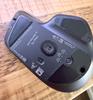
As this mouse does not come with a unifying receiver, which I found weird for it being their flagship mouse, you will need to set it up via bluetooth unless you have a unifying receiver already. This is not hard at all, just pick your device assignment on the bottom of the mouse (1, 2, or 3) and use the bluetooth pairing on your Mac or PC (it will work fine with both even though it is the “For Mac” version). You are not required to download any software but I do recommend you download the Logi Options+ software if you want full customizability, firmware updates and more.
As this mouse does not come with a unifying receiver, which I found weird for it being their flagship mouse, you will need to set it up via bluetooth unless you have a unifying receiver already. This is not hard at all, just pick your device assignment on the bottom of the mouse (1, 2, or 3) and use the bluetooth pairing on your Mac or PC (it will work fine with both even though it is the “For Mac” version). You are not required to download any software but I do recommend you download the Logi Options+ software if you want full customizability, firmware updates and more.
Usage:
I tested this mouse out with my Mac Mini M1. It worked great with no issues. I had my options set up to default settings most of the review period. I have a 49” Ultrawide Monitor but I found 1200 DPI to be the best for getting around this large monitor without being too fast or slow. It can go up to 8000 DPI if you wish though.
I tested this mouse out with my Mac Mini M1. It worked great with no issues. I had my options set up to default settings most of the review period. I have a 49” Ultrawide Monitor but I found 1200 DPI to be the best for getting around this large monitor without being too fast or slow. It can go up to 8000 DPI if you wish though.
I loved the high quality movement and feel of all the buttons and the horizontal/vertical scroll wheels. You can switch the vertical wheel to smooth or a more intermittent scrolling feel. The horizontal wheel is perfect for books, websites and magazines and is a good replacement for touch scrolling on a trackpad. The buttons all operate quietly and have a great feel.
The coolest features are also the ones you might need to find a use case for which is haptics and the Haptic Sense Panel button. When you press it, it will show a ring of options depending on the program you are running and how you customized it. Some options might include screenshots, finder, AI rephrase, notes, play/pause, emojis. In zoom it can include shortcuts such as video on/off, mic on/off, raise hand and so on. You can customize these in the Logi Options+ software. The shortcuts work very well but take a lot of getting used to since I am used to just doing it the way I know how already and had to retrain my brain to use the shortcuts. It can be quicker if you know what is on the menu.
The haptics are amazing and feel as good as what you might find in an iPhone or a Google Pixel. They only work in the shortcuts menus as far as I can tell and haven’t found any other use for it yet but it has potential. Supposedly it should be able to be used with feedback on scrolling, snapping onto grids, switching desktops and so on but I have not noticed it anywhere outside of built-in Logitech menu items as I assume it needs to be integrated via APIs into other software by 3rd parties. I can see a lot of use for this for creatives with the menu and haptics in editing software.
Build quality:
Premium… that is the best way to describe this mouse. Every item on here is high quality rubber, metal or plastic. It has a heavy weight which helps with the ergonomics and movement while still gliding easily.
Premium… that is the best way to describe this mouse. Every item on here is high quality rubber, metal or plastic. It has a heavy weight which helps with the ergonomics and movement while still gliding easily.
Battery:
I received mine with a 50% charge. I have yet to charge it and have used it for 3-4 days so far and it still shows at 50%. I assume it will last a very good while with its included 650 mAh battery, but Logitech quotes it at 70 days of use on their website. Charging is via USB-C.
I received mine with a 50% charge. I have yet to charge it and have used it for 3-4 days so far and it still shows at 50%. I assume it will last a very good while with its included 650 mAh battery, but Logitech quotes it at 70 days of use on their website. Charging is via USB-C.
I would recommend this to a friend!



Share this review:


0points
0of 0voted this as helpful.
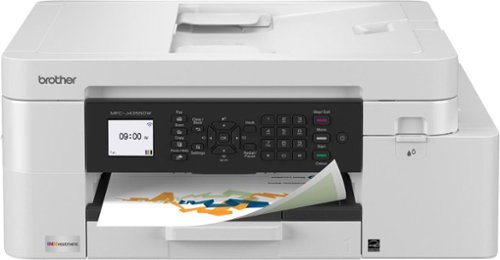
The INKvestment 4355 Wireless Color Inkjet All-in-One Printer takes productivity to the next level. An easy-to-use 1.8~ color display provides streamlined functionality, with the ability to connect directly to popular Cloud apps(1). Enhance your workflow with the included 150-sheet paper tray(2), 20-sheet single-sided automatic document feeder (ADF) (2), one-sheet manual feed slot(2), and automatic duplex (2-sided) printing. Get things done efficiently with advanced print speeds, Wi-Fi Direct, and multiple connectivity options. Plus, the convenience to complete your work wherever you go ~ you can print directly from your mobile device from virtually anywhere with the Brother Mobile Connect app(3). Produce beautiful prints in vibrant color and bold blacks at fast print speeds with LC506 Brother Genuine Ink cartridges ~ the only brand we recommend for your Brother printer.
Customer Rating
4
Good for home and small office, great prints
on September 24, 2025
Posted by: psyclopps
This has been a great printer in testing. As a multi-function printer, it does its job well for a home or small office. It hits all of my requirements which are great print quality, a duplexer, top loading scanner, and various connectivity options.
Setup:
This could be a bit simpler. To get the printer set up you will need to scan a QR code, hook up to the printer Wi-Fi, then set up the Wi-Fi network. After this, you need to align print heads and update firmware as needed. It does not sound like many steps but it feels clunky as you use the arrows on the printer to acknowledge menu options. It just feels like it could be a simpler route to do this. Otherwise it all worked well with the first test prints looking nice.
This could be a bit simpler. To get the printer set up you will need to scan a QR code, hook up to the printer Wi-Fi, then set up the Wi-Fi network. After this, you need to align print heads and update firmware as needed. It does not sound like many steps but it feels clunky as you use the arrows on the printer to acknowledge menu options. It just feels like it could be a simpler route to do this. Otherwise it all worked well with the first test prints looking nice.
I tested the setup of the software on my x86 Intel and ARM Snapdragon X Elite machines. The software installed fine on x86 but had issues installing the official software on ARM. Luckily the printer installed its own Windows drivers from the “devices” page on Windows settings and it was able to print with no issues.
Print quality:
I printed a few duplex color pages and some 4x6 photos to test the print quality. The regular duplex prints came out with very crisp text and uniform colors where needed at a good print speed. The photo print at “best” quality came out great with no banding in the colors whatsoever on glossy paper. This was using the default Windows print software, but there is Brother “iPrint and Scan” software available on the Brother website along with drivers and firmware tools if needed.
I printed a few duplex color pages and some 4x6 photos to test the print quality. The regular duplex prints came out with very crisp text and uniform colors where needed at a good print speed. The photo print at “best” quality came out great with no banding in the colors whatsoever on glossy paper. This was using the default Windows print software, but there is Brother “iPrint and Scan” software available on the Brother website along with drivers and firmware tools if needed.
Connectivity:
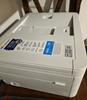
Wi-Fi is how I had my printer set up, though there is an Ethernet port, phone line and a weirdly placed USB B port which is underneath the top feeder (pictured). I assume this is not meant for normal connections with your computer for printing, but for isolated usage due to its awkward location.
Wi-Fi is how I had my printer set up, though there is an Ethernet port, phone line and a weirdly placed USB B port which is underneath the top feeder (pictured). I assume this is not meant for normal connections with your computer for printing, but for isolated usage due to its awkward location.
Ink: Included with the printer are CMY BK inks. After printing a few photos, I did not see any obvious decrease so I hope they last. They are very easy to install in the front right of the printer (pictured) and simply need to be shaken and pushed in their spot to install.
I would recommend this to a friend!





Share this review:


0points
0of 0voted this as helpful.
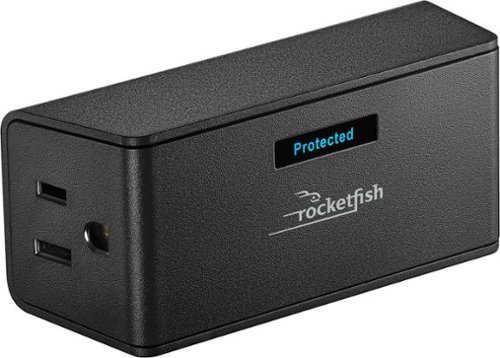
Safeguard your electronics and A/V equipment with this Rocketfish 2-Outlet Wall Tap 1,500 Joules Surge Protector. It delivers up to 1,500 joules of defense against power fluctuations and offers 40dB EMI/RFI noise filtering to ensure clean power. The sleek design fits into narrow spaces without blocking other outlets.
Customer Rating
4
Good for simple setups
on September 17, 2025
Posted by: psyclopps
Summary: This is an overall good device is you have important items which need surge protection. It does not add many outlets to your setup so don’t buy it for that reason.
It is a very easy device to use, simply plug it in and you will see the “protected” indicator glow showing you have 1500 joules of surge protection. It only has two outlets on either side so It is good for an area with little cabling, or perhaps for travel if you need it for that purpose.
The device feels durable and stays on the wall just fine with no droop after plugging it in. It is a good option for simple setups though I would have preferred at least one more outlet in front instead of an indicator, a simple LED would have been sufficient.
I am not fully sure who to recommend this for anyone other than travelers as you might be better off getting a unit which is a bit larger with more outlets for the house, but it is good at what it does and will protect a high value item in the event of a surge just fine.
No, I would not recommend this to a friend.

Share this review:


0points
0of 0voted this as helpful.
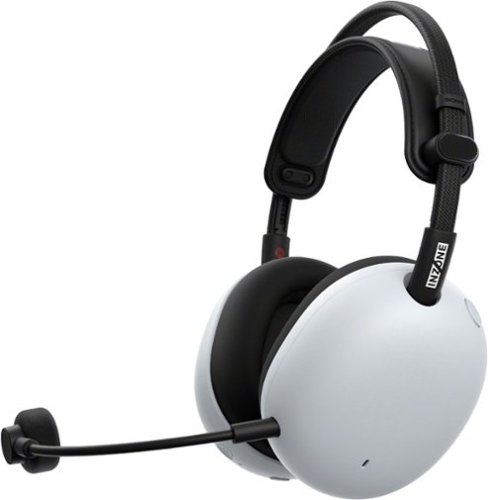
Sony - INZONE H9 II Wireless Noise Cancelling Gaming Headset for PC, PS5, Switch, and Mobile - White
Developed with Fnatic, the H9 II delivers pro-level clarity with carbon composite drivers and advanced noise Cancelling. At approx. 260g, it~s built for long play, with a boom mic that cuts ambient noise and dual wireless connectivity to keep game and chat in sync.
Customer Rating
5
Great for gaming or music, very comfortable
on September 17, 2025
Posted by: psyclopps
This has been a great set of headphones to try and they are my go-to for anything audio on the PC or PlayStation. They are comfortable, great quality and easy to use.
Pros:
- Audio quality
- Features
- Connectivity
- Comfort
- Audio quality
- Features
- Connectivity
- Comfort
Cons:
- Bulky
- Bulky
Setup:
To use at its best and ensure the firmware is fully updated, ensure to install the Sony Inzone Hub on the computer. This will update firmware on the dongle and headset if needed and allow you to control things like EQ.
To use at its best and ensure the firmware is fully updated, ensure to install the Sony Inzone Hub on the computer. This will update firmware on the dongle and headset if needed and allow you to control things like EQ.
To use it on the PC, you can use the included 3.5mm headphone jack for highest quality output or use the dongle (switch it to PC mode). There is no support for USB-C audio, it appears to only be for charging. If you intend to use it on your PlayStation, simply switch the dongle to “other” and plug it in. Next, if you want to use it on your phone, just pair it with Bluetooth.
Gaming:
I loved playing Overwatch 2, Destiny 2 and Borderlands 4 on this. Audio is clear and the surround effect is nicely reproduced with 7.1 audio. Noise cancelling is outstanding as it takes tech from their headphone lineup. The headphones have profiles for various audio including FPS games to enhance things like gun fire and footsteps to give you the best awareness. The mic is easy to control with a button on the top that is very tactile, though I would have preferred the ability to just put the boom in the up position to turn it off.
I loved playing Overwatch 2, Destiny 2 and Borderlands 4 on this. Audio is clear and the surround effect is nicely reproduced with 7.1 audio. Noise cancelling is outstanding as it takes tech from their headphone lineup. The headphones have profiles for various audio including FPS games to enhance things like gun fire and footsteps to give you the best awareness. The mic is easy to control with a button on the top that is very tactile, though I would have preferred the ability to just put the boom in the up position to turn it off.
Sound:
It is great for gaming but doubles as a pretty good music headset. In general I found the mids to be the worst area for music, but they are not bad, just worse than the bass and highs. Using the 3.5mm connection I was able to connect audio at 24bit 96kHz on my ROG Zephyrus G16 and 16bit 48kHz for the microphone. Using the dongle, everything was limited to 16bit 48kHz.
It is great for gaming but doubles as a pretty good music headset. In general I found the mids to be the worst area for music, but they are not bad, just worse than the bass and highs. Using the 3.5mm connection I was able to connect audio at 24bit 96kHz on my ROG Zephyrus G16 and 16bit 48kHz for the microphone. Using the dongle, everything was limited to 16bit 48kHz.
The boom can be easily removed for audio only listening.
Comfort:
I found these to be very comfortable for extended listening as the ear cups are fabric and have a memory foam feel. I am not sure if the ear cups can be replaced. The top band is easily adjustable with a button press so it is unlikely to slip in sizing while wearing.
I found these to be very comfortable for extended listening as the ear cups are fabric and have a memory foam feel. I am not sure if the ear cups can be replaced. The top band is easily adjustable with a button press so it is unlikely to slip in sizing while wearing.
I would recommend this to a friend!





Share this review:


+1point
1of 1voted this as helpful.
psyclopps's Review Comments

SynopsisThe last time the earth was ravaged, animals were saved two by two in a massive ark, peacefully sailing to a new beginning, or so the story goes. This time, we're not so lucky. With a massive asteroid hurtling toward the planet, a select few were chosen to inhabit modern-day arks ~ pods buried deep within the earth's core. You were chosen. You were buried alive. And you rose from the ground to face your worst nightmare. Hordes of mutants killing without a thought, bandit gangs wreaking havoc throughout the already defunct wasteland, a looming Authority seizing maniacal power and holding secrets ~ this is what remains of humanity. The world as you know it is gone, but if any world is to stand in its place, there's only one person left who can raise it up from the ashes ~ you. That is, if you can survive the Rage.Step up to the challenge and climb into the wasteland in the first-person shooter that flings you to the edge of the earth and the brink of extinction. Rage pits you against the odds in a desolate world in which you were selected for survival ~ just to face death at every turn. To redeem humanity, you must master a massive arsenal of exotic wingsticks, sentry bots, bomb cars and other powerful weapons and fearlessly wage war against the evil forces overtaking your planet. Fire through heart-pounding first-player shooting action, rip through the wasteland in high-octane vehicle chases and turn your car into your most deadly weapon ~ you have to play dirty if you want to live. Experience the mass decay with every painfully realistic detail with the id Tech 5 engine and Megatexture technology, firing at 60 frames per second to make you feel as if the world has crumbled around you. And when you take the battle online, the devastating action really does stretch around the world. You've survived the apocalypse. Now comes the real battle.
Overall 1 out of 5
1 out of 5Game was not tested properly
By skullboy88
from Los Angeles, CA
First of all the reason for such a low rating is that the game is not playable. Right out the box. Now, I have been building pc's for over 10 years and have sunk hundreds of dollars into my rig to play the most demanding games. And I do. The problem is that ID software sent out a game to the public that is not finished. Google, rage graphics problems and you will find a magnitude of arcticles about poor graphics bad drivers and other issues. AMD and Nvidia have been working for a driver patch but reports from many say they do not work to fix the tearing and poor rendering . People are paying $60.00 for a pc game. Dont you think it should work right away without having to wait for a patch?

psyclopps
San Diego, CA
Updates
October 14, 2011
To be fair, a patch has since been release which fixes many of these PC problems including better support for video cards and settings.
0points
0of 0voted this comment as helpful.
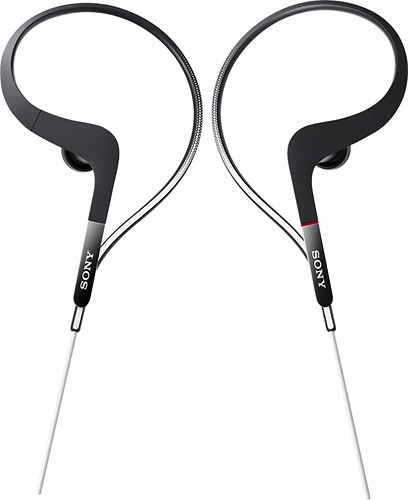
Rock out during your workout with these Sony Balanced Armature Sports XBAS65 earbud headphones that feature water-resistant housing with a waterproof film to stand up to sweat, rain and rinsing. Balanced Armature drivers deliver clear, detailed audio.
Overall2 out of 5
2 out of 5Horrid Sound
By DELienz
from Delaware
I had pair of Sony Headphones that I bought a few years ago for approx. $50 dollars... Sounded Amazing, but I recently ran then over with my car... Anyway bought these assuming the sound would be similar and also compensate for my only complaint with my other heardphones which was falling constantly out of my ear during workouts. Turns out these are more expensive but that sound terrible. Tried changing the setting on my IPOD and there is no overcoming the lack of bass. I am a auidiophile and I do listen to music a lot of double bass and drums so bass is something I must have in a headphone. If that's what you looking for don't buy these. I'm confident cheaper headphones with the same quality sound can be obtained so I would not recommend these to anyone...
psyclopps
San Diego, CA
Balanced Armature
June 28, 2012
Balanced Armature headphones are designed to sound like the original recording. Most headphones these days are "dynamic armature" which are designed kind of like a hardware equilizer where bass is usually most important. Any of these balanced armature headphones are aimed specifically at audiophiles as they repoduce very true to original sound with detailed mid ranges and highs.
+2points
2of 2voted this comment as helpful.
psyclopps's Questions
psyclopps has not submitted any questions.
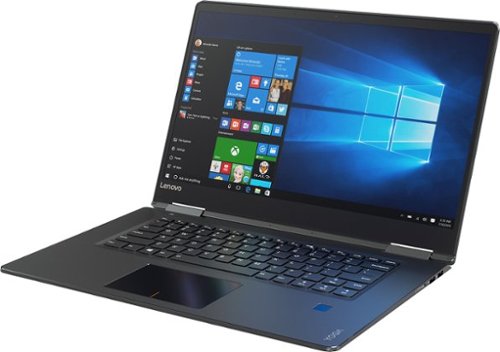
Lenovo Yoga 710 Convertible 2-in-1 Laptop: Take your work or play with you with this Lenovo Yoga convertible laptop. The Intel 7th Gen Core processor and Windows 10 Home operating system keep you moving through tasks quickly. An edgeless 15.6-inch UHD display lets you see intricate photo details when you view websites or downloaded media on this Lenovo Yoga convertible laptop.
Why is this computer so cheap with all these features?
Good question. The only areas I can see where they skimped out a bit are a bit in the trackpad and battery life. Everything else seems as advertised and it performs very well to match the specs. There is little to no bloatware installed. Lenovo is making some great stuff these days!
9 years, 8 months ago
by
psyclopps
Lenovo Yoga 710 Convertible 2-in-1 Laptop: Take your work or play with you with this Lenovo Yoga convertible laptop. The Intel 7th Gen Core processor and Windows 10 Home operating system keep you moving through tasks quickly. An edgeless 15.6-inch UHD display lets you see intricate photo details when you view websites or downloaded media on this Lenovo Yoga convertible laptop.
Does this model have a fingerprint scanner on it?
Yes it does, it uses Windows Hello fingerprint which is very fast and accurate.
9 years, 8 months ago
by
psyclopps

Simplify your everyday life with the Google Home, a voice-activated speaker powered by the Google Assistant. Use voice commands to enjoy music, get answers from Google and manage everyday tasks. Google Home is compatible with Android and iOS operating systems, and can control compatible smart devices such as Chromecast or Nest."
Can it read audible audiobook from amazon ?
Unless you have an app that can "cast" audio then the answer is no. Amazon is much more integrated with it's own Echo. I own both and Echo is much better for this task than the Google Home. From what I can tell, Audible apps do no throw audio to other Chromecast devices such as Google Home.
9 years, 9 months ago
by
psyclopps
Simplify your everyday life with the Google Home, a voice-activated speaker powered by the Google Assistant. Use voice commands to enjoy music, get answers from Google and manage everyday tasks. Google Home is compatible with Android and iOS operating systems, and can control compatible smart devices such as Chromecast or Nest."
Does the Google Home have to be set up with your cell phone provider?
No it does not, it is a wifi only device but works great with any phone or device that has google play music or youtube installed.
9 years, 9 months ago
by
psyclopps
Simplify your everyday life with the Google Home, a voice-activated speaker powered by the Google Assistant. Use voice commands to enjoy music, get answers from Google and manage everyday tasks. Google Home is compatible with Android and iOS operating systems, and can control compatible smart devices such as Chromecast or Nest."
Will it work with Samsung SmartThings?
According to Google, yes. It lists Smart things on the box and website.
9 years, 9 months ago
by
psyclopps
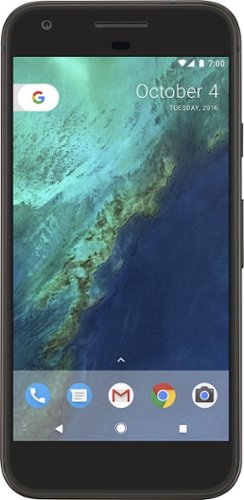
Bring the power of Google directly to your fingertips with the Google Pixel. A large 32GB of storage keep data secure, while unlimited cloud storage transfers data as needed, and it's completely automatic. The large 5-inch screen is protected by Corning Gorilla Glass 4 to ensure the Google Pixel remains scratch-free.
If I have T-Mobile, will this phone work with it, or is it just for Verizon?
I have tried my Verizon Pixel with my T-Mobile SIM card and it works perfect. The device is actually unlocked if you buy it outright. I had full LTE connectivity in the Seattle area on T-Mobiles network.
9 years, 9 months ago
by
psyclopps
Bring the power of Google directly to your fingertips with the Google Pixel. A large 32GB of storage keep data secure, while unlimited cloud storage transfers data as needed, and it's completely automatic. The large 5-inch screen is protected by Corning Gorilla Glass 4 to ensure the Google Pixel remains scratch-free.
Is this version of Google pixel phone a unlock version and will it work in a country like Malaysia ?
I am not sure if it will work in Malaysia but I have used this Verizon Pixel with my T-Mobile SIM card. It is unlocked but ensure you have paid off the device to ensure it is not stuck to Verizon through a contract.
9 years, 9 months ago
by
psyclopps
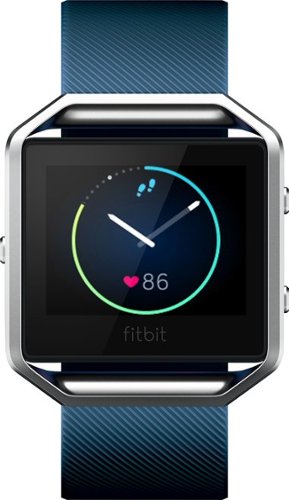
Get your own workout coach with the Fitbit Blaze in blue. PurePulse heart rate tracking ensures you reach optimal heart rate for maximum calories burned, and the all-day activity tracking notes every step you take, whether you're climbing stairs or running for a taxi. The Fitbit Blaze in blue even features sleep tracking and can wake you up each morning.
How does the GPS feature work?
It requires your phone to be within bluetooth distance (in your pocket). You press run, it syncs with the phone and the phone tracks your GPS distance while the fitbit tracks heart rate and steps
10 years, 2 months ago
by
psyclopps
Get your own workout coach with the Fitbit Blaze in blue. PurePulse heart rate tracking ensures you reach optimal heart rate for maximum calories burned, and the all-day activity tracking notes every step you take, whether you're climbing stairs or running for a taxi. The Fitbit Blaze in blue even features sleep tracking and can wake you up each morning.
does it let you know if you have a call coming in and if so how far away can the phone be from the fitbit
It does let you know if you are paired via bluetooth. As you are using bluetooth, you get the usual limitation of 30 feet or so from your phone.
10 years, 2 months ago
by
psyclopps
Get your own workout coach with the Fitbit Blaze in blue. PurePulse heart rate tracking ensures you reach optimal heart rate for maximum calories burned, and the all-day activity tracking notes every step you take, whether you're climbing stairs or running for a taxi. The Fitbit Blaze in blue even features sleep tracking and can wake you up each morning.
How do you tell how many steps that you have
Two ways you can tap until you see steps displayed or you can look at the ring around the time display. The ring is a graphical version of how many steps you have until your goal.
10 years, 2 months ago
by
psyclopps