


RalphHenry's stats
- Review count353
- Helpfulness votes470
- First reviewMay 28, 2015
- Last reviewMarch 28, 2026
- Featured reviews0
- Average rating4.9
- Review comment count24
- Helpfulness votes28
- First review commentMay 28, 2015
- Last review commentJune 30, 2017
- Featured review comments0
Questions
- Question count0
- Helpfulness votes0
- First questionNone
- Last questionNone
- Featured questions0
- Answer count61
- Helpfulness votes165
- First answerJune 30, 2015
- Last answerNovember 3, 2021
- Featured answers0
- Best answers10

The sleek, low-profile VANGUARD AIR 99 WIRELESS keyboard delivers exceptional performance across all aspects
of your life, making controlling everything seamless. Enhance productivity using Stream Deck integration and SD-keys
to streamline your daily tasks. Unleash serious gaming performance with ultra-responsive OPX low-profile optical
switches and 8,000Hz hyper-polling. With its elegant aluminum frame and brilliant LCD screen, it’ll be your stunning
new desktop centerpiece. Enjoy exceptional typing feel and acoustics with premium gasket mounting and 5-layer sound dampening. Connect how you want, where you want. Get tri-mode connectivity (2.4GHz, Bluetooth, and USB-C) and multiplatform compatibility with PC, Mac, console, and more.
Customer Rating

5
Refined Keyboard Provides Superior Experience
on March 28, 2026
Posted by: RalphHenry
This newest model Corsair keyboard hits all the right buttons for me. It has a solid build with an aluminum frame so my sometimes too ‘heavy handed’ actions didn’t affect it at all. I did like the RGB enhanced color combinations which I played around with a lot. This is a fun area to explore before you get down to more intense usage for games. In general the keyboard had a very smooth touch that worked great even outside of gaming for Powerpoint, Word and other day to day activities. I love the sound of the keystrokes, very calming in some way.
I did appreciate that I could create macros as well as customize lighting and even without adding additional software. I used the Corsair Web Hub (I used Chrome for my browser) but I did also download the iCue software. Corsair is far ahead of other keyboards with their customization capabilities.
I did try all three connection options including the Slipstream dongle, Bluetooth and wired via the included cable. In the end I preferred the wired connection which seemed faster. The 8,000Hz hyper-polling for super-fast inputs does work via wired or wireless but my sense of faster speed was still with the wired although it was close.
The touch of the keys is superb. The keys are very responsive with superior specifications and a nice sound as well as tactile feel. I quit using my other keyboards now. The 5-layer sound dampening is another build factor that does indeed reduce annoying sounds that can be heard (albeit subtle) with other keyboards, so the sound dampening does indeed work well. This feature could be overlooked but it is another example of the better build design, my tip of the cap to the engineers at Corsair – thanks.
I do highly recommend this excellent product that goes the extra mile to give you a more refined, effective and superior keyboard.
I would recommend this to a friend!
Share this review:


+1point
1of 1voted this as helpful.

Customer Rating
5
Much Cleaner Look with Soundbar on Wall
on March 24, 2026
Posted by: RalphHenry
This is a great product. It comes with two brackets that are lined with silicon which worked very well to avoid any noise vibrations. It also came with the hardware including screws and anchors to enable various installation options without going off to hunt for screws.
The brackets are very solid steel that slide to allow them to be easily sized to the depth of your soundbar. An installation tip is to preset the depth of the brackets by sliding to fit your soundbar and then tighten the screw on the bottom of the brackets before you install the brackets on the wall. My soundbar depth is 4.5 inches which fit fine since these brackets will accommodate a depth of 4.13 to 6.3 inches.
My soundbar is 36 inches wide and my studs were 24 inches on center. I chose to just attach the brackets to the wall studs using the center hole on each bracket. The brackets come well packaged and were in tip top condition. The brackets arrive with a very complete manual to show all types of installations. This is a well-done product, a tip of the cap to the folks who designed these little brackets.
They look great and my audio is far better from my soundbar than before when it sat on my TV stand. Also the stand looks cleaner. Just took 10 minutes to install the brackets to the wall (see photos).
I would highly recommend these brackets for the improved spatial sound, smoother appearance and ease of installation.
The brackets are very solid steel that slide to allow them to be easily sized to the depth of your soundbar. An installation tip is to preset the depth of the brackets by sliding to fit your soundbar and then tighten the screw on the bottom of the brackets before you install the brackets on the wall. My soundbar depth is 4.5 inches which fit fine since these brackets will accommodate a depth of 4.13 to 6.3 inches.
My soundbar is 36 inches wide and my studs were 24 inches on center. I chose to just attach the brackets to the wall studs using the center hole on each bracket. The brackets come well packaged and were in tip top condition. The brackets arrive with a very complete manual to show all types of installations. This is a well-done product, a tip of the cap to the folks who designed these little brackets.
They look great and my audio is far better from my soundbar than before when it sat on my TV stand. Also the stand looks cleaner. Just took 10 minutes to install the brackets to the wall (see photos).
I would highly recommend these brackets for the improved spatial sound, smoother appearance and ease of installation.
I would recommend this to a friend!


Share this review:


0points
0of 0voted this as helpful.
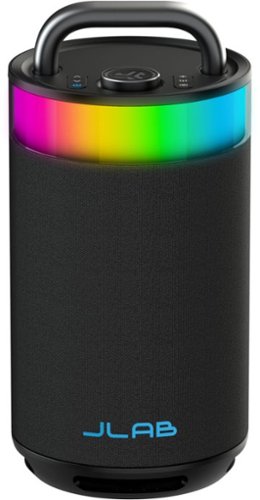
Crank up the volume and make your next celebration EPIC. The Epic Party Speaker delivers 100 watts of room-filling, 360-degree sound and customizable RGB lighting to match the vibe.
Customer Rating
5
Crystal Clear High Volume with Dancing Lights
on March 21, 2026
Posted by: RalphHenry
This Bluetooth speaker is awesome. The build quality is outstanding as the unit is extremely solid. The large handle is important as this is a very heavy unit due to the device's structure which allows the impressive bass capabilities and no fuzzy noise problems from vibration. The booming sound is crystal clear.
I was able to easily pair the unit with a few different brands of TV's as well as my cell phone. The pairing process is immediate and a voice tracks your pairing progress.
The JLAB app is a must since it provides easy controls to dial in your preferences for lighting and equalization including bass settings. There is a knob on the unit to make it easy to adjust volume levels as well.
The device can handle very loud audio with no distortion. You can also use the app to choose color patterns to add a lot of fun while you listen.
The device can contain a charge to play for over 16 hours but this drops to 14 hours if you use the lighting effects. There is even a unique USB-C output port that can be used to charge your phone. A 1/4 inch microphone jack is also on the unit so you can use it for a PA system. You can utilize the 'Labsync' capabilities to connect up to 100 speakers together for a large party.
I highly recommend this large 100 watt five-speaker unit that also includes a passive subwoofer as well as the customizable lights.
I would recommend this to a friend!
Share this review:


0points
0of 0voted this as helpful.
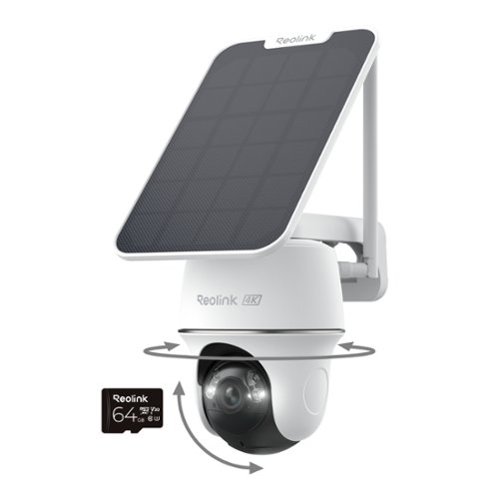
The Reolink Argus PT Ultra B440 4K 8MP Solar Wireless Wi-Fi Pan and Tilt Security Camera is ideal when you need full coverage of large outdoor areas - but don't have an electrical outlet. When Auto-Tracking is enabled, this battery security camera will "follow" people, animals and vehicles automatically. You can also use your Reolink smartphone app to move the camera manually in a full range of motion. 4K ultra-high definition (8-megapixel) resolution means your footage is crisp and un-pixelated - even when zoomed in on faces or license plates! Person/Vehicle/Animal detection algorithms greatly reduce false alerts. Trail camera records locally to an included 64GB SD card (up to 512GB max). Mount camera and solar panel to outdoor walls, ceilings, eaves or even trees. Perfect for light-commercial and residential properties with reliable Wi-Fi.
Customer Rating
5
Outstanding Video Resolution, Smooth Operation
on February 24, 2026
Posted by: RalphHenry
The Reolink 4K 8MP pan tilt camera is a very well-designed product. Materials and workmanship for the unit are top notch. The Start Up Guide has some mistakes, but it is easy enough to overcome these problems. The first problem was where to install the micro SD card which is included. The guide uses super miniature print to show a tiny footnote that says you need to rotate the camera lens to find the SD card slot – the solution is to make this footnote part of the description of the SD card location in the same font. The other problem is the Initial Set Up doesn’t work when you scan the QR code using the app. The link that comes up goes nowhere useful. The workaround is to enter the number beneath the QR code which the app does let you input manually. Connection to wireless went smoothly. You can use 2.4 GHz or 5.0 GHz access points.
Once setup the camera operated flawlessly with pan and tilt operations very smooth. Also the night vision infrared worked better than any of my other security cameras – tip of the cap to the Reolink engineers for getting the night vision optimal. The resolution of the video is super sharp, very nice color for daytime. This unit includes a spotlight which is terrific. You can turn the spot light on and off in the app – just touch the little flashlight to turn on and off again. You can charge the camera with a solar panel which I used. You can also charge it with a normal 5v charging system. I do notice that the camera is very well designed to guard against rain or dust. My unit came with the solar panel. The solar panel installation and connection are also covered very well in the Setup Guide.
A sun icon next to the battery percentage (in settings) means the solar panel is connected and charging. The PTZ icon is where you pan/tilt. Also I must mention the unit comes with a very nice long USB-C to USB-C extension for running to the camera once installed if you like for constant charging if you don't have the solar panel. You can enable notifications to warn you of low battery and also to give you notifications when motion is detected. The Reolink folks have a produced a very complete product with all screws and brackets to mount. I used the wall mount and attached the solar panel to the top (see photo).
I did find the on/off button to be very responsive, and the device sings a different short tune when coming on or shutting off. This is a small detail but appreciated greatly during setup and installation outside. The Setup Guide does include the physical installation of the camera with tips on how to optimize your installation. This includes the installation choices for wall mounting, ceiling mounting or strap mounting. Don’t forget at this step to attach the antenna which I had taken off to ensure ease of installation. All the needed brackets and screws are included – another nice job by the product engineers at Reolink.
I would highly recommend this remarkable little pan & tilt outdoor camera.
I would recommend this to a friend!

Share this review:


0points
0of 0voted this as helpful.
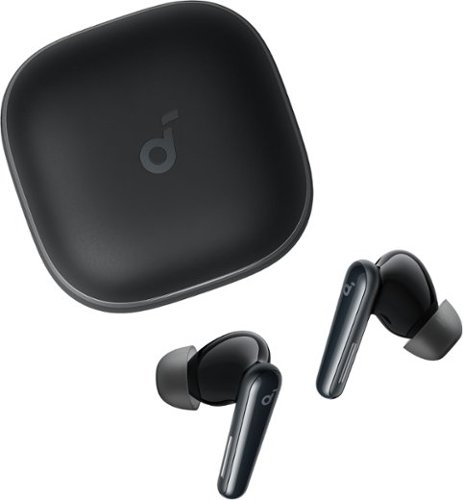
soundcore Liberty 5 by Anker, Noise-Cancelling Wireless Earbuds, 2x Stronger Voice Reduction, Real-Time Adaptive Noise Cancellation, Fast Charging, Dolby Audio, 6-Mic AI Clear Calls, Long Battery Life
Customer Rating
5
Exceptional Sound, Superior Technology and Comfort
on February 23, 2026
Posted by: RalphHenry
These earbuds are better quality in terms of materials relative to both the charging case and the earbuds. The design of both the case and buds is functional and beautiful. The buds are very easy to fix in your ear. I did not encounter any after-pains that I sometimes get from wearing cheap earbuds for several hours. You do get several different earbud cushion sizes to ensure you find a size to fit perfectly. I rode my bicycle and jogged and the earbuds stayed perfectly in my ears.
The sound is very smooth but robust. The noise cancelling does indeed remove unwanted background distractions without making music seem like in a tunnel – tip of the cap to the design engineers. I noticed that when I went from the house to the garage that the noise cancelling adapted to remove louder noises from fans that were running to keep things cool and clear the air in my workshop.
I tried several phone calls and these buds are wonderful in making the voices clear and crisp. The buds were also very good at understanding my control taps. This is an area the Liberty 5 was much better than some more expensive buds to make all operations very precise and reliable. The app has a setup routine that helps you understand the technology and operation of the earbuds – well worth utilizing.
I would highly recommend these buds for their solid performance both for music and phone calls.
I would recommend this to a friend!
Share this review:


0points
0of 0voted this as helpful.
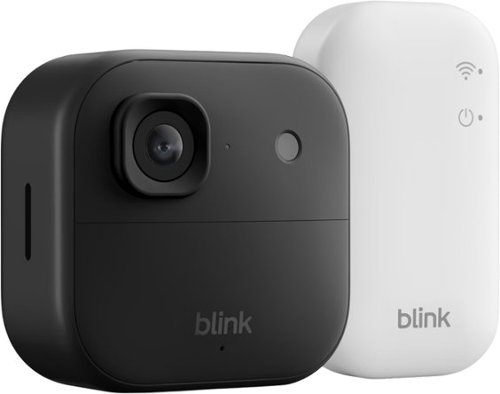
See and hear more ~ better than ever. Battery-powered Outdoor 2K+ delivers sharp 2K video resolution, detailed 4x digital zoom, and crystal-clear two-way audio with advanced noise cancellation. Mount in minutes with no wires, no worries, no compromises.
Customer Rating
5
Camera is Ideal to Add Another Front Door View
on December 4, 2025
Posted by: RalphHenry
This camera was super easy to install. Blink does have the process minimized and at a point where it is does secure a very reliable connection to the Sync Module and camera. Basically the Quick Start Guide mentioned just three steps including the installation of the Blink Home Monitor app. Once the app is installed you simply click the + sign in the upper right and the app will move you smoothly through the install.
I did utilize the Sync module that came with this camera although I do have other Blink Sync modules so I could have added this camera to one of my other Sync Modules. Note the Sync modules are plugged into 120 VAC using the included adapter and cable. The camera uses 2 AA batteries that are included. It did appear that my cell phone had to be on the same network access point as where I installed the Sync Module; if not the connection will not be established. Once the connection is made the Sync Module firmware will update. I then added the camera and it connected within seconds. The camera then did a firmware update also.
The camera video was beautiful, clear and colorful. Two way audio also was clear and crisp. I did choose the better camera resolution option in settings instead of longer AA battery life since I use the camera on my front porch to provide better facial details than my doorbell camera can.
An important point about this camera is the excellent waterproof seal that it utilizes, tip of my cap to the Blink engineers for a very well designed security camera at an affordable price. I do highly recommend this camera for its build quality, features and ease of installation.
An important point about this camera is the excellent waterproof seal that it utilizes, tip of my cap to the Blink engineers for a very well designed security camera at an affordable price. I do highly recommend this camera for its build quality, features and ease of installation.
I would recommend this to a friend!
Share this review:


0points
0of 0voted this as helpful.
![Norton - Utilities Ultimate (10 Device) - Android, Apple iOS, Windows [Digital]](https://pisces.bbystatic.com/prescaled/500/500/image2/BestBuy_US/images/products/44dbbe2f-d36f-4c67-9905-287651d0198b.jpg)
Is your Windows PC moving slow? Norton Utilities Ultimate provides you with tools to help clean and reinvigorate your PC to keep it running like new. Automatically help increase your PC~s processing power, memory, and hard drive when you launch high-demand apps, for a smoother gaming, editing, and streaming experience.
Customer Rating
5
Amazing Tool to Keep Your PC Optimized
on December 3, 2025
Posted by: RalphHenry
I was very pleased with the Norton Utilities Ultimate program, most importantly because it did not harm any functionality of my computers while it obviously had increased the speed of my computers. I tried this program on an older and newer laptop. The older computer was running very slowly and just opening email was delayed. While the new computer also did benefit from its clean-up; it was with this older computer where I was amazed at how much improvement was realized in making everything faster.
An example of why you want to remove files or a process that slows down your computer is junk files like Windows Log Files. These files get automatically generated to allow a program’s last activity to be reviewed. I don’t ever do this, so it is space that I would want cleaned up. Similar useless files need to be found and the ‘brains’ in the Norton Utilities Ultimate program does find them for you.
The tool allows you to separately scan many categories of files to get rid of. You can just quickly remove files from very safe-to-remove categories, or you can customize which files will get deleted by diving deeper into the results Norton provides. This is an important design point in case you want to be more cautious in which files you get removed.
The tool allows you to separately scan many categories of files to get rid of. You can just quickly remove files from very safe-to-remove categories, or you can customize which files will get deleted by diving deeper into the results Norton provides. This is an important design point in case you want to be more cautious in which files you get removed.
Norton scans very fast. The laptops I tested were a 6-year-old laptop and a new laptop; both with 500 GB SSD’s. On both machines, the scan was completed in seconds. I had feared that a scan would be an hours-long process, so I was elated to see how fast it ran.
You get a complete report for another example, of how many Broken Registry Keys were found; then an opportunity to go ahead or not to fix the problems. You can clean junk files, browser data and more. You also can locate unneeded programs with a different type of scan and then select which programs to turn off after the scan shows you the results.
This utility is a wonder that contains many useful features to tune your computer up. In addition to the scans to free up useless space, you can also manage cookie lists, optimize disks and clean up broken shortcuts. A tip of the cap to the Norton team for their expertise in providing a safe, effective and comprehensive tool to make your PC more efficient.
I did notice that on subsequent scans more wasted space was found (although now there was smaller waste than the first run). You can select to schedule ‘auto-cleaning’ to ensure you keep up with ensuring your computer speed is optimized; and I did take advantage of this helpful feature.
I highly recommend this very well designed, safe and effective product.
I would recommend this to a friend!
Share this review:


0points
0of 0voted this as helpful.

Experience next-level protection and clarity with the THINKWARE U3000 PRO. Featuring 4K UHD front and 2K QHD rear recording with Dual STARVIS 2 sensors and Dual HDR, it captures every detail in stunning quality, day or night. Dual built-in 60GHz RADAR sensors deliver smart, energy-efficient parking surveillance, while Super Night Vision 4.0 ensures bright, noise-free footage in low light. Stay connected anywhere with the THINKWARE CONNECTED App (via optional LTE) for live monitoring, impact alerts, and vehicle tracking. Dash cam set includes the U3000 PRO dash cam, rear camera unit, 3M adhesive windshield mount with extra 3M tape, CPL filter, heat blocking film, adhesive cable holders, OBD II cable, trim tool, and 64GB MicroSD card.
Customer Rating
5
Top Notch Design and Smooth Function
on November 27, 2025
Posted by: RalphHenry
The Thinkware U3000 Pro Dash Cam is an excellent dash cam. The package included all the cables needed plus a couple extras that add value. The extras included a micro SD card and also a heat shield to stick under the windshield mounting bracket. This heat shield is a necessary but rare accessory that is very useful in Arizona and other hotter climates. I have had several dash cams and radar detectors and the best way to mount them is basically with a 3M adhesive pad which this camera uses. Suction cups will always fall off in the heat and even some adhesive pads give up in 115-120 degree interiors when parked.
The installation is very smooth as the rear camera cable is very long, and the front cable utilizes the OBDII port and is plenty long enough to reach up near the center top of the windshield which seems the ideal spot in most vehicles. A subtle point is that the rear camera power connector has a slight indentation that clips in with a click when you attach the cable to the rear camera mini-USB power port; a very smart idea. A tip of my cap to the Thinkware engineers for this tiny but very useful design point. Note the ends of the cable are marked F and R to ensure you use the correct connector in the rear which does keep the cable from falling out when hatch lids go up and down.
I did connect to my Android phone and there was one hiccup in this process due to the install process on the cell phone being a little vague. What happens is that after you install the app, connect to power and power on the camera, there will be a need to make a selection that you are never told to do. The phone will not 'see' the camera but you will see the directions 'Press the WiFi button' for 3 seconds. Nothing happens except the WiFi light on the dash cam starts blinking. There was/is a 'Register the Dashcam' box on the phone screen. I thought this meant to register the product but it does not. When you press the 'Register the Dashcam' box it will step you through the WiFi connection process very smoothly and voila you are connected. So the process worked great at making the connection once I knew to press this box on the screen.
I think the Quick Start Guide should say Open the Thinkware Dash Cam Link app, press the WiFi button on the dashcam, and then say tap the 'Register the Dash Cam' box on the screen. Many dash cams fail to connect to your phone so ultimately I was pleased that this dash cam did connect quickly every time.
The front videos are absolutely clear, smooth and gorgeous; and they are 4K. The rear camera is only 2K but it does have very clear videos as well. With wide viewing angles and great night vision, this dash cam has gone to the top of my list. The park mode is an outstanding feature that you can enable via a switch on the OBDII connector. Since this product has both front and rear cameras and wide viewing angles, this feature provides a superior security mode.
The dash cam of course has all the normal loop recording and impact clip preservation features as well. I highly recommend this very well designed and sized unit that will fit a larger or smaller windshield without blocking your view.
I would recommend this to a friend!
Share this review:


0points
0of 0voted this as helpful.

Sennheiser HDB 630 Wireless Audiophile Headphones - High-Res Sound with Parametric EQ and Crossfeed, Bluetooth Headset with ANC and 60h Battery Life, Lightweight Design, Clear Calls - includes BTD 700. Flawless sound, no wires, and a battery that lasts for up to 60 hours. The Sennheiser HDB 630 lets outaketrueaudiophilesoundanywhere you go. Precision engineering brings out breathtaking clarity, a neutral tone, detailed mids, and a wide soundstage. Use aptX HD and aptX Adaptive Bluetooth~ codecs from a high-resolution source such as Sennheiser~s BTD 700 Bluetooth~ adapter or plug in via USBC for pure fidelity. The advanced parametric EQ lets you define frequency bands and filters as you please. Cross Fade balances classic tracks for better headphone listening while Active Noise Cancellation eliminates background noise while maintaining high-end audio quality.
Customer Rating
5
Superior Technology, Sound and Comfort
on November 23, 2025
Posted by: RalphHenry
These headphones are easily the best I have ever had for audio from any sound source, especially music on my MP3 player. The construction is absolutely first rate and is built with premium materials. It comes in a very nice case that even has pockets for the included accessories: charging cable, wired 3.5mm cable, dongle and an ‘in flight’ adapter. This latter accessory I had not seen included with a headset before. The ‘inflight’ adapter is a dual-prong plug for the airplane's jack on one end and a single 3.5mm stereo jack for your headphones on the other. Gone will be the days that I need one of the cheap headsets the airline gives you to listen to a movie. A giant tip of my cap to the Sennheiser folks for including this accessory and for an outstanding product.
All features from noise cancellation to battery hours to phone controls etc., are top notch and worked perfectly. The noise cancellation and the ‘transparency mode’ are very effective and these are important features for me since I sometimes listen to music while I work in my woodshop with various machines that make a lot of noise. I still hear the music nicely. The noise cancellation is adaptive (a very complicated technology) and really blocks out the unwanted distractions. You can of course adjust the sound to your preferences including the amount of noise cancellation.
The app is very well designed and I would suggest you download and utilize the ‘Smart Control Plus’ app from Sennheiser since it does provide guidance on the controls and includes easy setup to get the sound customized for your needs.
The sound you hear is very smooth from bass to midrange to treble. It is so lifelike that you may think the band is in your living room. The technology used in this headset is far superior to the lower priced units; and well worth the cost if you want the best possible sound.
The earcups are so soft I listened for over 2 hours with no hint of discomfort. I wear glasses and the plush pads produced zero pressure from the headset like I have found on other units. No more headaches from extended headset wear.
I certainly can highly recommend this awesome headset for its quality, beautiful full sound and advanced technology 'everywhere you listen'.
I would recommend this to a friend!
Share this review:


+2points
2of 2voted this as helpful.
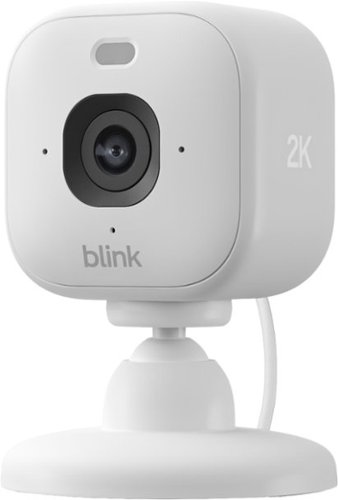
Mini 2K+ is our most powerful, compact plug-in security camera yet, delivering stunning 2K video resolution, a 138~ field of view, and 4x zoom for detailed footage day or night. With AI smart detection (Blink Subscription Plan required), it can identify people or vehicles and help deter unwanted activity using a built-in security siren. Plus, you~ll get crisp two-way audio, color night vision with the spotlight, and seamless control from the Blink app.
Customer Rating

3
Good Camera, Don't Like Cloud Storage Process
on November 22, 2025
Posted by: RalphHenry
This mini camera was easy to install. I had it working within 3 minutes. I did already have a Blink account and other Blink cameras as well as Sync modules. I added this camera to one of my Sync modules and this operation went smoothly except relative to putting clips on the Sync local storage. The Blink instructions included a minor mistake during the setup by telling users to find a QR code in the Quick Start Guide to facilitate installation, even though the guide doesn't contain the QR code. The QR code is only on the back of the camera.
The video and audio are both excellent, including night vision recordings as well. However, the night recordings are not in color as claimed. I did set the Night Vision to Auto which should have enabled color night vision. The Night Vision setting that would force black and white only was off.
The storage of clips is a bit confusing in that I could not get the new camera to record video to the local storage in my Sync module. This could be due to the fact that the installation of the new camera started a trial subscription to record to the Cloud. Indeed all my cameras are now ignoring the local storage and recording clips to the Cloud which I did not want. The instructions should be updated to clarify this process and/or make it easy to find the settings to use the local storage. I did see a note that indicated that clips would download to the local storage after 24 hours but this isn’t happening.
I expect if I terminate the Cloud storage option that all the recordings including the new camera will go to the local storage on my Sync modules. I would suggest that much better documentation from Blink is needed to help folks figure out how to use the local storage instead of the Cloud. I cannot recommend this camera since it does not record color night vision as advertised - only black and white; and also cannot recommend due to the storage process that seems to require the Cloud although it is clearly stated that I could record clips from the new camera to the Sync module local media.
No, I would not recommend this to a friend.
Share this review:


+1point
1of 1voted this as helpful.

Stream instant content easily with this LG BP550 Blu-ray player. To build a complete 3D home theater system, we recommend you purchase a 3D TV, 3D glasses designed for the TV, high-speed HDMI cable and an A/V receiver that is compatible with 3D products.
Overall 4 out of 5
4 out of 5Great Blu-Ray DVD Player for the money
By JulieAS
After buying this product, I am both pleased yet a little disappointed! I needed another player to replace my 5 year old Sony 3-D player (also bought at BB) because it was no longer compatible with YouTube. Since my TV is an LG, I decided to buy an LG player.
The LG BP550 is smaller than my older Sony (another reason I chose it) and has fewer apps but I really didn't care about that as long as YouTube worked and that it also had Netflix and HuluPlus apps. Hooking it up and installing it was quick and easy and completing the system update was also a breeze! Already on sale, I saw it was also available as an Open-Box item so I thought I could save even more buying it at that option...NOT!
Advertised as 'Open-Box Excellent Condition' I ordered it on May 13th and it arrived on the 15th - without the remote! Maybe I shouldn't have assumed that an item labeled as "Returned, used as display model in store, or opened due to packaging damage but remains in like-new condition" meant or means that all accessories, cables, manuals, remotes, etc. are included.
Fortunately, my TV remote was able to do some of the basic stuff for installing and some playback features but that's it. So I make a call to BB and learn that the 4-yr Protection Plan I paid for would not cover this missing remote and was then advised to call LG for a 'free' replacement.
Customer service at LG then directed me to call their authorized parts dealer for my time zone. Of course, they were closed on Saturday and Sunday!
I called the parts dealer today (18th) and was told to contact the retailer since I'd "recently purchased the item and it should be returnable/replaceable under warranty". I explained that I had been informed that it was not and that I was told to call them by both BB and LG!
Subsequently, I was given the part number and price for a replacement remote!
Well it looks as if buying Open-Box didn't save me much, if anything, after all since the replacement remote has to be paid for out of my pocket!
I may be better off returning this player and buying a NEW one instead!
I may be better off returning this player and buying a NEW one instead!
However, I must say that I do like the player for what features I have been able to access while using my TV remote! I look forward to obtaining the full benefits and features when using the actual remote control for the BP550!

RalphHenry
Raleigh, NC
Remote Replacement
May 28, 2015
It's not ideal but if you are missing a remote and/or lose or break it, you can easily download a smartphone app to run it. You could also program a multi device remote like the Harmony 650 which I did. So nowadays a missing remote is not a show stopper but I agree it should have not been missing.
+1point
1of 1voted this comment as helpful.
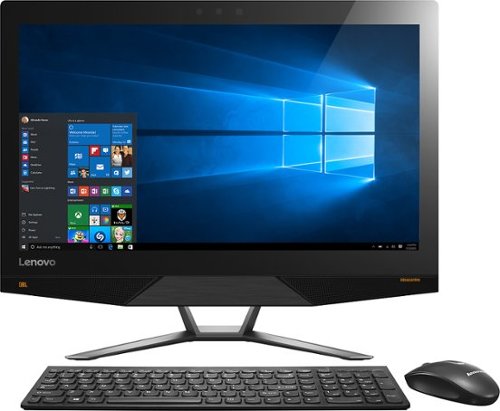
Lenovo IdeaCentre All-In-One Computer: With Wireless-AC networking, this all-in-one computer makes it easy to browse Web sites, access social media and check your e-mail. The 23.8" capacitive multitouch screen lets you navigate features using all 10 fingers and presents your favorite films in 4K UHD resolution. The revolutionary Intel~ RealSense~ 3D camera lets you scan 3D objects, use gestures to control your PC or play games and more.
Overall 2 out of 5
2 out of 5Great box - poor fonts
By Jasonrn
I purchased this with great excitement. I mostly do everyday things, with an evergrowing photo collection. I bought Adobe creative cloud and was ready to go. Fired it up and was shocked at how bad the text looks. I have tried many different settings. I don't know if it is a scaling thing? I love everything else about the unit. Photos look great. I dont game.
The text issue is varies. Some apps, it looks fine... others - terrible. Also, some apps don't scale well at all on the 4K screen.
May return the unit and get a laptop I can plug a second monitor in for my photo work.
RalphHenry
Raleigh, NC
Fix for fonts didn't install
November 3, 2015
The expert pointed to a download and it did not install. I'm glad since I think you just need to go to settings and find the 'cleartype text' setting and run through it to make fonts great. Also I see many of the apps will fix drivers and so forth so there is a learning curve now to see how to run these machines.
0points
0of 0voted this comment as helpful.
Lenovo IdeaCentre All-In-One Computer: With Wireless-AC networking, this all-in-one computer makes it easy to browse Web sites, access social media and check your e-mail. The 23.8" capacitive multitouch screen lets you navigate features using all 10 fingers and presents your favorite films in 4K UHD resolution. The revolutionary Intel~ RealSense~ 3D camera lets you scan 3D objects, use gestures to control your PC or play games and more.
Overall5 out of 5
5 out of 5Highest Quality and Top Features
By RalphHenry
from Raleigh, NC
This AIO has superior resolution to others. Some reviews spoke about a text problem, however you can improve the text via going to settings, display, advanced and 'cleartype text' and follow the steps. Also has 3D display capability which is good for future needs for me. Sound is nice with Jensen speakers. Touch screen is great. WIFI is super and has both 2.4 and 5 GHz ranges with Wireless AC. Very quiet fan. Lenovo support has regressed but is do-able I asked a simple question and the tech had no idea, also the website seems broken in the support area; glad I got Geek Squad. But this AIO is one great machine. price is very reasonable for what you get. Love it.
RalphHenry
Raleigh, NC
Tips For Better Text on AIO 700
November 4, 2015
I've played with the font's and you may also want to scale text or make it bold for example if you use Windows Live (you can do that within Display Settings). The other tip is that the text is very clear but small so you may find that enlarging text by hitting Ctrl and + (together) once or twice will make some things easier to read. You hit Ctrl and - together to reduce. I didn't use those commands as often on other machines, but it is beautiful to use at times on this machine. By the way videos are wonderful if you use something like Amazon Prime video etc WOW
+1point
1of 1voted this comment as helpful.
Lenovo IdeaCentre All-In-One Computer: With Wireless-AC networking, this all-in-one computer makes it easy to browse Web sites, access social media and check your e-mail. The 23.8" capacitive multitouch screen lets you navigate features using all 10 fingers and presents your favorite films in 4K UHD resolution. The revolutionary Intel~ RealSense~ 3D camera lets you scan 3D objects, use gestures to control your PC or play games and more.
Overall5 out of 5
5 out of 5Highest Quality and Top Features
By RalphHenry
from Raleigh, NC
This AIO has superior resolution to others. Some reviews spoke about a text problem, however you can improve the text via going to settings, display, advanced and 'cleartype text' and follow the steps. Also has 3D display capability which is good for future needs for me. Sound is nice with Jensen speakers. Touch screen is great. WIFI is super and has both 2.4 and 5 GHz ranges with Wireless AC. Very quiet fan. Lenovo support has regressed but is do-able I asked a simple question and the tech had no idea, also the website seems broken in the support area; glad I got Geek Squad. But this AIO is one great machine. price is very reasonable for what you get. Love it.
RalphHenry
Raleigh, NC
Lenovo Fix for AIO 700 24ISH
November 5, 2015
Jason, I did think ClearType helped a little but the scaling and putting 'bold' on helped more. I did see the fix that Lenovo posted. First I flashed the BIOS which they also posted as of 9/10/15. However when I tried their special fix for the font scaling it is an .rar file and I had to load WinZip (free version for now) but it did unpack it. However I never saw it run successfully as it always returned an error code. I am going to call Lenovo on that but the text looks pretty good so maybe it actually ran. I'll post an update on that. By the way the support at Lenovo is abysmal.
+1point
1of 1voted this comment as helpful.
Lenovo IdeaCentre All-In-One Computer: With Wireless-AC networking, this all-in-one computer makes it easy to browse Web sites, access social media and check your e-mail. The 23.8" capacitive multitouch screen lets you navigate features using all 10 fingers and presents your favorite films in 4K UHD resolution. The revolutionary Intel~ RealSense~ 3D camera lets you scan 3D objects, use gestures to control your PC or play games and more.
Overall2 out of 5
2 out of 5Disappointed
By Brandon
It worked for a few hours right out of the box. Then I noticed the screen flashing and the graphics cards crashing. After a reset it freezes after 5 minutes of use. Not sure if it's the pc itself or driver issues with Windows 10, either way it's not worth the trouble. If they can fix these issues then it is absolutely worth the price.
RalphHenry
Raleigh, NC
Try Driver Updates & Flash BIOS
November 5, 2015
If you still have it and if it will stay up long enough, I'd say go to Lenovo's web site and download the newest BIOS, it's easy to update BIOS now. Then go into Device Manager and update both Display drivers. If you bought an open box, I'd also try to reload the whole machine to the factory settings (or BestBuy should do that for you). But if you go to the apps, the app called Lenovo Rescue System will do it for you pretty easily. Then do the stuff I mentioned above.
+2points
2of 2voted this comment as helpful.
Lenovo IdeaCentre All-In-One Computer: With Wireless-AC networking, this all-in-one computer makes it easy to browse Web sites, access social media and check your e-mail. The 23.8" capacitive multitouch screen lets you navigate features using all 10 fingers and presents your favorite films in 4K UHD resolution. The revolutionary Intel~ RealSense~ 3D camera lets you scan 3D objects, use gestures to control your PC or play games and more.
Overall5 out of 5
5 out of 5Highest Quality and Top Features
By RalphHenry
from Raleigh, NC
This AIO has superior resolution to others. Some reviews spoke about a text problem, however you can improve the text via going to settings, display, advanced and 'cleartype text' and follow the steps. Also has 3D display capability which is good for future needs for me. Sound is nice with Jensen speakers. Touch screen is great. WIFI is super and has both 2.4 and 5 GHz ranges with Wireless AC. Very quiet fan. Lenovo support has regressed but is do-able I asked a simple question and the tech had no idea, also the website seems broken in the support area; glad I got Geek Squad. But this AIO is one great machine. price is very reasonable for what you get. Love it.
RalphHenry
Raleigh, NC
Checked on Font Scaling Fix
November 5, 2015
I couldn't get the download from Lenovo's website to install. I downloaded and unpacked the fix, but it returned an error code when I ran it. I spent 40 minutes with Lenovo 1st and 2nd level support. They pretty much had no info on this fix. They didn't open a problem ticket 8005969635. Also their website said you should post a request online to have them call you back, but their process was broken in that area also. Full disclosure: even without this fix, the screen looks awesome to me.
+1point
1of 1voted this comment as helpful.
Lenovo IdeaCentre All-In-One Computer: With Wireless-AC networking, this all-in-one computer makes it easy to browse Web sites, access social media and check your e-mail. The 23.8" capacitive multitouch screen lets you navigate features using all 10 fingers and presents your favorite films in 4K UHD resolution. The revolutionary Intel~ RealSense~ 3D camera lets you scan 3D objects, use gestures to control your PC or play games and more.
Overall5 out of 5
5 out of 5Highest Quality and Top Features
By RalphHenry
from Raleigh, NC
This AIO has superior resolution to others. Some reviews spoke about a text problem, however you can improve the text via going to settings, display, advanced and 'cleartype text' and follow the steps. Also has 3D display capability which is good for future needs for me. Sound is nice with Jensen speakers. Touch screen is great. WIFI is super and has both 2.4 and 5 GHz ranges with Wireless AC. Very quiet fan. Lenovo support has regressed but is do-able I asked a simple question and the tech had no idea, also the website seems broken in the support area; glad I got Geek Squad. But this AIO is one great machine. price is very reasonable for what you get. Love it.
RalphHenry
Raleigh, NC
Successful Adjustments for FONTS
November 5, 2015
Lots of people had problems with the fonts on this 4K hi-def screen. Lenovo support was useless but Geek Squad fixed me right up via remote connection. It might be something others know, but judging by the reviews most people including me just didn't really understand. There are lots of modifications to DISPLAY parameters but what most people should do if they are using this screen for apps like Windows Live is to change the screen resolution to 1920x1080 and change the scaling to 125%. Now everything is beautiful. If you do want to watch a movie in high def, then put it back to 3840x2160 and set scaling to 200%. What is confusing is that there is a choice for 2560x1600 but this is not the same ratio as the screen size so you get bars on each side which you probably don't want - I should have seen this but the Geek Squad enlightened me. Now as to the patch from Lenovo for font scaling, you probably don't need it nor would it do much I am sure. So kudos to the Geek Squad and thanks. It is an awesome machine and in fact even the lower resolution is more than any other PC I have ever had.
+1point
1of 1voted this comment as helpful.
Lenovo IdeaCentre All-In-One Computer: With Wireless-AC networking, this all-in-one computer makes it easy to browse Web sites, access social media and check your e-mail. The 23.8" capacitive multitouch screen lets you navigate features using all 10 fingers and presents your favorite films in 4K UHD resolution. The revolutionary Intel~ RealSense~ 3D camera lets you scan 3D objects, use gestures to control your PC or play games and more.
Overall5 out of 5
5 out of 5Highest Quality and Top Features
By RalphHenry
from Raleigh, NC
This AIO has superior resolution to others. Some reviews spoke about a text problem, however you can improve the text via going to settings, display, advanced and 'cleartype text' and follow the steps. Also has 3D display capability which is good for future needs for me. Sound is nice with Jensen speakers. Touch screen is great. WIFI is super and has both 2.4 and 5 GHz ranges with Wireless AC. Very quiet fan. Lenovo support has regressed but is do-able I asked a simple question and the tech had no idea, also the website seems broken in the support area; glad I got Geek Squad. But this AIO is one great machine. price is very reasonable for what you get. Love it.
RalphHenry
Raleigh, NC
Thanks for Posting Info on Font Patch from Lenovo
November 6, 2015
JasoninNJ, thanks for posting your comment that installing the Lenovo patch to help font scaling toasted the machine. I won't try again to install it. As I mentioned I don't think it is needed. There will be more ultra HD computer screens and I'm guessing they will add automated switching to show videos in HD but do the rest of your PC work with the lower resolution which is excellent when viewing text.
+1point
1of 1voted this comment as helpful.
Lenovo IdeaCentre All-In-One Computer: With Wireless-AC networking, this all-in-one computer makes it easy to browse Web sites, access social media and check your e-mail. The 23.8" capacitive multitouch screen lets you navigate features using all 10 fingers and presents your favorite films in 4K UHD resolution. The revolutionary Intel~ RealSense~ 3D camera lets you scan 3D objects, use gestures to control your PC or play games and more.
Overall5 out of 5
5 out of 5Highest Quality and Top Features
By RalphHenry
from Raleigh, NC
This AIO has superior resolution to others. Some reviews spoke about a text problem, however you can improve the text via going to settings, display, advanced and 'cleartype text' and follow the steps. Also has 3D display capability which is good for future needs for me. Sound is nice with Jensen speakers. Touch screen is great. WIFI is super and has both 2.4 and 5 GHz ranges with Wireless AC. Very quiet fan. Lenovo support has regressed but is do-able I asked a simple question and the tech had no idea, also the website seems broken in the support area; glad I got Geek Squad. But this AIO is one great machine. price is very reasonable for what you get. Love it.
RalphHenry
Raleigh, NC
Text Display Improvement
November 16, 2015
After playing with various settings I have some hopefully helpful feedback. First of all don't use the 3840x2160 unless you are streaming video, it makes text bad. Also don't use 2560x1600 since it is not a multiple of the 3840x2160 i.e. you'll get bars on both sides of the screen. Do use the 1920x1080 which is also hi-def and fits this screen dimensions properly. Now if you want text a little bigger then go to 'set custom scaling level' and use 110% or 115%; this makes nice readable text. Now here's a quirk I see lots of people having and not just on this PC or brand for Windows 10. You may see occasional video card errors and once in a while the machine may not IPL (just power off and try again it will come up). I think the problem is the video card doesn't get back fast enough to the CPU, and the video card crashes but does recover. Not a problem unless you are playing PC high powered games. So I don't recommend this machine for games, but video streaming and apps like Corel Photoshop are great. Now what you can do to minimize or eliminate the video card crashes (remember it happens on lots of machines with Windows 10, so there will be a fix soon I think). Anyway go to Control Panel and search for 'visual effects', then click on adjust the appearance and performance of Windows. Then select 'Custom' and click the box next to 'smooth edges of screen fonts'. If you optimize for 'best appearance' entirely or for let 'windows choose'... that's when the video card may not keep up I think. If you optimize for 'best'performance' the text looks horrible. Anyway the 'custom' settings work for me to give me nice text and no crashes. This is a stretch but I think the engineers knew there could be a problem, that's why they tried to put in the super high powered video cards, but not good enough for now, I do think this will get fixed by Windows 10 OS soon. This machine for it's price is tremendous and I think worth this minor glitch.
+2points
2of 2voted this comment as helpful.
Lenovo IdeaCentre All-In-One Computer: With Wireless-AC networking, this all-in-one computer makes it easy to browse Web sites, access social media and check your e-mail. The 23.8" capacitive multitouch screen lets you navigate features using all 10 fingers and presents your favorite films in 4K UHD resolution. The revolutionary Intel~ RealSense~ 3D camera lets you scan 3D objects, use gestures to control your PC or play games and more.
Overall5 out of 5
5 out of 5Highest Quality and Top Features
By RalphHenry
from Raleigh, NC
This AIO has superior resolution to others. Some reviews spoke about a text problem, however you can improve the text via going to settings, display, advanced and 'cleartype text' and follow the steps. Also has 3D display capability which is good for future needs for me. Sound is nice with Jensen speakers. Touch screen is great. WIFI is super and has both 2.4 and 5 GHz ranges with Wireless AC. Very quiet fan. Lenovo support has regressed but is do-able I asked a simple question and the tech had no idea, also the website seems broken in the support area; glad I got Geek Squad. But this AIO is one great machine. price is very reasonable for what you get. Love it.
RalphHenry
Raleigh, NC
Good News to Add
December 8, 2015
I wanted to update my review to indicate that a frequent display driver error that said "...Intel Video adapter stopped working but recovered...", has stopped occurring after about 1 week ago when a pretty big Windows 10 update came out. It was never a killer for me since I don't play games but when I googled it, I did see that it was fairly common on many PC's - that's good since it appears Microsoft fixed it. Note there are two video adapters in this machine but the Nvidia one was not failing.
0points
0of 0voted this comment as helpful.
RalphHenry's Questions
RalphHenry has not submitted any questions.
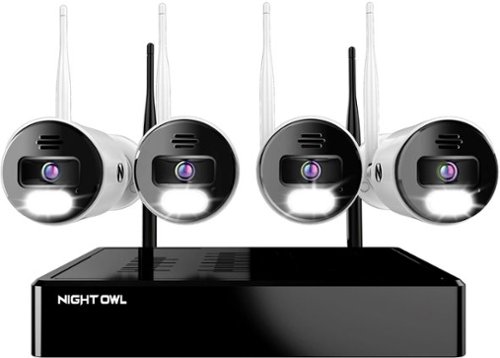
Night Owl is excited to offer our U.S. designed and engineered 4K Wi-Fi Bluetooth Network Video Recorder with Wi-Fi IP 4K Spotlight Cameras and Pre-Installed Hard Drive. With secure app-based Bluetooth setup, there is no need to connect a TV or monitor for setup or viewing (optional). You can easily configure your system right from the app on your smartphone or tablet with the Bluetooth connection. While a TV or monitor is not required, with Google Assistant you can use simple voice commands to stream camera footage directly to your TV or monitor, all while remaining hands free. Each camera has 2-Way audio (talk and listen) as well as a built-in siren and preset voice alerts. From within the app, you can easily activate the built-in siren, startling intruders and sending them packing. Have a guest but can~t get to them? Use a preset voice alert to let them know! Smart detection technology including human detection, facial capture, and vehicle alerts reduce the risk of false alarms, keeping you safe and well protected. Facial capture lets you see who is on your property by snapping a photo and sending the image to your Smart Device. Motion-activated dual spotlights flood your yard with bright lights when human motion is detected, instantly warding off trespassers. Proudly designed and engineered in the USA, our security system uses a built-in wireless connection for uninterrupted viewing with no delays. Our app gives you control of your system and easy access to your recordings, regardless of where you are. Night Owl never charges fees for storage or access to your videos. All recordings are securely stored on a pre-installed hard drive for convenience. You can view and download the recordings as you need them. This system provides the latest technology to give you the ultimate security experience. NOTE: Your Wi-Fi recorder is compatible with our BWNIP2 (Wire Free), WNIP2 (Wi-Fi IP) and WNIP8 (Wi-Fi IP) Series devices and is not backward compatible with other Night Owl products.
Can I add more cameras
Yes you can connect more cameras. In fact the default was to display 8 cameras and I had to set it back to 4.
4 years, 4 months ago
by
RalphHenry

The minute you put on Bose QuietComfort 45 Wireless Noise Cancelling Headphones, you feel it ~ the iconic quiet that allows you to concentrate on your music or work on your passion projects. Plus, with these wireless headphones, you can experience the comfort and crystal-clear sound that can only come from Bose headphones. The soft, plush cushions of these Bose over ear wireless headphones seal you in. Then you flip the switch and whoosh ~ the world fades. The music starts. It~s love at first listen. The original Bluetooth headphones are back, now with signature active noise cancelling technology and premium comfort. Plus proprietary technology for deep, clear sound, and adjustable EQ so you can tune your music to your liking. Bose QuietComfort 45 over-ear headphones. An icon reborn.
Does this set(QC45) need an adapter to connect with the TV screen on airplanes? Is it included? I saw an adapter when I looked at the QC35II, will it work with this model?
I think you mean the normal 3.5mm jack/cable which you use when Bluetooth wireless is not available. Yes this cable is included with the QC45 as well as the QC35II.
4 years, 6 months ago
by
RalphHenry
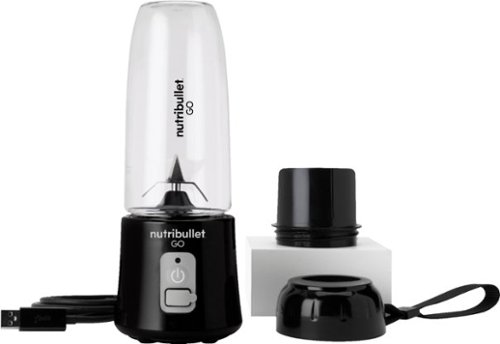
The Nutribullet GO Cordless Blender has a compact and ergonomic design, ideal for those on the go! The 2000mAH battery offers up to 20 blending cycles before needing to be recharged. The 13oz cups are the perfect size for personal smoothies or protein shakes and with 18000 RPMs you can be confident your smoothies will come out tasting delicious! Our base even comes with a blade protector so you can feel confident putting this in a backpack or bag.
What’s the voltage on this product?
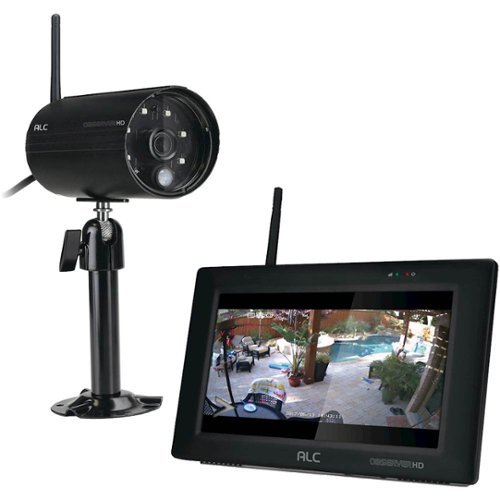
Protect your home with this ALC Observer touchscreen wireless surveillance system. An easy-to-install weatherproof outdoor camera captures footage of potential intruders in Full HD resolution and sends automated alerts when triggered. This ALC Observer touchscreen wireless surveillance system has a 7-inch monitor that lets you watch recorded footage and monitor live feeds.
Can I hook my alc observe hd up to a computer monitor
I have done it. The base unit will look like a PC to your TV or to a monitor. The included mouse will be your input device.
4 years, 9 months ago
by
RalphHenry
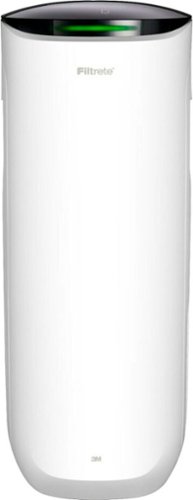
Say Hello to Cleaner, Fresher Indoor Air~24/7.Monitor and clean your air 24/7 with the Filtrete~ 310 Sq. Ft. Smart Air Purifier for Large Rooms from the most trusted HVAC filter brand in America*. These easy-to-use connected devices automatically improve the quality of the air you breathe, taking action when air quality issues arise at home. The devices also integrate seamlessly with the Filtrete~ Smart App, Amazon Alexa, Google Assistant and other smart home products.With so much bad stuff in our indoor air, why not choose an air purifier and filter to help keep your home~s air cleaner and fresher?Included with each Filtrete~ Smart Air Purifier is a True HEPA filter, which captures 99.97% of airborne particles**, such as allergens, dust, lint, mold spores, bacteria, viruses and pet dander. Plus, every filter is electrostatically engineered to pull in and trap microscopic airborne particles. Many of those particles are 1000x smaller than you can see.Give yourself some peace of mind with a sleek Filtrete~ Smart Air Purifier that automatically monitors, reacts and purifies air in large rooms.
How much do replacement filters cost?
Only $10-$15 for the F1 and you can buy them at Home Depot or Walmart or online.
4 years, 10 months ago
by
RalphHenry
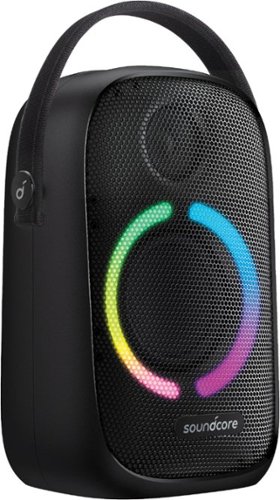
Anker Soundcore Rave Neo Portable Bluetooth Speaker with Lights, BassUp Technology, Sync 100+ Speakers, 18H Playtime
What are the measurements for this Bluetooth?
11 inches high, 7 inches wide and 4 3/4 inches deep. This does not count the nylon handle which can be tucked down behind the unit when not in use.
5 years, 3 months ago
by
RalphHenry

Now that quality you've come to love from GE is available right on your countertop, thanks to GE Appliances blenders, available in both Standard and Immersion designs. Our immersion blenders are ideal for one-handed operation, and available whisk and chopping attachments make whipping up family meals a cinch. You can even take it with you to help make kitchen magic on the go. GE Appliances standard blenders are the perfect addition to any kitchen and have the power to blend through tough ingredients to make delicious shakes, sauces and pur~es. The available personal blending cups are perfect for your morning smoothie and help make clean-up a snap. Make your blending experience a snap with help from GE Appliances, a brand you trust.
Is the jar glass or plastic?
Plastic. The two included smoothie cups are also plastic.
5 years, 4 months ago
by
RalphHenry

Always ready to entertain with the Bella Pro Series 18-Cup Programmable Coffee Maker. The 1200-watt brewing system quickly brews 18 5-oz. cups of coffee in minutes, making it ideal for large family gatherings or parties. 1 - 4 cup feature for large carafe taste in a smaller batch and brew strength selector for a high quality, customized brew. Prepare ahead of time by programming up to 24 hours in advance. Adjustable 30 minute to 4-hour automatic shut off for added safety. No time to wait for the whole pot? Grab a quick mug while brewing with the pause and serve feature. The special cleaning cycle extends product life while ensure coffee is always at its optimum flavor. Sustainable and reusable permanent filter basket and measuring spoon included.
What are the exact measurements of this appliance. Hard to purchase without knowing if it will fit on your countertop/
Good question, here's the answer: 15 inches high x11.5 inches wide x 9 inches deep
5 years, 4 months ago
by
RalphHenry
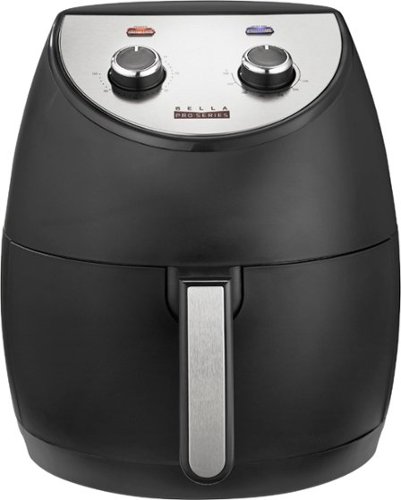
Revolutionize cooking with the Bella Pro Series 4.2-qt. Analog Air Fryer. The High Performance Circular Heat Technology and the powerful 1500-watt heating system delivers fast, crispy, and evenly cooked food every time. Time saving appliance with up to 50% faster preheat than a conventional oven. Large 3.6-lb. food capacity for your favorite foods, including; fried chicken, roasted salmon, French fries, kale chips, and homemade guilt free donuts. Adjustable temperature from 175~F to 400~F and integrated 60-minute auto shutoff timer with audible tone and indicator lights. The matte black finish adds style to any kitchen. Easy clean up with a dishwasher-safe, PFOA-free non-stick pan and crisping tray.
Did this product come with instruction booklet ? Just the product was in the box
Yes, it came with instructions and also there are some recipes regarding timing for various foods. Here's a link to a similar Bella unit. https://bellahousewares.com/wp-content/uploads/2020/09/90124-BElla-Pro-4.3QT-Air-Fryer-Stainless-Steel-IM-r1-LR.pdf
5 years, 5 months ago
by
RalphHenry
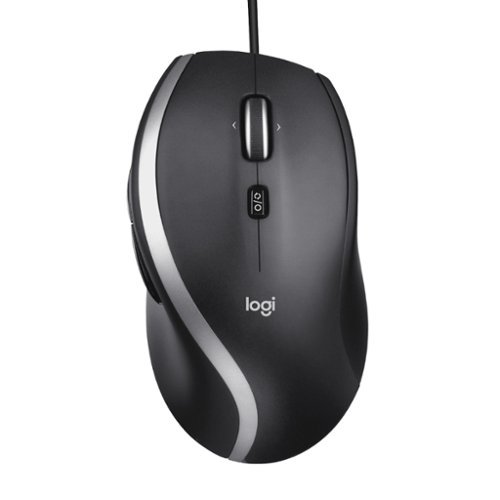
The Logitech Advanced Corded Mouse M500s with hyper-fast scrolling for increased productivity. The scroll wheel lets you fly through long documents and Web pages with a single flick. Or switch to click-to-click mode for precise, line-by-line navigation of lists, slides, images, and menus. Now with 400-4000 adjustable DPI for fast and ultra-precise cursor control.
Which software does the M500s use to customize the buttons? Conflicting information shows Logitech SetPoint if you look under their website, but guidance only goes up to windows 8. Package says Logitech Options but this isn’t On the Options device list
The M500s uses the Logitech Options Software. It is on the site, you may have just missed it for some reason. When you go to Logitech.com/options, click on Support, then Downloads. Now click on downloads in the top menu (I know this seems screwy) but when you hit downloads on this page you will then click on Logitech Options again, then click to download it. It is easy to make miss this. This link will take you directly to the page to download the Logitech Options for Windows 10: https://support.logi.com/hc/en-us/articles/360025297893
5 years, 6 months ago
by
RalphHenry